light CHEVROLET TRAVERSE 2009 1.G Owner's Manual
[x] Cancel search | Manufacturer: CHEVROLET, Model Year: 2009, Model line: TRAVERSE, Model: CHEVROLET TRAVERSE 2009 1.GPages: 422, PDF Size: 2.06 MB
Page 85 of 422
Ignition Positions
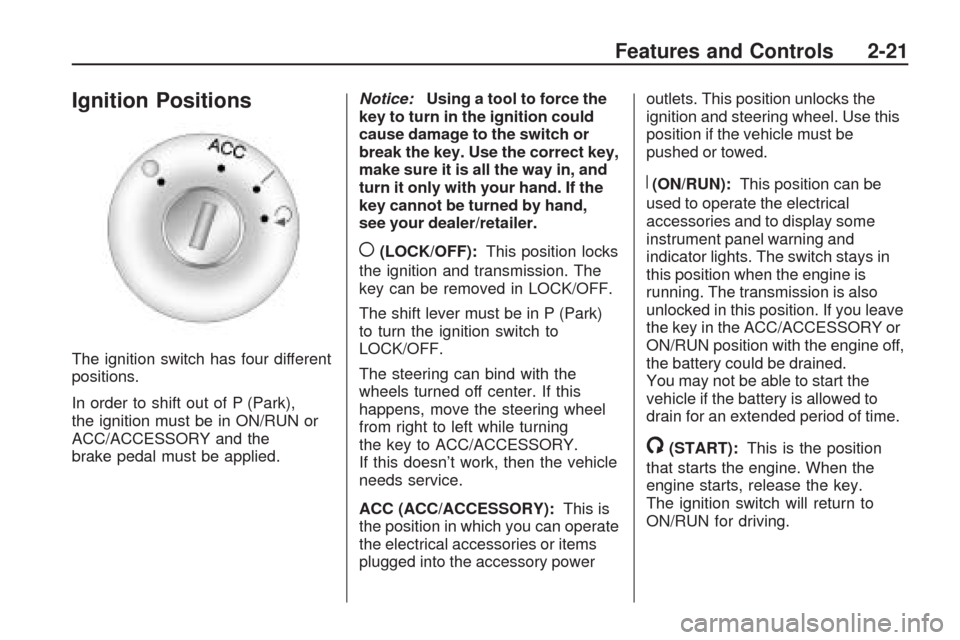
The ignition switch has four different
positions.
In order to shift out of P (Park),
the ignition must be in ON/RUN or
ACC/ACCESSORY and the
brake pedal must be applied.Notice:Using a tool to force the
key to turn in the ignition could
cause damage to the switch or
break the key. Use the correct key,
make sure it is all the way in, and
turn it only with your hand. If the
key cannot be turned by hand,
see your dealer/retailer.
((LOCK/OFF):This position locks
the ignition and transmission. The
key can be removed in LOCK/OFF.
The shift lever must be in P (Park)
to turn the ignition switch to
LOCK/OFF.
The steering can bind with the
wheels turned off center. If this
happens, move the steering wheel
from right to left while turning
the key to ACC/ACCESSORY.
If this doesn’t work, then the vehicle
needs service.
ACC (ACC/ACCESSORY):This is
the position in which you can operate
the electrical accessories or items
plugged into the accessory poweroutlets. This position unlocks the
ignition and steering wheel. Use this
position if the vehicle must be
pushed or towed.
R(ON/RUN):This position can be
used to operate the electrical
accessories and to display some
instrument panel warning and
indicator lights. The switch stays in
this position when the engine is
running. The transmission is also
unlocked in this position. If you leave
the key in the ACC/ACCESSORY or
ON/RUN position with the engine off,
the battery could be drained.
You may not be able to start the
vehicle if the battery is allowed to
drain for an extended period of time.
/(START):This is the position
that starts the engine. When the
engine starts, release the key.
The ignition switch will return to
ON/RUN for driving.
Features and Controls 2-21
Page 91 of 422
When Tow/Haul is activated the
Tow/Haul symbol will come on the
instrument panel cluster. See
“Tow/Haul Mode” underTowing a
Trailer on page 4-25for more
information.
Automatic Engine Grade
Braking
Automatic Engine Grade Braking
assists when driving on a downhill
grade. It maintains vehicle speed by
automatically implementing a shift
schedule that uses the engine and
the transmission to slow the vehicle.
The system will automatically
command downshifts to reduce
vehicle speed, until the brake pedal
is no longer being pressed.
While in the Electronic Range
Select (ERS) mode, grade braking
is deactivated, allowing the
driver to select a range and limiting
the highest gear available. Grade
braking is available for normal
driving and in Tow/Haul mode.
SeeAutomatic Transmission
Operation on page 2-24.
Parking Brake
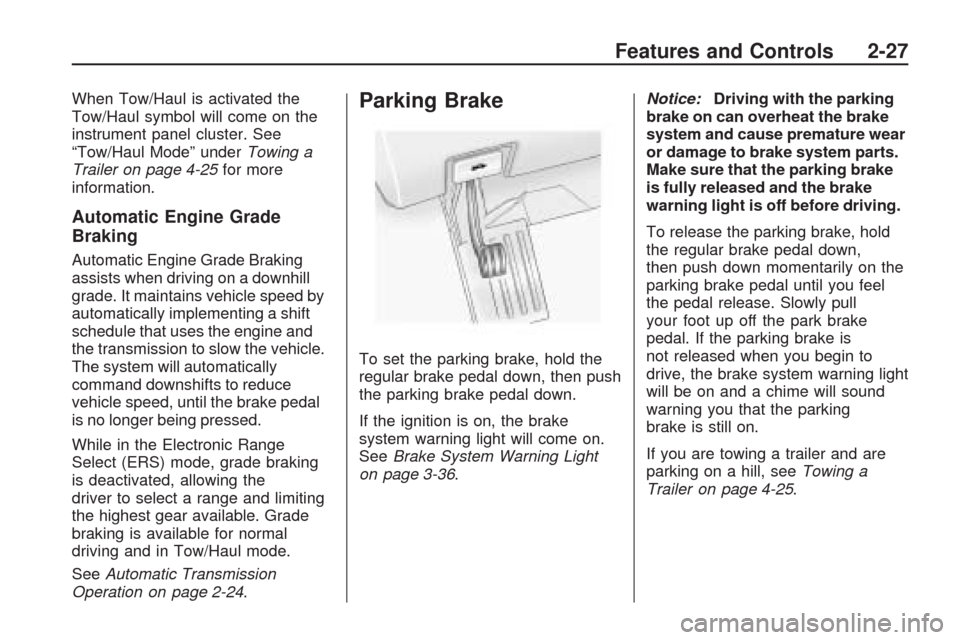
To set the parking brake, hold the
regular brake pedal down, then push
the parking brake pedal down.
If the ignition is on, the brake
system warning light will come on.
SeeBrake System Warning Light
on page 3-36.Notice:Driving with the parking
brake on can overheat the brake
system and cause premature wear
or damage to brake system parts.
Make sure that the parking brake
is fully released and the brake
warning light is off before driving.
To release the parking brake, hold
the regular brake pedal down,
then push down momentarily on the
parking brake pedal until you feel
the pedal release. Slowly pull
your foot up off the park brake
pedal. If the parking brake is
not released when you begin to
drive, the brake system warning light
will be on and a chime will sound
warning you that the parking
brake is still on.
If you are towing a trailer and are
parking on a hill, seeTowing a
Trailer on page 4-25.
Features and Controls 2-27
Page 96 of 422
Automatic Dimming Mirror
Operation
Automatic dimming reduces the
glare from the headlamps of
the vehicle behind you. The dimming
feature comes on and the indicator
light illuminates each time the
ignition is turned to start.
Cleaning the Mirror
Do not spray glass cleaner directly
on the mirror. Use a soft towel
dampened with water.
Outside Power Mirrors
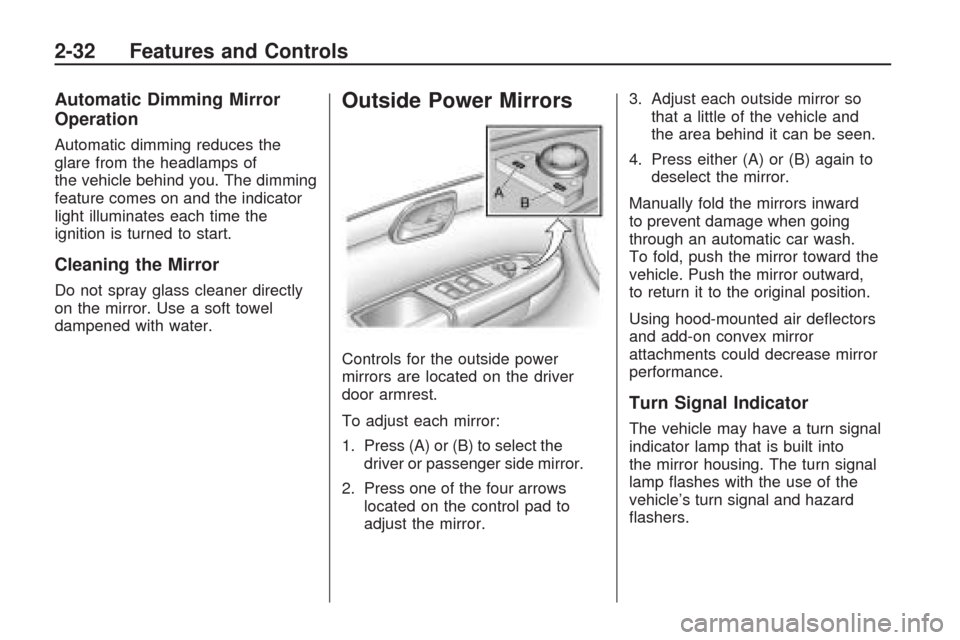
Controls for the outside power
mirrors are located on the driver
door armrest.
To adjust each mirror:
1. Press (A) or (B) to select the
driver or passenger side mirror.
2. Press one of the four arrows
located on the control pad to
adjust the mirror.3. Adjust each outside mirror so
that a little of the vehicle and
the area behind it can be seen.
4. Press either (A) or (B) again to
deselect the mirror.
Manually fold the mirrors inward
to prevent damage when going
through an automatic car wash.
To fold, push the mirror toward the
vehicle. Push the mirror outward,
to return it to the original position.
Using hood-mounted air deectors
and add-on convex mirror
attachments could decrease mirror
performance.
Turn Signal Indicator
The vehicle may have a turn signal
indicator lamp that is built into
the mirror housing. The turn signal
lamp ashes with the use of the
vehicle’s turn signal and hazard
ashers.
2-32 Features and Controls
Page 100 of 422
Object Detection
Systems
Ultrasonic Rear Parking
Assist (URPA)
For vehicles with the Ultrasonic
Rear Parking Assist (URPA) system,
it operates at speeds less than
5 mph (8 km/h), and assists the
driver with parking and avoiding
objects while in R (Reverse).
The sensors on the rear bumper are
used to detect the distance to an
object up to 8 feet (2.5 m) behind
the vehicle, and at least 10 inches
(25.4 cm) off the ground.
{CAUTION
The Ultrasonic Rear Parking
Assist (URPA) system does not
replace driver vision. It cannot
detect:
objects that are below the
bumper, underneath the
vehicle, or if they are too
close or far from the vehicle
children, pedestrians,
bicyclists, or pets.
If you do not use proper care
before and while backing; vehicle
damage, injury, or death could
occur. Even with URPA, always
check behind the vehicle before
backing up. While backing, be
sure to look for objects and check
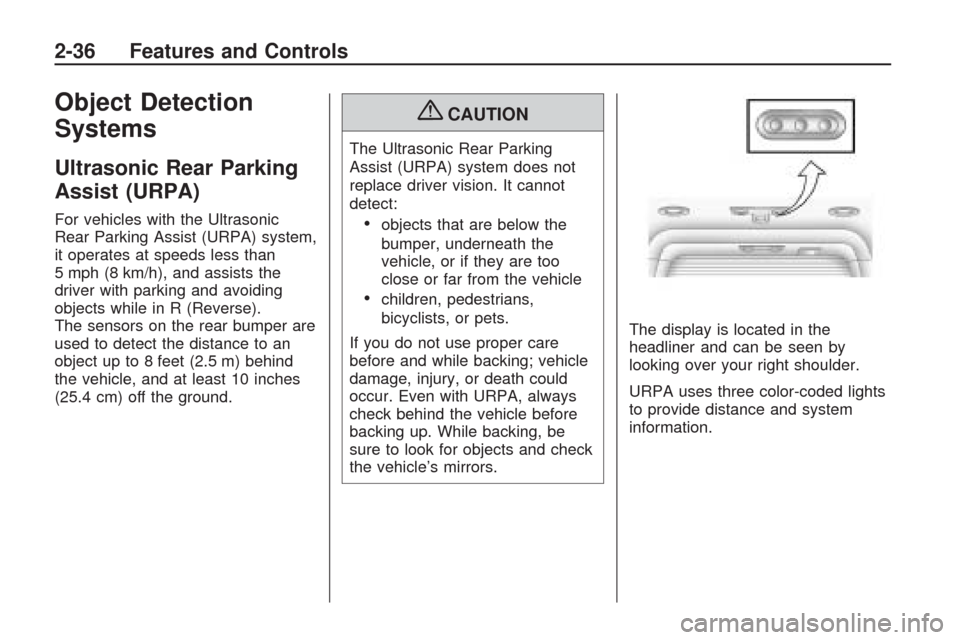
the vehicle’s mirrors.The display is located in the
headliner and can be seen by
looking over your right shoulder.
URPA uses three color-coded lights
to provide distance and system
information.
2-36 Features and Controls
Page 101 of 422
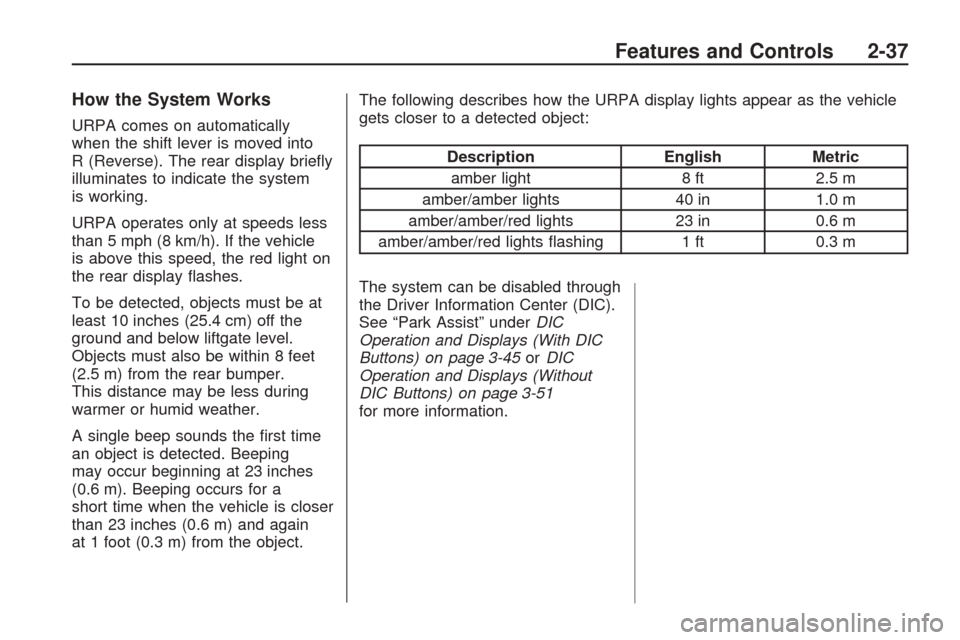
How the System Works
URPA comes on automatically
when the shift lever is moved into
R (Reverse). The rear display briey
illuminates to indicate the system
is working.
URPA operates only at speeds less
than 5 mph (8 km/h). If the vehicle
is above this speed, the red light on
the rear display ashes.
To be detected, objects must be at
least 10 inches (25.4 cm) off the
ground and below liftgate level.
Objects must also be within 8 feet
(2.5 m) from the rear bumper.
This distance may be less during
warmer or humid weather.
A single beep sounds the rst time
an object is detected. Beeping
may occur beginning at 23 inches
(0.6 m). Beeping occurs for a
short time when the vehicle is closer
than 23 inches (0.6 m) and again
at 1 foot (0.3 m) from the object.The following describes how the URPA display lights appear as the vehicle
gets closer to a detected object:
Description
EnglishMetric
amber light 8 ft2.5 m
amber/amber lights 40 in1.0 m
amber/amber/red lights 23 in0.6 m
amber/amber/red lights ashing 1 ft 0.3 m
The system can be disabled through
the Driver Information Center (DIC).
See “Park Assist” under DIC
Operation and Displays (With DIC
Buttons) on page 3-45 orDIC
Operation and Displays (Without
DIC Buttons) on page 3-51
for more information.
Features and Controls 2-37
Page 102 of 422
When the System Does Not
Seem to Work Properly
If the URPA system does not
activate due to a temporary
condition, the message PARK
ASSIST OFF displays on the DIC
and a red light will be shown on the
rear URPA display when the shift
lever is moved into R (Reverse).
This may occur under the following
conditions:
The driver disables the system.
The ultrasonic sensors are
not clean. Keep the vehicle’s rear
bumper free of mud, dirt, snow,
ice and slush. For cleaning
instructions, seeWashing Your
Vehicle on page 5-81.
A trailer was attached to the
vehicle, or a bicycle or an object
was hanging out of the liftgate
during the last drive cycle, the red
light may illuminate in the rear
display. Once the attached object
is removed, URPA will return to
normal operation.
A tow bar is attached to the
vehicle.
The vehicle’s bumper is
damaged. Take the vehicle to
your dealer/retailer to repair the
system.
Other conditions may affect
system performance, such as
vibrations from a jackhammer or
the compression of air brakes on
a very large truck.
If the system is still disabled, after
driving forward at least 15 mph
(25 km/h), take the vehicle to your
dealer/retailer.
Rear Vision
Camera (RVC)
The vehicle may have a Rear Vision
Camera system. Read this entire
section before using it.
{CAUTION
The Rear Vision Camera (RVC)
system does not replace driver
vision. RVC does not:
Detect objects that are
outside the camera’s eld of
view, below the bumper, or
underneath the vehicle.
Detect children, pedestrians,
bicyclists, or pets.
Do not back the vehicle by only
looking at the rear vision camera
screen, or use the screen during
longer, higher speed backing
maneuvers or where there could
be cross-traffic. Your judged
distances using the screen will
differ from actual distances.
(Continued)
2-38 Features and Controls
Page 103 of 422
CAUTION (Continued)
So if you do not use proper care
before backing up, you could hit a
vehicle, child, pedestrian, bicyclist,
or pet, resulting in vehicle
damage, injury, or death. Even
though the vehicle has the RVC
system, always check carefully
before backing up by checking
behind and around the vehicle.
Vehicles Without Navigation
System
The rear vision camera system is
designed to help the driver
when backing up by displaying a
view of the area behind the vehicle.
When the key is in the ON/RUN
position and the driver shifts
the vehicle into R (Reverse), the
video image automatically appears
on the inside rear view mirror.Once the driver shifts out of
R (Reverse), the video image
automatically disappears from the
inside rear view mirror.
Turning the Rear Vision Camera
System Off or On
To turn off the rear vision camera
system, press and hold
z, located
on the inside rearview mirror,
until the left indicator light turns off.
The rear vision camera display
is now disabled.
To turn the rear vision camera
system on again, press and
hold
zuntil the left indicator light
illuminates. The rear vision
camera system display is now
enabled and the display will appear
in the mirror normally.
Vehicles With Navigation
System
The rear vision camera system is
designed to help the driver when
backing up by displaying a view
of the area behind the vehicle.
When the driver shifts the vehicle
into R (Reverse), the video image
automatically appears on the
navigation screen. Once the driver
shifts out of R (Reverse), the
navigation screen will go back to the
last screen that had been displayed,
after a delay.
Turning the Rear Vision Camera
System On or Off
To turn the rear vision camera
system on or off:
1. Shift into P (Park).
2. Press the MENU button to enter
the congure menu options, then
press the MENU hard key to
select Display or touch the
Display screen button.
Features and Controls 2-39
Page 104 of 422
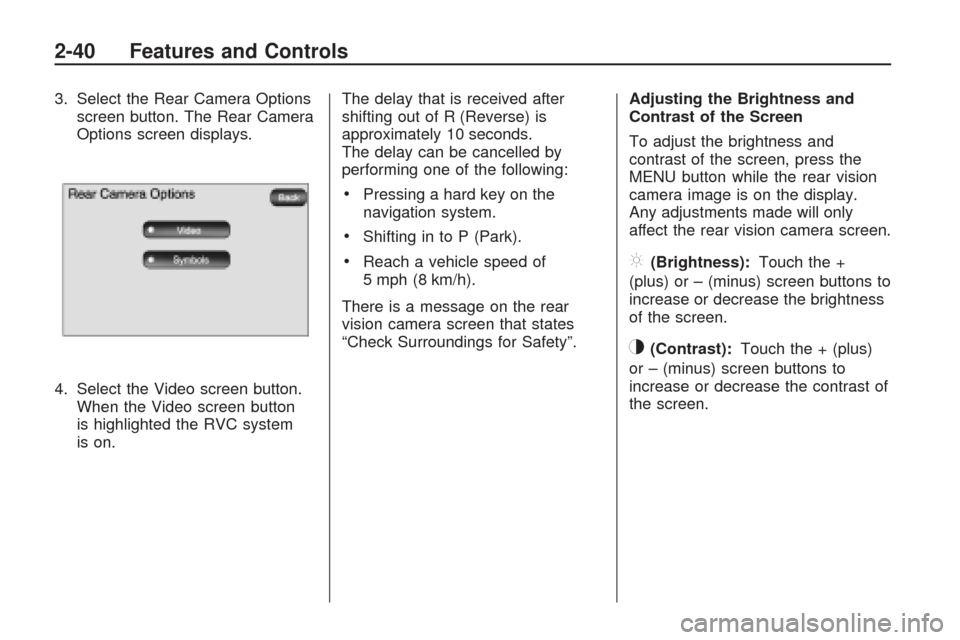
3. Select the Rear Camera Options
screen button. The Rear Camera
Options screen displays.
4. Select the Video screen button.
When the Video screen button
is highlighted the RVC system
is on.The delay that is received after
shifting out of R (Reverse) is
approximately 10 seconds.
The delay can be cancelled by
performing one of the following:
Pressing a hard key on the
navigation system.
Shifting in to P (Park).
Reach a vehicle speed of
5 mph (8 km/h).
There is a message on the rear
vision camera screen that states
“Check Surroundings for Safety”.Adjusting the Brightness and
Contrast of the Screen
To adjust the brightness and
contrast of the screen, press the
MENU button while the rear vision
camera image is on the display.
Any adjustments made will only
affect the rear vision camera screen.](Brightness):Touch the +
(plus) or – (minus) screen buttons to
increase or decrease the brightness
of the screen.
_(Contrast):Touch the + (plus)
or – (minus) screen buttons to
increase or decrease the contrast of
the screen.
2-40 Features and Controls
Page 105 of 422
Symbols
The navigation system may have a
feature that lets the driver view
symbols on the navigation screen
while using the rear vision camera.
The Ultrasonic Rear Park Assist
(URPA) system must not be disabled
to use the caution symbols. If URPA
has been disabled and the symbols
have been turned on, the Rear
Parking Assist Symbols Unavailable
error message may display. See
Ultrasonic Rear Parking Assist
(URPA) on page 2-36.
The symbols appear when an object
has been detected by the URPA
system. The symbol may cover the
object when viewing the navigation
screen.To turn the symbols on or off:
1. Make sure that URPA has not
been disabled.
2. Shift into P (Park).
3. Press the MENU hard key to
enter the congure menu
options, then press the MENU
hard key repeatedly until Display
is selected or touch the Display
screen button.
4. Select the Rear Camera Options
screen button. The Rear Camera
Options screen will display.
5. Touch the Symbols screen
button. The screen button will be
highlighted when on.Rear Vision Camera Error
Messages
Service Rear Vision Camera
System:This message can display
when the system is not receiving
information it requires from other
vehicle systems.
If any other problem occurs or if a
problem persists, see your
dealer/retailer.
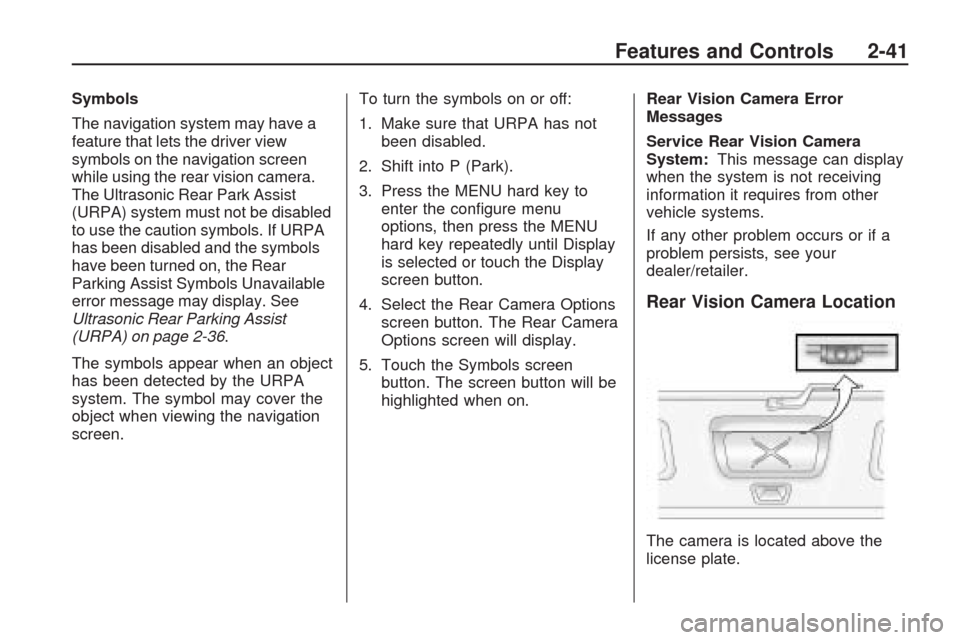
Rear Vision Camera Location
The camera is located above the
license plate.
Features and Controls 2-41
Page 106 of 422
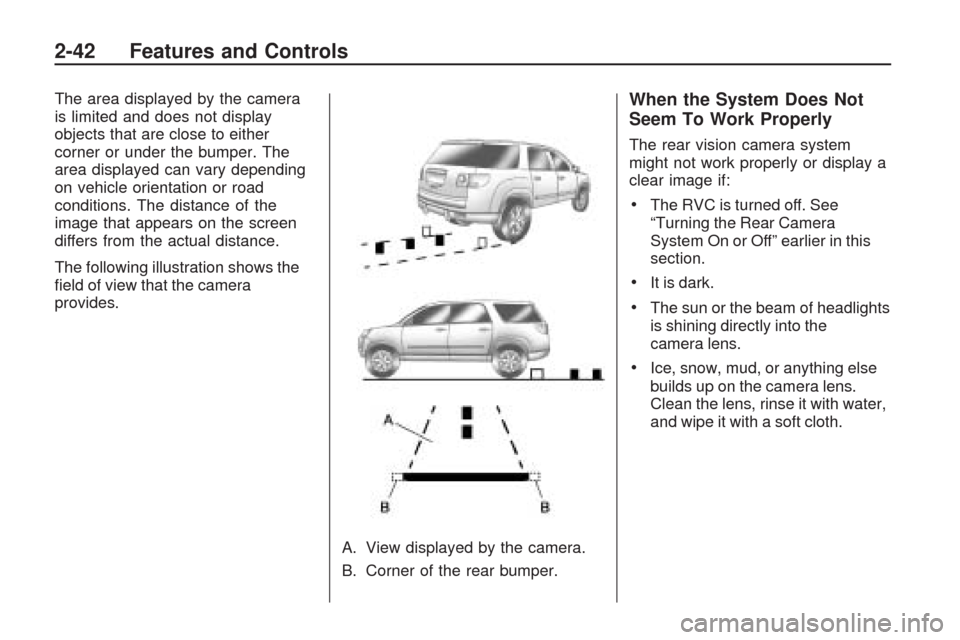
The area displayed by the camera
is limited and does not display
objects that are close to either
corner or under the bumper. The
area displayed can vary depending
on vehicle orientation or road
conditions. The distance of the
image that appears on the screen
differs from the actual distance.
The following illustration shows the
eld of view that the camera
provides.
A. View displayed by the camera.
B. Corner of the rear bumper.When the System Does Not
Seem To Work Properly
The rear vision camera system
might not work properly or display a
clear image if:
The RVC is turned off. See
“Turning the Rear Camera
System On or Off” earlier in this
section.
It is dark.
The sun or the beam of headlights
is shining directly into the
camera lens.
Ice, snow, mud, or anything else
builds up on the camera lens.
Clean the lens, rinse it with water,
and wipe it with a soft cloth.
2-42 Features and Controls