ECU CHEVROLET TRAVERSE 2009 1.G Owner's Guide
[x] Cancel search | Manufacturer: CHEVROLET, Model Year: 2009, Model line: TRAVERSE, Model: CHEVROLET TRAVERSE 2009 1.GPages: 422, PDF Size: 2.06 MB
Page 107 of 422
The back of the vehicle is in an
accident, the position and
mounting angle of the camera can
change or the camera can be
affected. Be sure to have the
camera and its position and
mounting angle checked at your
dealer/retailer.
There are extreme temperature
changes.
The rear vision camera system
display in the rearview mirror may
turn off or not appear as expected
due to one of the following
conditions. If this occurs the left
indicator light on the mirror will ash.
A slow ash may indicate a
loss of video signal, or no
video signal present during the
reverse cycle.
A fast ash may indicate that the
display has been on for the
maximum allowable time during a
reverse cycle, or the display has
reached an Over Temperature
limit.
The fast ash conditions are used
to protect the video device from
high temperature conditions.
Once conditions return to normal
the device will reset and the
green indicator will stop ashing.
During any of these fault conditions,
the display will be blank and the
indicator will continue to ash as long
as the vehicle is in R (Reverse) or
until the conditions return to normal.
Pressing and holding
zwhen the
left indicator light is ashing will turn
off the video display along with
the left indicator light.
OnStar®System
OnStar uses several innovative
technologies and live advisors to
provide a wide range of safety,
security, information, and
convenience services. If the airbags
deploy, the system is designed to
make an automatic call to OnStar
Emergency advisors who can
request emergency services be sent
to your location. If the keys are
locked in the vehicle, call OnStar at
1-888-4-ONSTAR to have a signal
sent to unlock the doors. OnStar
Hands-Free Calling, including
30 trial minutes good for 60 days, is
available on most vehicles. OnStar
Turn-by-Turn Navigation service,
with one trial route, is available on
most vehicles. Press the OnStar
button to have an OnStar advisor
contact Roadside Service.
Features and Controls 2-43
Page 111 of 422
Universal Home
Remote System
The Universal Home Remote
System provides a way to
replace up to three hand-held
Radio-Frequency (RF) transmitters
used to activate devices such
as garage door openers, security
systems, and home lighting.
This device complies with Part 15 of
the FCC Rules. Operation is subject
to the following two conditions:
1. This device may not cause
harmful interference.
2. This device must accept any
interference received, including
interference that may cause
undesired operation.This device complies with RSS-210
of Industry Canada. Operation is
subject to the following two
conditions:
1. This device may not cause
interference.
2. This device must accept any
interference received, including
interference that may cause
undesired operation of the
device.
Changes or modications to this
system by other than an authorized
service facility could void
authorization to use this equipment.
Universal Home Remote
System Operation
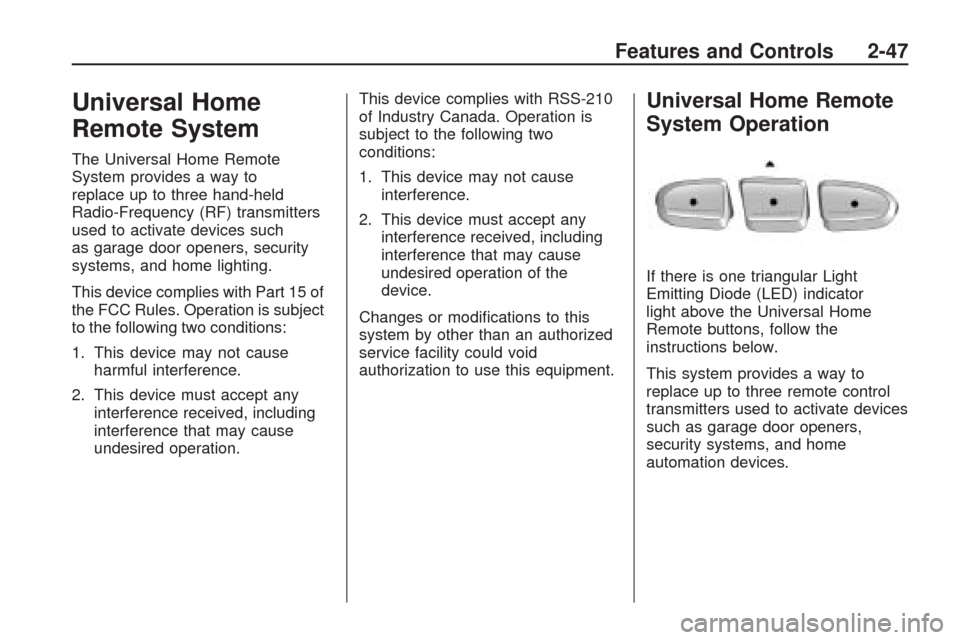
If there is one triangular Light
Emitting Diode (LED) indicator
light above the Universal Home
Remote buttons, follow the
instructions below.
This system provides a way to
replace up to three remote control
transmitters used to activate devices
such as garage door openers,
security systems, and home
automation devices.
Features and Controls 2-47
Page 112 of 422
Do not use the Universal Home
Remote with any garage door
opener that does not have the stop
and reverse feature. This includes
any garage door opener model
manufactured before April 1, 1982.
Read the instructions completely
before attempting to program
the Universal Home Remote.
Because of the steps involved, it
may be helpful to have another
person available to assist you in the
programming the Universal Home
Remote.
Keep the original hand-held
transmitter for use in other vehicles
as well as for future Universal
Home Remote programming. It is
also recommended that upon
the sale of the vehicle, the
programmed Universal Home
Remote buttons should be erased
for security purposes. See “Erasing
Universal Home Remote Buttons”
later in this section.When programming a garage door,
park outside of the garage. Park
directly in line with and facing
the garage door opener motor-head
or gate motor-head. Be sure that
people and objects are clear of the
garage door or gate that is being
programmed.
It is recommended that a new
battery be installed in your
hand-held transmitter for quicker
and more accurate transmission of
the radio-frequency signal.
Programming the Universal
Home Remote System
For questions or help programming
the Universal Home Remote
System, call 1-800-355-3515 or
go to www.homelink.com.
Programming a garage door opener
involves time-sensitive actions,
so read the entire procedure before
starting. Otherwise, the device
will time out and the procedure will
have to be repeated.To program up to three devices:
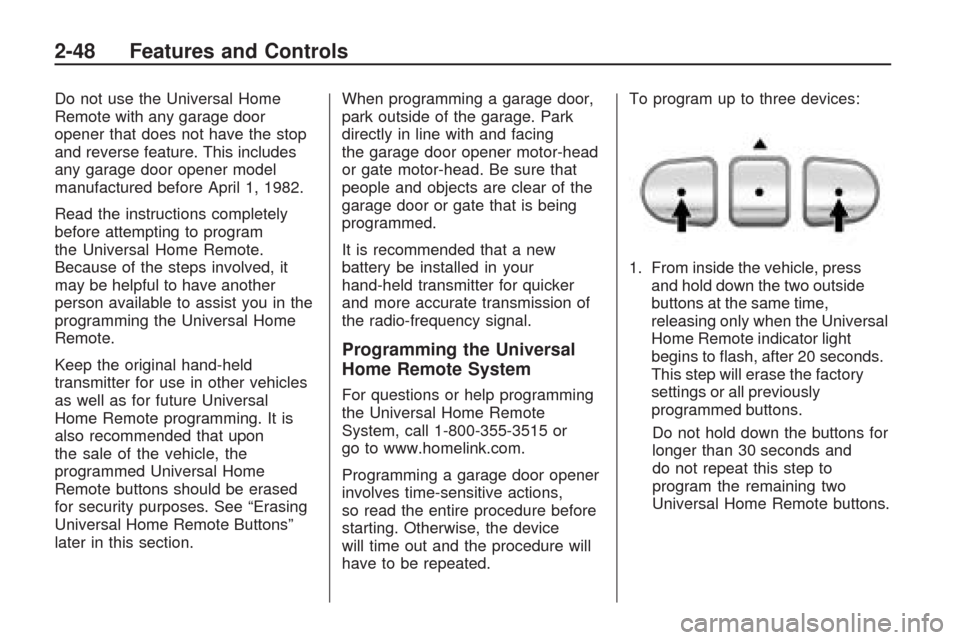
1. From inside the vehicle, press
and hold down the two outside
buttons at the same time,
releasing only when the Universal
Home Remote indicator light
begins to ash, after 20 seconds.
This step will erase the factory
settings or all previously
programmed buttons.
Do not hold down the buttons for
longer than 30 seconds and
do not repeat this step to
program the remaining two
Universal Home Remote buttons.
2-48 Features and Controls
Page 118 of 422
Floor Mats
If the oor mat has a snap retainer,
a grommet in the driver side
oor mat attaches to a hook on the
oor of the vehicle to secure the
oor mat. To remove the oor mat,
pull the mat towards the rear of
the vehicle until the grommet can be
removed from the hook.
If the oor mat has a knob retainer,
a grommet in the oor mat
attaches to a knob on the oor of
the vehicle to secure the oor
mat. To remove the oor mat, turn
the knob till it is aligned with the
slot in the oor mat grommet
and pull the oor mat up.
To reinstall, center the slot in the
oor mat grommet with the knob on
the oor and set the mat in place.
Then turn the knob until it is
perpendicular to the slot in the
grommet to lock the mat in place.
Luggage Carrier
{CAUTION
If something is carried on
top of the vehicle that is longer
or wider than the luggage
carrier — like paneling, plywood,
or a mattress — the wind can
catch it while the vehicle is being
driven. This can cause a driver to
lose control. The item being
carried could be violently torn off,
and this could cause a collision,
and damage the vehicle. Items
may be carried inside. Never
carry something longer or wider
than the luggage carrier on top of
the vehicle.The luggage carrier allows the
loading of things on top of
the vehicle. Crossrails are available
at your dealer/retailer.
Notice:Loading cargo on the
luggage carrier that weighs more
than 200 lbs (91 kg) or hangs
over the rear or sides of the
vehicle can damage the vehicle.
Load cargo so that it rests as
far forward as possible and
against the side rails, making
sure to fasten it securely.
Do not exceed the maximum vehicle
capacity when loading the vehicle.
For more information on vehicle
capacity and loading, seeLoading
the Vehicle on page 4-16.
To prevent damage or loss of cargo
while driving, check to make sure
the cargo is still securely fastened.
2-54 Features and Controls
Page 119 of 422
Convenience Net
Use the convenience net, located in
the rear, to store small loads as
far forward as possible. The
net should not be used to store
heavy loads.
Cargo Cover
For vehicles with a cargo cover,
it can be used to cover items in the
rear of the vehicle. To install the
cover, place the loops on each
corner of the cover on the four hooks
in the rear of the vehicle. The cover
should be stored securely when
not in use.
Cargo Tie Downs
Four cargo tie-downs are located in
the rear compartment of the vehicle.
The tie-downs can be used to secure
small loads.
Cargo Management
System
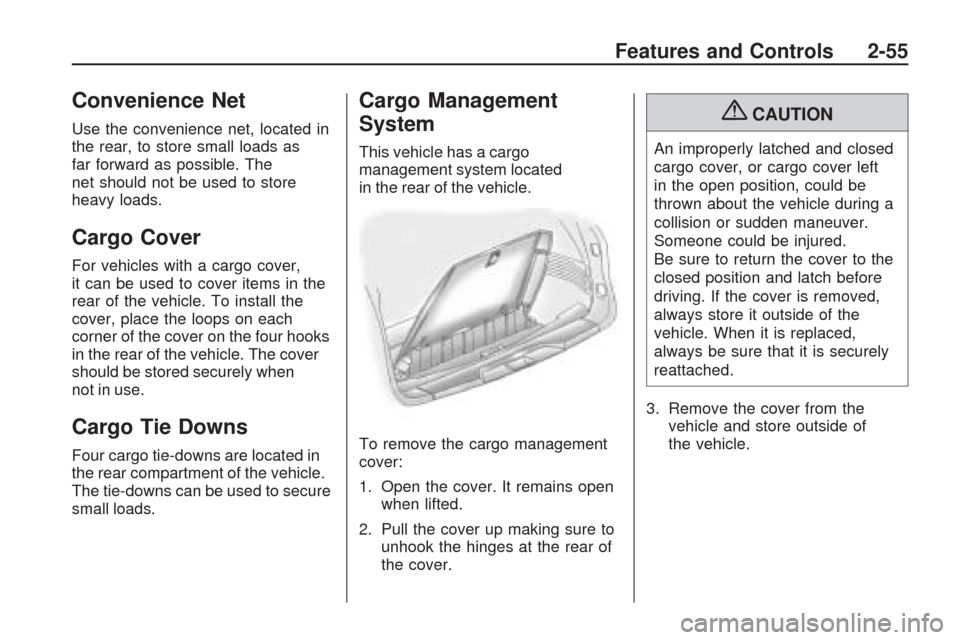
This vehicle has a cargo
management system located
in the rear of the vehicle.
To remove the cargo management
cover:
1. Open the cover. It remains open
when lifted.
2. Pull the cover up making sure to
unhook the hinges at the rear of
the cover.
{CAUTION
An improperly latched and closed
cargo cover, or cargo cover left
in the open position, could be
thrown about the vehicle during a
collision or sudden maneuver.
Someone could be injured.
Be sure to return the cover to the
closed position and latch before
driving. If the cover is removed,
always store it outside of the
vehicle. When it is replaced,
always be sure that it is securely
reattached.
3. Remove the cover from the
vehicle and store outside of
the vehicle.
Features and Controls 2-55
Page 121 of 422
Instrument Panel
Instrument Panel OverviewInstrument Panel Overview.....3-4
Hazard Warning Flashers.......3-5
Horn....................................3-5
Tilt and Telescopic Steering
Wheel................................3-6
Turn Signal/Multifunction
Lever.................................3-6
Turn and Lane-Change
Signals...............................3-6
Headlamp High/Low-Beam
Changer.............................3-7
Flash-to-Pass........................3-7
Windshield Wipers.................3-7
Windshield Washer................3-8
Rear Window Wiper/Washer. . .3-9
Cruise Control......................3-9
Exterior Lamps....................3-11
Delayed Headlamps.............3-12
Daytime Running
Lamps (DRL)/Automatic
Headlamp System..............3-12
Fog Lamps.........................3-13
Instrument Panel
Brightness.........................3-13Courtesy Lamps..................3-14
Dome Lamps......................3-14
Dome Lamp Override...........3-14
Entry Lighting......................3-14
Delayed Entry Lighting.........3-15
Delayed Exit Lighting...........3-15
Parade Dimming..................3-15
Reading Lamps...................3-15
Electric Power
Management.....................3-15
Battery Run-Down
Protection.........................3-16
Accessory Power Outlet(s). . . .3-17
Power Outlet 115 Volt
Alternating Current.............3-18
Climate ControlsClimate Control System........3-19
Dual Automatic Climate
Control System..................3-22
Outlet Adjustment................3-27
Rear Air Conditioning and
Heating System.................3-28
Rear Air Conditioning and
Heating System and
Electronic Climate
Controls............................3-29
Warning Lights, Gages, and
Indicators
Warning Lights, Gages, and
Indicators..........................3-30
Instrument Panel Cluster.......3-31
Speedometer and
Odometer.........................3-32
Tachometer........................3-32
Safety Belt Reminders..........3-32
Airbag Readiness Light.........3-33
Passenger Airbag Status
Indicator...........................3-33
Charging System Light.........3-34
Voltmeter Gage...................3-35
Brake System Warning
Light................................3-36
Antilock Brake System
(ABS) Warning Light...........3-37
StabiliTrak
®Indicator Light. . . .3-37
Engine Coolant Temperature
Warning Light....................3-38
Engine Coolant
Temperature Gage.............3-38
Tire Pressure Light..............3-39
Malfunction
Indicator Lamp..................3-39
Oil Pressure Light................3-42
Security Light......................3-43
Instrument Panel 3-1
Page 163 of 422
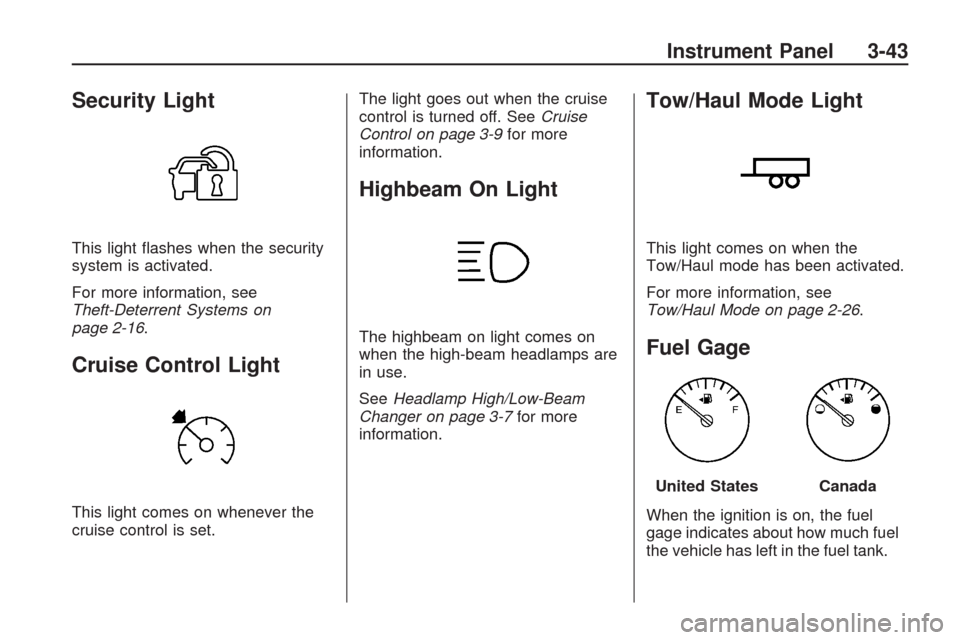
Security Light
This light ashes when the security
system is activated.
For more information, see
Theft-Deterrent Systems on
page 2-16.
Cruise Control Light
This light comes on whenever the
cruise control is set.The light goes out when the cruise
control is turned off. SeeCruise
Control on page 3-9for more
information.
Highbeam On Light
The highbeam on light comes on
when the high-beam headlamps are
in use.
SeeHeadlamp High/Low-Beam
Changer on page 3-7for more
information.
Tow/Haul Mode Light
This light comes on when the
Tow/Haul mode has been activated.
For more information, see
Tow/Haul Mode on page 2-26.
Fuel Gage
When the ignition is on, the fuel
gage indicates about how much fuel
the vehicle has left in the fuel tank.
United StatesCanada
Instrument Panel 3-43
Page 222 of 422
XM Radio Messages
XL (Explicit Language Channels):
These channels, or any others, can
be blocked at a customer’s request,
by calling 1-800-852-XMXM (9696).
XM Updating:The encryption
code in the receiver is being
updated, and no action is required.
This process should take no longer
than 30 seconds.
No XM Signal:The system is
functioning correctly, but the vehicle
is in a location that is blocking
the XM™ signal. When the vehicle
is moved into an open area, the
signal should return.
Loading XM:The audio system
is acquiring and processing audio
and text data. No action is needed.
This message should disappear
shortly.Channel Off Air:This channel
is not currently in service. Tune
in to another channel.
Channel Unauth:This channel
is blocked or cannot be received
with your XM Subscription package.
Channel Unavail:This previously
assigned channel is no longer
assigned. Tune to another station.
If this station was one of the presets,
choose another station for that
preset button.
No Artist Info:No artist information
is available at this time on this
channel. The system is working
properly.
No Title Info:No song title
information is available at this
time on this channel. The system
is working properly.
No CAT Info:No category
information is available at this
time on this channel. The system
is working properly.No Information:No text or
informational messages are
available at this time on this
channel. The system is working
properly.
CAT Not Found:There are no
channels available for the selected
category. The system is working
properly.
XM Theftlocked:The XM receiver
in the vehicle could have previously
been in another vehicle. For security
purposes, XM receivers cannot be
swapped between vehicles. If this
message is received after having the
vehicle serviced, check with your
dealer/retailer.
XM Radio ID:If tuned to channel 0,
this message alternates with the
XM™ Radio 8 digit radio ID label.
This label is needed to activate the
service.
3-102 Instrument Panel
Page 269 of 422
{CAUTION
Things you put inside your
vehicle can strike and injure
people in a sudden stop or
turn, or in a crash.
Put things in the cargo
area of your vehicle. Try to
spread the weight evenly.
Never stack heavier things,
like suitcases, inside the
vehicle so that some of
them are above the tops
of the seats.
Do not leave an unsecured
child restraint in your
vehicle.
When you carry something
inside the vehicle, secure it
whenever you can.
Do not leave a seat folded
down unless you need to.
Towing
Towing Your Vehicle
To avoid damage, the disabled
vehicle should be towed with all four
wheels off the ground. Consult your
dealer/retailer or a professional
towing service if the disabled vehicle
must be towed. SeeRoadside
Assistance Program on page 7-6.
To tow the vehicle behind another
vehicle for recreational purposes,
such as behind a motorhome,
see “Recreational Vehicle Towing”
following.
Recreational Vehicle
Towing
Recreational vehicle towing means
towing the vehicle behind another
vehicle – such as behind a
motorhome. The two most common
types of recreational vehicle towing
are known as dinghy towing and
dolly towing. Dinghy towing is towing
the vehicle with all four wheels on theground. Dolly towing is towing the
vehicle with two wheels on the
ground and two wheels up on a
device known as a dolly.
Here are some important things to
consider before recreational
vehicle towing:
What is the towing capacity of the
towing vehicle? Be sure to read
the tow vehicle manufacturer’s
recommendations.
What is the distance that will be
travelled? Some vehicles have
restrictions on how far and how
long they can tow.
Is the proper towing equipment
going to be used? See your
dealer/retailer or trailering
professional for additional advice
and equipment recommendations.
Is the vehicle ready to be towed?
Just as preparing the vehicle for a
long trip, make sure the vehicle is
prepared to be towed. SeeBefore
Leaving on a Long Trip on
page 4-12.
Driving Your Vehicle 4-21
Page 270 of 422
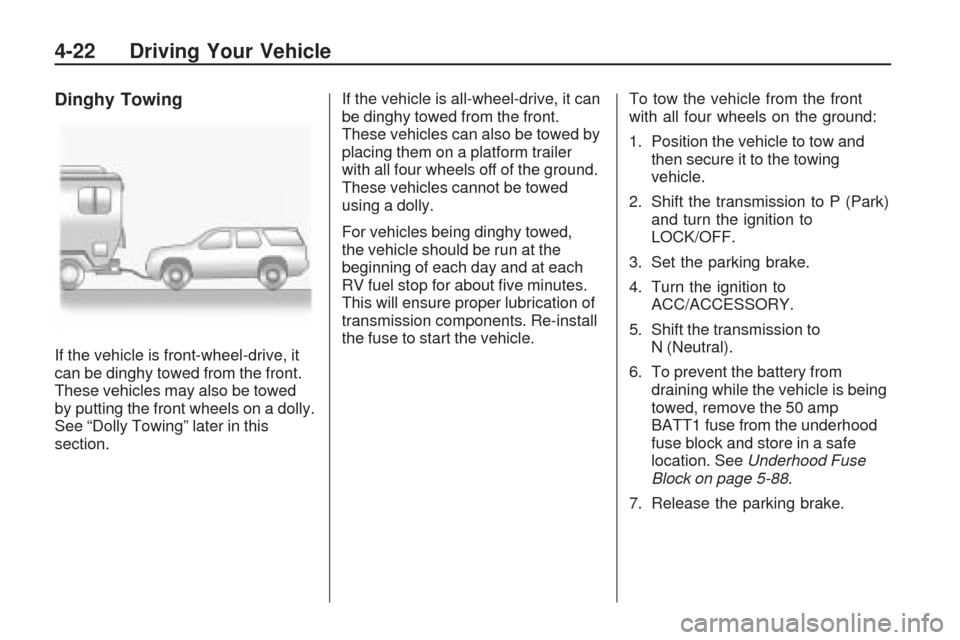
Dinghy Towing
If the vehicle is front-wheel-drive, it
can be dinghy towed from the front.
These vehicles may also be towed
by putting the front wheels on a dolly.
See “Dolly Towing” later in this
section.If the vehicle is all-wheel-drive, it can
be dinghy towed from the front.
These vehicles can also be towed by
placing them on a platform trailer
with all four wheels off of the ground.
These vehicles cannot be towed
using a dolly.
For vehicles being dinghy towed,
the vehicle should be run at the
beginning of each day and at each
RV fuel stop for about ve minutes.
This will ensure proper lubrication of
transmission components. Re-install
the fuse to start the vehicle.To tow the vehicle from the front
with all four wheels on the ground:
1. Position the vehicle to tow and
then secure it to the towing
vehicle.
2. Shift the transmission to P (Park)
and turn the ignition to
LOCK/OFF.
3. Set the parking brake.
4. Turn the ignition to
ACC/ACCESSORY.
5. Shift the transmission to
N (Neutral).
6. To prevent the battery from
draining while the vehicle is being
towed, remove the 50 amp
BATT1 fuse from the underhood
fuse block and store in a safe
location. SeeUnderhood Fuse
Block on page 5-88.
7. Release the parking brake.
4-22 Driving Your Vehicle