key CHEVROLET TRAVERSE 2009 1.G Owner's Guide
[x] Cancel search | Manufacturer: CHEVROLET, Model Year: 2009, Model line: TRAVERSE, Model: CHEVROLET TRAVERSE 2009 1.GPages: 422, PDF Size: 2.06 MB
Page 105 of 422
Symbols
The navigation system may have a
feature that lets the driver view
symbols on the navigation screen
while using the rear vision camera.
The Ultrasonic Rear Park Assist
(URPA) system must not be disabled
to use the caution symbols. If URPA
has been disabled and the symbols
have been turned on, the Rear
Parking Assist Symbols Unavailable
error message may display. See
Ultrasonic Rear Parking Assist
(URPA) on page 2-36.
The symbols appear when an object
has been detected by the URPA
system. The symbol may cover the
object when viewing the navigation
screen.To turn the symbols on or off:
1. Make sure that URPA has not
been disabled.
2. Shift into P (Park).
3. Press the MENU hard key to
enter the congure menu
options, then press the MENU
hard key repeatedly until Display
is selected or touch the Display
screen button.
4. Select the Rear Camera Options
screen button. The Rear Camera
Options screen will display.
5. Touch the Symbols screen
button. The screen button will be
highlighted when on.Rear Vision Camera Error
Messages
Service Rear Vision Camera
System:This message can display
when the system is not receiving
information it requires from other
vehicle systems.
If any other problem occurs or if a
problem persists, see your
dealer/retailer.
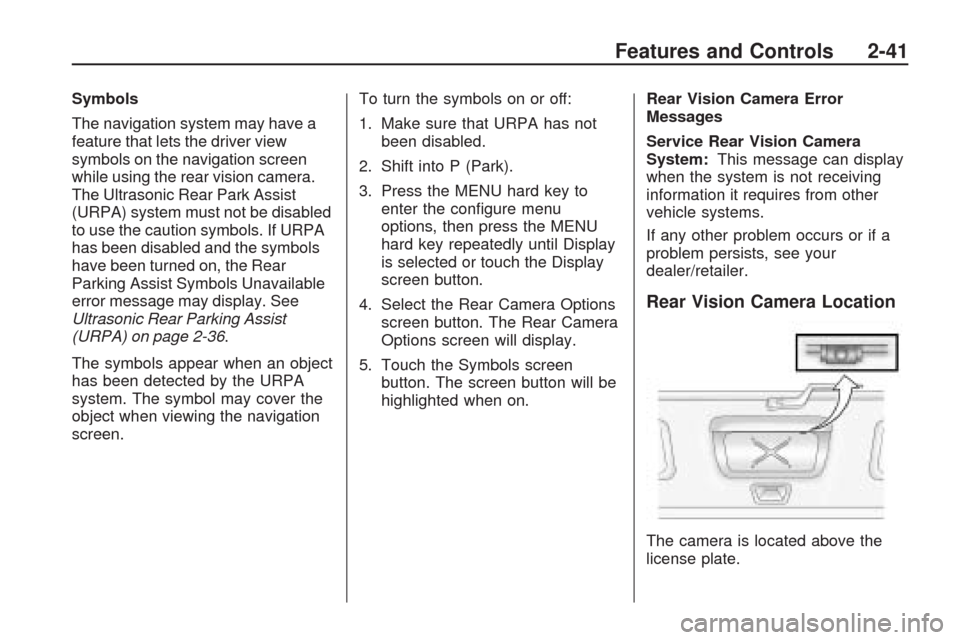
Rear Vision Camera Location
The camera is located above the
license plate.
Features and Controls 2-41
Page 107 of 422
The back of the vehicle is in an
accident, the position and
mounting angle of the camera can
change or the camera can be
affected. Be sure to have the
camera and its position and
mounting angle checked at your
dealer/retailer.
There are extreme temperature
changes.
The rear vision camera system
display in the rearview mirror may
turn off or not appear as expected
due to one of the following
conditions. If this occurs the left
indicator light on the mirror will ash.
A slow ash may indicate a
loss of video signal, or no
video signal present during the
reverse cycle.
A fast ash may indicate that the
display has been on for the
maximum allowable time during a
reverse cycle, or the display has
reached an Over Temperature
limit.
The fast ash conditions are used
to protect the video device from
high temperature conditions.
Once conditions return to normal
the device will reset and the
green indicator will stop ashing.
During any of these fault conditions,
the display will be blank and the
indicator will continue to ash as long
as the vehicle is in R (Reverse) or
until the conditions return to normal.
Pressing and holding
zwhen the
left indicator light is ashing will turn
off the video display along with
the left indicator light.
OnStar®System
OnStar uses several innovative
technologies and live advisors to
provide a wide range of safety,
security, information, and
convenience services. If the airbags
deploy, the system is designed to
make an automatic call to OnStar
Emergency advisors who can
request emergency services be sent
to your location. If the keys are
locked in the vehicle, call OnStar at
1-888-4-ONSTAR to have a signal
sent to unlock the doors. OnStar
Hands-Free Calling, including
30 trial minutes good for 60 days, is
available on most vehicles. OnStar
Turn-by-Turn Navigation service,
with one trial route, is available on
most vehicles. Press the OnStar
button to have an OnStar advisor
contact Roadside Service.
Features and Controls 2-43
Page 116 of 422
Storage Areas
Glove Box
Lift the glove box handle up to open
it. Use the key to lock and unlock
the glove box.
Cupholders
There are two cupholders, with
removable liners, located in front of
the center console. There may
be cupholders located in the
second row seat armrest.
To access, pull the armrest down.There are additional cupholders
located on each side of the third row
seat and in each door. There may
be cupholders located at the rear
of the center console. To access,
pull the handle down.
Instrument Panel Storage
This vehicle has an instrument panel
storage area located above the
radio. To open the cover, press the
button.
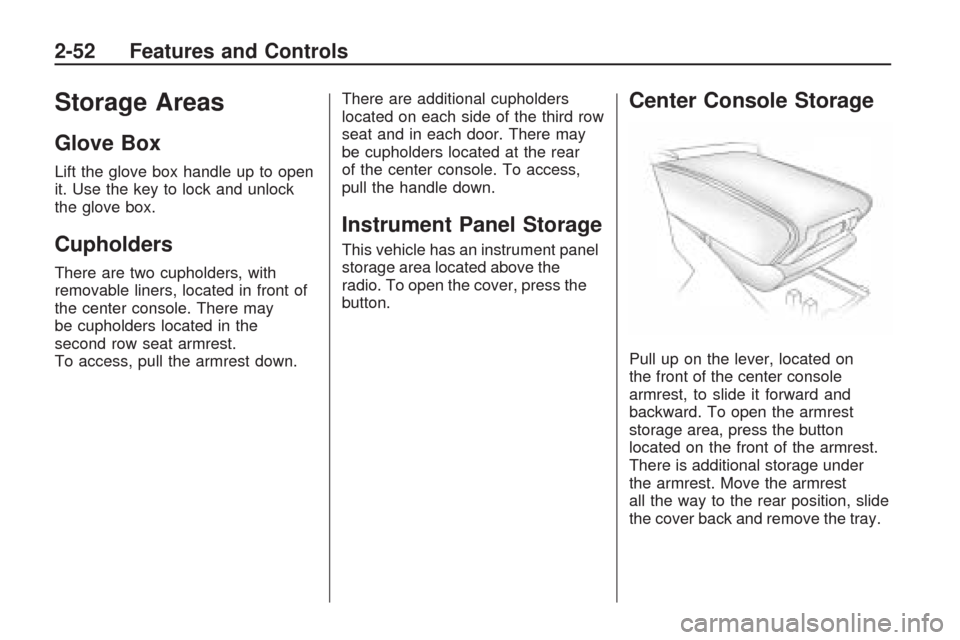
Center Console Storage
Pull up on the lever, located on
the front of the center console
armrest, to slide it forward and
backward. To open the armrest
storage area, press the button
located on the front of the armrest.
There is additional storage under
the armrest. Move the armrest
all the way to the rear position, slide
the cover back and remove the tray.
2-52 Features and Controls
Page 128 of 422
Windshield Washer
J
(Washer Fluid):Press the
button located at the end of the
turn signal/multifunction lever, to
spray washer uid on the windshield.
The wipers clear the windshield and
either stop or return to the preset
speed. The ignition key must be in
ACC/ACCESSORY or ON/RUN for
this to work. SeeWindshield Washer
Fluid on page 5-24Windshield
Washer Fluid.
{CAUTION
In freezing weather, do not use
your washer until the windshield
is warmed. Otherwise the
washer uid can form ice on the
windshield, blocking your vision.
WASHER FLUID LOW ADD FLUID
is displayed on the Driver Information
Center (DIC) when the washer uid
is low. SeeDIC Warnings and
Messages on page 3-56.Heated Windshield Washer
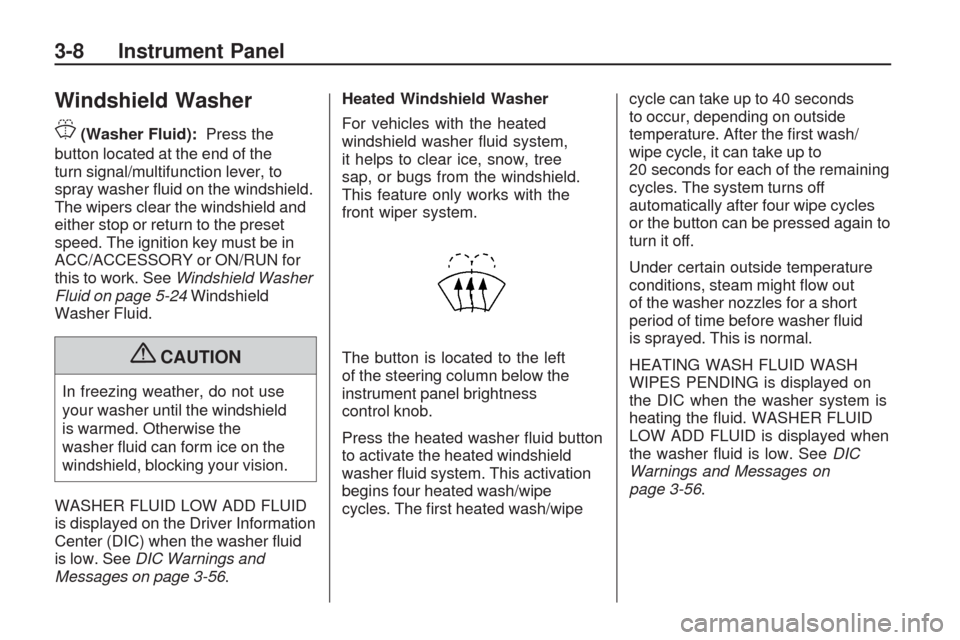
For vehicles with the heated
windshield washer uid system,
it helps to clear ice, snow, tree
sap, or bugs from the windshield.
This feature only works with the
front wiper system.
The button is located to the left
of the steering column below the
instrument panel brightness
control knob.
Press the heated washer uid button
to activate the heated windshield
washer uid system. This activation
begins four heated wash/wipe
cycles. The rst heated wash/wipecycle can take up to 40 seconds
to occur, depending on outside
temperature. After the rst wash/
wipe cycle, it can take up to
20 seconds for each of the remaining
cycles. The system turns off
automatically after four wipe cycles
or the button can be pressed again to
turn it off.
Under certain outside temperature
conditions, steam might ow out
of the washer nozzles for a short
period of time before washer uid
is sprayed. This is normal.
HEATING WASH FLUID WASH
WIPES PENDING is displayed on
the DIC when the washer system is
heating the uid. WASHER FLUID
LOW ADD FLUID is displayed when
the washer uid is low. SeeDIC
Warnings and Messages on
page 3-56.
3-8 Instrument Panel
Page 134 of 422
Courtesy Lamps
When a door is opened, the
courtesy lamps automatically
come on. They make it easier
when entering and exiting the
vehicle. The lamps can also be
turned on manually by fully turning
the instrument panel brightness
control clockwise.
The reading lamps, located on the
headliner above the rearview mirror,
can be turned on or off independent
of the automatic courtesy lamps,
when the doors are closed.
Dome Lamps
The dome lamps automatically
come on when a door is opened,
unless the dome lamp override
button is pressed in.
The lamps can also be turned on
and off by turning the instrument
panel brightness control clockwise
to the farthest position.
Dome Lamp Override
The dome lamp override button is
located next to the exterior lamps
control.
The dome lamp override sets the
dome lamps to remain off or come on
automatically when a door is opened.
E(Dome Lamp Override):Press
the button in and the dome lamps
remain off when a door is opened.
Press the button again to return it
to the extended position so that
the dome lamps come on when
a door is opened.
Entry Lighting
For vehicles with courtesy lamps,
they come on and stay on for a set
time whenever the unlock symbol
is pressed on the Remote Keyless
Entry (RKE) transmitter, if the
vehicle has one.If a door is opened, the lamps stay
on while it is open and then turn off
automatically about 20 seconds after
the door is closed. If the unlock
symbol is pressed and no door is
opened, the lamps turn off after
about 20 seconds.
Entry lighting includes a feature
called theater dimming. With theater
dimming, the lamps do not turn off
at the end of the delay time. Instead,
they slowly dim and then go out.
The delay time is canceled if the
ignition key is turned to ON/RUN
or the power door lock switch is
pressed. The lamps will dim
right away.
When the ignition is on, illuminated
entry is inactive, which means the
courtesy lamps will not come on
unless a door is opened.
3-14 Instrument Panel
Page 135 of 422
Delayed Entry Lighting
Delayed entry lighting illuminates
the interior for a period of time after
all the doors have been closed.
The ignition must be off for delayed
entry lighting to work. Immediately
after all the doors have been closed,
the delayed entry lighting feature
continues to work until one of
the following occurs:
The ignition is in ON/RUN.
The doors are locked.
An illumination period of about
25 seconds has elapsed.
If during the illumination period
a door is opened, the timed
illumination period is canceled
and the interior lamps remain on.
Delayed Exit Lighting
This feature illuminates the interior
for a period of time after the key
is removed from the ignition.
The ignition must be off for delayed
exit lighting to work. When the key
is removed, interior illumination
activates and remains on until one
of the following occurs:
The ignition is in ON/RUN.
The power door locks are
activated.
An illumination period of
20 seconds has elapsed.
If during the illumination period
a door is opened, the timed
illumination period will be canceled
and the interior lamps will remain
on because a door is open.
Parade Dimming
Parade mode automatically prohibits
the dimming of the instrument panel
displays during the daylight while
the headlamps are on so that the
displays are still able to be seen.
Reading Lamps
The vehicle has reading lamps that
also act as the dome lamp. Press
the button to turn them on and off.
Electric Power
Management
The vehicle has Electric Power
Management (EPM) that estimates
the battery’s temperature and state
of charge. It then adjusts the voltage
for best performance and extended
life of the battery.
Instrument Panel 3-15
Page 156 of 422
Brake System Warning
Light
This vehicle’s hydraulic brake
system is divided into two parts.
If one part is not working, the other
part can still work and stop the
vehicle. For good braking both
parts need to be working.
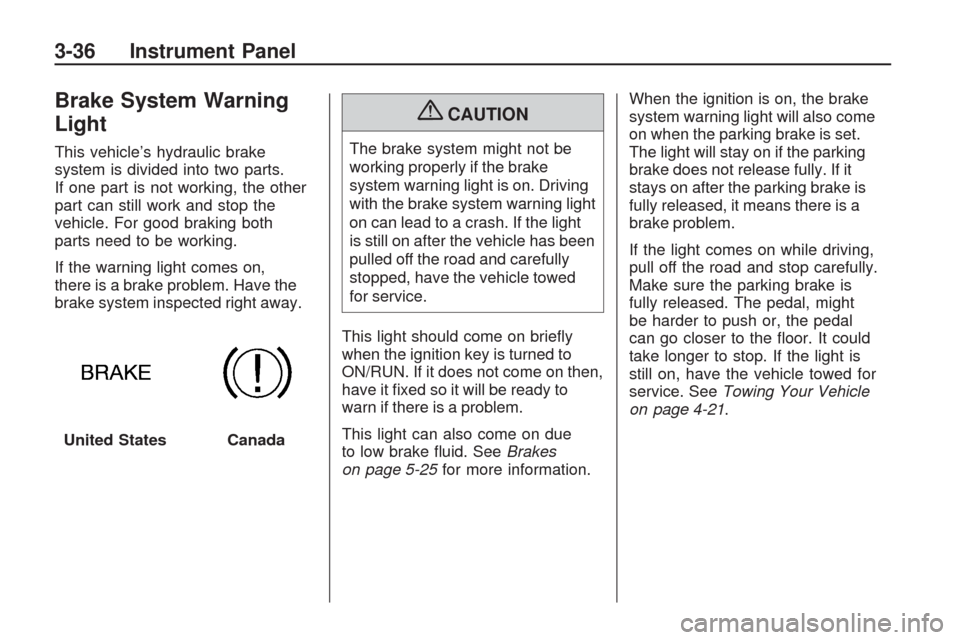
If the warning light comes on,
there is a brake problem. Have the
brake system inspected right away.
{CAUTION
The brake system might not be
working properly if the brake
system warning light is on. Driving
with the brake system warning light
on can lead to a crash. If the light
is still on after the vehicle has been
pulled off the road and carefully
stopped, have the vehicle towed
for service.
This light should come on briey
when the ignition key is turned to
ON/RUN. If it does not come on then,
have it xed so it will be ready to
warn if there is a problem.
This light can also come on due
to low brake uid. SeeBrakes
on page 5-25for more information.When the ignition is on, the brake
system warning light will also come
on when the parking brake is set.
The light will stay on if the parking
brake does not release fully. If it
stays on after the parking brake is
fully released, it means there is a
brake problem.
If the light comes on while driving,
pull off the road and stop carefully.
Make sure the parking brake is
fully released. The pedal, might
be harder to push or, the pedal
can go closer to the oor. It could
take longer to stop. If the light is
still on, have the vehicle towed for
service. SeeTowing Your Vehicle
on page 4-21.
United States
Canada
3-36 Instrument Panel
Page 160 of 422
If the check engine light comes on
and stays on, while the engine
is running, this indicates that there
is an OBD II problem and service
is required.
Malfunctions often are indicated by
the system before any problem is
apparent. Being aware of the light
can prevent more serious damage
to the vehicle. This system assists
the service technician in correctly
diagnosing any malfunction.
Notice:If the vehicle is
continually driven with this
light on, after a while, the
emission controls might not
work as well, the vehicle’s fuel
economy might not be as good,
and the engine might not run as
smoothly. This could lead to
costly repairs that might not be
covered by the vehicle warranty.Notice:Modications made to
the engine, transmission, exhaust,
intake, or fuel system of the
vehicle or the replacement of the
original tires with other than those
of the same Tire Performance
Criteria (TPC) can affect the
vehicle’s emission controls and
can cause this light to come on.
Modications to these systems
could lead to costly repairs not
covered by the vehicle warranty.
This could also result in a failure
to pass a required Emission
Inspection/Maintenance test.
SeeAccessories and
Modifications on page 5-3.This light comes on during a
malfunction in one of two ways:
Light Flashing:A misre condition
has been detected. A misre
increases vehicle emissions and
could damage the emission control
system on the vehicle. Diagnosis
and service might be required.
The following can prevent more
serious damage to the vehicle:
Reduce vehicle speed.
Avoid hard accelerations.
Avoid steep uphill grades.
If towing a trailer, reduce the
amount of cargo being hauled
as soon as it is possible.
If the light continues to ash, when
it is safe to do so, stop the vehicle.
Find a safe place to park the vehicle.
Turn the key off, wait at least
10 seconds, and restart the engine.
If the light is still ashing, follow the
previous steps and see your dealer/
retailer for service as soon as
possible.
3-40 Instrument Panel
Page 162 of 422
Emissions Inspection and
Maintenance Programs
Some state/provincial and local
governments have or might begin
programs to inspect the emission
control equipment on the vehicle.
Failure to pass this inspection
could prevent getting a vehicle
registration.
Here are some things to know to
help the vehicle pass an inspection:
The vehicle will not pass this
inspection if the check engine
light is on with the engine
running, or if the key is in
ON/RUN and the light is not on.
The vehicle will not pass this
inspection if the OBD II (on-board
diagnostic) system determines
that critical emission control
systems have not been
completely diagnosed by the
system. The vehicle would
be considered not ready forinspection. This can happen
if the battery has recently been
replaced or if the battery has run
down. The diagnostic system
is designed to evaluate critical
emission control systems during
normal driving. This can take
several days of routine driving.
If this has been done and the
vehicle still does not pass the
inspection for lack of OBD II
system readiness, your dealer/
retailer can prepare the vehicle
for inspection.
Oil Pressure Light
{CAUTION
Do not keep driving if the oil
pressure is low. The engine can
become so hot that it catches re.
Someone could be burned. Check
the oil as soon as possible and
have the vehicle serviced.Notice:Lack of proper engine
oil maintenance can damage
the engine. The repairs would
not be covered by the vehicle
warranty. Always follow the
maintenance schedule in this
manual for changing engine oil.
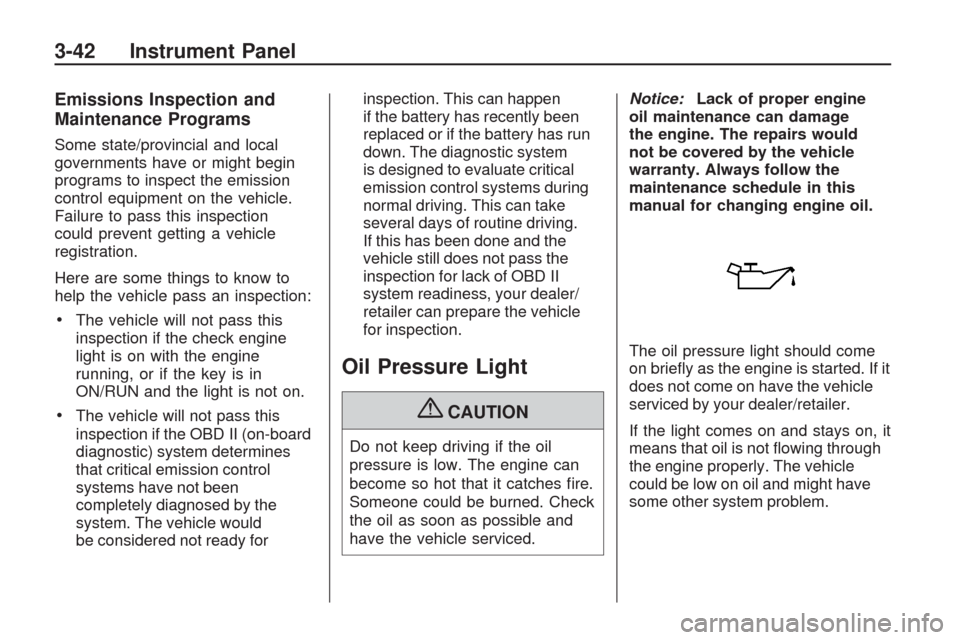
The oil pressure light should come
on briey as the engine is started. If it
does not come on have the vehicle
serviced by your dealer/retailer.
If the light comes on and stays on, it
means that oil is not owing through
the engine properly. The vehicle
could be low on oil and might have
some other system problem.
3-42 Instrument Panel
Page 165 of 422
DIC Operation and
Displays (With DIC
Buttons)
If your vehicle has DIC buttons,
the information below explains the
operation of this system.
The DIC has different displays
which can be accessed by pressing
the DIC buttons located on the
instrument panel. SeeInstrument
Panel Overview on page 3-4
for more information.
The DIC displays trip, fuel, and
vehicle system information, and
warning messages if a system
problem is detected.
The DIC also allows some features
to be customized. SeeDIC Vehicle
Customization (With DIC Buttons)
on page 3-65for more information.
If your vehicle has DIC buttons,
you can also use the trip odometer
reset stem to view the odometer
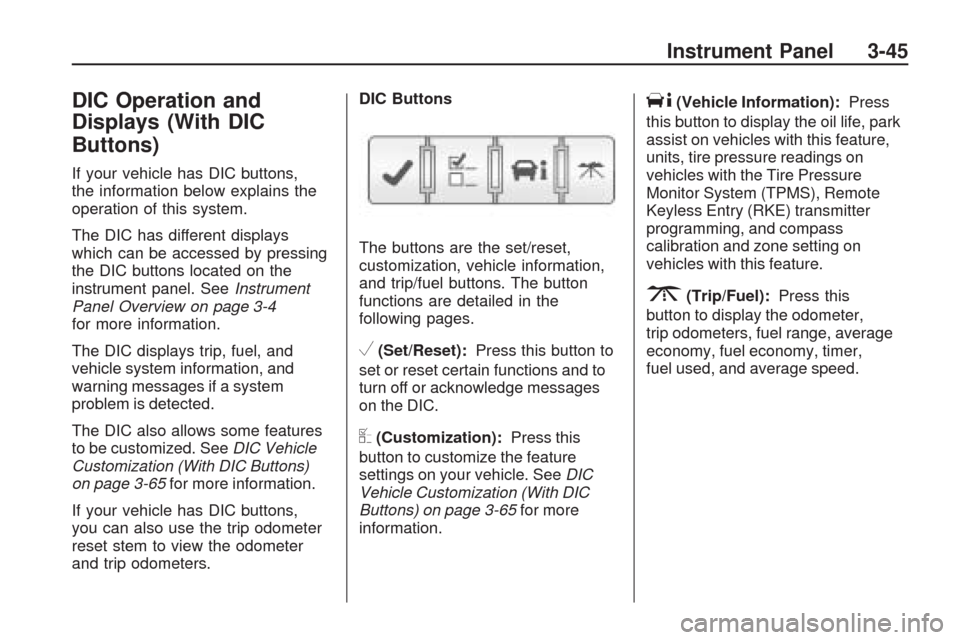
and trip odometers.DIC Buttons
The buttons are the set/reset,
customization, vehicle information,
and trip/fuel buttons. The button
functions are detailed in the
following pages.
V(Set/Reset):Press this button to
set or reset certain functions and to
turn off or acknowledge messages
on the DIC.
U(Customization):Press this
button to customize the feature
settings on your vehicle. SeeDIC
Vehicle Customization (With DIC
Buttons) on page 3-65for more
information.
T(Vehicle Information):Press
this button to display the oil life, park
assist on vehicles with this feature,
units, tire pressure readings on
vehicles with the Tire Pressure
Monitor System (TPMS), Remote
Keyless Entry (RKE) transmitter
programming, and compass
calibration and zone setting on
vehicles with this feature.
3(Trip/Fuel):Press this
button to display the odometer,
trip odometers, fuel range, average
economy, fuel economy, timer,
fuel used, and average speed.
Instrument Panel 3-45