seat adjustment CHEVROLET TRAVERSE 2010 1.G User Guide
[x] Cancel search | Manufacturer: CHEVROLET, Model Year: 2010, Model line: TRAVERSE, Model: CHEVROLET TRAVERSE 2010 1.GPages: 448, PDF Size: 6.96 MB
Page 60 of 448
3-4 Seats and Restraints
Move the seat forward or rearward
by sliding the power seat
adjustment control (A) forward or
rearward.
The vehicle may have additional
features to adjust the power seat:
.Raise or lower the entire seat by
moving the power seat
adjustment control (A) up
or down.
.Raise or lower the front part of
the seat cushion by moving the
front of the control up or down.
.Raise or lower the rear part of
the seat cushion by moving the
rear of the control up or down.
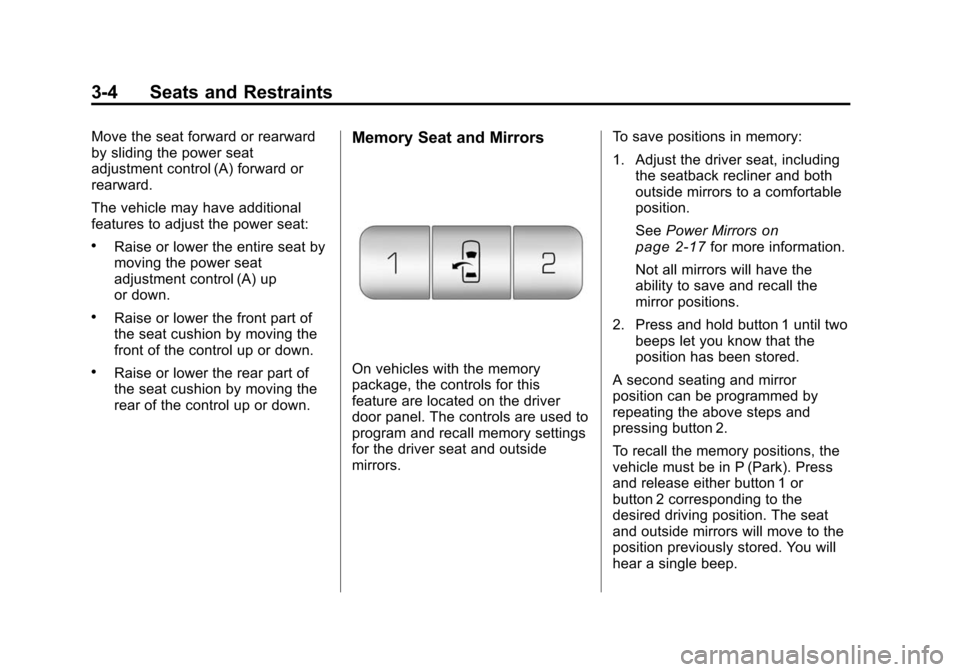
Memory Seat and Mirrors
On vehicles with the memory
package, the controls for this
feature are located on the driver
door panel. The controls are used to
program and recall memory settings
for the driver seat and outside
mirrors.To save positions in memory:
1. Adjust the driver seat, including
the seatback recliner and both
outside mirrors to a comfortable
position.
See Power Mirrors
on
page 2‑17for more information.
Not all mirrors will have the
ability to save and recall the
mirror positions.
2. Press and hold button 1 until two beeps let you know that the
position has been stored.
A second seating and mirror
position can be programmed by
repeating the above steps and
pressing button 2.
To recall the memory positions, the
vehicle must be in P (Park). Press
and release either button 1 or
button 2 corresponding to the
desired driving position. The seat
and outside mirrors will move to the
position previously stored. You will
hear a single beep.
Page 61 of 448
Seats and Restraints 3-5
Using the Remote Keyless
Entry (RKE) transmitter to enter the
vehicle, with the remote recall
memory feature on, causes
automatic seat and mirror
adjustment. There is no adjustment
when the position has not been
changed by another seating position
or the easy exit feature. See
“MEMORY SEAT RECALL”under
Vehicle Personalization (With DIC
Buttons)
on page 5‑40for more
information.
To stop recall movement of the
memory feature at any time, press
one of the power seat controls,
memory buttons, or power mirror
buttons.
If something has blocked the driver
seat while recalling a memory
position, the driver seat recall may
stop working. If this happens, press
the appropriate control for the area
that is not recalling for two seconds,
after the obstruction is removed.
Then try recalling the memory
position again by pressing the appropriate memory button. If the
memory position is still not being
recalled, see your dealer for service.
Easy Exit Seat
The control for this feature is
located on the driver door panel
between buttons 1 and 2.
With the vehicle in P (Park), the exit
position can be recalled by pressing
the exit button. You will hear a
single beep. The driver seat will
move back approximately 3 inches
(7.6 cm). To move the seat back
further, press the exit button again,
until the seat is all the way back.
If the easy exit seat feature is on in
the Driver Information Center (DIC),
automatic seat movement will occur
when the key is removed from the
ignition. See
“EASY EXIT SEAT”
under Vehicle Personalization
(With DIC Buttons)
on page 5‑40for more information. Further programming for the
memory seat feature can be done
using the DIC. You can select or
cancel the following:
.The automatic easy exit seat
feature.
.The remote memory seat recall
feature.
For programming information, see
Vehicle Personalization (With DIC
Buttons) on page 5‑40.
Page 62 of 448
3-6 Seats and Restraints
Lumbar Adjustment
Manual Lumbar
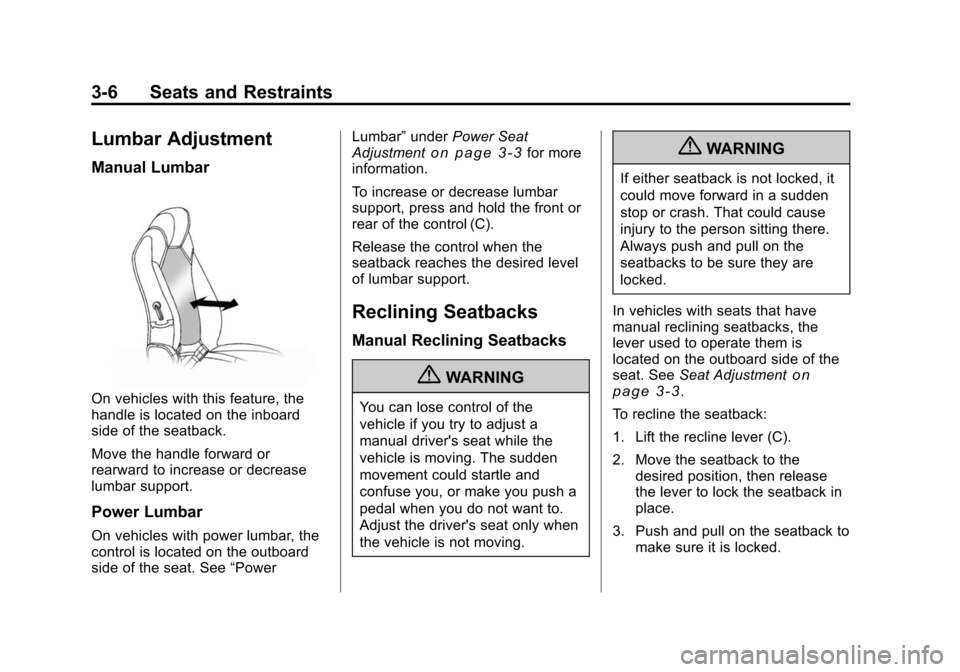
On vehicles with this feature, the
handle is located on the inboard
side of the seatback.
Move the handle forward or
rearward to increase or decrease
lumbar support.
Power Lumbar
On vehicles with power lumbar, the
control is located on the outboard
side of the seat. See“PowerLumbar”
underPower Seat
Adjustment
on page 3‑3for more
information.
To increase or decrease lumbar
support, press and hold the front or
rear of the control (C).
Release the control when the
seatback reaches the desired level
of lumbar support.
Reclining Seatbacks
Manual Reclining Seatbacks
{WARNING
You can lose control of the
vehicle if you try to adjust a
manual driver's seat while the
vehicle is moving. The sudden
movement could startle and
confuse you, or make you push a
pedal when you do not want to.
Adjust the driver's seat only when
the vehicle is not moving.
{WARNING
If either seatback is not locked, it
could move forward in a sudden
stop or crash. That could cause
injury to the person sitting there.
Always push and pull on the
seatbacks to be sure they are
locked.
In vehicles with seats that have
manual reclining seatbacks, the
lever used to operate them is
located on the outboard side of the
seat. See Seat Adjustment
on
page 3‑3.
To recline the seatback:
1. Lift the recline lever (C).
2. Move the seatback to the desired position, then release
the lever to lock the seatback in
place.
3. Push and pull on the seatback to make sure it is locked.
Page 63 of 448
Seats and Restraints 3-7
To return the seatback to an upright
position, do the following:
1. Lift the lever fully withoutapplying pressure to the
seatback and the seatback will
return to the upright position.
2. Push and pull on the seatback to make sure it is locked.
Power Reclining Seatbacks
In vehicles with seats that have
power reclining seatbacks, the
control used to recline them is
located on the outboard side of the
seat. See Power Seat Adjustment
on page 3‑3for more information.
To recline the seatback:
.Tilt the top of the control (B)
rearward.
.To bring the seatback forward,
tilt the top of the control forward.
{WARNING
Sitting in a reclined position when
the vehicle is in motion can be
dangerous. Even when buckled
up, the safety belts cannot do
their job when reclined like this.
The shoulder belt cannot do its
job because it will not be against
your body. Instead, it will be in
front of you. In a crash, you could
go into it, receiving neck or other
injuries.
The lap belt cannot do its job
either. In a crash, the belt could
go up over your abdomen. The
belt forces would be there, not at
your pelvic bones. This could
cause serious internal injuries.
For proper protection when the
vehicle is in motion, have the
seatback upright. Then sit well
back in the seat and wear the
safety belt properly.
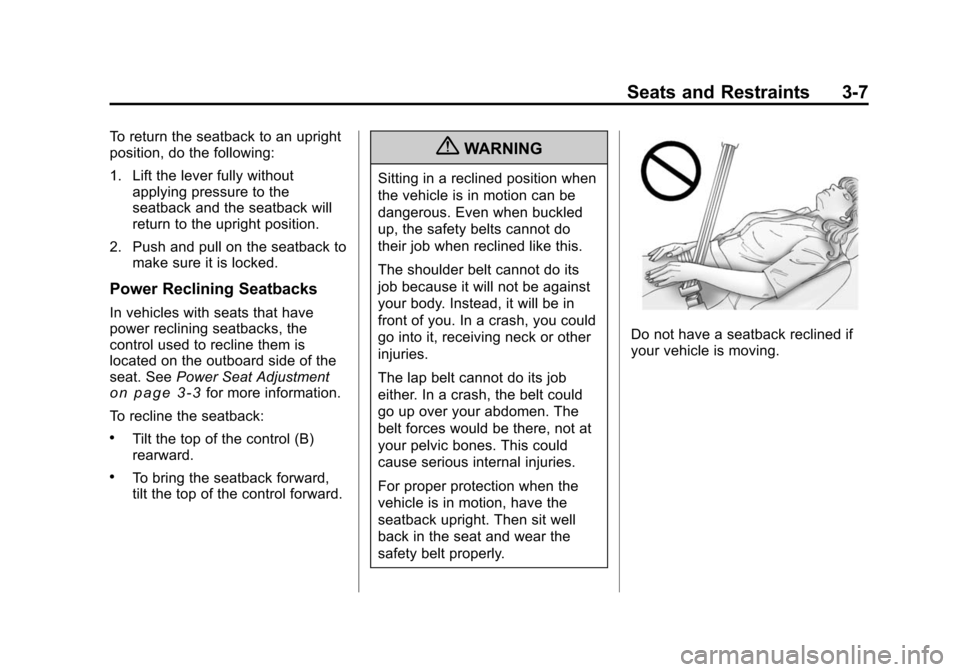
Do not have a seatback reclined if
your vehicle is moving.
Page 66 of 448
3-10 Seats and Restraints
Rear Seats
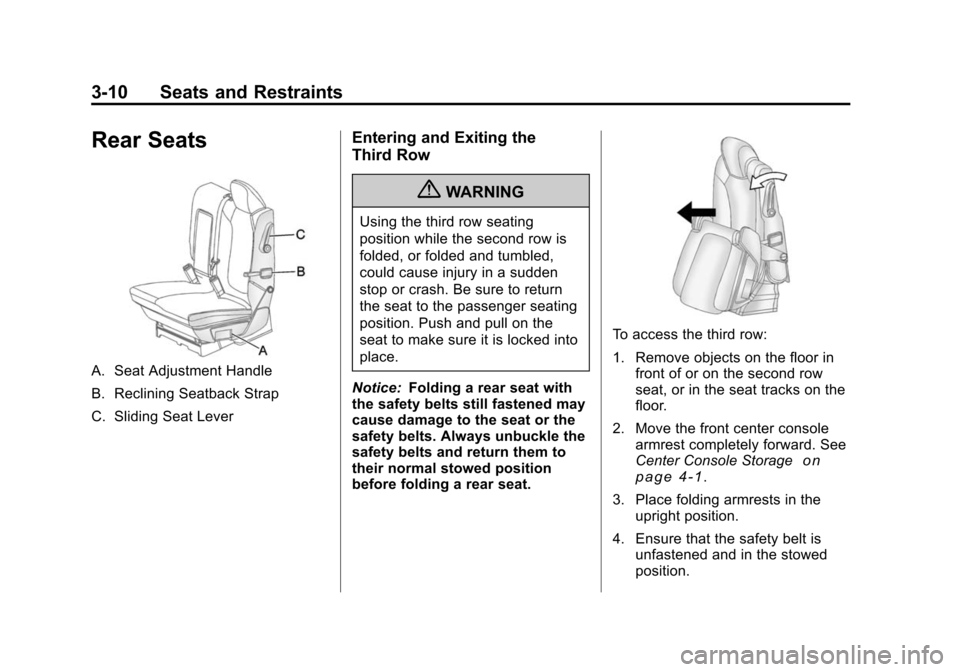
A. Seat Adjustment Handle
B. Reclining Seatback Strap
C. Sliding Seat Lever
Entering and Exiting the
Third Row
{WARNING
Using the third row seating
position while the second row is
folded, or folded and tumbled,
could cause injury in a sudden
stop or crash. Be sure to return
the seat to the passenger seating
position. Push and pull on the
seat to make sure it is locked into
place.
Notice: Folding a rear seat with
the safety belts still fastened may
cause damage to the seat or the
safety belts. Always unbuckle the
safety belts and return them to
their normal stowed position
before folding a rear seat.
To access the third row:
1. Remove objects on the floor in front of or on the second row
seat, or in the seat tracks on the
floor.
2. Move the front center console armrest completely forward. See
Center Console Storage
on
page 4‑1.
3. Place folding armrests in the upright position.
4. Ensure that the safety belt is unfastened and in the stowed
position.
Page 67 of 448
Seats and Restraints 3-11
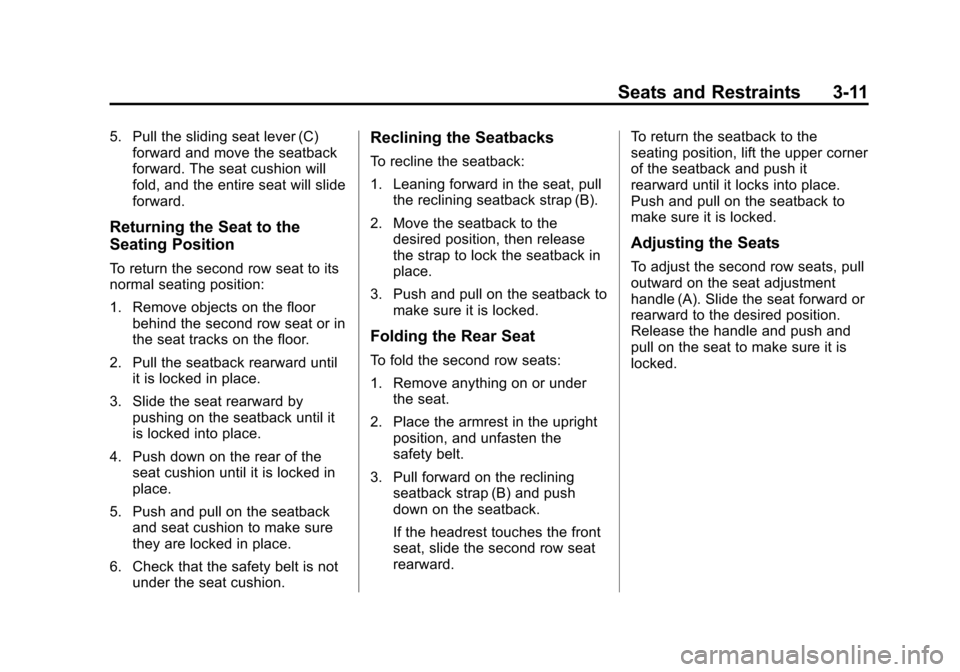
5. Pull the sliding seat lever (C)forward and move the seatback
forward. The seat cushion will
fold, and the entire seat will slide
forward.
Returning the Seat to the
Seating Position
To return the second row seat to its
normal seating position:
1. Remove objects on the floor
behind the second row seat or in
the seat tracks on the floor.
2. Pull the seatback rearward until it is locked in place.
3. Slide the seat rearward by pushing on the seatback until it
is locked into place.
4. Push down on the rear of the seat cushion until it is locked in
place.
5. Push and pull on the seatback and seat cushion to make sure
they are locked in place.
6. Check that the safety belt is not under the seat cushion.
Reclining the Seatbacks
To recline the seatback:
1. Leaning forward in the seat, pullthe reclining seatback strap (B).
2. Move the seatback to the desired position, then release
the strap to lock the seatback in
place.
3. Push and pull on the seatback to make sure it is locked.
Folding the Rear Seat
To fold the second row seats:
1. Remove anything on or underthe seat.
2. Place the armrest in the upright position, and unfasten the
safety belt.
3. Pull forward on the reclining seatback strap (B) and push
down on the seatback.
If the headrest touches the front
seat, slide the second row seat
rearward. To return the seatback to the
seating position, lift the upper corner
of the seatback and push it
rearward until it locks into place.
Push and pull on the seatback to
make sure it is locked.
Adjusting the Seats
To adjust the second row seats, pull
outward on the seat adjustment
handle (A). Slide the seat forward or
rearward to the desired position.
Release the handle and push and
pull on the seat to make sure it is
locked.
Page 80 of 448
3-24 Seats and Restraints
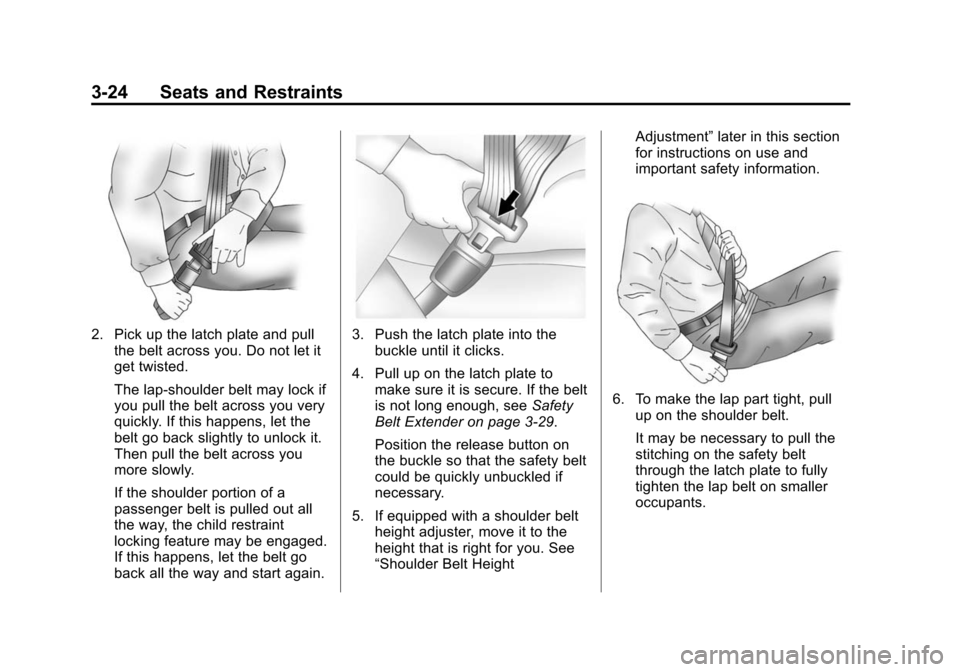
2. Pick up the latch plate and pullthe belt across you. Do not let it
get twisted.
The lap-shoulder belt may lock if
you pull the belt across you very
quickly. If this happens, let the
belt go back slightly to unlock it.
Then pull the belt across you
more slowly.
If the shoulder portion of a
passenger belt is pulled out all
the way, the child restraint
locking feature may be engaged.
If this happens, let the belt go
back all the way and start again.3. Push the latch plate into thebuckle until it clicks.
4. Pull up on the latch plate to make sure it is secure. If the belt
is not long enough, see Safety
Belt Extender on page 3‑29.
Position the release button on
the buckle so that the safety belt
could be quickly unbuckled if
necessary.
5. If equipped with a shoulder belt height adjuster, move it to the
height that is right for you. See
“Shoulder Belt Height Adjustment”
later in this section
for instructions on use and
important safety information.
6. To make the lap part tight, pull
up on the shoulder belt.
It may be necessary to pull the
stitching on the safety belt
through the latch plate to fully
tighten the lap belt on smaller
occupants.
Page 81 of 448
Seats and Restraints 3-25
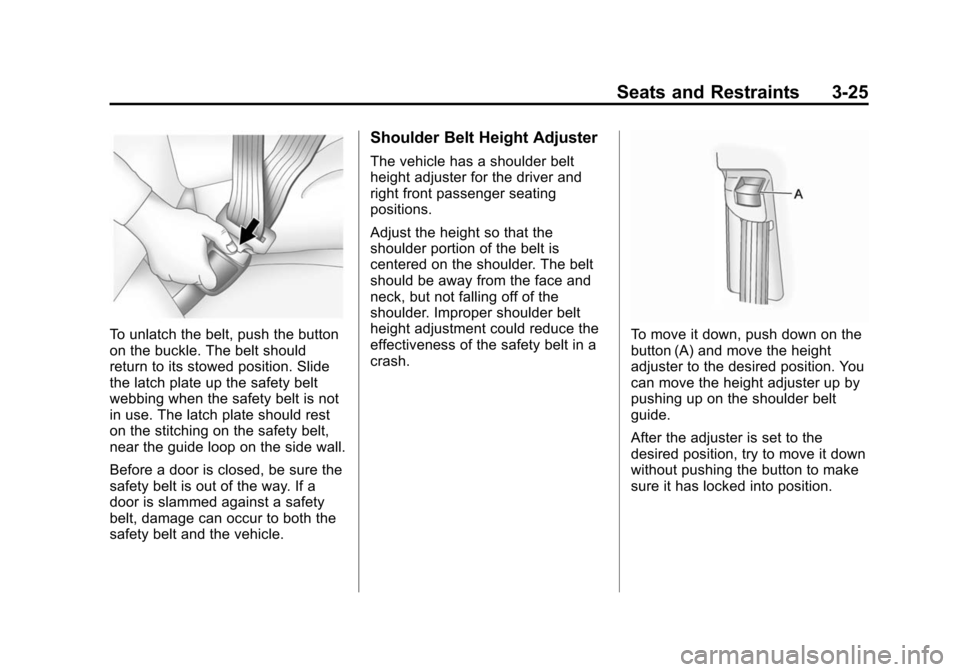
To unlatch the belt, push the button
on the buckle. The belt should
return to its stowed position. Slide
the latch plate up the safety belt
webbing when the safety belt is not
in use. The latch plate should rest
on the stitching on the safety belt,
near the guide loop on the side wall.
Before a door is closed, be sure the
safety belt is out of the way. If a
door is slammed against a safety
belt, damage can occur to both the
safety belt and the vehicle.
Shoulder Belt Height Adjuster
The vehicle has a shoulder belt
height adjuster for the driver and
right front passenger seating
positions.
Adjust the height so that the
shoulder portion of the belt is
centered on the shoulder. The belt
should be away from the face and
neck, but not falling off of the
shoulder. Improper shoulder belt
height adjustment could reduce the
effectiveness of the safety belt in a
crash.
To move it down, push down on the
button (A) and move the height
adjuster to the desired position. You
can move the height adjuster up by
pushing up on the shoulder belt
guide.
After the adjuster is set to the
desired position, try to move it down
without pushing the button to make
sure it has locked into position.
Page 187 of 448
Infotainment System 7-1
Infotainment
System
Introduction
Introduction . . . . . . . . . . . . . . . . . . . 7-1
Theft-Deterrent Feature . . . . . . . 7-2
Operation . . . . . . . . . . . . . . . . . . . . . 7-2
Radio
AM-FM Radio . . . . . . . . . . . . . . . . . 7-6
Satellite Radio . . . . . . . . . . . . . . . . 7-8
Radio Reception . . . . . . . . . . . . . 7-11
Multi-Band Antenna . . . . . . . . . . 7-12
Audio Players
CD Player . . . . . . . . . . . . . . . . . . . 7-12
CD/DVD Player . . . . . . . . . . . . . . 7-14
MP3 (Radio with CD andRadio with CD/USB) . . . . . . . 7-21
MP3 (Radio with CD/DVD) . . . 7-27
Auxiliary Devices . . . . . . . . . . . . 7-33
Rear Seat Infotainment
Rear Seat Entertainment
(RSE) System . . . . . . . . . . . . . . 7-35
Rear Seat Audio (RSA) System . . . . . . . . . . . . . . . . . . . . . 7-43
Phone
Bluetooth . . . . . . . . . . . . . . . . . . . . 7-45
Introduction
Read the following pages to
become familiar with the audio
system's features.
{WARNING
Taking your eyes off the road for
extended periods could cause a
crash resulting in injury or death
to you or others. Do not give
extended attention to
entertainment tasks while driving.
This system provides access to
many audio and non audio listings.
To minimize taking your eyes off the
road while driving, do the following
while the vehicle is parked:
.Become familiar with the
operation and controls of the
audio system.
.Set up the tone, speaker
adjustments, and preset radio
stations.
Page 220 of 448
7-34 Infotainment System
To use an auxiliary input device,
connect a 3.5 mm (1/8 in) cable to
the radio's front auxiliary input jack.
O(Power/Volume):Turn
clockwise or counterclockwise to
increase or decrease the volume of
the portable player. Additional
volume adjustments might have to
be made from the portable device if
the volume is not loud or soft
enough.
BAND: Press to listen to the radio
when a portable audio device is
playing. The portable audio device
continues playing, so you might
want to stop it or turn it off.
CD/AUX (CD/Auxiliary): Press to
select between CD, or Auxiliary.
.When a CD is in the player the
CD icon and a message
showing the disc and/or track
number displays.
.If an auxiliary input device is not
connected, “No Input Device
Found” displays. DVD/CD AUX (Auxiliary):
Press to
select between DVD, CD,
or Auxiliary.
.If an auxiliary input device is not
connected, “No Aux Input
Device” displays.
.When a disc is in either slot, the
DVD/CD text tab and a message
showing the track or chapter
number displays.
.If an auxiliary input device is not
connected, and a disc is in both
the DVD slot and the CD slot the
DVD/CD AUX button only cycles
between the two sources and
does not indicate “No Aux Input
Device”.
.If a front auxiliary input device is
connected, the DVD/CD AUX
button cycles through all
available options.
If a disc is inserted into top DVD
slot, the rear seat operator can turn
on the video screen and use the remote control to only navigate the
CD tracks through the remote
control.
See
“Using the Auxiliary Input
Jack(s)” later in this section,
or “Audio/Video (A/V) Jacks” under,
Rear Seat Entertainment (RSE)
System
on page 7‑35for more
information.
Using the USB Port
For vehicles with a USB port, the
connector is located in the center
console.
Radios with a USB port can control
a USB storage device or an iPod
®
using the radio buttons and knobs.
See MP3 (Radio with CD and Radio
with CD/USB)
on page 7‑21or
MP3 (Radio with CD/DVD)on
page 7‑27for information about
how to connect and control a USB
storage device or an iPod.