warning CHEVROLET TRAVERSE 2012 1.G Workshop Manual
[x] Cancel search | Manufacturer: CHEVROLET, Model Year: 2012, Model line: TRAVERSE, Model: CHEVROLET TRAVERSE 2012 1.GPages: 450, PDF Size: 6.69 MB
Page 118 of 450
Black plate (4,1)Chevrolet Traverse Owner Manual - 2012
4-4 Storage
Additional Storage
Features
Cargo Cover
For vehicles with a cargo cover, it
can be used to cover items in the
rear of the vehicle. To install the
cover, place the loops on each
corner of the cover on the four
hooks in the rear of the vehicle. The
cover should be stored securely
when not in use.
Cargo Tie-Downs
Four cargo tie‐downs are located in
the rear compartment of the vehicle.
The tie-downs can be used to
secure small loads.
Cargo Management
System
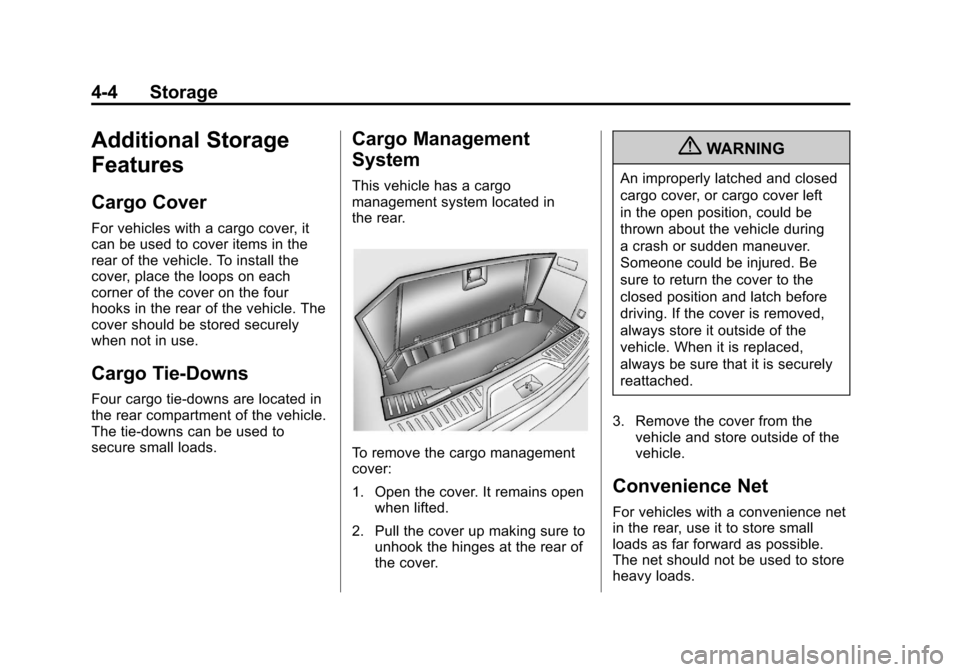
This vehicle has a cargo
management system located in
the rear.
To remove the cargo management
cover:
1. Open the cover. It remains openwhen lifted.
2. Pull the cover up making sure to unhook the hinges at the rear of
the cover.
{WARNING
An improperly latched and closed
cargo cover, or cargo cover left
in the open position, could be
thrown about the vehicle during
a crash or sudden maneuver.
Someone could be injured. Be
sure to return the cover to the
closed position and latch before
driving. If the cover is removed,
always store it outside of the
vehicle. When it is replaced,
always be sure that it is securely
reattached.
3. Remove the cover from the vehicle and store outside of the
vehicle.
Convenience Net
For vehicles with a convenience net
in the rear, use it to store small
loads as far forward as possible.
The net should not be used to store
heavy loads.
Page 119 of 450
Black plate (5,1)Chevrolet Traverse Owner Manual - 2012
Storage 4-5
Roof Rack System
{WARNING
If something is carried on top of
the vehicle that is longer or wider
than the roof rack—like paneling,
plywood, or a mattress —the
wind can catch it while the vehicle
is being driven. The item being
carried could be violently torn off,
and this could cause a collision
and damage the vehicle. Never
carry something longer or wider
than the roof rack on top of the
vehicle unless using a GM
certified accessory carrier. For vehicles with a roof rack, the
rack can be used to load items.
For roof racks that do not have
crossrails included, GM Certified
crossrails can be purchased as an
accessory. See your dealer for
additional information.
Notice:
Loading cargo on the
roof rack that weighs more than
91 kg (200 lbs) or hangs over the
rear or sides of the vehicle may
damage the vehicle. Load cargo
so that it rests evenly between
the crossrails, making sure to
fasten cargo securely. To prevent damage or loss of cargo
when driving, check to make sure
crossrails and cargo are securely
fastened. Loading cargo on the roof
rack will make the vehicle’
s center
of gravity higher. Avoid high speeds,
sudden starts, sharp turns, sudden
braking or abrupt maneuvers;
otherwise it may result in loss of
control. If driving for a long distance,
on rough roads, or at high speeds,
occasionally stop the vehicle to
make sure the cargo remains in its
place. Do not exceed the maximum
vehicle capacity when loading the
vehicle.
For more information on vehicle
capacity and loading, see Vehicle
Load Limits on page 9‑10.
Page 121 of 450
Black plate (1,1)Chevrolet Traverse Owner Manual - 2012
Instruments and Controls 5-1
Instruments and
Controls
Controls
Steering Wheel Adjustment . . . 5-2
Steering Wheel Controls . . . . . . 5-2
Horn . . . . . . . . . . . . . . . . . . . . . . . . . . 5-4
Windshield Wiper/Washer . . . . . 5-5
Rear Window Wiper/Washer . . . . . . . . . . . . . . . . . . . . . . 5-5
Compass . . . . . . . . . . . . . . . . . . . . . 5-6
Clock . . . . . . . . . . . . . . . . . . . . . . . . . 5-8
Power Outlets . . . . . . . . . . . . . . . . . 5-8
Warning Lights, Gauges, and
Indicators
Warning Lights, Gauges, and Indicators . . . . . . . . . . . . . . . . . . 5-10
Instrument Cluster . . . . . . . . . . . 5-11
Speedometer . . . . . . . . . . . . . . . . 5-12
Odometer . . . . . . . . . . . . . . . . . . . . 5-12
Tachometer . . . . . . . . . . . . . . . . . . 5-12
Fuel Gauge . . . . . . . . . . . . . . . . . . 5-12
Engine Coolant Temperature Gauge . . . . . . . . . . . . . . . . . . . . . . 5-13
Voltmeter Gauge . . . . . . . . . . . . . 5-14 Safety Belt Reminders . . . . . . . 5-14
Airbag Readiness Light . . . . . . 5-15
Passenger Airbag Status
Indicator . . . . . . . . . . . . . . . . . . . . 5-16
Charging System Light . . . . . . 5-17
Malfunction
Indicator Lamp . . . . . . . . . . . . . 5-17
Brake System Warning Light . . . . . . . . . . . . . . . . . . . . . . . 5-20
Antilock Brake System (ABS) Warning Light . . . . . . . . . . . . . . 5-21
Tow/Haul Mode Light . . . . . . . . 5-21
StabiliTrak
®Indicator Light . . . 5-21
Engine Coolant Temperature Warning Light . . . . . . . . . . . . . . 5-22
Tire Pressure Light . . . . . . . . . . 5-22
Engine Oil Pressure Light . . . . 5-22
Security Light . . . . . . . . . . . . . . . . 5-23
High-Beam On Light . . . . . . . . . 5-23
Cruise Control Light . . . . . . . . . 5-24
Information Displays
Driver Information Center (DIC) (With DIC Buttons) . . . 5-24
Driver Information Center (DIC) (Without DIC
Buttons) . . . . . . . . . . . . . . . . . . . . 5-29
Vehicle Messages
Vehicle Messages . . . . . . . . . . . 5-31
Battery Voltage and ChargingMessages . . . . . . . . . . . . . . . . . . 5-32
Brake System Messages . . . . 5-32
Cruise Control Messages . . . . 5-32
Door Ajar Messages . . . . . . . . . 5-32
Engine Cooling System Messages . . . . . . . . . . . . . . . . . . 5-33
Engine Oil Messages . . . . . . . . 5-34
Engine Power Messages . . . . 5-35
Fuel System Messages . . . . . . 5-35
Key and Lock Messages . . . . . 5-36
Lamp Messages . . . . . . . . . . . . . 5-36
Object Detection System Messages . . . . . . . . . . . . . . . . . . 5-36
Ride Control System Messages . . . . . . . . . . . . . . . . . . 5-36
Airbag System Messages . . . . 5-37
Anti-theft Alarm System Messages . . . . . . . . . . . . . . . . . . 5-37
Service Vehicle Messages . . . 5-37
Tire Messages . . . . . . . . . . . . . . . 5-38
Transmission Messages . . . . . 5-39
Vehicle Reminder Messages . . . . . . . . . . . . . . . . . . 5-40
Vehicle Speed Messages . . . . 5-40
Washer Fluid Messages . . . . . 5-40
Page 125 of 450
Black plate (5,1)Chevrolet Traverse Owner Manual - 2012
Instruments and Controls 5-5
Windshield Wiper/Washer
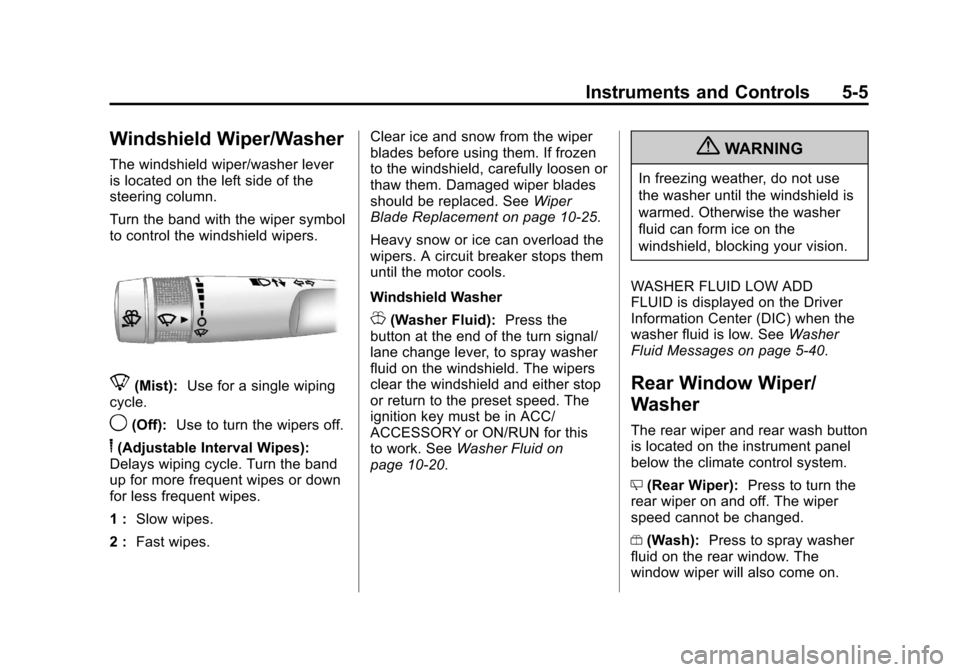
The windshield wiper/washer lever
is located on the left side of the
steering column.
Turn the band with the wiper symbol
to control the windshield wipers.
8(Mist):Use for a single wiping
cycle.
9(Off): Use to turn the wipers off.
6(Adjustable Interval Wipes):
Delays wiping cycle. Turn the band
up for more frequent wipes or down
for less frequent wipes.
1 : Slow wipes.
2 : Fast wipes. Clear ice and snow from the wiper
blades before using them. If frozen
to the windshield, carefully loosen or
thaw them. Damaged wiper blades
should be replaced. See
Wiper
Blade Replacement on page 10‑25.
Heavy snow or ice can overload the
wipers. A circuit breaker stops them
until the motor cools.
Windshield Washer
J(Washer Fluid): Press the
button at the end of the turn signal/
lane change lever, to spray washer
fluid on the windshield. The wipers
clear the windshield and either stop
or return to the preset speed. The
ignition key must be in ACC/
ACCESSORY or ON/RUN for this
to work. See Washer Fluid on
page 10‑20.
{WARNING
In freezing weather, do not use
the washer until the windshield is
warmed. Otherwise the washer
fluid can form ice on the
windshield, blocking your vision.
WASHER FLUID LOW ADD
FLUID is displayed on the Driver
Information Center (DIC) when the
washer fluid is low. See Washer
Fluid Messages on page 5‑40.
Rear Window Wiper/
Washer
The rear wiper and rear wash button
is located on the instrument panel
below the climate control system.
Z (Rear Wiper): Press to turn the
rear wiper on and off. The wiper
speed cannot be changed.
Y (Wash): Press to spray washer
fluid on the rear window. The
window wiper will also come on.
Page 128 of 450
Black plate (8,1)Chevrolet Traverse Owner Manual - 2012
5-8 Instruments and Controls
Clock
To adjust the time and date:
1. Turn the ignition key to ACC/ACCESSORY or ON/RUN, then
press
Oto turn the radio on.
2. Press
Gto display HR, MIN,
MM, DD, YYYY (hour, minute,
month, day, and year).
3. Press the pushbutton located under any one of the labels to
be changed.
4. To increase the time or date, do one of the following:
.Press the pushbutton below
the selected label.
.Press¨SEEK.
.Press\FWD.
.Turnfclockwise. 5. To decrease the time or date, do
one of the following:
.Press©SEEK.
.PresssREV.
.Turnfcounterclockwise.
To change the time default setting
from 12 hour to 24 hour or to
change the date default setting from
month/day/year to day/month/year:
1. Press
Gand then the
pushbutton located under the
forward arrow that displays on
the radio screen until the time
12H (hour) and 24H (hour), and
the date MM/DD (month and
day) and DD/MM (day and
month) display.
2. Press the pushbutton located under the desired option.
3. Press
Gagain to apply the
selected default, or let the
screen time out.
Power Outlets
The vehicle has 12‐volt outlets that
can be used to plug in electrical
equipment, such as a cell phone or
MP3 player.
The power outlets are located on
the instrument panel below the
climate controls, inside the center
floor console, at the rear of the
center console, and in the rear
cargo area. Lift the cover to access
the outlet and replace when not
in use.
{WARNING
Power is always supplied to the
outlets. Do not leave electrical
equipment plugged in when the
vehicle is not in use because the
vehicle could catch fire and cause
injury or death.
Page 130 of 450
Black plate (10,1)Chevrolet Traverse Owner Manual - 2012
5-10 Instruments and Controls
The power outlet is not designed for
and may not work properly, if the
following are plugged in:
.Equipment with high initial peak
wattage such as:
compressor-driven refrigerators
and electric power tools.
.Other equipment requiring an
extremely stable power supply
such as:
microcomputer-controlled
electric blankets, touch sensor
lamps, etc.
See High Voltage Devices and
Wiring on page 10‑28.
Warning Lights,
Gauges, and
Indicators
Warning lights and gauges can
signal that something is wrong
before it becomes serious enough
to cause an expensive repair or
replacement. Paying attention to the
warning lights and gauges could
prevent injury.
Warning lights come on when there
could be a problem with a vehicle
function. Some warning lights come
on briefly when the engine is started
to indicate they are working. Gauges can indicate when there
could be a problem with a vehicle
function. Often gauges and warning
lights work together to indicate a
problem with the vehicle.
When one of the warning lights
comes on and stays on while
driving, or when one of the gauges
shows there may be a problem,
check the section that explains what
to do. Follow this manual's advice.
Waiting to do repairs can be costly
and even dangerous.
Page 134 of 450
Black plate (14,1)Chevrolet Traverse Owner Manual - 2012
5-14 Instruments and Controls
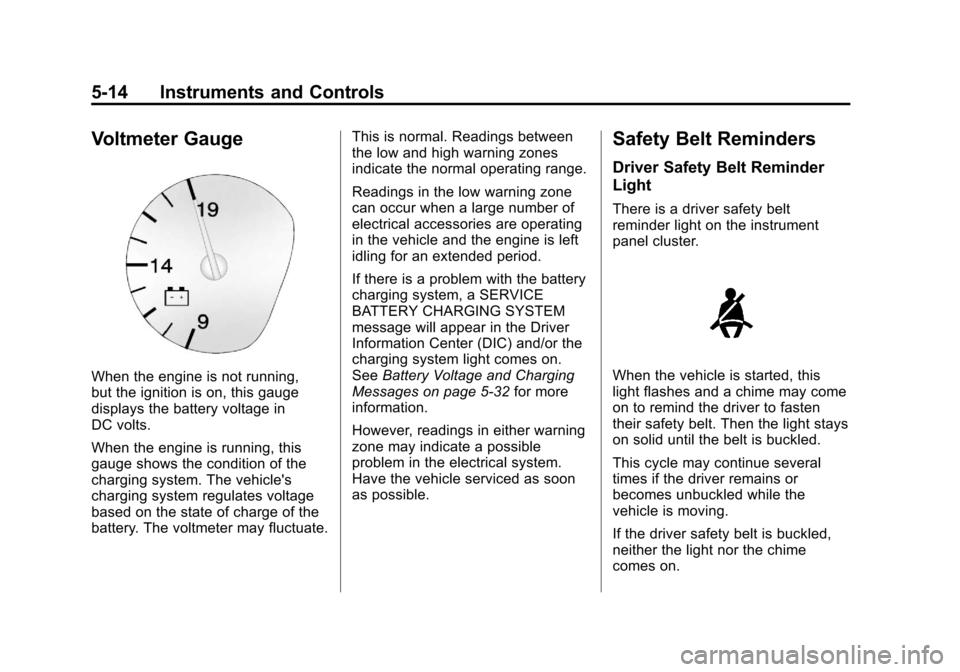
Voltmeter Gauge
When the engine is not running,
but the ignition is on, this gauge
displays the battery voltage in
DC volts.
When the engine is running, this
gauge shows the condition of the
charging system. The vehicle's
charging system regulates voltage
based on the state of charge of the
battery. The voltmeter may fluctuate.This is normal. Readings between
the low and high warning zones
indicate the normal operating range.
Readings in the low warning zone
can occur when a large number of
electrical accessories are operating
in the vehicle and the engine is left
idling for an extended period.
If there is a problem with the battery
charging system, a SERVICE
BATTERY CHARGING SYSTEM
message will appear in the Driver
Information Center (DIC) and/or the
charging system light comes on.
See
Battery Voltage and Charging
Messages on page 5‑32 for more
information.
However, readings in either warning
zone may indicate a possible
problem in the electrical system.
Have the vehicle serviced as soon
as possible.
Safety Belt Reminders
Driver Safety Belt Reminder
Light
There is a driver safety belt
reminder light on the instrument
panel cluster.
When the vehicle is started, this
light flashes and a chime may come
on to remind the driver to fasten
their safety belt. Then the light stays
on solid until the belt is buckled.
This cycle may continue several
times if the driver remains or
becomes unbuckled while the
vehicle is moving.
If the driver safety belt is buckled,
neither the light nor the chime
comes on.
Page 135 of 450
Black plate (15,1)Chevrolet Traverse Owner Manual - 2012
Instruments and Controls 5-15
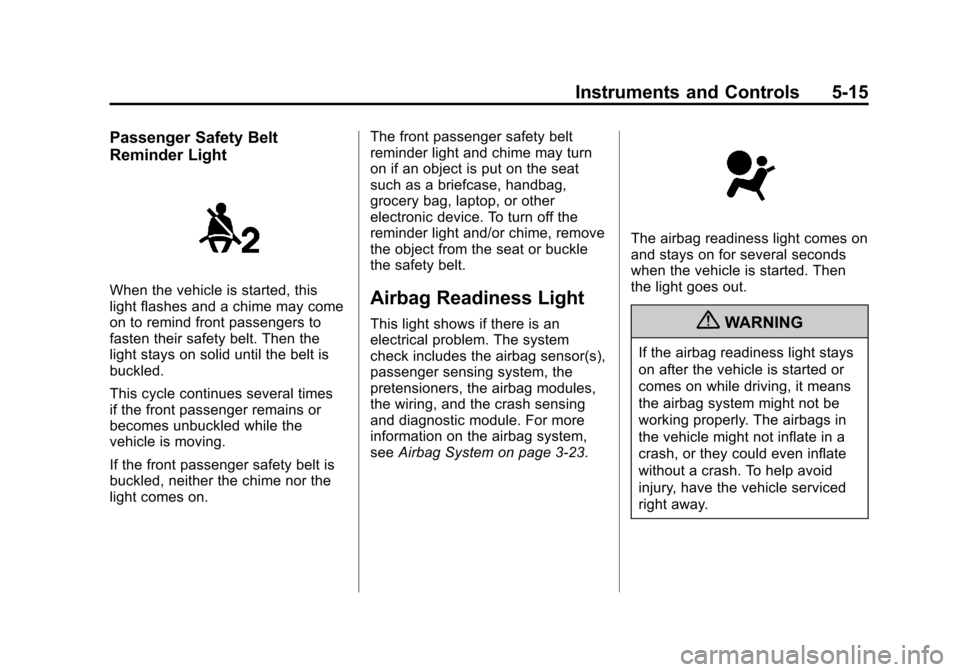
Passenger Safety Belt
Reminder Light
When the vehicle is started, this
light flashes and a chime may come
on to remind front passengers to
fasten their safety belt. Then the
light stays on solid until the belt is
buckled.
This cycle continues several times
if the front passenger remains or
becomes unbuckled while the
vehicle is moving.
If the front passenger safety belt is
buckled, neither the chime nor the
light comes on.The front passenger safety belt
reminder light and chime may turn
on if an object is put on the seat
such as a briefcase, handbag,
grocery bag, laptop, or other
electronic device. To turn off the
reminder light and/or chime, remove
the object from the seat or buckle
the safety belt.Airbag Readiness Light
This light shows if there is an
electrical problem. The system
check includes the airbag sensor(s),
passenger sensing system, the
pretensioners, the airbag modules,
the wiring, and the crash sensing
and diagnostic module. For more
information on the airbag system,
see
Airbag System on page 3‑23.
The airbag readiness light comes on
and stays on for several seconds
when the vehicle is started. Then
the light goes out.
{WARNING
If the airbag readiness light stays
on after the vehicle is started or
comes on while driving, it means
the airbag system might not be
working properly. The airbags in
the vehicle might not inflate in a
crash, or they could even inflate
without a crash. To help avoid
injury, have the vehicle serviced
right away.
Page 136 of 450
Black plate (16,1)Chevrolet Traverse Owner Manual - 2012
5-16 Instruments and Controls
Passenger Airbag Status
Indicator
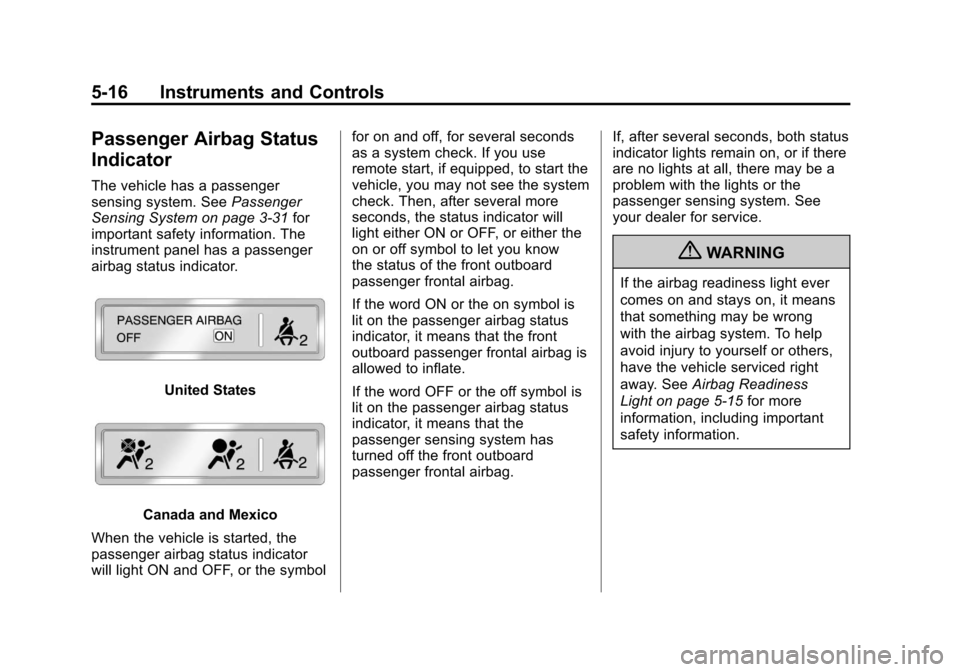
The vehicle has a passenger
sensing system. SeePassenger
Sensing System on page 3‑31 for
important safety information. The
instrument panel has a passenger
airbag status indicator.
United States
Canada and Mexico
When the vehicle is started, the
passenger airbag status indicator
will light ON and OFF, or the symbol for on and off, for several seconds
as a system check. If you use
remote start, if equipped, to start the
vehicle, you may not see the system
check. Then, after several more
seconds, the status indicator will
light either ON or OFF, or either the
on or off symbol to let you know
the status of the front outboard
passenger frontal airbag.
If the word ON or the on symbol is
lit on the passenger airbag status
indicator, it means that the front
outboard passenger frontal airbag is
allowed to inflate.
If the word OFF or the off symbol is
lit on the passenger airbag status
indicator, it means that the
passenger sensing system has
turned off the front outboard
passenger frontal airbag.
If, after several seconds, both status
indicator lights remain on, or if there
are no lights at all, there may be a
problem with the lights or the
passenger sensing system. See
your dealer for service.
{WARNING
If the airbag readiness light ever
comes on and stays on, it means
that something may be wrong
with the airbag system. To help
avoid injury to yourself or others,
have the vehicle serviced right
away. See
Airbag Readiness
Light on page 5‑15 for more
information, including important
safety information.
Page 140 of 450
Black plate (20,1)Chevrolet Traverse Owner Manual - 2012
5-20 Instruments and Controls
Brake System Warning
Light
The vehicle brake system consists
of two hydraulic circuits. If one
circuit is not working, the remaining
circuit can still work to stop the
vehicle. For normal braking
performance, both circuits need to
be working
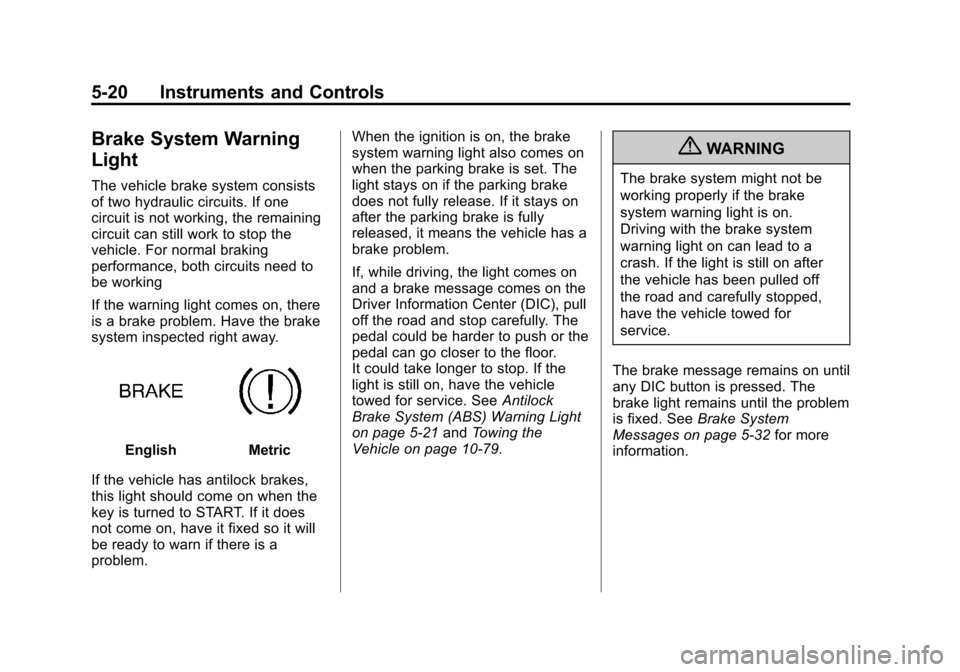
If the warning light comes on, there
is a brake problem. Have the brake
system inspected right away.
EnglishMetric
If the vehicle has antilock brakes,
this light should come on when the
key is turned to START. If it does
not come on, have it fixed so it will
be ready to warn if there is a
problem. When the ignition is on, the brake
system warning light also comes on
when the parking brake is set. The
light stays on if the parking brake
does not fully release. If it stays on
after the parking brake is fully
released, it means the vehicle has a
brake problem.
If, while driving, the light comes on
and a brake message comes on the
Driver Information Center (DIC), pull
off the road and stop carefully. The
pedal could be harder to push or the
pedal can go closer to the floor.
It could take longer to stop. If the
light is still on, have the vehicle
towed for service. See
Antilock
Brake System (ABS) Warning Light
on page 5‑21 andTowing the
Vehicle on page 10‑79.
{WARNING
The brake system might not be
working properly if the brake
system warning light is on.
Driving with the brake system
warning light on can lead to a
crash. If the light is still on after
the vehicle has been pulled off
the road and carefully stopped,
have the vehicle towed for
service.
The brake message remains on until
any DIC button is pressed. The
brake light remains until the problem
is fixed. See Brake System
Messages on page 5‑32 for more
information.