odometer CHEVROLET TRAVERSE 2016 1.G User Guide
[x] Cancel search | Manufacturer: CHEVROLET, Model Year: 2016, Model line: TRAVERSE, Model: CHEVROLET TRAVERSE 2016 1.GPages: 392, PDF Size: 6.66 MB
Page 147 of 392
Chevrolet Traverse Owner Manual (GMNA-Localizing-U.S./Canada/Mexico-
9159264) - 2016 - crc - 8/17/15
146 Instruments and Controls
To change customization
preferences, use the following
procedure.
Entering the Feature
Settings Menu
1. Turn the ignition on and placethe vehicle in P (Park).
To avoid excessive drain on
the battery, it is recommended
that the headlamps are
turned off.
2. Press the customization button to enter the feature
settings menu.
If the menu is not available,
FEATURE SETTINGS
AVAILABLE IN PARK will
display. Before entering the
menu, make sure the vehicle is
in P (Park).
Feature Settings Menu Items
The following are customization
features that allow you to program
settings to the vehicle: DISPLAY IN ENGLISH
This feature will only display if a
language other than English has
been set. This feature allows you to
change the language in which the
DIC messages appear to English.
Press the customization button until
the PRESS
VTO DISPLAY IN
ENGLISH screen appears on the
DIC display. Press the set/reset
button once to display all DIC
messages in English.
DISPLAY LANGUAGE
This feature allows you to select the
language in which the DIC
messages will appear.
Press the customization button until
the DISPLAY LANGUAGE screen
appears on the DIC display. Press
the set/reset button once to access
the settings for this feature. Then
press the customization button to
scroll through the following settings:
ENGLISH (default) : All messages
will appear in English.
FRANCAIS : All messages will
appear in French. ESPANOL :
All messages will
appear in Spanish.
NO CHANGE : No change will be
made to this feature. The current
setting will remain.
To select a setting, press the set/
reset button while the desired
setting is displayed on the DIC.
You can also change the language
by pressing the trip odometer reset
stem. See “DISPLAY LANGUAGE”
under “Driver Information Center
(DIC) (Without DIC Buttons)” earlier
in this section.
AUTO DOOR LOCK
This feature allows you to select
when the doors will automatically
lock. See Automatic Door Locks
0 38
ii.
Press the customization button until
AUTO DOOR LOCK appears on the
DIC display. Press the set/reset
button once to access the settings
for this feature. Then press the
customization button to scroll
through the following settings:
Page 273 of 392
Chevrolet Traverse Owner Manual (GMNA-Localizing-U.S./Canada/Mexico-
9159264) - 2016 - crc - 8/17/15
272 Vehicle Care
trash or pouring it on the ground,
into sewers, or into streams or
bodies of water. Recycle it by taking
it to a place that collects used oil.
Engine Oil Life System
When to Change Engine Oil
This vehicle has a computer system
that indicates when to change the
engine oil and filter. This is based
on a combination of factors which
include engine revolutions, engine
temperature, and miles driven.
Based on driving conditions, the
mileage at which an oil change is
indicated can vary considerably. For
the oil life system to work properly,
the system must be reset every time
the oil is changed.
When the system has calculated
that oil life has been diminished, it
indicates that an oil change is
necessary. A CHANGE ENGINE
OIL SOON message comes on.
Change the oil as soon as possible
within the next 1 000 km (600 mi).
It is possible that, if driving under
the best conditions, the oil life
system might indicate that an oilchange is not necessary for up to a
year. The engine oil and filter must
be changed at least once a year
and, at this time, the system must
be reset. Your dealer has trained
service people who will perform this
work and reset the system. It is also
important to check the oil regularly
over the course of an oil drain
interval and keep it at the proper
level.
If the system is ever reset
accidentally, the oil must be
changed at 5 000 km (3,000 mi)
since the last oil change.
Remember to reset the oil life
system whenever the oil is changed.
How to Reset the Engine Oil
Life System
Reset the system whenever the
engine oil is changed so that the
system can calculate the next
engine oil change. To reset the
system:
If the vehicle does not have Driver
Information Center (DIC) buttons:
1. Turn the ignition to ON/RUN,
with the engine off. The vehicle
must be in P (Park) to access
this display. Press the trip
odometer reset stem until OIL
LIFE REMAINING displays.
2. Press and hold the trip odometer reset stem until OIL
LIFE REMAINING shows
“100%.” Three chimes sound
and the CHANGE ENGINE OIL
SOON message goes off.
3. Turn the key to LOCK/OFF.
If the CHANGE ENGINE OIL
SOON message comes back
on when the vehicle is started,
the engine oil life system has
not been reset. Repeat the
procedure.
If the vehicle has Driver Information
Center (DIC) buttons:
1. Turn the ignition to ON/RUN, with the engine off.
2. Press the vehicle information button until OIL LIFE
REMAINING displays.
Page 315 of 392
Chevrolet Traverse Owner Manual (GMNA-Localizing-U.S./Canada/Mexico-
9159264) - 2016 - crc - 8/17/15
314 Vehicle Care
Wheel Alignment and Tire
Balance
The tires and wheels were aligned
and balanced at the factory to
provide the longest tire life and best
overall performance. Adjustments to
wheel alignment and tire balancing
are not necessary on a regular
basis. Consider an alignment check
if there is unusual tire wear or the
vehicle is significantly pulling to one
side or the other. Some slight pull to
the left or right, depending on the
crown of the road and/or other road
surface variations such as troughs
or ruts, is normal. If the vehicle is
vibrating when driving on a smooth
road, the tires and wheels may need
to be rebalanced. See your dealer
for proper diagnosis.
Wheel Replacement
Replace any wheel that is bent,
cracked, or badly rusted or
corroded. If wheel nuts keep coming
loose, the wheel, wheel bolts, and
wheel nuts should be replaced.
If the wheel leaks air, replace it.Some aluminum wheels can be
repaired. See your dealer if any of
these conditions exist.
Your dealer will know the kind of
wheel that is needed.
Each new wheel should have the
same load-carrying capacity,
diameter, width, offset, and be
mounted the same way as the one it
replaces.
Replace wheels, wheel bolts, wheel
nuts, or Tire Pressure Monitor
System (TPMS) sensors with new
GM original equipment parts.
{Warning
Using the wrong replacement
wheels, wheel bolts, or wheel
nuts can be dangerous. It could
affect the braking and handling of
the vehicle. Tires can lose air,
and cause loss of control, causing
a crash. Always use the correct
wheel, wheel bolts, and wheel
nuts for replacement.
Caution
The wrong wheel can also cause
problems with bearing life, brake
cooling, speedometer or
odometer calibration, headlamp
aim, bumper height, vehicle
ground clearance, and tire or tire
chain clearance to the body and
chassis.
Used Replacement Wheels
{Warning
Replacing a wheel with a used
one is dangerous. How it has
been used or how far it has been
driven may be unknown. It could
fail suddenly and cause a crash.
When replacing wheels, use a
new GM original equipment
wheel.
Page 354 of 392
Chevrolet Traverse Owner Manual (GMNA-Localizing-U.S./Canada/Mexico-
9159264) - 2016 - crc - 8/17/15
Service and Maintenance 353
Maintenance Records
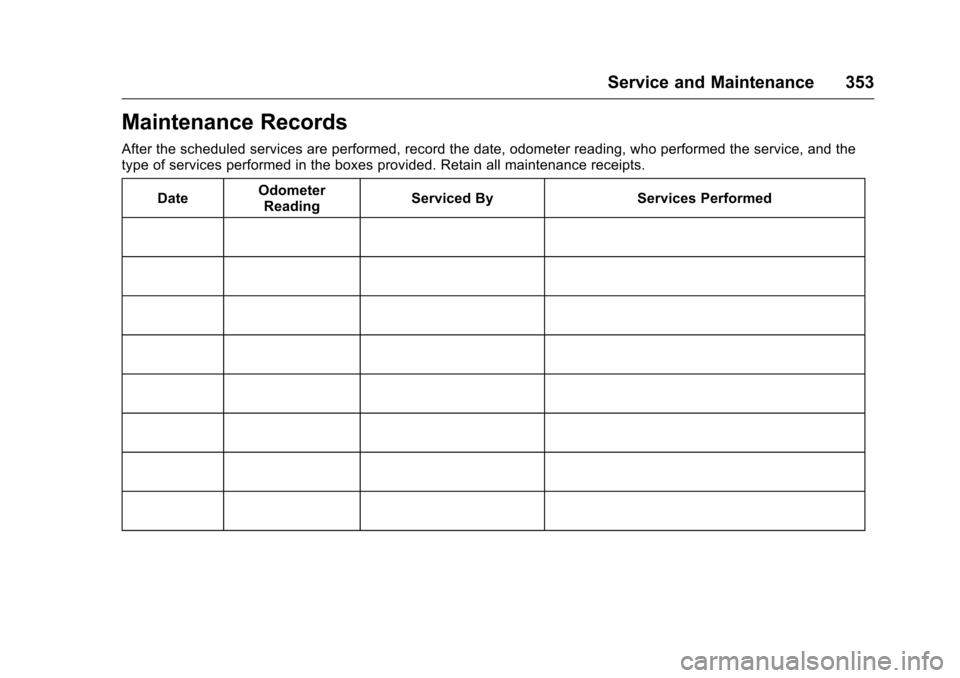
After the scheduled services are performed, record the date, odometer reading, who performed the service, and the
type of services performed in the boxes provided. Retain all maintenance receipts.Date Odometer
Reading Serviced By Services Performed
Page 362 of 392
Chevrolet Traverse Owner Manual (GMNA-Localizing-U.S./Canada/Mexico-
9159264) - 2016 - crc - 8/17/15
Customer Information 361
This program is available to
qualified applicants for cost
reimbursement of eligible
aftermarket adaptive equipment
required for the vehicle, such as
hand controls or a wheelchair/
scooter lift for the vehicle.
For more information on the limited
offer, visit www.gmmobility.com or
call the GM Mobility Assistance
Center at 1-800-323-9935. Text
Telephone (TTY) users, call
1-800-833-9935.
General Motors of Canada also has
a Mobility Program. Visit www.gm.ca
or call 1-800-GM-DRIVE (463-7483)
for details. TTY users call
1-800-263-3830.
Roadside Assistance
Program
For U.S.-purchased vehicles, call
1-800-243-8872. (Text Telephone
(TTY): 1-888-889-2438.)
For Canadian-purchased vehicles,
call 1-800-268-6800.
Service is available 24 hours a day,
365 days a year.
Calling for Assistance
When calling Roadside Assistance,
have the following information
ready:
.Your name, home address, and
home telephone number.
. Telephone number of your
location.
. Location of the vehicle.
. Model, year, color, and license
plate number of the vehicle.
. Odometer reading, Vehicle
Identification Number (VIN), and
delivery date of the vehicle.
. Description of the problem.
Coverage
Services are provided for the
duration of the vehicle’s powertrain
warranty.
In the U.S., anyone driving the
vehicle is covered. In Canada, a
person driving the vehicle without
permission from the owner is not
covered. Roadside Assistance is not a part of
the New Vehicle Limited Warranty.
General Motors North America and
Chevrolet reserve the right to make
any changes or discontinue the
Roadside Assistance program at
any time without notification.
General Motors North America and
Chevrolet reserve the right to limit
services or payment to an owner or
driver if they decide the claims are
made too often, or the same type of
claim is made many times.
Services Provided
.
Emergency Fuel Delivery:
Delivery of enough fuel for the
vehicle to get to the nearest
service station.
. Lock-Out Service: Service to
unlock the vehicle if you are
locked out. A remote unlock may
be available if you have OnStar.
For security reasons, the driver
must present identification
before this service is given.
. Emergency Tow from a Public
Road or Highway: Tow to the
nearest Chevrolet dealer for
Page 386 of 392
Chevrolet Traverse Owner Manual (GMNA-Localizing-U.S./Canada/Mexico-
9159264) - 2016 - crc - 8/19/15
Index 385
Fuel (cont'd)Filling a Portable Fuel
Container . . . . . . . . . . . . . . . . . . . 255
Filling the Tank . . . . . . . . . . . . . . . 254
Foreign Countries . . . . . . . . . . . . 253
Gauge . . . . . . . . . . . . . . . . . . . . . . . . .118
Requirements, California . . . . . 253
System Messages . . . . . . . . . . . . 140
Fuses
Engine Compartment FuseBlock . . . . . . . . . . . . . . . . . . . . . . . . 290
Fuses and Circuit Breakers . . . 289
Instrument Panel Fuse Block . . . . . . . . . . . . . . . . . . . . . . . . 293
G
Garage Door Opener . . . . . . . . . . . 152
Programming . . . . . . . . . . . . . . . . . 152
Gauges
Engine CoolantTemperature . . . . . . . . . . . . . . . . .119
Fuel . . . . . . . . . . . . . . . . . . . . . . . . . . .118
Odometer . . . . . . . . . . . . . . . . . . . . . .118
Speedometer . . . . . . . . . . . . . . . . . .118
Tachometer . . . . . . . . . . . . . . . . . . . .118
Voltmeter . . . . . . . . . . . . . . . . . . . . . 120
Warning Lights and Indicators . . . . . . . . . . . . . . . . . . . .116 General Information
Service and Maintenance . . . . . 341
Towing . . . . . . . . . . . . . . . . . . . . . . . . 256
Vehicle Care . . . . . . . . . . . . . . . . . . 265
Glove Box . . . . . . . . . . . . . . . . . . . . . . 102
GM Mobility Reimbursement Program . . . . . . . . . . . . . . . . . . . . . . . 360
H
Hazard Warning Flashers . . . . . . . 158
Head Restraints . . . . . . . . . . . . . . . . . 52
Headlamps
Aiming . . . . . . . . . . . . . . . . . . . . . . . . 287
Bulb Replacement . . . . . . . . . . . . 287
Daytime Running Lamps/Automatic Headlamp
System . . . . . . . . . . . . . . . . . . . . . . 157
Delayed . . . . . . . . . . . . . . . . . . . . . . 157
Flash-to-Pass . . . . . . . . . . . . . . . . . 157
High-Beam On Light . . . . . . . . . . 128
High/Low Beam Changer . . . . . 156
Heated Steering Wheel . . . . . . . . . . . . . . . .110
Heated and Cooled Front Seats . . . . . . . . . . . . . . . . . . . . . . . . . . 57
Heated Mirrors . . . . . . . . . . . . . . . . . . . 46
Heater
Engine . . . . . . . . . . . . . . . . . . . . . . . . 229
Heating and Air Conditioning . . . 204 High Voltage Devices and
Wiring . . . . . . . . . . . . . . . . . . . . . . . . . 289
High-Beam On Light . . . . . . . . . . . . 128
Hill and Mountain Roads . . . . . . . . 220
Hill Start Assist (HSA) . . . . . . . . . . 239
Hood . . . . . . . . . . . . . . . . . . . . . . . . . . . 267
Horn . . . . . . . . . . . . . . . . . . . . . . . . . . . . 110
How to Wear Safety Belts Properly . . . . . . . . . . . . . . . . . . . . . . . . 64
I
Ignition Positions . . . . . . . . . . . . . . . 226
Ignition Transmission LockCheck . . . . . . . . . . . . . . . . . . . . . . . . . 285
Immobilizer . . . . . . . . . . . . . . . . . . . . . . 43
Indicator Vehicle Ahead . . . . . . . . . . . . . . . . 126
Infants and Young Children, Restraints . . . . . . . . . . . . . . . . . . . . . . 84
Infotainment . . . . . . . . . . . . . . . . . . . . 163
Infotainment System . . . . . . . . . . . . 370
Instrument Cluster . . . . . . . . . . . . . . 117
Instrument Panel Storage Area . . . . . . . . . . . . . . . . . 102
Interior Rearview Mirrors . . . . . . . . . 46
Introduction . . . . . . . . . . . . . . . . . . . . . . . 2
Page 388 of 392
Chevrolet Traverse Owner Manual (GMNA-Localizing-U.S./Canada/Mexico-
9159264) - 2016 - crc - 8/19/15
Index 387
Messages (cont'd)Battery Voltage and
Charging . . . . . . . . . . . . . . . . . . . . 137
Brake System . . . . . . . . . . . . . . . . 137
Door Ajar . . . . . . . . . . . . . . . . . . . . . 137
Engine Cooling System . . . . . . . 138
Engine Oil . . . . . . . . . . . . . . . . . . . . 139
Engine Power . . . . . . . . . . . . . . . . 139
Fuel System . . . . . . . . . . . . . . . . . . 140
Key and Lock . . . . . . . . . . . . . . . . . 140
Lamp . . . . . . . . . . . . . . . . . . . . . . . . . 140
Object Detection System . . . . . 140
Ride Control System . . . . . . . . . . 142
Security . . . . . . . . . . . . . . . . . . . . . . 142
Service Vehicle . . . . . . . . . . . . . . . 143
Tire . . . . . . . . . . . . . . . . . . . . . . . . . . . 143
Transmission . . . . . . . . . . . . . . . . . 144
Vehicle . . . . . . . . . . . . . . . . . . . . . . . 136
Vehicle Reminder . . . . . . . . . . . . . 145
Vehicle Speed . . . . . . . . . . . . . . . . 145
Washer Fluid . . . . . . . . . . . . . . . . . 145
Mirrors Automatic Dimming
Rearview . . . . . . . . . . . . . . . . . . . . . . 47
Convex . . . . . . . . . . . . . . . . . . . . . . . . . 44
Folding . . . . . . . . . . . . . . . . . . . . . . . . . 45
Heated . . . . . . . . . . . . . . . . . . . . . . . . . 46
Manual Rearview . . . . . . . . . . . . . . . 46 Mirrors (cont'd)
Park Tilt . . . . . . . . . . . . . . . . . . . . . . . . 46
Power . . . . . . . . . . . . . . . . . . . . . . . . . . 45
Mirrors, Interior Rearview . . . . . . . . 46
Monitor System, Tire
Pressure . . . . . . . . . . . . . . . . . . . . . . 304
MP3 . . . . . . . . . . . . . . . . . . . . . . . 185, 190
Multi-band Antenna . . . . . . . . . . . . . 180
N
Navigation OnStar®. . . . . . . . . . . . . . . . . . . . . . 372
Net, Convenience . . . . . . . . . . . . . . 105
New Vehicle Break-In . . . . . . . . . . . 226
O
Object Detection System Messages . . . . . . . . . . . . . . . . . . . . . 140
Odometer . . . . . . . . . . . . . . . . . . . . . . . 118
Off-Road Recovery . . . . . . . . . . . . . . . . . . . . . 218
Oil Engine . . . . . . . . . . . . . . . . . . . . . . . . 269
Engine Oil Life System . . . . . . . 272
Messages . . . . . . . . . . . . . . . . . . . . 139
Pressure Light . . . . . . . . . . . . . . . . 127
Older Children, Restraints . . . . . . . 83
Online Owner Center . . . . . . . . . . . 360
OnStar . . . . . . . . . . . . . . . . . . . . . . . . . 369 OnStar System . . . . . . . . . . . . . . . . . 193
OnStar
®Additional
Information . . . . . . . . . . . . . . . . . . . . 375
OnStar
®Connections . . . . . . . . . . . 373
OnStar®Diagnostics . . . . . . . . . . . . 375
OnStar®Emergency . . . . . . . . . . . . 372
OnStar®Navigation . . . . . . . . . . . . . 372
OnStar®Overview . . . . . . . . . . . . . . 371
OnStar®Security . . . . . . . . . . . . . . . 372
Operating Mode Overheated Engine
Protection . . . . . . . . . . . . . . . . . . . 280
Operation Infotainment System . . . . . 167, 169
Ordering Service Publications . . . . . . . . . . 366
Outlets Power . . . . . . . . . . . . . . . . . . . . . . . . .114
Overheated Engine Protection Operating Mode . . . . 280
Overheating, Engine . . . . . . . . . . . . 278
Overview . . . . . . . . . . . . . . . . . . 165, 167
P
Parade Dimming . . . . . . . . . . . . . . . . 161
Park
Shifting Into . . . . . . . . . . . . . . . . . . . 230
Shifting Out of . . . . . . . . . . . . . . . . 231
Tilt Mirrors . . . . . . . . . . . . . . . . . . . . . . 46