brake CHEVROLET TRAVERSE 2016 1.G Owners Manual
[x] Cancel search | Manufacturer: CHEVROLET, Model Year: 2016, Model line: TRAVERSE, Model: CHEVROLET TRAVERSE 2016 1.GPages: 392, PDF Size: 6.66 MB
Page 4 of 392
Chevrolet Traverse Owner Manual (GMNA-Localizing-U.S./Canada/Mexico-
9159264) - 2016 - crc - 8/17/15
Introduction 3
{Danger
Danger indicates a hazard with a
high level of risk which will result
in serious injury or death.
{Warning
Warning indicates a hazard that
could result in injury or death.
Caution
Caution indicates a hazard that
could result in property or vehicle
damage.
A circle with a slash through it is a
safety symbol which means“Do
Not,” “Do not do this,” or“Do not let
this happen.”
Symbols
The vehicle has components and
labels that use symbols instead of
text. Symbols are shown along with
the text describing the operation or
information relating to a specific
component, control, message,
gauge, or indicator.
M: Shown when the owner
manual has additional instructions
or information.
*: Shown when the service
manual has additional instructions
or information.
0: Shown when there is more
information on another page —
“see page.”
Vehicle Symbol Chart
Here are some additional symbols
that may be found on the vehicle
and what they mean. For more
information on the symbol, refer to
the Index.
9: Airbag Readiness Light
!:Antilock Brake System (ABS)
%:Audio Steering Wheel Controls
or OnStar®(if equipped)
$: Brake System Warning Light
":Charging System
I: Cruise Control
`:Do Not Puncture
^:Do Not Service
B:Engine Coolant Temperature
O:Exterior Lamps
_: Flame/Fire Prohibited
#:Fog Lamps
.:Fuel Gauge
+: Fuses
3:Headlamp High/Low-Beam
Changer
j: LATCH System Child Restraints
*:Malfunction Indicator Lamp
::Oil Pressure
g:Outside Power Foldaway
Mirrors
Page 8 of 392
Chevrolet Traverse Owner Manual (GMNA-Localizing-U.S./Canada/Mexico-
9159264) - 2016 - crc - 8/17/15
In Brief 7
1.Air Vents 0213ii.
2. Turn Signal Lever. See Turn
and Lane-Change Signals
0 158
ii(Out of View).
Windshield Wiper/Washer
0 110
ii(Out of View).
3. Instrument Cluster 0117
ii.
4. Instrument Panel Storage
0102
ii.
5. CD Player. See CD Player
(Radio without Touchscreen)
0 181
iior CD Player (Radio with
Touchscreen) 0183ii.
6. Infotainment 0163
ii.
7. Passenger Sensing System
077
ii.
8. Hazard Warning Flashers
0158
ii.
9. Heated and Cooled Front
Seats 057
ii(If Equipped).
10. Rear Window Wiper/Washer
0111
ii.
Traction Control System (TCS)
Disable Button. See Traction
Control/Electronic Stability
Control 0239
ii. Forward Collision Alert (FCA)
System
0247
ii(If Equipped).
Lane Departure Warning
(LDW) 0250
ii(If Equipped).
Tow/Haul Button (If Equipped).
See Tow/Haul Mode 0236
ii.
Power Liftgate Button (If
Equipped). See Liftgate039
ii.
11. Power Outlets 0114
ii.
12. USB Port. See Auxiliary
Devices 0192
ii.
13. Shift Lever. See Automatic
Transmission 0233
ii.
14. Climate Control Systems 0204
ii(If Equipped).
Dual Automatic Climate Control
System 0207
ii(If Equipped).
15. Driver Information Center (DIC) Buttons. See Driver Information
Center (DIC) (With DIC
Buttons) 0129
iior Driver
Information Center (DIC)
(Without DIC Buttons) 0134
ii. 16.
Steering Wheel Controls
(Radio with Touchscreen)
0109
iior Steering Wheel
Controls (Radio without
Touchscreen) 0108
ii(If
Equipped).
17. Horn 0110
ii.
18. Steering Wheel Adjustment
0108
ii.
19. Cruise Control 0241
ii.
20. Dome Lamp Override. See Dome Lamps 0160
ii.
Instrument Panel Illumination
Control 0159
ii.
21. Data Link Connector (DLC) (Out of View). See Malfunction
Indicator Lamp (Check Engine
Light) 0123
ii.
22. Parking Brake 0238
ii.
23. Hood Release. See Hood
0 267
ii.
24. Exterior Lamp Controls 0156
ii.
Fog Lamps 0159
ii(If
Equipped).
Page 30 of 392
Chevrolet Traverse Owner Manual (GMNA-Localizing-U.S./Canada/Mexico-
9159264) - 2016 - crc - 8/17/15
In Brief 29
The TPMS does not replace normal
monthly tire maintenance. Maintain
the correct tire pressures.
SeeTire Pressure Monitor System
0 304
ii.
Engine Oil Life System
The engine oil life system calculates
engine oil life based on vehicle use
and displays the CHANGE ENGINE
OIL SOON message when it is time
to change the engine oil and filter.
The oil life system should be reset
to 100% only following an oil
change.
Resetting the Oil Life System
If the vehicle does not have Driver
Information Center (DIC) buttons:
1. Turn the ignition to ON/RUN, with the engine off. The vehicle
must be in P (Park) to access
this display. Press the trip
odometer reset stem until OIL
LIFE REMAINING displays.
2. Press and hold the trip odometer reset stem until OIL
LIFE REMAINING shows “100%.”
Three chimes sound
and the CHANGE ENGINE OIL
SOON message goes off.
3. Turn the key to LOCK/OFF.
If the vehicle has Driver Information
Center (DIC) buttons: 1. Turn the ignition to ON/RUN, with the engine off.
2. Press the vehicle information button until OIL LIFE
REMAINING displays.
3. Press and hold the set/reset button until “100%”is
displayed. Three chimes sound
and the CHANGE ENGINE OIL
SOON message goes off.
4. Turn the key to LOCK/OFF.
See Engine Oil Life System 0272
ii.
Driving for Better Fuel
Economy
Driving habits can affect fuel
mileage. Here are some driving tips
to get the best fuel economy
possible. .
Avoid fast starts and accelerate
smoothly.
. Brake gradually and avoid
abrupt stops.
. Avoid idling the engine for long
periods of time.
. When road and weather
conditions are appropriate, use
cruise control.
. Always follow posted speed
limits or drive more slowly when
conditions require.
. Keep vehicle tires properly
inflated.
. Combine several trips into a
single trip.
. Replace the vehicle's tires with
the same TPC Spec number
molded into the tire's sidewall
near the size.
. Follow recommended scheduled
maintenance.
Page 77 of 392
Chevrolet Traverse Owner Manual (GMNA-Localizing-U.S./Canada/Mexico-
9159264) - 2016 - crc - 8/17/15
76 Seats and Restraints
least partially inflated for some time
after they inflate. Some components
of the airbag module may be hot for
several minutes. For location of the
airbags, seeWhere Are the
Airbags? 072
ii.
The parts of the airbag that come
into contact with you may be warm,
but not too hot to touch. There may
be some smoke and dust coming
from the vents in the deflated
airbags. Airbag inflation does not
prevent the driver from seeing out of
the windshield or being able to steer
the vehicle, nor does it prevent
people from leaving the vehicle.
{Warning
When an airbag inflates, there
may be dust in the air. This dust
could cause breathing problems
for people with a history of
asthma or other breathing trouble.
To avoid this, everyone in the
vehicle should get out as soon as
it is safe to do so. If you have
breathing problems but cannot (Continued)
Warning (Continued)
get out of the vehicle after an
airbag inflates, then get fresh air
by opening a window or a door.
If you experience breathing
problems following an airbag
deployment, you should seek
medical attention.
The vehicle has a feature that may
automatically unlock the doors, turn
on the interior lamps and hazard
warning flashers, and shut off the
fuel system after the airbags inflate.
The feature may also activate,
without airbag inflation, after an
event that exceeds a predetermined
threshold. You can lock the doors,
and turn off the interior lamps and
hazard warning flashers by using
the controls for those features.
{Warning
A crash severe enough to inflate
the airbags may have also
damaged important functions in
the vehicle, such as the fuel
system, brake and steering
systems, etc. Even if the vehicle
appears to be drivable after a
moderate crash, there may be
concealed damage that could
make it difficult to safely operate
the vehicle.
Use caution if you should attempt
to restart the engine after a crash
has occurred.
In many crashes severe enough to
inflate the airbag, windshields are
broken by vehicle deformation.
Additional windshield breakage may
also occur from the front outboard
passenger airbag.
. Airbags are designed to inflate
only once. After an airbag
inflates, you will need some new
parts for the airbag system.
If you do not get them, the
Page 108 of 392
Chevrolet Traverse Owner Manual (GMNA-Localizing-U.S./Canada/Mexico-
9159264) - 2016 - crc - 8/17/15
Instruments and Controls 107
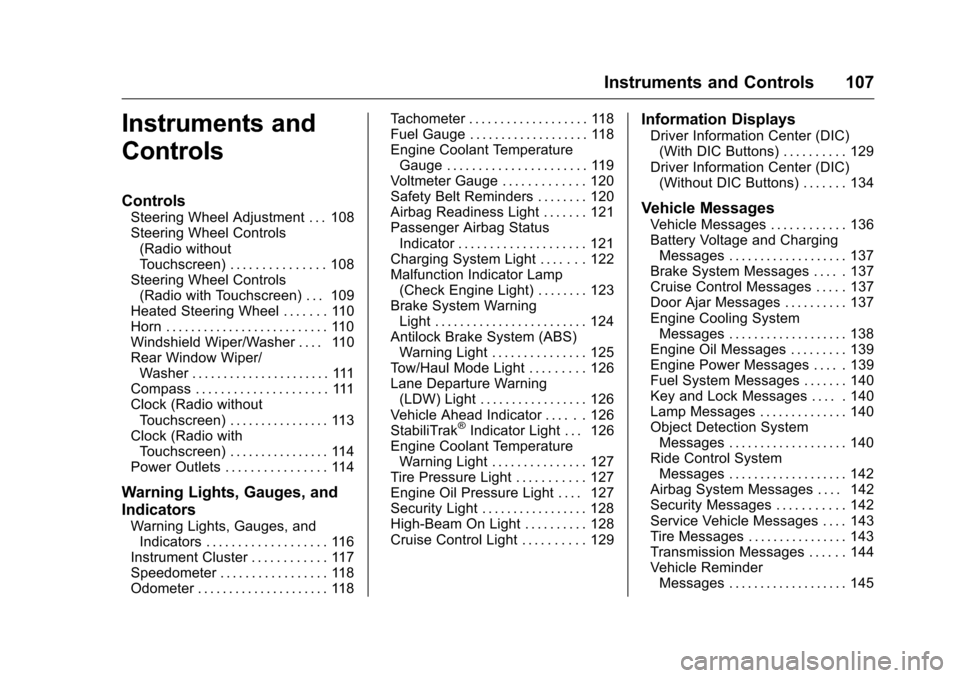
Instruments and
Controls
Controls
Steering Wheel Adjustment . . . 108
Steering Wheel Controls(Radio without
Touchscreen) . . . . . . . . . . . . . . . 108
Steering Wheel Controls (Radio with Touchscreen) . . . 109
Heated Steering Wheel . . . . . . . 110
Horn . . . . . . . . . . . . . . . . . . . . . . . . . . 110
Windshield Wiper/Washer . . . . 110
Rear Window Wiper/ Washer . . . . . . . . . . . . . . . . . . . . . . 111
Compass . . . . . . . . . . . . . . . . . . . . . 111
Clock (Radio without Touchscreen) . . . . . . . . . . . . . . . . 113
Clock (Radio with Touchscreen) . . . . . . . . . . . . . . . . 114
Power Outlets . . . . . . . . . . . . . . . . 114
Warning Lights, Gauges, and
Indicators
Warning Lights, Gauges, and Indicators . . . . . . . . . . . . . . . . . . . 116
Instrument Cluster . . . . . . . . . . . . 117
Speedometer . . . . . . . . . . . . . . . . . 118
Odometer . . . . . . . . . . . . . . . . . . . . . 118 Tachometer . . . . . . . . . . . . . . . . . . . 118
Fuel Gauge . . . . . . . . . . . . . . . . . . . 118
Engine Coolant Temperature
Gauge . . . . . . . . . . . . . . . . . . . . . . 119
Voltmeter Gauge . . . . . . . . . . . . . 120
Safety Belt Reminders . . . . . . . . 120
Airbag Readiness Light . . . . . . . 121
Passenger Airbag Status
Indicator . . . . . . . . . . . . . . . . . . . . 121
Charging System Light . . . . . . . 122
Malfunction Indicator Lamp (Check Engine Light) . . . . . . . . 123
Brake System Warning Light . . . . . . . . . . . . . . . . . . . . . . . . 124
Antilock Brake System (ABS) Warning Light . . . . . . . . . . . . . . . 125
Tow/Haul Mode Light . . . . . . . . . 126
Lane Departure Warning (LDW) Light . . . . . . . . . . . . . . . . . 126
Vehicle Ahead Indicator . . . . . . 126
StabiliTrak
®Indicator Light . . . 126
Engine Coolant Temperature Warning Light . . . . . . . . . . . . . . . 127
Tire Pressure Light . . . . . . . . . . . 127
Engine Oil Pressure Light . . . . 127
Security Light . . . . . . . . . . . . . . . . . 128
High-Beam On Light . . . . . . . . . . 128
Cruise Control Light . . . . . . . . . . 129
Information Displays
Driver Information Center (DIC) (With DIC Buttons) . . . . . . . . . . 129
Driver Information Center (DIC) (Without DIC Buttons) . . . . . . . 134
Vehicle Messages
Vehicle Messages . . . . . . . . . . . . 136
Battery Voltage and ChargingMessages . . . . . . . . . . . . . . . . . . . 137
Brake System Messages . . . . . 137
Cruise Control Messages . . . . . 137
Door Ajar Messages . . . . . . . . . . 137
Engine Cooling System Messages . . . . . . . . . . . . . . . . . . . 138
Engine Oil Messages . . . . . . . . . 139
Engine Power Messages . . . . . 139
Fuel System Messages . . . . . . . 140
Key and Lock Messages . . . . . 140
Lamp Messages . . . . . . . . . . . . . . 140
Object Detection System Messages . . . . . . . . . . . . . . . . . . . 140
Ride Control System Messages . . . . . . . . . . . . . . . . . . . 142
Airbag System Messages . . . . 142
Security Messages . . . . . . . . . . . 142
Service Vehicle Messages . . . . 143
Tire Messages . . . . . . . . . . . . . . . . 143
Transmission Messages . . . . . . 144
Vehicle Reminder Messages . . . . . . . . . . . . . . . . . . . 145
Page 125 of 392
Chevrolet Traverse Owner Manual (GMNA-Localizing-U.S./Canada/Mexico-
9159264) - 2016 - crc - 8/17/15
124 Instruments and Controls
If towing a trailer, reduce the
amount of cargo being hauled as
soon as possible.
If the light continues to flash, find a
safe place to park. Turn the vehicle
off and wait at least 10 seconds
before restarting the engine. If the
light is still flashing, follow the
previous guidelines and see your
dealer for service as soon as
possible.
If the light is on steady :A
malfunction has been detected.
Diagnosis and service may be
required.
Check the following:
. A loose or missing fuel cap may
cause the light to come on. See
Filling the Tank 0254
ii. A few
driving trips with the cap
properly installed may turn the
light off.
. Poor fuel quality can cause
inefficient engine operation and
poor driveability, which may go
away once the engine is warmed
up. If this occurs, change the
fuel brand. It may require at least one full tank of the proper
fuel to turn the light off. See
Fuel
0 252
ii.
If the light remains on, see your
dealer.
Emissions Inspection and
Maintenance Programs
If the vehicle requires an Emissions
Inspection/Maintenance test, the
test equipment will likely connect to
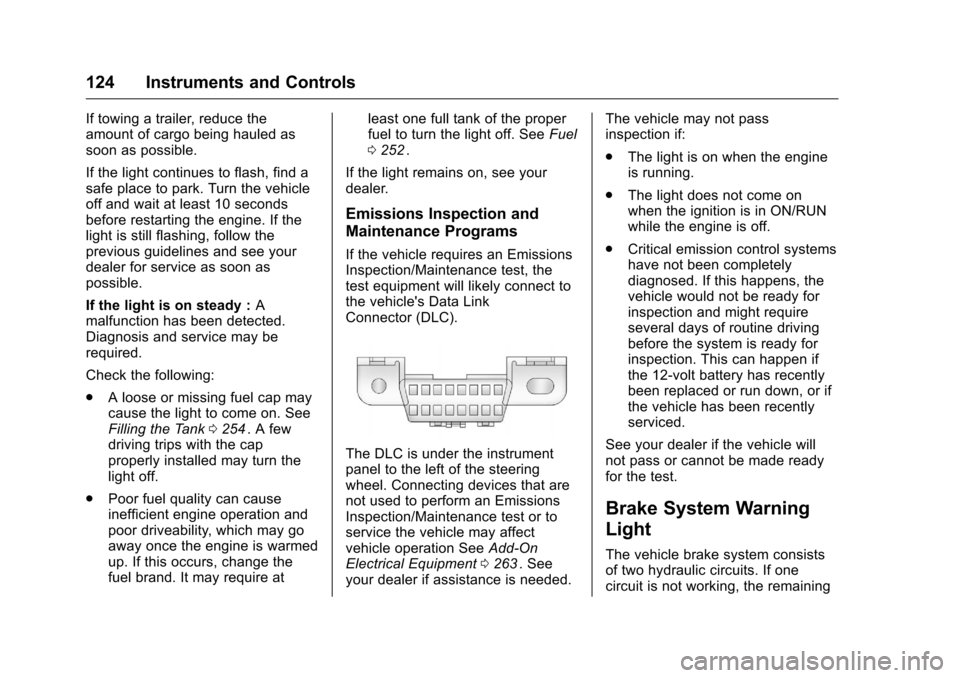
the vehicle's Data Link
Connector (DLC).
The DLC is under the instrument
panel to the left of the steering
wheel. Connecting devices that are
not used to perform an Emissions
Inspection/Maintenance test or to
service the vehicle may affect
vehicle operation See Add-On
Electrical Equipment 0263
ii. See
your dealer if assistance is needed. The vehicle may not pass
inspection if:
.
The light is on when the engine
is running.
. The light does not come on
when the ignition is in ON/RUN
while the engine is off.
. Critical emission control systems
have not been completely
diagnosed. If this happens, the
vehicle would not be ready for
inspection and might require
several days of routine driving
before the system is ready for
inspection. This can happen if
the 12-volt battery has recently
been replaced or run down, or if
the vehicle has been recently
serviced.
See your dealer if the vehicle will
not pass or cannot be made ready
for the test.
Brake System Warning
Light
The vehicle brake system consists
of two hydraulic circuits. If one
circuit is not working, the remaining
Page 126 of 392
Chevrolet Traverse Owner Manual (GMNA-Localizing-U.S./Canada/Mexico-
9159264) - 2016 - crc - 8/17/15
Instruments and Controls 125
circuit can still work to stop the
vehicle. For normal braking
performance, both circuits need to
be working
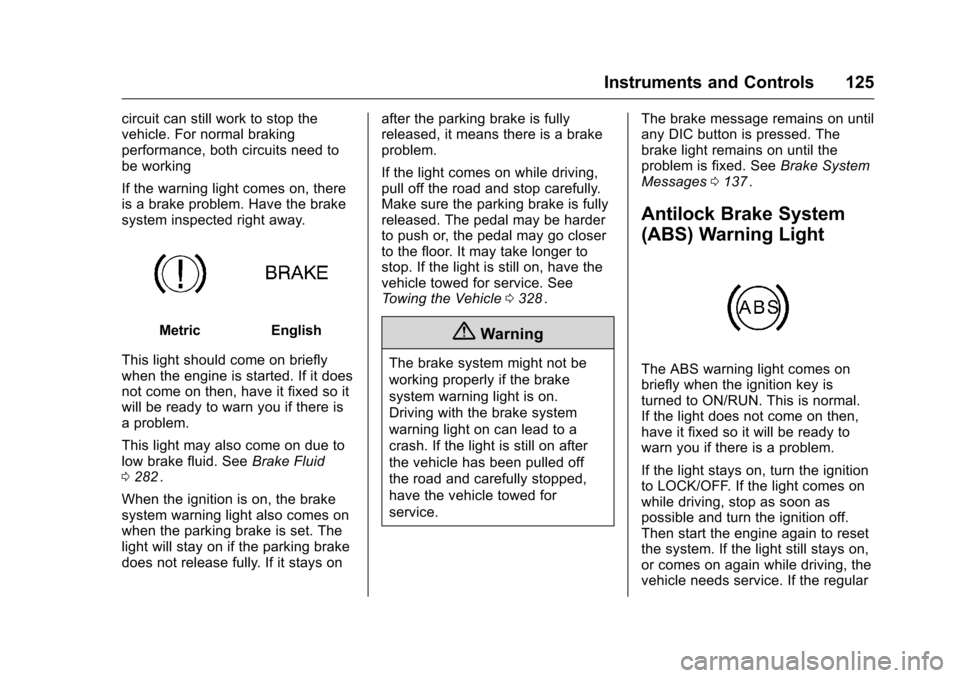
If the warning light comes on, there
is a brake problem. Have the brake
system inspected right away.
MetricEnglish
This light should come on briefly
when the engine is started. If it does
not come on then, have it fixed so it
will be ready to warn you if there is
a problem.
This light may also come on due to
low brake fluid. See Brake Fluid
0 282
ii.
When the ignition is on, the brake
system warning light also comes on
when the parking brake is set. The
light will stay on if the parking brake
does not release fully. If it stays on after the parking brake is fully
released, it means there is a brake
problem.
If the light comes on while driving,
pull off the road and stop carefully.
Make sure the parking brake is fully
released. The pedal may be harder
to push or, the pedal may go closer
to the floor. It may take longer to
stop. If the light is still on, have the
vehicle towed for service. See
Towing the Vehicle
0328
ii.
{Warning
The brake system might not be
working properly if the brake
system warning light is on.
Driving with the brake system
warning light on can lead to a
crash. If the light is still on after
the vehicle has been pulled off
the road and carefully stopped,
have the vehicle towed for
service. The brake message remains on until
any DIC button is pressed. The
brake light remains on until the
problem is fixed. See
Brake System
Messages 0137
ii.
Antilock Brake System
(ABS) Warning Light
The ABS warning light comes on
briefly when the ignition key is
turned to ON/RUN. This is normal.
If the light does not come on then,
have it fixed so it will be ready to
warn you if there is a problem.
If the light stays on, turn the ignition
to LOCK/OFF. If the light comes on
while driving, stop as soon as
possible and turn the ignition off.
Then start the engine again to reset
the system. If the light still stays on,
or comes on again while driving, the
vehicle needs service. If the regular
Page 127 of 392
Chevrolet Traverse Owner Manual (GMNA-Localizing-U.S./Canada/Mexico-
9159264) - 2016 - crc - 8/17/15
126 Instruments and Controls
brake system warning light is not
on, there are still brakes, but no
antilock brakes. If the regular brake
system warning light is also on,
there are no antilock brakes and
there is a problem with the regular
brakes. SeeBrake System Warning
Light 0124
ii.
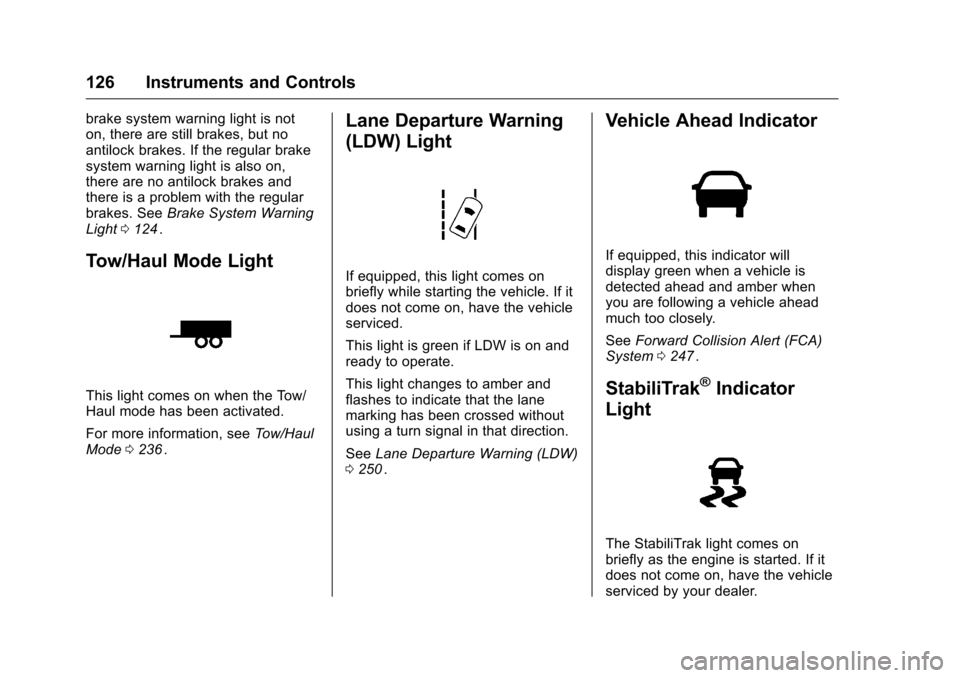
Tow/Haul Mode Light
This light comes on when the Tow/
Haul mode has been activated.
For more information, see Tow/Haul
Mode 0236
ii.
Lane Departure Warning
(LDW) Light
If equipped, this light comes on
briefly while starting the vehicle. If it
does not come on, have the vehicle
serviced.
This light is green if LDW is on and
ready to operate.
This light changes to amber and
flashes to indicate that the lane
marking has been crossed without
using a turn signal in that direction.
See Lane Departure Warning (LDW)
0 250
ii.
Vehicle Ahead Indicator
If equipped, this indicator will
display green when a vehicle is
detected ahead and amber when
you are following a vehicle ahead
much too closely.
See Forward Collision Alert (FCA)
System 0247
ii.
StabiliTrak®Indicator
Light
The StabiliTrak light comes on
briefly as the engine is started. If it
does not come on, have the vehicle
serviced by your dealer.
Page 138 of 392
Chevrolet Traverse Owner Manual (GMNA-Localizing-U.S./Canada/Mexico-
9159264) - 2016 - crc - 8/17/15
Instruments and Controls 137
The following are the possible
messages that can be displayed
and some information about them.
Battery Voltage and
Charging Messages
BATTERY LOW START
VEHICLE
This message displays when the
system detects that the battery
voltage has dropped to a critical
level and the engine must be started
to avoid a dead battery situation.
BATTERY SAVER ACTIVE
This message displays when the
system detects that the battery
voltage is dropping below expected
levels. The battery saver system
starts reducing certain features of
the vehicle that you may be able to
notice. At the point that the features
are disabled, this message is
displayed. It means that the vehicle
is trying to save the charge in the
battery.Turn off all unnecessary
accessories to allow the battery to
recharge.
The normal battery voltage range is
11.5 to 15.5 volts.
SERVICE BATTERY
CHARGING SYSTEM
On some vehicles, this message
displays if there is a problem with
the battery charging system. Under
certain conditions, the charging
system light may also turn on in the
instrument cluster. See
Charging
System Light 0122
ii. Driving with
this problem could drain the battery.
Turn off all unnecessary
accessories. Have the electrical
system checked as soon as
possible. See your dealer.
Brake System Messages
SERVICE BRAKE SYSTEM
This message displays along with
the brake system warning light if
there is a problem with the brake
system. See Brake System Warning
Light 0124
ii. If this message
appears, stop as soon as possible and turn off the vehicle. Restart the
vehicle and check for the message
on the DIC display. If the message
is still displayed or appears again
when you begin driving, the brake
system needs service as soon as
possible. See your dealer.
Cruise Control Messages
CRUISE SET TO XXX
This message displays whenever
the cruise control is set. See
Cruise
Control 0241
iifor more information.
Door Ajar Messages
DRIVER DOOR OPEN
This message displays and a chime
sounds if the driver door is not fully
closed and the vehicle is shifted out
of P (Park). Stop and turn off the
vehicle, check the door for
obstructions, and close the door
again. Check to see if the message
still appears on the DIC.
Page 216 of 392
Chevrolet Traverse Owner Manual (GMNA-Localizing-U.S./Canada/Mexico-
9159264) - 2016 - crc - 8/17/15
Driving and Operating 215
Driving and
Operating
Driving Information
Distracted Driving . . . . . . . . . . . . 216
Defensive Driving . . . . . . . . . . . . . 216
Drunk Driving . . . . . . . . . . . . . . . . . 216
Control of a Vehicle . . . . . . . . . . . 217
Braking . . . . . . . . . . . . . . . . . . . . . . . 217
Steering . . . . . . . . . . . . . . . . . . . . . . 217
Off-Road Recovery . . . . . . . . . . . 218
Loss of Control . . . . . . . . . . . . . . . 218
Driving on Wet Roads . . . . . . . . 219
Hill and Mountain Roads . . . . . 220
Winter Driving . . . . . . . . . . . . . . . . 220
If the Vehicle Is Stuck . . . . . . . . 222
Vehicle Load Limits . . . . . . . . . . . 222
Starting and Operating
New Vehicle Break-In . . . . . . . . . 226
Ignition Positions . . . . . . . . . . . . . 226
Starting the Engine . . . . . . . . . . . 228
Engine Heater . . . . . . . . . . . . . . . . 229
Retained AccessoryPower (RAP) . . . . . . . . . . . . . . . . 230
Shifting Into Park . . . . . . . . . . . . . 230
Shifting out of Park . . . . . . . . . . . 231
Parking over Things That Burn . . . . . . . . . . . . . . . . . . . 232
Engine Exhaust
Engine Exhaust . . . . . . . . . . . . . . 232
Running the Vehicle WhileParked . . . . . . . . . . . . . . . . . . . . . . 233
Automatic Transmission
Automatic Transmission . . . . . . 233
Manual Mode . . . . . . . . . . . . . . . . . 235
Tow/Haul Mode . . . . . . . . . . . . . . . 236
Drive Systems
All-Wheel Drive . . . . . . . . . . . . . . . 237
Brakes
Antilock BrakeSystem (ABS) . . . . . . . . . . . . . . . 237
Parking Brake . . . . . . . . . . . . . . . . 238
Brake Assist . . . . . . . . . . . . . . . . . . 238
Hill Start Assist (HSA) . . . . . . . . 239
Ride Control Systems
Traction Control/Electronic Stability Control . . . . . . . . . . . . . 239
Cruise Control
Cruise Control . . . . . . . . . . . . . . . . 241
Driver Assistance Systems
Rear Vision Camera (RVC) . . . 243
Parking Assist . . . . . . . . . . . . . . . . 246
Forward Collision Alert (FCA)System . . . . . . . . . . . . . . . . . . . . . . 247 Side Blind Zone
Alert (SBZA) . . . . . . . . . . . . . . . . 249
Lane Departure Warning (LDW) . . . . . . . . . . . . . 250
Fuel
Fuel . . . . . . . . . . . . . . . . . . . . . . . . . . 252
California FuelRequirements . . . . . . . . . . . . . . . 253
Fuels in Foreign Countries . . . 253
Fuel Additives . . . . . . . . . . . . . . . . 253
Filling the Tank . . . . . . . . . . . . . . . 254
Filling a Portable Fuel Container . . . . . . . . . . . . . . . . . . . 255
Trailer Towing
General TowingInformation . . . . . . . . . . . . . . . . . . 256
Driving Characteristics and Towing Tips . . . . . . . . . . . . . . . . . 256
Trailer Towing . . . . . . . . . . . . . . . . 259
Towing Equipment . . . . . . . . . . . . 261
Conversions and Add-Ons
Add-On Electrical Equipment . . . . . . . . . . . . . . . . . . 263