climate control CHEVROLET TRAVERSE 2017 1.G Owners Manual
[x] Cancel search | Manufacturer: CHEVROLET, Model Year: 2017, Model line: TRAVERSE, Model: CHEVROLET TRAVERSE 2017 1.GPages: 394, PDF Size: 6.47 MB
Page 2 of 394
Chevrolet Traverse Owner Manual (GMNA-Localizing-U.S./Canada/Mexico-
9955676) - 2017 - crc - 3/29/16
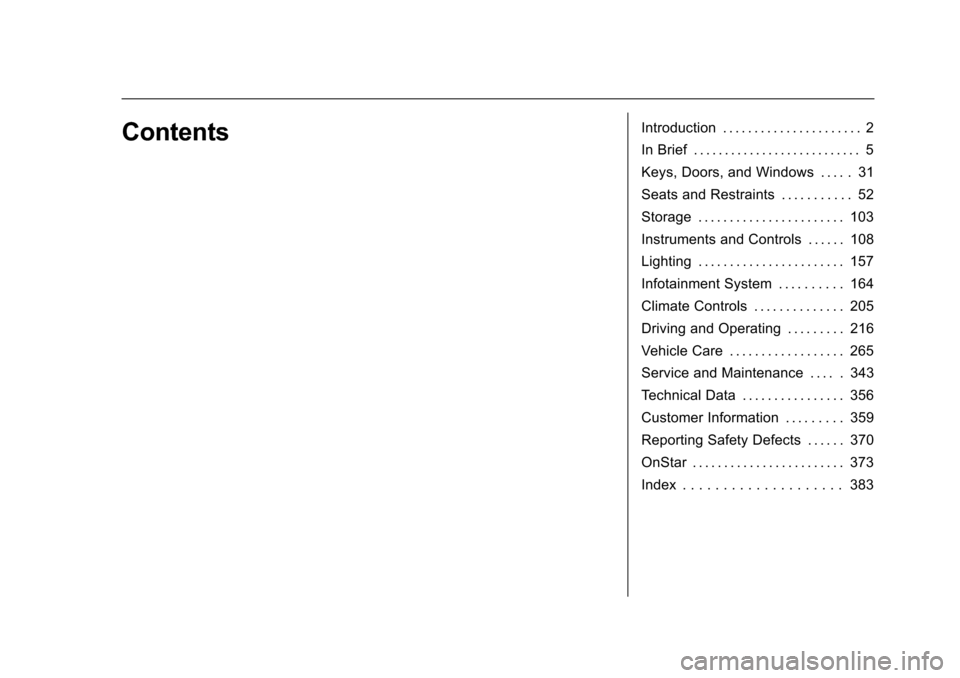
ContentsIntroduction . . . . . . . . . . . . . . . . . . . . . . 2
In Brief . . . . . . . . . . . . . . . . . . . . . . . . . . . 5
Keys, Doors, and Windows . . . . . 31
Seats and Restraints . . . . . . . . . . . 52
Storage . . . . . . . . . . . . . . . . . . . . . . . 103
Instruments and Controls . . . . . . 108
Lighting . . . . . . . . . . . . . . . . . . . . . . . 157
Infotainment System . . . . . . . . . . 164
Climate Controls . . . . . . . . . . . . . . 205
Driving and Operating . . . . . . . . . 216
Vehicle Care . . . . . . . . . . . . . . . . . . 265
Service and Maintenance . . . . . 343
Technical Data . . . . . . . . . . . . . . . . 356
Customer Information . . . . . . . . . 359
Reporting Safety Defects . . . . . . 370
OnStar . . . . . . . . . . . . . . . . . . . . . . . . 373
Index . . . . . . . . . . . . . . . . . . . . 383
Page 6 of 394
Chevrolet Traverse Owner Manual (GMNA-Localizing-U.S./Canada/Mexico-
9955676) - 2017 - crc - 3/29/16
In Brief 5
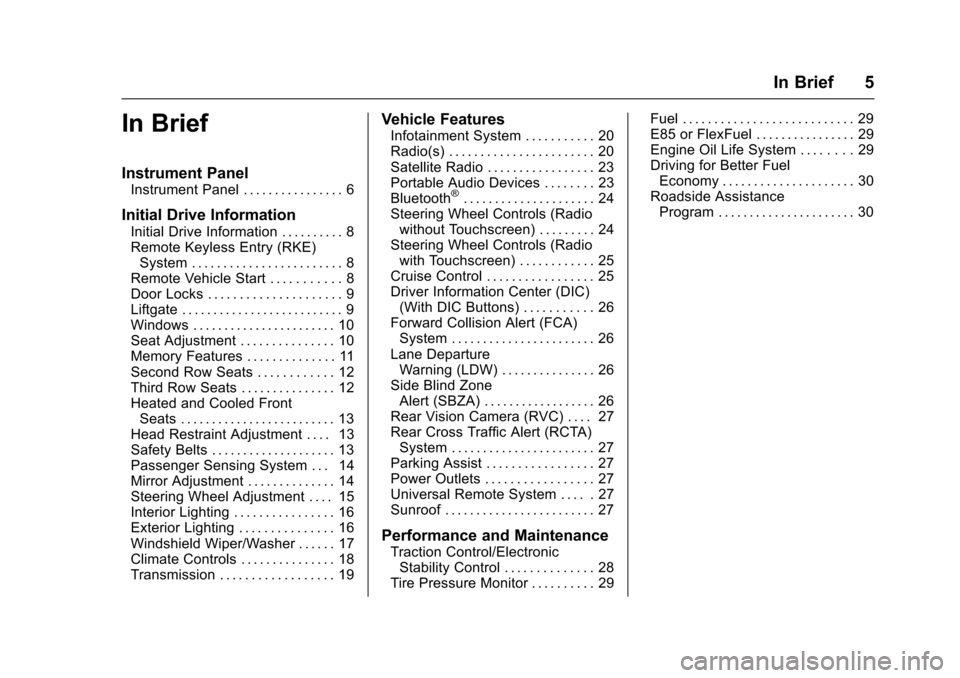
In Brief
Instrument Panel
Instrument Panel . . . . . . . . . . . . . . . . 6
Initial Drive Information
Initial Drive Information . . . . . . . . . . 8
Remote Keyless Entry (RKE)System . . . . . . . . . . . . . . . . . . . . . . . . 8
Remote Vehicle Start . . . . . . . . . . . 8
Door Locks . . . . . . . . . . . . . . . . . . . . . 9
Liftgate . . . . . . . . . . . . . . . . . . . . . . . . . . 9
Windows . . . . . . . . . . . . . . . . . . . . . . . 10
Seat Adjustment . . . . . . . . . . . . . . . 10
Memory Features . . . . . . . . . . . . . . 11
Second Row Seats . . . . . . . . . . . . 12
Third Row Seats . . . . . . . . . . . . . . . 12
Heated and Cooled Front Seats . . . . . . . . . . . . . . . . . . . . . . . . . 13
Head Restraint Adjustment . . . . 13
Safety Belts . . . . . . . . . . . . . . . . . . . . 13
Passenger Sensing System . . . 14
Mirror Adjustment . . . . . . . . . . . . . . 14
Steering Wheel Adjustment . . . . 15
Interior Lighting . . . . . . . . . . . . . . . . 16
Exterior Lighting . . . . . . . . . . . . . . . 16
Windshield Wiper/Washer . . . . . . 17
Climate Controls . . . . . . . . . . . . . . . 18
Transmission . . . . . . . . . . . . . . . . . . 19
Vehicle Features
Infotainment System . . . . . . . . . . . 20
Radio(s) . . . . . . . . . . . . . . . . . . . . . . . 20
Satellite Radio . . . . . . . . . . . . . . . . . 23
Portable Audio Devices . . . . . . . . 23
Bluetooth
®. . . . . . . . . . . . . . . . . . . . . 24
Steering Wheel Controls (Radio without Touchscreen) . . . . . . . . . 24
Steering Wheel Controls (Radio with Touchscreen) . . . . . . . . . . . . 25
Cruise Control . . . . . . . . . . . . . . . . . 25
Driver Information Center (DIC) (With DIC Buttons) . . . . . . . . . . . 26
Forward Collision Alert (FCA) System . . . . . . . . . . . . . . . . . . . . . . . 26
Lane Departure Warning (LDW) . . . . . . . . . . . . . . . 26
Side Blind Zone Alert (SBZA) . . . . . . . . . . . . . . . . . . 26
Rear Vision Camera (RVC) . . . . 27
Rear Cross Traffic Alert (RCTA) System . . . . . . . . . . . . . . . . . . . . . . . 27
Parking Assist . . . . . . . . . . . . . . . . . 27
Power Outlets . . . . . . . . . . . . . . . . . 27
Universal Remote System . . . . . 27
Sunroof . . . . . . . . . . . . . . . . . . . . . . . . 27
Performance and Maintenance
Traction Control/Electronic Stability Control . . . . . . . . . . . . . . 28
Tire Pressure Monitor . . . . . . . . . . 29 Fuel . . . . . . . . . . . . . . . . . . . . . . . . . . . 29
E85 or FlexFuel . . . . . . . . . . . . . . . . 29
Engine Oil Life System . . . . . . . . 29
Driving for Better Fuel
Economy . . . . . . . . . . . . . . . . . . . . . 30
Roadside Assistance Program . . . . . . . . . . . . . . . . . . . . . . 30
Page 8 of 394

Chevrolet Traverse Owner Manual (GMNA-Localizing-U.S./Canada/Mexico-
9955676) - 2017 - crc - 3/29/16
In Brief 7
1.Air Vents 0214.
2. Turn Signal Lever. See Turn
and Lane-Change Signals
0 159 (Out of View).
Windshield Wiper/Washer
0 111 (Out of View).
3. Instrument Cluster 0118.
4. Instrument Panel
Storage 0103.
5. CD Player. See CD Player
(Radio without Touchscreen)
0 182 orCD Player (Radio with
Touchscreen) 0184.
6. Infotainment 0164.
7. Passenger Sensing
System 078.
8. Hazard Warning
Flashers 0159.
9. Heated and Cooled Front
Seats 058 (If Equipped).
10. Rear Window Wiper/
Washer 0112.
Traction Control System (TCS)
Disable Button. See Traction
Control/Electronic Stability
Control 0240. Forward Collision Alert (FCA)
System
0248 (If Equipped).
Lane Departure Warning
(LDW) 0252 (If Equipped).
Tow/Haul Button (If Equipped).
See Tow/Haul Mode 0237.
Power Liftgate Button (If
Equipped). See Liftgate039.
11. Power Outlets 0115.
12. USB Port. See Auxiliary
Devices 0193.
13. Shift Lever. See Automatic
Transmission 0235.
14. Climate Control Systems 0205
(If Equipped).
Dual Automatic Climate Control
System 0208 (If Equipped).
15. Driver Information Center (DIC) Buttons. See Driver Information
Center (DIC) (With DIC
Buttons) 0130 orDriver
Information Center (DIC)
(Without DIC Buttons) 0135.
16. Steering Wheel Controls
(Radio with Touchscreen)
0110 orSteering Wheel Controls (Radio without
Touchscreen)
0109 (If
Equipped).
17. Horn 0111.
18. Steering Wheel
Adjustment 0109.
19. Cruise Control 0242.
20. Dome Lamp Override. See Dome Lamps 0160.
Instrument Panel Illumination
Control 0160.
21. Data Link Connector (DLC) (Out of View). See Malfunction
Indicator Lamp (Check Engine
Light) 0124.
22. Parking Brake 0239.
23. Hood Release. See Hood 0268.
24. Exterior Lamp Controls 0157.
Fog Lamps 0159
(If Equipped).
Page 18 of 394
Chevrolet Traverse Owner Manual (GMNA-Localizing-U.S./Canada/Mexico-
9955676) - 2017 - crc - 3/29/16
In Brief 17
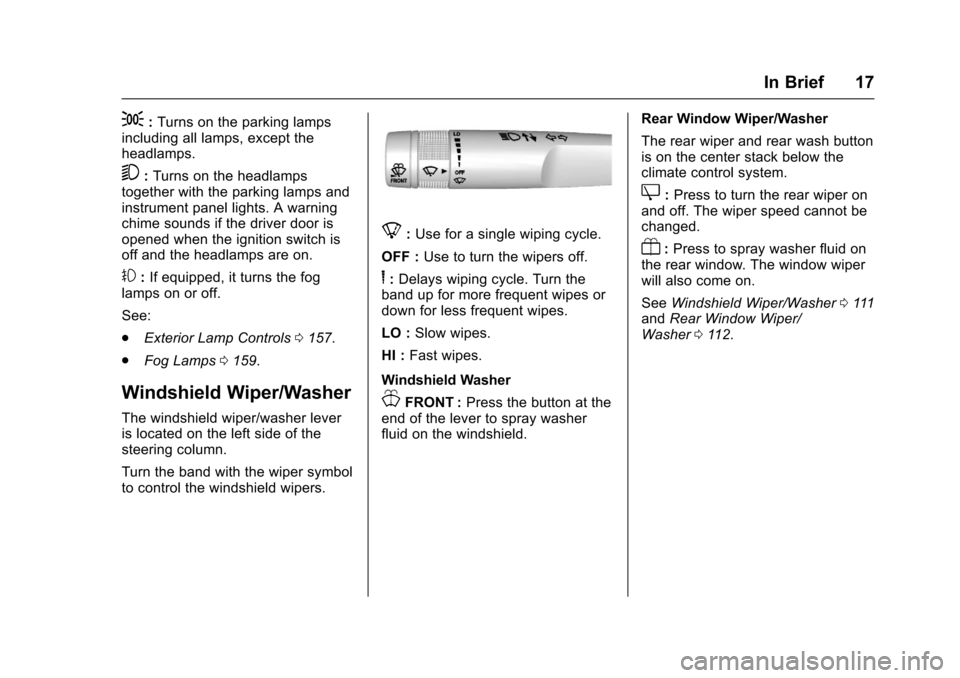
;:Turns on the parking lamps
including all lamps, except the
headlamps.
5: Turns on the headlamps
together with the parking lamps and
instrument panel lights. A warning
chime sounds if the driver door is
opened when the ignition switch is
off and the headlamps are on.
#: If equipped, it turns the fog
lamps on or off.
See:
. Exterior Lamp Controls 0157.
. Fog Lamps 0159.
Windshield Wiper/Washer
The windshield wiper/washer lever
is located on the left side of the
steering column.
Turn the band with the wiper symbol
to control the windshield wipers.
8:Use for a single wiping cycle.
OFF : Use to turn the wipers off.
6:Delays wiping cycle. Turn the
band up for more frequent wipes or
down for less frequent wipes.
LO : Slow wipes.
HI : Fast wipes.
Windshield Washer
JFRONT : Press the button at the
end of the lever to spray washer
fluid on the windshield. Rear Window Wiper/Washer
The rear wiper and rear wash button
is on the center stack below the
climate control system.
Z:
Press to turn the rear wiper on
and off. The wiper speed cannot be
changed.
Y: Press to spray washer fluid on
the rear window. The window wiper
will also come on.
See Windshield Wiper/Washer 0111
and Rear Window Wiper/
Washer 0112.
Page 19 of 394
Chevrolet Traverse Owner Manual (GMNA-Localizing-U.S./Canada/Mexico-
9955676) - 2017 - crc - 3/29/16
18 In Brief
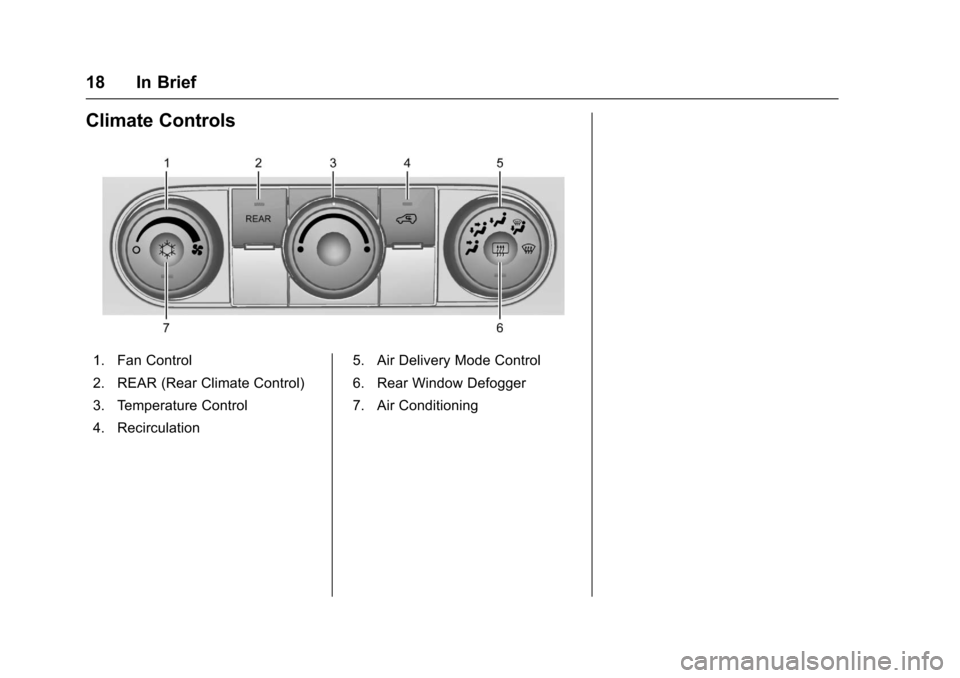
Climate Controls
1. Fan Control
2. REAR (Rear Climate Control)
3. Temperature Control
4. Recirculation5. Air Delivery Mode Control
6. Rear Window Defogger
7. Air Conditioning
Page 20 of 394
Chevrolet Traverse Owner Manual (GMNA-Localizing-U.S./Canada/Mexico-
9955676) - 2017 - crc - 3/29/16
In Brief 19
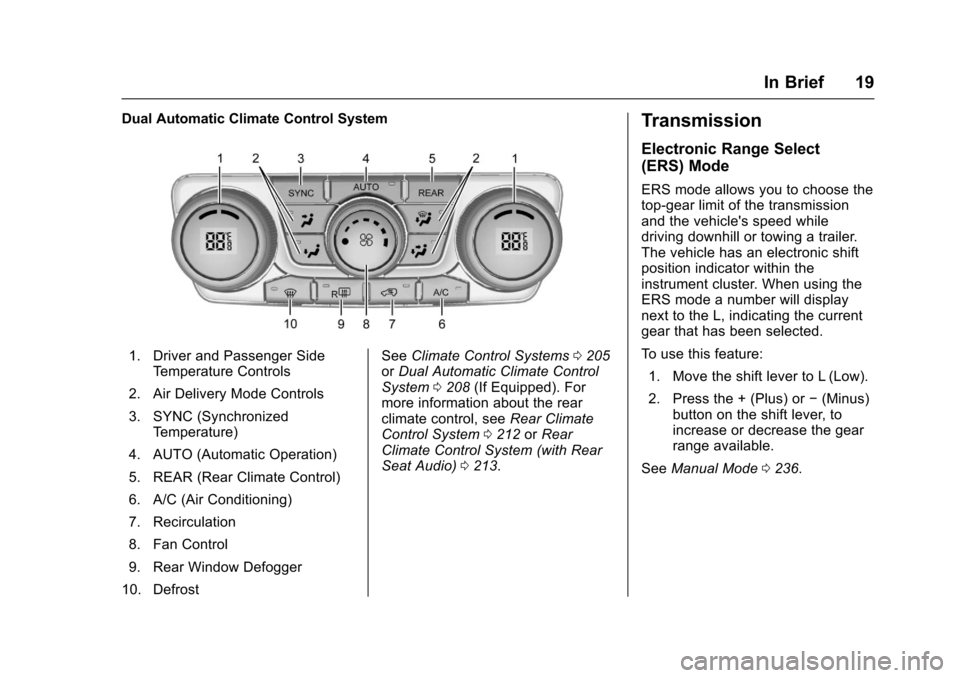
Dual Automatic Climate Control System
1. Driver and Passenger SideTemperature Controls
2. Air Delivery Mode Controls
3. SYNC (Synchronized Temperature)
4. AUTO (Automatic Operation)
5. REAR (Rear Climate Control)
6. A/C (Air Conditioning)
7. Recirculation
8. Fan Control
9. Rear Window Defogger
10. Defrost See
Climate Control Systems 0205
or Dual Automatic Climate Control
System 0208 (If Equipped). For
more information about the rear
climate control, see Rear Climate
Control System 0212 orRear
Climate Control System (with Rear
Seat Audio) 0213.
Transmission
Electronic Range Select
(ERS) Mode
ERS mode allows you to choose the
top-gear limit of the transmission
and the vehicle's speed while
driving downhill or towing a trailer.
The vehicle has an electronic shift
position indicator within the
instrument cluster. When using the
ERS mode a number will display
next to the L, indicating the current
gear that has been selected.
To use this feature:
1. Move the shift lever to L (Low).
2. Press the + (Plus) or −(Minus)
button on the shift lever, to
increase or decrease the gear
range available.
See Manual Mode 0236.
Page 28 of 394
Chevrolet Traverse Owner Manual (GMNA-Localizing-U.S./Canada/Mexico-
9955676) - 2017 - crc - 3/29/16
In Brief 27
Rear Vision
Camera (RVC)
If equipped, RVC displays a view of
the area behind the vehicle, on the
infotainment system display, when
the vehicle is shifted into
R (Reverse).
SeeRear Vision Camera
(RVC) 0244.
Rear Cross Traffic Alert
(RCTA) System
If equipped, the RCTA system uses
a triangle with an arrow displayed
on the RVC screen to warn of traffic
behind your vehicle that may cross
your vehicle's path while in
R (Reverse). In addition, beeps will
sound.
See “Rear Cross Traffic Alert
(RCTA)” underRear Vision Camera
(RVC) 0244.
Parking Assist
If equipped, Rear Parking Assist
(RPA) uses sensors on the rear
bumper to assist with parking and avoiding objects while in
R (Reverse). It operates at speeds
less than 8 km/h (5 mph) and uses
audible beeps to provide distance
and system information.
Keep the sensors on the vehicle's
rear bumper clean to ensure proper
operation.
See
Parking Assist 0247.
Power Outlets
The vehicle has 12-volt accessory
power outlets, which can be used to
plug in electrical equipment, such as
a cell phone or MP3 player.
The power outlets are located:
.
On the center stack below the
climate controls.
. Inside the center console.
. At the rear of the center console.
. In the rear cargo area.
To use the outlets, remove the
cover.
See Power Outlets 0115.
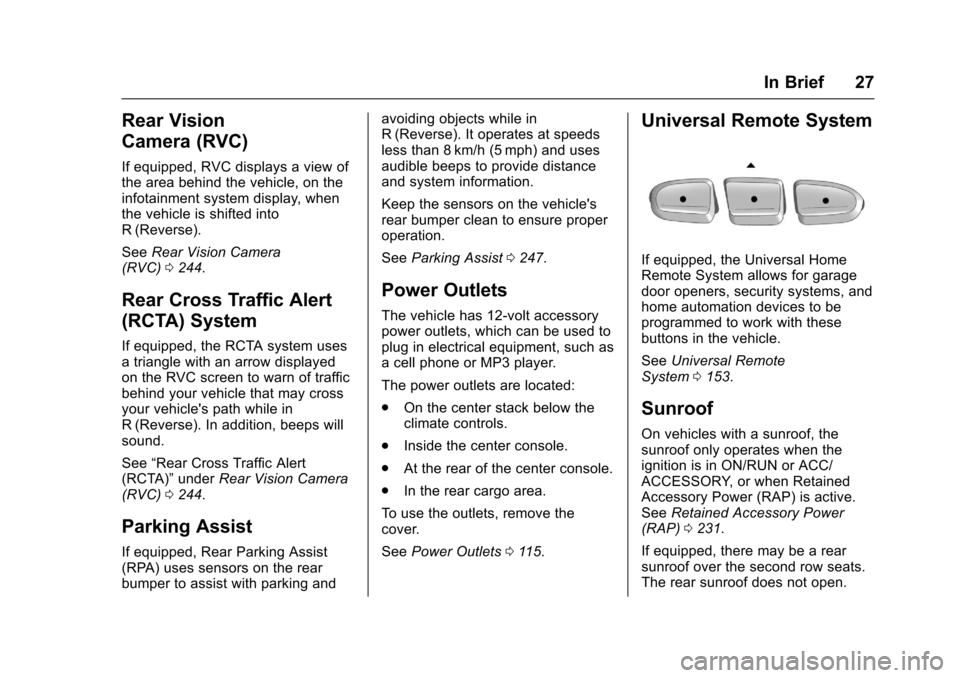
Universal Remote System
If equipped, the Universal Home
Remote System allows for garage
door openers, security systems, and
home automation devices to be
programmed to work with these
buttons in the vehicle.
See Universal Remote
System 0153.
Sunroof
On vehicles with a sunroof, the
sunroof only operates when the
ignition is in ON/RUN or ACC/
ACCESSORY, or when Retained
Accessory Power (RAP) is active.
See Retained Accessory Power
(RAP) 0231.
If equipped, there may be a rear
sunroof over the second row seats.
The rear sunroof does not open.
Page 36 of 394
Chevrolet Traverse Owner Manual (GMNA-Localizing-U.S./Canada/Mexico-
9955676) - 2017 - crc - 3/29/16
Keys, Doors, and Windows 35
1. Separate the transmitter with aflat, thin object, such as a flat
head screwdriver.
.Carefully insert the tool into
the notch located along the
parting line of the
transmitter. Do not insert
the tool too far. Stop as
soon as resistance is felt.
. Twist the tool until the
transmitter is separated.
2. Remove the old battery. Do not use a metal object.
3. Insert the new battery, positive side facing down. Replace with
a CR2032 or equivalent
battery.
4. Snap the transmitter back together.
Remote Vehicle Start
This vehicle may have a remote
starting feature that starts the
engine from outside of the vehicle.
/:This button is on the RKE
transmitter if the vehicle has remote
start. Laws in some communities may
restrict the use of remote starters.
For example, some laws may
require a person using the remote
start to have the vehicle in view
when doing so. Check local
regulations for any requirements on
remote starting of vehicles.
Do not use the remote start feature
if the vehicle is low on fuel. The
vehicle could run out of fuel.
If the vehicle has the remote start
feature, the RKE transmitter range
may be less while the vehicle is
running.
Other conditions can affect the
performance of the transmitter. See
Remote Keyless Entry (RKE)
System
033.
Starting the Engine Using
Remote Start
To start the vehicle:
1. Press and release
Qon the
RKE transmitter.
2. Immediately after completing Step 1, press and hold
/until
the parking lamps flash. If the vehicle's lights cannot be seen,
press and hold
/for at least
four seconds.
When the vehicle starts, the parking
lamps will turn on and remain on as
long as the engine is running. The
doors will be locked and the climate
control system will operate
automatically if the vehicle has the
automatic system, or at the same
setting as when the vehicle was last
turned off.
If the vehicle has an automatic
climate control system and heated
seats, the heated seats turn on
during colder outside temperatures
and shut off when the key is turned
to ON/RUN. See Heated and
Cooled Front Seats 058.
The rear window defogger and
heated mirrors, if the vehicle has
them, turn on during colder outside
temperatures and turn off when the
key is turned to ON/RUN.
After entering the vehicle during a
remote start, insert and turn the key
to the ON/RUN position to drive the
vehicle.
Page 40 of 394
Chevrolet Traverse Owner Manual (GMNA-Localizing-U.S./Canada/Mexico-
9955676) - 2017 - crc - 3/29/16
Keys, Doors, and Windows 39
Doors
Liftgate
{Warning
Exhaust gases can enter the
vehicle if it is driven with the
liftgate or trunk/hatch open,
or with any objects that pass
through the seal between the
body and the trunk/hatch or
liftgate. Engine exhaust contains
carbon monoxide (CO) which
cannot be seen or smelled. It can
cause unconsciousness and even
death.
If the vehicle must be driven with
the liftgate or trunk/hatch open:. Close all of the windows.
. Fully open the air outlets on
or under the instrument
panel.
. Adjust the climate control
system to a setting that
brings in only outside air
(Continued)
Warning (Continued)
and set the fan speed to the
highest setting. See
“Climate Control Systems”
in the Index.
. If the vehicle is equipped
with a power liftgate, disable
the power liftgate function.
See Engine Exhaust 0234.
Caution
To avoid damage to the liftgate or
liftgate glass, make sure the area
above and behind the liftgate is
clear before opening it.
Manual Liftgate
To unlock the liftgate, press the
power door lock switch or press
K
on the Remote Keyless Entry
(RKE) transmitter twice. See
Remote Keyless Entry (RKE)
System Operation 033.
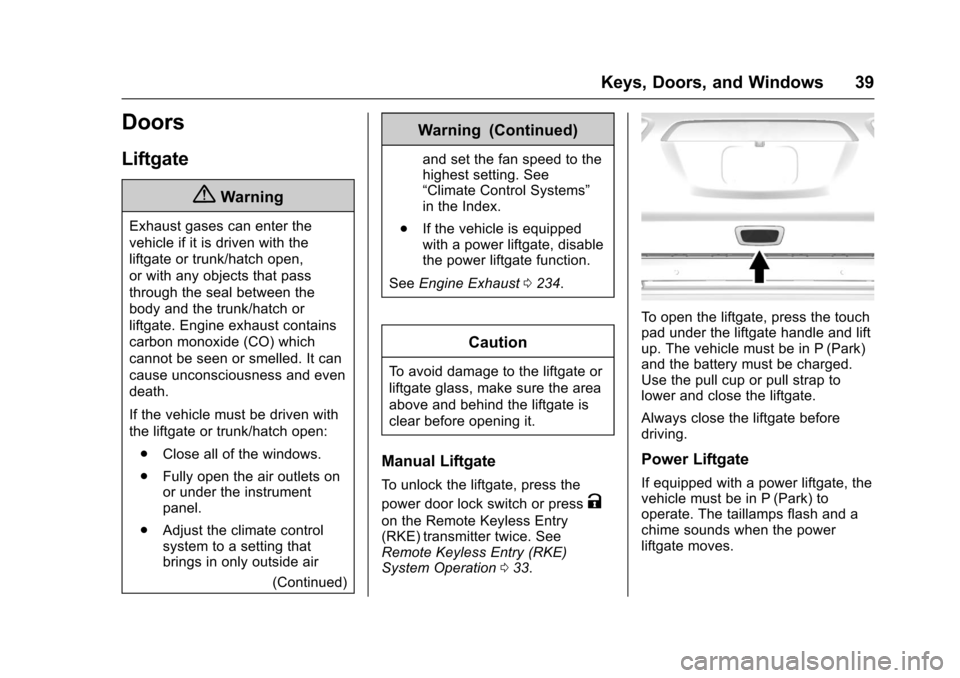
To open the liftgate, press the touch
pad under the liftgate handle and lift
up. The vehicle must be in P (Park)
and the battery must be charged.
Use the pull cup or pull strap to
lower and close the liftgate.
Always close the liftgate before
driving.
Power Liftgate
If equipped with a power liftgate, the
vehicle must be in P (Park) to
operate. The taillamps flash and a
chime sounds when the power
liftgate moves.
Page 47 of 394
Chevrolet Traverse Owner Manual (GMNA-Localizing-U.S./Canada/Mexico-
9955676) - 2017 - crc - 3/29/16
46 Keys, Doors, and Windows
Folding Mirrors
For vehicles with manual folding
mirrors, push the mirror toward the
vehicle. Pull the mirror out to return
to its original position.
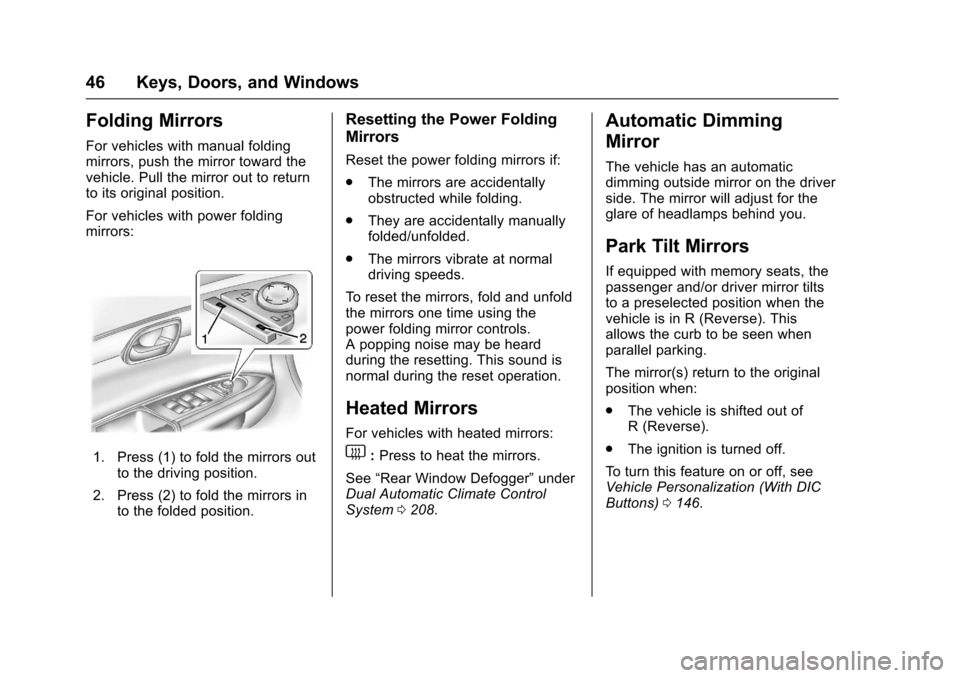
For vehicles with power folding
mirrors:
1. Press (1) to fold the mirrors outto the driving position.
2. Press (2) to fold the mirrors in to the folded position.
Resetting the Power Folding
Mirrors
Reset the power folding mirrors if:
.The mirrors are accidentally
obstructed while folding.
. They are accidentally manually
folded/unfolded.
. The mirrors vibrate at normal
driving speeds.
To reset the mirrors, fold and unfold
the mirrors one time using the
power folding mirror controls.
A popping noise may be heard
during the resetting. This sound is
normal during the reset operation.
Heated Mirrors
For vehicles with heated mirrors:
1: Press to heat the mirrors.
See “Rear Window Defogger” under
Dual Automatic Climate Control
System 0208.
Automatic Dimming
Mirror
The vehicle has an automatic
dimming outside mirror on the driver
side. The mirror will adjust for the
glare of headlamps behind you.
Park Tilt Mirrors
If equipped with memory seats, the
passenger and/or driver mirror tilts
to a preselected position when the
vehicle is in R (Reverse). This
allows the curb to be seen when
parallel parking.
The mirror(s) return to the original
position when:
.
The vehicle is shifted out of
R (Reverse).
. The ignition is turned off.
To turn this feature on or off, see
Vehicle Personalization (With DIC
Buttons) 0146.