cooling CHEVROLET TRAVERSE 2017 1.G Owners Manual
[x] Cancel search | Manufacturer: CHEVROLET, Model Year: 2017, Model line: TRAVERSE, Model: CHEVROLET TRAVERSE 2017 1.GPages: 394, PDF Size: 6.47 MB
Page 109 of 394
Chevrolet Traverse Owner Manual (GMNA-Localizing-U.S./Canada/Mexico-
9955676) - 2017 - crc - 3/29/16
108 Instruments and Controls
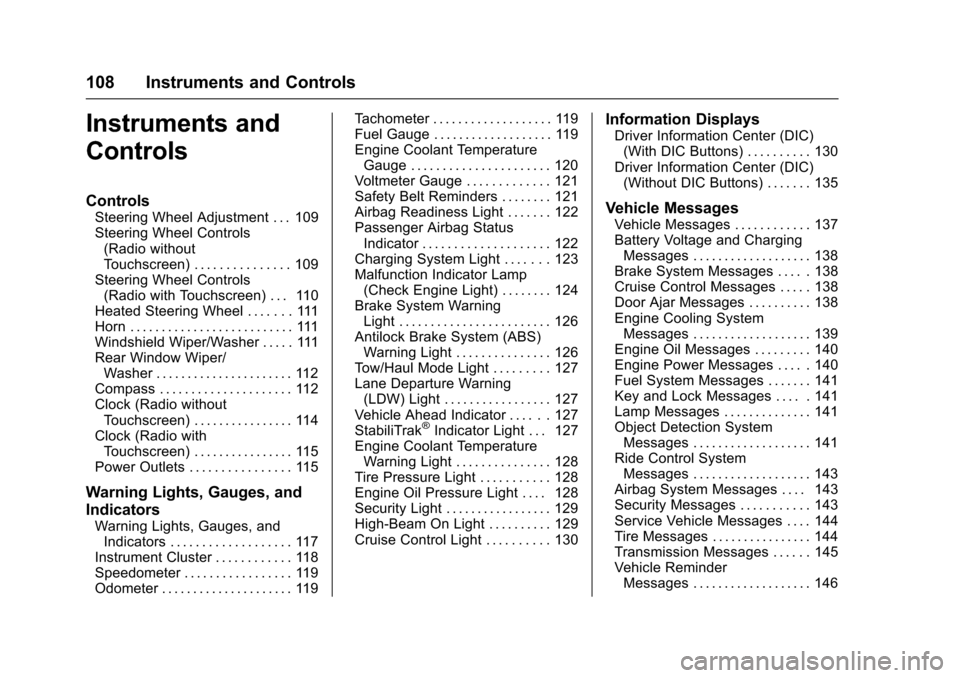
Instruments and
Controls
Controls
Steering Wheel Adjustment . . . 109
Steering Wheel Controls(Radio without
Touchscreen) . . . . . . . . . . . . . . . 109
Steering Wheel Controls (Radio with Touchscreen) . . . 110
Heated Steering Wheel . . . . . . . 111
Horn . . . . . . . . . . . . . . . . . . . . . . . . . . 111
Windshield Wiper/Washer . . . . . 111
Rear Window Wiper/ Washer . . . . . . . . . . . . . . . . . . . . . . 112
Compass . . . . . . . . . . . . . . . . . . . . . 112
Clock (Radio without Touchscreen) . . . . . . . . . . . . . . . . 114
Clock (Radio with Touchscreen) . . . . . . . . . . . . . . . . 115
Power Outlets . . . . . . . . . . . . . . . . 115
Warning Lights, Gauges, and
Indicators
Warning Lights, Gauges, and Indicators . . . . . . . . . . . . . . . . . . . 117
Instrument Cluster . . . . . . . . . . . . 118
Speedometer . . . . . . . . . . . . . . . . . 119
Odometer . . . . . . . . . . . . . . . . . . . . . 119 Tachometer . . . . . . . . . . . . . . . . . . . 119
Fuel Gauge . . . . . . . . . . . . . . . . . . . 119
Engine Coolant Temperature
Gauge . . . . . . . . . . . . . . . . . . . . . . 120
Voltmeter Gauge . . . . . . . . . . . . . 121
Safety Belt Reminders . . . . . . . . 121
Airbag Readiness Light . . . . . . . 122
Passenger Airbag Status
Indicator . . . . . . . . . . . . . . . . . . . . 122
Charging System Light . . . . . . . 123
Malfunction Indicator Lamp (Check Engine Light) . . . . . . . . 124
Brake System Warning Light . . . . . . . . . . . . . . . . . . . . . . . . 126
Antilock Brake System (ABS) Warning Light . . . . . . . . . . . . . . . 126
Tow/Haul Mode Light . . . . . . . . . 127
Lane Departure Warning (LDW) Light . . . . . . . . . . . . . . . . . 127
Vehicle Ahead Indicator . . . . . . 127
StabiliTrak
®Indicator Light . . . 127
Engine Coolant Temperature Warning Light . . . . . . . . . . . . . . . 128
Tire Pressure Light . . . . . . . . . . . 128
Engine Oil Pressure Light . . . . 128
Security Light . . . . . . . . . . . . . . . . . 129
High-Beam On Light . . . . . . . . . . 129
Cruise Control Light . . . . . . . . . . 130
Information Displays
Driver Information Center (DIC) (With DIC Buttons) . . . . . . . . . . 130
Driver Information Center (DIC) (Without DIC Buttons) . . . . . . . 135
Vehicle Messages
Vehicle Messages . . . . . . . . . . . . 137
Battery Voltage and ChargingMessages . . . . . . . . . . . . . . . . . . . 138
Brake System Messages . . . . . 138
Cruise Control Messages . . . . . 138
Door Ajar Messages . . . . . . . . . . 138
Engine Cooling System Messages . . . . . . . . . . . . . . . . . . . 139
Engine Oil Messages . . . . . . . . . 140
Engine Power Messages . . . . . 140
Fuel System Messages . . . . . . . 141
Key and Lock Messages . . . . . 141
Lamp Messages . . . . . . . . . . . . . . 141
Object Detection System Messages . . . . . . . . . . . . . . . . . . . 141
Ride Control System Messages . . . . . . . . . . . . . . . . . . . 143
Airbag System Messages . . . . 143
Security Messages . . . . . . . . . . . 143
Service Vehicle Messages . . . . 144
Tire Messages . . . . . . . . . . . . . . . . 144
Transmission Messages . . . . . . 145
Vehicle Reminder Messages . . . . . . . . . . . . . . . . . . . 146
Page 129 of 394
Chevrolet Traverse Owner Manual (GMNA-Localizing-U.S./Canada/Mexico-
9955676) - 2017 - crc - 3/29/16
128 Instruments and Controls
This light flashes while the
StabiliTrak system or the Traction
Control System (TCS) is working.
The light comes on when there is a
problem with the StabiliTrak system.
SeeTraction Control/Electronic
Stability Control 0240.
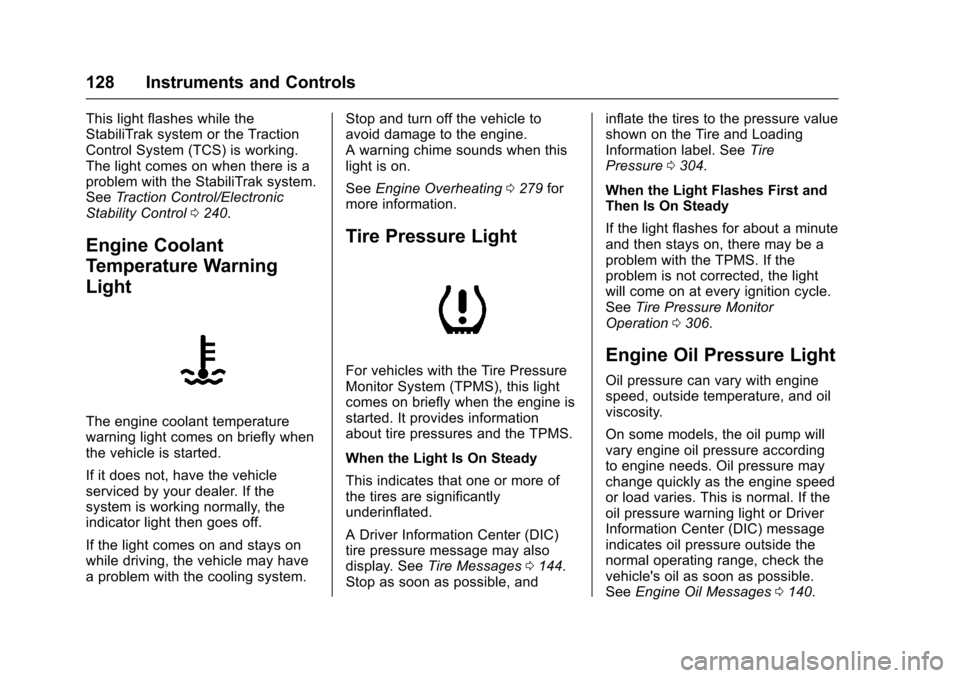
Engine Coolant
Temperature Warning
Light
The engine coolant temperature
warning light comes on briefly when
the vehicle is started.
If it does not, have the vehicle
serviced by your dealer. If the
system is working normally, the
indicator light then goes off.
If the light comes on and stays on
while driving, the vehicle may have
a problem with the cooling system. Stop and turn off the vehicle to
avoid damage to the engine.
A warning chime sounds when this
light is on.
See
Engine Overheating 0279 for
more information.
Tire Pressure Light
For vehicles with the Tire Pressure
Monitor System (TPMS), this light
comes on briefly when the engine is
started. It provides information
about tire pressures and the TPMS.
When the Light Is On Steady
This indicates that one or more of
the tires are significantly
underinflated.
A Driver Information Center (DIC)
tire pressure message may also
display. See Tire Messages 0144.
Stop as soon as possible, and inflate the tires to the pressure value
shown on the Tire and Loading
Information label. See
Tire
Pressure 0304.
When the Light Flashes First and
Then Is On Steady
If the light flashes for about a minute
and then stays on, there may be a
problem with the TPMS. If the
problem is not corrected, the light
will come on at every ignition cycle.
See Tire Pressure Monitor
Operation 0306.Engine Oil Pressure Light
Oil pressure can vary with engine
speed, outside temperature, and oil
viscosity.
On some models, the oil pump will
vary engine oil pressure according
to engine needs. Oil pressure may
change quickly as the engine speed
or load varies. This is normal. If the
oil pressure warning light or Driver
Information Center (DIC) message
indicates oil pressure outside the
normal operating range, check the
vehicle's oil as soon as possible.
See Engine Oil Messages 0140.
Page 140 of 394
Chevrolet Traverse Owner Manual (GMNA-Localizing-U.S./Canada/Mexico-
9955676) - 2017 - crc - 3/29/16
Instruments and Controls 139
HOOD OPEN
On some models, this message
displays and a chime sounds if the
hood is not fully closed. Stop and
turn off the vehicle, check the hood
for obstructions, and close the hood
again. Check to see if the message
still appears on the DIC.
LEFT REAR DOOR OPEN
This message displays and a chime
sounds if the driver side rear door is
not fully closed and the vehicle is
shifted out of P (Park). Stop and turn
off the vehicle, check the door for
obstructions, and close the door
again. Check to see if the message
still appears on the DIC.
LIFTGATE OPEN
This message displays and a chime
sounds if the liftgate is open while
the ignition is in ON/RUN. Turn off
the vehicle and check the liftgate.
Restart the vehicle and check for
the message on the DIC display.
PASSENGER DOOR OPEN
This message displays and a chime
sounds if the passenger door is not
fully closed and the vehicle is
shifted out of P (Park). Stop and turn
off the vehicle, check the door for
obstructions, and close the door
again. Check to see if the message
still appears on the DIC.
POWER LIFTGATE OFF
This message displays when the
power liftgate has been turned off
by pressing the power liftgate button
on the center stack.
RIGHT REAR DOOR OPEN
This message displays and a chime
sounds if the passenger side rear
door is not fully closed and the
vehicle is shifted out of P (Park).
Stop and turn off the vehicle, check
the door for obstructions, and close
the door again. Check to see if the
message still appears on the DIC.
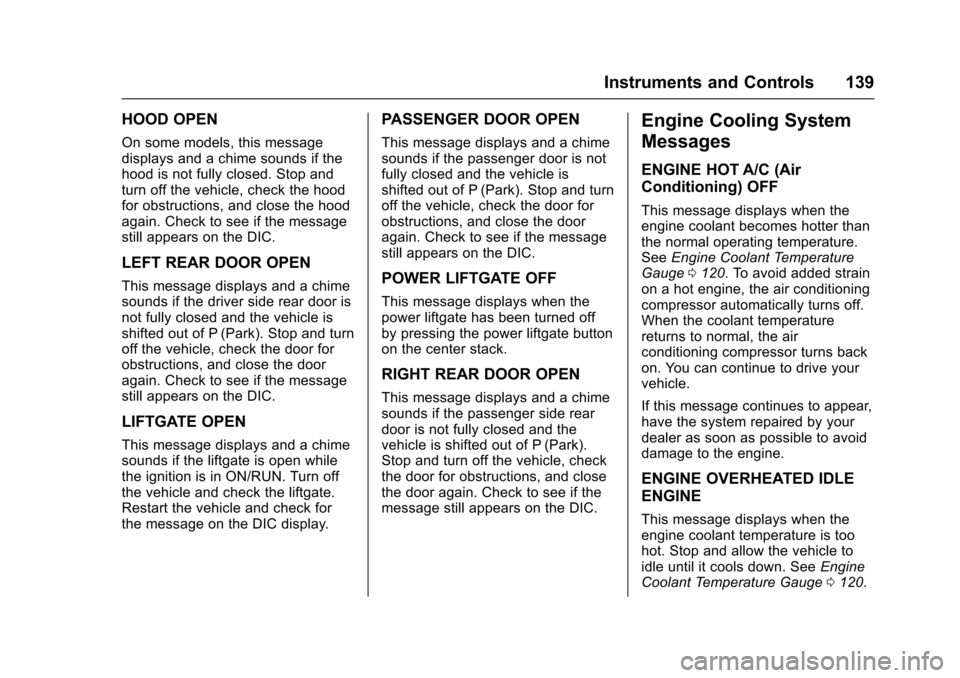
Engine Cooling System
Messages
ENGINE HOT A/C (Air
Conditioning) OFF
This message displays when the
engine coolant becomes hotter than
the normal operating temperature.
SeeEngine Coolant Temperature
Gauge 0120. To avoid added strain
on a hot engine, the air conditioning
compressor automatically turns off.
When the coolant temperature
returns to normal, the air
conditioning compressor turns back
on. You can continue to drive your
vehicle.
If this message continues to appear,
have the system repaired by your
dealer as soon as possible to avoid
damage to the engine.
ENGINE OVERHEATED IDLE
ENGINE
This message displays when the
engine coolant temperature is too
hot. Stop and allow the vehicle to
idle until it cools down. See Engine
Coolant Temperature Gauge 0120.
Page 141 of 394
Chevrolet Traverse Owner Manual (GMNA-Localizing-U.S./Canada/Mexico-
9955676) - 2017 - crc - 3/29/16
140 Instruments and Controls
SeeOverheated Engine Protection
Operating Mode 0281 for
information on driving to a safe
place in an emergency.
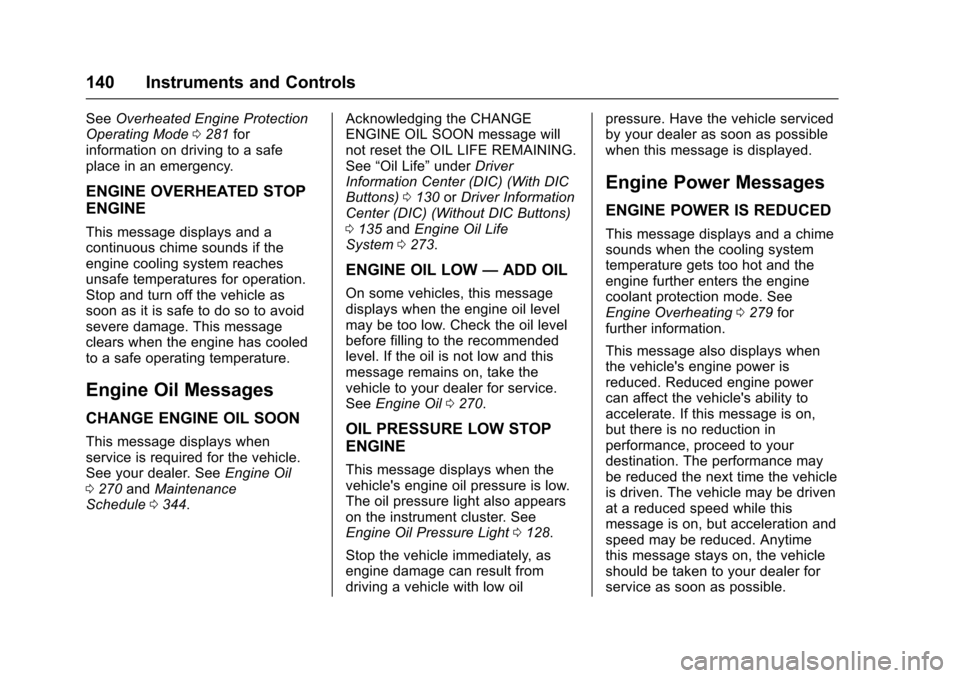
ENGINE OVERHEATED STOP
ENGINE
This message displays and a
continuous chime sounds if the
engine cooling system reaches
unsafe temperatures for operation.
Stop and turn off the vehicle as
soon as it is safe to do so to avoid
severe damage. This message
clears when the engine has cooled
to a safe operating temperature.
Engine Oil Messages
CHANGE ENGINE OIL SOON
This message displays when
service is required for the vehicle.
See your dealer. See Engine Oil
0 270 andMaintenance
Schedule 0344. Acknowledging the CHANGE
ENGINE OIL SOON message will
not reset the OIL LIFE REMAINING.
See
“Oil Life” underDriver
Information Center (DIC) (With DIC
Buttons) 0130 orDriver Information
Center (DIC) (Without DIC Buttons)
0 135 andEngine Oil Life
System 0273.
ENGINE OIL LOW —ADD OIL
On some vehicles, this message
displays when the engine oil level
may be too low. Check the oil level
before filling to the recommended
level. If the oil is not low and this
message remains on, take the
vehicle to your dealer for service.
See Engine Oil 0270.
OIL PRESSURE LOW STOP
ENGINE
This message displays when the
vehicle's engine oil pressure is low.
The oil pressure light also appears
on the instrument cluster. See
Engine Oil Pressure Light 0128.
Stop the vehicle immediately, as
engine damage can result from
driving a vehicle with low oil pressure. Have the vehicle serviced
by your dealer as soon as possible
when this message is displayed.
Engine Power Messages
ENGINE POWER IS REDUCED
This message displays and a chime
sounds when the cooling system
temperature gets too hot and the
engine further enters the engine
coolant protection mode. See
Engine Overheating
0279 for
further information.
This message also displays when
the vehicle's engine power is
reduced. Reduced engine power
can affect the vehicle's ability to
accelerate. If this message is on,
but there is no reduction in
performance, proceed to your
destination. The performance may
be reduced the next time the vehicle
is driven. The vehicle may be driven
at a reduced speed while this
message is on, but acceleration and
speed may be reduced. Anytime
this message stays on, the vehicle
should be taken to your dealer for
service as soon as possible.
Page 164 of 394
Chevrolet Traverse Owner Manual (GMNA-Localizing-U.S./Canada/Mexico-
9955676) - 2017 - crc - 3/29/16
Lighting 163
A high electrical load occurs when
several of the following are on, such
as: headlamps, high beams, rear
window defogger, climate control fan
at high speed, heated seats, engine
cooling fans, trailer loads, and loads
plugged into accessory power
outlets.
EPM works to prevent excessive
discharge of the battery. It does this
by balancing the generator's output
and the vehicle's electrical needs.
It can increase engine idle speed to
generate more power whenever
needed. It can temporarily reduce
the power demands of some
accessories.
Normally, these actions occur in
steps or levels, without being
noticeable. In rare cases at the
highest levels of corrective action,
this action may be noticeable to the
driver. If so, a DIC battery voltage
and charging message displays, it is
recommended that the driver reduce
the electrical loads as much aspossible. See
Battery Voltage and
Charging Messages 0138 and
Driver Information Center (DIC)
(With DIC Buttons) 0130 orDriver
Information Center (DIC) (Without
DIC Buttons) 0135.
Battery Power Protection
This feature helps prevent the
battery from being drained, if the
interior courtesy lamps or reading
lamps are accidentally left on. If any
of these lamps are left on, they
automatically turn off after
10 minutes, if the ignition is off. The
lamps will not come back on again
until one of the following occurs:
.
The ignition is turned on.
. The exterior lamps control is
turned off, then on again.
The headlamps will time out after
10 minutes, if they are manually
turned on while the ignition is on
or off.
Page 206 of 394
Chevrolet Traverse Owner Manual (GMNA-Localizing-U.S./Canada/Mexico-
9955676) - 2017 - crc - 3/29/16
Climate Controls 205
Climate Controls
Climate Control Systems
Climate Control Systems . . . . . 205
Dual Automatic ClimateControl System . . . . . . . . . . . . . 208
Rear Climate Control System . . . . . . . . . . . . . . . . . . . . . . 212
Rear Climate Control System (with Rear Seat Audio) . . . . . . 213
Air Vents
Air Vents . . . . . . . . . . . . . . . . . . . . . 214
Maintenance
Passenger Compartment AirFilter . . . . . . . . . . . . . . . . . . . . . . . . 215
Climate Control Systems
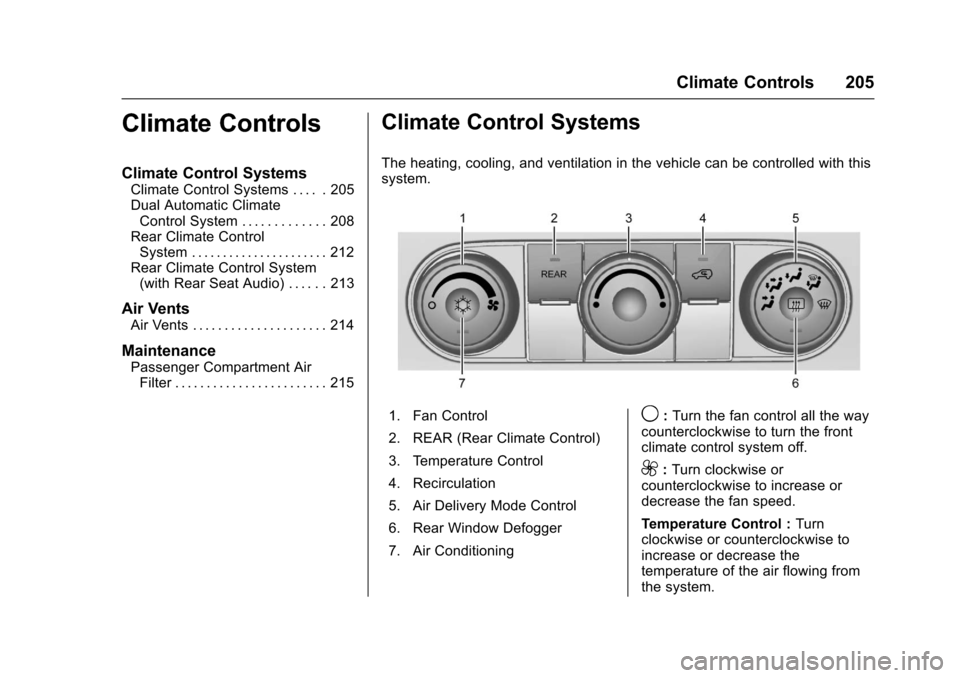
The heating, cooling, and ventilation in the vehicle can be controlled with this
system.
1. Fan Control
2. REAR (Rear Climate Control)
3. Temperature Control
4. Recirculation
5. Air Delivery Mode Control
6. Rear Window Defogger
7. Air Conditioning9: Turn the fan control all the way
counterclockwise to turn the front
climate control system off.
9: Turn clockwise or
counterclockwise to increase or
decrease the fan speed.
Temperature Control : Turn
clockwise or counterclockwise to
increase or decrease the
temperature of the air flowing from
the system.
Page 207 of 394
Chevrolet Traverse Owner Manual (GMNA-Localizing-U.S./Canada/Mexico-
9955676) - 2017 - crc - 3/29/16
206 Climate Controls
Air Delivery Mode Control :Turn
clockwise or counterclockwise to
change the current airflow mode.
By positioning the right knob
between two modes, a combination
of those two modes is selected.
H: Air is directed to the instrument
panel outlets.
): Air is divided between the
instrument panel and floor outlets.
Some air is directed toward the
windshield and side window outlets.
Cooler air is directed to the upper
outlets and warmer air to the floor
outlets.
6: Air is directed to the floor
outlets, with some of the air directed
to the windshield, side window, and
second row floor outlets. In this
mode, the system automatically
selects outside air. Recirculation
cannot be selected while in
floor mode.
-: This clears the windows of fog
or moisture. Air is directed to the
windshield, floor outlets, and side
window vents. When this mode is
selected, the system turns off recirculation and runs the air
conditioning unless the outside
temperature is less than 4 °C (40 °
F). Recirculation cannot be selected
while in the defog mode. Do not
drive the vehicle until all the
windows are clear.
0:
This clears the windshield of
fog or frost more quickly. Air is
directed to the windshield and side
window vents, with some to the floor
vents. In this mode, outside air is
pulled inside the vehicle.
Recirculation cannot be selected
while in the defrost mode. The air
conditioning system runs
automatically in this setting, unless
the outside temperature is less than
4 °C (40 °F). Do not drive the
vehicle until all windows are clear.
#: Press to turn the air
conditioning system on or off. An
indicator light comes on when A/C is
on. The air conditioning system
does not operate when the outside
temperature is below 4 °C (40 °F).
The indicator light flashes three
times and turns off when outside
conditions affect air conditioning
operation. This is normal. For quicker cool down on hot days:
1. Open the windows to let hot air escape.
2. Select
Hmode.
3. Select
#.
4. Select the coolest temperature.
5. Select the highest fan speed.
6. Close the windows after the hot air has escaped.
7. Once the vehicle's interior temperature is below the
outside temperature, select
@mode for faster cooling.
Using recirculation for long periods
of time could cause the air inside
the vehicle to become too dry. To
prevent this from happening, after
the inside of the vehicle has cooled,
turn the recirculation mode off.
The air conditioning system
removes moisture from the air, so
water might drip under the vehicle
while idling or after turning off the
engine. This is normal.
Page 209 of 394
Chevrolet Traverse Owner Manual (GMNA-Localizing-U.S./Canada/Mexico-
9955676) - 2017 - crc - 3/29/16
208 Climate Controls
Dual Automatic Climate Control System
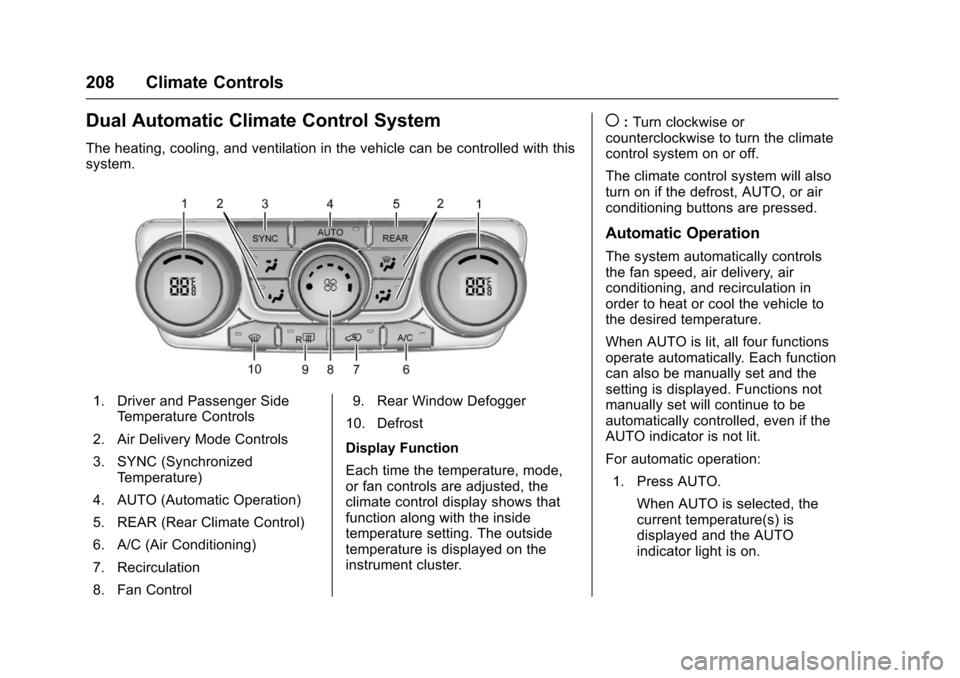
The heating, cooling, and ventilation in the vehicle can be controlled with this
system.
1. Driver and Passenger SideTemperature Controls
2. Air Delivery Mode Controls
3. SYNC (Synchronized Temperature)
4. AUTO (Automatic Operation)
5. REAR (Rear Climate Control)
6. A/C (Air Conditioning)
7. Recirculation
8. Fan Control 9. Rear Window Defogger
10. Defrost
Display Function
Each time the temperature, mode,
or fan controls are adjusted, the
climate control display shows that
function along with the inside
temperature setting. The outside
temperature is displayed on the
instrument cluster.
(: Turn clockwise or
counterclockwise to turn the climate
control system on or off.
The climate control system will also
turn on if the defrost, AUTO, or air
conditioning buttons are pressed.
Automatic Operation
The system automatically controls
the fan speed, air delivery, air
conditioning, and recirculation in
order to heat or cool the vehicle to
the desired temperature.
When AUTO is lit, all four functions
operate automatically. Each function
can also be manually set and the
setting is displayed. Functions not
manually set will continue to be
automatically controlled, even if the
AUTO indicator is not lit.
For automatic operation:
1. Press AUTO.
When AUTO is selected, the
current temperature(s) is
displayed and the AUTO
indicator light is on.
Page 222 of 394
Chevrolet Traverse Owner Manual (GMNA-Localizing-U.S./Canada/Mexico-
9955676) - 2017 - crc - 4/1/16
Driving and Operating 221
There is no hard and fast rule about
hydroplaning. The best advice is to
slow down when the road is wet.
Other Rainy Weather Tips
Besides slowing down, other wet
weather driving tips include:
.Allow extra following distance.
. Pass with caution.
. Keep windshield wiping
equipment in good shape.
. Keep the windshield washer fluid
reservoir filled.
. Have good tires with proper
tread depth. See Tires0297.
. Turn off cruise control.
Hill and Mountain Roads
Driving on steep hills or through
mountains is different than driving
on flat or rolling terrain. Tips include:
.
Keep the vehicle serviced and in
good shape.
. Check all fluid levels and brakes,
tires, cooling system, and
transmission. .
Shift to a lower gear when going
down steep or long hills.
{Warning
Using the brakes to slow the
vehicle on a long downhill slope
can cause brake overheating, can
reduce brake performance, and
could result in a loss of braking.
Shift the transmission to a lower
gear to let the engine assist the
brakes on a steep downhill slope.
{Warning
Coasting downhill in N (Neutral)
or with the ignition off is
dangerous. This can cause
overheating of the brakes and
loss of steering. Always have the
engine running and the vehicle
in gear.
. Drive at speeds that keep the
vehicle in its own lane. Do not
swing wide or cross the
center line. .
Be alert on top of hills;
something could be in your lane
(e.g., stalled car, accident).
. Pay attention to special road
signs (e.g., falling rocks area,
winding roads, long grades,
passing or no-passing zones)
and take appropriate action.
Winter Driving
Driving on Snow or Ice
Snow or ice between the tires and
the road creates less traction or
grip, so drive carefully. Wet ice can
occur at about 0 °C (32 °F) when
freezing rain begins to fall. Avoid
driving on wet ice or in freezing rain
until roads can be treated.
For Slippery Road Driving:
.Accelerate gently. Accelerating
too quickly causes the wheels to
spin and makes the surface
under the tires slick.
. Turn on Traction Control. See
Traction Control/Electronic
Stability Control 0240.
Page 260 of 394
Chevrolet Traverse Owner Manual (GMNA-Localizing-U.S./Canada/Mexico-
9955676) - 2017 - crc - 4/1/16
Driving and Operating 259
When towing at high altitude on
steep uphill grades, engine coolant
boils at a lower temperature than at
normal altitudes. If the engine is
turned off immediately after towing
at high altitude on steep uphill
grades, the vehicle could show
signs similar to engine overheating.
To avoid this, let the engine run
while parked, preferably on level
ground, with the transmission in
P (Park) for a few minutes before
turning the engine off. If the
overheat warning comes on, see
Engine Overheating0279.
Parking on Hills
{Warning
Parking the vehicle on a hill with
the trailer attached can be
dangerous. If something goes
wrong, the rig could start to move.
People can be injured, and both
the vehicle and the trailer can be
damaged. When possible, always
park the rig on a flat surface. If parking the rig on a hill:
1. Press the brake pedal, but do not shift into P (Park) yet. Turn
the wheels into the curb if
facing downhill or into traffic if
facing uphill.
2. Have someone place chocks under the trailer wheels.
3. When the wheel chocks are in place, release the brake pedal
until the chocks absorb
the load.
4. Reapply the brake pedal. Then apply the parking brake and
shift into P (Park).
5. Release the brake pedal.Leaving After Parking on a Hill
1. Apply and hold the brake pedal while you:
.Start the engine.
. Shift into a gear.
. Release the parking brake.
2. Let up on the brake pedal. 3. Drive slowly until the trailer is
clear of the chocks.
4. Stop and have someone pick up and store the chocks.
Maintenance When Trailer
Towing
The vehicle needs service more
often when pulling a trailer. See the
Maintenance Schedule 0344.
Things that are especially important
in trailer operation are automatic
transmission fluid, engine oil, axle
lubricant, belts, cooling system and
brake system. Inspect these before
and during the trip.
Check periodically to see that all
hitch nuts and bolts are tight.
Engine Cooling When Trailer
Towing
The cooling system may temporarily
overheat during severe operating
conditions. See Engine
Overheating 0279.