charging CHEVROLET TRAVERSE 2018 Owner's Manual
[x] Cancel search | Manufacturer: CHEVROLET, Model Year: 2018, Model line: TRAVERSE, Model: CHEVROLET TRAVERSE 2018Pages: 419, PDF Size: 5.92 MB
Page 4 of 419
Chevrolet Traverse Owner Manual (GMNA-Localizing-U.S./Canada/Mexico-
10603118) - 2018 - CRC - 1/29/18
Introduction 3
Danger, Warning, and
Caution
Warning messages found on vehicle
labels and in this manual describe
hazards and what to do to avoid or
reduce them.
{Danger
Danger indicates a hazard with a
high level of risk which will result
in serious injury or death.
{Warning
Warning indicates a hazard that
could result in injury or death.
Caution
Caution indicates a hazard that
could result in property or vehicle
damage.
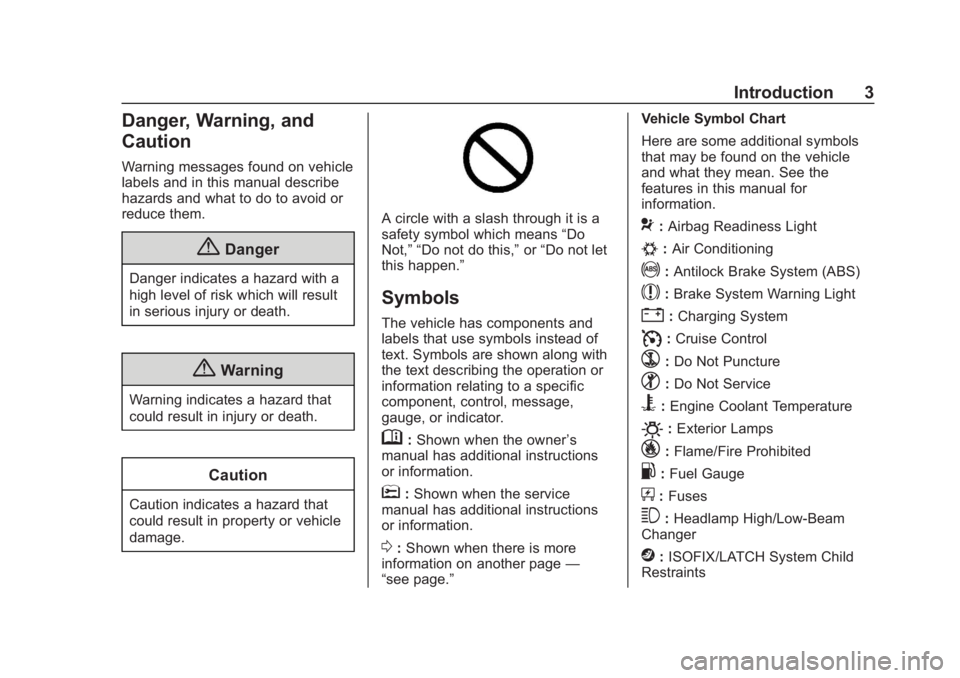
A circle with a slash through it is a
safety symbol which means“Do
Not,” “Do not do this,” or“Do not let
this happen.”
Symbols
The vehicle has components and
labels that use symbols instead of
text. Symbols are shown along with
the text describing the operation or
information relating to a specific
component, control, message,
gauge, or indicator.
M: Shown when the owner ’s
manual has additional instructions
or information.
*: Shown when the service
manual has additional instructions
or information.
0: Shown when there is more
information on another page —
“see page.” Vehicle Symbol Chart
Here are some additional symbols
that may be found on the vehicle
and what they mean. See the
features in this manual for
information.
9:
Airbag Readiness Light
#:Air Conditioning
!:Antilock Brake System (ABS)
$:Brake System Warning Light
":Charging System
I: Cruise Control
`:Do Not Puncture
^:Do Not Service
B:Engine Coolant Temperature
O:Exterior Lamps
_: Flame/Fire Prohibited
.:Fuel Gauge
+: Fuses
3:Headlamp High/Low-Beam
Changer
j: ISOFIX/LATCH System Child
Restraints
Page 8 of 419

Chevrolet Traverse Owner Manual (GMNA-Localizing-U.S./Canada/Mexico-
10603118) - 2018 - CRC - 1/29/18
In Brief 7
1.Air Vents 0205.
2. Turn Signal Lever. See Turn
and Lane-Change Signals
0 170.
IntelliBeam
®System Button (If
Equipped). See Exterior Lamp
Controls 0166.
3. Instrument Cluster 0134.
Driver Information Center (DIC)
Display. See Driver Information
Center (DIC) 0150.
4. Windshield Wiper/Washer
0125.
Rear Window Wiper/Washer
0 126.
5. ENGINE START/STOP Button. See Ignition Positions 0224.
6. Hazard Warning Flashers
0170.
7. Light Sensor. See Automatic
Headlamp System 0169.
8. Infotainment 0175.
9. Dual Automatic Climate Control
System 0200. 10.
Heated and Ventilated Front
Seats 070 (If Equipped).
11. Power Outlets 0129.
12. Wireless Charging 0131 (If
Equipped).
13. USB Port 0184.
Auxiliary Jack. See Auxiliary
Devices 0190.
14. Traction Control/Electronic
Stability Control 0239.
Driver Mode Control Knob. See
Driver Mode Control 0241 (If
Equipped).
Lane Keep Assist (LKA) 0267
(If Equipped).
15. Electric Parking Brake 0237.
16. Shift Lever. See Automatic
Transmission 0232.
Manual Mode 0234.
17. Steering Wheel Controls 0124.
18. Horn 0125.
19. Steering Wheel Adjustment
0124 (Out of View). 20.
Cruise Control 0244.
Adaptive Cruise Control 0246
(If Equipped).
Heated Steering Wheel 0125
(If Equipped).
Forward Collision Alert (FCA)
System 0259 (If Equipped).
21. Hood Release. See Hood
0 285.
22. Fog Lamps 0170 (If
Equipped).
23. Data Link Connector (DLC) (Out of View). See Malfunction
Indicator Lamp (Check Engine
Light) 0141.
24. Exterior Lamp Controls 0166.
25. Instrument Panel Illumination
Control 0171.
Page 23 of 419
Chevrolet Traverse Owner Manual (GMNA-Localizing-U.S./Canada/Mexico-
10603118) - 2018 - CRC - 1/29/18
22 In Brief
5:Press and release to access the
phone on the infotainment display,
answer an incoming call, or access
the device home screen.
See Overview 0177.
Satellite Radio
If equipped, vehicles with a
SiriusXM satellite radio tuner and a
valid SiriusXM satellite radio
subscription can receive SiriusXM
programming.
SiriusXM Satellite Radio
Service
SiriusXM is a satellite radio service
based in the 48 contiguous United
States and 10 Canadian provinces.
SiriusXM satellite radio has a wide
variety of programming and
commercial-free music, coast to
coast, and in digital-quality sound.
A fee is required to receive the
SiriusXM service.
Refer to:
.
www.siriusxm.com or call
1-888-601-6296 (U.S.). .
www.siriusxm.ca or call
1-877-438-9677 (Canada).
See Satellite Radio 0181.
Portable Audio Devices
This vehicle has USB ports in the
center stack. There is also a USB
port in the storage area behind the
radio (if equipped). External devices
such as iPods, MP3 players, and
USB storage devices may be
connected. There are also charging
only USB ports on the rear of the
center console and in the third row
seating area.
See USB Port 0184.
Bluetooth
The Bluetooth system allows users
with a Bluetooth-enabled mobile
phone to make and receive
hands-free calls using the vehicle
audio system and controls. The Bluetooth-enabled mobile
phone must be paired with the
in-vehicle Bluetooth system before it
can be used in the vehicle. Not all
phones will support all functions.
See
Bluetooth (Overview) 0191 or
Bluetooth (Infotainment Controls)
0 192.
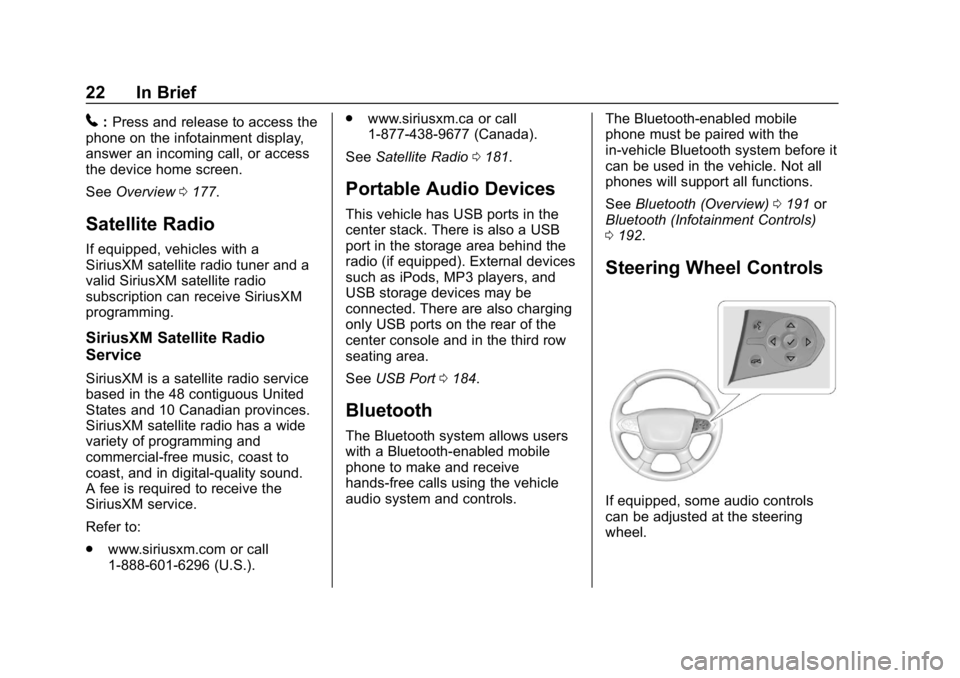
Steering Wheel Controls
If equipped, some audio controls
can be adjusted at the steering
wheel.
Page 119 of 419
Chevrolet Traverse Owner Manual (GMNA-Localizing-U.S./Canada/Mexico-
10603118) - 2018 - CRC - 1/29/18
118 Storage
Storage
Storage Compartments
Storage Compartments . . . . . . . 118
Instrument Panel Storage . . . . . 118
Glove Box . . . . . . . . . . . . . . . . . . . . 118
Center Console Storage . . . . . . 119
Additional Storage Features
Cargo ManagementSystem . . . . . . . . . . . . . . . . . . . . . . 119
Roof Rack System
Roof Rack System . . . . . . . . . . . 121
Storage
Compartments
{Warning
Do not store heavy or sharp
objects in storage compartments.
In a crash, these objects may
cause the cover to open and
could result in injury.
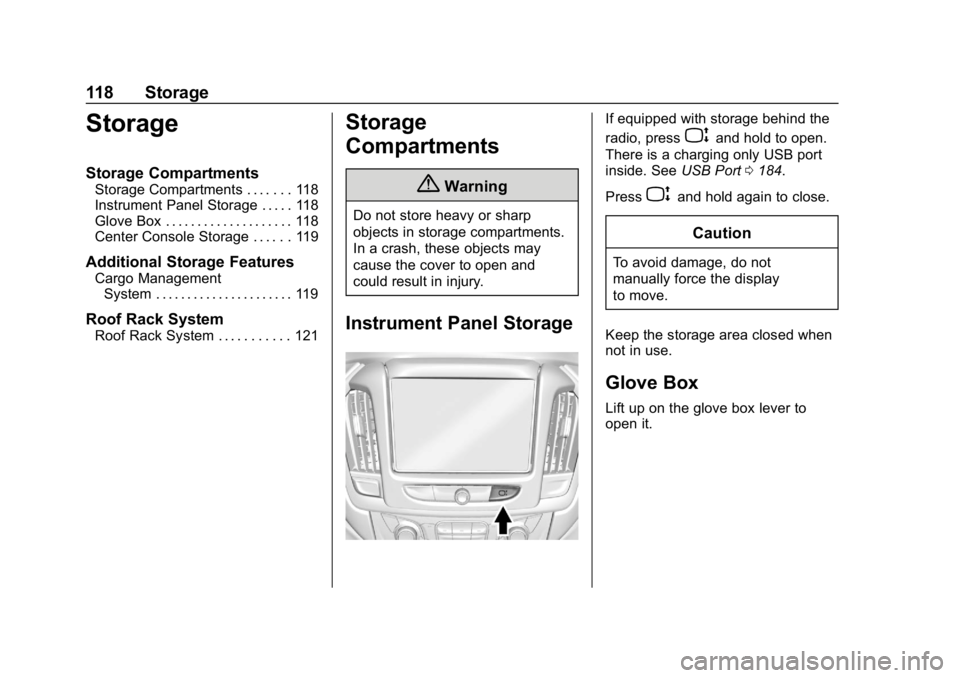
Instrument Panel Storage
If equipped with storage behind the
radio, press
Pand hold to open.
There is a charging only USB port
inside. See USB Port0184.
Press
Pand hold again to close.
Caution
To avoid damage, do not
manually force the display
to move.
Keep the storage area closed when
not in use.
Glove Box
Lift up on the glove box lever to
open it.
Page 120 of 419
Chevrolet Traverse Owner Manual (GMNA-Localizing-U.S./Canada/Mexico-
10603118) - 2018 - CRC - 1/29/18
Storage 119
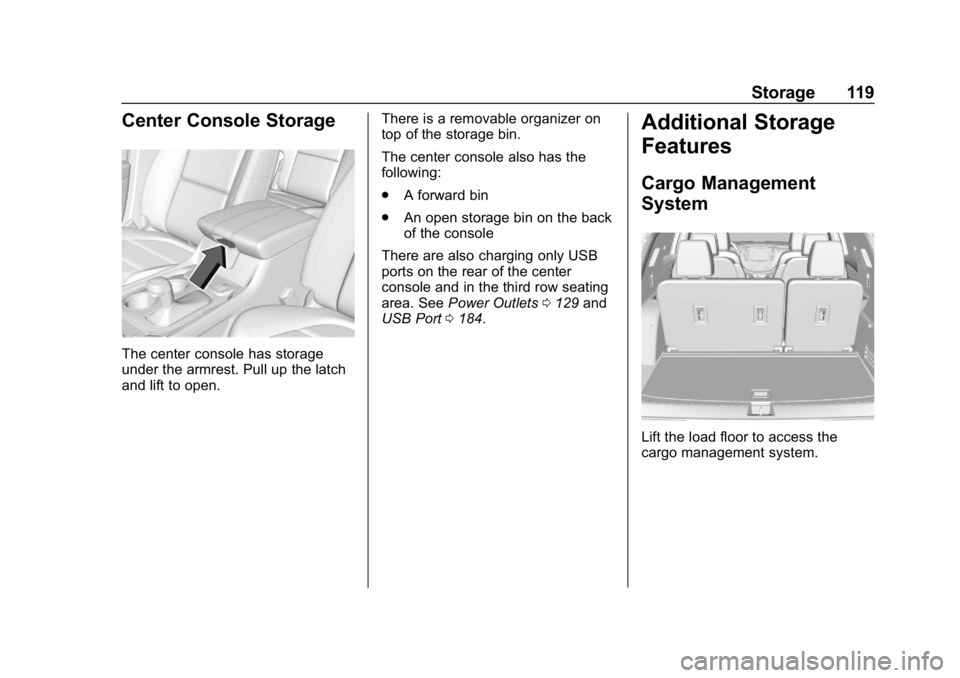
Center Console Storage
The center console has storage
under the armrest. Pull up the latch
and lift to open.There is a removable organizer on
top of the storage bin.
The center console also has the
following:
.
A forward bin
. An open storage bin on the back
of the console
There are also charging only USB
ports on the rear of the center
console and in the third row seating
area. See Power Outlets 0129 and
USB Port 0184.
Additional Storage
Features
Cargo Management
System
Lift the load floor to access the
cargo management system.
Page 124 of 419
Chevrolet Traverse Owner Manual (GMNA-Localizing-U.S./Canada/Mexico-
10603118) - 2018 - CRC - 1/29/18
Instruments and Controls 123
Instruments and
Controls
Controls
Steering Wheel Adjustment . . . 124
Steering Wheel Controls . . . . . . 124
Heated Steering Wheel . . . . . . . 125
Horn . . . . . . . . . . . . . . . . . . . . . . . . . . 125
Windshield Wiper/Washer . . . . 125
Rear Window Wiper/Washer . . . . . . . . . . . . . . . . . . . . . 126
Compass . . . . . . . . . . . . . . . . . . . . . 127
Clock . . . . . . . . . . . . . . . . . . . . . . . . . 128
Power Outlets . . . . . . . . . . . . . . . . 129
Wireless Charging . . . . . . . . . . . . 131
Warning Lights, Gauges, and
Indicators
Warning Lights, Gauges, and Indicators . . . . . . . . . . . . . . . . . . . 133
Instrument Cluster . . . . . . . . . . . . 134
Speedometer . . . . . . . . . . . . . . . . . 137
Odometer . . . . . . . . . . . . . . . . . . . . . 137
Trip Odometer . . . . . . . . . . . . . . . . 137
Tachometer . . . . . . . . . . . . . . . . . . . 137
Fuel Gauge . . . . . . . . . . . . . . . . . . . 138
Engine Coolant Temperature
Gauge . . . . . . . . . . . . . . . . . . . . . . 138 Seat Belt Reminders . . . . . . . . . 139
Airbag Readiness Light . . . . . . . 140
Passenger Airbag Status
Indicator . . . . . . . . . . . . . . . . . . . . 140
Charging System Light . . . . . . . 141
Malfunction Indicator Lamp
(Check Engine Light) . . . . . . . . 141
Brake System Warning Light . . . . . . . . . . . . . . . . . . . . . . . . 143
Electric Parking Brake Light . . . . . . . . . . . . . . . . . . . . . . . . 144
Service Electric Parking Brake Light (Uplevel Only) . . . . . . . . . 144
Antilock Brake System (ABS) Warning Light . . . . . . . . . . . . . . . 144
Lane Keep Assist (LKA) Light . . . . . . . . . . . . . . . . . . . . . . . . 145
Vehicle Ahead Indicator . . . . . . 145
Pedestrian Ahead Indicator . . . 145
Traction Off Light . . . . . . . . . . . . . 145
StabiliTrak OFF Light . . . . . . . . . 146
Traction Control System (TCS)/ StabiliTrak Light . . . . . . . . . . . . . 146
Tire Pressure Light . . . . . . . . . . . 146
Engine Oil Pressure Light . . . . 147
Low Fuel Warning Light (Base Level) . . . . . . . . . . . . . . . . . . . . . . . 148
Low Fuel Warning Light (Uplevel) . . . . . . . . . . . . . . . . . . . . 148
Security Light . . . . . . . . . . . . . . . . . 148 High-Beam On Light . . . . . . . . . . 148
Front Fog Lamp Light . . . . . . . . . 149
Lamps On Reminder . . . . . . . . . 149
Cruise Control Light . . . . . . . . . . 149
Door Ajar Light . . . . . . . . . . . . . . . 149
Information Displays
Driver Information
Center (DIC) . . . . . . . . . . . . . . . . 150
Vehicle Messages
Vehicle Messages . . . . . . . . . . . . 153
Engine Power Messages . . . . . 153
Vehicle Speed Messages . . . . . 153
Vehicle Personalization
Vehicle Personalization . . . . . . . 154
Universal Remote System
Universal Remote System . . . . 162
Universal Remote SystemProgramming . . . . . . . . . . . . . . . 162
Universal Remote System Operation . . . . . . . . . . . . . . . . . . . 165
Page 130 of 419
Chevrolet Traverse Owner Manual (GMNA-Localizing-U.S./Canada/Mexico-
10603118) - 2018 - CRC - 1/29/18
Instruments and Controls 129
Auto Set requires an OnStar
service plan.
If auto set is on, the time displayed
on the clock may not update
immediately when driving into a new
time zone.
To set the date:1. Touch SETTINGS from the Home Page, then touch Time
and Date.
2. Touch Set Date and touch
«
orªto increase or decrease
month, day, or year.
3. Touch the back icon to go back to the previous menu.
To set the clock display: 1. Touch SETTINGS and touch Time and Date.
2. Touch Clock Display and touch Off or On to turn the clock
display off or on.
3. Touch the back icon to go back to the previous menu. The clock settings can also be
accessed by touching the time
display, then touching Set.
Power Outlets
Power Outlets 12-Volt Direct
Current
The vehicle has two 12-volt outlets
that can be used to plug in electrical
equipment, such as a cell phone or
MP3 player.
The power outlets are located:
.
On the center stack below the
climate controls.
. In the rear cargo area.
Lift the cover to access the outlet
and replace when not in use.
There are also charging only USB
ports on the rear of the center
console and in the third row
seating area.
{Warning
Power is always supplied to the
rear cargo power outlet. Do not
leave electrical equipment
plugged in when the vehicle is not
in use because the vehicle could
catch fire and cause injury or
death.
Caution
Leaving electrical equipment
plugged in for an extended period
of time while the ignition is in
LOCK/OFF will drain the battery.
Always unplug electrical
equipment when not in use and
do not plug in equipment that
exceeds the maximum 15 ampere
rating.
Certain accessory plugs may not be
compatible with the accessory
power outlet and could overload
Page 132 of 419
Chevrolet Traverse Owner Manual (GMNA-Localizing-U.S./Canada/Mexico-
10603118) - 2018 - CRC - 1/29/18
Instruments and Controls 131
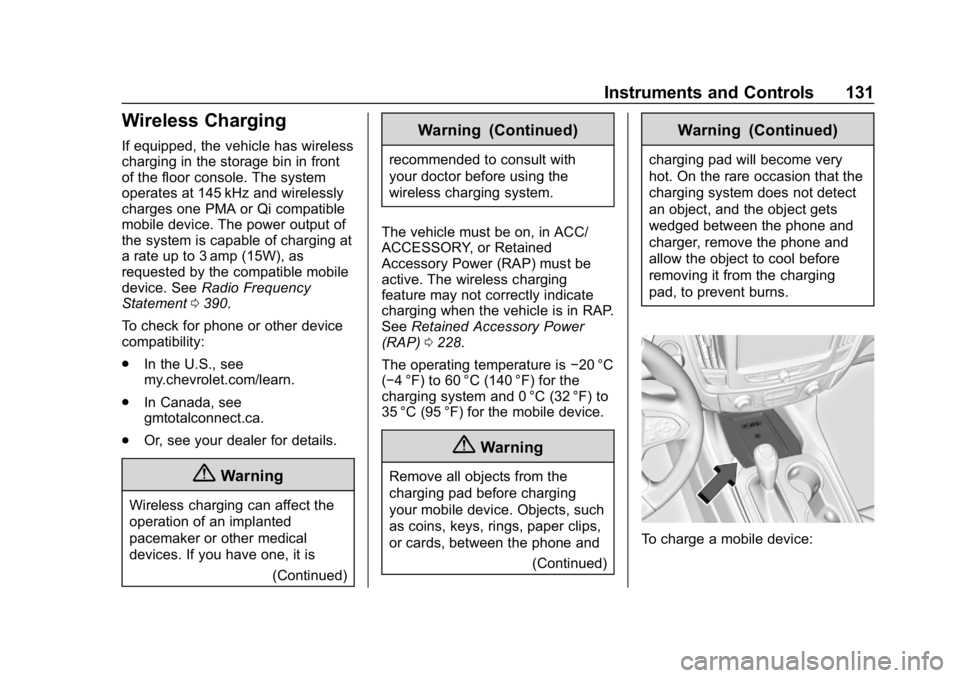
Wireless Charging
If equipped, the vehicle has wireless
charging in the storage bin in front
of the floor console. The system
operates at 145 kHz and wirelessly
charges one PMA or Qi compatible
mobile device. The power output of
the system is capable of charging at
a rate up to 3 amp (15W), as
requested by the compatible mobile
device. SeeRadio Frequency
Statement 0390.
To check for phone or other device
compatibility:
. In the U.S., see
my.chevrolet.com/learn.
. In Canada, see
gmtotalconnect.ca.
. Or, see your dealer for details.
{Warning
Wireless charging can affect the
operation of an implanted
pacemaker or other medical
devices. If you have one, it is
(Continued)
Warning (Continued)
recommended to consult with
your doctor before using the
wireless charging system.
The vehicle must be on, in ACC/
ACCESSORY, or Retained
Accessory Power (RAP) must be
active. The wireless charging
feature may not correctly indicate
charging when the vehicle is in RAP.
See Retained Accessory Power
(RAP) 0228.
The operating temperature is −20 °C
(−4 °F) to 60 °C (140 °F) for the
charging system and 0 °C (32 °F) to
35 °C (95 °F) for the mobile device.
{Warning
Remove all objects from the
charging pad before charging
your mobile device. Objects, such
as coins, keys, rings, paper clips,
or cards, between the phone and
(Continued)
Warning (Continued)
charging pad will become very
hot. On the rare occasion that the
charging system does not detect
an object, and the object gets
wedged between the phone and
charger, remove the phone and
allow the object to cool before
removing it from the charging
pad, to prevent burns.
To charge a mobile device:
Page 133 of 419
Chevrolet Traverse Owner Manual (GMNA-Localizing-U.S./Canada/Mexico-
10603118) - 2018 - CRC - 1/29/18
132 Instruments and Controls
1. Remove all objects from thecharging pad. The system may
not charge if there are any
objects between the mobile
device and charging pad.
2. Place the mobile device face up on the charging pad.
3. The
$will display on theVon
the infotainment display. This
indicates that the mobile device
is properly positioned and
charging.
If
$does not appear on the
infotainment display:
1. Remove the mobile device from the pad and wait
three seconds.
2. Turn the mobile device 180 degrees before placing/
aligning the mobile device on
the pad again.
Software Acknowledgements
Certain Wireless Charging Module
product from LG Electronics, Inc.
("LGE") contains the open source
software detailed below. Refer to the indicated open source licenses
(as are included following this
notice) for the terms and conditions
of their use.
OSS Notice Information
To obtain the source code that is
contained in this product, please
visit http://opensource.lge.com. In
addition to the source code, all
referred license terms, warranty
disclaimers and copyright notices
are available for download. LG
Electronics will also provide open
source code to you on CD-ROM for
a charge covering the cost of
performing such distribution (such
as the cost of media, shipping, and
handling) upon email request to
[email protected]. This offer is
valid for three (3) years from the
date on which you purchased the
product.
Freescale-WCT library
Copyright (c) 2012-2014 Freescale
Semiconductor, Inc.. All rights
reserved.
1. Redistributions of source code
must retain the above copyright
notice, this list of conditions
and the following disclaimer.
2. Redistributions in binary form must reproduce the above
copyright notice, this list of
conditions and the following
disclaimer in the
documentation and/or other
materials provided with the
distribution.
3. Neither the name of the copyright holder nor the names
of its contributors may be used
to endorse or promote products
derived from this software
without specific prior written
permission.
THIS SOFTWARE IS PROVIDED
BY THE COPYRIGHT HOLDERS
AND CONTRIBUTORS "AS IS"
AND ANY EXPRESS OR IMPLIED
WARRANTIES, INCLUDING, BUT
NOT LIMITED TO, THE IMPLIED
WARRANTIES OF
MERCHANTABILITY AND FITNESS
FOR A PARTICULAR PURPOSE
ARE DISCLAIMED. IN NO EVENT
Page 142 of 419
Chevrolet Traverse Owner Manual (GMNA-Localizing-U.S./Canada/Mexico-
10603118) - 2018 - CRC - 1/29/18
Instruments and Controls 141
If the word OFF is lit on the
passenger airbag status indicator, it
means that the passenger sensing
system has turned off the front
outboard passenger frontal airbag.
If, after several seconds, both status
indicator lights remain on, or if there
are no lights at all, there may be a
problem with the lights or the
passenger sensing system. See
your dealer for service.
{Warning
If the airbag readiness light ever
comes on and stays on, it means
that something may be wrong
with the airbag system. To help
avoid injury to yourself or others,
have the vehicle serviced right
away. SeeAirbag Readiness
Light 0140 for more information,
including important safety
information.
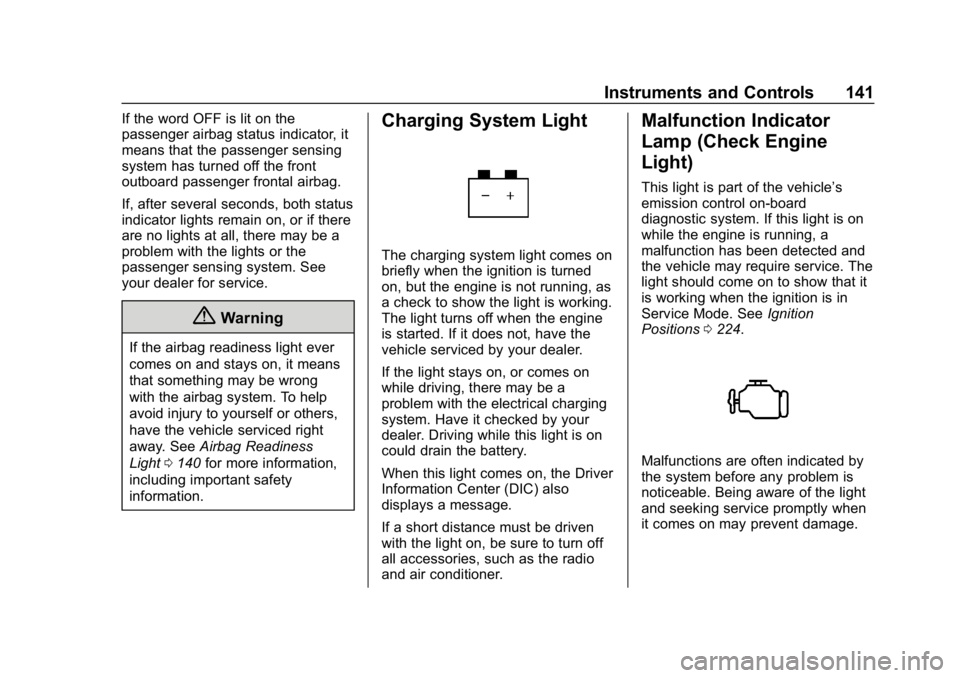
Charging System Light
The charging system light comes on
briefly when the ignition is turned
on, but the engine is not running, as
a check to show the light is working.
The light turns off when the engine
is started. If it does not, have the
vehicle serviced by your dealer.
If the light stays on, or comes on
while driving, there may be a
problem with the electrical charging
system. Have it checked by your
dealer. Driving while this light is on
could drain the battery.
When this light comes on, the Driver
Information Center (DIC) also
displays a message.
If a short distance must be driven
with the light on, be sure to turn off
all accessories, such as the radio
and air conditioner.
Malfunction Indicator
Lamp (Check Engine
Light)
This light is part of the vehicle’s
emission control on-board
diagnostic system. If this light is on
while the engine is running, a
malfunction has been detected and
the vehicle may require service. The
light should come on to show that it
is working when the ignition is in
Service Mode. See Ignition
Positions 0224.
Malfunctions are often indicated by
the system before any problem is
noticeable. Being aware of the light
and seeking service promptly when
it comes on may prevent damage.