fog light CHEVROLET TRAX 2016 1.G Owners Manual
[x] Cancel search | Manufacturer: CHEVROLET, Model Year: 2016, Model line: TRAX, Model: CHEVROLET TRAX 2016 1.GPages: 358, PDF Size: 5.07 MB
Page 8 of 358
Chevrolet TRAX Owner Manual (GMNA-Localizing-U.S./Canada/Mexico-
9159371) - 2016 - crc - 5/21/15
In Brief 7
1.Air Vents 0188.
2. Turn Signal Lever. See Turn
and Lane-Change Signals
0 125.
Headlamp High/Low-Beam
Changer 0123.
3. Instrument Cluster 097.
4. Windshield Wiper/Washer 092.
Rear Window Wiper/Washer
0 92.
5. Light Sensor. See Automatic
Headlamp System 0124.
6. Instrument Panel Storage 086.
7. Infotainment 0129.
8. Instrument Panel Storage 086.
USB Port 0147 (Inside
Instrument Panel Storage).
9. Passenger Safety Belt Reminder Light. See Safety
Belt Reminders 099.
10. Hazard Warning Flashers
0124.
11. Shift Lever. See Automatic
Transmission 0211 orManual
Transmission 0214. 12.
Parking Brake 0217.
13. Climate Control Systems
0186.
14. Traction Control/Electronic Stabilty Control Button. See
Traction Control/Electronic
Stability Control 0218.
15. Ignition Positions 0203.
16. Horn 091.
17. Steering Wheel Adjustment
091.
18. Instrument Panel Storage 086
(If Equipped).
19. Data Link Connector (DLC) (Out of View). See Malfunction
Indicator Lamp (Check Engine
Light) 0101.
20. Exterior Lamp Controls 0122.
Instrument Panel Illumination
Control 0126.
Front Fog Lamps 0125 (If
Equipped).
21. Hood Release. See Hood
0 233.Initial Drive
Information
This section provides a brief
overview about some of the
important features that may or may
not be on your specific vehicle.
For more detailed information, refer
to each of the features which can be
found later in this owner manual.
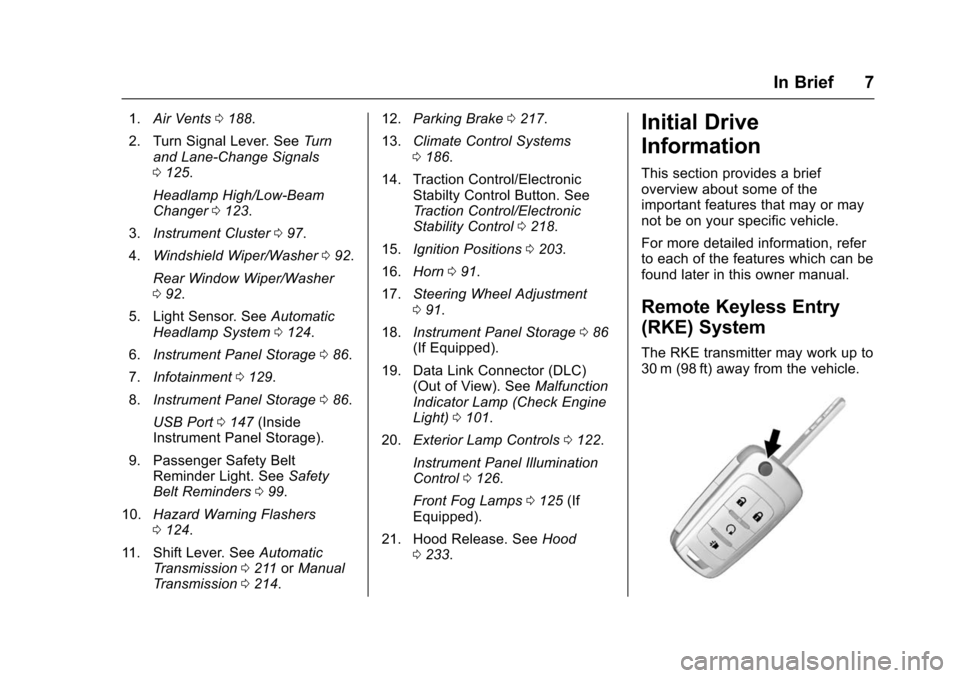
Remote Keyless Entry
(RKE) System
The RKE transmitter may work up to
30 m (98 ft) away from the vehicle.
Page 16 of 358
Chevrolet TRAX Owner Manual (GMNA-Localizing-U.S./Canada/Mexico-
9159371) - 2016 - crc - 5/21/15
In Brief 15
5:Turns on the headlamps
together with the parking lamps and
instrument panel lights. A warning
chime sounds if the driver door is
opened when the ignition switch is
off and the headlamps are on.
#: If equipped with fog lamps,
press to turn the lamps on or off.
See:
. Exterior Lamp Controls 0122
. Front Fog Lamps 0125
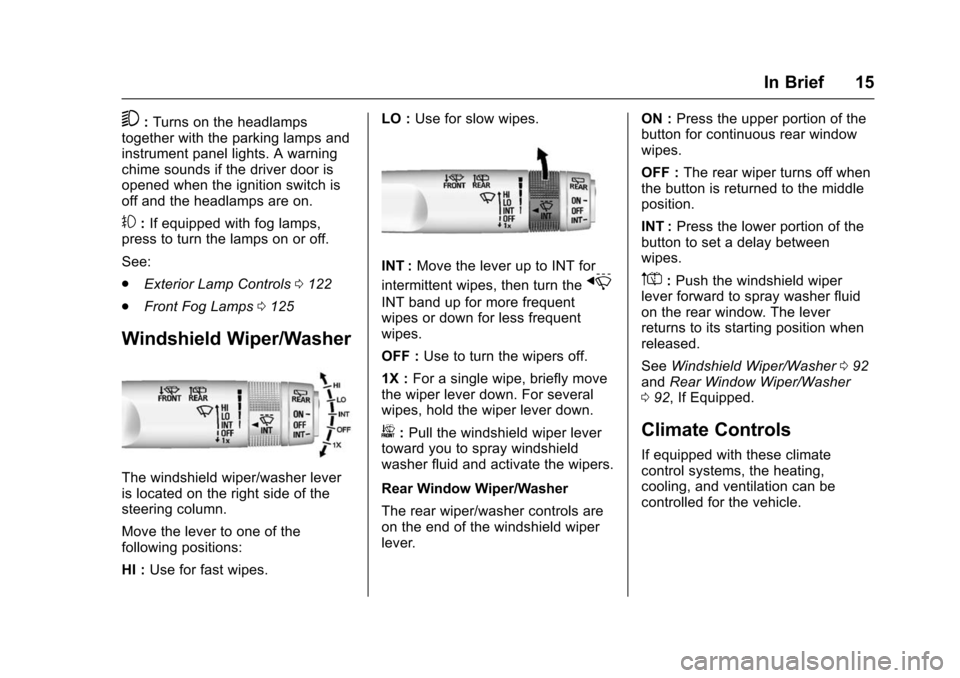
Windshield Wiper/Washer
The windshield wiper/washer lever
is located on the right side of the
steering column.
Move the lever to one of the
following positions:
HI : Use for fast wipes. LO :
Use for slow wipes.
INT : Move the lever up to INT for
intermittent wipes, then turn the
x
INT band up for more frequent
wipes or down for less frequent
wipes.
OFF : Use to turn the wipers off.
1X : For a single wipe, briefly move
the wiper lever down. For several
wipes, hold the wiper lever down.
b: Pull the windshield wiper lever
toward you to spray windshield
washer fluid and activate the wipers.
Rear Window Wiper/Washer
The rear wiper/washer controls are
on the end of the windshield wiper
lever. ON :
Press the upper portion of the
button for continuous rear window
wipes.
OFF : The rear wiper turns off when
the button is returned to the middle
position.
INT : Press the lower portion of the
button to set a delay between
wipes.
m=: Push the windshield wiper
lever forward to spray washer fluid
on the rear window. The lever
returns to its starting position when
released.
See Windshield Wiper/Washer 092
and Rear Window Wiper/Washer
0 92, If Equipped.
Climate Controls
If equipped with these climate
control systems, the heating,
cooling, and ventilation can be
controlled for the vehicle.
Page 29 of 358
Chevrolet TRAX Owner Manual (GMNA-Localizing-U.S./Canada/Mexico-
9159371) - 2016 - crc - 5/21/15
28 Keys, Doors, and Windows
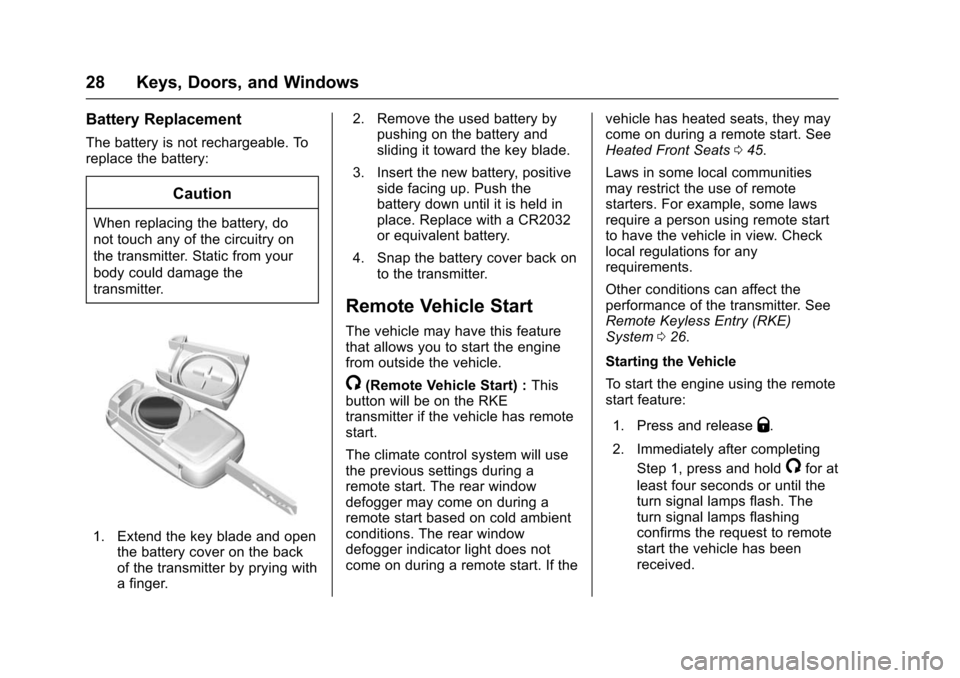
Battery Replacement
The battery is not rechargeable. To
replace the battery:
Caution
When replacing the battery, do
not touch any of the circuitry on
the transmitter. Static from your
body could damage the
transmitter.
1. Extend the key blade and openthe battery cover on the back
of the transmitter by prying with
a finger. 2. Remove the used battery by
pushing on the battery and
sliding it toward the key blade.
3. Insert the new battery, positive side facing up. Push the
battery down until it is held in
place. Replace with a CR2032
or equivalent battery.
4. Snap the battery cover back on to the transmitter.
Remote Vehicle Start
The vehicle may have this feature
that allows you to start the engine
from outside the vehicle.
/(Remote Vehicle Start) : This
button will be on the RKE
transmitter if the vehicle has remote
start.
The climate control system will use
the previous settings during a
remote start. The rear window
defogger may come on during a
remote start based on cold ambient
conditions. The rear window
defogger indicator light does not
come on during a remote start. If the vehicle has heated seats, they may
come on during a remote start. See
Heated Front Seats
045.
Laws in some local communities
may restrict the use of remote
starters. For example, some laws
require a person using remote start
to have the vehicle in view. Check
local regulations for any
requirements.
Other conditions can affect the
performance of the transmitter. See
Remote Keyless Entry (RKE)
System 026.
Starting the Vehicle
To start the engine using the remote
start feature:
1. Press and release
Q.
2. Immediately after completing Step 1, press and hold
/for at
least four seconds or until the
turn signal lamps flash. The
turn signal lamps flashing
confirms the request to remote
start the vehicle has been
received.
Page 91 of 358
Chevrolet TRAX Owner Manual (GMNA-Localizing-U.S./Canada/Mexico-
9159371) - 2016 - crc - 5/21/15
90 Instruments and Controls
Instruments and
Controls
Controls
Steering Wheel Adjustment . . . . 91
Steering Wheel Controls . . . . . . . 91
Horn . . . . . . . . . . . . . . . . . . . . . . . . . . . 91
Windshield Wiper/Washer . . . . . . 92
Rear Window Wiper/Washer . . . 92
Compass . . . . . . . . . . . . . . . . . . . . . . 93
Clock . . . . . . . . . . . . . . . . . . . . . . . . . . 93
Power Outlets . . . . . . . . . . . . . . . . . 95
Warning Lights, Gauges, and
Indicators
Warning Lights, Gauges, andIndicators . . . . . . . . . . . . . . . . . . . . 96
Instrument Cluster . . . . . . . . . . . . . 97
Speedometer . . . . . . . . . . . . . . . . . . 98
Odometer . . . . . . . . . . . . . . . . . . . . . . 98
Trip Odometer . . . . . . . . . . . . . . . . . 98
Tachometer . . . . . . . . . . . . . . . . . . . . 98
Fuel Gauge . . . . . . . . . . . . . . . . . . . . 98
Safety Belt Reminders . . . . . . . . . 99
Airbag Readiness Light . . . . . . . 100
Passenger Airbag Status Indicator . . . . . . . . . . . . . . . . . . . . 100
Charging System Light . . . . . . . 101 Malfunction Indicator Lamp
(Check Engine Light) . . . . . . . . 101
Service Vehicle Soon Light . . . 103
Owner Manual Indicator . . . . . . 103
Brake System Warning Light . . . . . . . . . . . . . . . . . . . . . . . . 103
Antilock Brake System (ABS) Warning Light . . . . . . . . . . . . . . . 104
Up-Shift Light . . . . . . . . . . . . . . . . . 104
Power Steering Warning Light . . . . . . . . . . . . . . . . . . . . . . . . 105
Ultrasonic Parking Sensor Light . . . . . . . . . . . . . . . . . . . . . . . . 105
Traction Off Light . . . . . . . . . . . . . 105
StabiliTrak
®OFF Light . . . . . . . . 105
Traction Control System (TCS)/ StabiliTrak
®Light . . . . . . . . . . . 106
Engine Coolant Temperature Warning Light . . . . . . . . . . . . . . . 106
Tire Pressure Light . . . . . . . . . . . 106
Engine Oil Pressure Light . . . . 107
Low Fuel Warning Light . . . . . . 107
Immobilizer Light . . . . . . . . . . . . . 108
Reduced Engine Power Light . . . . . . . . . . . . . . . . . . . . . . . . 108
High-Beam On Light . . . . . . . . . . 108
Daytime Running Lamps (DRL) Indicator Light . . . . . . . . . . . . . . . 108
Front Fog Lamp Light . . . . . . . . . 108
Lamps On Reminder . . . . . . . . . 109
Cruise Control Light . . . . . . . . . . 109 Door Ajar Light . . . . . . . . . . . . . . . 109
Information Displays
Driver Information
Center (DIC) . . . . . . . . . . . . . . . . 109
Vehicle Messages
Vehicle Messages . . . . . . . . . . . . 111
Engine Oil Messages . . . . . . . . . 111
Tire Messages . . . . . . . . . . . . . . . . 111
Trip Computer
Trip Computer . . . . . . . . . . . . . . . . 112
Vehicle Personalization
Vehicle Personalization . . . . . . . 114
Page 109 of 358
Chevrolet TRAX Owner Manual (GMNA-Localizing-U.S./Canada/Mexico-
9159371) - 2016 - crc - 5/21/15
108 Instruments and Controls
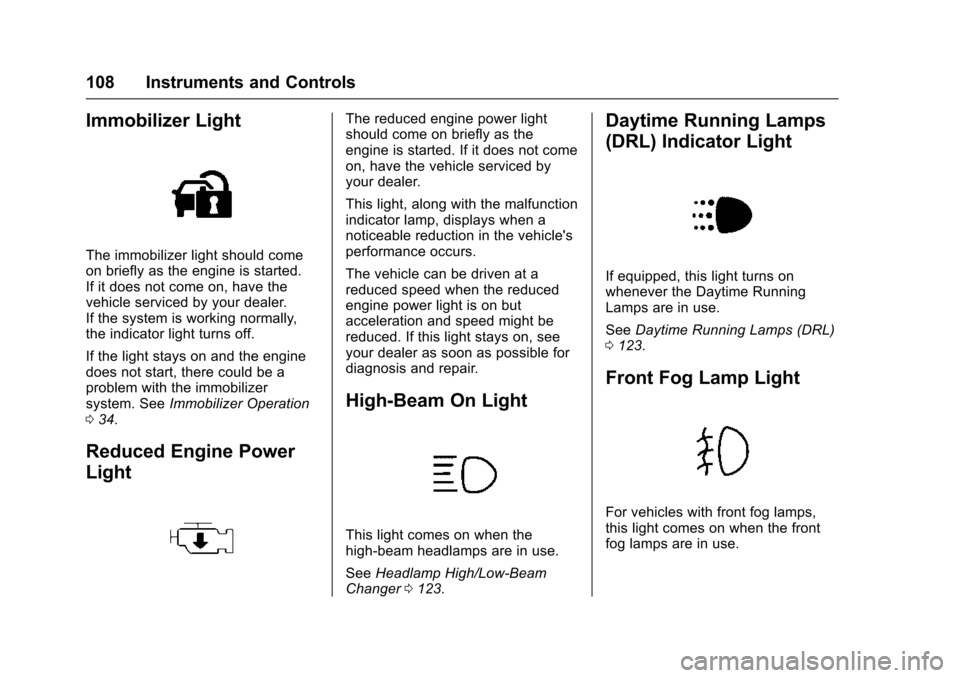
Immobilizer Light
The immobilizer light should come
on briefly as the engine is started.
If it does not come on, have the
vehicle serviced by your dealer.
If the system is working normally,
the indicator light turns off.
If the light stays on and the engine
does not start, there could be a
problem with the immobilizer
system. SeeImmobilizer Operation
0 34.
Reduced Engine Power
Light
The reduced engine power light
should come on briefly as the
engine is started. If it does not come
on, have the vehicle serviced by
your dealer.
This light, along with the malfunction
indicator lamp, displays when a
noticeable reduction in the vehicle's
performance occurs.
The vehicle can be driven at a
reduced speed when the reduced
engine power light is on but
acceleration and speed might be
reduced. If this light stays on, see
your dealer as soon as possible for
diagnosis and repair.
High-Beam On Light
This light comes on when the
high-beam headlamps are in use.
See Headlamp High/Low-Beam
Changer 0123.
Daytime Running Lamps
(DRL) Indicator Light
If equipped, this light turns on
whenever the Daytime Running
Lamps are in use.
See Daytime Running Lamps (DRL)
0 123.
Front Fog Lamp Light
For vehicles with front fog lamps,
this light comes on when the front
fog lamps are in use.
Page 110 of 358
Chevrolet TRAX Owner Manual (GMNA-Localizing-U.S./Canada/Mexico-
9159371) - 2016 - crc - 5/21/15
Instruments and Controls 109
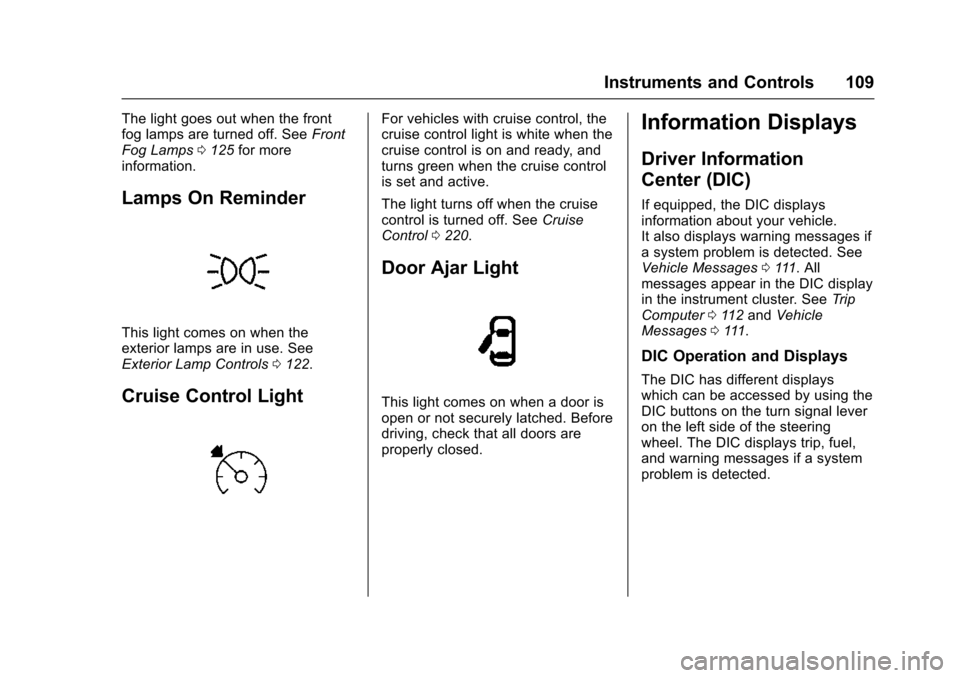
The light goes out when the front
fog lamps are turned off. SeeFront
Fog Lamps 0125 for more
information.
Lamps On Reminder
This light comes on when the
exterior lamps are in use. See
Exterior Lamp Controls 0122.
Cruise Control Light
For vehicles with cruise control, the
cruise control light is white when the
cruise control is on and ready, and
turns green when the cruise control
is set and active.
The light turns off when the cruise
control is turned off. See Cruise
Control 0220.
Door Ajar Light
This light comes on when a door is
open or not securely latched. Before
driving, check that all doors are
properly closed.
Information Displays
Driver Information
Center (DIC)
If equipped, the DIC displays
information about your vehicle.
It also displays warning messages if
a system problem is detected. See
Vehicle Messages 0111. All
messages appear in the DIC display
in the instrument cluster. See Trip
Computer 0112 and Vehicle
Messages 0111.
DIC Operation and Displays
The DIC has different displays
which can be accessed by using the
DIC buttons on the turn signal lever
on the left side of the steering
wheel. The DIC displays trip, fuel,
and warning messages if a system
problem is detected.
Page 123 of 358
Chevrolet TRAX Owner Manual (GMNA-Localizing-U.S./Canada/Mexico-
9159371) - 2016 - crc - 5/21/15
122 Lighting
Lighting
Exterior Lighting
Exterior Lamp Controls . . . . . . . 122
Headlamp High/Low-BeamChanger . . . . . . . . . . . . . . . . . . . . 123
Flash-to-Pass . . . . . . . . . . . . . . . . 123
Daytime Running Lamps (DRL) . . . . . . . . . . . . . . . 123
Automatic Headlamp System . . . . . . . . . . . . . . . . . . . . . . 124
Hazard Warning Flashers . . . . . 124
Turn and Lane-Change Signals . . . . . . . . . . . . . . . . . . . . . . 125
Front Fog Lamps . . . . . . . . . . . . . 125
Interior Lighting
Instrument Panel Illumination Control . . . . . . . . . . . . . . . . . . . . . . 126
Courtesy Lamps . . . . . . . . . . . . . . 126
Dome Lamps . . . . . . . . . . . . . . . . . 126
Reading Lamps . . . . . . . . . . . . . . 127
Lighting Features
Battery Load Management . . . 127
Battery Power Protection . . . . . 128
Exterior Lighting
Exterior Lamp Controls
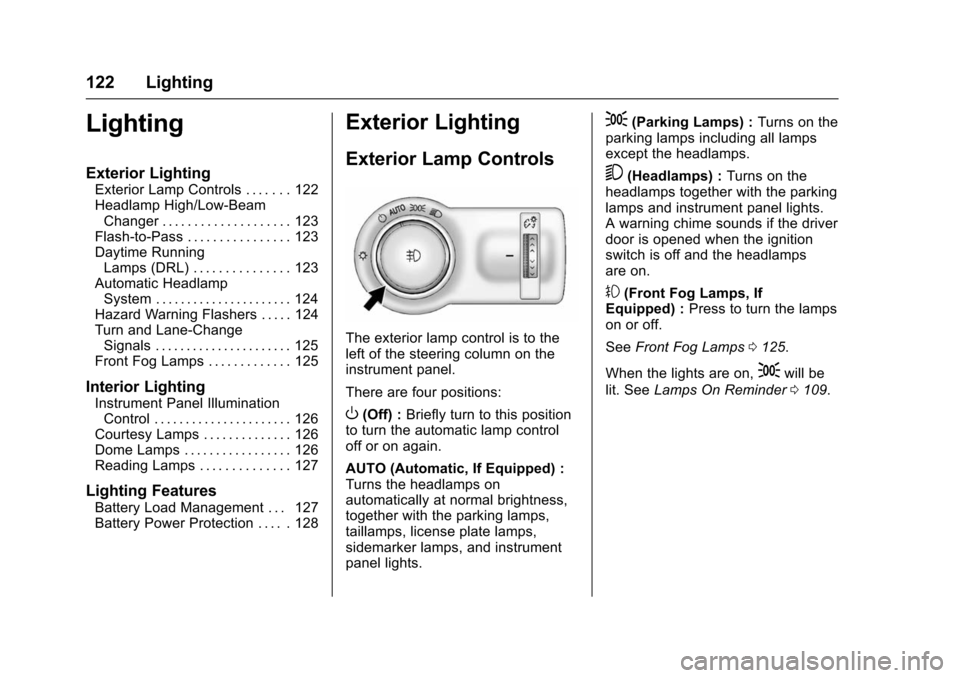
The exterior lamp control is to the
left of the steering column on the
instrument panel.
There are four positions:
O(Off) : Briefly turn to this position
to turn the automatic lamp control
off or on again.
AUTO (Automatic, If Equipped) :
Turns the headlamps on
automatically at normal brightness,
together with the parking lamps,
taillamps, license plate lamps,
sidemarker lamps, and instrument
panel lights.
;(Parking Lamps) : Turns on the
parking lamps including all lamps
except the headlamps.
5(Headlamps) : Turns on the
headlamps together with the parking
lamps and instrument panel lights.
A warning chime sounds if the driver
door is opened when the ignition
switch is off and the headlamps
are on.
#(Front Fog Lamps, If
Equipped) : Press to turn the lamps
on or off.
See Front Fog Lamps 0125.
When the lights are on,
;will be
lit. See Lamps On Reminder 0109.
Page 126 of 358
Chevrolet TRAX Owner Manual (GMNA-Localizing-U.S./Canada/Mexico-
9159371) - 2016 - crc - 5/21/15
Lighting 125
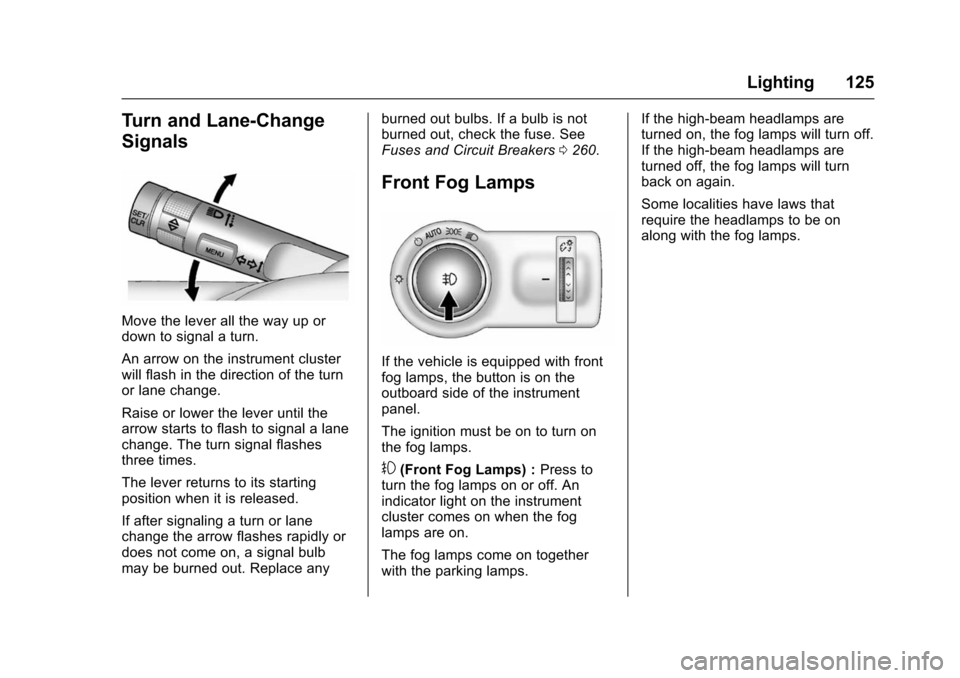
Turn and Lane-Change
Signals
Move the lever all the way up or
down to signal a turn.
An arrow on the instrument cluster
will flash in the direction of the turn
or lane change.
Raise or lower the lever until the
arrow starts to flash to signal a lane
change. The turn signal flashes
three times.
The lever returns to its starting
position when it is released.
If after signaling a turn or lane
change the arrow flashes rapidly or
does not come on, a signal bulb
may be burned out. Replace anyburned out bulbs. If a bulb is not
burned out, check the fuse. See
Fuses and Circuit Breakers
0260.
Front Fog Lamps
If the vehicle is equipped with front
fog lamps, the button is on the
outboard side of the instrument
panel.
The ignition must be on to turn on
the fog lamps.
#(Front Fog Lamps) : Press to
turn the fog lamps on or off. An
indicator light on the instrument
cluster comes on when the fog
lamps are on.
The fog lamps come on together
with the parking lamps. If the high-beam headlamps are
turned on, the fog lamps will turn off.
If the high-beam headlamps are
turned off, the fog lamps will turn
back on again.
Some localities have laws that
require the headlamps to be on
along with the fog lamps.
Page 128 of 358
Chevrolet TRAX Owner Manual (GMNA-Localizing-U.S./Canada/Mexico-
9159371) - 2016 - crc - 5/21/15
Lighting 127
R(On) :Press to turn on the dome
lamps.
Reading Lamps
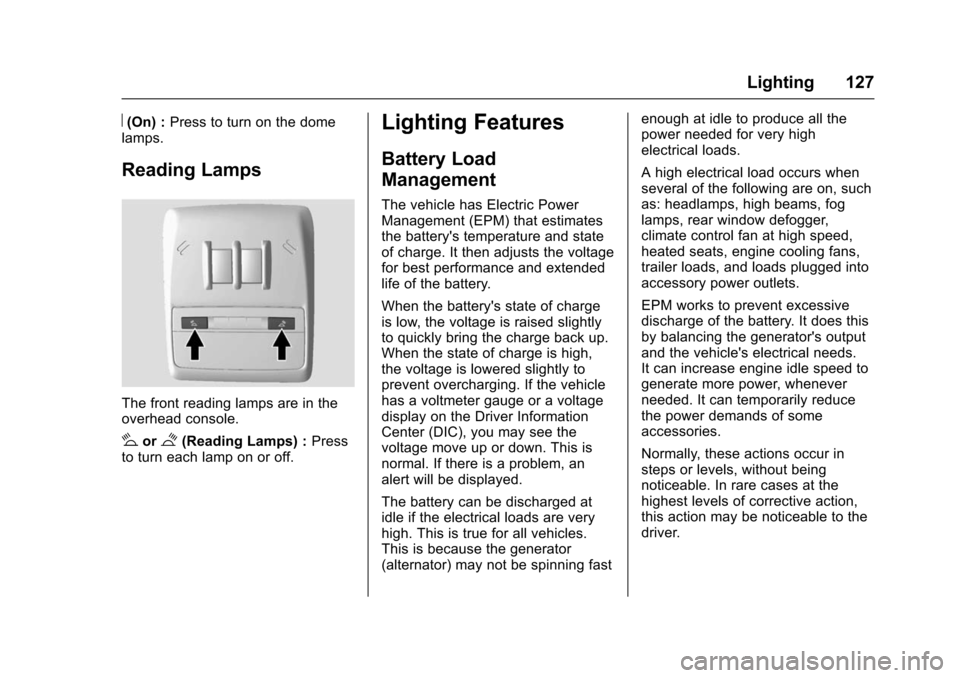
The front reading lamps are in the
overhead console.
#or$(Reading Lamps) : Press
to turn each lamp on or off.
Lighting Features
Battery Load
Management
The vehicle has Electric Power
Management (EPM) that estimates
the battery's temperature and state
of charge. It then adjusts the voltage
for best performance and extended
life of the battery.
When the battery's state of charge
is low, the voltage is raised slightly
to quickly bring the charge back up.
When the state of charge is high,
the voltage is lowered slightly to
prevent overcharging. If the vehicle
has a voltmeter gauge or a voltage
display on the Driver Information
Center (DIC), you may see the
voltage move up or down. This is
normal. If there is a problem, an
alert will be displayed.
The battery can be discharged at
idle if the electrical loads are very
high. This is true for all vehicles.
This is because the generator
(alternator) may not be spinning fast enough at idle to produce all the
power needed for very high
electrical loads.
A high electrical load occurs when
several of the following are on, such
as: headlamps, high beams, fog
lamps, rear window defogger,
climate control fan at high speed,
heated seats, engine cooling fans,
trailer loads, and loads plugged into
accessory power outlets.
EPM works to prevent excessive
discharge of the battery. It does this
by balancing the generator's output
and the vehicle's electrical needs.
It can increase engine idle speed to
generate more power, whenever
needed. It can temporarily reduce
the power demands of some
accessories.
Normally, these actions occur in
steps or levels, without being
noticeable. In rare cases at the
highest levels of corrective action,
this action may be noticeable to the
driver.
Page 188 of 358
Chevrolet TRAX Owner Manual (GMNA-Localizing-U.S./Canada/Mexico-
9159371) - 2016 - crc - 5/21/15
Climate Controls 187
fan control to 0 turns the fan off. The
fan must be turned on to run the air
conditioning compressor.
Air Delivery Mode Control :Turn
clockwise or counterclockwise to
change the current airflow mode.
Select from the following air delivery
modes:
Y(Vent) : Air is directed to the
instrument panel outlets.
\(Bi-Level) : Air is divided
between the instrument panel and
floor outlets.
[(Floor) : Air is directed to the
floor outlets, with some air directed
to the rear outlets.
W(Defog) : This mode clears the
windows of fog or moisture. Air is
directed to the floor, windshield, and
side window outlets.
1(Defrost) : This mode clears the
windshield of fog or frost more
quickly. Air is directed to the
windshield and side window outlets.
Do not drive the vehicle until all
windows are clear. In defrost or defog mode, excessive
air conditioning use can cause the
windows to fog. If this happens,
change the air delivery mode to
Y
and reduce the fan speed.
#(Air Conditioning) :
If equipped
with air conditioning, follow these
steps to use the system. Turn
Ato
the desired speed. The air
conditioning does not operate when
the fan control knob is in the off
position. Press
#to turn the air
conditioning on and off. When
#is
pressed, an indicator light comes on
to show that the air conditioning
is on.
For quick cool down on hot days, do
the following:
1. Open the windows to let hot air escape.
2. Press
M.
3. Press
#.
4. Select the coolest temperature.
5. Select the highest
Aspeed. Using these settings together for
long periods of time may cause the
air inside the vehicle to become too
dry. To prevent this from happening,
after the air in the vehicle has
cooled, turn the recirculation
mode off.
M(Recirculation) :
This mode
recirculates and helps to quickly
cool the air inside the vehicle. It can
be used to prevent outside air and
odors from entering the vehicle.
Press the button to turn the
recirculation mode on. An indicator
light comes on to show that the
recirculation is on. Press the button
again to return to outside air mode.
Using the recirculation mode for
extended periods may cause the
windows to fog. If this happens,
select the defrost mode.
Max
#is available when the air
conditioning is selected and the
temperature is set to the coolest
setting while the outside air
temperature is warm. When Max
#
is activated, the air inside the
vehicle is automatically recirculated,