key CHEVROLET TRAX 2017 1.G Repair Manual
[x] Cancel search | Manufacturer: CHEVROLET, Model Year: 2017, Model line: TRAX, Model: CHEVROLET TRAX 2017 1.GPages: 373, PDF Size: 6.53 MB
Page 291 of 373
Chevrolet TRAX Owner Manual (GMNA-Localizing-U.S./Canada/Mexico-
10122735) - 2017 - crc - 7/12/16
290 Vehicle Care
installed and the sensor
matching process is performed
successfully. See your dealer for
service.
. Replacement tires or wheels do
not match the original equipment
tires or wheels. Tires and wheels
other than those recommended
could prevent the TPMS from
functioning properly. See Buying
New Tires 0293.
. Operating electronic devices or
being near facilities using radio
wave frequencies similar to the
TPMS could cause the TPMS
sensors to malfunction.
If the TPMS is not functioning
properly, it cannot detect or signal a
low tire condition. See your dealer
for service if the TPMS malfunction
light and DIC message, if equipped,
come on and stay on.
TPMS Sensor Matching
Process
Each TPMS sensor has a unique
identification code. The identification
code needs to be matched to a new
tire/wheel position after rotating the vehicle’s tires or replacing one or
more of the TPMS sensors. Also,
the TPMS sensor matching process
should be performed after replacing
a spare tire with a road tire
containing the TPMS sensor. The
malfunction light and the DIC
message, if equipped, should go off
at the next ignition cycle. The
sensors are matched to the tire/
wheel positions, using a TPMS
relearn tool, in the following order:
driver side front tire, passenger side
front tire, passenger side rear tire,
and driver side rear. See your
dealer for service or to purchase a
relearn tool. A TPMS relearn tool
can also be purchased. See Tire
Pressure Monitor Sensor Activation
Tool at
www.gmtoolsandequipment.com or
call 1-800-GM TOOLS
(1-800-468-6657).
There are two minutes to match the
first tire/wheel position, and
five minutes overall to match all four
tire/wheel positions. If it takes
longer, the matching process stops
and must be restarted.
The TPMS sensor matching
process is:
1. Set the parking brake.
2. Turn the ignition to ON/RUN with the engine off or place the
vehicle power mode in ON/
RUN/START. See Ignition
Positions (Key Access) 0203
or Ignition Positions (Keyless
Access) 0205.
3. Use the MENU button to select the Vehicle Information Menu
(Menu 2) in the Driver
Information Center (DIC). See
Driver Information Center
(DIC) 0125.
4. Use the thumbwheel (or up and down arrows) to scroll to the
Tire Pressure Menu Item
screen.
5. Press and hold the SET/CLR button to begin the sensor
matching process.
A message requesting
acceptance of the process may
display.
Page 316 of 373
Chevrolet TRAX Owner Manual (GMNA-Localizing-U.S./Canada/Mexico-
10122735) - 2017 - crc - 7/12/16
Vehicle Care 315
Steering, Suspension, and
Chassis Components
Visually inspect steering,
suspension, and chassis
components for damaged, loose,
or missing parts or signs of wear at
least once a year.
Inspect power steering for proper
attachment, connections, binding,
leaks, cracks, chafing, etc.
Visually check constant velocity joint
boots and axle seals for leaks.
Body Component Lubrication
Lubricate all key lock cylinders,
hood hinges, liftgate hinges, and the
steel fuel door hinges, unless the
components are plastic. Applying
silicone grease on weatherstrips
with a clean cloth will make them
last longer, seal better, and not stick
or squeak.
Underbody Maintenance
At least twice a year, spring and fall,
use plain water to flush any
corrosive materials from theunderbody. Take care to thoroughly
clean any areas where mud and
other debris can collect.
Do not directly power wash the
transfer case and/or front/rear axle
output seals. High pressure water
can overcome the seals and
contaminate the fluid. Contaminated
fluid will decrease the life of the
transfer case and/or axles and
should be replaced.
Sheet Metal Damage
If the vehicle is damaged and
requires sheet metal repair or
replacement, make sure the body
repair shop applies anti-corrosion
material to parts repaired or
replaced to restore corrosion
protection.
Original manufacturer replacement
parts will provide the corrosion
protection while maintaining the
vehicle warranty.
Finish Damage
Quickly repair minor chips and
scratches with touch-up materials
available from your dealer to avoidcorrosion. Larger areas of finish
damage can be corrected in your
dealer's body and paint shop.
Chemical Paint Spotting
Airborne pollutants can fall upon
and attack painted vehicle surfaces
causing blotchy, ring-shaped
discolorations, and small, irregular
dark spots etched into the paint
surface. See
“Finish Care”
previously in this section.
Interior Care
To prevent dirt particle abrasions,
regularly clean the vehicle's interior.
Immediately remove any soils.
Newspapers or dark garments can
transfer color to the vehicle’s
interior.
Use a soft bristle brush to remove
dust from knobs and crevices on the
instrument cluster. Using a mild
soap solution, immediately remove
hand lotions, sunscreen, and insect
repellent from all interior surfaces or
permanent damage may result.
Page 332 of 373
Chevrolet TRAX Owner Manual (GMNA-Localizing-U.S./Canada/Mexico-
10122735) - 2017 - crc - 7/12/16
Service and Maintenance 331
UsageFluid/Lubricant
Key Lock Cylinders, Hood and Door Hinges Multi-Purpose Lubricant, Superlube (GM Part No. 12346241, in
Canada 10953474).
Weatherstrip Conditioning Weatherstrip Lubricant (GM Part No. 3634770, in Canada 10953518) or Dielectric Silicone Grease (GM Part No. 12345579, in Canada 10953481).
Maintenance Replacement Parts
Replacement parts identified below by name, part number, or specification can be obtained from your dealer.
Part GM Part Number ACDelco Part Number
Engine Air Cleaner/Filter 95021102 A3184C
Engine Oil Filter 55594651 PF2257G
Passenger Compartment Air Filter 13271190 CF181
Spark Plugs 1.4L L4 55585517 41-121
1.8L L4 25193473 —
Wiper Blades
Driver Side –65.0 cm (25.6 in) 94531969 —
Passenger Side –38.0 cm (15.0 in) 95915127 —
Rear –26.5 cm (10.4 in) 95915137 —
Page 353 of 373
Chevrolet TRAX Owner Manual (GMNA-Localizing-U.S./Canada/Mexico-
10122735) - 2017 - crc - 7/12/16
352 OnStar
.Obtain and customize the Wi-Fi®
hotspot name or SSID and
password, if equipped.
Press
Qto connect to an
Advisor to:
. Verify account information or
update contact information.
. Get driving directions.
. Receive a Diagnostic check of
the vehicle's key operating
systems.
. Receive Roadside Assistance.
. Manage Wi-Fi Settings,
if equipped.
Press
>to get a priority connection
to an OnStar Advisor available
24/7 to:
. Get help for an emergency.
. Be a Good Samaritan or
respond to an AMBER Alert.
. Get assistance in severe
weather or other crisis situations
and find evacuation routes.
OnStar Services
Emergency
Emergency Services require an
active, OnStar service plan
(excludes Basic Plan). With
Automatic Crash Response, built-in
sensors can automatically alert a
specially trained OnStar Advisor
who is immediately connected in to
the vehicle to help.
Press
>for a priority connection to
an OnStar Advisor who can contact
emergency service providers, direct
them to your exact location, and
relay important information.
With OnStar Crisis Assist, specially
trained Advisors are available
24 hours a day, 7 days a week, to
provide a central point of contact,
assistance, and information during a
crisis.
With Roadside Assistance, Advisors
can locate a nearby service provider
to help with a flat tire, a battery
jump, or an empty gas tank.
Security
If equipped, OnStar provides these
services:
. With Stolen Vehicle Assistance,
OnStar Advisors can use GPS to
pinpoint the vehicle and help
authorities quickly recover it.
. With Remote Ignition Block™,
if equipped, OnStar can block
the engine from being restarted.
. With Stolen Vehicle Slowdown
®,
if equipped, OnStar can work
with law enforcement to
gradually slow the vehicle down.
Theft Alarm Notification
If equipped, if the doors are locked
and the vehicle alarm sounds, a
notification by text, e-mail, or phone
call will be sent. If the vehicle is
stolen, an OnStar Advisor can work
with authorities to recover the
vehicle.
Navigation
OnStar navigation requires a
specific OnStar service plan.
Page 356 of 373
Chevrolet TRAX Owner Manual (GMNA-Localizing-U.S./Canada/Mexico-
10122735) - 2017 - crc - 7/12/16
OnStar 355
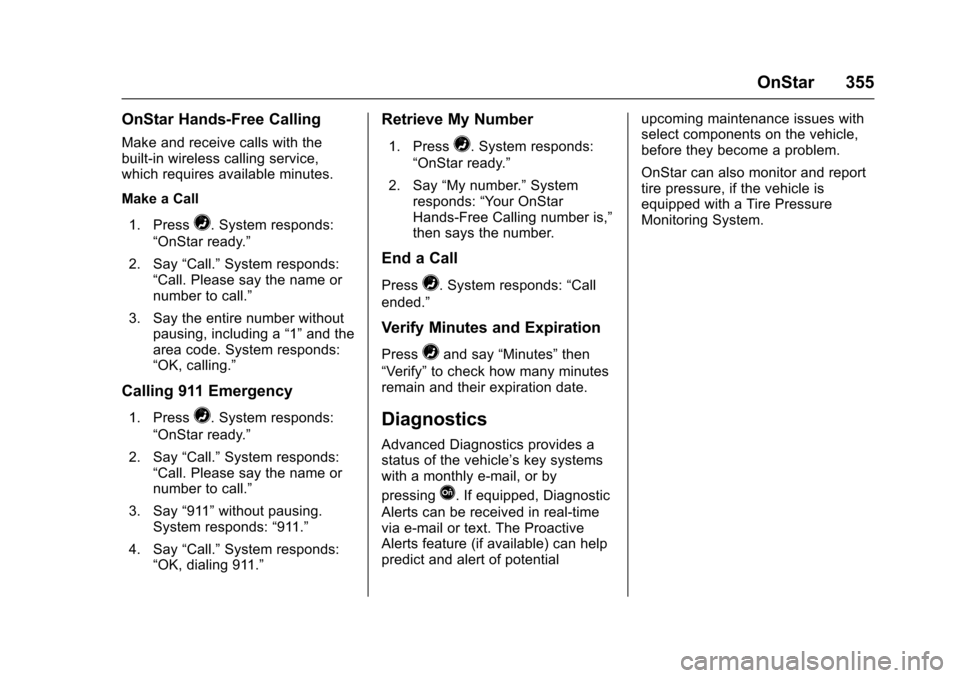
OnStar Hands-Free Calling
Make and receive calls with the
built-in wireless calling service,
which requires available minutes.
Make a Call1. Press
=. System responds:
“OnStar ready.”
2. Say “Call.”System responds:
“Call. Please say the name or
number to call.”
3. Say the entire number without pausing, including a “1”and the
area code. System responds:
“OK, calling.”
Calling 911 Emergency
1. Press=. System responds:
“OnStar ready.”
2. Say “Call.”System responds:
“Call. Please say the name or
number to call.”
3. Say “911”without pausing.
System responds: “911.”
4. Say “Call.”System responds:
“OK, dialing 911.”
Retrieve My Number
1. Press=. System responds:
“OnStar ready.”
2. Say “My number.” System
responds: “Your OnStar
Hands-Free Calling number is,”
then says the number.
End a Call
Press=. System responds: “Call
ended.”
Verify Minutes and Expiration
Press=and say “Minutes” then
“Verify” to check how many minutes
remain and their expiration date.
Diagnostics
Advanced Diagnostics provides a
status of the vehicle’ s key systems
with a monthly e-mail, or by
pressing
Q. If equipped, Diagnostic
Alerts can be received in real-time
via e-mail or text. The Proactive
Alerts feature (if available) can help
predict and alert of potential upcoming maintenance issues with
select components on the vehicle,
before they become a problem.
OnStar can also monitor and report
tire pressure, if the vehicle is
equipped with a Tire Pressure
Monitoring System.
Page 367 of 373

Chevrolet TRAX Owner Manual (GMNA-Localizing-U.S./Canada/Mexico-
10122735) - 2017 - crc - 7/12/16
366 Index
Interior Rearview Mirrors . . . . . . . . . 46
Introduction . . . . . . . . . . . . . . . . . . . . . . . 2
J
Jump Starting - NorthAmerica . . . . . . . . . . . . . . . . . . . . . . . 305
K
Key and Lock Messages . . . . . . . . 133
Keyless EntryRemote (RKE) System . . . . . 28, 31
Keys . . . . . . . . . . . . . . . . . . . . . . . . . 25, 27
L
Labeling, Tire Sidewall . . . . . . . . . . 281
Lamps Courtesy . . . . . . . . . . . . . . . . . . . . . . 149
Daytime Running (DRL) . . . . . . 147
Dome . . . . . . . . . . . . . . . . . . . . . . . . . 149
Exterior Controls . . . . . . . . . . . . . . 146
Front Fog . . . . . . . . . . . . . . . . . . . . . 148
Headlamps, Front TurnSignal, and Parking
Lamps . . . . . . . . . . . . . . . . . . . . . . 265
License Plate . . . . . . . . . . . . . . . . . 270
Malfunction Indicator . . . . . . . . . .116
Messages . . . . . . . . . . . . . . . . . . . . 133
On Reminder . . . . . . . . . . . . . . . . . 124 Lamps (cont'd)
Reading . . . . . . . . . . . . . . . . . . . . . . 150
Lane Departure Warning (LDW) . . . . . . . . . . . . . . . . 231
Lane Departure Warning Light . . . . . . . . . . . . . . . . . . . . . . . . . . 120
Lap-Shoulder Belt . . . . . . . . . . . . . . . 63
LATCH System Replacing Parts after a
Crash . . . . . . . . . . . . . . . . . . . . . . . . . 93
LATCH, Lower Anchors and Tethers for Children . . . . . . . . . . . . 86
LED Lighting . . . . . . . . . . . . . . . . . . . . 264
Liftgate . . . . . . . . . . . . . . . . . . . . . . . . . . 40
Lighting Entry . . . . . . . . . . . . . . . . . . . . . . . . . 150
Exit . . . . . . . . . . . . . . . . . . . . . . . . . . . 150
Illumination Control . . . . . . . . . . . 149
LED . . . . . . . . . . . . . . . . . . . . . . . . . . 264
Lights . . . . . . . . . . . . . . . . . . . . . . . . . . . 120 Airbag Readiness . . . . . . . . . . . . . .114
Antilock Brake System(ABS) Warning . . . . . . . . . . . . . . .119
Brake System Warning . . . . . . . .118
Charging System . . . . . . . . . . . . . .116
Cruise Control . . . . . . . . . . . . . . . . 124
Door Ajar . . . . . . . . . . . . . . . . . . . . . 124 Lights (cont'd)
Engine Coolant
Temperature Warning . . . . . . . 121
Engine Oil Pressure . . . . . . . . . . 122
Flash-to-Pass . . . . . . . . . . . . . . . . . 147
Front Fog Lamp . . . . . . . . . . . . . . 124
High-Beam On . . . . . . . . . . . . . . . . 124
High/Low Beam Changer . . . . . 146
Immobilizer . . . . . . . . . . . . . . . . . . . 123
Lane Departure Warning . . . . . . 120
Low Fuel Warning . . . . . . . . . . . . 123
Operate Pedal . . . . . . . . . . . . . . . . .119
Reduced Engine Power . . . . . . 123
Safety Belt Reminders . . . . . . . . .114
Service Vehicle Soon . . . . . . . . . .118
StabiliTrak
®OFF . . . . . . . . . . . . . 121
Tire Pressure . . . . . . . . . . . . . . . . . 122
Traction Control System (TCS)/StabiliTrak
®. . . . . . . . . . 121
Traction Off . . . . . . . . . . . . . . . . . . . 120
Ultrasonic Parking Sensor . . . . 120
Up-Shift . . . . . . . . . . . . . . . . . . . . . . .119
Warning, Power Steering . . . . . .119
Locks Automatic Door . . . . . . . . . . . . . . . . . 39
Delayed Locking . . . . . . . . . . . . . . . . 38
Door . . . . . . . . . . . . . . . . . . . . . . . . . . . . 37
Lockout Protection . . . . . . . . . . . . . . 39
Page 368 of 373

Chevrolet TRAX Owner Manual (GMNA-Localizing-U.S./Canada/Mexico-
10122735) - 2017 - crc - 7/12/16
Index 367
Locks (cont'd)Power Door . . . . . . . . . . . . . . . . . . . . . 38
Safety . . . . . . . . . . . . . . . . . . . . . . . . . . 40
Loss of Control . . . . . . . . . . . . . . . . . 195
Low Fuel Warning Light . . . . . . . . . 123
Lower Anchors and Tethers
for Children (LATCH
System) . . . . . . . . . . . . . . . . . . . . . . . . 86
Lumbar Adjustment . . . . . . . . . . . . . . 54
Front Seats . . . . . . . . . . . . . . . . . . . . . 54
M
MaintenanceRecords . . . . . . . . . . . . . . . . . . . . . . 332
Maintenance and Care Additional . . . . . . . . . . . . . . . . . . . . . 327
Maintenance Schedule . . . . . . . . . 322 Recommended Fluids andLubricants . . . . . . . . . . . . . . . . . . . 330
Malfunction Indicator Lamp . . . . . 116
Manual Mode . . . . . . . . . . . . . . . . . . . 215
Manual Transmission . . . . . . . . . . . 216 Fluid . . . . . . . . . . . . . . . . . . . . . . . . . . 250
Media
Avoiding Untrusted Devices . . 165
Messages Battery Voltage andCharging . . . . . . . . . . . . . . . . . . . . 131
Brake System . . . . . . . . . . . . . . . . 131 Messages (cont'd)
Compass . . . . . . . . . . . . . . . . . . . . . 131
Door Ajar . . . . . . . . . . . . . . . . . . . . . 131
Engine Cooling System . . . . . . . 132
Engine Oil . . . . . . . . . . . . . . . . . . . . 132
Engine Power . . . . . . . . . . . . . . . . 132
Fuel System . . . . . . . . . . . . . . . . . . 133
Key and Lock . . . . . . . . . . . . . . . . . 133
Lamp . . . . . . . . . . . . . . . . . . . . . . . . . 133
Object Detection System . . . . . 134
Ride Control System . . . . . . . . . . 135
Security . . . . . . . . . . . . . . . . . . . . . . 135
Service Vehicle . . . . . . . . . . . . . . . 135
Tire . . . . . . . . . . . . . . . . . . . . . . . . . . . 135
Transmission . . . . . . . . . . . . . . . . . 136
Vehicle . . . . . . . . . . . . . . . . . . 129, 130
Vehicle Reminder . . . . . . . . . . . . . 136
Window . . . . . . . . . . . . . . . . . . . . . . . 136
Mirrors Automatic DimmingRearview . . . . . . . . . . . . . . . . . . . . . . 46
Convex . . . . . . . . . . . . . . . . . . . . . . . . . 45
Folding . . . . . . . . . . . . . . . . . . . . . . . . . 45
Heated . . . . . . . . . . . . . . . . . . . . . . . . . 45
Manual Rearview . . . . . . . . . . . . . . . 46
Power . . . . . . . . . . . . . . . . . . . . . . . . . . 45
Mirrors, Interior Rearview . . . . . . . . 46 Monitor System, Tire
Pressure . . . . . . . . . . . . . . . . . . . . . . 287
Multi-band Antenna . . . . . . . . . . . . . 165
N
Navigation OnStar®. . . . . . . . . . . . . . . . . . . . . . 352
Net, Convenience . . . . . . . . . . . . . . 101
New Vehicle Break-In . . . . . . . . . . . 203
O
Object Detection System Messages . . . . . . . . . . . . . . . . . . . . . 134
Odometer . . . . . . . . . . . . . . . . . . . . . . . 113 Trip . . . . . . . . . . . . . . . . . . . . . . . . . . . .113
Off-Road Recovery . . . . . . . . . . . . . . . . . . . . . 195
Oil Engine . . . . . . . . . . . . . . . . . . . . . . . . 246
Engine Oil Life System . . . . . . . 248
Messages . . . . . . . . . . . . . . . . . . . . 132
Pressure Light . . . . . . . . . . . . . . . . 122
Older Children, Restraints . . . . . . . 79
Online Owner Center . . . . . . . . . . . 340
OnStar . . . . . . . . . . . . . . . . . . . . . . . . . 349
OnStar
®Additional
Information . . . . . . . . . . . . . . . . . . . . 356
OnStar
®Connections . . . . . . . . . . . 353
OnStar®Diagnostics . . . . . . . . . . . . 355
Page 370 of 373

Chevrolet TRAX Owner Manual (GMNA-Localizing-U.S./Canada/Mexico-
10122735) - 2017 - crc - 7/12/16
Index 369
Reimbursement Program,GM Mobility . . . . . . . . . . . . . . . . . . . 341
Remote Keyless Entry (RKE) System . . . . . . . . . . . . . . 28, 31
Remote Vehicle Start . . . . . . . . . . . . 36
Replacement Bulbs . . . . . . . . . . . . . 271
Replacement Parts Airbags . . . . . . . . . . . . . . . . . . . . . . . . . 79
Maintenance . . . . . . . . . . . . . . . . . . 331
Replacing Airbag System . . . . . . . . 79
Replacing LATCH System Parts after a Crash . . . . . . . . . . . . . 93
Replacing Safety Belt System Parts after a Crash . . . . . . . . . . . . . 67
Reporting Safety Defects Canadian Government . . . . . . . . 348
General Motors . . . . . . . . . . . . . . . 348
U.S. Government . . . . . . . . . . . . . 347
Restraints Where to Put . . . . . . . . . . . . . . . . . . . 85
Retained Accessory
Power (RAP) . . . . . . . . . . . . . . . . . . 210
Ride Control Systems Messages . . . . . . . . . . . . . . . . . . . . 135
Roads
Driving, Wet . . . . . . . . . . . . . . . . . . 196
Roadside Assistance Program . . . . . . . . . . . . . . . . . . . . . . . 341 Roof
Sunroof . . . . . . . . . . . . . . . . . . . . . . . . . 49
Roof Rack System . . . . . . . . . . . . . . 102
Rotation, Tires . . . . . . . . . . . . . . . . . . 291
Routing, Engine Drive Belt . . . . . . 336
Running the Vehicle While Parked . . . . . . . . . . . . . . . . . . . . . . . . 213
S
Safety Belts . . . . . . . . . . . . . . . . . . . . . 61
Care . . . . . . . . . . . . . . . . . . . . . . . . . . . . 67
Extender . . . . . . . . . . . . . . . . . . . . . . . . 66
How to Wear Safety BeltsProperly . . . . . . . . . . . . . . . . . . . . . . . 62
Lap-Shoulder Belt . . . . . . . . . . . . . . 63
Reminders . . . . . . . . . . . . . . . . . . . . .114
Replacing after a Crash . . . . . . . . 67
Use During Pregnancy . . . . . . . . . . 66
Safety Defects Reporting Canadian Government . . . . . . . . 348
General Motors . . . . . . . . . . . . . . . 348
U.S. Government . . . . . . . . . . . . . 347
Safety Locks . . . . . . . . . . . . . . . . . . . . . 40
Safety System Check . . . . . . . . . . . . 66
Satellite Radio . . . . . . . . . . . . . . . . . . 163
Scheduling Appointments . . . . . . . 343
Seats Adjustment, Front . . . . . . . . . . . . . . . 53
Folding Seatback . . . . . . . . . . . . . . . 57 Seats (cont'd)
Head Restraints . . . . . . . . . . . . . . . . 52
Heated Front . . . . . . . . . . . . . . . . . . . 56
Lumbar Adjustment, Front . . . . . . 54
Power Adjustment, Front . . . . . . . 54
Rear . . . . . . . . . . . . . . . . . . . . . . . . . . . . 58
Reclining Seatbacks . . . . . . . . . . . . 55
Underseat Storage . . . . . . . . . . . 100
Securing Child Restraints . . . . 93, 95
Security
Messages . . . . . . . . . . . . . . . . . . . . 135
OnStar
®. . . . . . . . . . . . . . . . . . . . . . 352
Vehicle . . . . . . . . . . . . . . . . . . . . . . . . . 42
Vehicle Alarm . . . . . . . . . . . . . . . . . . . 42
Service . . . . . . . . . . . . . . . . . . . . . . . . . 190 Accessories andModifications . . . . . . . . . . . . . . . . 240
Climate Control System . . . . . . . 186
Doing Your Own Work . . . . . . . . 240
Engine Soon Light . . . . . . . . . . . . .116
Maintenance Records . . . . . . . . 332
Maintenance, General Information . . . . . . . . . . . . . . . . . . 320
Parts Identification Label . . . . . 333
Publications Ordering Information . . . . . . . . . . . . . . . . . . 346
Scheduling Appointments . . . . . 343
Vehicle Messages . . . . . . . . . . . . 135