window CHEVROLET TRAX 2017 1.G Owners Manual
[x] Cancel search | Manufacturer: CHEVROLET, Model Year: 2017, Model line: TRAX, Model: CHEVROLET TRAX 2017 1.GPages: 373, PDF Size: 6.53 MB
Page 2 of 373

Chevrolet TRAX Owner Manual (GMNA-Localizing-U.S./Canada/Mexico-
10122735) - 2017 - crc - 7/12/16
ContentsIntroduction . . . . . . . . . . . . . . . . . . . . . . 2
In Brief . . . . . . . . . . . . . . . . . . . . . . . . . . . 5
Keys, Doors, and Windows . . . . . 25
Seats and Restraints . . . . . . . . . . . 51
Storage . . . . . . . . . . . . . . . . . . . . . . . . . 99
Instruments and Controls . . . . . . 103
Lighting . . . . . . . . . . . . . . . . . . . . . . . 146
Infotainment System . . . . . . . . . . 152
Climate Controls . . . . . . . . . . . . . . 186
Driving and Operating . . . . . . . . . 191
Vehicle Care . . . . . . . . . . . . . . . . . . 238
Service and Maintenance . . . . . 320
Technical Data . . . . . . . . . . . . . . . . 333
Customer Information . . . . . . . . . 337
Reporting Safety Defects . . . . . . 347
OnStar . . . . . . . . . . . . . . . . . . . . . . . . 351
Index . . . . . . . . . . . . . . . . . . . . 361
Page 6 of 373
Chevrolet TRAX Owner Manual (GMNA-Localizing-U.S./Canada/Mexico-
10122735) - 2017 - crc - 7/12/16
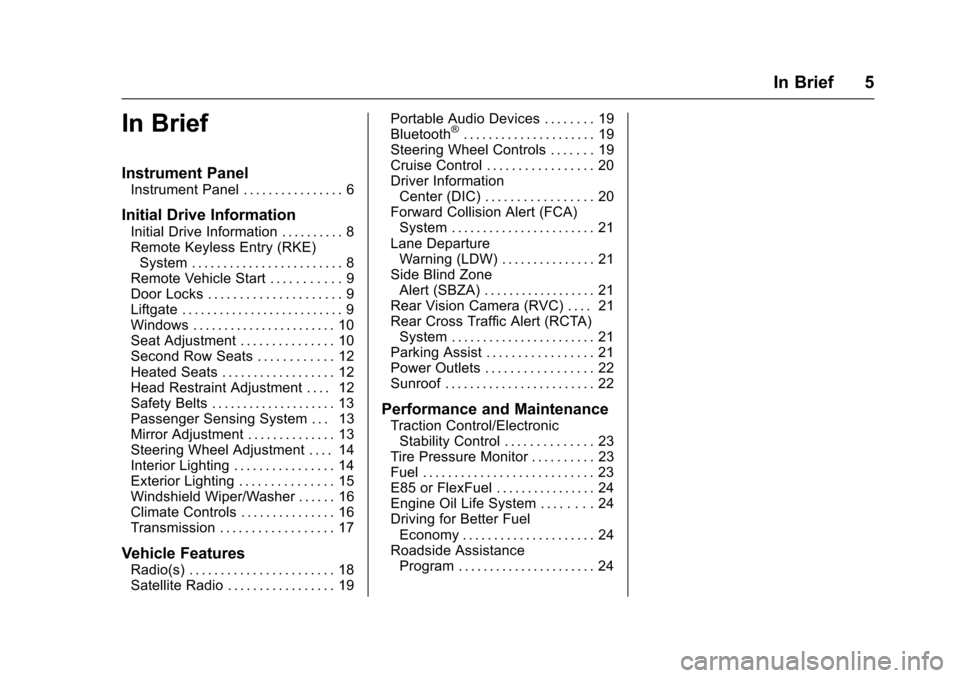
In Brief 5
In Brief
Instrument Panel
Instrument Panel . . . . . . . . . . . . . . . . 6
Initial Drive Information
Initial Drive Information . . . . . . . . . . 8
Remote Keyless Entry (RKE)System . . . . . . . . . . . . . . . . . . . . . . . . 8
Remote Vehicle Start . . . . . . . . . . . 9
Door Locks . . . . . . . . . . . . . . . . . . . . . 9
Liftgate . . . . . . . . . . . . . . . . . . . . . . . . . . 9
Windows . . . . . . . . . . . . . . . . . . . . . . . 10
Seat Adjustment . . . . . . . . . . . . . . . 10
Second Row Seats . . . . . . . . . . . . 12
Heated Seats . . . . . . . . . . . . . . . . . . 12
Head Restraint Adjustment . . . . 12
Safety Belts . . . . . . . . . . . . . . . . . . . . 13
Passenger Sensing System . . . 13
Mirror Adjustment . . . . . . . . . . . . . . 13
Steering Wheel Adjustment . . . . 14
Interior Lighting . . . . . . . . . . . . . . . . 14
Exterior Lighting . . . . . . . . . . . . . . . 15
Windshield Wiper/Washer . . . . . . 16
Climate Controls . . . . . . . . . . . . . . . 16
Transmission . . . . . . . . . . . . . . . . . . 17
Vehicle Features
Radio(s) . . . . . . . . . . . . . . . . . . . . . . . 18
Satellite Radio . . . . . . . . . . . . . . . . . 19 Portable Audio Devices . . . . . . . . 19
Bluetooth
®. . . . . . . . . . . . . . . . . . . . . 19
Steering Wheel Controls . . . . . . . 19
Cruise Control . . . . . . . . . . . . . . . . . 20
Driver Information Center (DIC) . . . . . . . . . . . . . . . . . 20
Forward Collision Alert (FCA) System . . . . . . . . . . . . . . . . . . . . . . . 21
Lane Departure Warning (LDW) . . . . . . . . . . . . . . . 21
Side Blind Zone Alert (SBZA) . . . . . . . . . . . . . . . . . . 21
Rear Vision Camera (RVC) . . . . 21
Rear Cross Traffic Alert (RCTA) System . . . . . . . . . . . . . . . . . . . . . . . 21
Parking Assist . . . . . . . . . . . . . . . . . 21
Power Outlets . . . . . . . . . . . . . . . . . 22
Sunroof . . . . . . . . . . . . . . . . . . . . . . . . 22
Performance and Maintenance
Traction Control/Electronic Stability Control . . . . . . . . . . . . . . 23
Tire Pressure Monitor . . . . . . . . . . 23
Fuel . . . . . . . . . . . . . . . . . . . . . . . . . . . 23
E85 or FlexFuel . . . . . . . . . . . . . . . . 24
Engine Oil Life System . . . . . . . . 24
Driving for Better Fuel Economy . . . . . . . . . . . . . . . . . . . . . 24
Roadside Assistance Program . . . . . . . . . . . . . . . . . . . . . . 24
Page 8 of 373

Chevrolet TRAX Owner Manual (GMNA-Localizing-U.S./Canada/Mexico-
10122735) - 2017 - crc - 7/12/16
In Brief 7
1.Air Vents 0188.
2. Turn Signal Lever. See Turn
and Lane-Change
Signals 0148.
Headlamp High/Low-Beam
Changer 0146.
3. Instrument Cluster 0111.
4. Windshield Wiper/
Washer 0105.
Rear Window Wiper/
Washer 0106.
5. Light Sensor. See Automatic
Headlamp System 0147.
6. Infotainment 0152.
7. Lane Departure Warning
(LDW) 0231 (If Equipped).
8. Hazard Warning
Flashers 0148.
9. Power Outlets 0109.
10. Passenger Safety Belt Reminder Light. See Safety
Belt Reminders 0114.
11. Shift Lever. See Automatic
Transmission 0214 orManual
Transmission 0216. 12.
Parking Brake 0219.
13. USB Port 0165.
14. Climate Control
Systems 0186.
15. Traction Control/Electronic Stabilty Control Button. See
Traction Control/Electronic
Stability Control 0221.
16. Ignition Positions (Key Access)
0203 orIgnition Positions
(Keyless Access) 0205.
17. Steering Wheel Controls 0104.
18. Horn 0105.
19. Steering Wheel
Adjustment 0104.
20. Cruise Control 0223 (If
Equipped).
Forward Collision Alert (FCA)
System 0228 (If Equipped).
21. Instrument Panel Storage 099
(If Equipped).
22. Data Link Connector (DLC) (Out of View). See Malfunction
Indicator Lamp (Check Engine
Light) 0116. 23. Hood Release. See
Hood 0241.
24. Exterior Lamp Controls 0146.
Instrument Panel Illumination
Control 0149.
Front Fog Lamps 0148 (If
Equipped).
Page 11 of 373
Chevrolet TRAX Owner Manual (GMNA-Localizing-U.S./Canada/Mexico-
10122735) - 2017 - crc - 7/12/16
10 In Brief
To open the liftgate, pressKon the
door lock switch or on the Remote
Keyless Entry (RKE) transmitter to
unlock all doors, then use the touch
pad on the liftgate.
The liftgate may also be opened
while the vehicle is locked by
pressing the touch pad while the
RKE transmitter is within 1 m (3 ft) of
the rear of the vehicle.
Press
Qon the door lock switch or
on the RKE transmitter to lock the
liftgate.
See Remote Keyless Entry (RKE)
System Operation (Keyless Access)
0 31 orRemote Keyless Entry
(RKE) System Operation (Key
Access) 028.
See Liftgate 040.
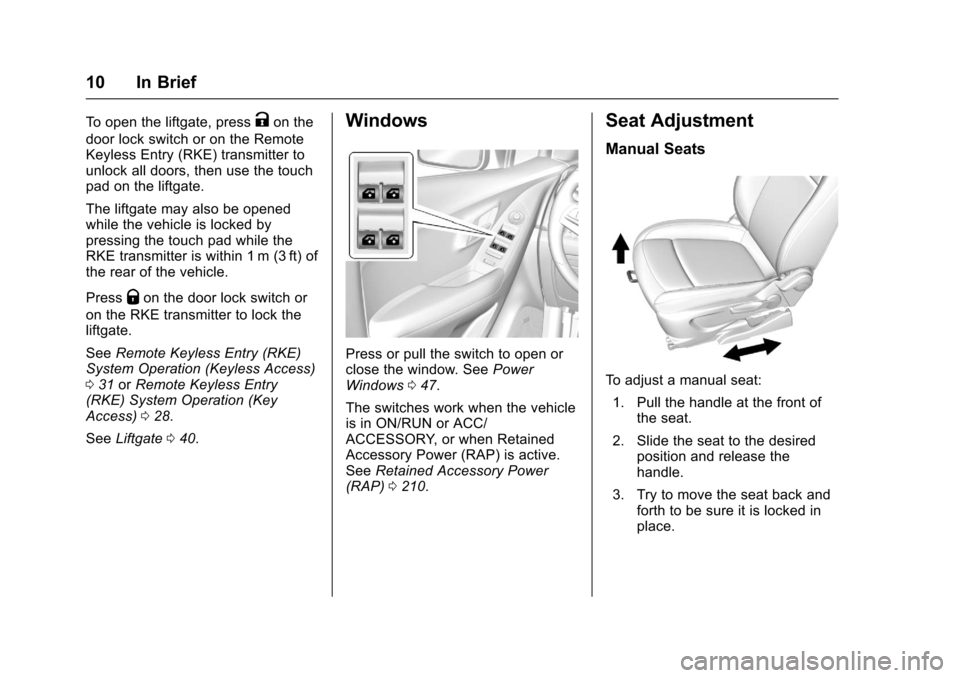
Windows
Press or pull the switch to open or
close the window. See Power
Windows 047.
The switches work when the vehicle
is in ON/RUN or ACC/
ACCESSORY, or when Retained
Accessory Power (RAP) is active.
See Retained Accessory Power
(RAP) 0210.
Seat Adjustment
Manual Seats
To adjust a manual seat:
1. Pull the handle at the front of the seat.
2. Slide the seat to the desired position and release the
handle.
3. Try to move the seat back and forth to be sure it is locked in
place.
Page 17 of 373
Chevrolet TRAX Owner Manual (GMNA-Localizing-U.S./Canada/Mexico-
10122735) - 2017 - crc - 7/12/16
16 In Brief
#:If equipped with fog lamps,
press to turn the lamps on or off.
See:
. Exterior Lamp Controls 0146.
. Daytime Running Lamps
(DRL) 0147.
. Front Fog Lamps 0148.
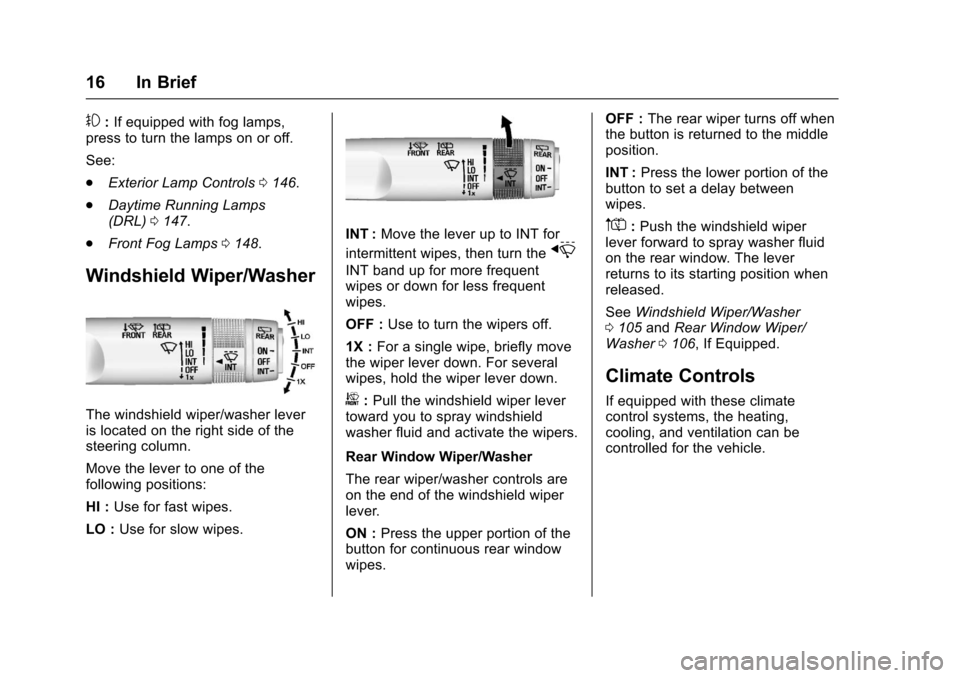
Windshield Wiper/Washer
The windshield wiper/washer lever
is located on the right side of the
steering column.
Move the lever to one of the
following positions:
HI : Use for fast wipes.
LO : Use for slow wipes.
INT : Move the lever up to INT for
intermittent wipes, then turn the
x
INT band up for more frequent
wipes or down for less frequent
wipes.
OFF : Use to turn the wipers off.
1X : For a single wipe, briefly move
the wiper lever down. For several
wipes, hold the wiper lever down.
b: Pull the windshield wiper lever
toward you to spray windshield
washer fluid and activate the wipers.
Rear Window Wiper/Washer
The rear wiper/washer controls are
on the end of the windshield wiper
lever.
ON : Press the upper portion of the
button for continuous rear window
wipes. OFF :
The rear wiper turns off when
the button is returned to the middle
position.
INT : Press the lower portion of the
button to set a delay between
wipes.
m=: Push the windshield wiper
lever forward to spray washer fluid
on the rear window. The lever
returns to its starting position when
released.
See Windshield Wiper/Washer
0 105 andRear Window Wiper/
Washer 0106, If Equipped.
Climate Controls
If equipped with these climate
control systems, the heating,
cooling, and ventilation can be
controlled for the vehicle.
Page 18 of 373
Chevrolet TRAX Owner Manual (GMNA-Localizing-U.S./Canada/Mexico-
10122735) - 2017 - crc - 7/12/16
In Brief 17
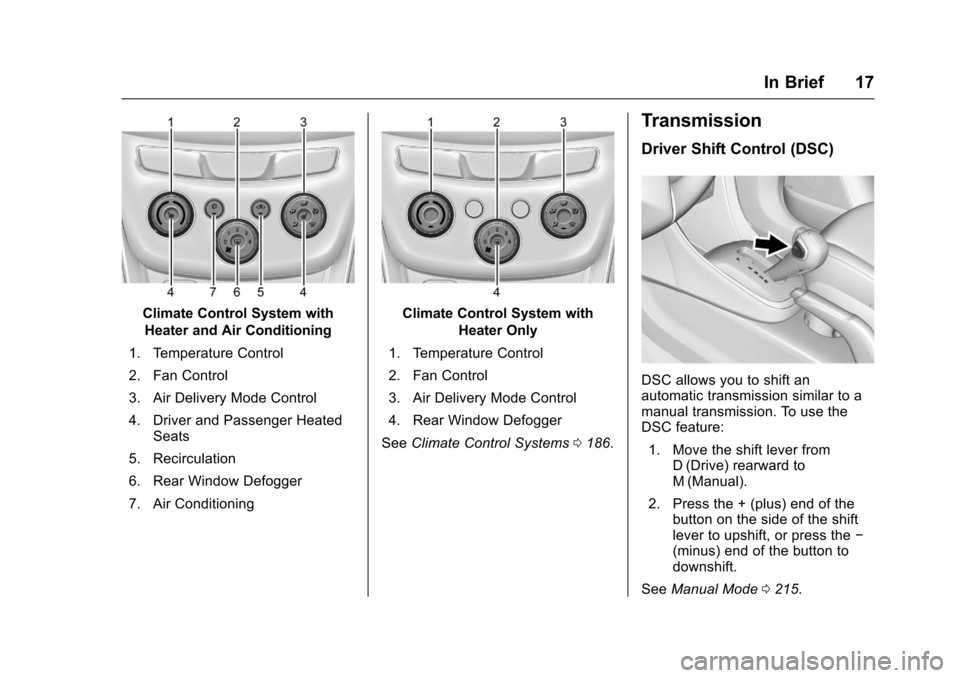
Climate Control System withHeater and Air Conditioning
1. Temperature Control
2. Fan Control
3. Air Delivery Mode Control
4. Driver and Passenger Heated Seats
5. Recirculation
6. Rear Window Defogger
7. Air ConditioningClimate Control System with Heater Only
1. Temperature Control
2. Fan Control
3. Air Delivery Mode Control
4. Rear Window Defogger
See Climate Control Systems 0186.
Transmission
Driver Shift Control (DSC)
DSC allows you to shift an
automatic transmission similar to a
manual transmission. To use the
DSC feature:
1. Move the shift lever from D (Drive) rearward to
M (Manual).
2. Press the + (plus) end of the button on the side of the shift
lever to upshift, or press the −
(minus) end of the button to
downshift.
See Manual Mode 0215.
Page 26 of 373
Chevrolet TRAX Owner Manual (GMNA-Localizing-U.S./Canada/Mexico-
10122735) - 2017 - crc - 7/12/16
Keys, Doors, and Windows 25
Keys, Doors, and
Windows
Keys and Locks
Keys (Key Access) . . . . . . . . . . . . 25
Keys (Keyless Access) . . . . . . . . 27
Remote Keyless Entry (RKE)System . . . . . . . . . . . . . . . . . . . . . . . 28
Remote Keyless Entry (RKE) System Operation (Key
Access) . . . . . . . . . . . . . . . . . . . . . . 28
Remote Keyless Entry (RKE) System Operation (Keyless
Access) . . . . . . . . . . . . . . . . . . . . . . 31
Remote Vehicle Start . . . . . . . . . . 36
Door Locks . . . . . . . . . . . . . . . . . . . . 37
Power Door Locks . . . . . . . . . . . . . 38
Delayed Locking . . . . . . . . . . . . . . . 38
Automatic Door Locks . . . . . . . . . 39
Lockout Protection . . . . . . . . . . . . . 39
Safety Locks . . . . . . . . . . . . . . . . . . . 40
Doors
Liftgate . . . . . . . . . . . . . . . . . . . . . . . . 40
Vehicle Security
Vehicle Security . . . . . . . . . . . . . . . . 42
Vehicle Alarm System . . . . . . . . . 42
Immobilizer . . . . . . . . . . . . . . . . . . . . 43 Immobilizer Operation (Key
Access) . . . . . . . . . . . . . . . . . . . . . . 43
Immobilizer Operation (Keyless Access) . . . . . . . . . . . . . . . . . . . . . . 44
Exterior Mirrors
Convex Mirrors . . . . . . . . . . . . . . . . 45
Power Mirrors . . . . . . . . . . . . . . . . . . 45
Folding Mirrors . . . . . . . . . . . . . . . . . 45
Heated Mirrors . . . . . . . . . . . . . . . . . 45
Interior Mirrors
Interior Rearview Mirrors . . . . . . . 46
Manual Rearview Mirror . . . . . . . . 46
Automatic Dimming RearviewMirror . . . . . . . . . . . . . . . . . . . . . . . . . 46
Windows
Windows . . . . . . . . . . . . . . . . . . . . . . . 46
Power Windows . . . . . . . . . . . . . . . 47
Sun Visors . . . . . . . . . . . . . . . . . . . . . 48
Roof
Sunroof . . . . . . . . . . . . . . . . . . . . . . . . 49
Keys and Locks
Keys (Key Access)
{Warning
Leaving children in a vehicle with
the ignition key is dangerous and
children or others could be
seriously injured or killed. They
could operate the power windows
or other controls or make the
vehicle move. The windows will
function with the keys in the
ignition, and children or others
could be caught in the path of a
closing window. Do not leave
children in a vehicle with the
ignition key.
Page 27 of 373
Chevrolet TRAX Owner Manual (GMNA-Localizing-U.S./Canada/Mexico-
10122735) - 2017 - crc - 7/12/16
26 Keys, Doors, and Windows
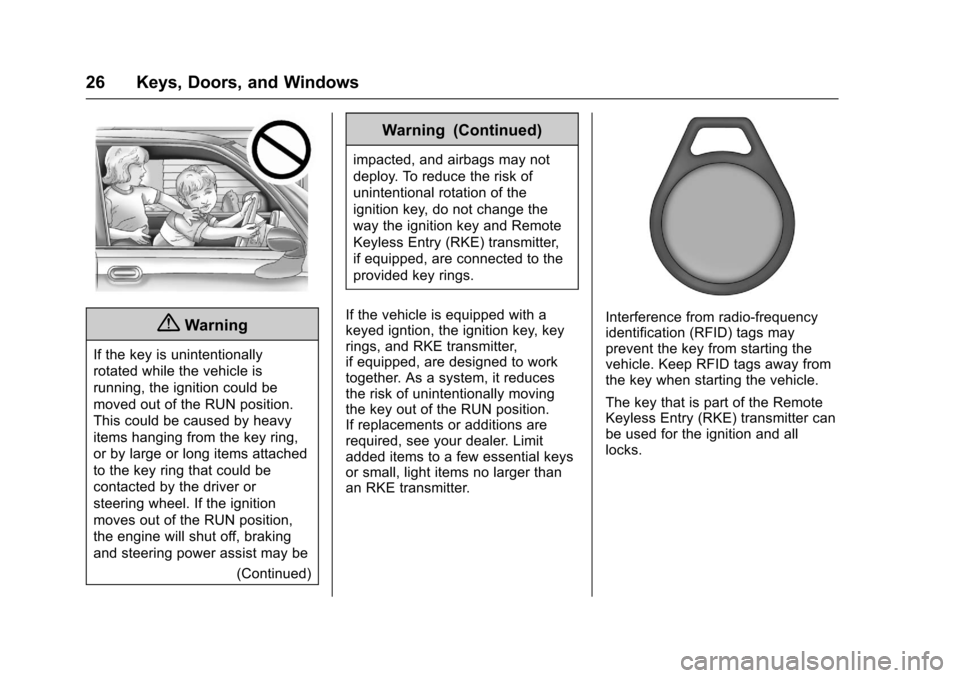
{Warning
If the key is unintentionally
rotated while the vehicle is
running, the ignition could be
moved out of the RUN position.
This could be caused by heavy
items hanging from the key ring,
or by large or long items attached
to the key ring that could be
contacted by the driver or
steering wheel. If the ignition
moves out of the RUN position,
the engine will shut off, braking
and steering power assist may be(Continued)
Warning (Continued)
impacted, and airbags may not
deploy. To reduce the risk of
unintentional rotation of the
ignition key, do not change the
way the ignition key and Remote
Keyless Entry (RKE) transmitter,
if equipped, are connected to the
provided key rings.
If the vehicle is equipped with a
keyed igntion, the ignition key, key
rings, and RKE transmitter,
if equipped, are designed to work
together. As a system, it reduces
the risk of unintentionally moving
the key out of the RUN position.
If replacements or additions are
required, see your dealer. Limit
added items to a few essential keys
or small, light items no larger than
an RKE transmitter.
Interference from radio-frequency
identification (RFID) tags may
prevent the key from starting the
vehicle. Keep RFID tags away from
the key when starting the vehicle.
The key that is part of the Remote
Keyless Entry (RKE) transmitter can
be used for the ignition and all
locks.
Page 28 of 373
Chevrolet TRAX Owner Manual (GMNA-Localizing-U.S./Canada/Mexico-
10122735) - 2017 - crc - 7/12/16
Keys, Doors, and Windows 27
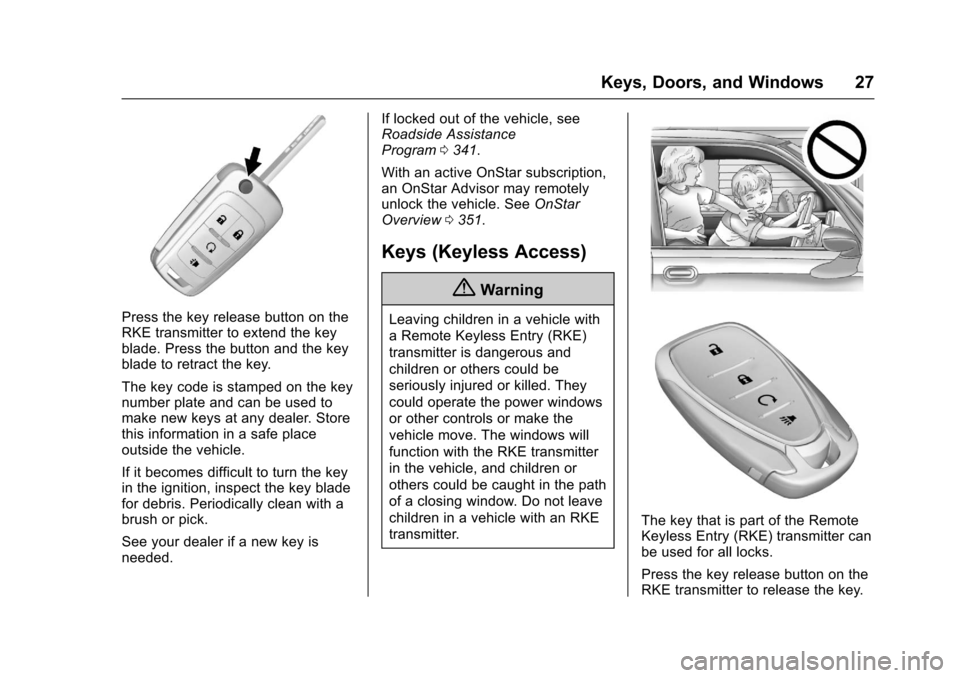
Press the key release button on the
RKE transmitter to extend the key
blade. Press the button and the key
blade to retract the key.
The key code is stamped on the key
number plate and can be used to
make new keys at any dealer. Store
this information in a safe place
outside the vehicle.
If it becomes difficult to turn the key
in the ignition, inspect the key blade
for debris. Periodically clean with a
brush or pick.
See your dealer if a new key is
needed.If locked out of the vehicle, see
Roadside Assistance
Program
0341.
With an active OnStar subscription,
an OnStar Advisor may remotely
unlock the vehicle. See OnStar
Overview 0351.
Keys (Keyless Access)
{Warning
Leaving children in a vehicle with
a Remote Keyless Entry (RKE)
transmitter is dangerous and
children or others could be
seriously injured or killed. They
could operate the power windows
or other controls or make the
vehicle move. The windows will
function with the RKE transmitter
in the vehicle, and children or
others could be caught in the path
of a closing window. Do not leave
children in a vehicle with an RKE
transmitter.
The key that is part of the Remote
Keyless Entry (RKE) transmitter can
be used for all locks.
Press the key release button on the
RKE transmitter to release the key.
Page 29 of 373
Chevrolet TRAX Owner Manual (GMNA-Localizing-U.S./Canada/Mexico-
10122735) - 2017 - crc - 7/12/16
28 Keys, Doors, and Windows
The key code is stamped on the key
number plate and can be used to
make new keys at any dealer. Store
this information in a safe place
outside the vehicle.
See your dealer if a new key is
needed.
If locked out of the vehicle, see
Roadside Assistance
Program0341.
With an active OnStar subscription,
an OnStar Advisor may remotely
unlock the vehicle. See OnStar
Overview 0351.
Remote Keyless Entry
(RKE) System
See Radio Frequency
Statement 0347.
If there is a decrease in the Remote
Keyless Entry (RKE) operating
range:
. Check the distance. The
transmitter may be too far from
the vehicle. .
Check the location. Other
vehicles or objects may be
blocking the signal.
. Check the transmitter's battery.
See “Battery Replacement” later
in this section.
. If the transmitter is still not
working correctly, see your
dealer or a qualified technician
for service.
Remote Keyless Entry
(RKE) System Operation
(Key Access)
The RKE transmitter may work up to
30 m (98 ft) away from the vehicle.
Other conditions can affect the
performance of the transmitter. See
Remote Keyless Entry (RKE)
System 028.
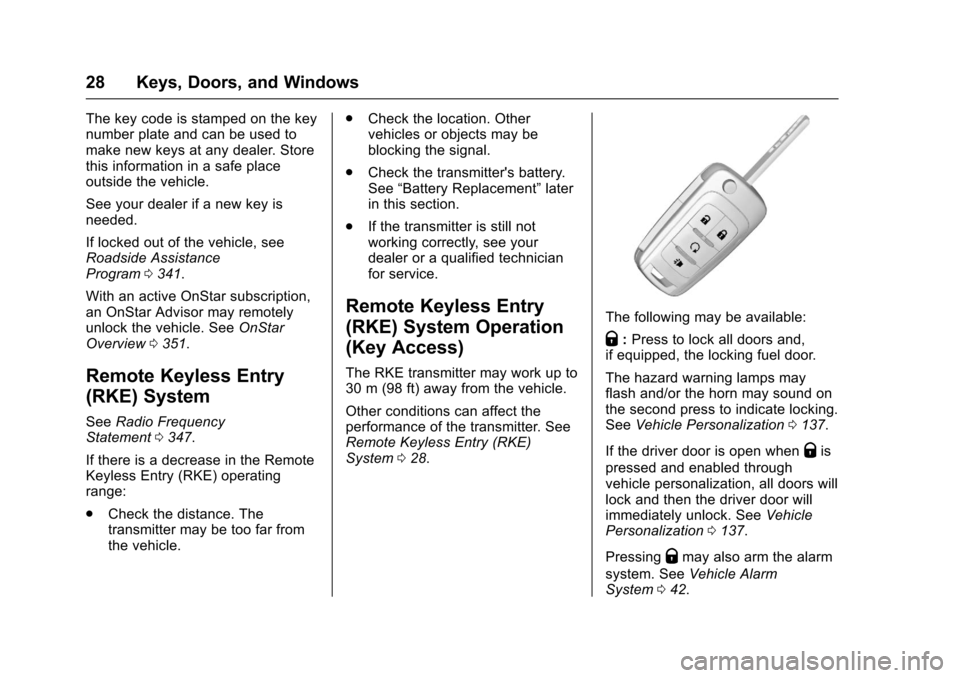
The following may be available:
Q:Press to lock all doors and,
if equipped, the locking fuel door.
The hazard warning lamps may
flash and/or the horn may sound on
the second press to indicate locking.
See Vehicle Personalization 0137.
If the driver door is open when
Qis
pressed and enabled through
vehicle personalization, all doors will
lock and then the driver door will
immediately unlock. See Vehicle
Personalization 0137.
Pressing
Qmay also arm the alarm
system. See Vehicle Alarm
System 042.