ignition CHEVROLET TRAX 2018 Owner's Manual
[x] Cancel search | Manufacturer: CHEVROLET, Model Year: 2018, Model line: TRAX, Model: CHEVROLET TRAX 2018Pages: 366, PDF Size: 5.44 MB
Page 8 of 366

Chevrolet TRAX Owner Manual (GMNA-Localizing-U.S./Canada/Mexico-
11354406) - 2018 - crc - 10/12/17
In Brief 7
1.Air Vents 0173.
2. Turn Signal Lever. See Turn
and Lane-Change Signals
0 141.
Headlamp High/Low-Beam
Changer 0139.
3. Instrument Cluster 0113.
4. Windshield Wiper/Washer
0109.
Rear Window Wiper/Washer
0 110.
5. Light Sensor. See Automatic
Headlamp System 0140.
6. Introduction 0145.
7. Lane Departure Warning
(LDW) 0219 (If Equipped).
8. Hazard Warning Flashers
0140.
9. Passenger Seat Belt Reminder Light. See Seat Belt Reminders
0 116.
10. Shift Lever. SeeAutomatic Transmission
0 200 orManual Transmission
0 203. 11.
Parking Brake 0206.
12. USB Port 0153.
13. Climate Control Systems
0171.
14. Traction Control/Electronic Stabilty Control Button. See
Traction Control/Electronic
Stability Control 0208.
15. Ignition Positions (Key Access)
0190 orIgnition Positions
(Keyless Access) 0188.
16. Steering Wheel Controls 0108.
17. Horn 0109.
18. Steering Wheel Adjustment
0108.
19. Cruise Control 0210 (If
Equipped).
Forward Collision Alert (FCA)
System 0216 (If Equipped).
20. Instrument Panel Storage
0103 (If Equipped).
21. Data Link Connector (DLC) (Out of View). See Malfunction
Indicator Lamp (Check Engine
Light) 0118. 22. Hood Release. See
Hood
0 229.
23. Exterior Lamp Controls 0138.
Instrument Panel Illumination
Control 0141.
Front Fog Lamps 0141 (If
Equipped).
Page 9 of 366
Chevrolet TRAX Owner Manual (GMNA-Localizing-U.S./Canada/Mexico-
11354406) - 2018 - crc - 10/12/17
8 In Brief
Initial Drive
Information
This section provides a brief
overview about some of the
important features that may or may
not be on your specific vehicle.
For more detailed information, refer
to each of the features which can be
found later in this owner’s manual.
Remote Keyless Entry
(RKE) System
The Remote Keyless Entry (RKE)
transmitter may work up to 60 m
(197 ft) away from the vehicle.
Key Access
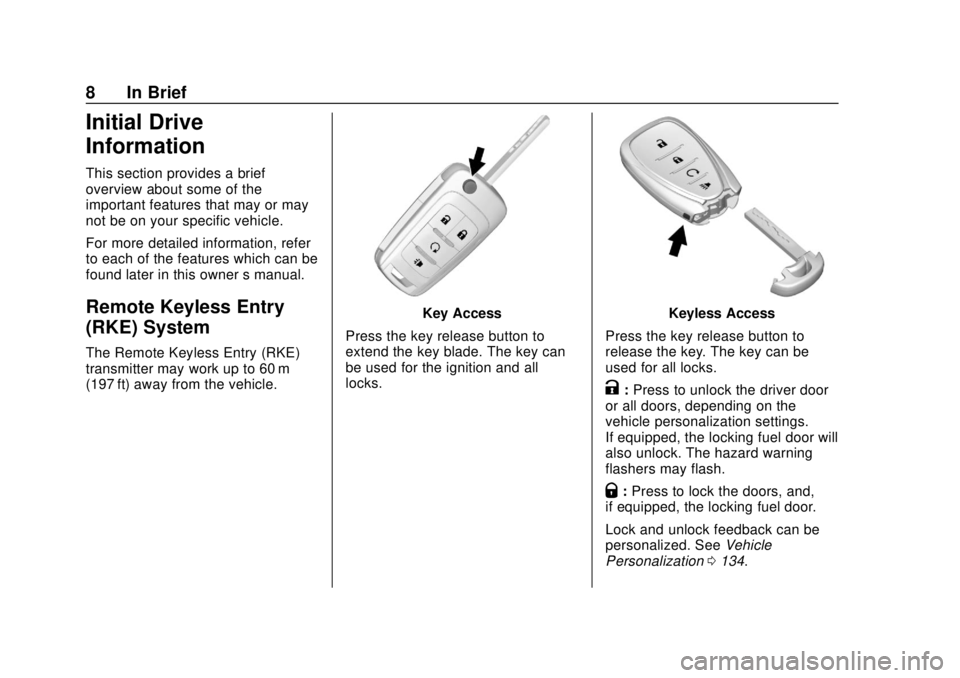
Press the key release button to
extend the key blade. The key can
be used for the ignition and all
locks.Keyless Access
Press the key release button to
release the key. The key can be
used for all locks.
K: Press to unlock the driver door
or all doors, depending on the
vehicle personalization settings.
If equipped, the locking fuel door will
also unlock. The hazard warning
flashers may flash.
Q: Press to lock the doors, and,
if equipped, the locking fuel door.
Lock and unlock feedback can be
personalized. See Vehicle
Personalization 0134.
Page 11 of 366
Chevrolet TRAX Owner Manual (GMNA-Localizing-U.S./Canada/Mexico-
11354406) - 2018 - crc - 10/12/17
10 In Brief
Press the button on the door handle
to open. See“Keyless Access
Operation” underRemote Keyless
Entry (RKE) System Operation (Key
Access) 031 orRemote Keyless
Entry (RKE) System Operation
(Keyless Access) 034.
Liftgate
To open the liftgate, pressKon the
door lock switch or on the Remote
Keyless Entry (RKE) transmitter to
unlock all doors, then use the touch
pad on the liftgate. The liftgate may also be opened
while the vehicle is locked by
pressing the touch pad while the
RKE transmitter is within 1 m (3 ft) of
the rear of the vehicle.
Press
Qon the door lock switch or
on the RKE transmitter to lock the
liftgate.
See Remote Keyless Entry (RKE)
System Operation (Key Access)
0 31 orRemote Keyless Entry
(RKE) System Operation (Keyless
Access) 034.
See Liftgate 044.
Windows
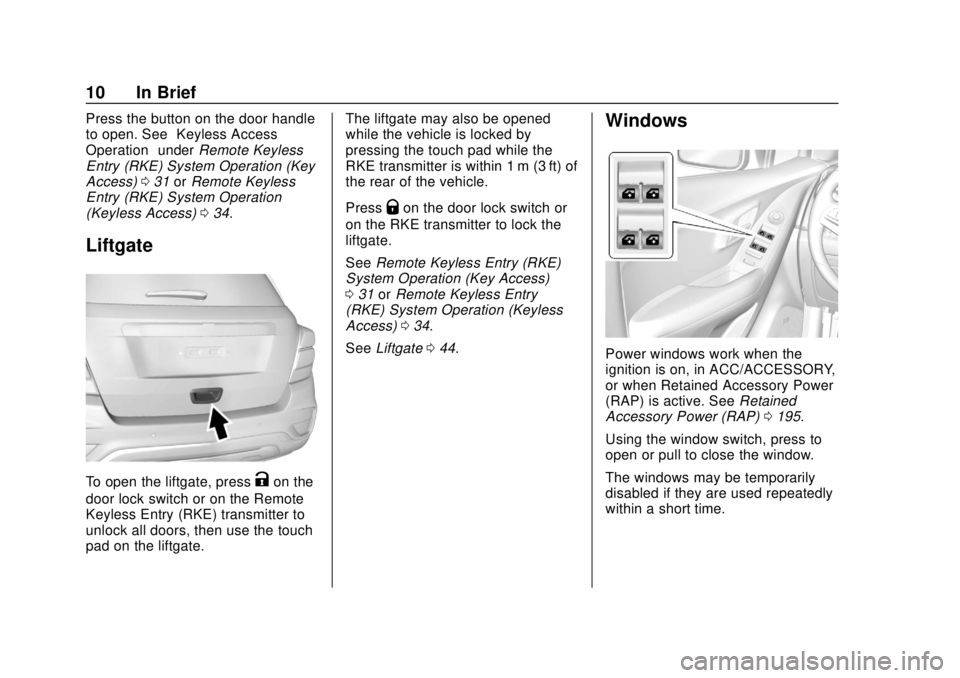
Power windows work when the
ignition is on, in ACC/ACCESSORY,
or when Retained Accessory Power
(RAP) is active. See Retained
Accessory Power (RAP) 0195.
Using the window switch, press to
open or pull to close the window.
The windows may be temporarily
disabled if they are used repeatedly
within a short time.
Page 17 of 366
Chevrolet TRAX Owner Manual (GMNA-Localizing-U.S./Canada/Mexico-
11354406) - 2018 - crc - 10/12/17
16 In Brief
Exterior Lighting
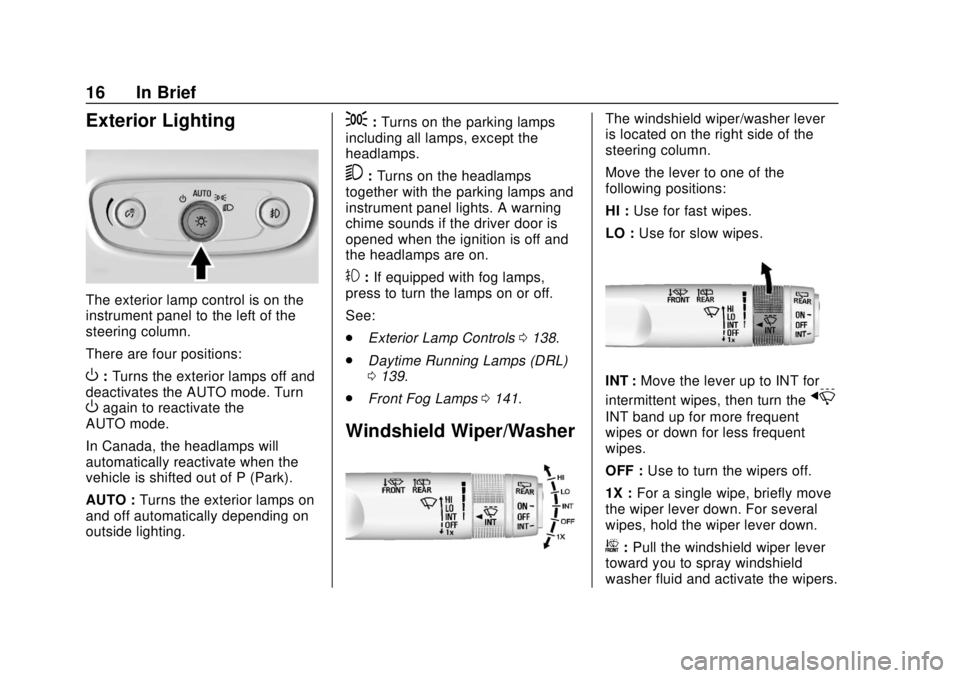
The exterior lamp control is on the
instrument panel to the left of the
steering column.
There are four positions:
O:Turns the exterior lamps off and
deactivates the AUTO mode. Turn
Oagain to reactivate the
AUTO mode.
In Canada, the headlamps will
automatically reactivate when the
vehicle is shifted out of P (Park).
AUTO : Turns the exterior lamps on
and off automatically depending on
outside lighting.
;: Turns on the parking lamps
including all lamps, except the
headlamps.
5: Turns on the headlamps
together with the parking lamps and
instrument panel lights. A warning
chime sounds if the driver door is
opened when the ignition is off and
the headlamps are on.
#: If equipped with fog lamps,
press to turn the lamps on or off.
See:
. Exterior Lamp Controls 0138.
. Daytime Running Lamps (DRL)
0139.
. Front Fog Lamps 0141.
Windshield Wiper/Washer
The windshield wiper/washer lever
is located on the right side of the
steering column.
Move the lever to one of the
following positions:
HI : Use for fast wipes.
LO : Use for slow wipes.
INT : Move the lever up to INT for
intermittent wipes, then turn the
x
INT band up for more frequent
wipes or down for less frequent
wipes.
OFF : Use to turn the wipers off.
1X : For a single wipe, briefly move
the wiper lever down. For several
wipes, hold the wiper lever down.
b: Pull the windshield wiper lever
toward you to spray windshield
washer fluid and activate the wipers.
Page 20 of 366
Chevrolet TRAX Owner Manual (GMNA-Localizing-U.S./Canada/Mexico-
11354406) - 2018 - crc - 10/12/17
In Brief 19
Vehicle Features
Infotainment System
Read the following pages to
become familiar with the features.
{Warning
Taking your eyes off the road for
too long or too often while using
any infotainment feature can
cause a crash. You or others
could be injured or killed. Do not
give extended attention to
infotainment tasks while driving.
Limit your glances at the vehicle
displays and focus your attention
on driving. Use voice commands
whenever possible.
The infotainment system has built-in
features intended to help avoid
distraction by disabling some
functions when driving. These
functions may gray out when they
are unavailable. Many infotainment features are also available through
the instrument cluster and steering
wheel controls.
Before driving:
.
Become familiar with the
operation, center stack controls,
and infotainment display
controls.
. Set up the audio by presetting
favorite stations, setting the
tone, and adjusting the
speakers.
. Set up phone numbers in
advance so they can be called
easily by pressing a single
button or by using a single voice
command if equipped with
Bluetooth phone capability.
See Defensive Driving 0178.
To play the infotainment system with
the ignition off, see Retained
Accessory Power (RAP) 0195.
Radio(s)
O
:Press to turn the system on.
Press and hold to turn the system
off. Turn to increase or decrease the
volume.
g: Press and release to go to the
previous station, channel, or track.
Press and hold to fast seek the
previous strongest station.
d: Press and release to go to the
next station, channel, or track.
Press and hold to fast seek the next
strongest station.
Source : Touch to choose between
available sources.
Menu : Touch to choose between
available menus.
SorT: Touch to view saved
favorite stations or channels.
See Overview 0146.
Satellite Radio
If equipped, a SiriusXM satellite
radio tuner and a valid SiriusXM
satellite radio subscription can
receive SiriusXM programming.
Page 24 of 366
Chevrolet TRAX Owner Manual (GMNA-Localizing-U.S./Canada/Mexico-
11354406) - 2018 - crc - 10/12/17
In Brief 23
traffic behind your vehicle that may
cross your vehicle's path while in
R (Reverse). In addition, beeps will
sound.
See“Rear Cross Traffic Alert
(RCTA)” underRear Vision Camera
(RVC) 0212.
Parking Assist
If equipped, Rear Parking Assist
(RPA) uses sensors on the rear
bumper to assist with parking and
avoiding objects while in
R (Reverse). It operates at speeds
less than 8 km/h (5 mph) and uses
audible beeps to provide distance
and system information.
Keep the sensors on the vehicle's
rear bumper clean to ensure proper
operation.
See Parking Assist 0215.
Power Outlets
Power Outlet 110/120 Volt
Alternating Current
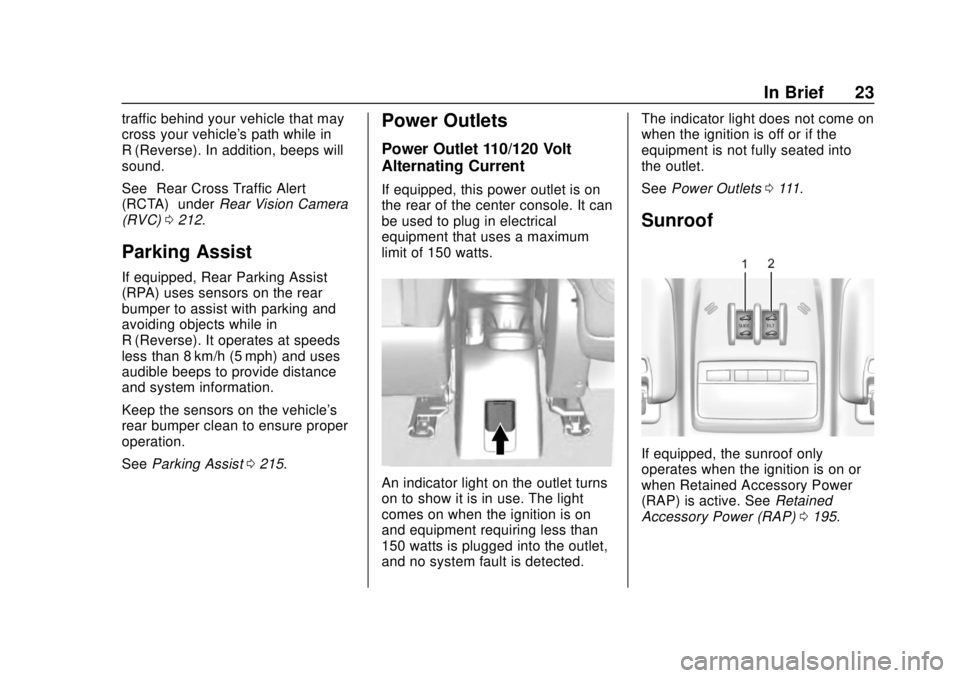
If equipped, this power outlet is on
the rear of the center console. It can
be used to plug in electrical
equipment that uses a maximum
limit of 150 watts.
An indicator light on the outlet turns
on to show it is in use. The light
comes on when the ignition is on
and equipment requiring less than
150 watts is plugged into the outlet,
and no system fault is detected. The indicator light does not come on
when the ignition is off or if the
equipment is not fully seated into
the outlet.
See
Power Outlets 0111.
Sunroof
If equipped, the sunroof only
operates when the ignition is on or
when Retained Accessory Power
(RAP) is active. See Retained
Accessory Power (RAP) 0195.
Page 27 of 366
Chevrolet TRAX Owner Manual (GMNA-Localizing-U.S./Canada/Mexico-
11354406) - 2018 - crc - 10/12/17
26 In Brief
Driver Information Center (DIC)
when it is necessary to change the
engine oil and filter.
The oil life system should be reset
to 100% only following an oil
change.
Resetting the Oil Life System
Reset the system whenever the
engine oil is changed so that the
system can calculate the next
engine oil change. It will not reset
itself. To reset the system:
Base Level Cluster1. Press the MENU button to show Remaining Oil Life on the
display. This display shows an
estimate of the oil’s remaining
useful life. If 99% is displayed,
that means that 99% of the
current oil life remains.
2. To reset the engine oil life system, press SET/CLR while
the oil life display is active.
After a few seconds, the oil life
will be reset to 100%. Be
careful not to reset the oil life
display accidentally at any time other than after the oil is
changed. It cannot be reset
accurately.
If the
:% CHANGE message in
the DIC comes back on when the
vehicle is started, the engine oil life
system has not reset. Repeat the
procedure.
Uplevel Cluster
1. Turn the ignition on without starting the engine.
2. Press the DIC MENU button on the turn signal lever to enter
the Vehicle Information Menu.
Use the thumbwheel to scroll
through the menu items until
you reach REMAINING
OIL LIFE.
3. Press SET/CLR to reset the oil life at 100%.
4. Turn the ignition off.
See Engine Oil Life System 0236.
Driving for Better Fuel
Economy
Driving habits can affect fuel
mileage. Here are some driving tips
to get the best fuel economy
possible.
.
Avoid fast starts and accelerate
smoothly.
. Brake gradually and avoid
abrupt stops.
. Avoid idling the engine for long
periods of time.
. When road and weather
conditions are appropriate, use
cruise control.
. Always follow posted speed
limits or drive more slowly when
conditions require.
. Keep vehicle tires properly
inflated.
. Combine several trips into a
single trip.
. Replace the vehicle's tires with
the same TPC Spec number
molded into the tire's sidewall
near the size.
Page 30 of 366
Chevrolet TRAX Owner Manual (GMNA-Localizing-U.S./Canada/Mexico-
11354406) - 2018 - crc - 10/12/17
Keys, Doors, and Windows 29
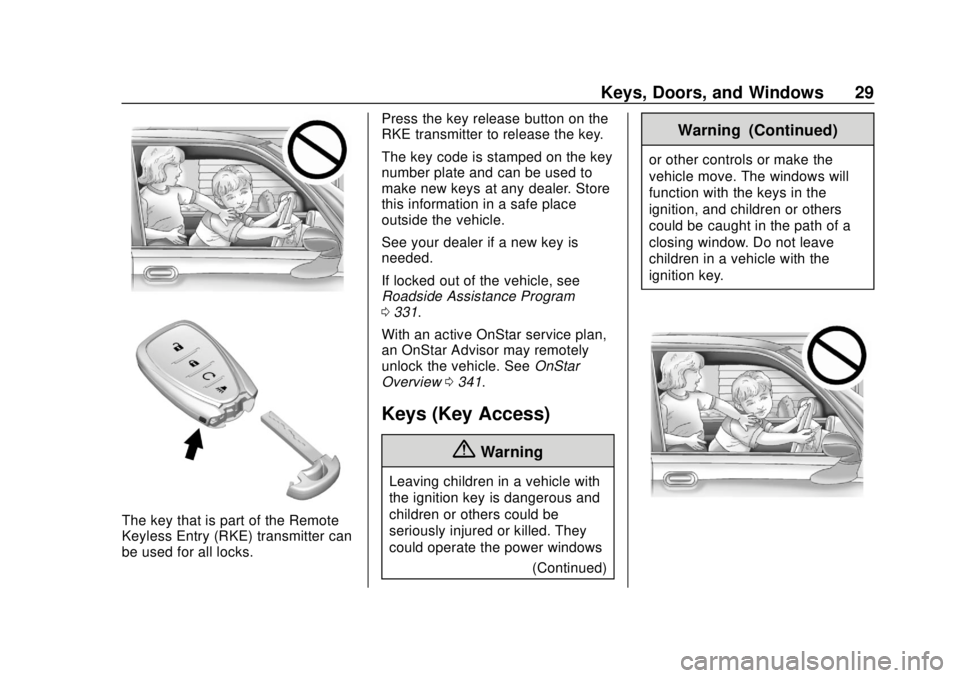
The key that is part of the Remote
Keyless Entry (RKE) transmitter can
be used for all locks.Press the key release button on the
RKE transmitter to release the key.
The key code is stamped on the key
number plate and can be used to
make new keys at any dealer. Store
this information in a safe place
outside the vehicle.
See your dealer if a new key is
needed.
If locked out of the vehicle, see
Roadside Assistance Program
0
331.
With an active OnStar service plan,
an OnStar Advisor may remotely
unlock the vehicle. See OnStar
Overview 0341.
Keys (Key Access)
{Warning
Leaving children in a vehicle with
the ignition key is dangerous and
children or others could be
seriously injured or killed. They
could operate the power windows
(Continued)
Warning (Continued)
or other controls or make the
vehicle move. The windows will
function with the keys in the
ignition, and children or others
could be caught in the path of a
closing window. Do not leave
children in a vehicle with the
ignition key.
Page 31 of 366
Chevrolet TRAX Owner Manual (GMNA-Localizing-U.S./Canada/Mexico-
11354406) - 2018 - crc - 10/12/17
30 Keys, Doors, and Windows
{Warning
If the key is unintentionally
rotated while the vehicle is
running, the ignition could be
moved out of the RUN position.
This could be caused by heavy
items hanging from the key ring,
or by large or long items attached
to the key ring that could be
contacted by the driver or
steering wheel. If the ignition
moves out of the RUN position,
the engine will shut off, braking
and steering power assist may be
impacted, and airbags may not
deploy. To reduce the risk of
unintentional rotation of the
ignition key, do not change the
way the ignition key and Remote
Keyless Entry (RKE) transmitter,
if equipped, are connected to the
provided key rings.
If the vehicle is equipped with a
keyed ignition, the ignition key, key
rings, and RKE transmitter,
if equipped, are designed to work together. As a system, it reduces
the risk of unintentionally moving
the key out of the RUN position.
If replacements or additions are
required, see your dealer. Limit
added items to a few essential keys
or small, light items no larger than
an RKE transmitter.
Interference from radio-frequency
identification (RFID) tags may
prevent the key from starting the
vehicle. Keep RFID tags away from
the key when starting the vehicle.
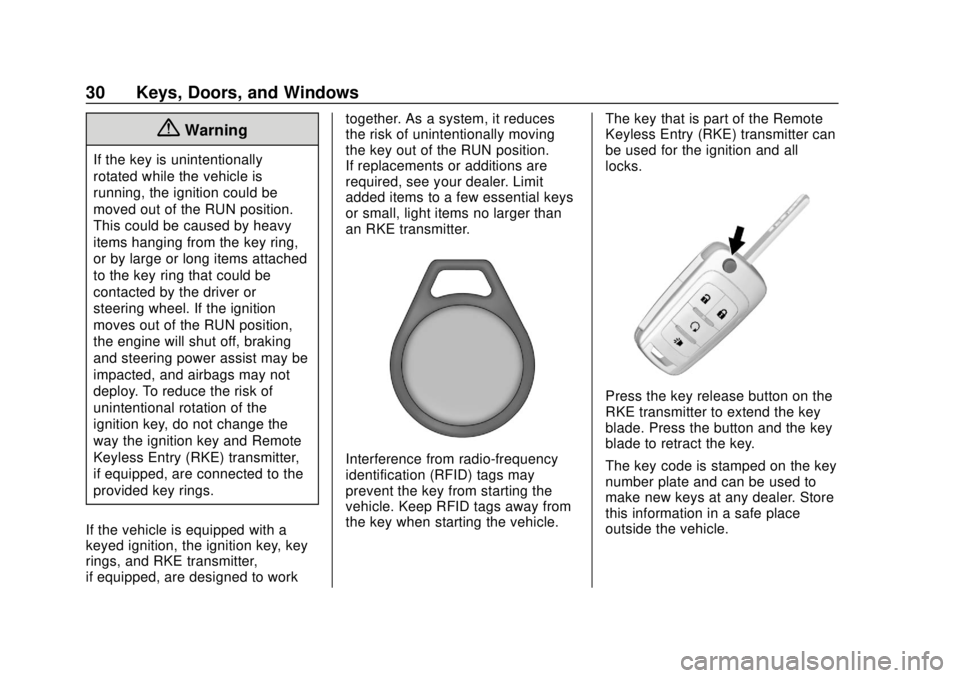
The key that is part of the Remote
Keyless Entry (RKE) transmitter can
be used for the ignition and all
locks.
Press the key release button on the
RKE transmitter to extend the key
blade. Press the button and the key
blade to retract the key.
The key code is stamped on the key
number plate and can be used to
make new keys at any dealer. Store
this information in a safe place
outside the vehicle.
Page 32 of 366
Chevrolet TRAX Owner Manual (GMNA-Localizing-U.S./Canada/Mexico-
11354406) - 2018 - crc - 10/12/17
Keys, Doors, and Windows 31
If it becomes difficult to turn the key
in the ignition, inspect the key blade
for debris. Periodically clean with a
brush or pick.
See your dealer if a new key is
needed.
If locked out of the vehicle, see
Roadside Assistance Program
0331.
With an active OnStar service plan,
an OnStar Advisor may remotely
unlock the vehicle. See OnStar
Overview 0341.
Remote Keyless Entry
(RKE) System
See Radio Frequency Statement
0 337.
If there is a decrease in the Remote
Keyless Entry (RKE) operating
range:
. Check the distance. The
transmitter may be too far from
the vehicle. .
Check the location. Other
vehicles or objects may be
blocking the signal.
. Check the transmitter's battery.
See “Battery Replacement” later
in this section.
. If the transmitter is still not
working correctly, see your
dealer or a qualified technician
for service.
Remote Keyless Entry
(RKE) System Operation
(Key Access)
The RKE transmitter may work up to
60 m (197 ft) away from the vehicle.
Other conditions can affect the
performance of the transmitter. See
Remote Keyless Entry (RKE)
System 031.
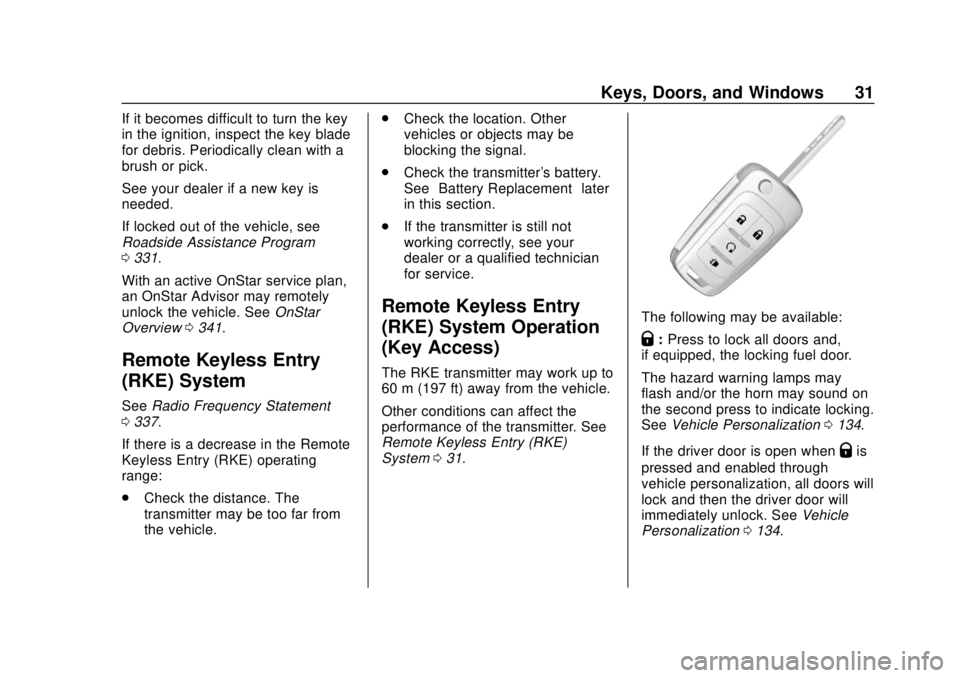
The following may be available:
Q:Press to lock all doors and,
if equipped, the locking fuel door.
The hazard warning lamps may
flash and/or the horn may sound on
the second press to indicate locking.
See Vehicle Personalization 0134.
If the driver door is open when
Qis
pressed and enabled through
vehicle personalization, all doors will
lock and then the driver door will
immediately unlock. See Vehicle
Personalization 0134.