warning light CHEVROLET TRAX 2021 Owner's Guide
[x] Cancel search | Manufacturer: CHEVROLET, Model Year: 2021, Model line: TRAX, Model: CHEVROLET TRAX 2021Pages: 280, PDF Size: 8.76 MB
Page 140 of 280
Chevrolet TRAX Owner Manual (GMNA-Localizing-U.S./Canada-14609828) -
2021 - CRC - 8/21/20
Driving and Operating 139
In an emergency, if the vehicle cannot be
pulled over and must be turned off while
driving:1. Push the key all the way in toward the steering column, then turn the key to
ACC/ACCESSORY.
2. Brake using firm and steady pressure. Do not pump the brakes repeatedly. This
may deplete power assist, requiring
increased brake pedal force.
3. Shift the vehicle to N (Neutral). This can be done while the vehicle is moving.
Continue braking and steer the vehicle to
a safe location.
4. Come to a complete stop.
5. Shift to P (Park).
6. Continue to hold the brake pedal, then set the parking brake. See Parking Brake
0 151.
7. Push the key all the way in toward the steering column, then turn the ignition
to LOCK/OFF.
8. Remove the key.
9. Release the brake pedal.Caution
Use the correct key, make sure it is all
the way in —or pushed all the way in
toward the steering column when turning
off the vehicle —and turn it only with
your hand.
1 (ACC/ACCESSORY) : This position allows
features such as the infotainment system to
operate while the vehicle is off. It also
unlocks the steering column, if equipped
with a locking steering column. Use this
position if the vehicle must be pushed or
towed. See Retained Accessory Power (RAP)
0 145.
From ON/RUN, push the key all the way in
toward the steering column, then turn the
key to ACC/ACCESSORY.
If the key is left in ACC/ACCESSORY with the
engine off, the battery could drain and the
vehicle may not start.
A warning chime will sound when the driver
door is opened and the key is in the
ignition.
2 (ON/RUN) : This position can be used to
operate the electrical accessories and to
display some instrument cluster warning
and indicator lights. This position can also be used for service and diagnostics, and to
verify the proper operation of the
malfunction indicator lamp as may be
required for emission inspection purposes.
The switch stays in this position when the
engine is running. The transmission is also
unlocked in this position.
If the key is left in ON/RUN with the engine
off, the battery could drain and the vehicle
may not start.
3 (START) :
This is the position that starts
the engine. When the engine starts, release
the key. The ignition returns to ON/RUN for
driving.
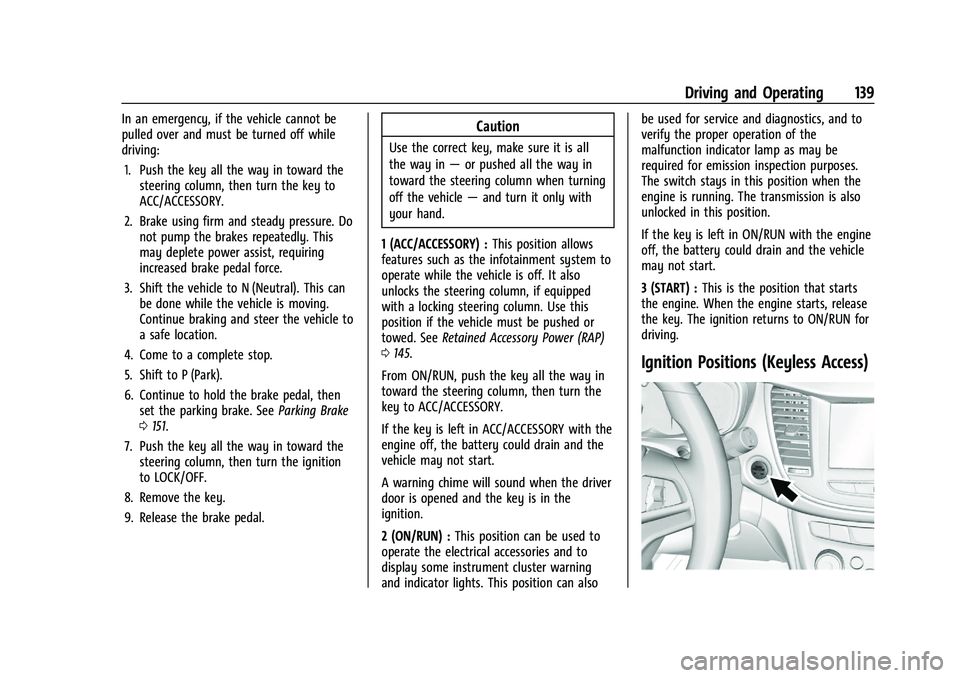
Ignition Positions (Keyless Access)
Page 141 of 280
Chevrolet TRAX Owner Manual (GMNA-Localizing-U.S./Canada-14609828) -
2021 - CRC - 8/21/20
140 Driving and Operating
The vehicle may be equipped with an
electronic keyless ignition with pushbutton
start.
The RKE transmitter must be in the vehicle
for the system to operate.
If the vehicle is not working, the vehicle
may be near a strong antenna signal
causing interference to the Keyless Access
system. SeeRemote Keyless Entry (RKE)
System Operation (Key Access) 09or
Remote Keyless Entry (RKE) System
Operation (Keyless Access) 012.
To shift out of P (Park), the ignition must be
turned on or in Service Mode, and the brake
must be applied.
Stopping the Engine/LOCK/OFF (No Indicator
Lights) : When the vehicle is stopped, press
ENGINE START/STOP once to turn the engine
off. If the vehicle is in P (Park), the ignition
will turn off, and Retained Accessory
Power (RAP) will remain active. See Retained
Accessory Power (RAP) 0145.
If the vehicle is not in P (Park), the ignition
will return to ACC/ACCESSORY and the Driver
Information Center (DIC) will display the
message SHIFT TO PARK.
When the vehicle is shifted into P (Park), the
ignition system will switch off. Do not turn the engine off when the vehicle
is moving. This will cause a loss of power
assist in the brake and steering systems and
disable the airbags.
If the vehicle must be shut off in an
emergency:
1. Brake using a firm steady pressure. Do not pump the brakes repeatedly. This
may deplete power assist, requiring
increased brake pedal force.
2. Shift the vehicle to N (Neutral). This can be done while the vehicle is moving.
After shifting to N (Neutral), firmly apply
the brakes and steer the vehicle to a
safe location.
3. Come to a complete stop, shift to P (Park), and turn the ignition off. The
shift lever must be in P (Park) to turn the
ignition off.
4. Set the parking brake. See Parking Brake
0 151.{Warning
Turning off the vehicle while moving may
cause loss of power assist in the brake
and steering systems and disable the
airbags. While driving, only shut the
vehicle off in an emergency.
If the vehicle cannot be pulled over, and
must be shut off while driving, press and
hold ENGINE START/STOP for longer than
two seconds, or press twice in five seconds.
ACC/ACCESSORY (Amber Indicator Light) :
This mode allows you to use some electrical
accessories when the engine is off. With the
ignition off, pressing ENGINE START/STOP
one time without the brake pedal applied
will place the ignition system in ACC/
ACCESSORY.
The ignition will switch from ACC/
ACCESSORY to OFF after five minutes to
prevent battery rundown.
ON/RUN/START (Green Indicator Light) : This
mode is for driving and starting. With the
ignition off, and the brake pedal applied,
pressing ENGINE START/STOP once will place
the ignition system in ON/RUN/Start.
Page 151 of 280
Chevrolet TRAX Owner Manual (GMNA-Localizing-U.S./Canada-14609828) -
2021 - CRC - 8/21/20
150 Driving and Operating
2. Press the + (plus) end of the button onthe side of the shift lever to upshift,
or press the −(minus) end of the button
to downshift.
The instrument cluster will change from the
currently displayed message to the letter
“M,” for Manual position, and a number
indicating the requested gear.
While using the DSC feature, the
transmission will have firmer shifting and
sportier performance. This can be used for
sport driving or when climbing hills to stay
in gear longer or to downshift for more
power or engine braking.
The transmission will only allow you to shift
into gears appropriate for the vehicle speed
and engine revolutions per minute (rpm):
.The transmission will not allow shifting to
the next higher gear if the vehicle speed
or engine rpm is too low.
.The transmission will not allow shifting to
the next lower gear if the vehicle speed
or engine rpm is too high. Automatic Transmission Adaptation Feature
While the vehicle is being driven and gear
shifting takes place, the transmission will
learn and adapt. This increases durability
and maintains the best shift quality of the
life of the vehicle.
During vehicle break-in (initial driving), it is
normal to experience some shift bumps.
Shift quality will improve with the normal
gear shifting as the transmission learns and
adapts.
Drive Systems
All-Wheel Drive
If equipped, this feature transfers engine
power, as required, to all four wheels. It is
fully automatic, and adjusts itself as needed
for road conditions.
When using a compact spare tire on an
All-Wheel Drive (AWD) vehicle, the system
automatically detects the compact spare and
disables AWD to protect the system.
A Driver Information Center (DIC) message
will display on the instrument cluster. See
Vehicle Messages
092. To restore AWD
operation and prevent excessive wear on the system, replace the compact spare with a
full-size tire as soon as possible. See
Compact Spare Tire
0220.
AWD will be disabled and the message will
display if there is excessive wheel spin.
When the system cools down, AWD will be
restored.
Brakes
Antilock Brake System (ABS)
The Antilock Brake System (ABS) helps
prevent a braking skid and maintain steering
while braking hard.
ABS performs a system check when the
vehicle is first driven. A momentary motor
or clicking noise may be heard while this
test is going on, and the brake pedal may
move slightly. This is normal.
If there is a problem with ABS, this warning
light stays on. See Antilock Brake System
(ABS) Warning Light 086.
Page 152 of 280
Chevrolet TRAX Owner Manual (GMNA-Localizing-U.S./Canada-14609828) -
2021 - CRC - 8/21/20
Driving and Operating 151
ABS does not change the time needed to
get a foot on the brake pedal and does not
always decrease stopping distance. If you
get too close to the vehicle ahead, there will
not be enough time to apply the brakes if
that vehicle suddenly slows or stops. Always
leave enough room ahead to stop, even
with ABS.
Using ABS
Do not pump the brakes. Just hold the brake
pedal down firmly. Hearing or feeling ABS
operate is normal.
Braking in Emergencies
ABS allows steering and braking at the same
time. In many emergencies, steering can
help even more than braking.
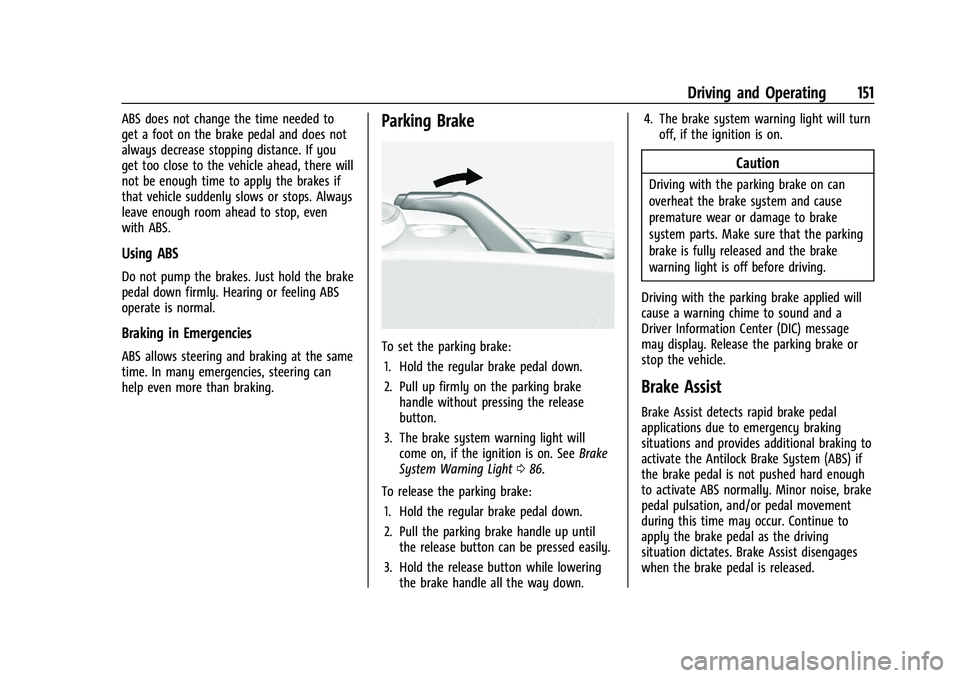
Parking Brake
To set the parking brake:1. Hold the regular brake pedal down.
2. Pull up firmly on the parking brake handle without pressing the release
button.
3. The brake system warning light will come on, if the ignition is on. See Brake
System Warning Light 086.
To release the parking brake: 1. Hold the regular brake pedal down.
2. Pull the parking brake handle up until the release button can be pressed easily.
3. Hold the release button while lowering the brake handle all the way down. 4. The brake system warning light will turn
off, if the ignition is on.
Caution
Driving with the parking brake on can
overheat the brake system and cause
premature wear or damage to brake
system parts. Make sure that the parking
brake is fully released and the brake
warning light is off before driving.
Driving with the parking brake applied will
cause a warning chime to sound and a
Driver Information Center (DIC) message
may display. Release the parking brake or
stop the vehicle.
Brake Assist
Brake Assist detects rapid brake pedal
applications due to emergency braking
situations and provides additional braking to
activate the Antilock Brake System (ABS) if
the brake pedal is not pushed hard enough
to activate ABS normally. Minor noise, brake
pedal pulsation, and/or pedal movement
during this time may occur. Continue to
apply the brake pedal as the driving
situation dictates. Brake Assist disengages
when the brake pedal is released.
Page 153 of 280
Chevrolet TRAX Owner Manual (GMNA-Localizing-U.S./Canada-14609828) -
2021 - CRC - 8/21/20
152 Driving and Operating
Hill Start Assist (HSA)
{Warning
Do not rely on the HSA feature. HSA does
not replace the need to pay attention
and drive safely. You may not hear or
feel alerts or warnings provided by this
system. Failure to use proper care when
driving may result in injury, death,
or vehicle damage. SeeDefensive Driving
0 129.
When the vehicle is stopped on a grade, Hill
Start Assist (HSA) temporarily prevents the
vehicle from rolling in an unintended
direction during the transition from brake
pedal release to accelerator pedal apply. The
brakes release when the accelerator pedal is
applied or automatically release after a few
seconds. The brakes may also release under
other conditions. Do not rely on HSA to hold
the vehicle.
HSA is available when the vehicle is facing
uphill in a forward gear, or when facing
downhill in R (Reverse). The vehicle must
come to a complete stop on a grade for HSA
to activate.
Ride Control Systems
Traction Control/Electronic
Stability Control
System Operation
The vehicle may have a Traction Control
System (TCS) and StabiliTrak/Electronic
Stability Control (ESC), an electronic stability
control system. These systems help limit
wheel slip and assist the driver in
maintaining control, especially on slippery
road conditions.
TCS activates if it senses that any of the
drive wheels are spinning or beginning to
lose traction. When this happens, TCS
applies the brakes to the spinning wheels
and reduces engine power to limit
wheel spin.
StabiliTrak/ESC activates when the vehicle
senses a difference between the intended
path and the direction the vehicle is actually
traveling. StabiliTrak/ESC selectively applies
braking pressure to any one of the vehicle
wheel brakes to assist the driver in keeping
the vehicle on the intended path. If cruise control is being used and traction
control or StabiliTrak/ESC begins to limit
wheel spin, cruise control will disengage.
Cruise control may be turned back on when
road conditions allow.
Both systems come on automatically when
the vehicle is started and begins to move.
The systems may be heard or felt while
they are operating or while performing
diagnostic checks. This is normal and does
not mean there is a problem with the
vehicle.
It is recommended to leave both systems on
for normal driving conditions, but it may be
necessary to turn TCS off if the vehicle gets
stuck in sand, mud, ice, or snow. See
If the
Vehicle Is Stuck 0133 and “Turning the
Systems Off and On” later in this section.
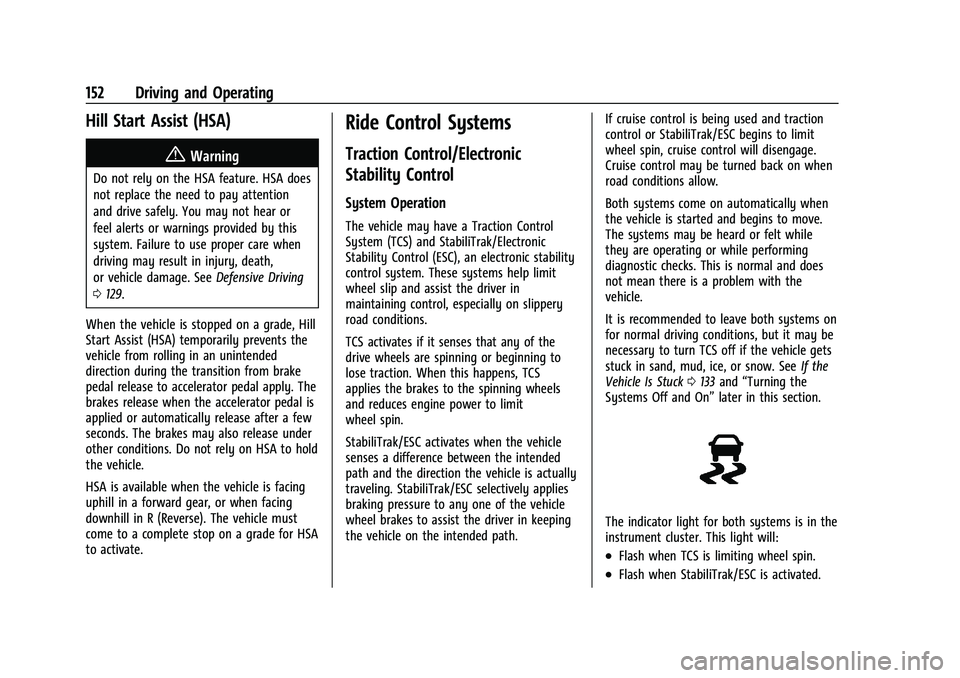
The indicator light for both systems is in the
instrument cluster. This light will:
.Flash when TCS is limiting wheel spin.
.Flash when StabiliTrak/ESC is activated.
Page 156 of 280
Chevrolet TRAX Owner Manual (GMNA-Localizing-U.S./Canada-14609828) -
2021 - CRC - 8/21/20
Driving and Operating 155
Increasing Speed While Using Cruise Control
If the cruise control system is already
activated:
.Move the thumbwheel up toward RES/+
and hold it until the desired speed is
reached, then release it.
.To increase vehicle speed in small
increments, move the thumbwheel up
toward RES/+ briefly. For each press, the
vehicle goes about 1 km/h (1 mph) faster.
The speedometer reading can be displayed
in either English or metric units. See
Instrument Cluster 080. The increment
value used depends on the units displayed.
Reducing Speed While Using Cruise Control
If the cruise control system is already
activated:
.Move the thumbwheel toward SET/− and
hold until the desired lower speed is
reached, then release it.
.To decrease the vehicle speed in small
increments, move the thumbwheel
toward SET/− briefly. For each press, the
vehicle goes about 1 km/h (1 mph) slower. The speedometer reading can be displayed
in either English or metric units. See
Instrument Cluster
080. The increment
value used depends on the units displayed.
Passing Another Vehicle While Using Cruise
Control
Use the accelerator pedal to increase the
vehicle speed. When you take your foot off
the pedal, the vehicle slows down to the
previously set cruise control speed. While
pressing the accelerator pedal or shortly
following the release to override cruise,
briefly moving the thumbwheel toward SET/
− will result in cruise set to the current
vehicle speed.
Using Cruise Control on Hills
How well cruise control works on hills
depends on the vehicle speed, load, and the
steepness of the hills. When going up steep
hills, you might have to step on the
accelerator pedal to maintain the vehicle
speed. When going downhill, you might
have to brake or shift to a lower gear to
keep your speed down. If the brake pedal is
applied, cruise control will disengage.
Ending Cruise Control
There are four ways to end cruise control:
.Step lightly on the brake pedal.
.Pressn.
.Shift the transmission to N (Neutral).
.To turn off cruise control, presso.
Erasing Speed Memory
The cruise control set speed is erased from
memory if
ois pressed or if the ignition is
turned off.
Driver Assistance Systems
This vehicle may have features that work
together to help avoid crashes or reduce
crash damage while driving, backing, and
parking. Read this entire section before
using these systems.
{Warning
Do not rely on the Driver Assistance
Systems. These systems do not replace
the need for paying attention and driving
safely. You may not hear or see alerts or
warnings provided by these systems.
Failure to use proper care when driving
may result in injury, death, or vehicle
damage. See Defensive Driving 0129.
(Continued)
Page 159 of 280
Chevrolet TRAX Owner Manual (GMNA-Localizing-U.S./Canada-14609828) -
2021 - CRC - 8/21/20
158 Driving and Operating
Rear Cross Traffic Alert (RCTA)
On vehicles with RCTA, a triangle with an
arrow may display on the infotainment
display to warn of traffic coming from either
direction. This system detects objects
coming from up to 20 m (65 ft) from the left
or right side, behind the vehicle. When an
object is detected, three beeps sound from
the left or right side, depending on the
direction of the detected vehicle.
The Park Assist and RCTA symbols appear
and may cover an object when viewing the
infotainment display when an object is
detected by the RPA or RCTA system. To
turn the symbols on or off, seeVehicle
Personalization 093.
RCTA can be turned on or off through
vehicle personalization. See “Collision
Detection Systems” underVehicle
Personalization 093.
Park Assist
If equipped, Rear Park Assist (RPA) system, it
assists you with parking and avoiding
objects while in R (Reverse). RPA operates at
speeds less than 8 km/h (5 mph), and the
sensors on the rear bumper detect objects
up to 1.5 m (5 ft) behind the vehicle, and at least 30 cm (12 in) off the ground. The
distance objects can be detected may be
less during warmer or humid weather.
{Warning
The Park Assist system does not detect
children, pedestrians, bicyclists, animals,
or objects below the bumper or that are
too close or too far from the vehicle. It is
not available at speeds greater than
8 km/h (5 mph). To prevent injury, death,
or vehicle damage, even with Park Assist,
always check the area around the vehicle
and check all mirrors before backing.
How the System Works
RPA comes on automatically when the shift
lever is moved into R (Reverse).
An obstacle is indicated by audible beeps.
The interval between the beeps becomes
shorter as the vehicle gets closer to the
obstacle. When the distance is less than
30 cm (12 in) the beeping is a continuous
tone for five seconds.
Turning the System On and Off
The RPA system can be turned on and off
using the infotainment system controls. See
Vehicle Personalization
093.
When the System Does Not Seem to
Work Properly
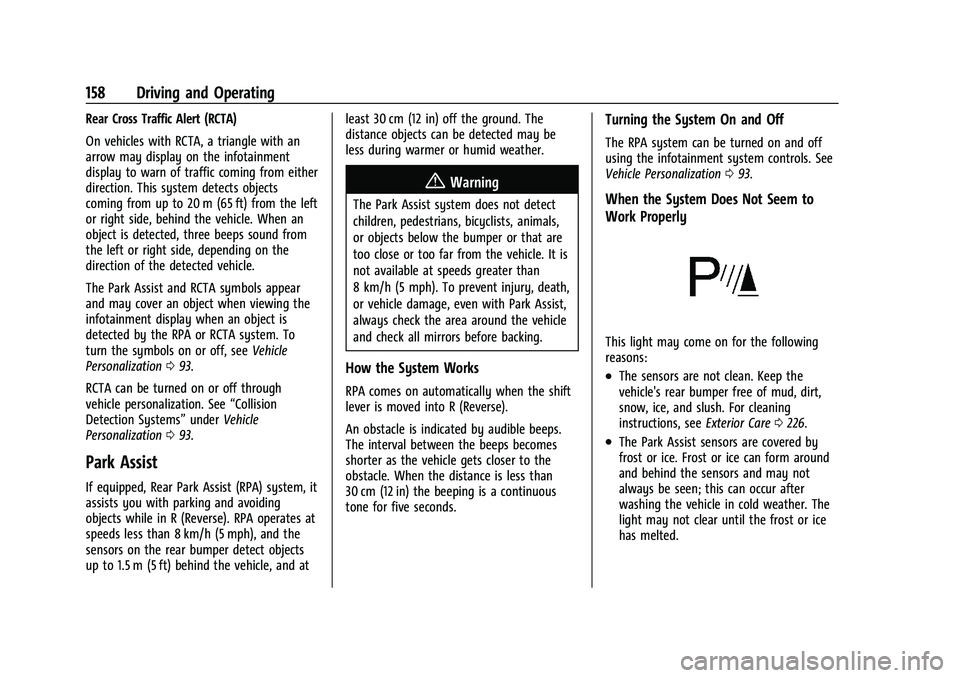
This light may come on for the following
reasons:
.The sensors are not clean. Keep the
vehicle's rear bumper free of mud, dirt,
snow, ice, and slush. For cleaning
instructions, see Exterior Care0226.
.The Park Assist sensors are covered by
frost or ice. Frost or ice can form around
and behind the sensors and may not
always be seen; this can occur after
washing the vehicle in cold weather. The
light may not clear until the frost or ice
has melted.
Page 160 of 280

Chevrolet TRAX Owner Manual (GMNA-Localizing-U.S./Canada-14609828) -
2021 - CRC - 8/21/20
Driving and Operating 159
.An object was hanging out of the liftgate
during the last drive cycle. Once the
object is removed, RPA will return to
normal operation.
.The bumper is damaged. Take the vehicle
to your dealer to repair the system.
.Other conditions, such as vibrations from
a jackhammer or the compression of air
brakes on a very large truck, are affecting
system performance.
If the above conditions do not exist, take
the vehicle to your dealer to repair the
system.
Side Blind Zone Alert (SBZA)
If equipped, the SBZA system is a
lane-changing aid that assists drivers with
avoiding crashes that occur with moving
vehicles in the side blind zone (or spot)
areas. The SBZA warning display will light
up in the corresponding outside side mirror
and will flash if the turn signal is on.
{Warning
SBZA does not alert the driver to vehicles
rapidly approaching outside of the side
blind zones, pedestrians, bicyclists, (Continued)
Warning (Continued)
or animals. It may not provide alerts
when changing lanes under all driving
conditions. Failure to use proper care
when changing lanes may result in injury,
death, or vehicle damage. Before making
a lane change, always check mirrors,
glance over your shoulder, and use the
turn signals.
SBZA Detection Zones
The SBZA sensor covers a zone of
approximately one lane over from both
sides of the vehicle, or 3.5 m (11 ft). The
height of the zone is approximately between 0.5 m (1.5 ft) and 2 m (6 ft) off the ground.
This zone starts at approximately the middle
of the vehicle and goes back 5 m (16 ft).
How the System Works
The SBZA symbol lights up in the side
mirrors when the system detects a moving
vehicle in the next lane over that is in the
side blind zone. This indicates it may be
unsafe to change lanes. Before making a
lane change, check the SBZA display, check
mirrors, glance over your shoulder, and use
the turn signals.
Left Side Mirror
DisplayRight Side Mirror Display
When the vehicle is started, both outside
mirror SBZA displays will briefly come on to
indicate the system is operating. When the
vehicle is in a forward gear, the left- or
right-side mirror display will light up if a
moving vehicle is detected in that blind
zone. If the turn signal is activated in the
Page 161 of 280
Chevrolet TRAX Owner Manual (GMNA-Localizing-U.S./Canada-14609828) -
2021 - CRC - 8/21/20
160 Driving and Operating
same direction of a detected vehicle, this
display will flash as an extra warning not to
change lanes.
SBZA can be disabled through vehicle
personalization. See“Collision/Detection
Systems” underVehicle Personalization 093.
If SBZA is disabled by the driver, the SBZA
mirror displays will not light up.
When the System Does Not Seem to
Work Properly
SBZA displays may not come on when
passing a vehicle quickly or for a stopped
vehicle. SBZA may alert to objects attached
to the vehicle, such as a bicycle, or object
extending out to either side of the vehicle.
This is normal system operation; the vehicle
does not need service.
SBZA may not always alert the driver to
vehicles in the side blind zone, especially in
wet conditions. The system does not need
to be serviced. The system may light up due
to guardrails, signs, trees, shrubs, and other
non-moving objects. This is normal system
operation; the vehicle does not need service.
SBZA may not operate when the SBZA
sensors in the left or right corners of the
rear bumper are covered with mud, dirt,
snow, ice, or slush, or in heavy rainstorms. For cleaning instructions, see "Washing the
Vehicle" under
Exterior Care0226. If the DIC
still displays the system unavailable
message after cleaning both sides of the
vehicle toward the rear corners of the
vehicle, see your dealer.
If the SBZA displays do not light up when
vehicles are in the blind zone and the
system is clean, the system may need
service. Take the vehicle to your dealer.
When SBZA is disabled for any reason other
than the driver turning it off, the Side Blind
Zone Alert On option will not be available
on the personalization menu.
Radio Frequency Information
See Radio Frequency Statement 0257.
Fuel
Top Tier Fuel
GM recommends the use of TOP TIER
Detergent Gasoline to keep the engine clean,
reduce engine deposits, and maintain
optimal vehicle performance. Look for the
TOP TIER Logo or see www.toptiergas.com
for a list of TOP TIER Detergent Gasoline
marketers and applicable countries.
Recommended Fuel
Use regular unleaded gasoline meeting
ASTM specification D4814 with a posted
octane rating of 87 —(R+M)/2 —or higher.
Do not use gasoline with a posted octane
rating of less than 87, as this may cause
engine knock and will lower fuel economy.
Do not use any fuel labeled E85 or FlexFuel.
Do not use gasoline with ethanol levels
greater than 15% by volume.
Page 165 of 280
Chevrolet TRAX Owner Manual (GMNA-Localizing-U.S./Canada-14609828) -
2021 - CRC - 8/21/20
164 Driving and Operating
{Warning
If a fire starts while you are refueling, do
not remove the fill nozzle. Shut off the
flow of fuel by shutting off the pump or
by notifying the station attendant. Leave
the area immediately.
Caution
If a new fuel cap is needed, get the right
type of cap from your dealer. The wrong
type of fuel cap may not fit properly,
may turn on the malfunction indicator
lamp, and could damage the fuel system
and emissions system. SeeMalfunction
Indicator Lamp (Check Engine Light) 084.
Filling a Portable Fuel Container
{Warning
Never fill a portable fuel container while
it is in the vehicle. Static electricity
discharge from the container can ignite
the fuel vapor. You or others could be
(Continued)
Warning (Continued)
badly burned and the vehicle could be
damaged. To help avoid injury to you
and others:
.Dispense fuel only into approved
containers.
.Do not fill a container while it is
inside a vehicle, in a vehicle's trunk, in
a pickup bed, or on any surface other
than the ground.
.Bring the fill nozzle in contact with
the inside of the fill opening before
operating the nozzle. Maintain contact
until filling is complete.
.Keep sparks, flames, and smoking
materials away from fuel.
.Avoid using electronic devices while
pumping fuel.
Trailer Towing
General Towing Information
{Warning
Never tow a trailer with your vehicle.
It was not designed or intended to tow a
trailer.
Conversions and Add-Ons
Add-On Electrical Equipment
{Warning
The Data Link Connector (DLC) is used for
vehicle service and Emission Inspection/
Maintenance testing. SeeMalfunction
Indicator Lamp (Check Engine Light) 084.
A device connected to the DLC —such as
an aftermarket fleet or driver-behavior
tracking device —may interfere with
vehicle systems. This could affect vehicle
operation and cause a crash. Such devices
may also access information stored in the
vehicle’s systems.