maintenance schedule CHEVROLET TRAX 2022 Owners Manual
[x] Cancel search | Manufacturer: CHEVROLET, Model Year: 2022, Model line: TRAX, Model: CHEVROLET TRAX 2022Pages: 280, PDF Size: 12.13 MB
Page 54 of 280
Chevrolet TRAX Owner Manual (GMNA-Localizing-U.S./Canada-15498927) -
2022 - CRC - 5/27/21
Seats and Restraints 53
Warning (Continued)
system. Be sure to follow proper service
procedures, and make sure the person
performing work for you is qualified to
do so.
Adding Equipment to the
Airbag-Equipped Vehicle
Adding accessories that change the vehicle's
frame, bumper system, height, front end,
or side sheet metal may keep the airbag
system from working properly.
The operation of the airbag system can also
be affected by changing, including
improperly repairing or replacing, any parts
of the following:
.Airbag system, including airbag modules,
front or side impact sensors, sensing and
diagnostic module, or airbag wiring
.Front seats, including stitching, seams or
zippers
.Seat belts
.Steering wheel, instrument panel,
overhead console, ceiling trim, or pillar
garnish trim
.Inner door seals, including speakersYour dealer and the service manual have
information about the location of the airbag
modules and sensors, sensing and diagnostic
module, and airbag wiring along with the
proper replacement procedures.
In addition, the vehicle has a passenger
sensing system for the front outboard
passenger position, which includes sensors
that are part of the passenger seat. The
passenger sensing system may not operate
properly if the original seat trim is replaced
with non-GM covers, upholstery, or trim; or
with GM covers, upholstery, or trim
designed for a different vehicle. Any object,
such as an aftermarket seat heater or a
comfort-enhancing pad or device, installed
under or on top of the seat fabric, could
also interfere with the operation of the
passenger sensing system. This could either
prevent proper deployment of the passenger
airbag(s) or prevent the passenger sensing
system from properly turning off the
passenger airbag(s). See
Passenger Sensing
System 049.
If the vehicle has rollover roof-rail airbags,
see Different Size Tires and Wheels 0212 for
additional important information. If the vehicle must be modified because you
have a disability and have questions about
whether the modifications will affect the
vehicle's airbag system, or if you have
questions about whether the airbag system
will be affected if the vehicle is modified for
any other reason, call Customer Assistance.
See
Customer Assistance Offices 0251.
Airbag System Check
The airbag system does not need regularly
scheduled maintenance or replacement.
Make sure the airbag readiness light is
working. See Airbag Readiness Light 082.
Caution
If an airbag covering is damaged, opened,
or broken, the airbag may not work
properly. Do not open or break the airbag
coverings. If there are any opened or
broken airbag coverings, have the airbag
covering and/or airbag module replaced.
For the location of the airbags, see Where
Are the Airbags? 046. See your dealer
for service.
Page 89 of 280
Chevrolet TRAX Owner Manual (GMNA-Localizing-U.S./Canada-15498927) -
2022 - CRC - 5/27/21
88 Instruments and Controls
When the Light Is On Steady
This indicates that one or more of the tires
are significantly underinflated.
A Driver Information Center (DIC) tire
pressure message may also display. Stop as
soon as possible, and inflate the tires to the
pressure value shown on the Tire and
Loading Information label. SeeTire Pressure
0 205.
When the Light Flashes First and Then Is On
Steady
If the light flashes for about a minute and
then stays on, there may be a problem with
the TPMS. If the problem is not corrected,
the light will come on at every ignition
cycle. See Tire Pressure Monitor Operation
0 206.
Engine Oil Pressure Light
Caution
Lack of proper engine oil maintenance
can damage the engine. Driving with the
engine oil low can also damage the
engine. The repairs would not be covered
by the vehicle warranty. Check the oil
level as soon as possible. Add oil if
(Continued)
Caution (Continued)
required, but if the oil level is within the
operating range and the oil pressure is
still low, have the vehicle serviced.
Always follow the maintenance schedule
for changing engine oil.
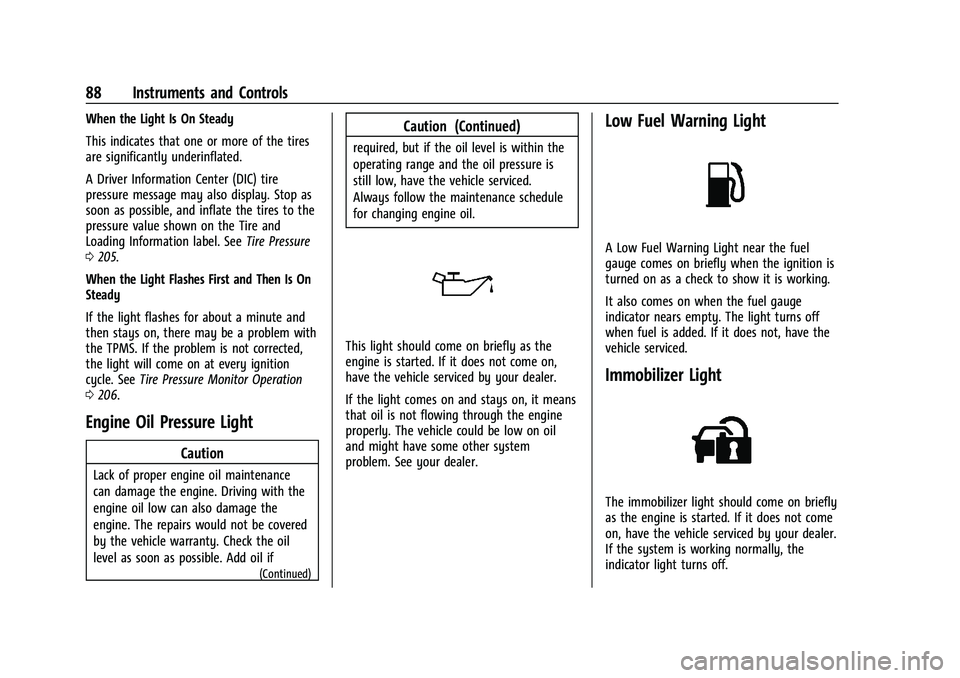
This light should come on briefly as the
engine is started. If it does not come on,
have the vehicle serviced by your dealer.
If the light comes on and stays on, it means
that oil is not flowing through the engine
properly. The vehicle could be low on oil
and might have some other system
problem. See your dealer.
Low Fuel Warning Light
A Low Fuel Warning Light near the fuel
gauge comes on briefly when the ignition is
turned on as a check to show it is working.
It also comes on when the fuel gauge
indicator nears empty. The light turns off
when fuel is added. If it does not, have the
vehicle serviced.
Immobilizer Light
The immobilizer light should come on briefly
as the engine is started. If it does not come
on, have the vehicle serviced by your dealer.
If the system is working normally, the
indicator light turns off.
Page 92 of 280
Chevrolet TRAX Owner Manual (GMNA-Localizing-U.S./Canada-15498927) -
2022 - CRC - 5/27/21
Instruments and Controls 91
Average Fuel Economy
This display shows the approximate average
liters per 100 kilometers (L/100 km) or miles
per gallon (mpg). This number is calculated
based on the number of L/100 km (mpg)
recorded since the last time this menu item
was reset. This number reflects only the
approximate average fuel economy that the
vehicle has right now, and will change as
driving conditions change. The fuel economy
can be reset by pressing SET/CLR while the
Average Fuel Economy display is showing.
Average Vehicle Speed
This display shows the average speed of the
vehicle in kilometers per hour (km/h) or
miles per hour (mph). This average is
calculated based on the various vehicle
speeds recorded since the last reset of this
value. The average speed can be reset by
pressing SET/CLR while the Average Vehicle
Speed display is showing.
Timer
Available on some vehicles, this display can
be used as a timer. To start the timer, press
SET/CLR while Timer is displayed. The
display will show the amount of time that
has passed since the timer was last reset,
not including time the ignition is off. Timewill continue to be counted as long as the
ignition is on, even if another display is
being shown on the DIC. The timer will
record up to 99 hours, 59 minutes, and
59 seconds (99:59:59) after which the
display will return to zero. To stop the
timer, press SET/CLR briefly while Timer is
displayed. To reset the timer to zero, press
and hold SET/CLR.
Vehicle Information Menu Items
Press MENU on the turn signal lever until
Vehicle Information menu is displayed. Use
w/xto scroll through the following
possible menu items:
.Display Units
.Tire Pressure
.Remaining Oil Life
Display Units
Move
w/xto switch between metric or
US when the Unit display is active. Press
SET/CLR to confirm the setting. This will
change the displays on the cluster and DIC
to either metric or English (US)
measurements. Tire Pressure
The display will show a vehicle with the
approximate pressures of all four tires. Tire
pressure is displayed in either
kilopascal (kPa) or pounds per square
inch (psi). See
Tire Pressure Monitor System
0 206 and
Tire Pressure Monitor Operation 0206.
Remaining Oil Life
This menu is not available while the vehicle
is moving. This display shows an estimate of
the oil's remaining useful life. If REMAINING
OIL LIFE 99 % is displayed, that means 99%
of the current oil life remains.
When the remaining oil life is low, the
CHANGE ENGINE OIL SOON message will
appear on the display. The oil should
changed as soon as possible. See Engine Oil
0 172. In addition to the engine oil life
system monitoring the oil life, additional
maintenance is recommended. See
Maintenance Schedule 0235.
Remember, the Oil Life display must be
reset after each oil change. It will not reset
itself. Also, be careful not to reset the Oil
Life display accidentally at any time other
than when the oil has just been changed.
Page 128 of 280

Chevrolet TRAX Owner Manual (GMNA-Localizing-U.S./Canada-15498927) -
2022 - CRC - 5/27/21
Climate Controls 127
Air Vents
Use the air vents in the center and on the
side of the instrument panel to direct the
airflow. Move the slats on the center air
vents to direct airflow.
Use the thumbwheels near the air vents to
control the amount of airflow or to shut off
the airflow.
Operation Tips
.Keep all outlets open whenever possible
for best system performance.
.Keep the path under the front seats clear
of objects to help circulate the air inside
the vehicle more effectively.
.Clear away any ice, snow, or leaves from
the air inlets at the base of the
windshield that may block the flow of air
into the vehicle.
.Clear snow off the hood to improve
visibility and help decrease moisture
drawn into the vehicle.
.Use of non-GM approved hood deflectors
may adversely affect the performance of
the system.
Maintenance
Air Intake
Clear away any ice, snow, or leaves from
the air intake at the base of the windshield
that can block the flow of air into the
vehicle.
Passenger Compartment Air Filter
The filter removes dust, pollen, and other
airborne irritants from outside air that is
pulled into the vehicle.
The filter should be replaced as part of
routine scheduled maintenance. See
Maintenance Schedule0235. To find out
what type of filter to use, see Maintenance
Replacement Parts 0244. 1. Open the glove box completely and
disconnect the damper on the
outboard side.
2. Push in both sides of the glove box andpull to remove.
Page 129 of 280

Chevrolet TRAX Owner Manual (GMNA-Localizing-U.S./Canada-15498927) -
2022 - CRC - 5/27/21
128 Climate Controls
3. Open the filter cover by releasing tabson both sides and pulling up the cover.
4. Replace the air filter.
5. Close the air filter cover and reinstall the glove box.
See your dealer if additional assistance is
needed.
Service
All vehicles have a label underhood that
identifies the refrigerant used in the vehicle.
The refrigerant system should only be
serviced by trained and certified technicians.
The air conditioning evaporator should never
be repaired or replaced by one from a salvage vehicle. It should only be replaced
by a new evaporator to ensure proper and
safe operation.
During service, all refrigerants should be
reclaimed with proper equipment. Venting
refrigerants directly to the atmosphere is
harmful to the environment and may also
create unsafe conditions based on
inhalation, combustion, frostbite, or other
health-based concerns.
The air conditioning system requires periodic
maintenance. See
Maintenance Schedule
0 235.
Page 131 of 280
Chevrolet TRAX Owner Manual (GMNA-Localizing-U.S./Canada-15498927) -
2022 - CRC - 5/27/21
130 Driving and Operating
Driving Information
Driver Behavior
Driving is an important responsibility. Driver
behavior, the driving environment, and the
vehicle's design all affect how well a vehicle
performs.
Being aware of these factors can help in
understanding how the vehicle handles and
what can be done to avoid many types of
crashes, including a rollover crash.
Most serious injuries and fatalities to
unbelted occupants can be reduced or
prevented by the use of seat belts. In a
rollover crash, an unbelted person is
significantly more likely to die than a
person wearing a seat belt. In addition,
avoiding excessive speed, sudden or abrupt
turns, and drunken or aggressive driving can
help make trips safer and avoid the
possibility of a crash.
Driving Environment
Be prepared for driving in inclement
weather, at night, or during other times
where visibility or traction may be limited,such as on curves, slippery roads, or hilly
terrain. Unfamiliar surroundings can also
have hidden hazards.
Vehicle Design
Utility vehicles have a significantly higher
rollover rate than other types of vehicles.
This is because they have a higher ground
clearance and a narrower track or shorter
wheelbase than passenger cars, which makes
them more capable for off-road driving.
While these design characteristics provide
the driver with a better view of the road,
these vehicles do have a higher center of
gravity than other types of vehicles.
A utility vehicle does not handle the same
as a vehicle with a lower center of gravity,
like a car, in similar situations.
Safe driver behavior and understanding of
the environment can help avoid a rollover
crash in any type of vehicle, including utility
vehicles.
Driving for Better Fuel Economy
Driving habits can affect fuel mileage. Here
are some driving tips to get the best fuel
economy possible:
.Set the climate controls to the desired
temperature after the engine is started,
or turn them off when not required.
.Avoid fast starts and accelerate smoothly.
.Brake gradually and avoid abrupt stops.
.Avoid idling the engine for long periods
of time.
.When road and weather conditions are
appropriate, use cruise control.
.Always follow posted speed limits or
drive more slowly when conditions
require.
.Keep vehicle tires properly inflated.
.Combine several trips into a single trip.
.Replace the vehicle's tires with the same
TPC Spec number molded into the tire's
sidewall near the size.
.Follow recommended scheduled
maintenance.
Distracted Driving
Distraction comes in many forms and can
take your focus from the task of driving.
Exercise good judgment and do not let other
activities divert your attention away from
the road. Many local governments have
Page 176 of 280

Chevrolet TRAX Owner Manual (GMNA-Localizing-U.S./Canada-15498927) -
2022 - CRC - 5/27/21
Vehicle Care 175
Change the fluid at the intervals listed in
Maintenance Schedule0235, and be sure to
use the fluid listed in Recommended Fluids
and Lubricants 0243.
Engine Air Cleaner/Filter
The engine air cleaner/filter is in the engine
compartment on the passenger side of the
vehicle. See Engine Compartment Overview
0 171.
When to Inspect the Engine Air Cleaner/
Filter
For intervals on changing and inspecting the
engine air cleaner/filter, see Maintenance
Schedule 0235.
How to Inspect the Engine Air Cleaner/
Filter
Do not start the engine or have the engine
running with the engine air cleaner/filter
housing open. Before removing the engine
air cleaner/filter, make sure that the engine
air cleaner/filter housing and nearby
components are free of dirt and debris.
Remove the engine air cleaner/filter. Lightly
tap and shake the engine air cleaner/filter
(away from the vehicle), to release loose
dust and dirt. Inspect the engine air cleaner/ filter for damage, and replace if damaged.
Do not clean the engine air cleaner/filter
with water or compressed air.
To inspect or replace the air cleaner/filter:
1.4L L4 Engine (LE2)
1. Remove the two screws, tilt the cover, and slide it out of the assembly.
{Warning
If part replacement is necessary, the part
must be replaced with one of the same
part number or with an equivalent part.
Use of a replacement part without the
(Continued)
Warning (Continued)
same fit, form, and function may result
in personal injury or damage to the
vehicle.
2. Inspect or replace the engine air cleaner/ filter.
3. Lower the cover, slide it into the assembly, then secure with the two
screws.
See Maintenance Schedule 0235 for
replacement intervals.
{Warning
Operating the engine with the air
cleaner/filter off can cause you or others
to be burned. Use caution when working
on the engine. Do not start the engine or
drive the vehicle with the air cleaner/
filter off, as flames may be present if the
engine backfires.
Page 182 of 280
Chevrolet TRAX Owner Manual (GMNA-Localizing-U.S./Canada-15498927) -
2022 - CRC - 5/27/21
Vehicle Care 181
Properly torqued wheel nuts are necessary
to help prevent brake pulsation. When tires
are rotated, inspect brake linings for wear
and evenly tighten wheel nuts in the proper
sequence to torque specifications. See
Capacities and Specifications0247.
If the vehicle has rear drum brakes, they do
not have wear indicators. Drum brakes have
an inspection hole to inspect lining wear
during scheduled maintenance. When the
front brake linings are replaced, have the
rear brakes inspected. If a rear brake rubbing
noise is heard, have the rear brake linings
inspected immediately. Rear brake drums
should be removed and inspected each time
the tires are removed for rotation or
changing.
Brake pads should be replaced as complete
axle sets.
Brake Pedal Travel
See your dealer if the brake pedal does not
return to normal height, or if there is a
rapid increase in pedal travel. This could be
a sign that brake service may be required.
Replacing Brake System Parts
Always replace brake system parts with
new, approved replacement parts. If this is
not done, the brakes may not work
properly. The braking performance can
change in many ways if the wrong brake
parts are installed or if parts are improperly
installed.
Brake Fluid
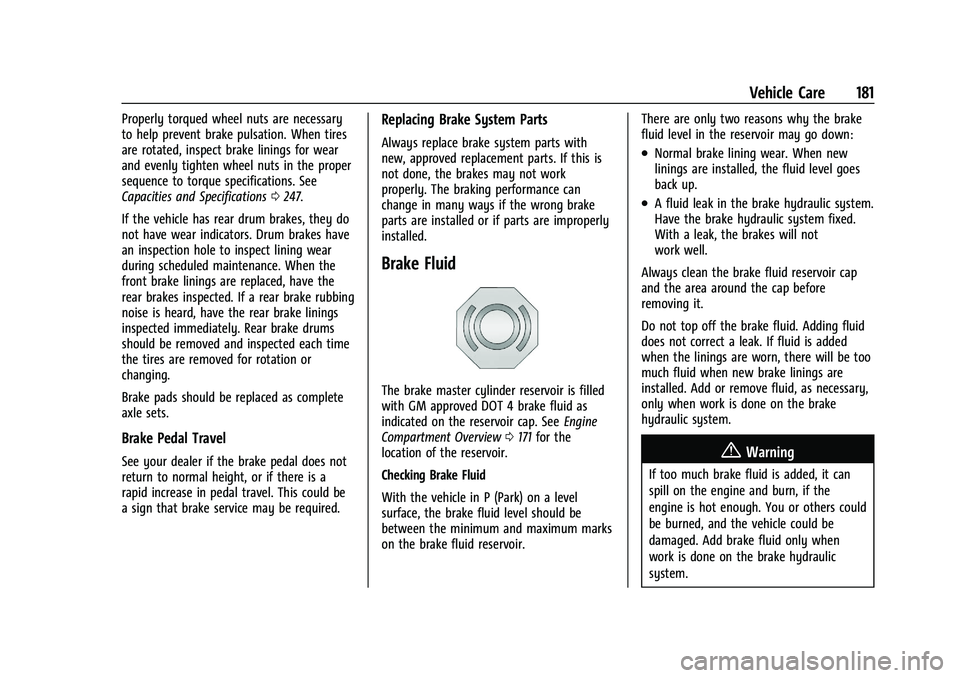
The brake master cylinder reservoir is filled
with GM approved DOT 4 brake fluid as
indicated on the reservoir cap. See Engine
Compartment Overview 0171 for the
location of the reservoir.
Checking Brake Fluid
With the vehicle in P (Park) on a level
surface, the brake fluid level should be
between the minimum and maximum marks
on the brake fluid reservoir. There are only two reasons why the brake
fluid level in the reservoir may go down:
.Normal brake lining wear. When new
linings are installed, the fluid level goes
back up.
.A fluid leak in the brake hydraulic system.
Have the brake hydraulic system fixed.
With a leak, the brakes will not
work well.
Always clean the brake fluid reservoir cap
and the area around the cap before
removing it.
Do not top off the brake fluid. Adding fluid
does not correct a leak. If fluid is added
when the linings are worn, there will be too
much fluid when new brake linings are
installed. Add or remove fluid, as necessary,
only when work is done on the brake
hydraulic system.
{Warning
If too much brake fluid is added, it can
spill on the engine and burn, if the
engine is hot enough. You or others could
be burned, and the vehicle could be
damaged. Add brake fluid only when
work is done on the brake hydraulic
system.
Page 183 of 280
Chevrolet TRAX Owner Manual (GMNA-Localizing-U.S./Canada-15498927) -
2022 - CRC - 5/27/21
182 Vehicle Care
When the brake fluid falls to a low level,
the brake warning light comes on. SeeBrake
System Warning Light 085.
Brake fluid absorbs water over time which
degrades the effectiveness of the brake fluid.
Replace brake fluid at the specified intervals
to prevent increased stopping distance. See
Maintenance Schedule 0235.
What to Add
Use only GM approved DOT 4 brake fluid
from a clean, sealed container. See
Recommended Fluids and Lubricants 0243.
{Warning
The wrong or contaminated brake fluid
could result in damage to the brake
system. This could result in the loss of
braking leading to a possible injury.
Always use the proper GM approved
brake fluid.
Caution
If brake fluid is spilled on the vehicle's
painted surfaces, the paint finish can be
damaged. Immediately wash off any
painted surface.
Battery - North America
The original equipment battery is
maintenance free. Do not remove the cap
and do not add fluid.
Refer to the replacement number shown on
the original battery label when a new
battery is needed. See Engine Compartment
Overview 0171 for battery location.
{Warning
WARNING: Battery posts, terminals and
related accessories can expose you to
chemicals including lead and lead
compounds, which are known to the
State of California to cause cancer and
birth defects or other reproductive harm.
Wash hands after handling. For more
information go to
www.P65Warnings.ca.gov.
See the warning on the back cover.
Vehicle Storage
{Warning
Batteries have acid that can burn you and
gas that can explode. You can be badly
hurt if you are not careful. See Jump
Starting - North America 0220 for tips on
working around a battery without
getting hurt.
Infrequent Usage: Remove the black,
negative (−) cable from the battery to keep
the battery from running down.
Extended Storage: Remove the black,
negative (−) cable from the battery or use a
battery trickle charger.
All-Wheel Drive
Transfer Case
Under normal driving conditions, transfer
case fluid does not require maintenance
unless there is a fluid leak or unusual noise.
If required, have the transfer case serviced
by your dealer.
Page 185 of 280

Chevrolet TRAX Owner Manual (GMNA-Localizing-U.S./Canada-15498927) -
2022 - CRC - 5/27/21
184 Vehicle Care
Wiper Blade Replacement
Windshield wiper blades should be replaced
periodically. SeeMaintenance Schedule
0 235.
Replacement blades come in different types
and are removed in different ways. For
proper type and length, see Maintenance
Replacement Parts 0244.
Caution
Allowing the wiper arm to touch the
windshield when no wiper blade is
installed could damage the windshield.
Any damage that occurs would not be
covered by the vehicle warranty. Do not
allow the wiper arm to touch the
windshield.
Front Wiper Blade Replacement
To replace the front wiper blades:
1. Lift the wiper arm from the windshield until no further movement is possible.
2. Press the release button on the top side
of the wiper and pull the wiper blade
out of the end of the wiper arm.
3. Install the wiper blade connector by sliding into the end of the wiper arm
until the button on the wiper blade clicks
into place with the wiper arm.
4. Place the wiper arm with the wiper blade in place back on the windshield.
Caution
Damage may occur if the wiper blades
are not in contact with the windshield
before turning on the wiper system.
Rear Wiper Blade Replacement
The rear wiper blade and wiper arm have a
cover for protection. The cover must be
removed before the wiper blade can be
replaced.
To remove the cover:
1. Slide a plastic tool under the cover andpush upward to unsnap.
2. Slide the cover toward the wiper blade tip to unhook it from the blade
assembly.
3. Remove the cover.
4. After wiper blade replacement, ensure that the cover hook slides into the slot
in the blade assembly.
5. Snap the cover down to secure.
To replace the wiper blade: 1. Lift the wiper arm away from the windshield.