steering CHEVROLET UPLANDER 2006 User Guide
[x] Cancel search | Manufacturer: CHEVROLET, Model Year: 2006, Model line: UPLANDER, Model: CHEVROLET UPLANDER 2006Pages: 458, PDF Size: 3.19 MB
Page 161 of 458
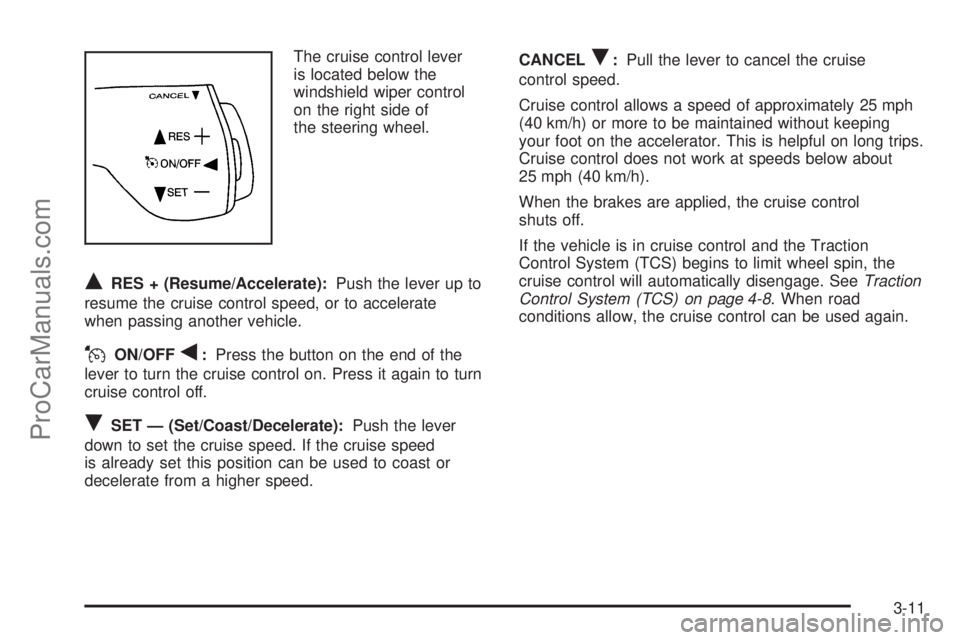
The cruise control lever
is located below the
windshield wiper control
on the right side of
the steering wheel.
QRES + (Resume/Accelerate):Push the lever up to
resume the cruise control speed, or to accelerate
when passing another vehicle.
JON/OFFq:Press the button on the end of the
lever to turn the cruise control on. Press it again to turn
cruise control off.
RSET — (Set/Coast/Decelerate):Push the lever
down to set the cruise speed. If the cruise speed
is already set this position can be used to coast or
decelerate from a higher speed.CANCEL
R:Pull the lever to cancel the cruise
control speed.
Cruise control allows a speed of approximately 25 mph
(40 km/h) or more to be maintained without keeping
your foot on the accelerator. This is helpful on long trips.
Cruise control does not work at speeds below about
25 mph (40 km/h).
When the brakes are applied, the cruise control
shuts off.
If the vehicle is in cruise control and the Traction
Control System (TCS) begins to limit wheel spin, the
cruise control will automatically disengage. SeeTraction
Control System (TCS) on page 4-8. When road
conditions allow, the cruise control can be used again.
3-11
ProCarManuals.com
Page 164 of 458
Using Cruise Control on Hills
How well the cruise control will work on hills depends
upon the vehicle’s speed, its load, and the steepness of
the hills. When going up steep hills, the accelerator
pedal might have to be used in order to maintain
the vehicle’s speed. When going downhill, the brakes
might have to be applied, or the transaxle might have to
be shifted to a lower gear to keep the vehicle’s speed
down. Doing either of these things will take the
vehicle out of cruise. It may be better not to use the
cruise control if the brakes constantly have to be
applied, or the vehicle continuously needs to be shifted
to a lower gear.
Cancelling Cruise Control
To cancel a cruise control session, pull the cruise
control lever forward, or step lightly on the brake pedal.
Doing either of these things will only end the current
cruise control session, but the set speed will be retained
in memory.
Push the button at the end of the cruise control lever to
turn the system off.
Erasing Speed Memory
When the cruise control or the ignition is turned off, the
cruise control set speed memory is erased.
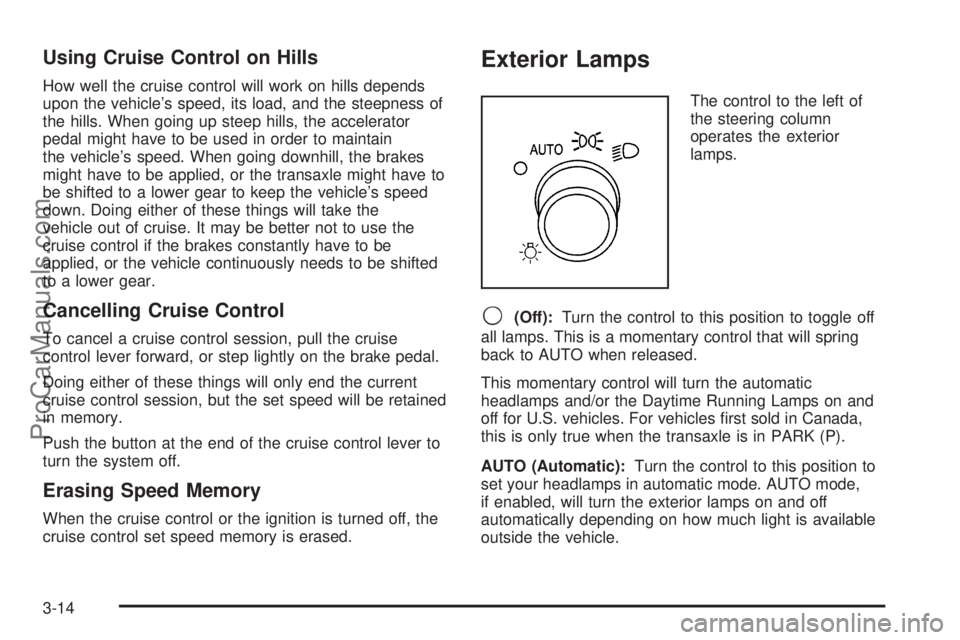
Exterior Lamps
The control to the left of
the steering column
operates the exterior
lamps.
9(Off):Turn the control to this position to toggle off
all lamps. This is a momentary control that will spring
back to AUTO when released.
This momentary control will turn the automatic
headlamps and/or the Daytime Running Lamps on and
off for U.S. vehicles. For vehicles rst sold in Canada,
this is only true when the transaxle is in PARK (P).
AUTO (Automatic):Turn the control to this position to
set your headlamps in automatic mode. AUTO mode,
if enabled, will turn the exterior lamps on and off
automatically depending on how much light is available
outside the vehicle.
3-14
ProCarManuals.com
Page 167 of 458
Interior Lamps Control
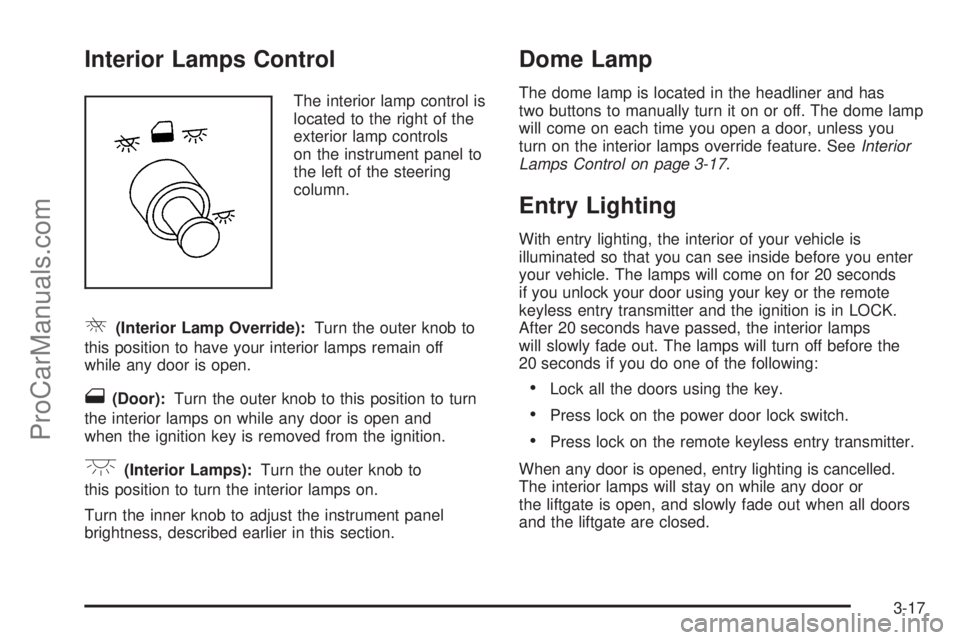
The interior lamp control is
located to the right of the
exterior lamp controls
on the instrument panel to
the left of the steering
column.
R(Interior Lamp Override):Turn the outer knob to
this position to have your interior lamps remain off
while any door is open.
1(Door):Turn the outer knob to this position to turn
the interior lamps on while any door is open and
when the ignition key is removed from the ignition.
+(Interior Lamps):Turn the outer knob to
this position to turn the interior lamps on.
Turn the inner knob to adjust the instrument panel
brightness, described earlier in this section.
Dome Lamp
The dome lamp is located in the headliner and has
two buttons to manually turn it on or off. The dome lamp
will come on each time you open a door, unless you
turn on the interior lamps override feature. SeeInterior
Lamps Control on page 3-17.
Entry Lighting
With entry lighting, the interior of your vehicle is
illuminated so that you can see inside before you enter
your vehicle. The lamps will come on for 20 seconds
if you unlock your door using your key or the remote
keyless entry transmitter and the ignition is in LOCK.
After 20 seconds have passed, the interior lamps
will slowly fade out. The lamps will turn off before the
20 seconds if you do one of the following:
Lock all the doors using the key.
Press lock on the power door lock switch.
Press lock on the remote keyless entry transmitter.
When any door is opened, entry lighting is cancelled.
The interior lamps will stay on while any door or
the liftgate is open, and slowly fade out when all doors
and the liftgate are closed.
3-17
ProCarManuals.com
Page 227 of 458
Exiting the Personal Program Menu
The personal program menu will be exited when any of
the following occurs:
The vehicle is shifted out of PARK (P).
The vehicle is no longer in RUN.
The end of the personal program menu is reached.
Audio System(s)
Determine which radio your vehicle has and then read
the pages following to familiarize yourself with its
features.
Driving without distraction is a necessity for a safer
driving experience. SeeDefensive Driving on page 4-2.
By taking a few moments to read this manual and
get familiar with your vehicle’s audio system, you can
use it with less effort, as well as take advantage of
its features. While your vehicle is parked, set up your
audio system by presetting your favorite radio stations,
setting the tone and adjusting the speakers. Then,
when driving conditions permit, you can tune to your
favorite stations using the presets and steering
wheel controls (if equipped).
{CAUTION:
This system provides you with a far greater
access to audio stations and song listings.
Giving extended attention to entertainment
tasks while driving can cause a crash and you
or others can be injured or killed. Always keep
your eyes on the road and your mind on the
drive — avoid engaging in extended searching
while driving.
Keeping your mind on the drive is important for safe
driving. For more information, seeDefensive Driving on
page 4-2. Get familiar with your vehicle’s audio
system so you can use it with less effort and take full
advantage of its features.
3-77
ProCarManuals.com
Page 228 of 458
Here are some ways in which you can help avoid
distraction while driving.
While your vehicle is parked:
Familiarize yourself with all of its controls.
Familiarize yourself with its operation.
Set up your audio system by presetting your
favorite radio stations, setting the tone, and
adjusting the speakers. Then, when driving
conditions permit, you can tune to your favorite
radio stations using the presets and steering wheel
controls (if equipped).
Notice:Before adding any sound equipment to
your vehicle, such as an audio system, CD player,
CB radio, mobile telephone, or two-way radio, make
sure that it can be added by checking with your
dealer. Also, check federal rules covering mobile
radio and telephone units. If sound equipment can
be added, it is very important to do it properly.
Added sound equipment may interfere with
the operation of your vehicle’s engine, radio, or
other systems, and even damage them. Your
vehicle’s systems may interfere with the operation
of sound equipment that has been added.Your vehicle has a feature called Retained Accessory
Power (RAP). With RAP, the audio system can be
played even after the ignition is turned off. SeeRetained
Accessory Power (RAP) on page 2-31for more
information.Setting the Time
Press the H or the M button to enter clock mode.
Press and hold H until the correct hour appears on the
display. Press and hold M until the correct minute
appears on the display.
To change the time default setting from 12 hour to
24 hour, press either the H or the M button to enter the
clock mode, then press the tune knob to select
between the 12 or 24 hour display format. The clock
mode will automatically time out with the changed
display format set as the current default setting.
3-78
ProCarManuals.com
Page 264 of 458
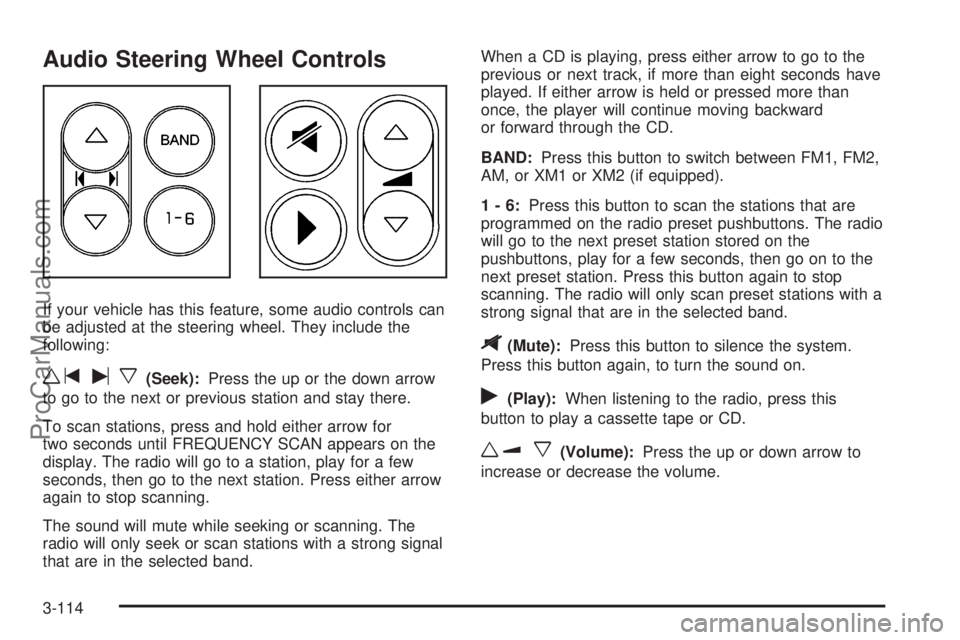
Audio Steering Wheel Controls
If your vehicle has this feature, some audio controls can
be adjusted at the steering wheel. They include the
following:
wtux(Seek):Press the up or the down arrow
to go to the next or previous station and stay there.
To scan stations, press and hold either arrow for
two seconds until FREQUENCY SCAN appears on the
display. The radio will go to a station, play for a few
seconds, then go to the next station. Press either arrow
again to stop scanning.
The sound will mute while seeking or scanning. The
radio will only seek or scan stations with a strong signal
that are in the selected band.When a CD is playing, press either arrow to go to the
previous or next track, if more than eight seconds have
played. If either arrow is held or pressed more than
once, the player will continue moving backward
or forward through the CD.
BAND:Press this button to switch between FM1, FM2,
AM, or XM1 or XM2 (if equipped).
1-6:Press this button to scan the stations that are
programmed on the radio preset pushbuttons. The radio
will go to the next preset station stored on the
pushbuttons, play for a few seconds, then go on to the
next preset station. Press this button again to stop
scanning. The radio will only scan preset stations with a
strong signal that are in the selected band.
$(Mute):Press this button to silence the system.
Press this button again, to turn the sound on.
r(Play):When listening to the radio, press this
button to play a cassette tape or CD.
wux(Volume):Press the up or down arrow to
increase or decrease the volume.
3-114
ProCarManuals.com
Page 267 of 458
Your Driving, the Road, and Your Vehicle..........4-2
Defensive Driving...........................................4-2
Drunken Driving.............................................4-3
Control of a Vehicle........................................4-5
Braking.........................................................4-5
Anti-Lock Brake System (ABS).........................4-6
Braking in Emergencies...................................4-8
Traction Control System (TCS).........................4-8
StabiliTrak
®System........................................4-9
All-Wheel Drive (AWD) System.......................4-11
Steering......................................................4-11
Off-Road Recovery.......................................4-14
Passing.......................................................4-14
Loss of Control.............................................4-15
Driving at Night............................................4-17
Driving in Rain and on Wet Roads..................4-18City Driving..................................................4-20
Freeway Driving...........................................4-21
Before Leaving on a Long Trip.......................4-22
Highway Hypnosis........................................4-23
Hill and Mountain Roads................................4-24
Winter Driving..............................................4-25
If Your Vehicle is Stuck in Sand, Mud,
Ice or Snow..............................................4-29
Rocking Your Vehicle to Get It Out.................4-30
Loading Your Vehicle....................................4-30
Towing..........................................................4-35
Towing Your Vehicle.....................................4-35
Recreational Vehicle Towing...........................4-35
Level Control...............................................4-37
Towing a Trailer...........................................4-37
Section 4 Driving Your Vehicle
4-1
ProCarManuals.com
Page 271 of 458
There is something else about drinking and driving that
many people do not know. Medical research shows that
alcohol in a person’s system can make crash injuries
worse, especially injuries to the brain, spinal cord, or
heart. This means that when anyone who has been
drinking — driver or passenger — is in a crash, that
person’s chance of being killed or permanently disabled
is higher than if the person had not been drinking.
{CAUTION:
Drinking and then driving is very dangerous.
Your reexes, perceptions, attentiveness, and
judgment can be affected by even a small
amount of alcohol. You can have a serious — or
even fatal — collision if you drive after drinking.
Please do not drink and drive or ride with a
driver who has been drinking. Ride home in a
cab; or if you are with a group, designate a
driver who will not drink.
Control of a Vehicle
You have three systems that make your vehicle go where
you want it to go. They are the brakes, the steering, and
the accelerator. All three systems have to do their work at
the places where the tires meet the road.
Sometimes, as when you are driving on snow or ice, it is
easy to ask more of those control systems than the tires
and road can provide. That means you can lose control of
your vehicle. SeeTraction Control System (TCS) on
page 4-8andStabiliTrak
®System on page 4-9.
Adding non-GM accessories can affect your vehicle’s
performance. SeeAccessories and Modications
on page 5-3.
Braking
SeeBrake System Warning Light on page 3-38.
Braking action involves perception time and
reaction time.
First, you have to decide to push on the brake pedal.
That is perception time. Then you have to bring up your
foot and do it. That is reaction time.
Average reaction time is about three-fourths of a
second. But that is only an average. It might be less
with one driver and as long as two or three seconds or
more with another. Age, physical condition, alertness,
4-5
ProCarManuals.com
Page 274 of 458
Remember: Anti-lock does not change the time you
need to get your foot up to the brake pedal or always
decrease stopping distance. If you get too close to
the vehicle in front of you, you will not have time to apply
your brakes if that vehicle suddenly slows or stops.
Always leave enough room up ahead to stop, even
though you have anti-lock brakes.
Using Anti-Lock
Do not pump the brakes. Just hold the brake pedal
down rmly and let anti-lock work for you. You may feel
a slight brake pedal pulsation or notice some noise,
but this is normal.
Braking in Emergencies
With anti-lock brakes, you can steer and brake at the
same time. In many emergencies, steering can help you
more than even the very best braking.
Traction Control System (TCS)
Your vehicle may have a traction control system that
limits wheel spin. This is especially useful in slippery
road conditions. The system operates if it senses that
one or both of the front wheels are spinning or beginning
to lose traction. When this happens, the system
brakes the spinning wheel(s) and/or reduces engine
power to limit wheel spin.The TRACTION CONTROL ACTIVE message will come
on in the Driver Information Center (DIC) when the
traction control system is limiting wheel spin. You may
feel or hear the system working, but this is normal.
If your vehicle is in cruise control when the traction
control system begins to limit wheel spin, the cruise
control will automatically disengage. When road
conditions allow you to safely use it again, you may
re-engage the cruise control.
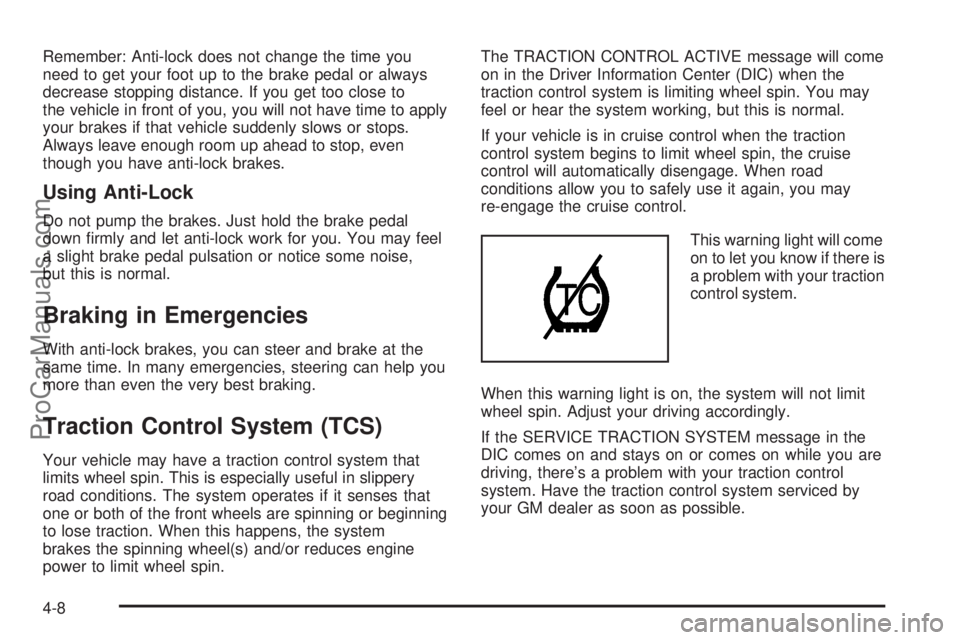
This warning light will come
on to let you know if there is
a problem with your traction
control system.
When this warning light is on, the system will not limit
wheel spin. Adjust your driving accordingly.
If the SERVICE TRACTION SYSTEM message in the
DIC comes on and stays on or comes on while you are
driving, there’s a problem with your traction control
system. Have the traction control system serviced by
your GM dealer as soon as possible.
4-8
ProCarManuals.com
Page 276 of 458
If either message appears on the DIC, and your vehicle
has not gone through hard acceleration, braking or
multiple turns in the rst two miles of driving, your
vehicle should be taken in for service.
The STABILITY CONTROL ACTIVE message will appear
on the DIC only when the system is both on and
activated. It means that an advanced computer-controlled
system has come on to help your vehicle continue to go
in the direction in which you are steering. StabiliTrak
®
activates when the computer senses that your vehicle is
just starting to spin, as it might if you hit a patch of ice or
other slippery spot on the road. When the system
activates, you may hear a noise or feel a vibration in the
brake pedal. This is normal. When the STABILITY
CONTROL ACTIVE message is on, you should continue
to steer in the direction you want to go. The system is
designed to help you in bad weather or other difficult
driving situations by making the most of whatever road
conditions will permit. For more information on the
stability messages, seeDriver Information Center (DIC)
on page 3-46.
If the StabiliTrak
®system turns off, the traction control
system warning light will illuminate, and the STABILITY
CONTROL OFF message will appear on the DIC to
warn the driver that StabiliTrak
®is no longer available
to assist you with directional control of the vehicle.
Adjust your driving accordingly.To limit wheel spin and realize the full benets of the
stability enhancement system, you should normally
leave traction control on, but it may be necessary to turn
the system off if your vehicle is stuck in sand, mud,
ice or snow, and you want to “rock” your vehicle
to attempt to free it. SeeRocking Your Vehicle to Get It
Out on page 4-30andIf Your Vehicle is Stuck in
Sand, Mud, Ice or Snow on page 4-29.
Traction Control Operation
The traction control system is part of the StabiliTrak®
system. Traction control limits wheel spin by reducing
engine power to the wheels (engine speed
management) and by applying brakes.
The traction control system is enabled automatically
when you start your vehicle. It will activate and display
the TRACTION CONTROL ACTIVE message in the
DIC if it senses that one or both of the front wheels are
spinning or beginning to lose traction while driving.
If the brake traction-control system activates constantly or
if the brakes have heated up due to high-speed braking,
brake traction-control will be disabled and the TRACTION
CONTROL ACTIVE message will be displayed.
4-10
ProCarManuals.com