brake CHEVROLET UPLANDER 2007 1.G User Guide
[x] Cancel search | Manufacturer: CHEVROLET, Model Year: 2007, Model line: UPLANDER, Model: CHEVROLET UPLANDER 2007 1.GPages: 592, PDF Size: 3.04 MB
Page 190 of 592
Safety Belt Reminder Light........................ 232
Passenger Safety Belt Reminder Light....... 233
Airbag Readiness Light............................. 234
Passenger Airbag Status Indicator............. 235
Charging System Light.............................. 237
Brake System Warning Light..................... 238
Anti-Lock Brake System Warning Light...... 239
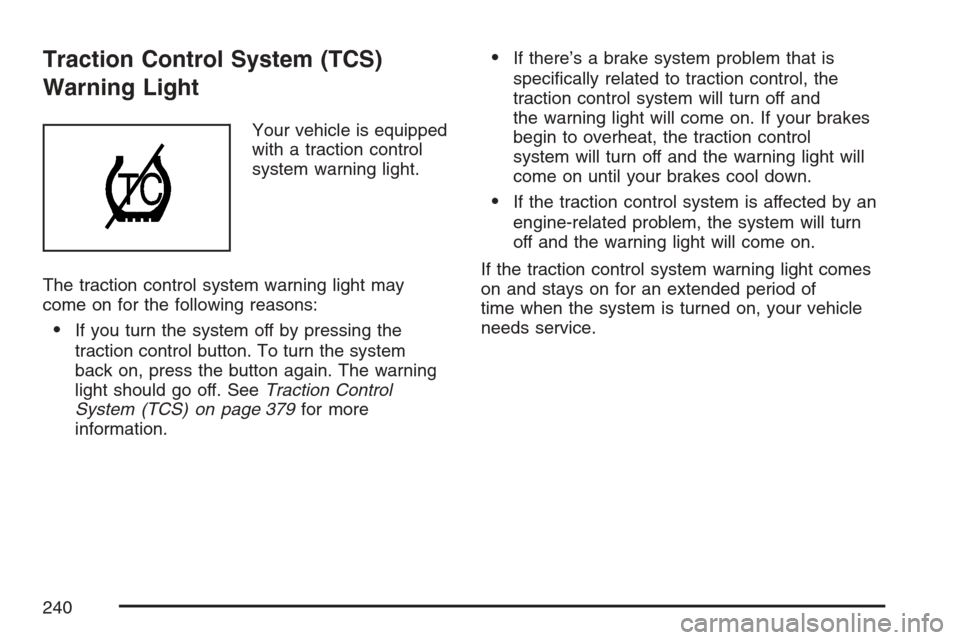
Traction Control System (TCS)
Warning Light........................................ 240
Engine Coolant Temperature Gage............ 241
Malfunction Indicator Lamp........................ 242
Oil Pressure Light..................................... 246
Security Light............................................ 247
Cruise Control Light.................................. 247
Highbeam On Light................................... 247
Fuel Gage................................................. 248
Low Fuel Warning Light............................ 248
Driver Information Center (DIC).................. 249
DIC Operation and Displays...................... 249
DIC Compass (Uplevel Only)..................... 254
DIC Warnings and Messages.................... 256
DIC Vehicle Personalization
(Uplevel Only)........................................ 275Audio System(s)......................................... 284
Setting the Time........................................ 285
Radio with CD........................................... 286
Using an MP3........................................... 301
XM Radio Messages................................. 307
Navigation/Radio System........................... 309
Rear Seat Entertainment System
(Option A, Uplevel)................................ 309
Rear Seat Entertainment System
(Option B, Uplevel)................................ 324
Rear Seat Audio (RSA)
(Option A, Uplevel)................................ 340
Rear Seat Audio (RSA)
(Option B, Uplevel)................................ 343
Mobile Digital Media System..................... 345
Theft-Deterrent Feature............................. 367
Audio Steering Wheel Controls.................. 367
Radio Reception........................................ 368
Care of Your CDs and DVDs.................... 369
Care of the CD and DVD Player............... 369
Fixed Mast Antenna.................................. 370
XM™ Satellite Radio Antenna System....... 370
Chime Level Adjustment............................ 370
Section 3 Instrument Panel
190
Page 193 of 592
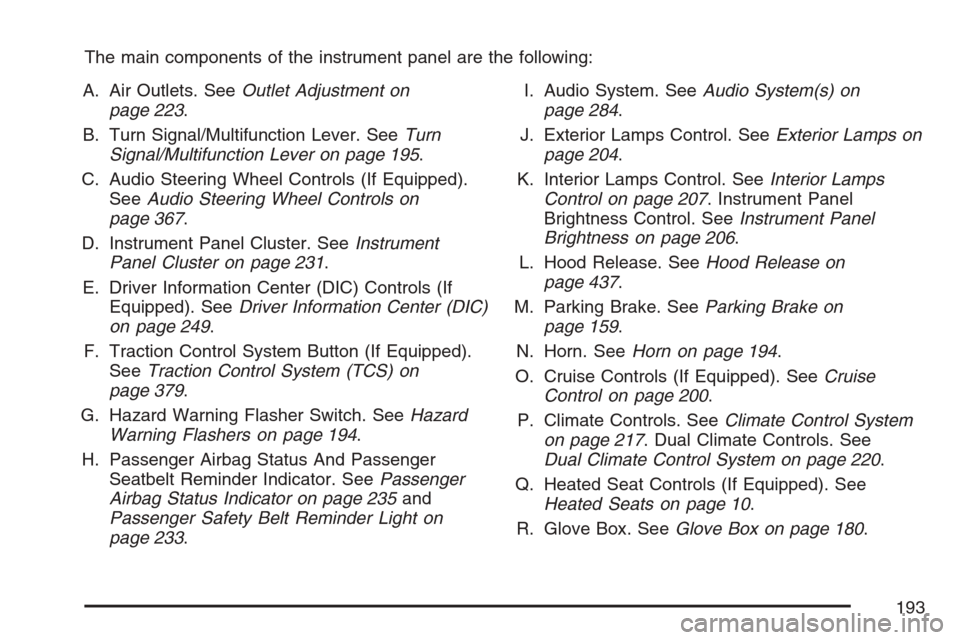
The main components of the instrument panel are the following:
A. Air Outlets. SeeOutlet Adjustment on
page 223.
B. Turn Signal/Multifunction Lever. SeeTurn
Signal/Multifunction Lever on page 195.
C. Audio Steering Wheel Controls (If Equipped).
SeeAudio Steering Wheel Controls on
page 367.
D. Instrument Panel Cluster. SeeInstrument
Panel Cluster on page 231.
E. Driver Information Center (DIC) Controls (If
Equipped). SeeDriver Information Center (DIC)
on page 249.
F. Traction Control System Button (If Equipped).
SeeTraction Control System (TCS) on
page 379.
G. Hazard Warning Flasher Switch. SeeHazard
Warning Flashers on page 194.
H. Passenger Airbag Status And Passenger
Seatbelt Reminder Indicator. SeePassenger
Airbag Status Indicator on page 235and
Passenger Safety Belt Reminder Light on
page 233.I. Audio System. SeeAudio System(s) on
page 284.
J. Exterior Lamps Control. SeeExterior Lamps on
page 204.
K. Interior Lamps Control. SeeInterior Lamps
Control on page 207. Instrument Panel
Brightness Control. SeeInstrument Panel
Brightness on page 206.
L. Hood Release. SeeHood Release on
page 437.
M. Parking Brake. SeeParking Brake on
page 159.
N. Horn. SeeHorn on page 194.
O. Cruise Controls (If Equipped). SeeCruise
Control on page 200.
P. Climate Controls. SeeClimate Control System
on page 217. Dual Climate Controls. See
Dual Climate Control System on page 220.
Q. Heated Seat Controls (If Equipped). See
Heated Seats on page 10.
R. Glove Box. SeeGlove Box on page 180.
193
Page 201 of 592
Cruise control allows a speed of approximately
25 mph (40 km/h) or more to be maintained
without keeping your foot on the accelerator. This
is helpful on long trips. Cruise control does not
work at speeds below about 25 mph (40 km/h).
When the brakes are applied, the cruise control
shuts off.
If the vehicle is in cruise control and the Traction
Control System (TCS) begins to limit wheel
spin, the cruise control will automatically
disengage. SeeTraction Control System (TCS) on
page 379. When road conditions allow, the
cruise control can be used again.Setting Cruise Control
{CAUTION:
If you leave your cruise control on when
you are not using cruise, you might hit a
button and go into cruise when you do
not want to. You could be startled and
even lose control. Keep the cruise control
switch off until you want to use cruise
control.
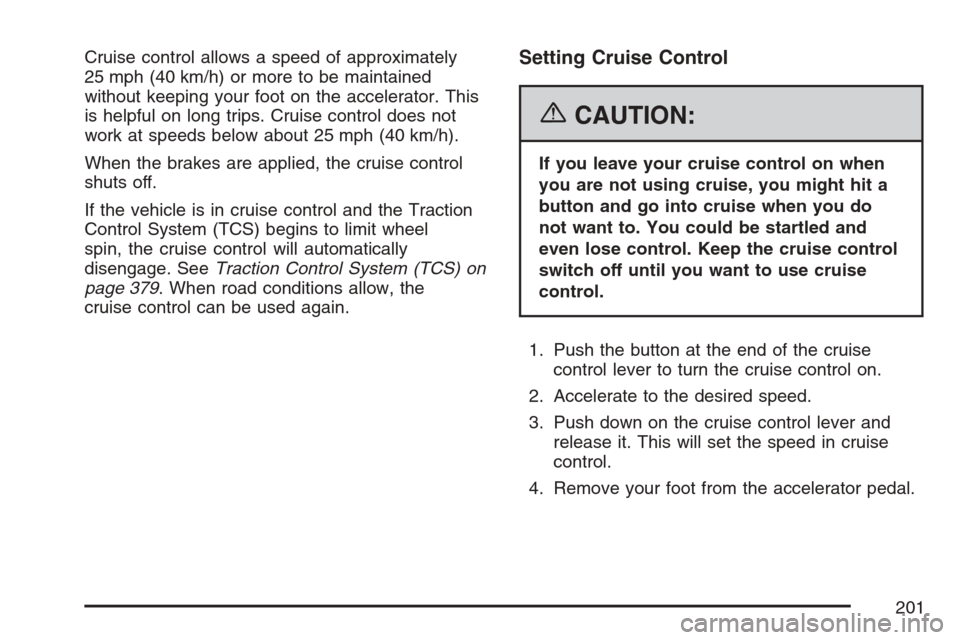
1. Push the button at the end of the cruise
control lever to turn the cruise control on.
2. Accelerate to the desired speed.
3. Push down on the cruise control lever and
release it. This will set the speed in cruise
control.
4. Remove your foot from the accelerator pedal.
201
Page 202 of 592
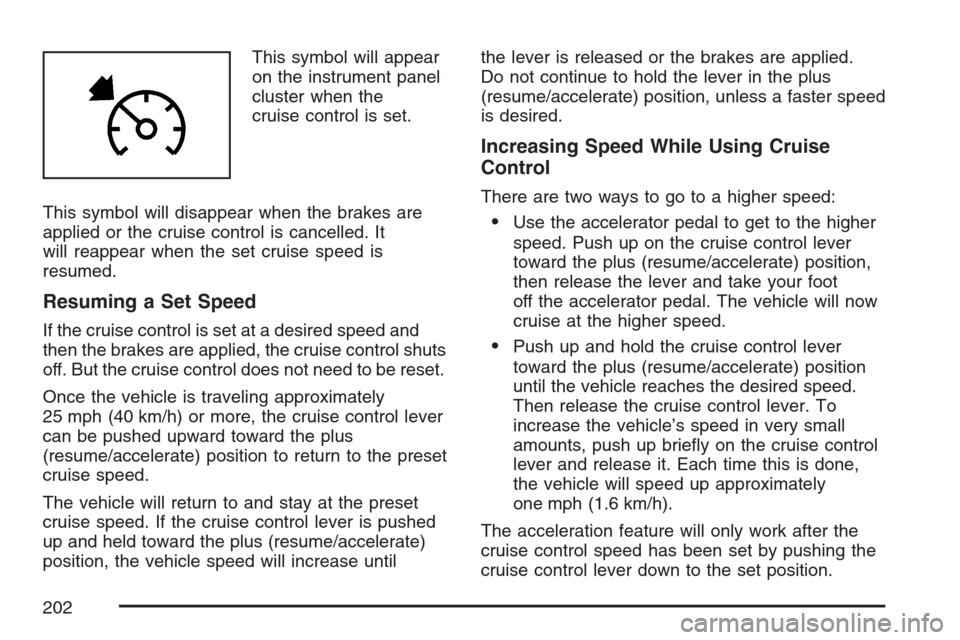
This symbol will appear
on the instrument panel
cluster when the
cruise control is set.
This symbol will disappear when the brakes are
applied or the cruise control is cancelled. It
will reappear when the set cruise speed is
resumed.
Resuming a Set Speed
If the cruise control is set at a desired speed and
then the brakes are applied, the cruise control shuts
off. But the cruise control does not need to be reset.
Once the vehicle is traveling approximately
25 mph (40 km/h) or more, the cruise control lever
can be pushed upward toward the plus
(resume/accelerate) position to return to the preset
cruise speed.
The vehicle will return to and stay at the preset
cruise speed. If the cruise control lever is pushed
up and held toward the plus (resume/accelerate)
position, the vehicle speed will increase untilthe lever is released or the brakes are applied.
Do not continue to hold the lever in the plus
(resume/accelerate) position, unless a faster speed
is desired.
Increasing Speed While Using Cruise
Control
There are two ways to go to a higher speed:
Use the accelerator pedal to get to the higher
speed. Push up on the cruise control lever
toward the plus (resume/accelerate) position,
then release the lever and take your foot
off the accelerator pedal. The vehicle will now
cruise at the higher speed.
Push up and hold the cruise control lever
toward the plus (resume/accelerate) position
until the vehicle reaches the desired speed.
Then release the cruise control lever. To
increase the vehicle’s speed in very small
amounts, push up briey on the cruise control
lever and release it. Each time this is done,
the vehicle will speed up approximately
one mph (1.6 km/h).
The acceleration feature will only work after the
cruise control speed has been set by pushing the
cruise control lever down to the set position.
202
Page 203 of 592
Reducing Speed While Using Cruise
Control
There are two ways to reduce the vehicle’s speed
while using cruise control:
Push the cruise control lever downward
toward the minus (set/coast/decelerate)
position until a lower speed is reached, then
release it.
To slow down in very small amounts, push the
cruise control lever downward toward the
minus (set/coast/decelerate) position briey.
Each time this is done, the vehicle will
slow down approximately one mph (1.6 km/h).
Passing Another Vehicle While Using
Cruise Control
Use the accelerator pedal to increase the vehicle’s
speed. When you take your foot off the pedal,
the vehicle will slow down to the cruise control
speed set earlier.
Using Cruise Control on Hills
How well the cruise control will work on hills
depends upon the vehicle’s speed, its load, and
the steepness of the hills. When going up
steep hills, the accelerator pedal might have to beused in order to maintain the vehicle’s speed.
When going downhill, the brakes might have to be
applied, or the transaxle might have to be
shifted to a lower gear to keep the vehicle’s speed
down. Doing either of these things will take the
vehicle out of cruise. It may be better not to
use the cruise control if the brakes constantly have
to be applied, or the vehicle continuously needs
to be shifted to a lower gear.
Cancelling Cruise Control
To cancel a cruise control session, pull the cruise
control lever forward, or step lightly on the
brake pedal.
Doing either of these things will only end the
current cruise control session, but the set speed
will be retained in memory.
Push the button at the end of the cruise control
lever to turn the system off.
Erasing Speed Memory
When the cruise control or the ignition is turned
off, the cruise control set speed memory is erased.
203
Page 214 of 592
When the System Does Not Seem to Work
Properly
The light may ash red when the vehicle is in
REVERSE (R) if the ultrasonic sensors are
not kept clean. So be sure to keep your rear
bumper free of mud, dirt, snow, ice and slush.
Other conditions that may affect system
performance include things like the vibrations from
a jackhammer or the compression of air brakes
on a very large truck. If after cleaning the
rear bumper and then driving forward at least
15 mph (25 km/h), the display continues to ash
red, see your dealer.
If a trailer was attached to your vehicle, or a
bicycle or an object was on the back of, or hanging
out of your liftgate during your last drive cycle,
the light may also ash red. The light will continue
to ash whenever in REVERSE (R) until your
vehicle is driven forward at least 15 mph (25 km/h)
without any obstructions behind the vehicle.
Accessory Power Outlet(s)
Your vehicle may be equipped with a front
accessory power outlet located below the climate
controls on the instrument panel. It can be
used to plug in electrical equipment such as a
cellular telephone or CB radio.
Pull the cover down to use the accessory power
outlet. When not in use, keep the cover on.
The rear accessory power outlet is located on the
rear compartment on the driver’s side.
To remove the cover, pull the tab on the cover
and pull it off. To put the cover back on, line up the
tabs at the back of the cover and put the cover
in place. Push down the tab to secure the cover.
When not in use, always cover the rear
accessory power outlet with the protective cap.
Notice:Leaving electrical equipment on
for extended periods will drain the battery.
Always turn off electrical equipment when not
in use and do not plug in equipment that
exceeds the maximum amperage rating of
20 amperes.
214
Page 238 of 592
Brake System Warning Light
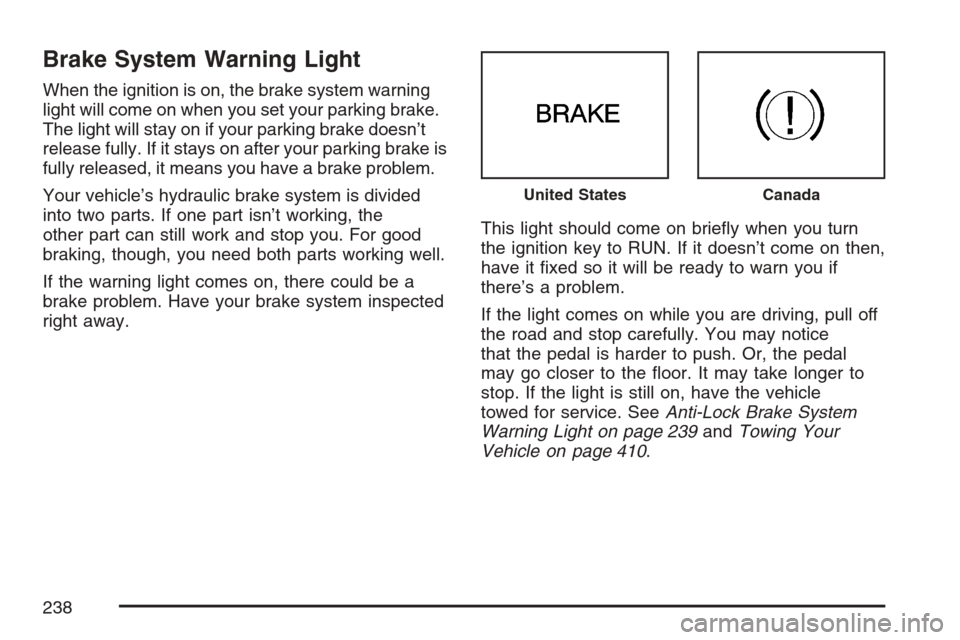
When the ignition is on, the brake system warning
light will come on when you set your parking brake.
The light will stay on if your parking brake doesn’t
release fully. If it stays on after your parking brake is
fully released, it means you have a brake problem.
Your vehicle’s hydraulic brake system is divided
into two parts. If one part isn’t working, the
other part can still work and stop you. For good
braking, though, you need both parts working well.
If the warning light comes on, there could be a
brake problem. Have your brake system inspected
right away.This light should come on briey when you turn
the ignition key to RUN. If it doesn’t come on then,
have it xed so it will be ready to warn you if
there’s a problem.
If the light comes on while you are driving, pull off
the road and stop carefully. You may notice
that the pedal is harder to push. Or, the pedal
may go closer to the oor. It may take longer to
stop. If the light is still on, have the vehicle
towed for service. SeeAnti-Lock Brake System
Warning Light on page 239andTowing Your
Vehicle on page 410.
United StatesCanada
238
Page 239 of 592
{CAUTION:
Your brake system may not be working
properly if the brake system warning light
is on. Driving with the brake system
warning light on can lead to an accident.
If the light is still on after you have pulled
off the road and stopped carefully, have
the vehicle towed for service.
Anti-Lock Brake System Warning
Light
Your vehicle has an
Anti-lock Brake System
(ABS) warning light.
This light should come on for a few seconds when
you turn the ignition key to RUN. If the light
does not come on then, have it xed so it will be
ready to warn you if there is a problem.
If this light stays on longer than normal after you
have started your engine, turn the ignition off. If the
light comes on and stays on when you are
driving, stop as soon as possible and turn the
ignition off. Then start the engine again to reset the
system. If the light still stays on, or comes on
again while you are driving, the ABS needs service
and you do not have anti-lock brakes.
239
Page 240 of 592
Traction Control System (TCS)
Warning Light
Your vehicle is equipped
with a traction control
system warning light.
The traction control system warning light may
come on for the following reasons:
If you turn the system off by pressing the
traction control button. To turn the system
back on, press the button again. The warning
light should go off. SeeTraction Control
System (TCS) on page 379for more
information.
If there’s a brake system problem that is
specically related to traction control, the
traction control system will turn off and
the warning light will come on. If your brakes
begin to overheat, the traction control
system will turn off and the warning light will
come on until your brakes cool down.
If the traction control system is affected by an
engine-related problem, the system will turn
off and the warning light will come on.
If the traction control system warning light comes
on and stays on for an extended period of
time when the system is turned on, your vehicle
needs service.
240
Page 263 of 592
This message continues to display for two seconds
if it has not been acknowledged when the engine is
turned off. It also re-displays for two seconds if the
message has been acknowledged, but the
condition still exists when the engine is turned off.
If the condition still exists, the message re-appears
when the engine is turned on.
LIFT GATE AJAR
This message displays when the liftgate is not
closed completely. Make sure that the liftgate is
closed completely. SeeLiftgate on page 141.
This message displays while the ignition is in RUN.
A chime sounds when the ignition is shifted out
of PARK (P). Press any of the DIC buttons
to acknowledge this message and to clear it from
the screen.
This message continues to display for two seconds
if it has not been acknowledged when the engine is
turned off. It also re-displays for two seconds if the
message has been acknowledged, but the
condition still exists when the engine is turned off.
If the condition still exists, the message re-appears
when the engine is turned on.
LOW BRAKE FLUID
This message displays when the brake uid level
is low. Have the brake system serviced by
your dealer as soon as possible. SeeBrakes on
page 462for proper uid level.
The brake system warning light also appears on
the instrument panel cluster when this message
appears on the DIC. SeeBrake System Warning
Light on page 238.
This message displays and a chime sounds only
while the ignition is in RUN. Press any of the
DIC buttons to acknowledge this message and to
clear it from the screen.
This message continues to display for two seconds
if it has not been acknowledged when the engine is
turned off. It also re-displays for two seconds if the
message has been acknowledged, but the
condition still exists when the engine is turned off.
If the condition still exists, the message re-appears
when the engine is turned on.
263