display CHEVROLET UPLANDER 2008 1.G Manual PDF
[x] Cancel search | Manufacturer: CHEVROLET, Model Year: 2008, Model line: UPLANDER, Model: CHEVROLET UPLANDER 2008 1.GPages: 476, PDF Size: 5.77 MB
Page 278 of 476
Left Arrow– Press the left arrow while in AM/FM tuner,
or XM™ Satellite Radio Service to seek down. Press the
left arrow while sourcing the single CD player, or the
six-disc CD player to go to the previous track.
Right Arrow– Press the right arrow while in AM/FM
tuner, or XM™ Satellite Radio Service to seek up. Press
the right arrow while sourcing the single CD player, or the
six-disc CD player to go to the next track.
43(Wired Headphone Volume):Press this button
to select the correct headphone. Then press the left
or right navigation arrows to increase or decrease the
headphone volume.
rj(Parental Control):This button is located behind
the video screen next to the auxiliary and headphone
jacks. Press this button while using RSA, or when a DVD
or CD is playing to blank the video screen and to mute
the audio. The power indicator lights on the DVD player
ashes. Turning on the parental control also disables all
other button operations from the remote control and the
DVD player, except for the eject button. Press this button
again to restore operation of the RSA, DVD player, and
remote control.This button can also be used to turn the DVD player
power on and automatically resume play if the vehicle is
on and a disc is in the player. If no disc is in the player
then the system powers up in auxiliary mode.
Theft-Deterrent Feature
THEFTLOCK®is designed to discourage theft of your
vehicle’s radio. The feature works automatically by
learning a portion of the Vehicle Identication Number
(VIN). If the radio is moved to a different vehicle, it does
not operate and LOC, LOCK, or LOCKED could display.
With THEFTLOCK
®activated, the radio does not
operate if stolen.
3-118
Page 279 of 476

Audio Steering Wheel Controls
If your vehicle has this feature, some audio controls can
be adjusted at the steering wheel. They include the
following:
wtux(Seek/Scan):Press the seek arrows to
go to the previous or the next station and stay there.
To scan stations, press and hold either scan arrow
for two seconds until FREQUENCY SCAN displays.
The radio goes to a station, plays for a few seconds,
then goes to the next station. Press either scan
arrow again to stop scanning.
The sound mutes while seeking or scanning. The radio
seeks or scans stations only with a strong signal
that are in the selected band.When a CD is playing, press either scan arrow to go to
the previous or next track, if more than eight seconds
have played. If either scan arrow is held or pressed
more than once, the player continues moving backward
or forward through the CD.
BAND:Press this button to switch between FM1, FM2,
AM, or XM1 or XM2 (if equipped).
1–6 (Preset Pushbuttons):Press this button to play
stations that are programmed on the radio preset
pushbuttons. The radio seeks preset stations only
with a strong signal that are in the selected band.
$(Mute//OnStar®):Press this button to silence the
system. Press this button again, to turn the sound on.
If your vehicle is equipped with OnStar
®, press and
hold this button to interact with the OnStar®system.
See theOnStar®System on page 2-47in this manual
for more information.
r(Play):When listening to the radio, press this
button to play a CD.
wux(Volume):Press the volume arrows to
increase or decrease the volume.
3-119
Page 280 of 476
Radio Reception
Frequency interference and static during normal radio
reception can occur if items such as cellphone chargers,
vehicle convenience accessories, and external electronic
devices are plugged into the accessory power outlet.
If there is interference or static, unplug the item from the
accessory power outlet.
AM
The range for most AM stations is greater than for FM,
especially at night. The longer range can cause station
frequencies to interfere with each other. For better radio
reception, most AM radio stations boost the power levels
during the day, and then reduce these levels during the
night. Static can also occur when things like storms and
power lines interfere with radio reception. When this
happens, try reducing the treble on your radio.
FM Stereo
FM stereo gives the best sound, but FM signals reach
only about 10 to 40 miles (16 to 65 km). Tall buildings or
hills can interfere with FM signals, causing the sound
to fade in and out.
XM™ Satellite Radio Service
XM™ Satellite Radio Service gives digital radio
reception from coast-to-coast in the 48 contiguous
United States, and in Canada. Just as with FM,
tall buildings or hills can interfere with satellite radio
signals, causing the sound to fade in and out.
In addition, traveling or standing under heavy foliage,
bridges, garages, or tunnels may cause loss of the
XM™ signal for a period of time. The radio may display
NO SIGNAL to indicate interference.
3-120
Page 281 of 476
Fixed Mast Antenna
The xed mast antenna can withstand most car washes
without being damaged. If the mast should ever become
slightly bent, straighten it out by hand. If the mast is badly
bent, replace it.
Check occasionally to make sure the mast is still
tightened to the antenna base. If tightening is required,
tighten by hand.
XM™ Satellite Radio Antenna
System
The XM™ Satellite Radio antenna is located on the roof
of your vehicle. Keep this antenna clear of snow and
ice build up for clear radio reception.
Loading items onto the roof of your vehicle can interfere
with the performance of the XM™ system. Make sure
that the XM™ satellite antenna is not obstructed.
Chime Level Adjustment
The radio is used to adjust the vehicle’s chime level.
To change the volume level of the chime, press and hold
pushbutton 6 with the ignition on and the radio power off.
The volume level will change from the normal level to
loud, and LOUD will appear on the radio display. To
change back to the default or normal setting, press and
hold pushbutton 6 again. The volume level will change
from the loud level to normal, and NORMAL will appear
on the radio display. Removing the radio and not
replacing it with a factory radio or chime module will
disable vehicle chimes.
3-121
Page 289 of 476
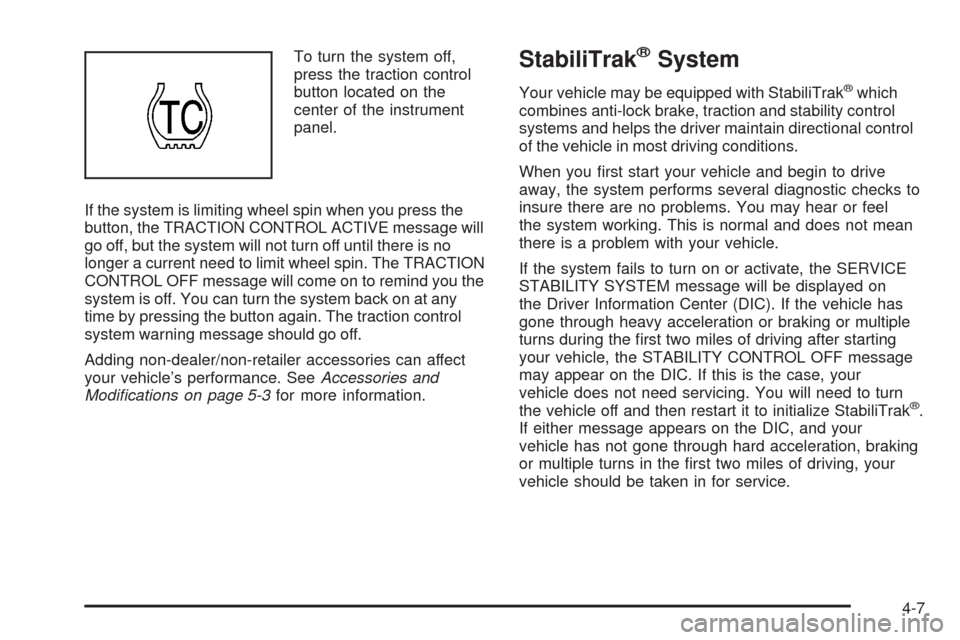
To turn the system off,
press the traction control
button located on the
center of the instrument
panel.
If the system is limiting wheel spin when you press the
button, the TRACTION CONTROL ACTIVE message will
go off, but the system will not turn off until there is no
longer a current need to limit wheel spin. The TRACTION
CONTROL OFF message will come on to remind you the
system is off. You can turn the system back on at any
time by pressing the button again. The traction control
system warning message should go off.
Adding non-dealer/non-retailer accessories can affect
your vehicle’s performance. SeeAccessories and
Modifications on page 5-3for more information.StabiliTrak®System
Your vehicle may be equipped with StabiliTrak®which
combines anti-lock brake, traction and stability control
systems and helps the driver maintain directional control
of the vehicle in most driving conditions.
When you rst start your vehicle and begin to drive
away, the system performs several diagnostic checks to
insure there are no problems. You may hear or feel
the system working. This is normal and does not mean
there is a problem with your vehicle.
If the system fails to turn on or activate, the SERVICE
STABILITY SYSTEM message will be displayed on
the Driver Information Center (DIC). If the vehicle has
gone through heavy acceleration or braking or multiple
turns during the rst two miles of driving after starting
your vehicle, the STABILITY CONTROL OFF message
may appear on the DIC. If this is the case, your
vehicle does not need servicing. You will need to turn
the vehicle off and then restart it to initialize StabiliTrak
®.
If either message appears on the DIC, and your
vehicle has not gone through hard acceleration, braking
or multiple turns in the rst two miles of driving, your
vehicle should be taken in for service.
4-7
Page 290 of 476
The STABILITY CONTROL ACTIVE message will
appear on the DIC only when the system is both on and
activated. It means that an advanced
computer-controlled system has come on to help your
vehicle continue to go in the direction in which you
are steering. StabiliTrak
®activates when the computer
senses that your vehicle is just starting to spin, as it
might if you hit a patch of ice or other slippery spot on
the road. When the system activates, you may hear
a noise or feel a vibration in the brake pedal. This
is normal. When the STABILITY CONTROL ACTIVE
message is on, you should continue to steer in the
direction you want to go. The system is designed to help
you in bad weather or other difficult driving situations
by making the most of whatever road conditions
will permit. For more information on the stability
messages, seeDriver Information Center (DIC) on
page 3-50.
If the StabiliTrak
®system turns off, the traction control
system warning light will illuminate, and the STABILITY
CONTROL OFF message will appear on the DIC to
warn the driver that StabiliTrak
®is no longer available
to assist you with directional control of the vehicle.
Adjust your driving accordingly.
To realize the full benets of the stability enhancement
system, you should normally leave StabiliTrak
®on,
but it may be necessary to turn the system off if yourvehicle is stuck in sand, mud, ice or snow, and you
want to “rock” your vehicle to attempt to free it.
SeeRocking Your Vehicle to Get It Out on page 4-21
andIf Your Vehicle is Stuck in Sand, Mud, Ice, or Snow
on page 4-20.
Traction Control Operation
The traction control system is part of the StabiliTrak®
system. Traction control limits wheel spin by reducing
engine power to the wheels (engine speed
management) and by applying brakes.
The traction control system is enabled automatically
when you start your vehicle. It will activate and display
the TRACTION CONTROL ACTIVE message in the
DIC if it senses that one or both of the front wheels are
spinning or beginning to lose traction while driving.
If the brake traction-control system activates constantly
or if the brakes have heated up due to high-speed
braking, brake traction-control will be disabled and the
TRACTION CONTROL ACTIVE message will be
displayed. In the limited mode, the traction control
system will only use engine traction-control and is limited
in its ability to provide optimal performance since the
system will not utilize brake traction-control to control
slip on the drive wheels. The system will return to normal
operation after the brakes have cooled. This can take
up to two minutes or longer depending on brake usage.
4-8
Page 329 of 476
{CAUTION:
Fuel can spray out on you if you open the fuel
cap too quickly. If you spill fuel and then
something ignites it, you could be badly burned.
This spray can happen if your tank is nearly full,
and is more likely in hot weather. Open the fuel
cap slowly and wait for any hiss noise to stop.
Then unscrew the cap all the way.
Be careful not to spill fuel. Do not top off or overll the
tank and wait a few seconds after you have nished
pumping before removing the nozzle. Clean fuel
from painted surfaces as soon as possible.
SeeWashing Your Vehicle on page 5-93.
When replacing the fuel cap, turn it clockwise until it
clicks. Make sure the cap is fully installed. The diagnostic
system can determine if the fuel cap has been left off or
improperly installed. This would allow fuel to evaporate
into the atmosphere. SeeMalfunction Indicator Lamp on
page 3-44.The CHECK GAS CAP message will be displayed in the
Driver Information Center (DIC) if the fuel cap is not
properly installed. SeeDIC Warnings and Messages on
page 3-58for more information.
{CAUTION:
If a re starts while you are refueling, do not
remove the nozzle. Shut off the ow of fuel by
shutting off the pump or by notifying the
station attendant. Leave the area immediately.
Notice:If you need a new fuel cap, be sure to get
the right type. Your dealer/retailer can get one
for you. If you get the wrong type, it may not t
properly. This may cause your malfunction indicator
lamp to light and may damage your fuel tank and
emissions system. SeeMalfunction Indicator Lamp
on page 3-44.
5-9
Page 337 of 476
How to Reset the Engine Oil Life
System
The Engine Oil Life System calculates when to
change the engine oil and lter based on vehicle use.
Whenever the oil is changed, reset the system so it can
calculate when the next oil change is required. If a
situation occurs where you change the oil prior to
a CHANGE OIL SOON message being turned on,
reset the system.
1. With the ignition key in ON/RUN but the engine off,
repeatedly push the set/reset button until OIL is
displayed on the Driver Information Center (DIC).
2. Once OIL is displayed, push and hold the set/reset
button for ve seconds. The number will disappear
and be replaced by 100 (indicating 100% oil life
remaining).
3. Turn the key to LOCK/OFF.
If the CHANGE OIL SOON message comes back on
when you start your vehicle, the engine oil life system
has not reset. Repeat the procedure.
What to Do with Used Oil
Used engine oil contains certain elements that can be
unhealthy for your skin and could even cause cancer.
Do not let used oil stay on your skin for very long.
Clean your skin and nails with soap and water, or a
good hand cleaner. Wash or properly dispose of
clothing or rags containing used engine oil. See the
manufacturer’s warnings about the use and disposal of
oil products.
Used oil can be a threat to the environment. If you
change your own oil, be sure to drain all the oil from the
lter before disposal. Never dispose of oil by putting it
in the trash, pouring it on the ground, into sewers, or into
streams or bodies of water. Instead, recycle it by
taking it to a place that collects used oil. If you have a
problem properly disposing of used oil, ask your
dealer/retailer, a service station, or a local recycling
center for help.
5-17
Page 344 of 476
Occasionally check the coolant level in the radiator.
For information on how to add coolant to the radiator,
seeCooling System on page 5-26.
Radiator Pressure Cap
Notice:The radiator cap on your vehicle is a
pressure-type cap and must be tightly installed to
prevent coolant loss and possible engine damage
from overheating. Be sure the cap is properly
closed.
SeeEngine Compartment Overview on page 5-12
for more information on location.
Engine Overheating
You will nd an engine coolant temperature gage on
your vehicle’s instrument panel. SeeEngine Coolant
Temperature Gage on page 3-43.
Your vehicle may also have an ENGINE COOLANT
HOT message displayed in the Driver Information
Center (DIC). SeeDIC Warnings and Messages on
page 3-58.
If Steam Is Coming From Your Engine
{CAUTION:
Steam from an overheated engine can burn
you badly, even if you just open the hood.
Stay away from the engine if you see or hear
steam coming from it. Turn it off and get
everyone away from the vehicle until it cools
down. Wait until there is no sign of steam or
coolant before you open the hood.
If you keep driving when the vehicles engine
is overheated, the liquids in it can catch re.
You or others could be badly burned. Stop
your engine if it overheats, and get out of the
vehicle until the engine is cool.
SeeOverheated Engine Protection Operating
Mode on page 5-25for information on driving
to a safe place in an emergency.
Notice:If your engine catches re because you keep
driving with no coolant, your vehicle can be badly
damaged. The costly repairs would not be covered by
your warranty. SeeOverheated Engine Protection
Operating Mode on page 5-25for information on
driving to a safe place in an emergency.
5-24
Page 379 of 476
At the same time a message to check the pressure in a
specic tire appears on the Driver Information Center
(DIC) display. The low tire pressure warning light
and the DIC warning message come on at each ignition
cycle until the tires are inated to the correct ination
pressure. Using the DIC, tire pressure levels can
be viewed by the driver. For additional information and
details about the DIC operation and displays see
DIC Operation and Displays on page 3-50andDIC
Warnings and Messages on page 3-58.
The low tire pressure warning light may come on in cool
weather when the vehicle is rst started, and then
turn off as you start to drive. This could be an early
indicator that the air pressure in the tire(s) are getting
low and need to be inated to the proper pressure.A Tire and Loading Information label, attached to your
vehicle, shows the size of your vehicle’s original
equipment tires and the correct ination pressure for
your vehicle’s tires when they are cold. SeeLoading
Your Vehicle on page 4-21, for an example of the
Tire and Loading Information label and its location on
your vehicle. Also seeInflation - Tire Pressure on
page 5-54.
Your vehicle’s TPMS can warn you about a low tire
pressure condition but it does not replace normal
tire maintenance. SeeTire Inspection and Rotation
on page 5-62andTires on page 5-48.
Notice:Liquid tire sealants could damage the
Tire Pressure Monitor System (TPMS) sensors.
Sensor damage caused by using a tire sealant is not
covered by your warranty. Do not use liquid tire
sealants.
5-59