fuel CHEVROLET UPLANDER 2009 1.G User Guide
[x] Cancel search | Manufacturer: CHEVROLET, Model Year: 2009, Model line: UPLANDER, Model: CHEVROLET UPLANDER 2009 1.GPages: 464, PDF Size: 2.59 MB
Page 186 of 464
)(Bi-Level):Air is divided between the instrument
panel and oor outlets. Some air is directed towards the
windshield and side window outlets.
6(Floor):Air is directed to the oor outlets. Use this
mode to send air to the rear of the vehicle. Keep the
area under the front seats free of objects that could
obstruct airow to the rear of the vehicle.
-(Defog):This mode clears the windows of fog or
moisture. Air is directed to the windshield and the oor
outlets. When this mode is selected, the system runs
the air-conditioning compressor unless the outside
temperature is at or below freezing. The recirculation
mode cannot be selected while in the defog mode.
0(Defrost):This mode clears the windshield of fog
or frost more quickly. Air is directed to the windshield
and the side window outlets, with some air directed to
the oor outlets. In this mode, the system automatically
runs the air-conditioning system, unless the outside
temperature is at or below freezing. Recirculation cannot
be selected while in the defrost mode.
Do not drive the vehicle until all the windows are clear.
#(Air Conditioning):Press to turn the air
conditioning system on or off. The fan must be on
to operate the air conditioning. An indicator light
comes on when the air conditioning is on.
A slight change in engine performance may be
noticeable when the air conditioning turns off and on
again. This is normal. The system is designed to make
adjustments to help with fuel economy while still
maintaining the selected temperature.
On hot days, open the windows to let hot inside air
escape; then close them. This helps to reduce the time
it takes for the vehicle to cool down so the system
operates more efficiently.
The air conditioning system removes moisture from
the air, so a small amount of water might drip under
the vehicle while idling or after turning off the engine.
This is normal.
Outside Air:Outside air is automatically selected in
any mode, except maximum air conditioning.
3-26
Page 191 of 464
Instrument Panel Cluster
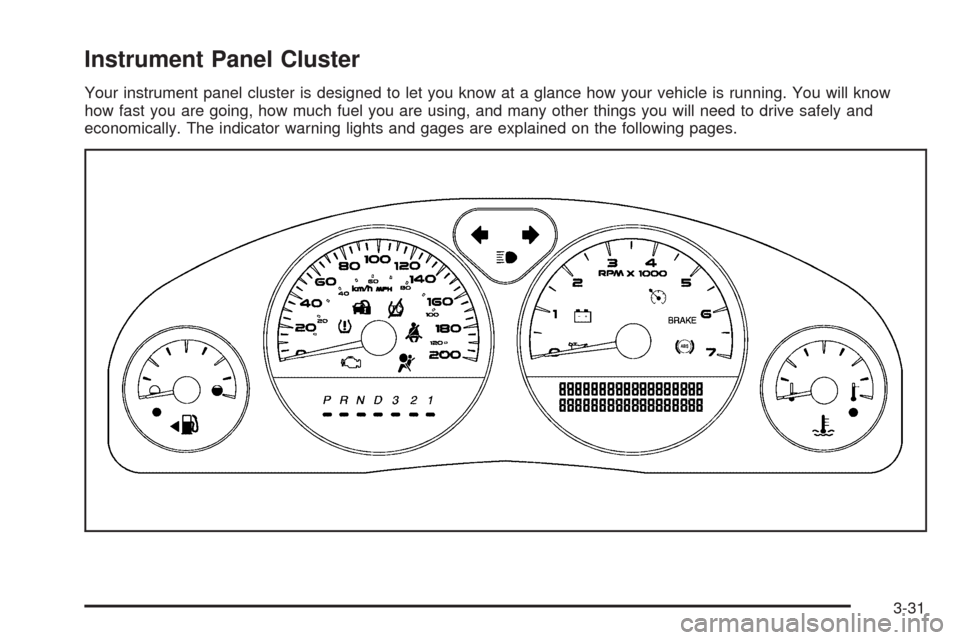
Your instrument panel cluster is designed to let you know at a glance how your vehicle is running. You will know
how fast you are going, how much fuel you are using, and many other things you will need to drive safely and
economically. The indicator warning lights and gages are explained on the following pages.
3-31
Page 198 of 464
Tire Pressure Light
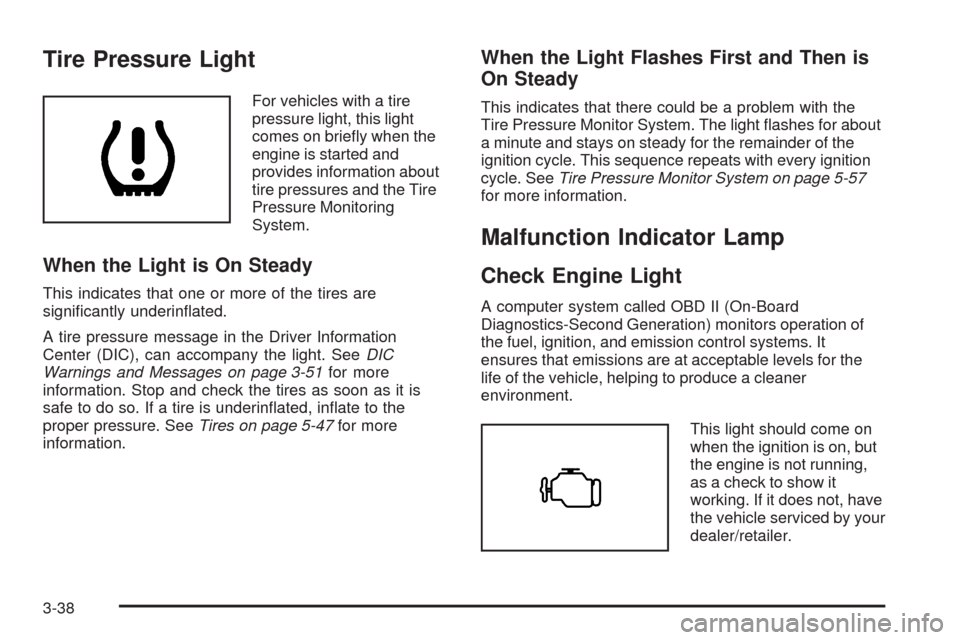
For vehicles with a tire
pressure light, this light
comes on briey when the
engine is started and
provides information about
tire pressures and the Tire
Pressure Monitoring
System.
When the Light is On Steady
This indicates that one or more of the tires are
signicantly underinated.
A tire pressure message in the Driver Information
Center (DIC), can accompany the light. SeeDIC
Warnings and Messages on page 3-51for more
information. Stop and check the tires as soon as it is
safe to do so. If a tire is underinated, inate to the
proper pressure. SeeTires on page 5-47for more
information.
When the Light Flashes First and Then is
On Steady
This indicates that there could be a problem with the
Tire Pressure Monitor System. The light ashes for about
a minute and stays on steady for the remainder of the
ignition cycle. This sequence repeats with every ignition
cycle. SeeTire Pressure Monitor System on page 5-57
for more information.
Malfunction Indicator Lamp
Check Engine Light
A computer system called OBD II (On-Board
Diagnostics-Second Generation) monitors operation of
the fuel, ignition, and emission control systems. It
ensures that emissions are at acceptable levels for the
life of the vehicle, helping to produce a cleaner
environment.
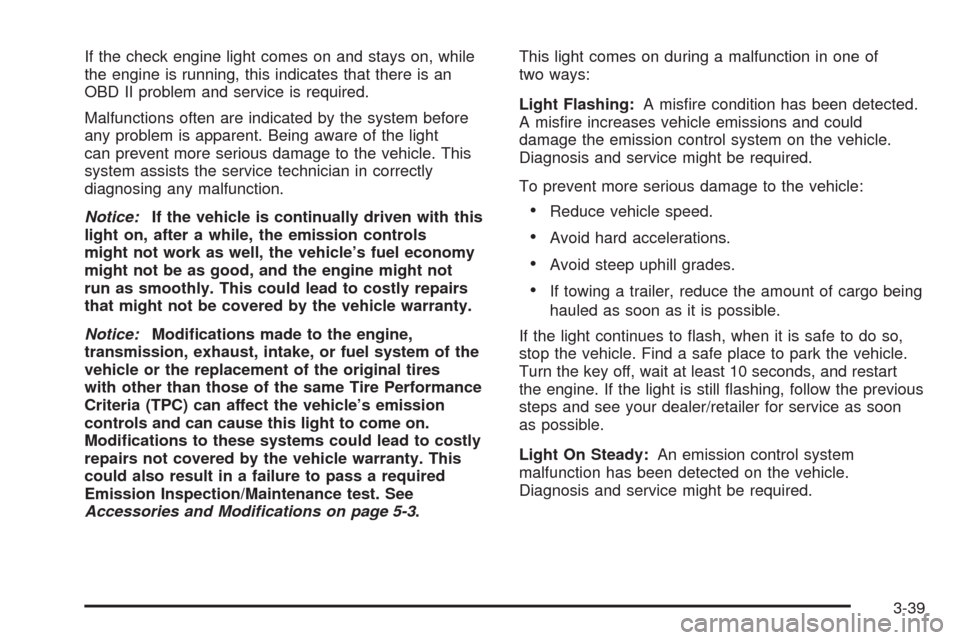
This light should come on
when the ignition is on, but
the engine is not running,
as a check to show it
working. If it does not, have
the vehicle serviced by your
dealer/retailer.
3-38
Page 199 of 464
If the check engine light comes on and stays on, while
the engine is running, this indicates that there is an
OBD II problem and service is required.
Malfunctions often are indicated by the system before
any problem is apparent. Being aware of the light
can prevent more serious damage to the vehicle. This
system assists the service technician in correctly
diagnosing any malfunction.
Notice:If the vehicle is continually driven with this
light on, after a while, the emission controls
might not work as well, the vehicle’s fuel economy
might not be as good, and the engine might not
run as smoothly. This could lead to costly repairs
that might not be covered by the vehicle warranty.
Notice:Modications made to the engine,
transmission, exhaust, intake, or fuel system of the
vehicle or the replacement of the original tires
with other than those of the same Tire Performance
Criteria (TPC) can affect the vehicle’s emission
controls and can cause this light to come on.
Modications to these systems could lead to costly
repairs not covered by the vehicle warranty. This
could also result in a failure to pass a required
Emission Inspection/Maintenance test. See
Accessories and Modifications on page 5-3.This light comes on during a malfunction in one of
two ways:
Light Flashing:A misre condition has been detected.
A misre increases vehicle emissions and could
damage the emission control system on the vehicle.
Diagnosis and service might be required.
To prevent more serious damage to the vehicle:
Reduce vehicle speed.
Avoid hard accelerations.
Avoid steep uphill grades.
If towing a trailer, reduce the amount of cargo being
hauled as soon as it is possible.
If the light continues to ash, when it is safe to do so,
stop the vehicle. Find a safe place to park the vehicle.
Turn the key off, wait at least 10 seconds, and restart
the engine. If the light is still ashing, follow the previous
steps and see your dealer/retailer for service as soon
as possible.
Light On Steady:An emission control system
malfunction has been detected on the vehicle.
Diagnosis and service might be required.
3-39
Page 200 of 464
An emission system malfunction might be corrected by
doing the following:
Make sure the fuel cap is fully installed. SeeFilling
the Tank on page 5-10. The diagnostic system can
determine if the fuel cap has been left off or
improperly installed. A loose or missing fuel cap
allows fuel to evaporate into the atmosphere. A few
driving trips with the cap properly installed should
turn the light off.
If the vehicle has been driven through a deep puddle
of water, the vehicle’s electrical system might be wet.
The condition is usually corrected when the electrical
system dries out. A few driving trips should turn the
light off.
Make sure to fuel the vehicle with quality fuel. Poor
fuel quality causes the engine not to run as efficiently
as designed and can cause: stalling after start-up,
stalling when the vehicle is changed into gear,
misring, hesitation on acceleration, or stumbling on
acceleration. These conditions might go away once
the engine is warmed up.
If one or more of these conditions occurs, change the
fuel brand used. It will require at least one full tank of
the proper fuel to turn the light off.
SeeGasoline Octane on page 5-6.If none of the above have made the light turn off, your
dealer/retailer can check the vehicle. The dealer/retailer
has the proper test equipment and diagnostic tools to x
any mechanical or electrical problems that might have
developed.
Emissions Inspection and Maintenance
Programs
Some state/provincial and local governments have or
might begin programs to inspect the emission control
equipment on the vehicle. Failure to pass this inspection
could prevent getting a vehicle registration.
Here are some things to know to help the vehicle pass
an inspection:
The vehicle will not pass this inspection if the check
engine light is on with the engine running, or if the
key is in the ON/RUN and the light is not on.
The vehicle will not pass this inspection if the
OBD II (on-board diagnostic) system determines
that critical emission control systems have not
been completely diagnosed by the system. The
vehicle would be considered not ready for inspection.
This can happen if the battery has recently been
replaced or if the battery has run down. The
diagnostic system is designed to evaluate critical
emission control systems during normal driving.
3-40
Page 202 of 464
Cruise Control Light
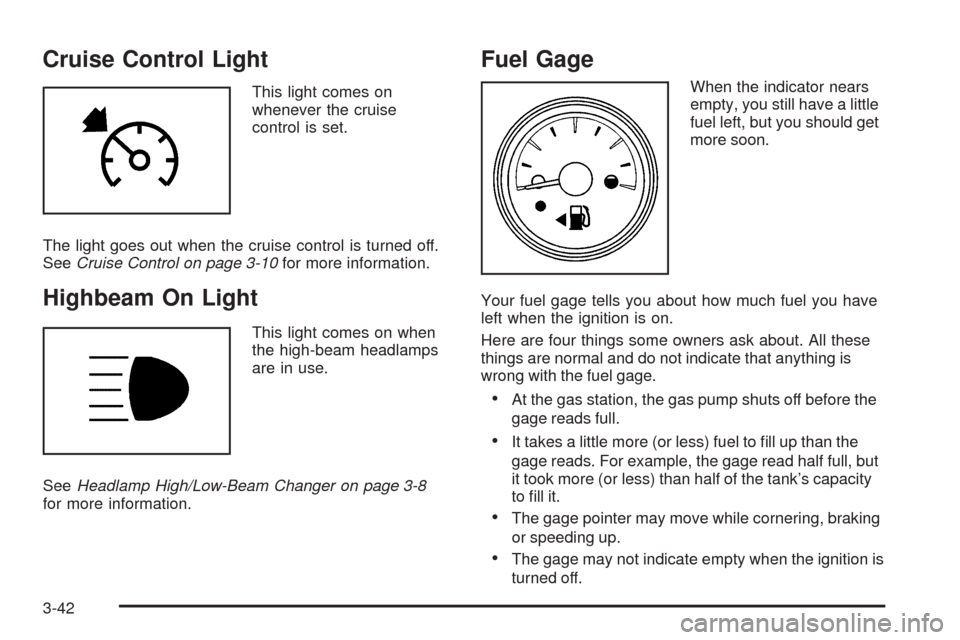
This light comes on
whenever the cruise
control is set.
The light goes out when the cruise control is turned off.
SeeCruise Control on page 3-10for more information.
Highbeam On Light
This light comes on when
the high-beam headlamps
are in use.
SeeHeadlamp High/Low-Beam Changer on page 3-8
for more information.
Fuel Gage
When the indicator nears
empty, you still have a little
fuel left, but you should get
more soon.
Your fuel gage tells you about how much fuel you have
left when the ignition is on.
Here are four things some owners ask about. All these
things are normal and do not indicate that anything is
wrong with the fuel gage.
At the gas station, the gas pump shuts off before the
gage reads full.
It takes a little more (or less) fuel to ll up than the
gage reads. For example, the gage read half full, but
it took more (or less) than half of the tank’s capacity
to ll it.
The gage pointer may move while cornering, braking
or speeding up.
The gage may not indicate empty when the ignition is
turned off.
3-42
Page 203 of 464
Low Fuel Warning Light
The light next to the fuel gage will come on briey when
you are starting the engine.
This light comes on when the fuel tank is low on fuel.
To turn it off, add fuel to the fuel tank.
Driver Information Center (DIC)
Your vehicle has a Driver Information Center (DIC).
All messages appear in the DIC display located in the
instrument panel cluster, below the tachometer. The DIC
buttons are located on the center of the instrument
panel, below the center outlets.
The DIC comes on when the ignition is on. After a short
delay, the DIC displays WELCOME DRIVER (1 or 2) if a
personalized key 1 or 2 is used, and then the information
that was last displayed before the engine was turned off.
The driver number also corresponds to the numbers,
1 or 2, on the back of the remote keyless entry
transmitters.The DIC displays the odometer, trip odometers, fuel
economy, trip computer, vehicle system information, and
compass display, if equipped. It also displays warning
messages if a system problem is detected. In addition,
the DIC displays phone numbers that are called using the
OnStar
®system, if equipped. SeeOnStar®System on
page 2-47.
On some vehicles, the outside air temperature
automatically appears in the bottom right corner of the
DIC display when viewing all of the information screens,
except for the oil life screens. If the outside air
temperature is at or below 37°F (3°C), the temperature
reading will toggle between displaying the outside
temperature and the word ICE for two minutes. If there is
a problem with the system that controls the temperature
display, the letters OC (open circuit) or SC (short circuit)
will appear on the display. If this occurs, have the vehicle
serviced by your dealer/retailer.
The DIC also allows some features to be customized
or personalized, if equipped. SeeDIC Vehicle
Personalization (Uplevel Only) on page 3-68for
more information.
3-43
Page 204 of 464
DIC Operation and Displays
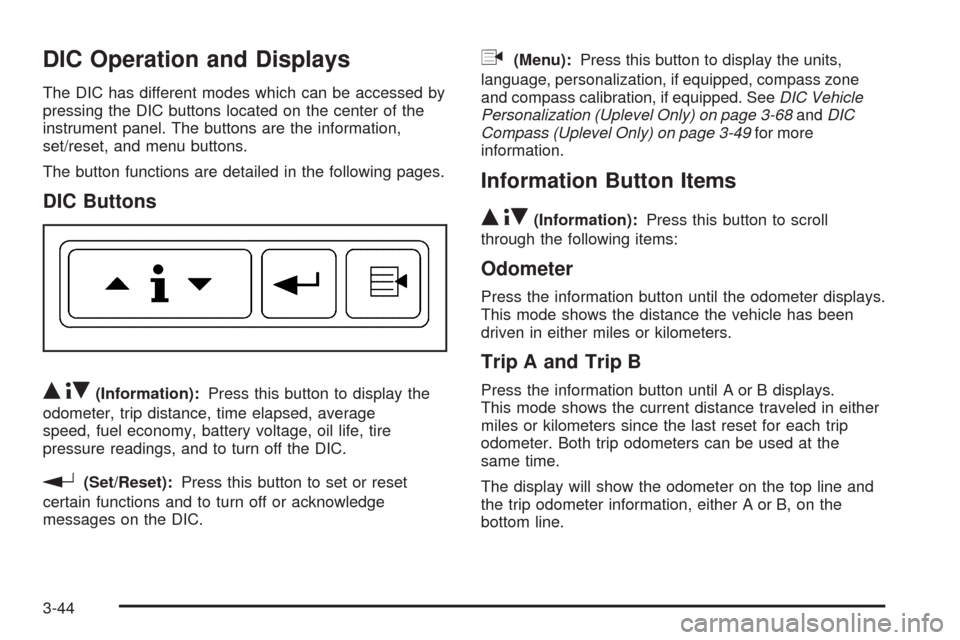
The DIC has different modes which can be accessed by
pressing the DIC buttons located on the center of the
instrument panel. The buttons are the information,
set/reset, and menu buttons.
The button functions are detailed in the following pages.
DIC Buttons
Q4R(Information):Press this button to display the
odometer, trip distance, time elapsed, average
speed, fuel economy, battery voltage, oil life, tire
pressure readings, and to turn off the DIC.
r(Set/Reset):Press this button to set or reset
certain functions and to turn off or acknowledge
messages on the DIC.
q(Menu):Press this button to display the units,
language, personalization, if equipped, compass zone
and compass calibration, if equipped. SeeDIC Vehicle
Personalization (Uplevel Only) on page 3-68andDIC
Compass (Uplevel Only) on page 3-49for more
information.
Information Button Items
Q4R
(Information):Press this button to scroll
through the following items:
Odometer
Press the information button until the odometer displays.
This mode shows the distance the vehicle has been
driven in either miles or kilometers.
Trip A and Trip B
Press the information button until A or B displays.
This mode shows the current distance traveled in either
miles or kilometers since the last reset for each trip
odometer. Both trip odometers can be used at the
same time.
The display will show the odometer on the top line and
the trip odometer information, either A or B, on the
bottom line.
3-44
Page 206 of 464
Fuel Range
Press the information button until FUEL RANGE
displays. This mode shows the approximate number of
remaining miles or kilometers the vehicle can be
driven without refueling.
Fuel range is based on several factors, including
distance travelled, fuel used, fuel capacity, etc. This
estimate will change if driving conditions change.
For example, if driving in traffic and making frequent
stops, this mode may read one number, but if the vehicle
is driven on a freeway, the number may change even
though the same amount of fuel is in the fuel tank. This
is because different driving conditions produce
different fuel economies. Generally, freeway driving
produces better fuel economy than city driving.
Fuel range cannot be reset.
If your vehicle is low on fuel, FUEL RANGE LOW will
display followed by the LOW FUEL message. See “LOW
FUEL” underDIC Warnings and Messages on
page 3-51for more information.
Average Fuel Economy
Press the information button until AVG ECONOMY
displays. This mode shows the approximate average
miles per gallon (mpg) or liters per 100 kilometers
(L/100 km). This number is calculated based on the
number of mpg (L/100 km) recorded since the last time
this menu item was reset. To reset AVG ECONOMY,
press and hold the set/reset button. The display will
return to zero.
Battery
Press the information button until BATTERY displays.
This mode shows the current battery voltage.
Your vehicle’s charging system regulates voltage based
on the state of the battery. The battery voltage may
uctuate when viewing this information on the DIC.
This is normal.
If there is a problem with the battery charging system, a
DIC message will display. SeeDIC Warnings and
Messages on page 3-51andElectric Power
Management on page 3-18for more information.
3-46
Page 213 of 464
CHECK GAS CAP
This message displays if the fuel cap is not on, or is not
fully tightened. Check the fuel cap to ensure that it is
on properly. SeeFilling the Tank on page 5-10for more
information.
This message displays and a chime sounds while the
ignition is in ON/RUN. Press any of the DIC buttons
to acknowledge this message and to clear it from the
screen.
This message continues to display for two seconds if it
has not been acknowledged when the engine is turned
off. It also re-displays for two seconds if the message has
been acknowledged, but the condition still exists when
the engine is turned off.
If the condition still exists, the message re-appears
when the engine is turned on.
CHECK TIRE PRESSURE
This message displays when the pressure in one or
more of the vehicle’s tires needs to be checked. This
message also displays LEFT FRONT, RIGHT FRONT,
LEFT REAR, or RIGHT REAR to indicate which tireneeds to be checked. You can receive more than one tire
pressure message at a time. To read the other messages
that may have been sent at the same time, press the
set/reset button. If a tire pressure message appears on
the DIC, stop as soon as you can. Have the tire pressures
checked and set to those shown on the Tire Loading
Information label. SeeTires on page 5-47,Loading the
Vehicle on page 4-19, andInflation - Tire Pressure on
page 5-54. The DIC also shows the tire pressure values.
SeeDIC Operation and Displays on page 3-44. If the tire
pressure is low, the low tire pressure warning light comes
on. SeeTire Pressure Light on page 3-38.
This message displays while the ignition is in ON/RUN.
Press any of the DIC buttons to acknowledge this
message and to clear it from the screen.
This message continues to display for two seconds
if it has not been acknowledged when the engine
is turned off. It also re-displays for two seconds if the
message has been acknowledged, but the condition
still exists when the engine is turned off.
If the condition still exists, the message re-appears
when the engine is turned on.
3-53