change time CHEVROLET VENTURE 1998 User Guide
[x] Cancel search | Manufacturer: CHEVROLET, Model Year: 1998, Model line: VENTURE, Model: CHEVROLET VENTURE 1998Pages: 474, PDF Size: 25.26 MB
Page 242 of 474
AM-FM: Press this button to play the radio when a disc
is in the player. The letters CD will go off the display.
CD AUX: Press this button to change to the disc
function when the radio is on.
A CD icon will appear on
the display when the disc is in the player, whether
it is
active or not. If your system is equipped with a remote
playback device, pressing this button a second
time will
allow the remote device to play.
EJECT Press this button to remove the disc. The radio
will play. The disc will start at the first track when you
reinsert it.
If
you turn off the ignition or radio with a disc in the
player, it will stay in the player. When you turn on the
ignition or system, the disc will start playing where
it
was stopped. If you press EJECT but don’t remove
the disc, the player will pull the disc back in to protect
it
after about one minute. If you leave a compact disc
in the player while listening to the radio,
it may
become warm.
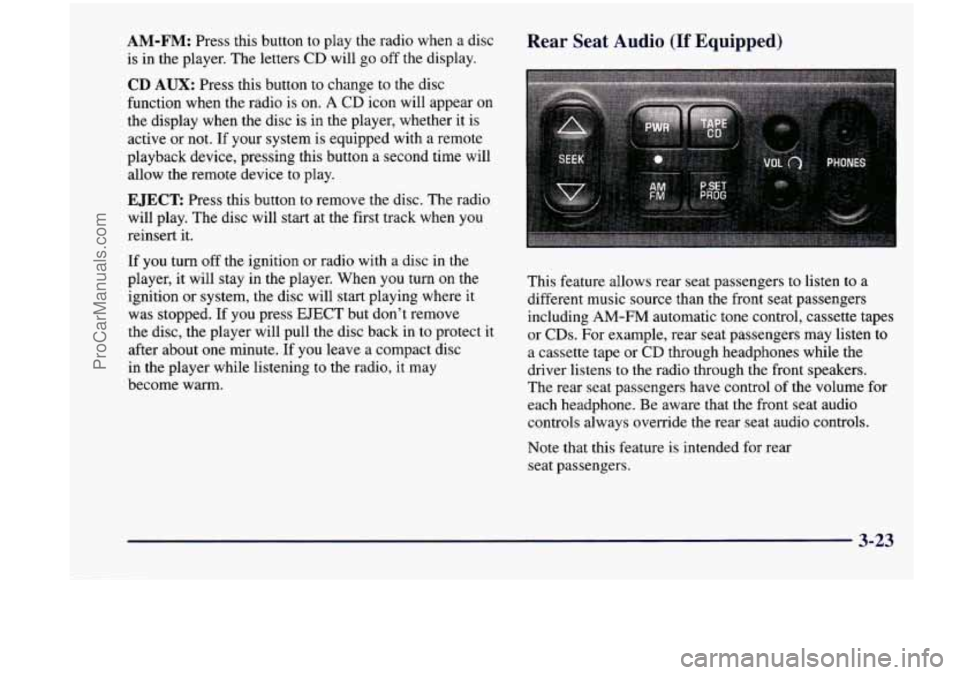
Rear Seat Audio (If Equipped)
This feature allows rear seat passengers to listen to a
different music source than the front seat passengers
including AM-FM automatic tone control, cassette tapes
or CDs. For example, rear seat passengers may listen to
a cassette tape or CD through headphones while the
driver listens
to the radio through the front speakers.
The rear seat passengers have control of the volume for
each headphone. Be aware that the front seat audio
controls always override the rear seat audio controls.
Note that this feature is intended for rear
seat passengers.
3-23
ProCarManuals.com
Page 262 of 474
Remember: Anti-lock doesn’t change the time you need
to get your foot
up to the brake pedal or always decrease
stopping distance.
If you get too close to the vehicle in
front of you,
you won’t have time to apply your brakes
if that vehicle suddenly slows or stops. Always leave
enough room up ahead to stop, even though you have
anti-lock brakes.
Using Anti-Lock
Don’t pump the brakes. Just hold the brake pedal down
firmly and let anti-lock work for you. You may feel a
slight brake pedal pulsation or notice some noise, but
this is normal.
LOW
TRACTION
If your vehicle has the
traction control system, this
light will come on when
your anti-lock system is
adjusting brake pressure to
help avoid
a braking skid.
See
“Low Traction Light” in the Index.
Traction Control System (If Equipped)
Your vehicle may have a traction control system that
limits wheel spin. This is especially useful in slippery
road conditions. The system operates only if it senses
that
one or both of the front wheels are spinning or
beginning to lose traction. When this happens, the
system works
the front brakes and reduces engine
power to limit wheel spin.
LOW
TRACTION
’ This light will come on
when the traction control
system is limiting wheel
spin. See “Low Traction
Light”
in the Index.
You may feel or hear the system working, but this
is normal.
If your vehicle is in cruise control when the traction
control system begins to limit wheel spin, the cruise
control will automatically disengage. When road
conditions allow you to safely use
it again, you may
reengage the cruise control. (See “Cruise Control”
in the Index.)
4-9
ProCarManuals.com
Page 267 of 474
Do not get too close to the vehicle you want to
pass whde you’re awaiting an opportunity. For one thing, following too closely reduces your area of
vision, especially if you’re following a larger
vehicle.
Also, you won’t have adequate space if the
vehicle ahead suddenly slows or stops. Keep back a
reasonable distance.
When it looks like a chance to pass is coming up,
start to accelerate but stay in the right lane and don’t
get too close. Time your move
so you will be
increasing speed as the time comes to move into the
other lane. If the way
is clear to pass, you will have a
“running start” that more than makes up for the
distance you would lose by dropping back. And
if
something happens to cause you to cancel your pass,
you need only slow down and drop back again and
wait for another opportunity.
0 If other cars are lined up to pass a slow vehicle, wait
your turn. But take care that someone isn’t trying to
pass you as you pull out to pass the slow vehicle.
Remember to glance over your shoulder and check
the blind spot.
Check your mirrors, glance over your shoulder and
start your left lane change signal before moving out
of the right lane to pass. When you
are far enough
ahead of the passed vehicle to see its front in your
inside mirror, activate your right lane change signal
and move back into the right lane. (Remember that
your right outside mirror is convex. The vehicle you
just passed may seem to be farther away from you
than it really is.)
Try not to pass more than one vehicle at a time
on two-lane roads. Reconsider before passing the
next vehicle.
0 Don’t overtake a slowly moving vehicle too rapidly.
Even though the brake lamps are not flashing, it may
be slowing down or starting
to turn.
0 If you’re being passed, make it easy for the
following driver
to get ahead of you. Perhaps you
can ease
a little to the rieht.
4-14
ProCarManuals.com
Page 285 of 474
Things you put inside your vehicle can strike
and injure people in a sudden stop or turn, or in
a crash.
0 Put things in the cargo area of your vehicle.
0 Never stack heavier things, like suitcases,
Try to spread the
weight evenly.
inside the vehicle
so that some of them are
above the tops
of the seats.
Don’t leave an unsecured child restraint in
your vehicle.
0 When you carry something inside the
vehicle, secure
it whenever you can.
0 Don’t leave a seat folded down unless you
need to.
Payload (Cargo Van Only)
The payload capacity is shown on the Certificatioflire
label. This is the maximum load capacity that your
vehicle can carry. Be sure to include the weight of the people inside as part
of your load.
If you added any
accessories or equipment after your vehicle left the
factory, remember to subtract the weight
of these things
from the payload. You should never exceed the
GVWR
or the GAWR. Your dealer can help you determine
your payload.
Electronic Level Control (Option)
On vehicles equipped with the optional electronic level
control, the rear of the vehicle is automatically kept
level as you load or unload your vehicle. However, you
should still not exceed the
GVWR or the GAM.
You may hear the compressor operating when you load
or unload your vehicle, and periodically as the system
self-adjusts.
This is normal.
The compressor should operate for brief periods of time.
If the sound continues for an extended period of time,
your vehicle needs service. To keep your battery from
being drained, you may want to remove the ELC fuse in
the fuse control panel until you can get your vehicle
serviced (see “Fuses and Circuit Breakers” in the Index)\
.
Using heavier suspension components to get added
durability might not change your weight ratings. Ask
your dealer to help you load your vehicle the right way.
4-32
ProCarManuals.com
Page 286 of 474
Towing a Trailer
A CAUTION:
If you don’t use the correct equipment and drive
properly, you can lose control when
you pull a
trailer. For example, if the trailer is too heavy, the
brakes may not work well
-- or even at all. You
and your passengers could be seriously injured.
Pull
a trailer only if you have followed all the
steps in this section.
Ask your dealer for advice
and informatinn about towing a trailer with
your vehicl-
NOTICE:
Pulling a trailer improperly can damage your
vehicle and result in costly repairs not covered by
your warranty.
To pull a trailer correctly, follow
the advice in this
part, and see your dealer for
important information about towing a trailer
with your vehicle. Your
vehicle can tow a trailer.
To identify what the
vehicle trailering capacity is for your vehicle, you
should read the information in “Weight of the Trailer”
that appears later in this section. But trailering
is
different than just driving your vehicle by itself.
Trailering means changes in handling, durability and
fuel economy. Successful, safe trailering takes correct
equipment, and it has to be used properly.
That’s the reason for this section. In
it are many
time-tested, important trailering tips and safety rules.
Many of these are important for your safety and that of
your passengers.
So please read this section carefully
before you pull a trailer.
Load-pulling components such as the engine, transaxle,
wheel assemblies and tires are forced to work harder
against the drag of the added weight. The engine is
required to operate at relatively higher speeds and under
greater loads, generating extra heat. What’s more, the
trailer adds considerably to wind resistance, increasing
the pulling requirements.
4-33
ProCarManuals.com
Page 328 of 474
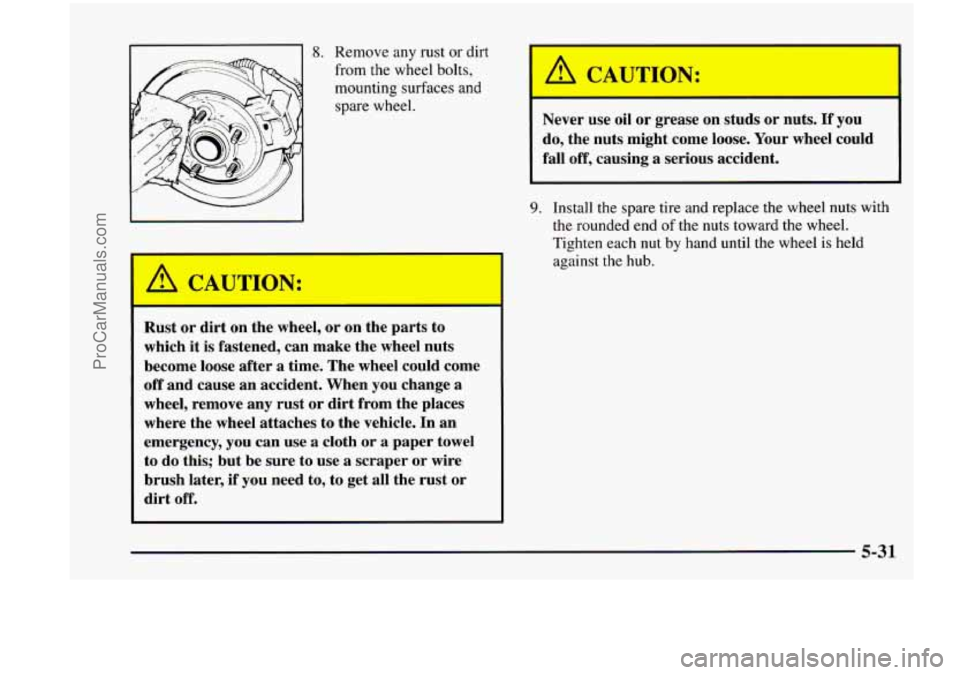
A CAUTION:
8. Remove any rust or dirt
from the wheel bolts,
mounting surfaces and
spare wheel.
Rust or dirt on the wheel, or on the parts to
which it
is fastened, can make the wheel nuts
become loose after
a time. The wheel could come
off and cause an accident. When you change a
wheel, remove any rust or dirt from the places
where the wheel attaches
to the vehicle. In an
emergency, you can use a cloth or a paper towel
to do this; but be sure to use a scraper or wire
brush later,
if you need to, to get all the rust or
dirt off.
'
A CAUTION:
Never use oil or grease on studs or nuts. If you
do, the nuts might come loose. Your wheel could
fall off, causing
a serious accident. -1
~~
9. Install the spare tire and replace the wheel nuts with
the rounded end of the nuts toward the wheel.
Tighten each nut by hand until the wheel is held
against the hub.
5-31
ProCarManuals.com
Page 353 of 474
Automatic Transaxle Fluid
When to Check and Change
A good time to check your automatic transaxle fluid
level is when the engine oil is changed.
Change both the fluid and filter every
50,000 miles
(83 000 km) if the vehicle is mainly driven under one
or more of these conditions:
In heavy city traffic where the outside temperature
In hilly or mountainous terrain.
When doing frequent trailer towing.
Uses such as found in taxi, police or delivery service.
regularly reaches
90°F (32 O C) or higher.
If you do
not use your vehicle under any of these
conditions, the fluid and filter do not require changing.
See “Scheduled Maintenance Services’’ in the Index.
How to Check
Because this operation can be a little difficult, you may
choose to have this done at
your Chevrolet dealership
Service Department.
If you do it yourself, be sure to follow all the
instructions here, or you could get a false reading
on the dipstick.
NOTICE:
Too much or too little fluid can damage your
transaxle.
Too much can mean that some of the
fluid could come out and fall on hot engine parts
or exhaust system parts, starting a fire. Be sure to
get an accurate reading if you check your
transaxle fluid.
6-18
ProCarManuals.com
Page 365 of 474
Brake Pedal Travel
See your dealer if the brake pedal does not return to
normal height, or
if there is a rapid increase in pedal
travel. This could be a sign of brake trouble.
Brake Adjustment
Every time you apply the brakes, with or without the
vehicle moving, your brakes adjust for wear.
Replacing Brake System Parts
The braking system on a modern vehicle is complex.
Its many parts have to be of top quality and work well
together if the vehicle is to have really good bralung.
Your vehicle was designed and tested with top-quality
GM brake parts. When you replace parts of your braking
system
-- for example, when your brake linings wear
down and you have to have new ones put in
-- be sure
you get new approved GM replacement parts. If you
don’t, your brakes may no longer work properly. For
example, if someone puts
in brake linings that are wrong
for your vehicle, the balance between your front and
rear brakes can change
-- for the worse. The braking
performance you’ve come to expect can change in many
other ways
if someone puts in the wrong replacement
brake parts.
Battery
Every new Chevrolet has an ACDelco Freedom@
battery. You never have to add water to one
of these.
When it’s time for a new battery, we recommend an ACDelco Freedom battery. Get one that has
the replacement number shown on the original
battery’s label.
Vehicle Storage
If you’re not going to drive your vehicle for 25 days
or more, remove the black, negative
(-) cable from
the battery. This will help keep your battery from
running down.
b I
1 Ihl CAUTIO -
Batteries have acid that can burn you and gas
that can explode. You can be badly hurt if
you
aren’t careful. See “Jump Starting” in the Index
for tips on working around a battery without getting hurt.
Contact your dealer to learn how to prepare your vehicle
for longer storage periods.
I
6-30
ProCarManuals.com
Page 377 of 474
Tire Inspection and Rotation
Tires should be rotated every 6,000 to 8,000 miles
(10 000 to 13 000 Ism). Any time you notice unusual
wear, rotate your tires as soon as possible and check
wheel alignment. Also check for damaged tires or
wheels. See “When It’s Time for New Tires” and
“Wheel Replacement” later in this section for
more information.
The purpose
of regular rotation is to achieve more
uniform wear for
all tires on the vehicle. The first
rotation is the most important. See “Scheduled Maintenance Services” in the Index for scheduled
rotation intervals. Don’t include the compact spare tire
in your
tire rotation.
After the tires have been rotated, adjust the front and rear inflation pressures as shown on the
Certificatioflire label. Make certain that all wheel
nuts are properly tightened. See “Wheel Nut Torque”
in the Index.
I
Rust or dirt on a wheel, or on the parts to which
it is fastened, can make wheel nuts become loose
after a time. The wheel could come
off and cause
an accident. When you change
a wheel, remove
1 any rust or dirt from places where the wheel
attaches to the vehicle. In an emergency, you can
use
a cloth or a paper towel to do this; but be
sure to use
a scraper or wire brush later, if you
need to, to get all the rust or dirt
off. (See
“Changing a Flat Tire” in the Index.)
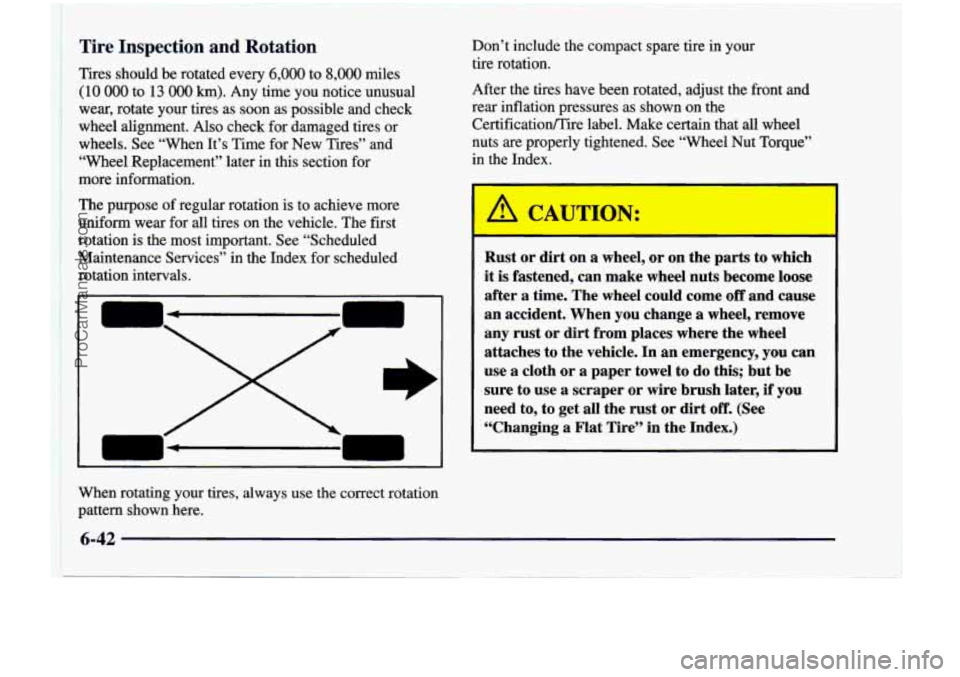
When rotating your tires, always use
the correct rotation
pattern shown here.
I 6-42
ProCarManuals.com
Page 451 of 474
Courtesy Transportation
Chevrolet offers Courtesy Transportation for customers
needing warranty service. Courtesy Transportation will
be offered in conjunction with the coverage provided by
the Bumper to Bumper New Vehicle Limited Warranty
to retail purchasers of 1998 Chevrolet passenger cars
and light duty trucks (please see your selling dealer
for details).
Courtesy Transportation includes:
One way shuttle ride for any warranty repair
0 Up to $30 maximum daily vehicle rental allowance
0 Up to $30 maximum daily cab, bus or other
completed
during the same day.
for any overnight warranty repair up to five days,
OR
transportation allowance in lieu of rental for any
overnight warranty repair up to five days,
OR
0 Up to $10 daily fuel allowance for rides provided by
another person
(i.e., fi-iend, neighbor, etc.) in lieu of
rental for
any overnight warranty repair up to five days.
Note: All Courtesy Transportation arrangements
will be administered
by your Chevrolet dealer
service management. Claim amounts should
reflect all actual costs.
0 Chevrolet Courtesy Transportation is not part of the
Bumper to Bumper New Vehicle Limited Warranty.
Chevrolet reserves the right to make any changes
or
discontinue Courtesy Transportation at any time
without notification.
Chevrolet dealer.
0 For additional program details, contact your
Some state insurance regulations make it impractical to
rent vehicles to people under
21 years of age. If you are
under
21 and have difficulty renting a vehicle, Chevrolet
will reimburse up
to $30/day for documented
transportation you receive.
For warranty repairs during the Complete Vehicle
Coverage period in the New Vehicle Limited Warranty,
interim transportation may be available under
the
Courtesy Transportation Program. Please consult your
dealer for details. The Roadside Assistance program is
available only in the United States and Canada.
In Canada, please consult your GM dealer for
information on Courtesy Transportation.
8-8
ProCarManuals.com