stop start CHEVROLET VENTURE 1998 Owners Manual
[x] Cancel search | Manufacturer: CHEVROLET, Model Year: 1998, Model line: VENTURE, Model: CHEVROLET VENTURE 1998Pages: 474, PDF Size: 25.26 MB
Page 79 of 474
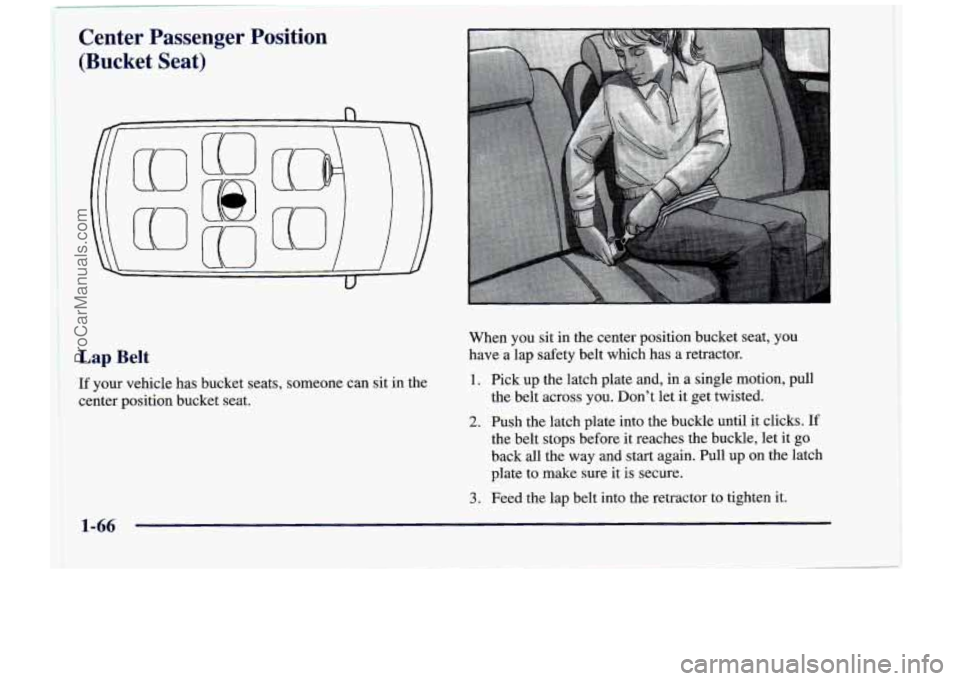
Center Passenger Position
(Bucket Seat)
Lap Belt
If your vehicle has bucket seats, someone can sit in the
center position bucket seat. When you sit in the center position bucket seat, you
have a lap safety belt which has
a retractor.
1. Pick up the latch plate and, in a single motion, pull
the belt across you. Don’t let it get twisted.
2. Push the latch plate into the buckle until it clicks. If
the belt stops before it reaches the buckle, let it go
back all the way and start again. Pull up on the latch
plate to make sure it
is secure.
3. Feed the lap belt into the retractor to tighten it.
1-66
ProCarManuals.com
Page 142 of 474
Nuisance Alarms
If you experience nuisance alarms (alarms which are
not caused by the opening of a door or the liftgate and
are not desirable), you may need to reduce the damage
detection sensitivity. Try programming the Content
Theft-Deterrent to Mode
1.
If you continue to experience nuisance alarms, you
may want to try turning off damage detection by
programming your Content Theft-Deterrent to Mode
2.
If you are still having trouble with nuisance alarms,
you can turn off the Content Theft-Deterrent system by
programming your Content Theft-Deterrent to Mode
3.
See “Locks and Lighting Choices” in the Index for more
information. See your dealer or qualified technician
for service.
New Vehicle 4LBreak-In’’
NOTICE:
Your vehicle doesn’t need an elaborate
“break-in.” But it will perform better in the long
run
if you follow these guidelines:
0 Don’t drive at any one speed -- fast or
slow
-- for the first 500 miles (805 km).
Don’t make full-throttle starts.
200 miles (322 km) or so. During this time
your new brake linings aren’t yet broken
in. Hard stops with new linings can mean
premature wear and earlier replacement.
Follow this breaking-in guideline every
time you get new brake linings.
See “Towing a ’Ikailer” in the Index for
more information.
Avoid making hard stops for the first
0 Don’t tow a trailer during break-in.
2-25
ProCarManuals.com
Page 144 of 474
NOTICE:
If your key seems stuck in LOCK and you can’t
turn it, be sure you are using the correct key;
if
so, is it all the way in? If it is, then turn the
steering wheel left and right while you turn the
key hard. But turn
the key only with your hand.
NOTICE:
Don’t try to shift to PARK (P) if your Chevrolet
is moving.
If you do, you could damage the
transaxle. Shift to
PARK (P) only when your
vehicle is stopped.
Using a tool to force
it could break the key or the
ignition switch.
If none of this works, then your ignition key to START. When the engine starts, let
vehicle needs service.
go of the key. The idle speed will go down as your
1.
Without pushing the accelerator pedal, turn your
I engine gets warm.
Starting Your Engine
Move your shift lever to PARK (P) or NEUTRAL (N).
Your engine won’t start in any other position -- that’s a
safety feature.
To restart when you’re already moving,
use
NEUTRAL (N) only.
NOTICE:
Holding your key in START for longer than
15 seconds at a time will cause your battery to
be drained much sooner. And the excessive heat
can damage your starter motor.
2-27
ProCarManuals.com
Page 145 of 474
2. If it doesn’t start right away, hold your key in
START. If it doesn’t start in three seconds (or starts
but then stops), push the accelerator pedal about
one-quarter
of the way down for 12 more seconds,
or until it starts.
3. If your engine still won’t start (or starts but then
stops),
it could be flooded with too much gasoline.
Try this:
Wait
15 seconds to let the starter motor cool down.
Then push your accelerator pedal all the way to the
floor. Hold it there. Then hold the key in
START.
This clears the extra gasoline from the engine. When
the engine starts, let go of the key and the accelerator
pedal. If the engine still doesn’t start, wait another
15 seconds and repeat this step.
NOTICE:
Your engine is designed to work with the
electronics in your vehicle.
If you add electrical
parts or accessories,
you could change the way
the engine operates. Before adding electrical
equipment, check with your dealer.
If you don’t,
your engine might not perform properly.
If you ever have to have your vehicle towed, see
the part
of this manual that tells how to do it
without damaging your vehicle. See “Towing
Your Vehicle” in the Index.
I
2-28
ProCarManuals.com
Page 148 of 474
REVERSE (R): Use this gear to back up.
NOTICE:
Shifting to REVERSE (R) while your vehicle is
moving forward could damage your transaxle.
Shift to
REVERSE (R) only after your vehicle
is stopped.
To rock your vehicle back and forth
to get out of snow,
ice or sand without damaging your transaxle, see
“Stuck: In Sand,
Mud, Ice or Snow” in the Index.
NEUTRAL
(N): In this position, your engine doesn’t
connect with the wheels.
To restart when you’re
already moving, use NEUTRAL
(N) only. Also, use
NEUTRAL
(N) when your vehicle is being towed. Shifting
out of PARK (P) or
NEUTRAL (N)
while your engine is “racing” (running at high
speed) is dangerous. Unless your foot is firmly on
the brake pedal, your vehicle could move very
rapidly. You could lose control and hit people or
objects. Don’t shift out
of PARK (P) or
NEUTRAL
(N) while your engine is racing.
I 1
I NOTICE:
Damage to your transaxle caused by shifting out
of PARK (P) or NEUTRAL (N) with the engine
racing isn’t covered by your warranty.
2-31
ProCarManuals.com
Page 150 of 474
NOTICE:
If your vehicle seems to start up rather slowly,
or
if it seems not to shift gears as you go faster,
something may be wrong with a transaxle system
sensor.
If you drive very far that way, your
vehicle can be damaged.
So, if this happens,
have your vehicle serviced right away. Until then,
you can use
SECOND (2) when you are driving
less than
35 mph (55 km/h) and THIRD (3) for
higher speeds. FIRST
(1): This position gives
you even more power
(but lower fuel economy) than
SECOND (2). You can
use it on very steep hills, or in deep snow or mud.
If
the selector lever is put in FIRST (l), the transaxle
won’t downshift into fist gear until the vehicle
is
going slow enough.
NOTICE:
If your front wheels can’t rotate, don’t try to
drive. This might happen
if you were stuck in
very deep sand or mud or were up against
a
solid object. You could damage your transaxle.
Also, if you stop when going uphill, don’t hold
your vehicle there with only the accelerator
pedal. This could overheat and damage the
transaxle. Use your brakes or shift into
PARK (P)
to hold your vehicle in position on a hill.
2-33
ProCarManuals.com
Page 171 of 474
If a bulb is burned out, replace it to help avoid an
accident. If the arrows don’t go
on at all when you
signal a turn, check for burned-out bulbs and check the
fuse (see “Fuses and Circuit Breakers” in the Index).
If you have a trailer towing option with added wiring for
the trailer lamps, the signal indicator will flash at a
normal rate even if a turn signal bulb is burned out.
Check the front and rear turn signal lamps regularly to
make sure they are working.
Turn Signal on Chime
If either turn signal is left on for more than 3/4 mile
(1.2 km), a chime will sound to let the driver know to
turn it off.
If you need
to leave the signal on for more than 3/4 mile
(1.2 km), turn off the signal and then turn it back on.
Headlamp High/Low Beam Changer
To change the headlamps from high to low beam, or low
to high, simply pull the turn signal lever all the way
toward you. Then release it.
When the high beams
are on, this light on the
instrument cluster will
also be
on.
Windshield Wipers
You control the windshield wipers by turning the band
marked WIPER.
For a single wiping cycle, turn the band to MIST. Hold
it there until the wipers start, then let go. The wipers will
stop after one cycle. If you want more cycles, hold the
band
on mist longer.
2-54
ProCarManuals.com
Page 189 of 474
Rear Storage Compartments
and Cupholders
Your vehicle has a storage compartment and cupholder
on either side
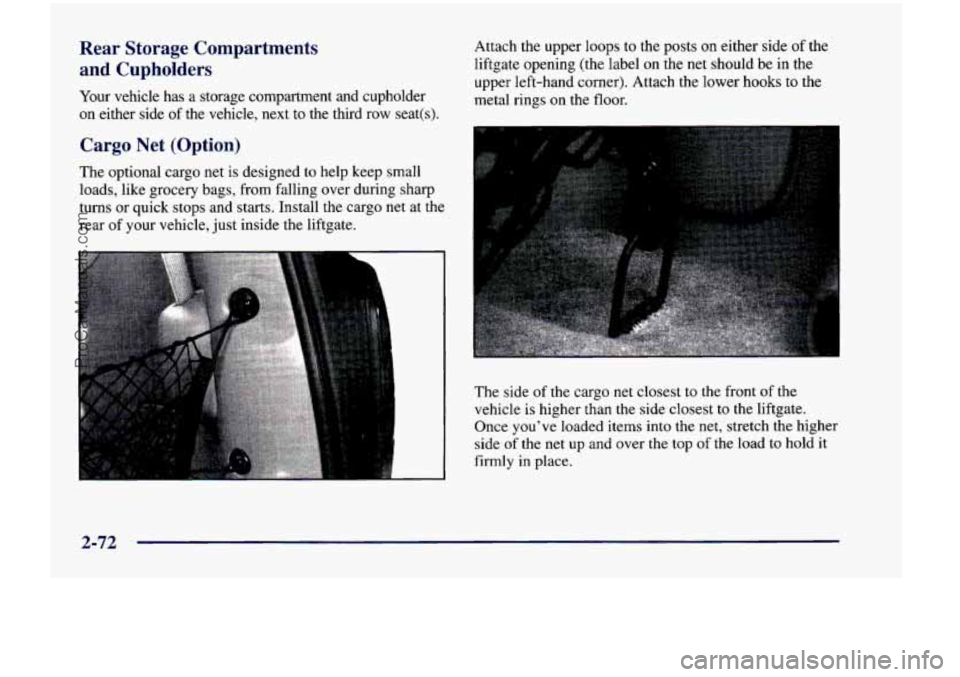
of the vehicle, next to the third row seat(s). Attach the upper
loops to the posts on either side of the
liftgate opening (the label
on the net should be in the
upper left-hand corner). Attach the lower hooks to the
metal rings
on the floor.
Cargo Net (Option)
The optional cargo net is designed to help keep small
loads, like grocery bags, from falling over during sharp
turns or quick stops and starts. Install
the cargo net at the
rear of your vehicle, just inside the liftgate.
The side of the cargo net closest to the front of the
vehicle is higher than the side closest to the liftgate.
Once you’ve loaded items into the net, stretch the higher
side
of the net up and over the top of the load to hold it
firmly
in place.
2-72
ProCarManuals.com
Page 206 of 474
Ani- ?ck Brake System Warning Light
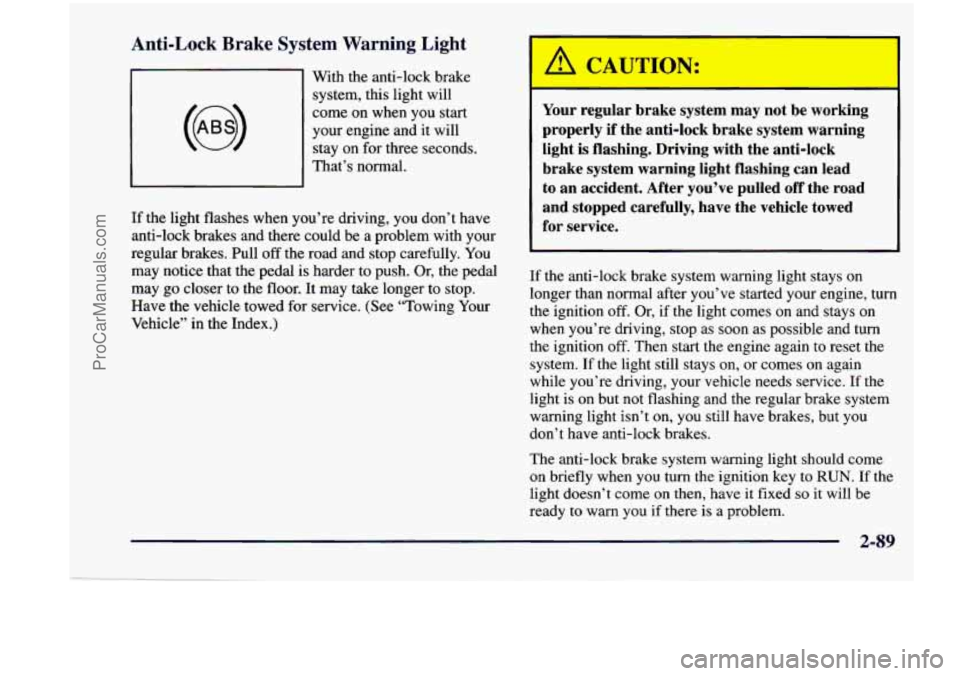
With the anti-lock brake
system, this light will
come on when you start
your engine and it will
stay on for three seconds.
That’s normal.
If the light flashes when you’re driving, you don’t have
anti-lock brakes and there could be a problem with your
regular brakes. Pull
off the road and stop carefully. You
may notice that the pedal is harder to push. Or, the pedal
may
go closer to the floor. It may take longer to stop.
Have the vehicle towed for service. (See “Towing Your
Vehicle” in the Index.)
A CAUTION:
Your regular brake system may not be working
properly if the anti-lock brake system warning
light is flashing. Driving with the anti-lock
brake system warning light flashing can lead
to an accident. After you’ve pulled off the road
and stopped carefully, have the vehicle towed
for service.
If the anti-lock brake system warning light stays on
longer than normal after you’ve started your engine, turn
the ignition off. Or, if the light comes on and stays on
when you’re driving, stop as soon as possible and turn
the ignition
off. Then start the engine again to reset the
system. If the light still stays on, or comes on again
while you’re driving, your vehicle needs service. If the
light is on but not flashing and the regular brake system
warning light isn’t on,
you still have brakes, but you
don’t have anti-lock brakes.
The anti-lock brake system warning light should come
on briefly when you turn the ignition key to
RUN. If the
light doesn’t
come on then, have it fixed so it will be
ready to warn you if there is a problem.
2-89
ProCarManuals.com
Page 208 of 474
Low Traction Light (Option)
LOW
TRACTION
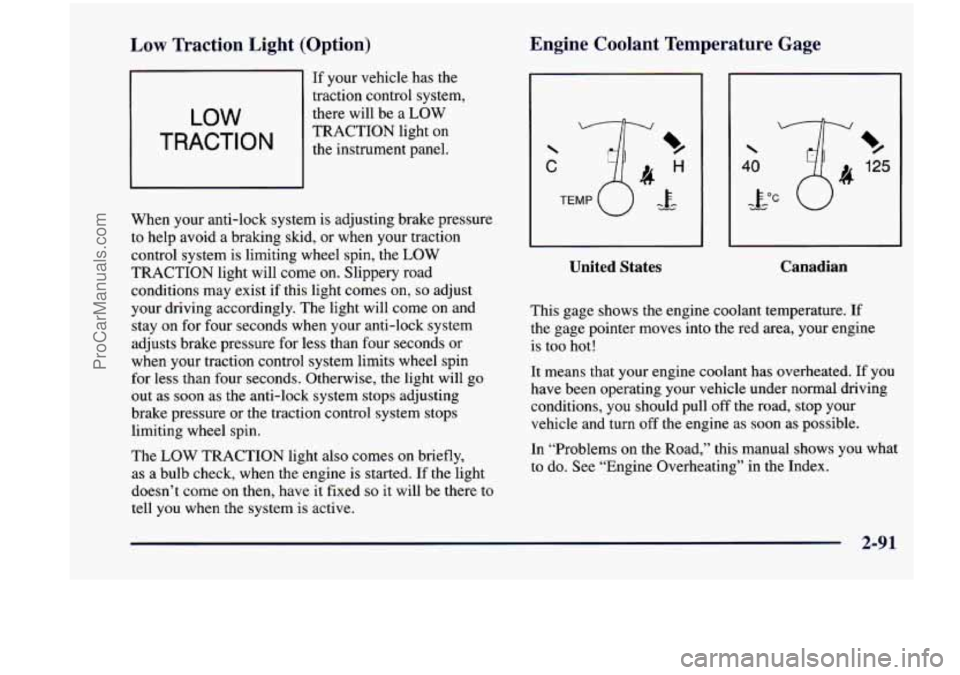
If your vehicle has the
traction control system,
there will be a LOW
TRACTION light on
the instrument panel.
When your anti-lock system
is adjusting brake pressure
to help avoid
a braking skid, or when your traction
control system is limiting wheel spin, the LOW
TRACTION light will come on. Slippery road
conditions may exist if this light comes
on, so adjust
your driving accordingly. The light will come on and
stay on for four seconds when your anti-lock system
adjusts brake pressure for less than four seconds or
when your traction control system limits wheel spin
for less than four seconds. Otherwise, the light will
go
out as soon as the anti-lock system stops adjusting
brake pressure or the traction control system stops
limiting wheel spin.
The
LOW TRACTION light also comes on briefly,
as a bulb check, when the engine is started. If the light
doesn’t come on then, have it fixed
so it will be there to
tell you when the system is active.
Engine Coolant Temperature Gage
C
%
125
%
United States
I
Canadian
This gage shows the engine coolant temperature. If
the gage pointer moves into the red area, your engine
is too hot!
It means that your engine coolant has overheated. If you
have been operating your vehicle under normal driving
conditions, you should pull off the road, stop your vehicle and turn
off the engine as soon as possible.
In “Problems on the Road,” this manual shows you what
to do. See “Engine Overheating” in the Index.
.. .
ProCarManuals.com