traction control CHEVROLET VENTURE 1998 Owners Manual
[x] Cancel search | Manufacturer: CHEVROLET, Model Year: 1998, Model line: VENTURE, Model: CHEVROLET VENTURE 1998Pages: 474, PDF Size: 25.26 MB
Page 130 of 474
Instrument Panel Switchbank Sliding Door
IF, L
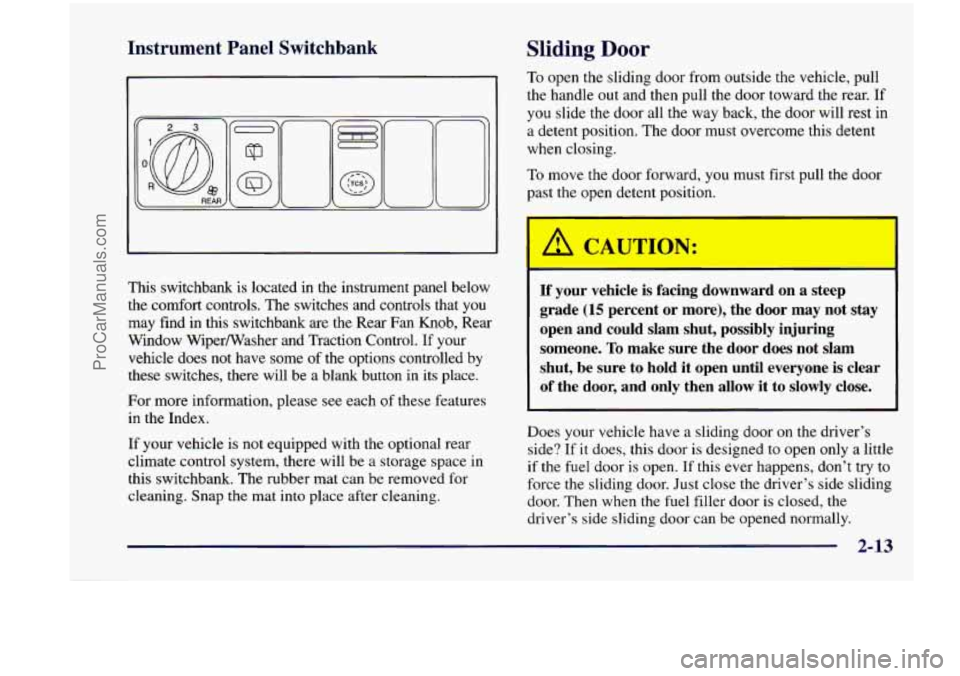
This switchbank is located in the instrument panel below the comfort controls. The switches and controls that you
may find
in this switchbank are the Rear Fan Knob, Rear
Window WiperNasher and Traction Control.
If your
vehicle does not have some
of the options controlled by
these switches, there will be a blank button in its place.
For more information, please
see each of these features
in the Index.
If your vehicle is not equipped with the optional rear
climate control system, there will be
a storage space in
this switchbank. The rubber mat can be removed for
cleaning. Snap the mat into place after cleaning.
To open the sliding door from outside the vehicle, pull
the handle out and then pull the door toward the rear.
If
you slide the door all the way back, the door will rest in
a detent position. The door must overcome this detent
when closing.
To move the door forward, you must first pull the door
past the open detent position.
I I CAUTION:
If your vehicle is facing downward on a steep
grade
(15 percent or more), the door may not stay
open and could slam shut, possibly injuring someone.
To make sure the door does not slam
shut, be sure to hold it open until everyone is clear
of the door, and only then allow it to slowly close.
Does your vehicle have a sliding door on the driver’s
side?
If it does, this door is designed to open only a little
if the fuel door
is open. If this ever happens, don’t try to
force the sliding door, Just close the driver’s side sliding
door. Then when the
fuel filler door is closed, the
driver’s side sliding door can be opened normally.
2-13
ProCarManuals.com
Page 173 of 474
Rear Window Washer/ Wiper
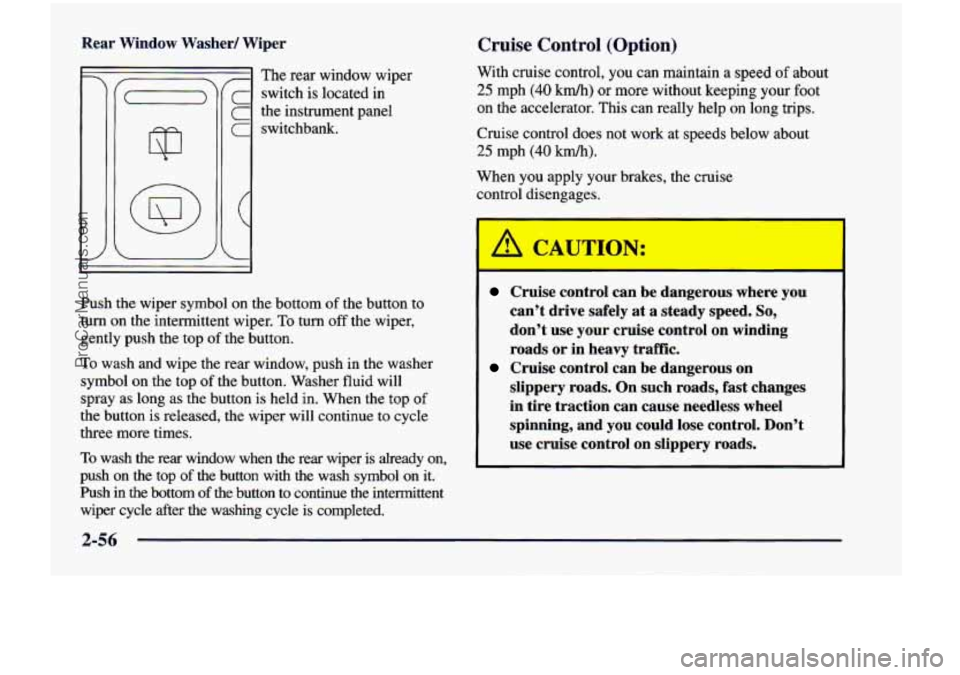
! The rear window wiper
- switch is located in
the instrument panel
1 switchbank.
Cruise Control (Option)
With cruise control, you can maintain a speed of about
25 mph (40 km/h) or more without keeping your foot
on the accelerator. This can really help on long trips.
Cruise control does not work at speeds below about
25 mph (40 km/h).
When you apply your brakes, the cruise
control disengages.
Push
the wiper symbol on the bottom of the button to
turn on the intermittent wiper. To
turn off the wiper,
gently push the top
of the button.
To wash and wipe the rear window, push in the washer
symbol on the top
of the button. Washer fluid will
spray as long as the button is held in. When the top
of
the button is released, the wiper will continue to cycle
three more times.
To wash the rear window when the rear wiper is already on,
push on the top
of the button with the wash symbol on it.
Push in the bottom
of the button to continue the intermittent
wiper cycle after the washing cycle is completed.
Cruise control can be dangerous where you
can’t drive safely at a steady speed.
So,
don’t use your cruise control on winding
roads or in heavy
traffic.
slippery roads. On such roads, fast changes
in tire traction can cause needless wheel
spinning, and
you could lose control. Don’t
use cruise control on slippery roads.
Cruise control can be dangerous on
ProCarManuals.com
Page 174 of 474
If your vehicle is in cruise control when the optional
traction control system begins to limit wheel spin, the
cruise control will automatically disengage. (See
“Traction Control System” in the Index.) When road
conditions allow you to safely use it again, you
may
turn the cruise control back on.
Setting Cruise Cc ’rol
d
If you leave your cruise control switch on when
you’re not using cruise,
you might hit a button
and
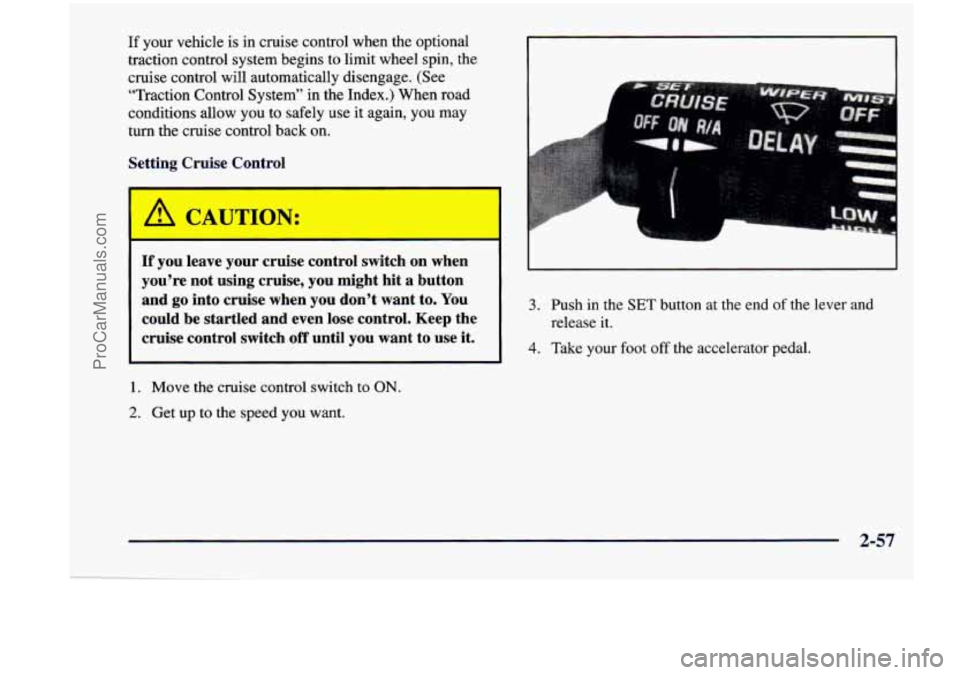
go into cruise when you don’t want to. You 3. Push in the SET button at the end of the lever and
could be startled and even lose control. Keep the release it.
cruise control switch off until you want to use it. 4. Take your foot off the accelerator pedal.
1. Move the cruise control switch to ON.
2. Get up to the speed you want.
2-57
ProCarManuals.com
Page 207 of 474
Traction Control System Warning
Light (Option)
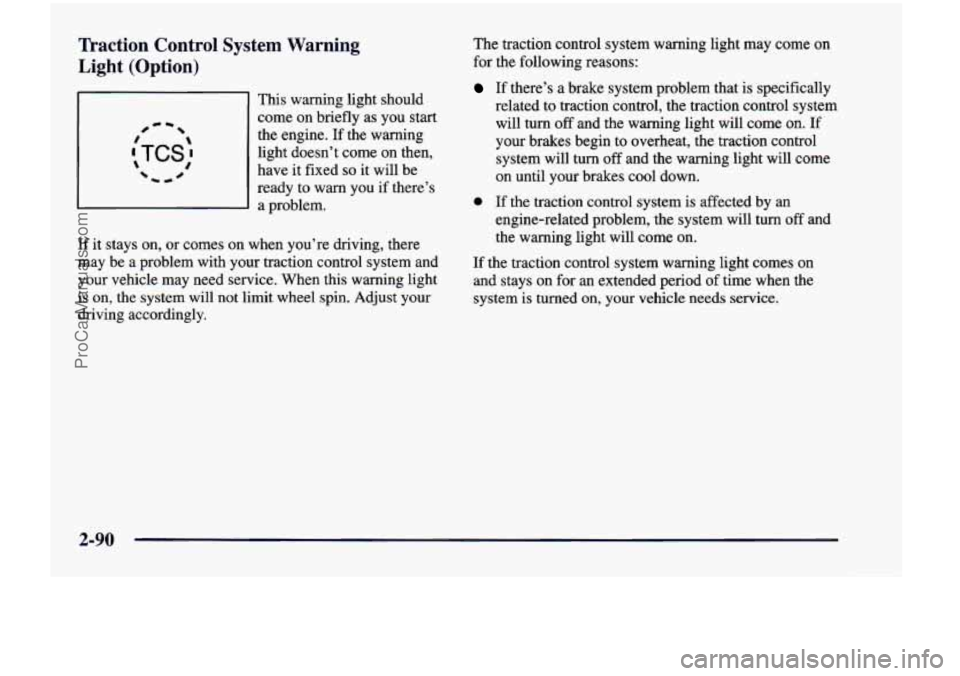
This warning light should
come on briefly as you
start
the engine. If the warning
light doesn’t come on then,
have
it fixed so it will be
ready to warn you if there’s a problem.
If it stays on, or comes on when you’re driving, there
may be a problem with your traction control system and
your vehicle may need service. When this warning light
is on, the system will not limit wheel spin. Adjust your
driving accordingly. The
traction control system warning light may come on
for the following reasons:
If there’s a brake system problem that is specifically
related to traction control, the traction control system will turn
off and the warning light will come on. If
your brakes begin
to overheat, the traction control
system will
turn off and the warning light will come
on until your brakes cool down.
0 If the traction control system is affected by an
engine-related problem, the system will
turn off and
the warning light will come
on.
If the traction control system warning light comes on
and stays on for an extended period
of time when the
system
is turned on, your vehicle needs service.
2-90
ProCarManuals.com
Page 208 of 474
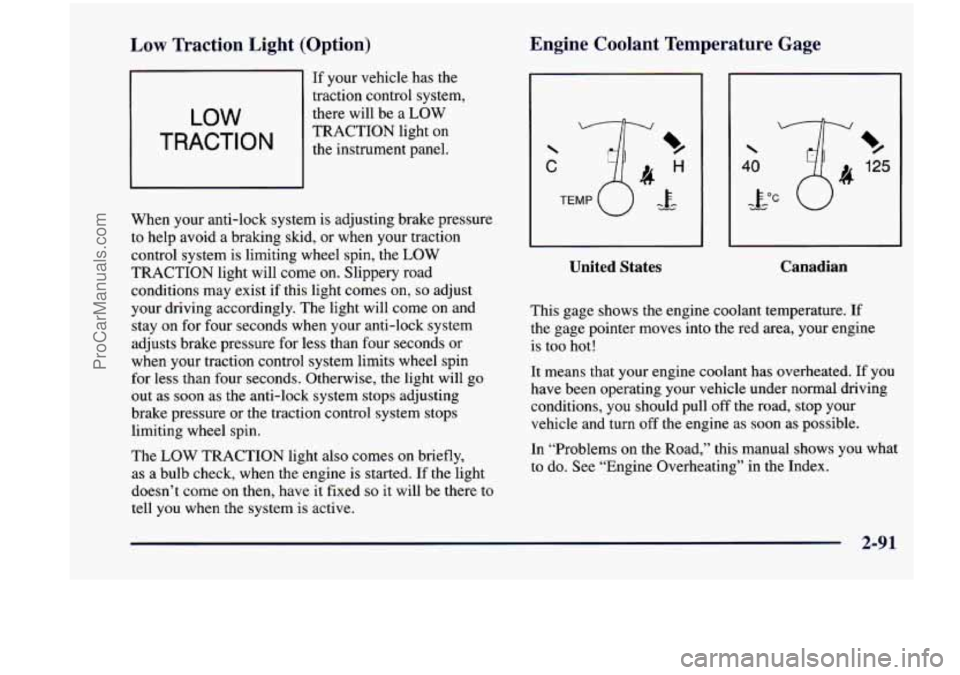
Low Traction Light (Option)
LOW
TRACTION
If your vehicle has the
traction control system,
there will be a LOW
TRACTION light on
the instrument panel.
When your anti-lock system
is adjusting brake pressure
to help avoid
a braking skid, or when your traction
control system is limiting wheel spin, the LOW
TRACTION light will come on. Slippery road
conditions may exist if this light comes
on, so adjust
your driving accordingly. The light will come on and
stay on for four seconds when your anti-lock system
adjusts brake pressure for less than four seconds or
when your traction control system limits wheel spin
for less than four seconds. Otherwise, the light will
go
out as soon as the anti-lock system stops adjusting
brake pressure or the traction control system stops
limiting wheel spin.
The
LOW TRACTION light also comes on briefly,
as a bulb check, when the engine is started. If the light
doesn’t come on then, have it fixed
so it will be there to
tell you when the system is active.
Engine Coolant Temperature Gage
C
%
125
%
United States
I
Canadian
This gage shows the engine coolant temperature. If
the gage pointer moves into the red area, your engine
is too hot!
It means that your engine coolant has overheated. If you
have been operating your vehicle under normal driving
conditions, you should pull off the road, stop your vehicle and turn
off the engine as soon as possible.
In “Problems on the Road,” this manual shows you what
to do. See “Engine Overheating” in the Index.
.. .
ProCarManuals.com
Page 262 of 474
Remember: Anti-lock doesn’t change the time you need
to get your foot
up to the brake pedal or always decrease
stopping distance.
If you get too close to the vehicle in
front of you,
you won’t have time to apply your brakes
if that vehicle suddenly slows or stops. Always leave
enough room up ahead to stop, even though you have
anti-lock brakes.
Using Anti-Lock
Don’t pump the brakes. Just hold the brake pedal down
firmly and let anti-lock work for you. You may feel a
slight brake pedal pulsation or notice some noise, but
this is normal.
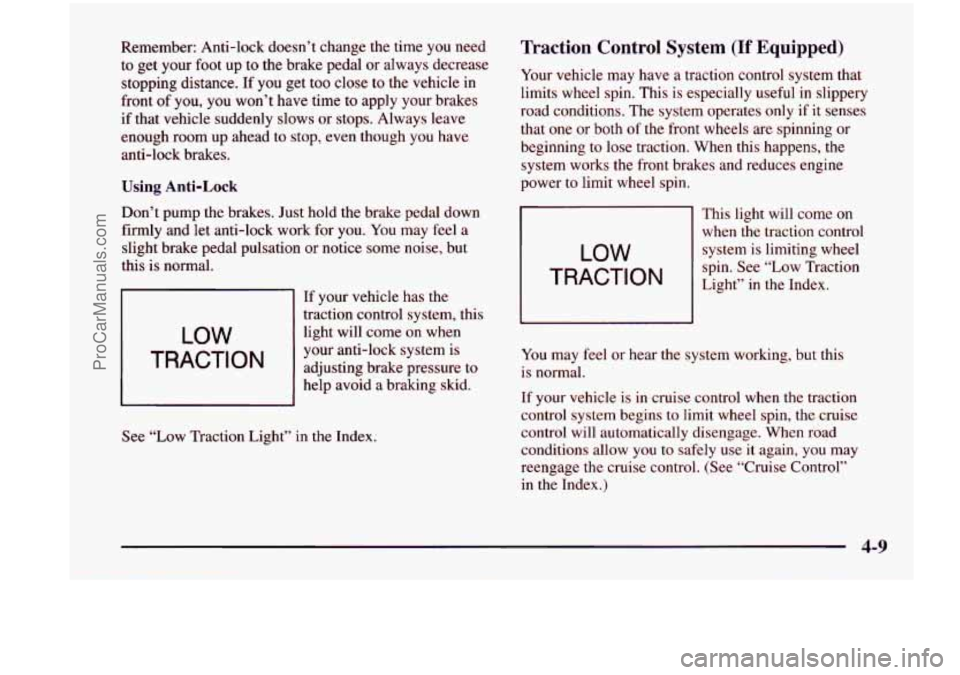
LOW
TRACTION
If your vehicle has the
traction control system, this
light will come on when
your anti-lock system is
adjusting brake pressure to
help avoid
a braking skid.
See
“Low Traction Light” in the Index.
Traction Control System (If Equipped)
Your vehicle may have a traction control system that
limits wheel spin. This is especially useful in slippery
road conditions. The system operates only if it senses
that
one or both of the front wheels are spinning or
beginning to lose traction. When this happens, the
system works
the front brakes and reduces engine
power to limit wheel spin.
LOW
TRACTION
’ This light will come on
when the traction control
system is limiting wheel
spin. See “Low Traction
Light”
in the Index.
You may feel or hear the system working, but this
is normal.
If your vehicle is in cruise control when the traction
control system begins to limit wheel spin, the cruise
control will automatically disengage. When road
conditions allow you to safely use
it again, you may
reengage the cruise control. (See “Cruise Control”
in the Index.)
4-9
ProCarManuals.com
Page 263 of 474
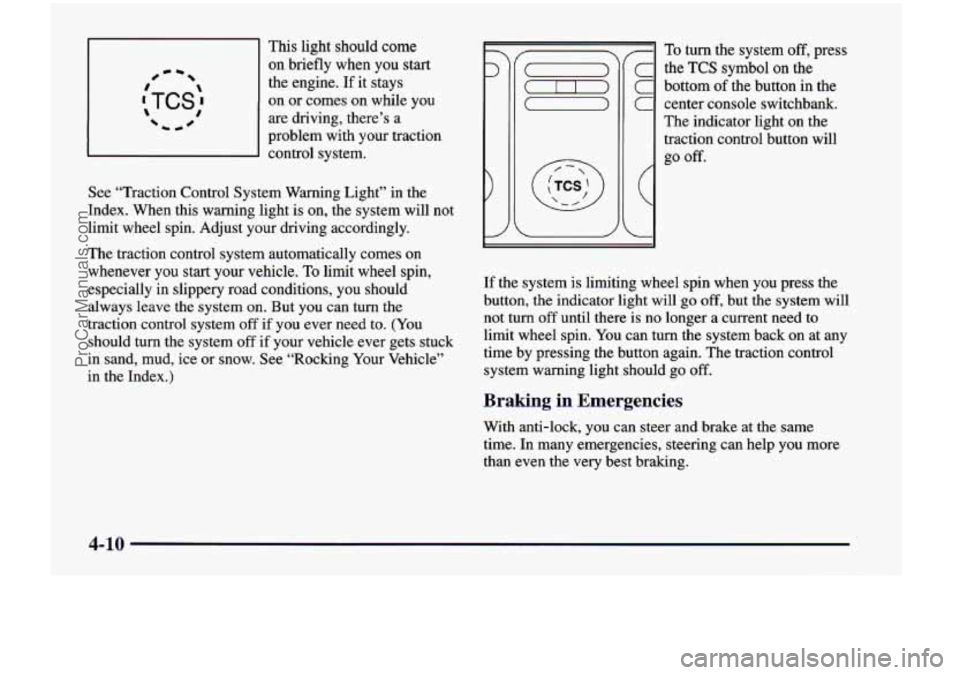
This light should come
on briefly when you start #- -
:TCS: 1 0
the engine. If it stays
on
or comes on while you
are driving, there’s a
problem with your traction
d control system.
See “Traction Control System Warning Light” in the
Index. When this warning light
is on, the system will not
limit wheel spin. Adjust your driving accordingly.
The traction control system automatically comes
on
whenever you start your vehicle. To limit wheel spin,
especially in slippery road conditions, you should
always leave the system on. But you can turn the
traction control system off if you ever need to. (You
should turn the system off if your vehicle ever gets stuck
in sand, mud, ice or snow. See “Rocking Your Vehicle”
in the Index.)
7
C
C
C
(
L
To turn the system off, press
the
TCS symbol on the
bottom
of the button in the
center console switchbank.
The indicator light on the
traction control button will
go
off.
If the system is limiting wheel spin when you press the
button,
the indicator light will go off, but the system will
not turn
off until there is no longer a current need to
limit wheel spin. You can turn the system back
on at any
time by pressing the button again. The traction control
system warning light should go
off.
Braking in Emergencies
With anti-lock, you can steer and brake at the same
time. In many emergencies, steering can help you more
than even the very best braking.
4-10
ProCarManuals.com
Page 264 of 474
Steering
Power Steering
If you lose power steering assist because the engine
stops or the system is not functioning,
you can steer but
it will take much more effort.
Steering Tips
Driving on Curves
It’s important to take curves at a reasonable speed.
A lot
of the “driver lost control” accidents mentioned on
the news happen
on curves. Here’s why:
Experienced driver or beginner, each of us is subject to
the same laws
of physics when driving on curves. The
traction of the tires against the road surface makes it
possible for the vehicle to change its path when you
turn
the front wheels. If there’s no traction, inertia will keep
the vehicle going in the same direction. If you’ve ever
tried to steer a vehicle on wet ice, you’ll understand this.
The traction you can get in a curve depends on the
condition
of your tires and the road surface, the angle at
which the curve
is banked, and your speed. While you’re
in
a curve, speed is the one factor you can control. Suppose you’re steering through a sharp curve. Then you
suddenly accelerate.
Both control systems -- steering and
acceleration
-- have to do their work where the tires meet
the road. Adding the sudden acceleration can demand too
much
of those places. You can lose control.
What should
you do if this ever happens? Ease up on the
accelerator pedal, steer the vehicle the way you want it
to go, and slow down.
Speed limit signs near curves
warn that you should
adjust your speed.
Of course, the posted speeds are
based
on good weather and road conditions. Under less
favorable conditions you’ll want to
go slower.
If you need to reduce your speed as you approach a
curve, do it before you enter the curve, while your front
wheels are straight ahead.
Try to adjust your speed so you can “drive” through the
curve. Maintain
a reasonable, steady speed. Wait to
accelerate until you are out of the curve, and then
accelerate gently into the straightaway.
4-11
ProCarManuals.com
Page 268 of 474
Loss of Control
Let’s review what driving experts say about what
happens when the three control systems (brakes, steering
and acceleration) don’t have enough friction where the
tires meet the road to do what the driver has asked.
In any emergency, don’t give up. Keep trying to steer and
constantly seek
an escape route or area of less danger.
Skidding
In a skid, a driver can lose control of the vehicle.
Defensive drivers avoid most skids by taking reasonable
care suited to existing conditions, and by not “overdriving”\
those conditions. But skids are always possible.
The three types of skids correspond to your vehicle’s
three control systems. In the braking skid, your wheels
aren’t rolling. In the steering
or cornering skid, too
much speed or steering in a curve causes tires to slip and
lose cornering force. And in the acceleration skid, too
much throttle causes the driving wheels
to spin.
A cornering
skid and an acceleration skid are best
handled by easing your foot
off the accelerator pedal. If
your vehicle starts to slide, ease your foot off the
accelerator pedal and quickly steer the way you want the
vehicle to go.
If you start steering quickly enough, your
vehicle may straighten out. Always be ready for a
second skid if it occurs.
Of course, traction is reduced when water, snow, ice,
gravel or other material is on the road. For safety, you’ll\
want to slow down and adjust your driving to these
conditions. It is important
to slow down on slippery
surfaces because stopping distance will be longer and
vehicle control more limited.
While driving on a surface with reduced traction,
try
your best to avoid sudden steering, acceleration or
braking (including engine braking by shifting to a lower
gear). Any sudden changes could cause the tires to slide.
You may not realize the surface is slippery until your
vehicle is skidding. Learn to recognize warning
clues
-- such as enough water, ice or packed snow on
the road to make a “mirrored surface” -- and slow
down when you have any doubt.
Remember: Any anti-lock brake system
(ABS) helps
avoid only the braking skid.
ProCarManuals.com
Page 280 of 474
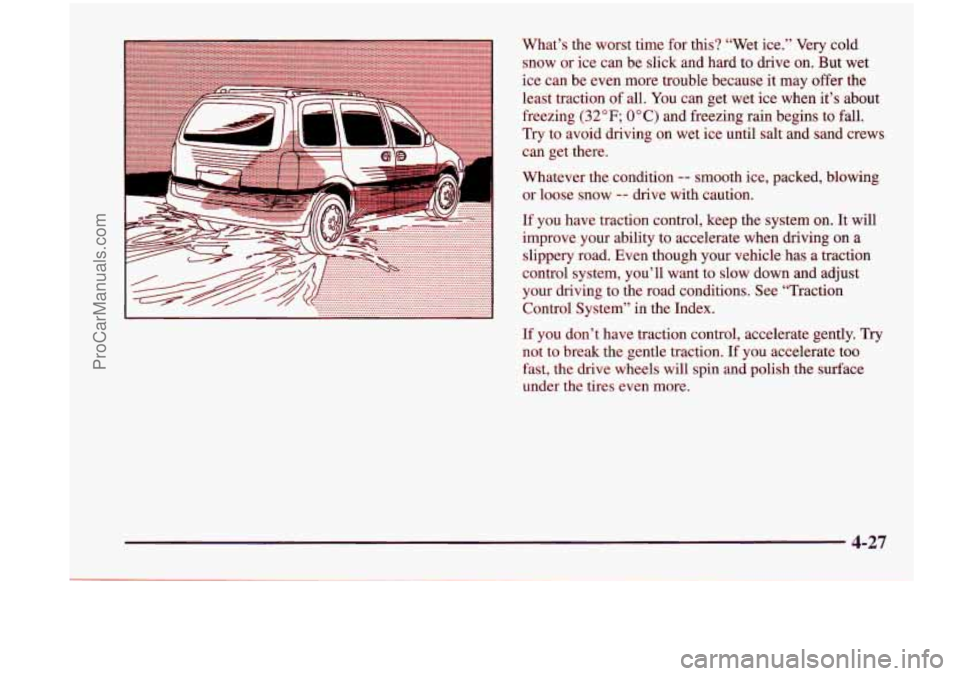
What’s the worst time for this? “Wet ice.” Very cold
snow or ice can be slick and hard to drive on. But wet
ice can be even more trouble because it may offer the
least traction
of all. You can get wet ice when it’s about
freezing
(32°F; OOC) and freezing rain begins to fall.
Try to avoid driving on wet ice until salt and sand crews
can get there.
Whatever the condition
-- smooth ice, packed, blowing
or loose snow
-- drive with caution.
If you have traction control, keep the system on. It will
improve your ability to accelerate when driving on a
slippery road. Even though your vehicle has a traction
control system, you’ll want to
slow down and adjust
your driving to the road conditions, See “Traction
Control System” in the Index.
If you don’t have traction control, accelerate gently. Try
not
to break the gentle traction. If you accelerate too
fast, the drive wheels will spin
and polish the surface
under the tires even more.
4-27
ProCarManuals.com