ignition CHEVROLET VENTURE 2005 1.G User Guide
[x] Cancel search | Manufacturer: CHEVROLET, Model Year: 2005, Model line: VENTURE, Model: CHEVROLET VENTURE 2005 1.GPages: 470, PDF Size: 2.76 MB
Page 122 of 470
Arming with the Remote Keyless Entry
Transmitter
Your alarm system will arm when you use your remote
keyless entry transmitter to lock the doors, if the key
is not in the ignition. The security light will turn on to let
you know the system is arming. After all doors and
the liftgate are closed and locked, the security light will
begin ashing at a very slow rate to let you know
the system is armed.
Arming with Your Key
Your alarm system will arm when you use your key to
lock the driver’s door. The security light will turn on to let
you know the system is arming. After all doors and
the liftgate are closed and locked, the security light will
begin ashing at a very slow rate to let you know
the system is armed. If you would like your key not to
arm the system, seeVehicle Personalization on
page 2-55.
Arming Conrmation
If remote unlock conrmation is on, your parking lamps
will ash briey to let you know when your alarm
system has disarmed. If you would not like the parking
lamps to ash, seeVehicle Personalization on
page 2-55.
Disarming with the Remote Keyless
Entry Transmitter
Your alarm system will disarm when you use your
remote keyless entry transmitter to unlock the doors.
The security light will stop ashing to let you know the
system is no longer armed.
Disarming with Your Key
Your alarm system will disarm when you use your key
to unlock the driver’s door. The security light will
stop ashing to let you know the system is no longer
armed. If you would like your key not to disarm the alarm
system, seeVehicle Personalization on page 2-55.
2-26
Page 123 of 470
PASS-Key®III
Your PASS-Key®III system operates on a radio
frequency subject to Federal Communications
Commission (FCC) Rules and with Industry Canada.
This device complies with Part 15 of the FCC Rules.
Operation is subject to the following two conditions:
1. This device may not cause harmful interference.
2. This device must accept any interference received,
including interference that may cause undesired
operation.
This device complies with RSS-210 of Industry Canada.
Operation is subject to the following two conditions:
1. This device may not cause interference.
2. This device must accept any interference received,
including interference that may cause undesired
operation of the device.
Changes or modications to this system by other than
an authorized service facility could void authorization to
use this equipment.
PASS-Key
®III uses a radio frequency transponder in
the key that matches a decoder in your vehicle.
PASS-Key®III Operation
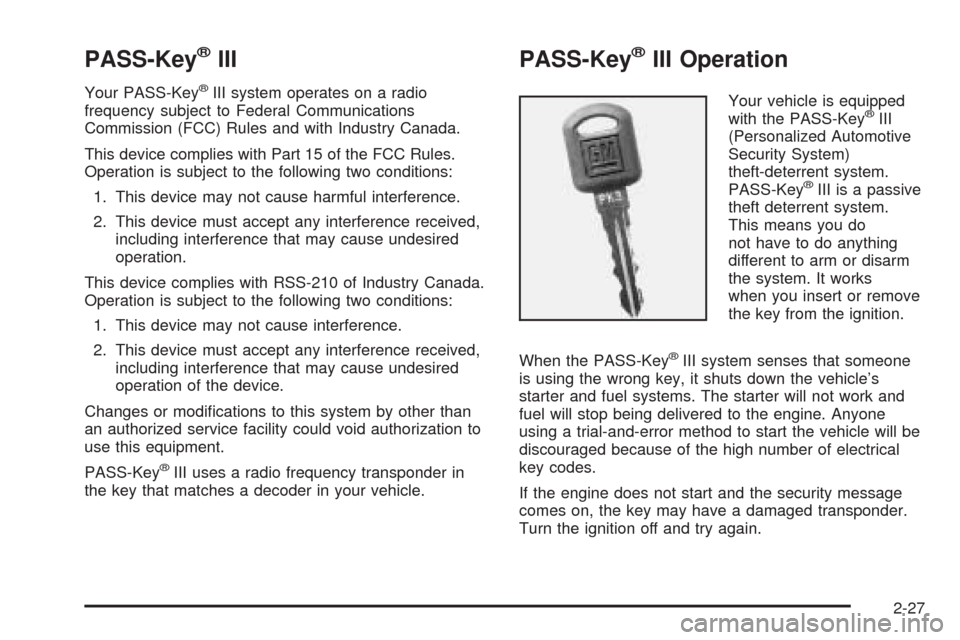
Your vehicle is equipped
with the PASS-Key®III
(Personalized Automotive
Security System)
theft-deterrent system.
PASS-Key
®III is a passive
theft deterrent system.
This means you do
not have to do anything
different to arm or disarm
the system. It works
when you insert or remove
the key from the ignition.
When the PASS-Key
®III system senses that someone
is using the wrong key, it shuts down the vehicle’s
starter and fuel systems. The starter will not work and
fuel will stop being delivered to the engine. Anyone
using a trial-and-error method to start the vehicle will be
discouraged because of the high number of electrical
key codes.
If the engine does not start and the security message
comes on, the key may have a damaged transponder.
Turn the ignition off and try again.
2-27
Page 124 of 470
If the engine still does not start, and the key appears to
be undamaged, try another ignition key. At this time,
you may also want to check the instrument panel PASS
KEY fuse. If the engine still does not start with the
other key, your vehicle needs service. If your vehicle
does start, the rst key may be faulty. See your dealer or
a locksmith who can service the PASS-Key
®III to
have a new key made. SeeFuses and Circuit Breakers
on page 5-92.
It is possible for the PASS-Key
®III decoder to learn the
transponder value of a new or replacement key. Up
to 10 additional keys may be programmed for the
vehicle. This procedure is for learning additional keys
only. If all the currently programmed keys are lost or do
not operate, you must see your dealer or a locksmith
who can service PASS-Key
®III to have keys made and
programmed to the system.
See your dealer or a locksmith who can service
PASS-Key
®III to get a new key blank that is cut exactly
as the ignition key that operates the system.Canadian Owners:If you lose or damage your keys,
only a GM dealer can service PASS-Key
®III to
have new keys made. To program additional keys you
will need two current driver’s keys, black in color.
You must add a step to the following procedure. After
Step 3, repeat Steps 1 through 3 with the second current
driver’s key. Then continue with Step 4.
To program the new key, do the following:
1. Verify the new key has PK3 stamped on it.
2. Insert the ignition key in the ignition and start the
engine. If the engine will not start, see your dealer
for service.
3. After the engine has started, turn the key to OFF
and remove the key.
4. Insert the key to be programmed and turn it to RUN
within 10 seconds of removing the previous key.
2-28
Page 126 of 470
Ignition Positions
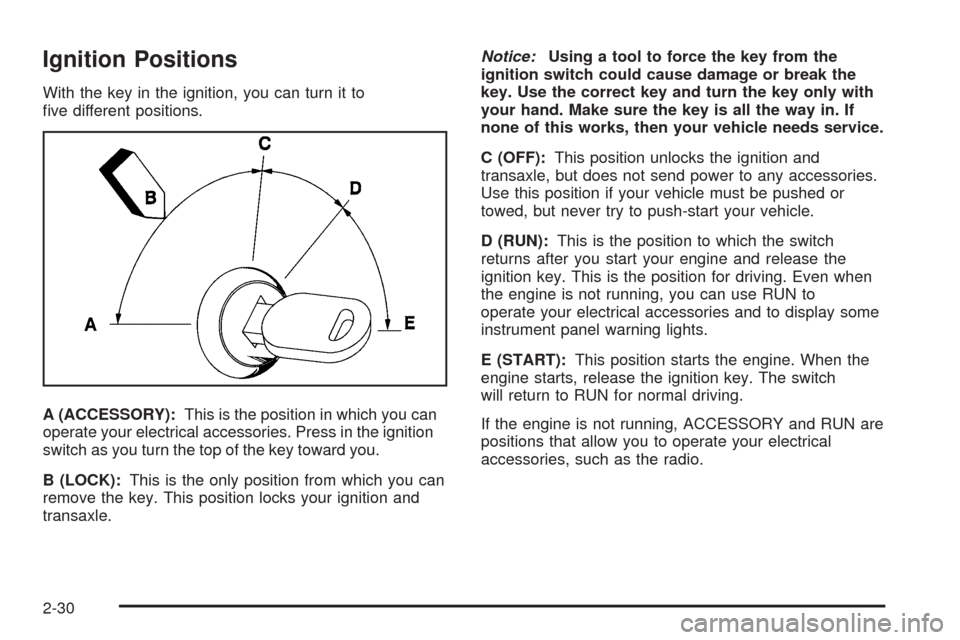
With the key in the ignition, you can turn it to
ve different positions.
A (ACCESSORY):This is the position in which you can
operate your electrical accessories. Press in the ignition
switch as you turn the top of the key toward you.
B (LOCK):This is the only position from which you can
remove the key. This position locks your ignition and
transaxle.Notice:Using a tool to force the key from the
ignition switch could cause damage or break the
key. Use the correct key and turn the key only with
your hand. Make sure the key is all the way in. If
none of this works, then your vehicle needs service.
C (OFF):This position unlocks the ignition and
transaxle, but does not send power to any accessories.
Use this position if your vehicle must be pushed or
towed, but never try to push-start your vehicle.
D (RUN):This is the position to which the switch
returns after you start your engine and release the
ignition key. This is the position for driving. Even when
the engine is not running, you can use RUN to
operate your electrical accessories and to display some
instrument panel warning lights.
E (START):This position starts the engine. When the
engine starts, release the ignition key. The switch
will return to RUN for normal driving.
If the engine is not running, ACCESSORY and RUN are
positions that allow you to operate your electrical
accessories, such as the radio.
2-30
Page 127 of 470
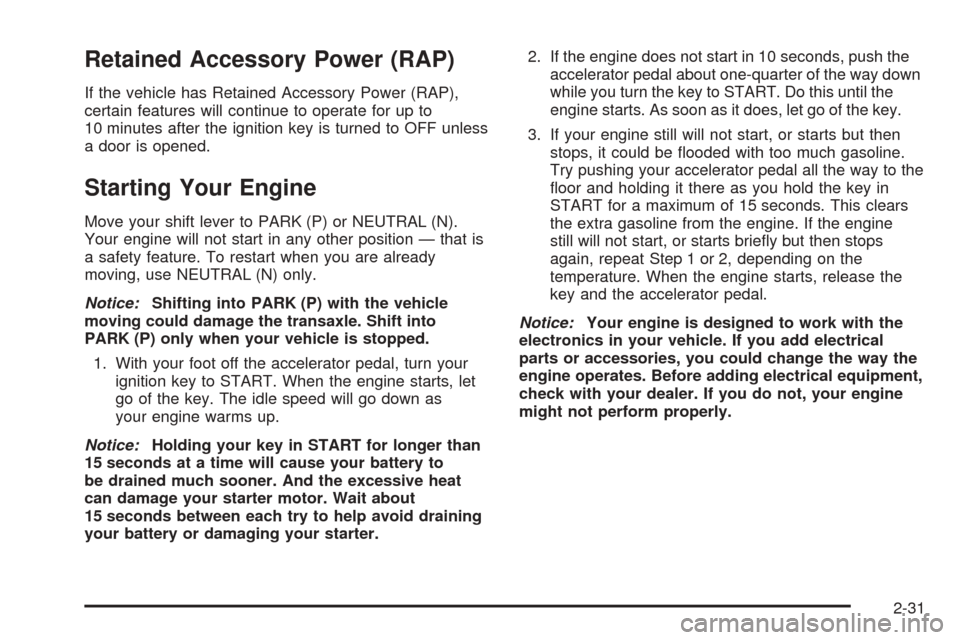
Retained Accessory Power (RAP)
If the vehicle has Retained Accessory Power (RAP),
certain features will continue to operate for up to
10 minutes after the ignition key is turned to OFF unless
a door is opened.
Starting Your Engine
Move your shift lever to PARK (P) or NEUTRAL (N).
Your engine will not start in any other position — that is
a safety feature. To restart when you are already
moving, use NEUTRAL (N) only.
Notice:Shifting into PARK (P) with the vehicle
moving could damage the transaxle. Shift into
PARK (P) only when your vehicle is stopped.
1. With your foot off the accelerator pedal, turn your
ignition key to START. When the engine starts, let
go of the key. The idle speed will go down as
your engine warms up.
Notice:Holding your key in START for longer than
15 seconds at a time will cause your battery to
be drained much sooner. And the excessive heat
can damage your starter motor. Wait about
15 seconds between each try to help avoid draining
your battery or damaging your starter.2. If the engine does not start in 10 seconds, push the
accelerator pedal about one-quarter of the way down
while you turn the key to START. Do this until the
engine starts. As soon as it does, let go of the key.
3. If your engine still will not start, or starts but then
stops, it could be ooded with too much gasoline.
Try pushing your accelerator pedal all the way to the
oor and holding it there as you hold the key in
START for a maximum of 15 seconds. This clears
the extra gasoline from the engine. If the engine
still will not start, or starts briey but then stops
again, repeat Step 1 or 2, depending on the
temperature. When the engine starts, release the
key and the accelerator pedal.
Notice:Your engine is designed to work with the
electronics in your vehicle. If you add electrical
parts or accessories, you could change the way the
engine operates. Before adding electrical equipment,
check with your dealer. If you do not, your engine
might not perform properly.
2-31
Page 129 of 470
Automatic Transaxle Operation
Maximum engine speed is limited when you are in
PARK (P) or NEUTRAL (N), to protect driveline
components from improper operation.
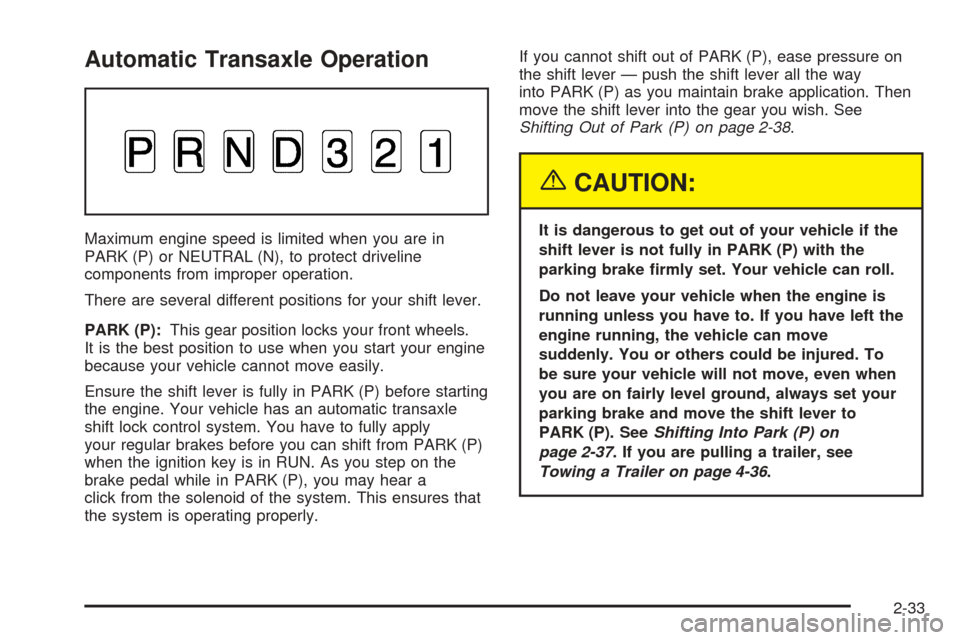
There are several different positions for your shift lever.
PARK (P):This gear position locks your front wheels.
It is the best position to use when you start your engine
because your vehicle cannot move easily.
Ensure the shift lever is fully in PARK (P) before starting
the engine. Your vehicle has an automatic transaxle
shift lock control system. You have to fully apply
your regular brakes before you can shift from PARK (P)
when the ignition key is in RUN. As you step on the
brake pedal while in PARK (P), you may hear a
click from the solenoid of the system. This ensures that
the system is operating properly.If you cannot shift out of PARK (P), ease pressure on
the shift lever — push the shift lever all the way
into PARK (P) as you maintain brake application. Then
move the shift lever into the gear you wish. See
Shifting Out of Park (P) on page 2-38.
{CAUTION:
It is dangerous to get out of your vehicle if the
shift lever is not fully in PARK (P) with the
parking brake rmly set. Your vehicle can roll.
Do not leave your vehicle when the engine is
running unless you have to. If you have left the
engine running, the vehicle can move
suddenly. You or others could be injured. To
be sure your vehicle will not move, even when
you are on fairly level ground, always set your
parking brake and move the shift lever to
PARK (P). SeeShifting Into Park (P) on
page 2-37. If you are pulling a trailer, see
Towing a Trailer on page 4-36.
2-33
Page 132 of 470
Parking Brake
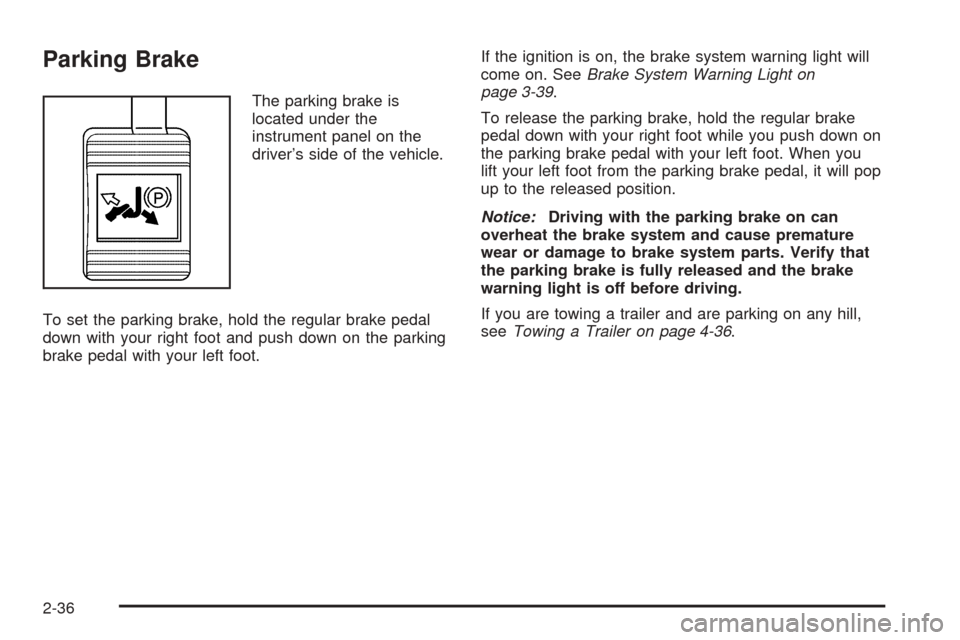
The parking brake is
located under the
instrument panel on the
driver’s side of the vehicle.
To set the parking brake, hold the regular brake pedal
down with your right foot and push down on the parking
brake pedal with your left foot.If the ignition is on, the brake system warning light will
come on. SeeBrake System Warning Light on
page 3-39.
To release the parking brake, hold the regular brake
pedal down with your right foot while you push down on
the parking brake pedal with your left foot. When you
lift your left foot from the parking brake pedal, it will pop
up to the released position.
Notice:Driving with the parking brake on can
overheat the brake system and cause premature
wear or damage to brake system parts. Verify that
the parking brake is fully released and the brake
warning light is off before driving.
If you are towing a trailer and are parking on any hill,
seeTowing a Trailer on page 4-36.
2-36
Page 133 of 470
Shifting Into Park (P)
{CAUTION:
It can be dangerous to get out of your vehicle
if the shift lever is not fully in PARK (P) with
the parking brake rmly set. Your vehicle can
roll. If you have left the engine running, the
vehicle can move suddenly. You or others
could be injured. To be sure your vehicle will
not move, even when you are on fairly level
ground, use the steps that follow. If you are
pulling a trailer, seeTowing a Trailer on
page 4-36.
1. Hold the brake pedal down with your right foot and
set the parking brake with your left foot.
2. Move the shift lever into PARK (P) by pulling the
shift lever toward you and moving it up as far as it
will go.
3. Turn the ignition key to LOCK.
4. Remove the key and take it with you. If you can
leave your vehicle with the ignition key in your
hand, your vehicle is in PARK (P).
Leaving Your Vehicle With the Engine
Running
{CAUTION:
It can be dangerous to leave your vehicle with
the engine running. Your vehicle could move
suddenly if the shift lever is not fully in
PARK (P) with the parking brake rmly set.
And, if you leave the vehicle with the engine
running, it could overheat and even catch re.
You or others could be injured. Do not leave
your vehicle with the engine running.
If you have to leave your vehicle with the engine
running, be sure your vehicle is in PARK (P) and the
parking brake is rmly set before you leave it. After you
move the shift lever into PARK (P), hold the regular
brake pedal down. Then, see if you can move the shift
lever away from PARK (P) without rst pulling it
toward you. If you can, it means that the shift lever was
not fully locked into PARK (P).
2-37
Page 134 of 470
Torque Lock
If you are parking on a hill and you do not shift your
vehicle into PARK (P) properly, the weight of the vehicle
may put too much force on the parking pawl in the
transmission. You may nd it difficult to pull the shift
lever out of PARK (P). This is called torque lock.
To prevent torque lock, set the parking brake and then
shift into PARK (P) properly before you leave the
driver’s seat. To nd out how, seeShifting Into Park (P)
on page 2-37.
When you are ready to drive, move the shift lever out of
PARK (P) before you release the parking brake.
If torque lock does occur, you may need to have another
vehicle push yours a little uphill to take some of the
pressure from the parking pawl in the transmission, so
you can pull the shift lever out of PARK (P).
Shifting Out of Park (P)
Your vehicle has an automatic transaxle shift lock
control system which locks the shift lever in PARK (P)
when the ignition is in the OFF position. In addition, you
must fully apply your regular brakes before you can
shift from PARK (P) when the ignition is in the
RUN position. SeeAutomatic Transaxle Operation on
page 2-33.
If you cannot shift out of PARK (P), ease pressure on
the shift lever and push the shift lever all the way up into
PARK (P) as you maintain brake application. Then,
move the shift lever into the gear you want.
If you ever hold the brake pedal down but still cannot
shift out of PARK (P), do the following:
1. Turn the ignition key to the OFF position.
2. Apply and hold the brake until the end of Step 4.
3. Shift the transaxle to NEUTRAL (N).
4. Start the engine and then shift to the gear
you want.
5. Have the system xed as soon as you can.
2-38
Page 151 of 470
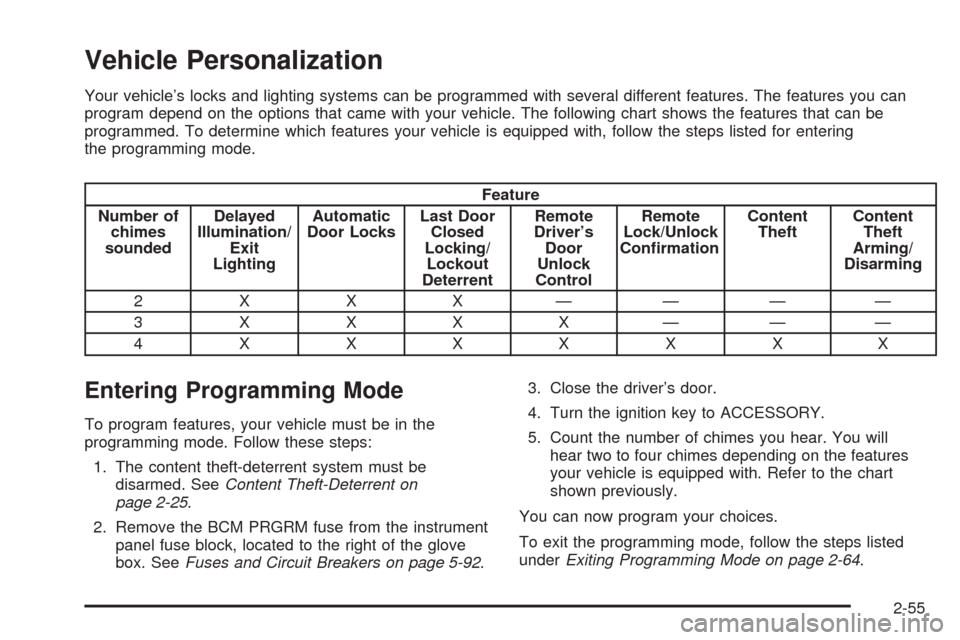
Vehicle Personalization
Your vehicle’s locks and lighting systems can be programmed with several different features. The features you can
program depend on the options that came with your vehicle. The following chart shows the features that can be
programmed. To determine which features your vehicle is equipped with, follow the steps listed for entering
the programming mode.
Feature
Number of
chimes
soundedDelayed
Illumination/
Exit
LightingAutomatic
Door LocksLast Door
Closed
Locking/
Lockout
DeterrentRemote
Driver’s
Door
Unlock
ControlRemote
Lock/Unlock
ConrmationContent
TheftContent
Theft
Arming/
Disarming
2 X X X ————
3XXXX———
4XXXXXXX
Entering Programming Mode
To program features, your vehicle must be in the
programming mode. Follow these steps:
1. The content theft-deterrent system must be
disarmed. SeeContent Theft-Deterrent on
page 2-25.
2. Remove the BCM PRGRM fuse from the instrument
panel fuse block, located to the right of the glove
box. SeeFuses and Circuit Breakers on page 5-92.3. Close the driver’s door.
4. Turn the ignition key to ACCESSORY.
5. Count the number of chimes you hear. You will
hear two to four chimes depending on the features
your vehicle is equipped with. Refer to the chart
shown previously.
You can now program your choices.
To exit the programming mode, follow the steps listed
underExiting Programming Mode on page 2-64.
2-55