usb CHEVROLET VOLT 2011 Owner's Manual
[x] Cancel search | Manufacturer: CHEVROLET, Model Year: 2011, Model line: VOLT, Model: CHEVROLET VOLT 2011Pages: 516, PDF Size: 6.61 MB
Page 21 of 516

Black plate (15,1)Chevrolet Volt Owner Manual - 2011
In Brief 1-15
Vehicle Features
Radio(s)
This vehicle's radio is part of the
navigation system. SeeInfotainment
on page 7‑2.
Satellite Radio
Vehicles with an XM™ Satellite
Radio tuner and a valid XM Satellite
Radio subscription can receive XM
programming.
XM Satellite Radio Service
XM is a satellite radio service based
in the 48 contiguous United States
and 10 Canadian provinces. XM
Satellite Radio has a wide variety of
programming and commercial-free
music, coast to coast, and in
digital-quality sound. A fee is
required to receive the XM service.
For more information refer to:
.www.xmradio.com or call
1-800-929-2100 (U.S.).
.www.xmradio.ca or call
1-877-438-9677 (Canada).
For more information, see Satellite
Radio on page 7‑16.
Portable Audio Devices
This vehicle has a 3.5 mm (1/8 in)
auxiliary input and a USB port
located in the center stack.
External devices such as iPods
®,
laptop computers, MP3 players, CD
changers, and USB storage devices
may be connected, depending on
the audio system.
For more information, see Auxiliary
Devices on page 7‑38.
Page 200 of 516

Black plate (10,1)Chevrolet Volt Owner Manual - 2011
7-10 Infotainment System
Radio
AM-FM Radio
Playing the Radio
Audio Source Menu
VOL/
O(Volume/Power):
1. Press to turn the radio on or off.
2. Turn to increase or decrease the volume. The volume is
adjusted for the current audio
source, active navigation voice
guidance, voice prompts,
or audio cues.
The steering wheel controls can
also be used to adjust the volume.
See Steering Wheel Controls on
page 5‑6 for more information.
TUNE/MENU: Turn to change
the radio station. See “Finding a
Station” in this section for more
information. RADIO BAND:
Press to select the
AM, FM, and XM (if equipped) band.
The audio sources can also be
changed by using the steering
wheel controls. See Steering
Wheel Controls on page 5‑6
for more information.
HDD/DVD/AUX: Change to the
Hard Drive, CD, DVD, USB, or AUX
by pressing the HDD/DVD/AUX
button until the desired source is
selected.
If the audio source is on while
viewing a map screen, a source
indicator button displays at the
top of the map screen.
Press the source indicator button
to display the current audio source
screen. The display shows a split
screen with the audio source screen
on the left side and the map or
guidance screen on the right side.
Press the Full Map button to exit the
split screen.
Page 216 of 516
Black plate (26,1)Chevrolet Volt Owner Manual - 2011
7-26 Infotainment System
Empty Directory or Folder
If a root directory or folder is empty
or contains only folders, the player
advances to the next folder in
the file structure that contains a
compressed audio file. The empty
folder(s) are not displayed or
numbered.
No Folder
When the CD only contains
compressed audio files without
any folders or playlists, all files
are under the root folder.
File System and Naming
The displayed song title is taken
from the file's ID3 tag. If a song
title is not present in the ID3 tag,
the radio displays the file name
as the track name.Preprogrammed Playlists
The radio recognizes
preprogrammed playlists;
however, there is no editing
capability. These playlists are
treated as special folders containing
compressed audio song files.
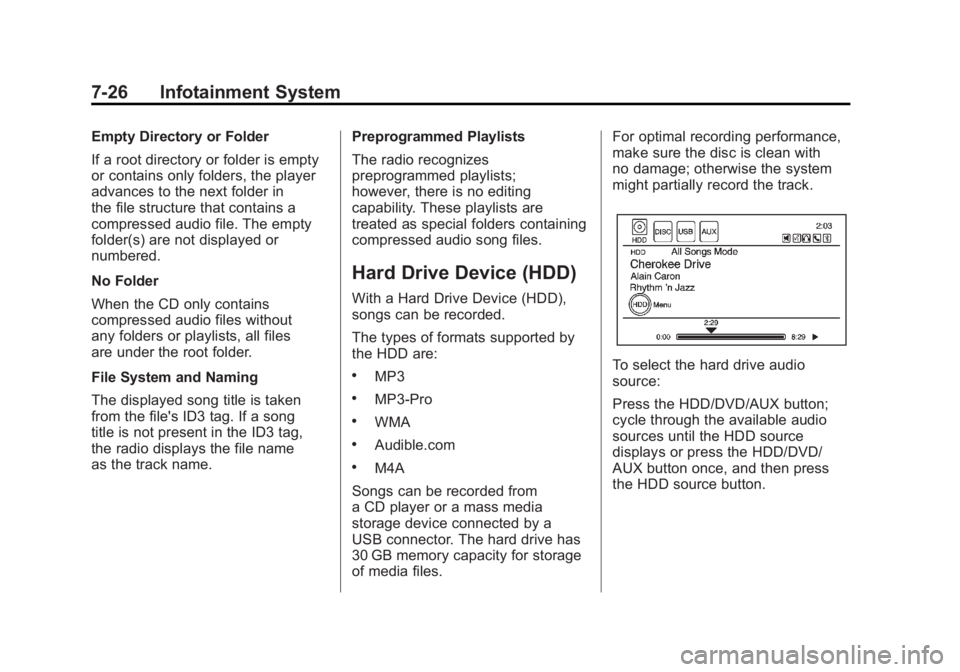
Hard Drive Device (HDD)
With a Hard Drive Device (HDD),
songs can be recorded.
The types of formats supported by
the HDD are:
.MP3
.MP3-Pro
.WMA
.Audible.com
.M4A
Songs can be recorded from
a CD player or a mass media
storage device connected by a
USB connector. The hard drive has
30 GB memory capacity for storage
of media files. For optimal recording performance,
make sure the disc is clean with
no damage; otherwise the system
might partially record the track.
To select the hard drive audio
source:
Press the HDD/DVD/AUX button;
cycle through the available audio
sources until the HDD source
displays or press the HDD/DVD/
AUX button once, and then press
the HDD source button.
Page 217 of 516
Black plate (27,1)Chevrolet Volt Owner Manual - 2011
Infotainment System 7-27
Recording from a CD to the
Hard Drive
The speed of the recording
increases if you are listening to
another source while recording.
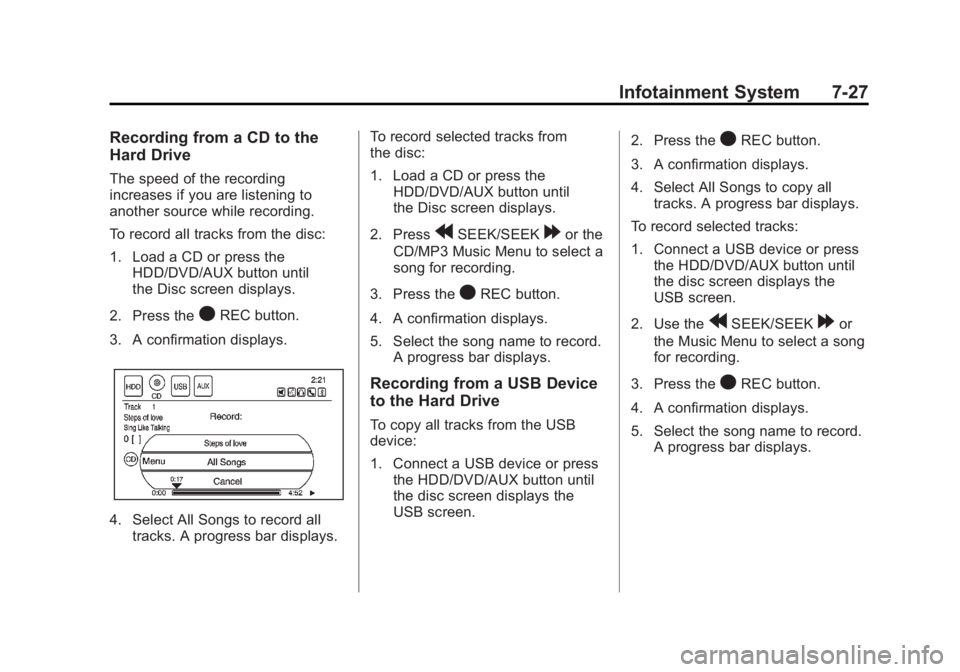
To record all tracks from the disc:
1. Load a CD or press theHDD/DVD/AUX button until
the Disc screen displays.
2. Press the
OREC button.
3. A confirmation displays.
4. Select All Songs to record all tracks. A progress bar displays. To record selected tracks from
the disc:
1. Load a CD or press the
HDD/DVD/AUX button until
the Disc screen displays.
2. Press
rSEEK/SEEK[or the
CD/MP3 Music Menu to select a
song for recording.
3. Press the
OREC button.
4. A confirmation displays.
5. Select the song name to record. A progress bar displays.
Recording from a USB Device
to the Hard Drive
To copy all tracks from the USB
device:
1. Connect a USB device or pressthe HDD/DVD/AUX button until
the disc screen displays the
USB screen. 2. Press the
OREC button.
3. A confirmation displays.
4. Select All Songs to copy all tracks. A progress bar displays.
To record selected tracks:
1. Connect a USB device or press the HDD/DVD/AUX button until
the disc screen displays the
USB screen.
2. Use the
rSEEK/SEEK[or
the Music Menu to select a song
for recording.
3. Press the
OREC button.
4. A confirmation displays.
5. Select the song name to record. A progress bar displays.
Page 218 of 516
Black plate (28,1)Chevrolet Volt Owner Manual - 2011
7-28 Infotainment System
Duplicate Content
When the record function starts,
there is a check to verify that the
content does not already exist on
the hard drive. If the entire content
of the CD exists on the hard drive,
it will not record the content.
If it is determined that some or none
of the content exists, then only that
missing content will be copied to the
hard drive.
If the same file is recorded from the
USB and CD, it is possible to have
duplicate tracks.
CD Eject
If the CD ejects before the recording
process completes, only tracks that
have been completely recorded are
stored to the hard drive. Incomplete
tracks are discarded.
Power Mode
If the system is turned off during
a CD or USB recording process,
it stops. When the radio is turned
back on, the recording process
does not resume automatically.
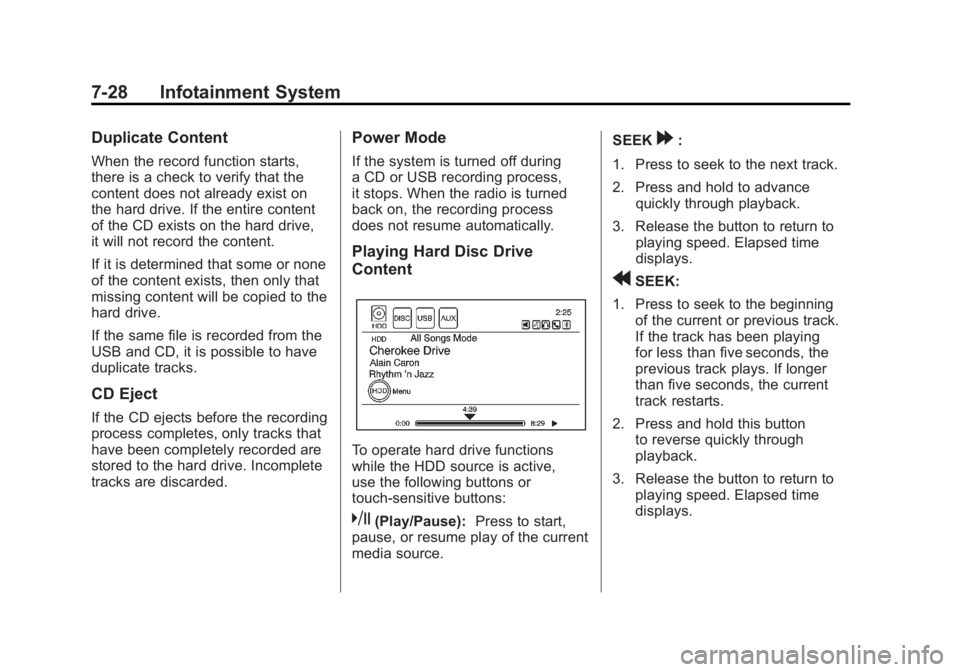
Playing Hard Disc Drive
Content
To operate hard drive functions
while the HDD source is active,
use the following buttons or
touch-sensitive buttons:
k(Play/Pause):Press to start,
pause, or resume play of the current
media source. SEEK
[:
1. Press to seek to the next track.
2. Press and hold to advance quickly through playback.
3. Release the button to return to playing speed. Elapsed time
displays.
rSEEK:
1. Press to seek to the beginning of the current or previous track.
If the track has been playing
for less than five seconds, the
previous track plays. If longer
than five seconds, the current
track restarts.
2. Press and hold this button to reverse quickly through
playback.
3. Release the button to return to playing speed. Elapsed time
displays.
Page 221 of 516
Black plate (31,1)Chevrolet Volt Owner Manual - 2011
Infotainment System 7-31
USB-Supported Devices
The USB connector uses the
following:
.USB 2.0.
.USB flash sticks or pen drives.
.Portable USB Hard Drives.
Special care needs to be taken
related to the power source
of these devices (USB bus
powered vs. external power).
.Portable media adapters that
support SD Flash, Compact
Flash, or SD Micro.
Depending on the USB mass
storage device, some devices
might not be recognized.
Music can be played directly from
the USB device and controlled
through the MP3 control functions
and menu.
Playing from a USB
A USB mass storage device can be
connected to the USB port to copy
compressed audio files onto the
hard drive. Content can also be
played directly from the USB
device.
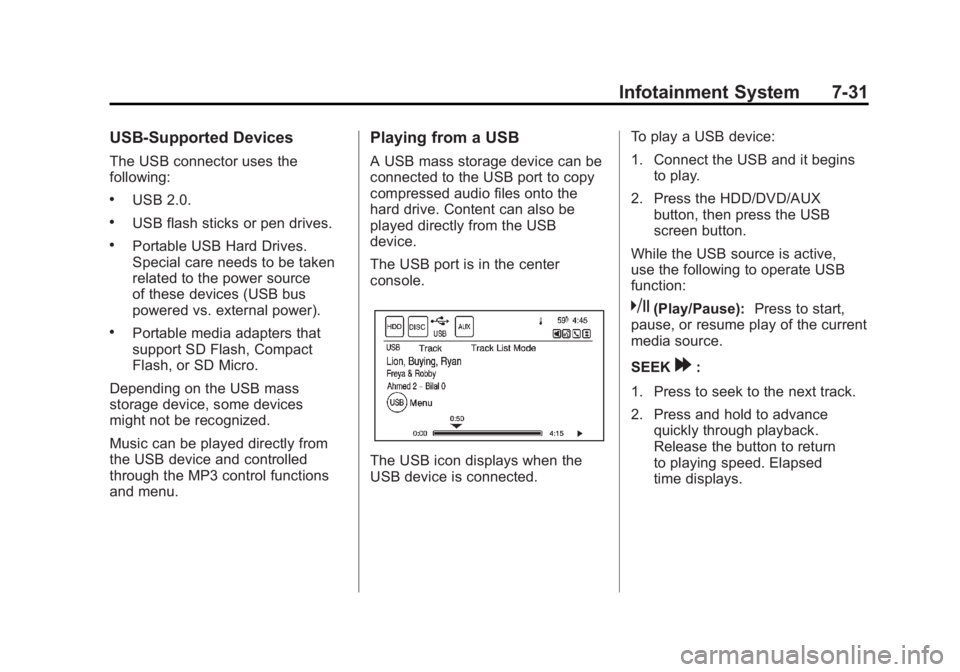
The USB port is in the center
console.
The USB icon displays when the
USB device is connected. To play a USB device:
1. Connect the USB and it begins
to play.
2. Press the HDD/DVD/AUX button, then press the USB
screen button.
While the USB source is active,
use the following to operate USB
function:
k(Play/Pause): Press to start,
pause, or resume play of the current
media source.
SEEK
[:
1. Press to seek to the next track.
2. Press and hold to advance quickly through playback.
Release the button to return
to playing speed. Elapsed
time displays.
Page 222 of 516
Black plate (32,1)Chevrolet Volt Owner Manual - 2011
7-32 Infotainment System
rSEEK:
1. Press to seek to the beginning of the current or previous track.
If the track has been playing
for less than five seconds, the
previous track plays. If playing
longer than five seconds, the
current track restarts.
2. Press and hold to reverse quickly through playback.
3. Release the button to return to playing speed. Elapsed time
displays.
TUNE/MENU:
1. Turn to the right or left to display the track list.
2. Turn it again to cycle through the list.
3. Press the TUNE/MENU knob to select the track. The system
plays the selected track and
returns to the USB screen. USB Music Menu
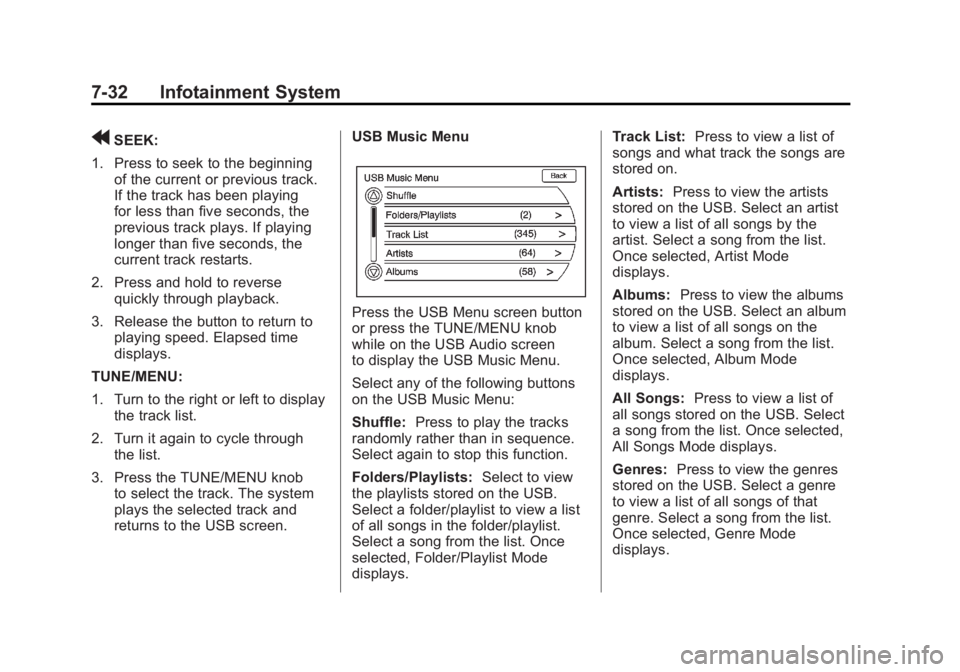
Press the USB Menu screen button
or press the TUNE/MENU knob
while on the USB Audio screen
to display the USB Music Menu.
Select any of the following buttons
on the USB Music Menu:
Shuffle:
Press to play the tracks
randomly rather than in sequence.
Select again to stop this function.
Folders/Playlists: Select to view
the playlists stored on the USB.
Select a folder/playlist to view a list
of all songs in the folder/playlist.
Select a song from the list. Once
selected, Folder/Playlist Mode
displays. Track List:
Press to view a list of
songs and what track the songs are
stored on.
Artists: Press to view the artists
stored on the USB. Select an artist
to view a list of all songs by the
artist. Select a song from the list.
Once selected, Artist Mode
displays.
Albums: Press to view the albums
stored on the USB. Select an album
to view a list of all songs on the
album. Select a song from the list.
Once selected, Album Mode
displays.
All Songs: Press to view a list of
all songs stored on the USB. Select
a song from the list. Once selected,
All Songs Mode displays.
Genres: Press to view the genres
stored on the USB. Select a genre
to view a list of all songs of that
genre. Select a song from the list.
Once selected, Genre Mode
displays.
Page 223 of 516
Black plate (33,1)Chevrolet Volt Owner Manual - 2011
Infotainment System 7-33
Eject USB:Press when the USB
is to be removed. If the USB is
disconnected without selecting
Eject USB, the files could become
corrupted.
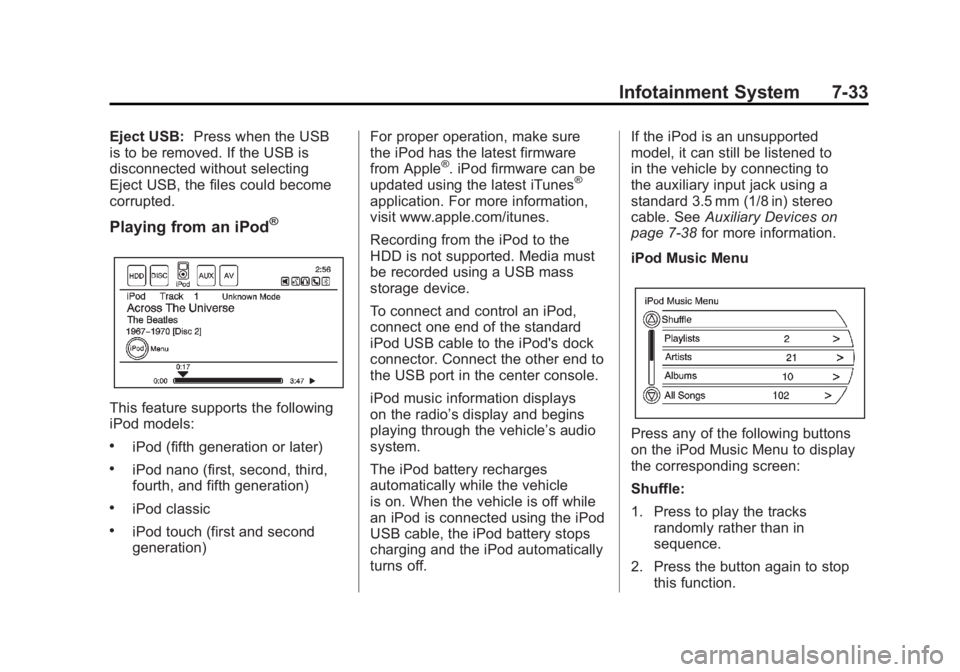
Playing from an iPod®
This feature supports the following
iPod models:
.iPod (fifth generation or later)
.iPod nano (first, second, third,
fourth, and fifth generation)
.iPod classic
.iPod touch (first and second
generation) For proper operation, make sure
the iPod has the latest firmware
from Apple
®. iPod firmware can be
updated using the latest iTunes®
application. For more information,
visit www.apple.com/itunes.
Recording from the iPod to the
HDD is not supported. Media must
be recorded using a USB mass
storage device.
To connect and control an iPod,
connect one end of the standard
iPod USB cable to the iPod's dock
connector. Connect the other end to
the USB port in the center console.
iPod music information displays
on the radio’s display and begins
playing through the vehicle’s audio
system.
The iPod battery recharges
automatically while the vehicle
is on. When the vehicle is off while
an iPod is connected using the iPod
USB cable, the iPod battery stops
charging and the iPod automatically
turns off. If the iPod is an unsupported
model, it can still be listened to
in the vehicle by connecting to
the auxiliary input jack using a
standard 3.5 mm (1/8 in) stereo
cable. See
Auxiliary Devices on
page 7‑38 for more information.
iPod Music Menu
Press any of the following buttons
on the iPod Music Menu to display
the corresponding screen:
Shuffle:
1. Press to play the tracks randomly rather than in
sequence.
2. Press the button again to stop this function.
Page 225 of 516
Black plate (35,1)Chevrolet Volt Owner Manual - 2011
Infotainment System 7-35
Audio Books:
1. Press to view the audio booksstored on the iPod.
2. Select the audio book from the list. Once an audio book has
been selected, Audio Book
Mode appears on the iPod
main screen.
Podcasts appear with the general
music. They do not have their own
category. Like the other music files,
they are searchable by title, artist,
and album.
Eject iPod: Press to remove the
iPod. If the iPod is disconnected
without selecting this button, the
files on the iPod could be corrupted.Audio Book
The system can play back audio
book content downloaded from
Audible.com by either burning it
to a CD or recording it to a USB
storage device.
Audible.com is a provider of
spoken word audio entertainment,
information, and educational
programming. The use of the
Audible.com playback feature
requires that the Audible.com
account be activated with the radio.
For more information on creating
an account or how to activate the
radio with an existing account,
visit www.audible.com/caraudio.
The activation process requires the
Vehicle Identification Number (VIN)
of the vehicle.
Once activated, files can be
transferred by burning them to a CD
or by using a USB storage device. After inserting the USB or CD
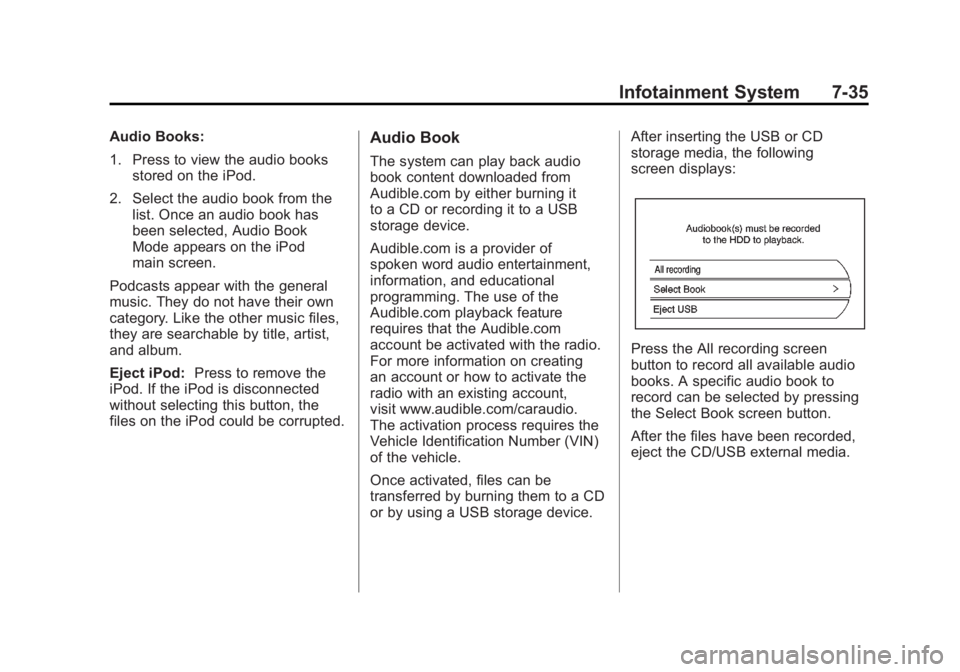
storage media, the following
screen displays:
Press the All recording screen
button to record all available audio
books. A specific audio book to
record can be selected by pressing
the Select Book screen button.
After the files have been recorded,
eject the CD/USB external media.
Page 230 of 516
Black plate (40,1)Chevrolet Volt Owner Manual - 2011
7-40 Infotainment System
Always be alert and obey traffic
and roadway laws and instructions,
regardless of the guidance from
the navigation system. Because
the navigation system uses street
map information that does not
include all traffic restrictions or
the latest road changes, it may
suggest using a road that is now
closed for construction or a turn
that is prohibited by signs at the
intersection. Because the system
uses limited information, always
evaluate whether following the
system's directions is safe and
legal for the current conditions.
Use the buttons on the navigation
system and the available screen
buttons on the navigation screen to
operate the system. SeeOverview
on page 7‑3.
Various functions are disabled when
the vehicle is moving.Infotainment Control Buttons
The buttons on the faceplate are
used to start primary functions
while using the infotainment system.
See Overview on page 7‑3. These
buttons are:
RADIO BAND: Press to select AM,
FM, or XM, if equipped.
HDD/DVD/AUX (Source): Change
to the Hard Drive, CD, DVD, USB,
or AUX by pressing the HDD/DVD/
AUX button until the desired source
is selected.
The audio sources can also be
changed by using the steering
wheel controls. See Steering Wheel
Controls on page 5‑6 for more
information.
FAV (Favorites): Press to display
the current page number above the
preset buttons. The stored stations
for each list display on the preset
buttons at the bottom of the touch
screen. The number of preset FAV
lists can be changed. TUNE/MENU:
Turn to highlight
a feature. Press to activate the
highlighted feature.
}BACK: Press to return to
the previous screen in a menu.
The
}BACK button does not work
in primary screens, such as the
map, audio, leaf, or climate screens.
TONE: Press to open the tone
menu for sound adjustment.
CONFIG (Configure): Press to
adjust features for radio, navigation,
display, phone, vehicle, and time.
See Configure Menu on page 7‑66
for more information.
SEEK
[:
1. Press to seek to the next track or chapter.
2. Press and hold to advance quickly through playback.
3. Release the button to return to playing speed. Elapsed time
displays.