vehicle personalization CHEVROLET VOLT 2012 1.G User Guide
[x] Cancel search | Manufacturer: CHEVROLET, Model Year: 2012, Model line: VOLT, Model: CHEVROLET VOLT 2012 1.GPages: 454, PDF Size: 7.89 MB
Page 49 of 454
Black plate (13,1)Chevrolet Volt Owner Manual - 2012
Keys, Doors, and Windows 2-13
Delayed Locking
This vehicle may have a delayed
locking feature. If delayed locking is
enabled, a chime will sound to
indicate a door or hatch is open
when the doors are locked with the
power door lock switch. The doors
will automatically lock and the
theft-deterrent system will arm after
all doors are closed and
five seconds have passed. Press
the lock button again to make the
doors lock immediately. Press the
unlock switch to cancel the delayed
lock operation. To enable this
feature, see“Power Door Locks” in
Vehicle Personalization on
page 5‑56. To arm and disarm the
theft-deterrent system, see Anti-theft
Alarm System on page 2‑15.
Automatic Door Locks
Automatic Door Lock
The doors are programmed to
automatically lock when the shift
lever is moved out of P (Park).
The automatic door lock feature
cannot be disabled.
Automatic Door Unlock
The doors can be programmed to
automatically unlock when the shift
lever is moved into P (Park). See
“Power Door Locks” inVehicle
Personalization on page 5‑56.
Lockout Protection
If the power door lock switch is
pressed when the driver door is
open and the vehicle is on, all the
doors will lock and then the driver
door will unlock.
This feature can also be enabled to
function when the vehicle is off. To
enable this feature, see “Unlocked
Door Anti Lock Out” inVehicle
Personalization on page 5‑56.
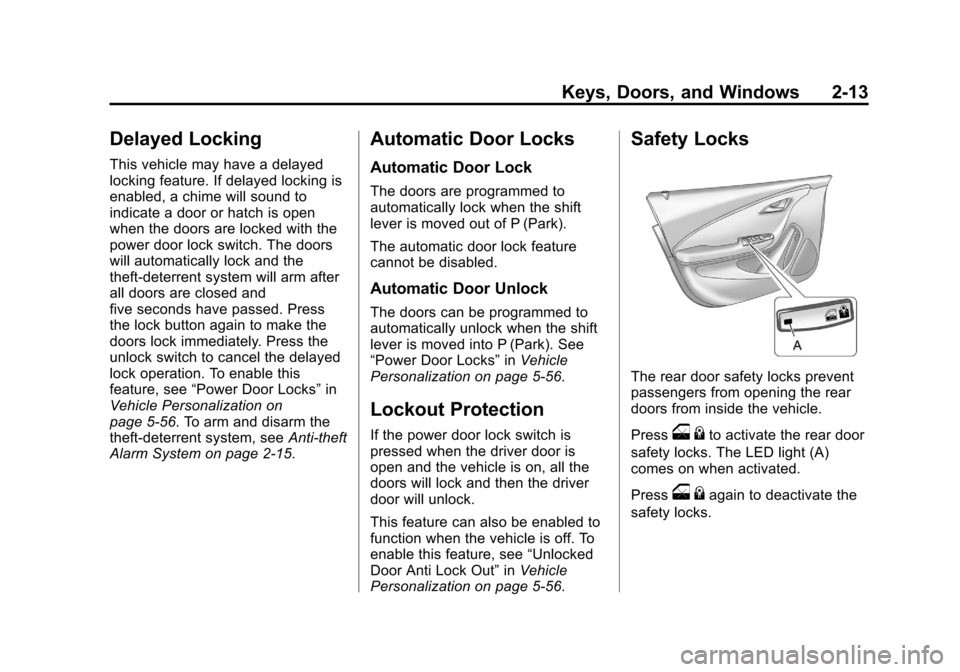
Safety Locks
The rear door safety locks prevent
passengers from opening the rear
doors from inside the vehicle.
Press
o {to activate the rear door
safety locks. The LED light (A)
comes on when activated.
Press
o {again to deactivate the
safety locks.
Page 51 of 454
Black plate (15,1)Chevrolet Volt Owner Manual - 2012
Keys, Doors, and Windows 2-15
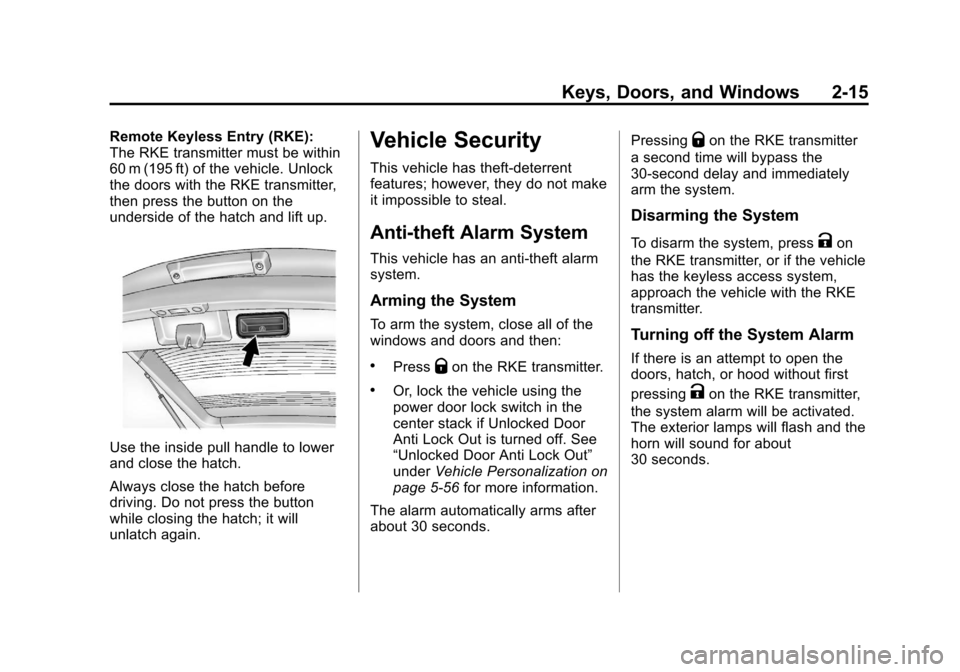
Remote Keyless Entry (RKE):
The RKE transmitter must be within
60 m (195 ft) of the vehicle. Unlock
the doors with the RKE transmitter,
then press the button on the
underside of the hatch and lift up.
Use the inside pull handle to lower
and close the hatch.
Always close the hatch before
driving. Do not press the button
while closing the hatch; it will
unlatch again.
Vehicle Security
This vehicle has theft-deterrent
features; however, they do not make
it impossible to steal.
Anti-theft Alarm System
This vehicle has an anti-theft alarm
system.
Arming the System
To arm the system, close all of the
windows and doors and then:
.PressQon the RKE transmitter.
.Or, lock the vehicle using the
power door lock switch in the
center stack if Unlocked Door
Anti Lock Out is turned off. See
“Unlocked Door Anti Lock Out”
underVehicle Personalization on
page 5‑56 for more information.
The alarm automatically arms after
about 30 seconds. Pressing
Qon the RKE transmitter
a second time will bypass the
30-second delay and immediately
arm the system.
Disarming the System
To disarm the system, pressKon
the RKE transmitter, or if the vehicle
has the keyless access system,
approach the vehicle with the RKE
transmitter.
Turning off the System Alarm
If there is an attempt to open the
doors, hatch, or hood without first
pressing
Kon the RKE transmitter,
the system alarm will be activated.
The exterior lamps will flash and the
horn will sound for about
30 seconds.
Page 52 of 454
Black plate (16,1)Chevrolet Volt Owner Manual - 2012
2-16 Keys, Doors, and Windows
To turn off the system alarm:
.PressKon the RKE transmitter.
.Or, start the vehicle by pressing
POWER
Oon the center stack
with the brake pedal applied and
the RKE transmitter in the
vehicle.
Charge Cord Theft Alert
To arm or disarm the charge cord
theft alert, lock or unlock the vehicle
with the RKE transmitter.
If there is an attempt to remove the
charge cord while the vehicle is
locked, the system alarm will be
activated. To turn off the system
alarm, press
Kon the RKE
transmitter.
This feature may be disabled
through the vehicle personalization.
See “Charge Cord Theft Alert” under
Vehicle Personalization on
page 5‑56.
Immobilizer
See Radio Frequency Statement on
page 13‑17 for information
regarding Part 15 of the Federal
Communications Commission (FCC)
rules and Industry Canada
Standards RSS-GEN/210/220/310.
Immobilizer Operation
This vehicle has a passive
theft-deterrent system. The system
does not have to be manually
armed or disarmed.
The vehicle is automatically
immobilized when the vehicle is
turned off.
The system is automatically
disarmed when the vehicle is
started with a valid RKE transmitter
in the vehicle. The RKE transmitter
uses electronic coding that matches
an immobilizer control unit in the
vehicle and automatically disarms the system. Only a correct
transmitter can be used to turn the
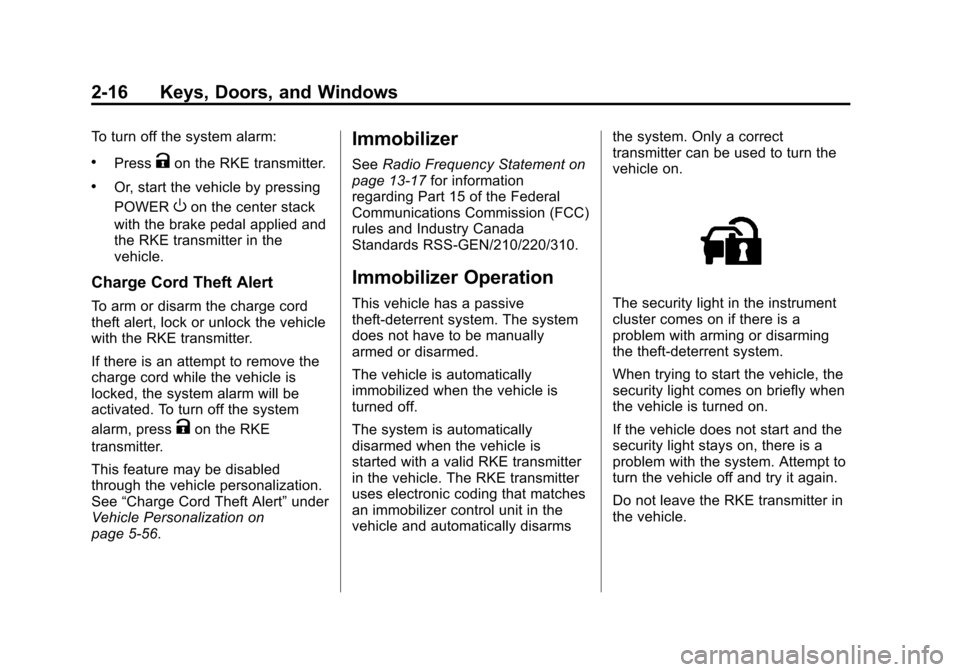
vehicle on.The security light in the instrument
cluster comes on if there is a
problem with arming or disarming
the theft-deterrent system.
When trying to start the vehicle, the
security light comes on briefly when
the vehicle is turned on.
If the vehicle does not start and the
security light stays on, there is a
problem with the system. Attempt to
turn the vehicle off and try it again.
Do not leave the RKE transmitter in
the vehicle.
Page 65 of 454
Black plate (7,1)Chevrolet Volt Owner Manual - 2012
Seats and Restraints 3-7
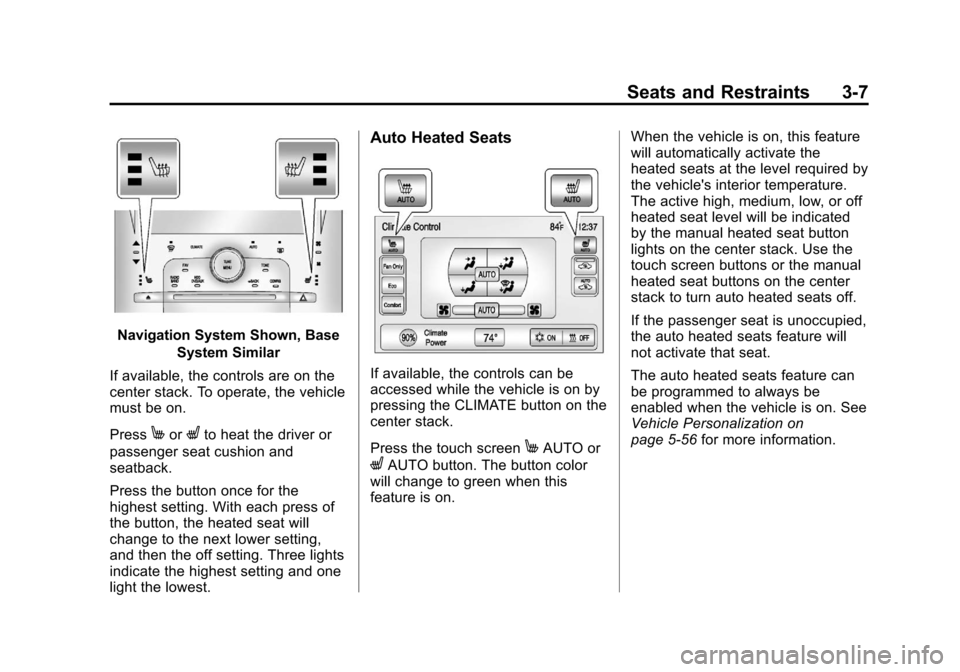
Navigation System Shown, BaseSystem Similar
If available, the controls are on the
center stack. To operate, the vehicle
must be on.
Press
MorLto heat the driver or
passenger seat cushion and
seatback.
Press the button once for the
highest setting. With each press of
the button, the heated seat will
change to the next lower setting,
and then the off setting. Three lights
indicate the highest setting and one
light the lowest.
Auto Heated Seats
If available, the controls can be
accessed while the vehicle is on by
pressing the CLIMATE button on the
center stack.
Press the touch screen
MAUTO or
LAUTO button. The button color
will change to green when this
feature is on. When the vehicle is on, this feature
will automatically activate the
heated seats at the level required by
the vehicle's interior temperature.
The active high, medium, low, or off
heated seat level will be indicated
by the manual heated seat button
lights on the center stack. Use the
touch screen buttons or the manual
heated seat buttons on the center
stack to turn auto heated seats off.
If the passenger seat is unoccupied,
the auto heated seats feature will
not activate that seat.
The auto heated seats feature can
be programmed to always be
enabled when the vehicle is on. See
Vehicle Personalization on
page 5‑56
for more information.
Page 66 of 454
Black plate (8,1)Chevrolet Volt Owner Manual - 2012
3-8 Seats and Restraints
Remote Start Heated Seats
When it is cold outside, the heated
seats can be programmed to turn on
automatically during a remote
vehicle start. Unless the auto
heated seats feature is available
and enabled, the heated seats will
be canceled when the vehicle is
turned on. If the vehicle has auto
heated seats and the feature is
enabled, the seat heating level will
automatically change to the level
required by the vehicle's interior
temperature when the vehicle is
turned on.
The indicator lights on the heated
seat buttons do not turn on during a
remote start.
The temperature performance of an
unoccupied seat may be reduced.
This is normal.
The heated seats will not turn on
during a remote start unless the
heated seats feature is enabled in
the vehicle personalization menu.
SeeVehicle Personalization on
page 5‑56 for more information.Rear Seats
Folding the Seatback
{WARNING
If either seatback is not locked, it
could move forward in a sudden
stop or crash. That could cause
injury to the person sitting there.
Always push and pull on the
seatbacks to be sure they are
locked.
{WARNING
A safety belt that is improperly
routed, not properly attached,
or twisted will not provide the
protection needed in a crash. The
person wearing the belt could be
seriously injured. After raising the
rear seatback, always check to be
sure that the safety belts are
properly routed and attached, and
are not twisted.
To fold the seatback down:
Notice: Folding a rear seat with
the safety belts still fastened may
cause damage to the seat or the
safety belts. Always unbuckle the
safety belts and return them to
their normal stowed position
before folding a rear seat.
Page 118 of 454
Black plate (2,1)Chevrolet Volt Owner Manual - 2012
5-2 Instruments and Controls
Fuel System Messages . . . . . . 5-50
Key and Lock Messages . . . . . 5-51
Lamp Messages . . . . . . . . . . . . . 5-51
Object Detection SystemMessages . . . . . . . . . . . . . . . . . . 5-52
Propulsion Power Messages . . . . . . . . . . . . . . . . . . 5-52
Ride Control System Messages . . . . . . . . . . . . . . . . . . 5-53
Airbag System Messages . . . . 5-53
Anti-theft Alarm System Messages . . . . . . . . . . . . . . . . . . 5-53
Service Vehicle Messages . . . 5-54
Starting the Vehicle Messages . . . . . . . . . . . . . . . . . . 5-54
Tire Messages . . . . . . . . . . . . . . . 5-55
Vehicle Reminder Messages . . . . . . . . . . . . . . . . . . 5-55
Vehicle Speed Messages . . . . 5-55
Washer Fluid Messages . . . . . 5-55
Vehicle Personalization
Vehicle Personalization . . . . . . 5-56
Universal Remote System
Universal Remote System . . . 5-65
Universal Remote System Programming . . . . . . . . . . . . . . . 5-65
Universal Remote System Operation . . . . . . . . . . . . . . . . . . 5-68
Page 145 of 454
Black plate (29,1)Chevrolet Volt Owner Manual - 2012
Instruments and Controls 5-29
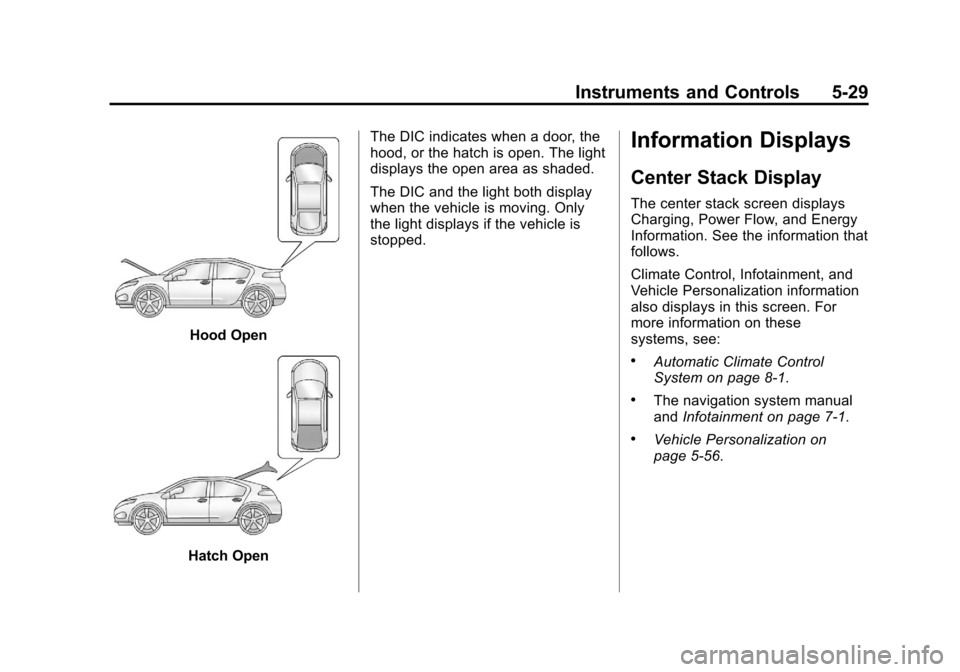
Hood Open
Hatch OpenThe DIC indicates when a door, the
hood, or the hatch is open. The light
displays the open area as shaded.
The DIC and the light both display
when the vehicle is moving. Only
the light displays if the vehicle is
stopped.
Information Displays
Center Stack Display
The center stack screen displays
Charging, Power Flow, and Energy
Information. See the information that
follows.
Climate Control, Infotainment, and
Vehicle Personalization information
also displays in this screen. For
more information on these
systems, see:
.Automatic Climate Control
System on page 8‑1.
.The navigation system manual
and
Infotainment on page 7‑1.
.Vehicle Personalization on
page 5‑56.
Page 159 of 454
Black plate (43,1)Chevrolet Volt Owner Manual - 2012
Instruments and Controls 5-43
Energy Information
To view the Energy Usage, Energy
Efficiency, and Efficiency Tips, press
the
[button on the center stack
and then press the Energy Info
button at the top of the touch
screen.
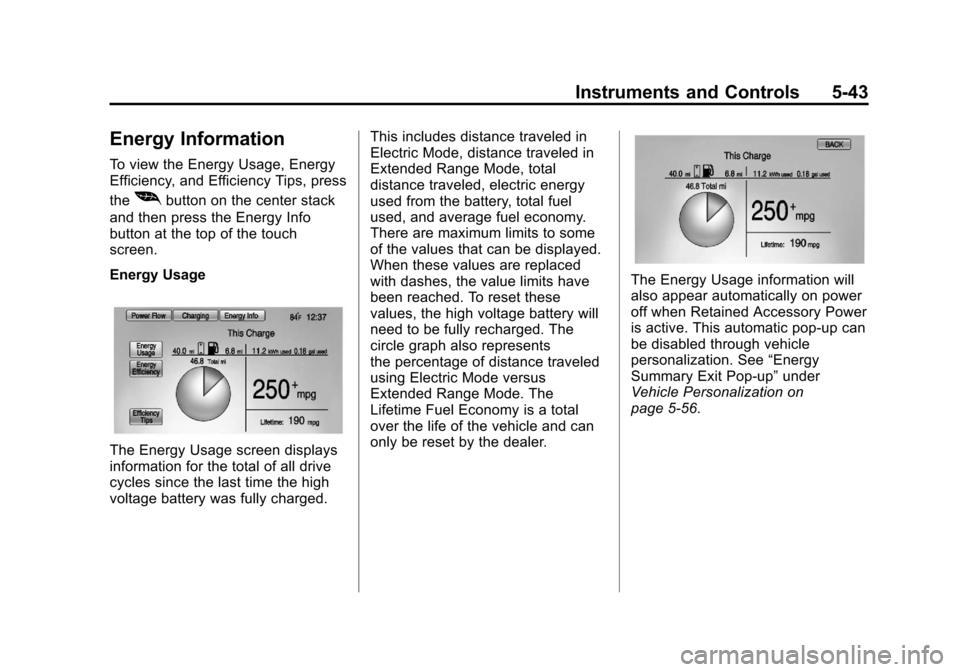
Energy Usage
The Energy Usage screen displays
information for the total of all drive
cycles since the last time the high
voltage battery was fully charged. This includes distance traveled in
Electric Mode, distance traveled in
Extended Range Mode, total
distance traveled, electric energy
used from the battery, total fuel
used, and average fuel economy.
There are maximum limits to some
of the values that can be displayed.
When these values are replaced
with dashes, the value limits have
been reached. To reset these
values, the high voltage battery will
need to be fully recharged. The
circle graph also represents
the percentage of distance traveled
using Electric Mode versus
Extended Range Mode. The
Lifetime Fuel Economy is a total
over the life of the vehicle and can
only be reset by the dealer.
The Energy Usage information will
also appear automatically on power
off when Retained Accessory Power
is active. This automatic pop-up can
be disabled through vehicle
personalization. See
“Energy
Summary Exit Pop-up” under
Vehicle Personalization on
page 5‑56.
Page 172 of 454
Black plate (56,1)Chevrolet Volt Owner Manual - 2012
5-56 Instruments and Controls
Vehicle
Personalization
The Vehicle Personalization
features can be accessed by using
either the infotainment controls or
the touch screen in the center stack
display. SeeOverview on page 7‑2
under “Infotainment System” for
more information.
Using the Infotainment
Controls
Use the CONFIG, TUNE/MENU
knob, and
}BACK buttons on the
center stack to select
personalization features.
CONFIG (Configure): Press to
scroll through the available menus
across the top of the touch screen
display. TUNE/MENU Knob
.Press to enter, select, or activate
a highlighted menu option.
.Turn to highlight a menu option.
.Press to turn a system setting on
or off.
}BACK
.Press to exit a menu.
.Press to return to a previous
screen.
Submenus
An arrow on the right‐hand edge of
the menu indicates that it has a
submenu with other options.
Selecting a Menu Option
1. Turn the TUNE/MENU knob to highlight the function.
2. Press the TUNE/MENU knob to select the highlighted option.
A checkmark next to the option
indicates the selected option. Turning a Function On or Off
1. Turn the TUNE/MENU knob to
highlight the function.
2. Press the TUNE/MENU knob to turn the function on or off.
A checkmark next to the function
indicates that the function is on.
Using the Touch Screen
Use the touch screen icons and
menus on the center stack display
to select personalization features.
w:Touch to scroll up.
x:Touch to scroll down.
Back: Touch Back in the upper
right corner of the display to return
to the previous menu.
Submenus
An arrow on the right‐hand edge of
the menu indicates that it has a
submenu with other options.
Page 173 of 454
Black plate (57,1)Chevrolet Volt Owner Manual - 2012
Instruments and Controls 5-57
Selecting a Menu Option
Touch any one of the available
menu options on the touch screen
to select the option. A checkmark
next to the option indicates the
selected option.
Turning a Function On or Off
Touch the screen where the
available function is listed to turn it
on or off. A checkmark next to the
function indicates that the function
is on.Entering the
Personalization Menu
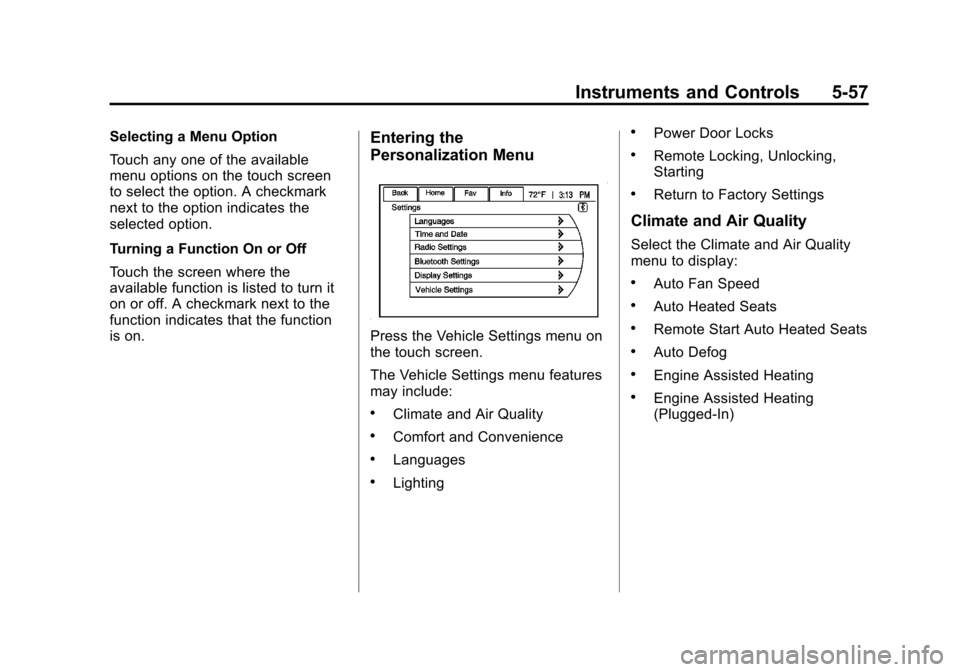
Press the Vehicle Settings menu on
the touch screen.
The Vehicle Settings menu features
may include:
.Climate and Air Quality
.Comfort and Convenience
.Languages
.Lighting
.Power Door Locks
.Remote Locking, Unlocking,
Starting
.Return to Factory Settings
Climate and Air Quality
Select the Climate and Air Quality
menu to display:
.Auto Fan Speed
.Auto Heated Seats
.Remote Start Auto Heated Seats
.Auto Defog
.Engine Assisted Heating
.Engine Assisted Heating
(Plugged‐In)