air condition CHEVROLET VOLT 2012 1.G Owner's Manual
[x] Cancel search | Manufacturer: CHEVROLET, Model Year: 2012, Model line: VOLT, Model: CHEVROLET VOLT 2012 1.GPages: 454, PDF Size: 7.89 MB
Page 235 of 454
Black plate (5,1)Chevrolet Volt Owner Manual - 2012
Climate Controls 8-5
The air conditioning and electric
heat could be on at the same time
when dehumidification is required in
ECO or Comfort modes.
In Fan Only mode, occasionally the
air conditioning and/or heating
status will be on if the Auto Defog
function is enabled and high
humidity is detected. See“Climate
and Air Quality” underVehicle
Personalization on page 5‑56, for
details on enabling or disabling the
Auto Defog function.
The air conditioning may also run if
0is selected, regardless of the
climate mode.
Automatic Operation
The system automatically controls
the fan speed, air delivery mode,
and recirculation to heat or cool the
vehicle to the selected temperature.
When the AUTO indicator light is
on, the system is in full automatic
operation. If the air delivery mode, fan speed, or recirculation setting is
adjusted, the AUTO indicator turns
off and the selected settings display.
For automatic operation:
1. Press AUTO.
2. Set the temperature. An initial
setting of 23°C (74°F) is
recommended. Allow the system
time to stabilize. Adjust the
temperature as needed.
Q/R(Temperature Control):
Press to increase or decrease the
temperature.
Auto Defog: The system will
monitor high humidity inside the
vehicle. When high humidity is
detected, the climate control system
may adjust to outside air supply and
turn on the air conditioner or the
heater. The fan speed may slightly
increase to help prevent fogging.
When high humidity is no longer
detected, the system will return to
its prior operation. To turn Auto Defog off or on, see
“Climate and
Air Quality” underVehicle
Personalization on page 5‑56.
Manual Operation
A(Fan Control): Press the fan
control buttons or the touch screen
fan control, to increase or decrease
the fan speed. The fan speed
setting displays. Pressing either
button cancels automatic fan control
and the fan can be controlled
manually. Press AUTO to return to
automatic operation. Press the fan
down button repeatedly to turn off
the fan and the climate control
system.
If the fan is manually turned off
while in ECO or Comfort mode, the
display will automatically change to
Fan Only mode. When the fan is
turned back on either by manually
increasing fan speed or pressing the
AUTO button, the climate mode will
revert back to ECO or
Comfort mode.
Page 236 of 454

Black plate (6,1)Chevrolet Volt Owner Manual - 2012
8-6 Climate Controls
Air Delivery Mode Control:Press
CLIMATE to select the Climate
touch screen. Press the air delivery
mode touch screen button to
change the direction of the airflow.
The selected air delivery mode
button is lit. Pressing any of the air
delivery buttons cancels automatic
air delivery control and the direction
of the airflow can be controlled
manually. Press AUTO to return to
automatic operation.
To change the current mode, select
one of the following:
Y(Vent): Air is directed to the
instrument panel outlets.
\(Bi-Level): Air is divided
between the instrument panel
outlets and the floor outlets.
[(Floor): Air is directed to the
floor outlets.
-(Defog): Air is directed to the
windshield and floor outlets. Clears
the windows of fog or moisture.
0(Defrost): Air is directed to the
windshield. The windshield is
cleared of fog or frost more quickly.
Selecting
0will disable automatic
control and the AUTO button
indicator will not be lit.
Selecting
0again will return to the
previous climate settings.
For best results, clear all snow and
ice from the windshield before
defrosting.
If
0is selected in Fan Only or
ECO mode, air conditioning or
electric heat may turn on and have
a noticeable effect on vehicle
electric range and fuel economy.
AUTO
h(Auto Recirculation):
Press to allow the system to
automatically choose the air supply
mode for best performance in terms
of comfort, efficiency, and
defogging. Air is recirculated or
outside air is pulled into the vehicle.
The touch screen button is lit.
h(Manual Recirculation):
Press to alternate between
recirculating air inside the vehicle or
pulling in outside air. When
selected, the touch screen button
lights up to indicate that air is being
recirculated. This helps to quickly
cool the air inside the vehicle or
prevent outside air and odors from
entering.
Pressing this button cancels
automatic recirculation. Press AUTO
or AUTO
hto return to automatic
operation; recirculation runs
automatically as needed.
Manual recirculation mode is not
available when in Defrost or Defog
modes.
M/L(Manual Heated Seats): If
available, the controls are on the
center stack. To operate, the vehicle
must be on.
Press
MorLto heat the driver or
passenger seat cushion and
seatback. For more information, see
Heated Front Seats on page 3‑6.
Page 237 of 454
Black plate (7,1)Chevrolet Volt Owner Manual - 2012
Climate Controls 8-7
MAUTO/LAUTO (Auto Heated
Seats): If available, the controls
are on the touch screen on the
center stack.
Press the touch screen
LAUTO or
MAUTO button. The button color
will change to green when this
feature is on. When the vehicle is
on, this feature will automatically
activate the heated seats at the
level required by the vehicle's
interior temperature. The active
high, medium, low, or off heated
seat level will be indicated by the
manual heated seat button lights on
the center stack. Use the touch
screen buttons or the manual
heated seat buttons on the center
stack to turn auto heated seats off.
For more information, see Heated
Front Seats on page 3‑6.
Rear Window Defogger
=(Rear Window Defogger):
Press to turn the rear window
defogger on or off.
The rear window defogger turns off
automatically after about
five minutes. If turned on again, it
runs for about five minutes before
turning off. The defogger can also
be turned off by turning the
vehicle off.
For vehicles with heated outside
rearview mirrors, they turn on when
the rear window defogger button is
on and help to clear fog or frost from
the surface of the mirror. See
Heated Mirrors on page 2‑17.
Notice: Do not try to clear frost
or other material from the inside
of the front windshield and rear
window with a razor blade or
anything else that is sharp. This
may damage the rear window
defogger grid and affect the
radio's ability to pick up stations
clearly. The repairs would not be
covered by the vehicle warranty. Remote Start:
For vehicles with
this feature, the climate control
system may be started by using the
Remote Keyless Entry (RKE)
transmitter. The climate control
system will default to an appropriate
heating or cooling mode. See
Remote Start on page 2‑8.
The rear window defogger turns on
if it is cold outside.
Compressor
The vehicle has an electric powered
air conditioning compressor. This
allows for continuous air
conditioning and/or high voltage
battery cooling operation, without
running the engine.
The compressor operating speed is
not tied to the engine speed, so
some noise may be heard from the
compressor, especially when air
conditioning use is high and the
engine has turned off. This is
normal.
Page 241 of 454
Black plate (3,1)Chevrolet Volt Owner Manual - 2012
Driving and Operating 9-3
Use Mountain Mode prior to
climbing long, steep grades in
mountainous areas. Be sure to
engage Mountain Mode before
starting to climb. Mountain Mode
reduces electric range and power
but may be needed to maintain
speeds above 96 km/h (60 mph)
when climbing grades of 5% or
greater.
Use L (Low) in heavy stop‐and‐go
traffic or when traveling downhill.
L (Low) requires less brake pedal
application and provides a
controlled, efficient way to slow the
vehicle down.
Climate Setting
Using the heat and air conditioning
systems decreases the energy
available for electric driving.
Optimal energy efficiency is
achieved with the heat, air
conditioning, and fan turned off.Less energy is used at low fan
speeds. When using the fan:
.Fan Only is the most energy
efficient climate setting as long
as
0is not selected.
.ECO is for moderate air
conditioning and heater
operation and is the next most
energy efficient setting as long
as
0is not selected.
.Comfort provides the most
comfort but is the least energy
efficient.
Use the auto heated seat feature
instead of climate settings. Heating
the seat uses less energy than
heating the vehicle interior. Use remote start to heat or cool the
interior when the vehicle is plugged
in to maximize the electric range by
utilizing electricity from the electrical
outlet.
Engine Assisted Heating operation,
if equipped, can be personalized.
See
Vehicle Personalization on
page 5‑56 for more information.
In hot weather, avoid parking in
direct sunlight or use sunshades
inside the vehicle.
Turn off the front and rear window
defog/defrost when they are no
longer needed.
Avoid driving with the windows open
at highway speeds.
Page 282 of 454
Black plate (44,1)Chevrolet Volt Owner Manual - 2012
9-44 Driving and Operating
Objects Detected by Both the
Front and Rear Sensors
In general, if objects are detected at
the same time near both the front
and rear bumpers while backing up,
the beeps only sound to indicate
that objects are close to the rear
bumper.
However, if an object comes within
0.3 m (1 ft) of the front bumper while
the vehicle is backing up and at the
same time there is another object
further than 0.3 m (1 ft) from the rear
bumper, then the beeps only sound
to indicate the object that is closer
to the front bumper.Turning the System On and Off
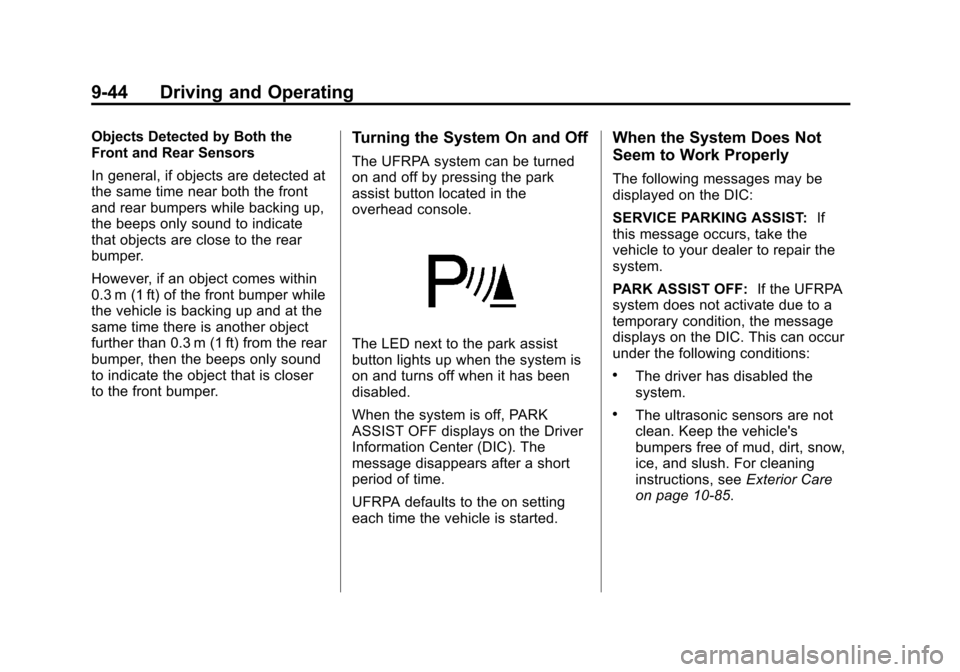
The UFRPA system can be turned
on and off by pressing the park
assist button located in the
overhead console.
The LED next to the park assist
button lights up when the system is
on and turns off when it has been
disabled.
When the system is off, PARK
ASSIST OFF displays on the Driver
Information Center (DIC). The
message disappears after a short
period of time.
UFRPA defaults to the on setting
each time the vehicle is started.
When the System Does Not
Seem to Work Properly
The following messages may be
displayed on the DIC:
SERVICE PARKING ASSIST:If
this message occurs, take the
vehicle to your dealer to repair the
system.
PARK ASSIST OFF: If the UFRPA
system does not activate due to a
temporary condition, the message
displays on the DIC. This can occur
under the following conditions:
.The driver has disabled the
system.
.The ultrasonic sensors are not
clean. Keep the vehicle's
bumpers free of mud, dirt, snow,
ice, and slush. For cleaning
instructions, see Exterior Care
on page 10‑85.
Page 283 of 454
Black plate (45,1)Chevrolet Volt Owner Manual - 2012
Driving and Operating 9-45
.The park assist sensors are
covered by frost or ice. Frost or
ice can form around and behind
the sensors and may not always
be seen; this can occur after
washing the vehicle in cold
weather. The message may not
clear until the frost or ice has
melted.
.An object was hanging out of the
hatch during the last drive cycle.
Once the object is removed,
UFRPA will return to normal
operation.
.An object or cover is attached to
the front of the vehicle.
.The bumper is damaged. Take
the vehicle to your dealer to
repair the system.
.Other conditions, such as
vibrations from a jackhammer or
the compression of air brakes on
a very large truck, are affecting
system performance.
Rear Vision
Camera (RVC)
The vehicle may have a Rear Vision
Camera (RVC) system. Read this
entire section before using it.
The RVC system can assist the
driver when backing up by
displaying a view of the area behind
the vehicle.
{WARNING
The RVC system does not display
pedestrians, bicyclists, animals,
or any other object located
outside the camera's field of view,
below the bumper, or under the
vehicle.(Continued)
WARNING (Continued)
Do not back the vehicle using
only the RVC screen or by using
the screen during longer, higher
speed backing maneuvers,
or where there could be
cross-traffic. Perceived distances
may be different from actual
distances.
Failure to use proper care before
backing may result in injury,
death, or vehicle damage. Always
check before backing by checking
behind and around the vehicle.
Page 298 of 454
Black plate (60,1)Chevrolet Volt Owner Manual - 2012
9-60 Driving and Operating
Gasoline Specifications
(U.S. and Canada Only)
At a minimum, gasoline should
meet ASTM specification D 4814 in
the United States or CAN/
CGSB‐3.5 or 3.511 in Canada.
Some gasolines contain an
octane-enhancing additive called
methylcyclopentadienyl manganese
tricarbonyl (MMT). We recommend
against the use of gasolines
containing MMT. SeeFuel Additives
on page 9‑60 for additional
information.
California Fuel
Requirements
If the vehicle is certified to meet
California Emissions Standards, it is
designed to operate on fuels that
meet California specifications. See
the underhood emission control
label. If this fuel is not available in
states adopting California Emissions
Standards, the vehicle will operate
satisfactorily on fuels meeting
federal specifications, but emission
control system performance might
be affected. The malfunction
indicator lamp could turn on and the
vehicle might fail a smog‐check test.
See Malfunction Indicator Lamp on
page 5‑19. If this occurs, return to
your authorized dealer for diagnosis.
If it is determined that the condition
is caused by the type of fuel used,
repairs might not be covered by the
vehicle warranty.
Fuels in Foreign
Countries
Never use leaded gasoline or any
other fuel not recommended in the
previous text on fuel. Costly repairs
caused by use of improper fuel
would not be covered by the vehicle
warranty.
To check the fuel availability, ask an
auto club, or contact a major oil
company that does business in the
country where you will be driving.
Fuel Additives
To provide cleaner air, all gasolines
in the United States are now
required to contain additives that
help prevent engine and fuel system
deposits from forming, allowing the
emission control system to work
properly. In most cases, nothing
should have to be added to the fuel.
However, some gasolines contain
only the minimum amount of
additive required to meet U.S.
Page 317 of 454
Black plate (13,1)Chevrolet Volt Owner Manual - 2012
Vehicle Care 10-13
How to Reset the Engine Oil
Life System
Reset the system whenever the
engine oil is changed so that the
system can calculate the next
engine oil change. To reset the
system:
1. Use the SELECT knob to selectOIL LIFE on the DIC menu.
2. Press SELECT to start the OIL LIFE reset procedure.
3. The DIC menu will display “Are
you sure that you want to reset?”
Use SELECT to choose YES to
reset oil life or NO to exit and
return to the previous menu.
4. If YES is selected, the DIC menu will display RESET OIL LIFE for
a short time and then 100% OIL
LIFE will be displayed when OIL
LIFE is successfully reset.
If the CHANGE ENGINE OIL SOON
message comes back on when the
vehicle is started, the engine oil life
system has not reset. Repeat the
procedure.
Engine Air Cleaner/Filter
See Engine Compartment Overview
on page 10‑8 for the location of the
engine air cleaner/filter.
When to Inspect the Engine Air
Filter
Inspect the air filter at the scheduled
maintenance intervals and replace it
at the first oil change after each
80 000 km (50,000 mi) interval. See
Maintenance Schedule on
page 11‑3 for more information.
If driving in dusty/dirty conditions,
inspect the air filter at each engine
oil change.
How to Inspect the Engine Air
Filter
To inspect the air filter, remove it
from the engine air cleaner/filter
assembly and lightly shake to
release loose dust and dirt. If the air
filter remains covered with dirt, a
new air filter is required.
To inspect or replace the air filter:
1. Open the hood. See Hood on
page 10‑7.
2. Locate the engine air cleaner/ filter assembly on the passenger
side of the engine compartment.
See Engine Compartment
Overview on page 10‑8.
Page 320 of 454
Black plate (16,1)Chevrolet Volt Owner Manual - 2012
10-16 Vehicle Care
Cooling System (High
Voltage Battery)
During vehicle operation and also
during charging, the high voltage
battery cells in the vehicle are kept
within a normal operating
temperature range. If the
temperature rises above this
temperature, the battery cooling
system turns on the air conditioning
compressor and cools the coolant
until the correct temperature is
reached. If the temperature falls
below this temperature, a high
voltage heater, located in the
battery, heats the coolant until the
correct temperature is reached.
What to Use
The high voltage battery coolant
reservoir in the vehicle is filled with
a 50/50 mixture of DEX-COOL
engine coolant and deionized water.
If using this mixture, nothing else
needs to be added.
The coolant needs to be replaced
every 5 years or 240 000 km
(150,000 mi), whichever occurs first.
Checking Coolant
The vehicle must be on a level
surface when checking the coolant
level.
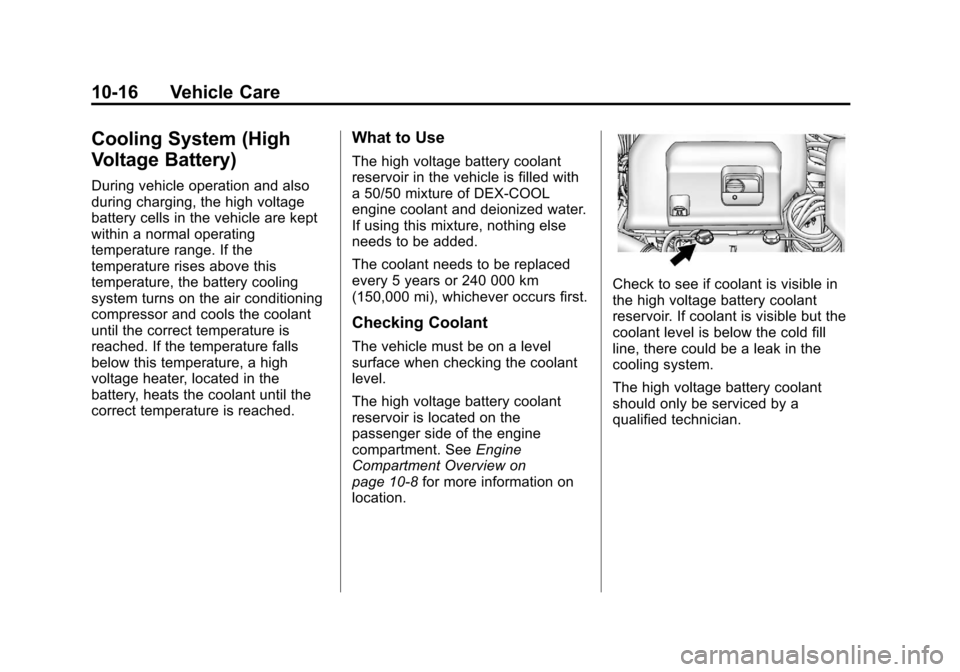
The high voltage battery coolant
reservoir is located on the
passenger side of the engine
compartment. SeeEngine
Compartment Overview on
page 10‑8 for more information on
location.
Check to see if coolant is visible in
the high voltage battery coolant
reservoir. If coolant is visible but the
coolant level is below the cold fill
line, there could be a leak in the
cooling system.
The high voltage battery coolant
should only be serviced by a
qualified technician.
Page 326 of 454
Black plate (22,1)Chevrolet Volt Owner Manual - 2012
10-22 Vehicle Care
Notice
.When using concentrated
washer fluid, follow the
manufacturer's instructions
for adding water.
.Do not mix water with
ready-to-use washer fluid.
Water can cause the solution
to freeze and damage the
washer fluid tank and other
parts of the washer system.
Also, water does not clean as
well as washer fluid.
.Fill the washer fluid tank only
three-quarters full when it is
very cold. This allows for
fluid expansion if freezing
occurs, which could damage
the tank if it is
completely full.
.Do not use engine coolant
(antifreeze) in the windshield
washer. It can damage the
windshield washer system
and paint.
Brakes
This vehicle has disc brakes. Disc
brake pads have built-in wear
indicators that make a high-pitched
warning sound when the brake pads
are worn and new pads are needed.
The sound can come and go or be
heard all the time the vehicle is
moving, except when applying the
brake pedal firmly.
{WARNING
The brake wear warning sound
means that soon the brakes will
not work well. That could lead to
a crash. When the brake wear
warning sound is heard, have the
vehicle serviced.
Notice: Continuing to drive with
worn-out brake pads could result
in costly brake repair. Some driving conditions or climates
can cause a brake squeal when the
brakes are first applied or lightly
applied. This does not mean
something is wrong with the brakes.
Properly torqued wheel nuts are
necessary to help prevent brake
pulsation. When tires are rotated,
inspect brake pads for wear and
evenly tighten wheel nuts in the
proper sequence to torque
specifications in
Capacities and
Specifications on page 12‑2.
Brake linings should always be
replaced as complete axle sets.