warning light CHEVROLET VOLT 2012 1.G Owner's Manual
[x] Cancel search | Manufacturer: CHEVROLET, Model Year: 2012, Model line: VOLT, Model: CHEVROLET VOLT 2012 1.GPages: 454, PDF Size: 7.89 MB
Page 140 of 454
Black plate (24,1)Chevrolet Volt Owner Manual - 2012
5-24 Instruments and Controls
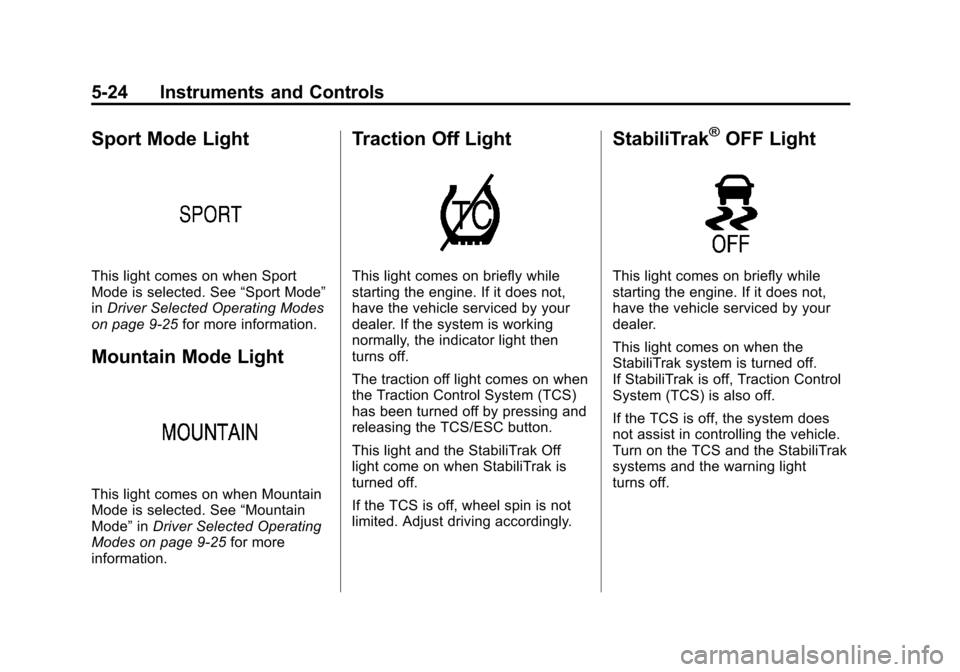
Sport Mode Light
This light comes on when Sport
Mode is selected. See“Sport Mode”
in Driver Selected Operating Modes
on page 9‑25 for more information.
Mountain Mode Light
This light comes on when Mountain
Mode is selected. See “Mountain
Mode” inDriver Selected Operating
Modes on page 9‑25 for more
information.
Traction Off Light
This light comes on briefly while
starting the engine. If it does not,
have the vehicle serviced by your
dealer. If the system is working
normally, the indicator light then
turns off.
The traction off light comes on when
the Traction Control System (TCS)
has been turned off by pressing and
releasing the TCS/ESC button.
This light and the StabiliTrak Off
light come on when StabiliTrak is
turned off.
If the TCS is off, wheel spin is not
limited. Adjust driving accordingly.
StabiliTrak®OFF Light
This light comes on briefly while
starting the engine. If it does not,
have the vehicle serviced by your
dealer.
This light comes on when the
StabiliTrak system is turned off.
If StabiliTrak is off, Traction Control
System (TCS) is also off.
If the TCS is off, the system does
not assist in controlling the vehicle.
Turn on the TCS and the StabiliTrak
systems and the warning light
turns off.
Page 141 of 454
Black plate (25,1)Chevrolet Volt Owner Manual - 2012
Instruments and Controls 5-25
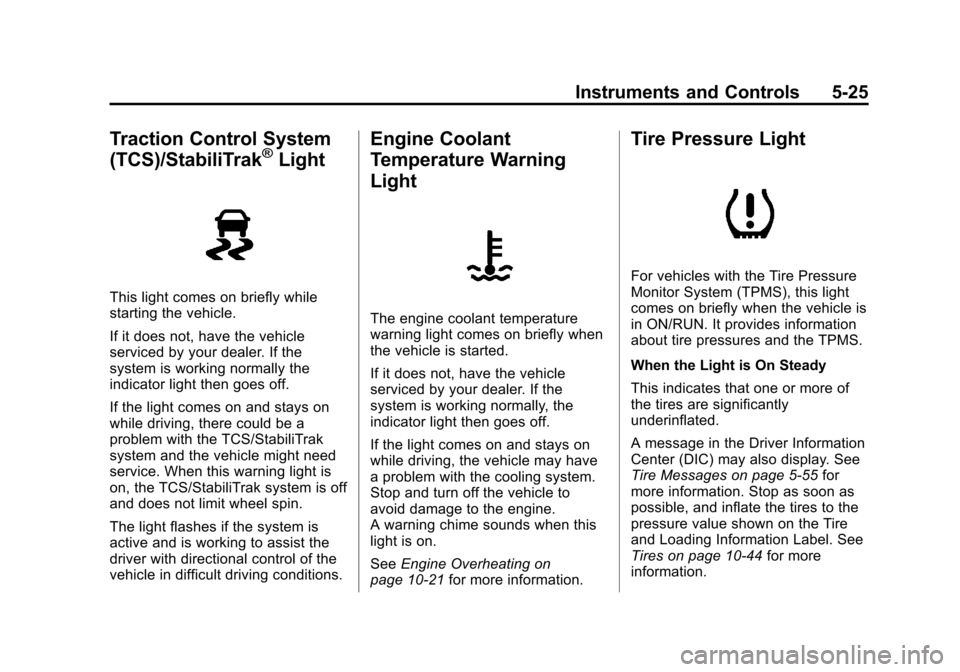
Traction Control System
(TCS)/StabiliTrak®Light
This light comes on briefly while
starting the vehicle.
If it does not, have the vehicle
serviced by your dealer. If the
system is working normally the
indicator light then goes off.
If the light comes on and stays on
while driving, there could be a
problem with the TCS/StabiliTrak
system and the vehicle might need
service. When this warning light is
on, the TCS/StabiliTrak system is off
and does not limit wheel spin.
The light flashes if the system is
active and is working to assist the
driver with directional control of the
vehicle in difficult driving conditions.
Engine Coolant
Temperature Warning
Light
The engine coolant temperature
warning light comes on briefly when
the vehicle is started.
If it does not, have the vehicle
serviced by your dealer. If the
system is working normally, the
indicator light then goes off.
If the light comes on and stays on
while driving, the vehicle may have
a problem with the cooling system.
Stop and turn off the vehicle to
avoid damage to the engine.
A warning chime sounds when this
light is on.
SeeEngine Overheating on
page 10‑21 for more information.
Tire Pressure Light
For vehicles with the Tire Pressure
Monitor System (TPMS), this light
comes on briefly when the vehicle is
in ON/RUN. It provides information
about tire pressures and the TPMS.
When the Light is On Steady
This indicates that one or more of
the tires are significantly
underinflated.
A message in the Driver Information
Center (DIC) may also display. See
Tire Messages on page 5‑55 for
more information. Stop as soon as
possible, and inflate the tires to the
pressure value shown on the Tire
and Loading Information Label. See
Tires on page 10‑44 for more
information.
Page 142 of 454
Black plate (26,1)Chevrolet Volt Owner Manual - 2012
5-26 Instruments and Controls
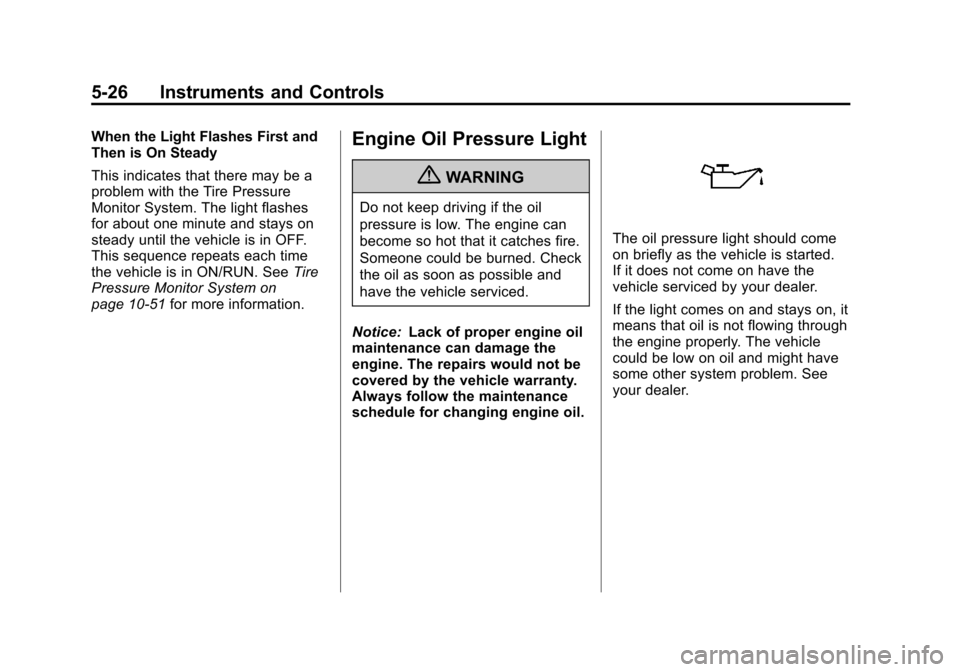
When the Light Flashes First and
Then is On Steady
This indicates that there may be a
problem with the Tire Pressure
Monitor System. The light flashes
for about one minute and stays on
steady until the vehicle is in OFF.
This sequence repeats each time
the vehicle is in ON/RUN. SeeTire
Pressure Monitor System on
page 10‑51 for more information.Engine Oil Pressure Light
{WARNING
Do not keep driving if the oil
pressure is low. The engine can
become so hot that it catches fire.
Someone could be burned. Check
the oil as soon as possible and
have the vehicle serviced.
Notice: Lack of proper engine oil
maintenance can damage the
engine. The repairs would not be
covered by the vehicle warranty.
Always follow the maintenance
schedule for changing engine oil.
The oil pressure light should come
on briefly as the vehicle is started.
If it does not come on have the
vehicle serviced by your dealer.
If the light comes on and stays on, it
means that oil is not flowing through
the engine properly. The vehicle
could be low on oil and might have
some other system problem. See
your dealer.
Page 143 of 454
Black plate (27,1)Chevrolet Volt Owner Manual - 2012
Instruments and Controls 5-27
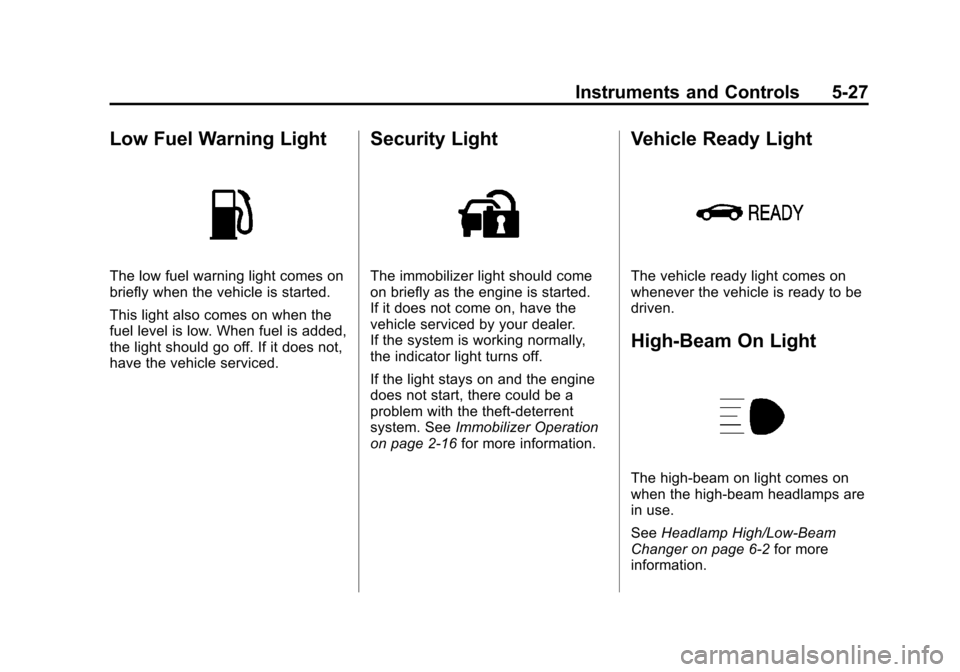
Low Fuel Warning Light
The low fuel warning light comes on
briefly when the vehicle is started.
This light also comes on when the
fuel level is low. When fuel is added,
the light should go off. If it does not,
have the vehicle serviced.
Security Light
The immobilizer light should come
on briefly as the engine is started.
If it does not come on, have the
vehicle serviced by your dealer.
If the system is working normally,
the indicator light turns off.
If the light stays on and the engine
does not start, there could be a
problem with the theft-deterrent
system. SeeImmobilizer Operation
on page 2‑16 for more information.
Vehicle Ready Light
The vehicle ready light comes on
whenever the vehicle is ready to be
driven.
High-Beam On Light
The high-beam on light comes on
when the high-beam headlamps are
in use.
SeeHeadlamp High/Low-Beam
Changer on page 6‑2 for more
information.
Page 161 of 454
Black plate (45,1)Chevrolet Volt Owner Manual - 2012
Instruments and Controls 5-45
Driver Information
Center (DIC)
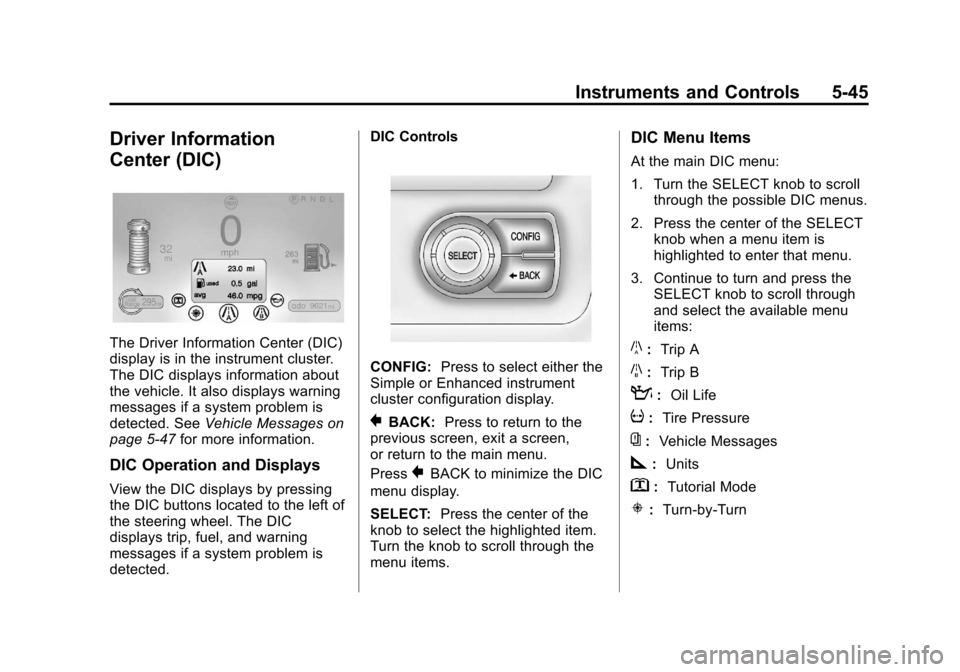
The Driver Information Center (DIC)
display is in the instrument cluster.
The DIC displays information about
the vehicle. It also displays warning
messages if a system problem is
detected. SeeVehicle Messages on
page 5‑47 for more information.
DIC Operation and Displays
View the DIC displays by pressing
the DIC buttons located to the left of
the steering wheel. The DIC
displays trip, fuel, and warning
messages if a system problem is
detected. DIC Controls
CONFIG:
Press to select either the
Simple or Enhanced instrument
cluster configuration display.
}BACK: Press to return to the
previous screen, exit a screen,
or return to the main menu.
Press
}BACK to minimize the DIC
menu display.
SELECT: Press the center of the
knob to select the highlighted item.
Turn the knob to scroll through the
menu items.
DIC Menu Items
At the main DIC menu:
1. Turn the SELECT knob to scroll through the possible DIC menus.
2. Press the center of the SELECT knob when a menu item is
highlighted to enter that menu.
3. Continue to turn and press the SELECT knob to scroll through
and select the available menu
items:
}:Trip A
x:Trip B
:: Oil Life
v:Tire Pressure
{:Vehicle Messages
z:Units
y: Tutorial Mode
u:Turn-by-Turn
Page 171 of 454
Black plate (55,1)Chevrolet Volt Owner Manual - 2012
Instruments and Controls 5-55
PRESS BUTTON AGAIN TO
TURN OFF
This message displays as a
reminder to press the POWER
O
button to turn the vehicle off when
an attempt is made to turn off the
vehicle while it is in motion.
Tire Messages
SERVICE TIRE MONITOR
SYSTEM
This message displays if there is a
problem with the Tire Pressure
Monitor System (TPMS). SeeTire
Pressure Monitor Operation on
page 10‑53 for more information.
TIRE LEARNING ACTIVE
This message displays when the
system is learning new tires. See
Tire Pressure Monitor Operation on
page 10‑53for more information.
TIRE LOW ADD AIR TO TIRE
This message displays when the
pressure in one or more of the tires
is low.
This message also displays LEFT
FRONT, RIGHT FRONT, LEFT
REAR, or RIGHT REAR to indicate
the location of the low tire.
The low tire pressure warning light
will also come on. See Tire
Pressure Light on page 5‑25.
If a tire pressure message appears
on the DIC, stop as soon as you
can. Inflate the tires by adding air
until the tire pressure is equal to the
values shown on the Tire and
Loading Information label. See Tires
on page 10‑44, Vehicle Load Limits
on page 9‑12, and Tire Pressure on
page 10‑50.
You can receive more than one tire
pressure message at a time. The
DIC also shows the tire pressure
values. See Driver Information
Center (DIC) on page 5‑45.
Vehicle Reminder
Messages
ICE POSSIBLE DRIVE
WITH CARE
This message is displayed when ice
conditions are possible.
Vehicle Speed Messages
SPEED LIMITED TO XXX
This message displays when the
vehicle speed is limited.
Washer Fluid Messages
WASHER FLUID LOW ADD
FLUID
This message displays when the
washer fluid level is low. For
information on filling the washer
fluid, see Washer Fluid on
page 10‑21.
Page 187 of 454
Black plate (1,1)Chevrolet Volt Owner Manual - 2012
Lighting 6-1
Lighting
Exterior Lighting
Exterior Lamp Controls . . . . . . . . 6-1
Headlamp High/Low-BeamChanger . . . . . . . . . . . . . . . . . . . . . 6-2
Flash-to-Pass . . . . . . . . . . . . . . . . . 6-2
Daytime Running Lamps (DRL) . . . . . . . . . . . . . . . . 6-2
Hazard Warning Flashers . . . . . 6-3
Turn and Lane-Change Signals . . . . . . . . . . . . . . . . . . . . . . 6-4
Interior Lighting
Instrument Panel IlluminationControl . . . . . . . . . . . . . . . . . . . . . . 6-4
Dome Lamps . . . . . . . . . . . . . . . . . 6-5
Reading Lamps . . . . . . . . . . . . . . . 6-5
Lighting Features
Entry Lighting . . . . . . . . . . . . . . . . . 6-6
Exit Lighting . . . . . . . . . . . . . . . . . . . 6-6
Battery Power Protection . . . . . . 6-6
Exterior Lighting
Exterior Lamp Controls
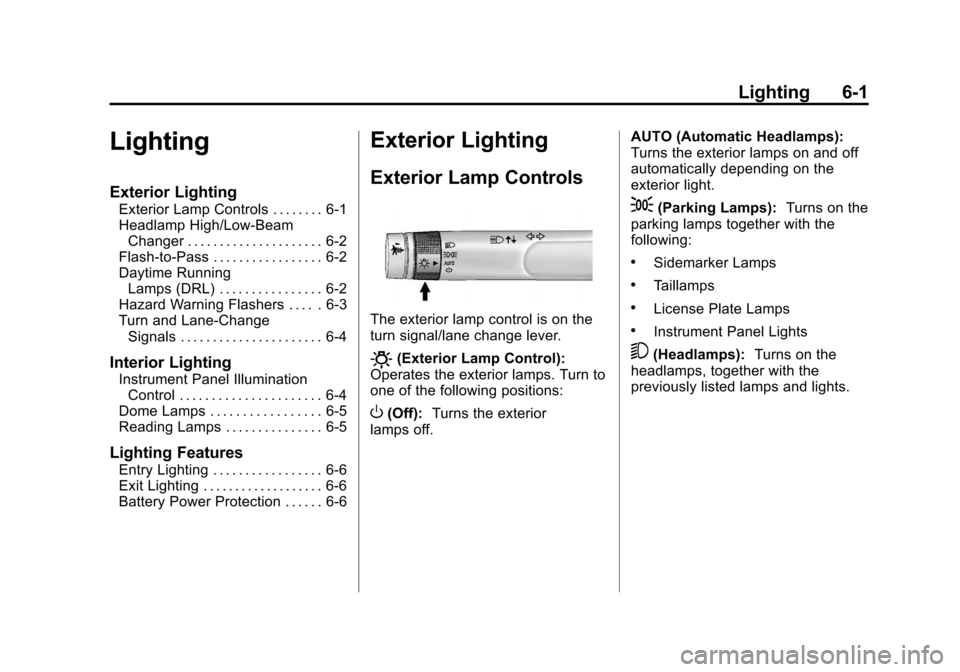
The exterior lamp control is on the
turn signal/lane change lever.
O(Exterior Lamp Control):
Operates the exterior lamps. Turn to
one of the following positions:
O(Off): Turns the exterior
lamps off. AUTO (Automatic Headlamps):
Turns the exterior lamps on and off
automatically depending on the
exterior light.
;(Parking Lamps):
Turns on the
parking lamps together with the
following:
.Sidemarker Lamps
.Taillamps
.License Plate Lamps
.Instrument Panel Lights
5(Headlamps): Turns on the
headlamps, together with the
previously listed lamps and lights.
Page 189 of 454
Black plate (3,1)Chevrolet Volt Owner Manual - 2012
Lighting 6-3
A light sensor on top of the
instrument panel makes the DRL
work, so be sure it is not covered.
Fully functional DRL are required on
all vehicles first sold in Canada.When the DRL are on, the taillamps,
sidemarker lamps, instrument panel
lights, and other lamps will not be
on. The instrument cluster will be lit.
When the exterior lamp control band
is turned to the headlamp position,
the low-beam headlamps come on.
The other lamps that come on with
the headlamps will also come on.
When the vehicle is on and you are
stopped, the DRL can be turned off
by moving the shift lever to P (Park).
The DRL will stay off until the shift
lever is moved out of the P (Park)
position.
The regular headlamp system
should be turned on when needed.
Hazard Warning Flashers
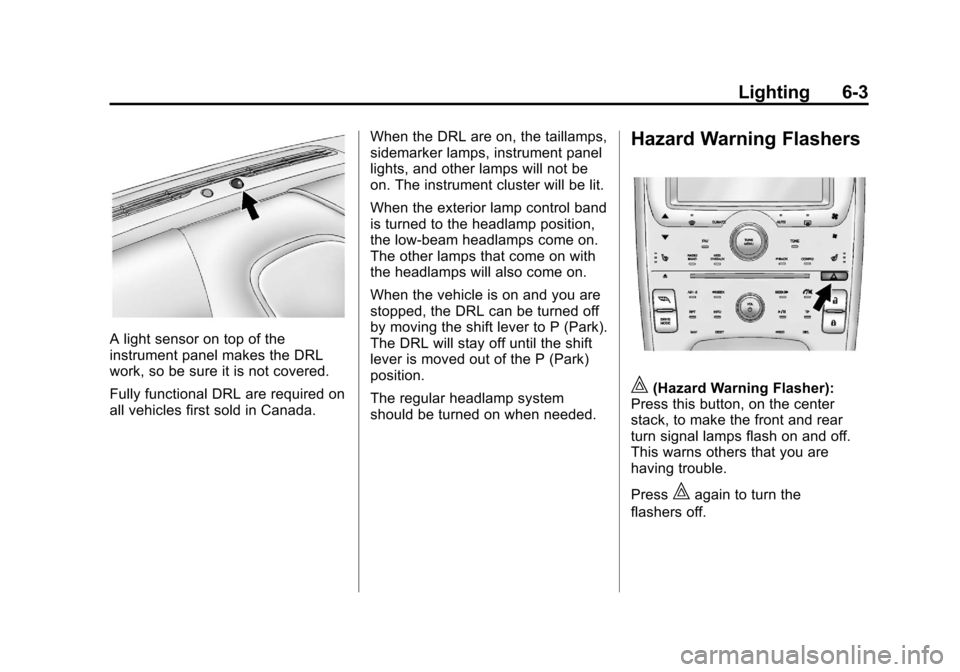
|(Hazard Warning Flasher):
Press this button, on the center
stack, to make the front and rear
turn signal lamps flash on and off.
This warns others that you are
having trouble.
Press
|again to turn the
flashers off.
Page 246 of 454
Black plate (8,1)Chevrolet Volt Owner Manual - 2012
9-8 Driving and Operating
.Try to avoid sudden steering,
acceleration, or braking,
including reducing vehicle speed
by shifting to a lower gear. Any
sudden changes could cause
the tires to slide.
Remember: Antilock brakes help
avoid only the braking skid.
Driving on Wet Roads
Rain and wet roads can reduce
vehicle traction and affect your
ability to stop and accelerate.
Always drive slower in these types
of driving conditions and avoid
driving through large puddles and
deep‐standing or flowing water.
{WARNING
Wet brakes can cause crashes.
They might not work as well in a
quick stop and could cause
pulling to one side. You could
lose control of the vehicle.
After driving through a large
puddle of water or a car/vehicle
wash, lightly apply the brake
pedal until the brakes work
normally.
Flowing or rushing water creates
strong forces. Driving through
flowing water could cause the
vehicle to be carried away. If this
happens, you and other vehicle
occupants could drown. Do not
ignore police warnings and be
very cautious about trying to drive
through flowing water.
Hydroplaning
Hydroplaning is dangerous. Water
can build up under the vehicle's
tires so they actually ride on the
water. This can happen if the road is
wet enough and you are going fast
enough. When the vehicle is
hydroplaning, it has little or no
contact with the road.
There is no hard and fast rule about
hydroplaning. The best advice is to
slow down when the road is wet.
Page 250 of 454
Black plate (12,1)Chevrolet Volt Owner Manual - 2012
9-12 Driving and Operating
If the Vehicle Is Stuck
Slowly and cautiously spin the
wheels to free the vehicle when
stuck in sand, mud, ice, or snow.
The Traction Control System (TCS)
must be turned off by pressing the
TSC/ESC button. Traction control is
not completely off, but will only
engage if the maneuver can cause
damage to the electric drive unit.
{WARNING
If the vehicle's tires spin at high
speed, they can explode, and you
or others could be injured. The
vehicle can overheat, causing an
engine compartment fire or other
damage. Spin the wheels as little
as possible and avoid going
above 55 km/h (35 mph).
For information about using tire
chains on the vehicle, see Tire
Chains on page 10‑65.
Rocking the Vehicle to Get
it Out
Turn the steering wheel left and
right to clear the area around the
front wheels. Shift back and forth
between R (Reverse) and a forward
gear, spinning the wheels as little as
possible. The Traction Control
System prevents the tires from
spinning at high speeds. To prevent
electric drive unit wear, wait until the
wheels stop spinning before shifting
gears. Release the accelerator
pedal while shifting, and press
lightly on the accelerator pedal
when the electric drive unit is in
gear. Slowly spinning the wheels in
the forward and reverse directions
causes a rocking motion that could
free the vehicle. If that does not get
the vehicle out after a few tries, it
might need to be towed out. If the
vehicle does need to be towed out,
see Towing the Vehicle on
page 10‑81.
Vehicle Load Limits
It is very important to know how
much weight the vehicle can
carry. This weight is called the
vehicle capacity weight and
includes the weight of all
occupants, cargo, and all
nonfactory‐installed options.
Two labels on the vehicle show
how much weight it was
designed to carry, the Tire and
Loading Information label and
the Certification label.