light CHEVROLET VOLT 2014 1.G User Guide
[x] Cancel search | Manufacturer: CHEVROLET, Model Year: 2014, Model line: VOLT, Model: CHEVROLET VOLT 2014 1.GPages: 394, PDF Size: 5.86 MB
Page 22 of 394
(16,1)Chevrolet VOLT Owner Manual (GMNA-Localizing-U.S./Canada-6014139) -
2014 - CRC - 9/16/13
1-16 In Brief
Vehicle Features
Steering Wheel Controls
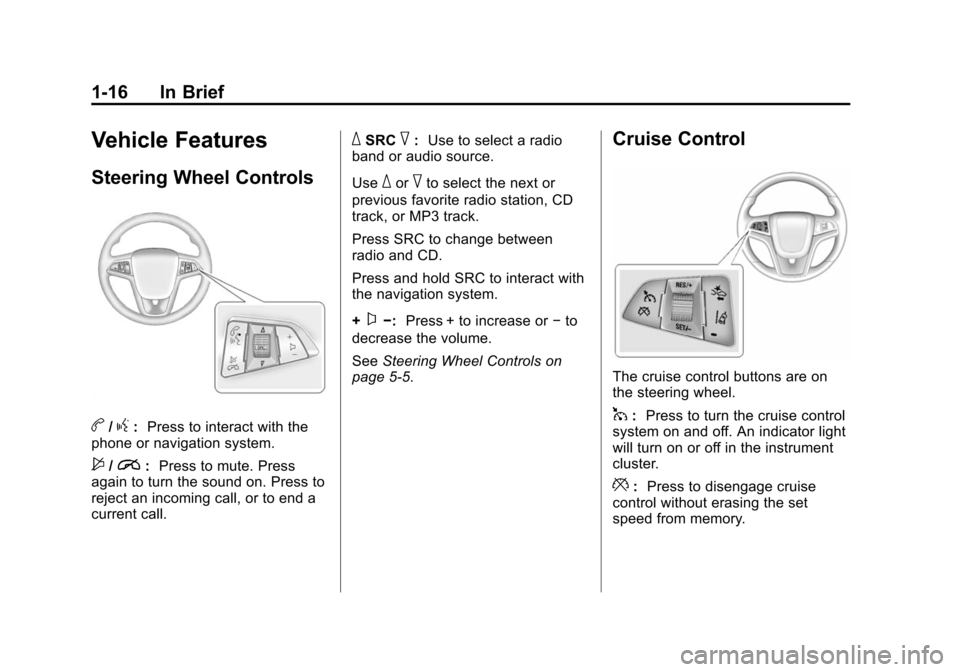
b/g:Press to interact with the
phone or navigation system.
$/i: Press to mute. Press
again to turn the sound on. Press to
reject an incoming call, or to end a
current call.
_SRC^: Use to select a radio
band or audio source.
Use
_or^to select the next or
previous favorite radio station, CD
track, or MP3 track.
Press SRC to change between
radio and CD.
Press and hold SRC to interact with
the navigation system.
+
x−: Press + to increase or −to
decrease the volume.
See Steering Wheel Controls on
page 5-5.
Cruise Control
The cruise control buttons are on
the steering wheel.
1: Press to turn the cruise control
system on and off. An indicator light
will turn on or off in the instrument
cluster.
*: Press to disengage cruise
control without erasing the set
speed from memory.
Page 31 of 394
(25,1)Chevrolet VOLT Owner Manual (GMNA-Localizing-U.S./Canada-6014139) -
2014 - CRC - 9/16/13
In Brief 1-25
.To turn off both traction control
and StabiliTrak, press and hold
the TCS/ESC button located on
the overhead console, until
i
andgilluminate in the
instrument cluster and the
appropriate DIC message is
displayed. See Ride Control
System Messages on page 5-51.
.Press and release the TCS/ESC
button to turn on both systems.
See Traction Control/Electronic
Stability Control on page 9-33.
Tire Pressure Monitor
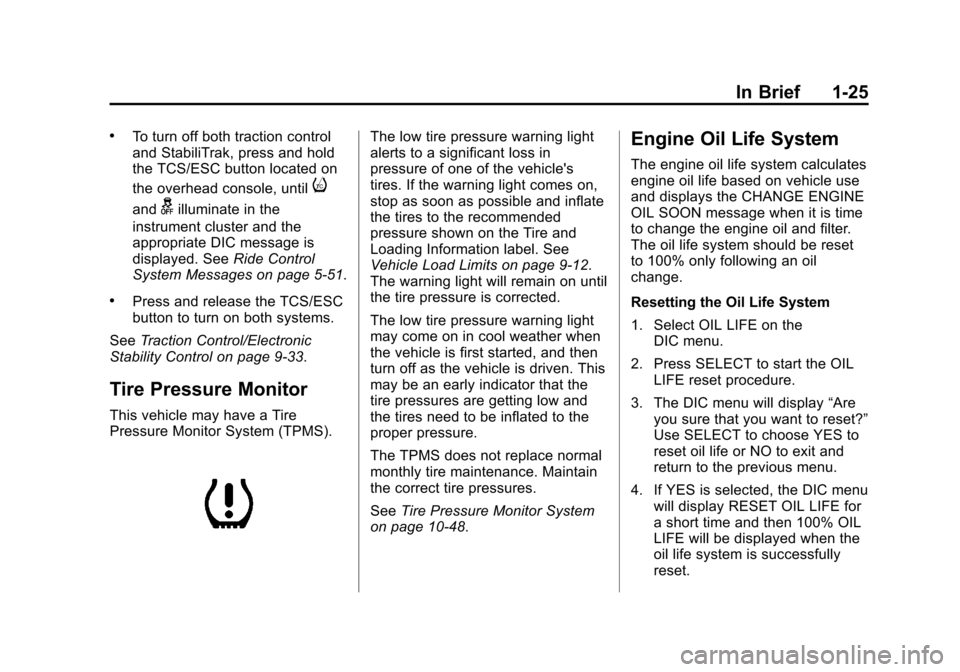
This vehicle may have a Tire
Pressure Monitor System (TPMS).
The low tire pressure warning light
alerts to a significant loss in
pressure of one of the vehicle's
tires. If the warning light comes on,
stop as soon as possible and inflate
the tires to the recommended
pressure shown on the Tire and
Loading Information label. See
Vehicle Load Limits on page 9-12.
The warning light will remain on until
the tire pressure is corrected.
The low tire pressure warning light
may come on in cool weather when
the vehicle is first started, and then
turn off as the vehicle is driven. This
may be an early indicator that the
tire pressures are getting low and
the tires need to be inflated to the
proper pressure.
The TPMS does not replace normal
monthly tire maintenance. Maintain
the correct tire pressures.
See Tire Pressure Monitor System
on page 10-48.Engine Oil Life System
The engine oil life system calculates
engine oil life based on vehicle use
and displays the CHANGE ENGINE
OIL SOON message when it is time
to change the engine oil and filter.
The oil life system should be reset
to 100% only following an oil
change.
Resetting the Oil Life System
1. Select OIL LIFE on the DIC menu.
2. Press SELECT to start the OIL LIFE reset procedure.
3. The DIC menu will display “Are
you sure that you want to reset?”
Use SELECT to choose YES to
reset oil life or NO to exit and
return to the previous menu.
4. If YES is selected, the DIC menu will display RESET OIL LIFE for
a short time and then 100% OIL
LIFE will be displayed when the
oil life system is successfully
reset.
Page 33 of 394
(27,1)Chevrolet VOLT Owner Manual (GMNA-Localizing-U.S./Canada-6014139) -
2014 - CRC - 9/16/13
In Brief 1-27
Use L (Low) in heavy stop-and-go
traffic or when traveling downhill.
L (Low) requires less brake pedal
application and provides a
controlled, efficient way to slow the
vehicle down.
Climate Setting
Using the heat and air conditioning
systems decreases the energy
available for electric driving.
Optimal energy efficiency is
achieved with the heat, air
conditioning, and fan turned off.
Less energy is used at low fan
speeds. When using the fan:
.Fan Only is the most energy
efficient climate setting as long
as
0is not selected.
.ECO is for moderate air
conditioning and heater
operation and is the next most
energy efficient setting as long
as
0is not selected.
.Comfort provides the most
comfort but is the least energy
efficient.
Use the auto heated seat feature
instead of climate settings. Heating
the seat uses less energy than
heating the vehicle interior.
Use remote start to heat or cool the
interior when the vehicle is plugged
in to maximize the electric range by
utilizing electricity from the electrical
outlet.
Engine Assisted Heating operation,
if equipped, can be personalized.
In hot weather, avoid parking in
direct sunlight or use sunshades
inside the vehicle.
Turn off the front and rear window
defog/defrost when they are no
longer needed.
Avoid driving with the windows open
at highway speeds.
See Vehicle Personalization on
page 5-54.Vehicle Charging/Maintenance
Charging
Keep the vehicle plugged in, even
when fully charged, to keep the
battery temperature ready for the
next drive. This is important when
outside temperatures are extremely
hot or cold.
Maintenance
Always keep the tires properly
inflated and the vehicle properly
aligned.
The weight of excess cargo in the
vehicle affects efficiency and range.
Avoid carrying more than is needed.
If fuel is not regularly used, consider
keeping the fuel tank only one-third
full. Excess fuel weight impacts
efficiency and range.
For fuel recommendations, see Fuel
on page 9-55
Page 46 of 394
(12,1)Chevrolet VOLT Owner Manual (GMNA-Localizing-U.S./Canada-6014139) -
2014 - CRC - 9/16/13
2-12 Keys, Doors, and Windows
Delayed Locking
This feature delays the locking of
the doors until five seconds after all
doors are closed.
When
Qis pressed on the power
door lock switch while the door is
open, a chime will sound three
times indicating delayed locking is
active.
The doors will lock automatically
five seconds after all doors are
closed. If a door is reopened before
that time, the five-second timer will
reset when all doors are closed
again.
Press
Qon the door lock switch or
press
Qon the RKE transmitter to
lock doors immediately.
This feature can also be
programmed. See Vehicle
Personalization on page 5-54.
Automatic Door Locks
Automatic Door Lock
The doors can be programmed to
automatically lock when the shift
lever is moved out of P (Park). See
“Power Door Locks” inVehicle
Personalization on page 5-54.
Automatic Door Unlock
If Automatic Door Locking is turned
on, then all doors will automatically
unlock when the shift lever is moved
into P (Park).
Lockout Protection
If the power door lock switch is
pressed when the driver door is
open and the vehicle is on, all the
doors will lock and then the driver
door will unlock.
This feature can also be enabled to
function when the vehicle is off. To
enable this feature, see “Open Door
Anti Lock Out” inVehicle
Personalization on page 5-54.
Safety Locks
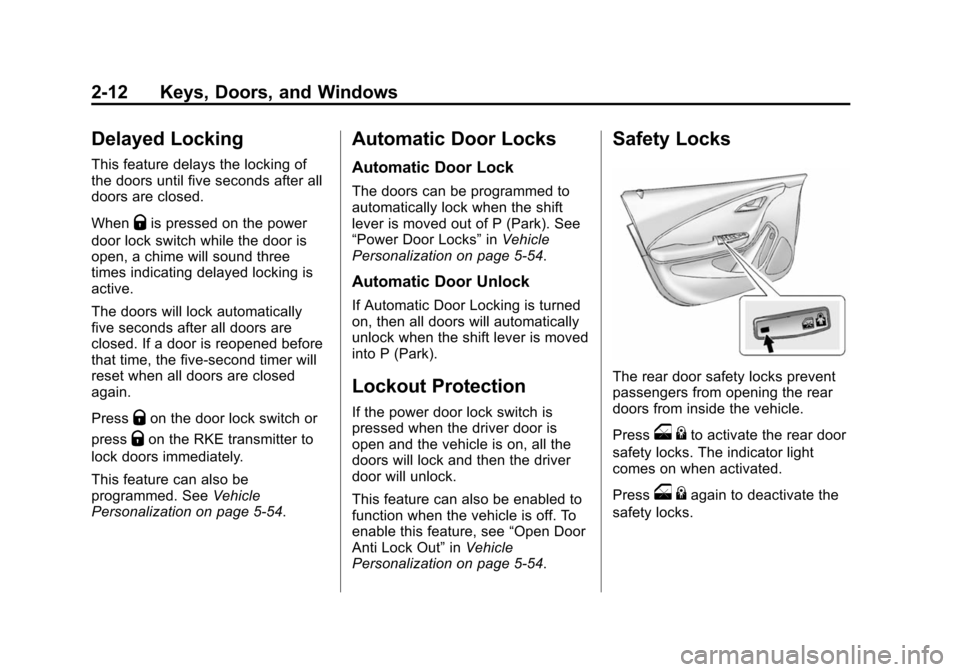
The rear door safety locks prevent
passengers from opening the rear
doors from inside the vehicle.
Press
o {to activate the rear door
safety locks. The indicator light
comes on when activated.
Press
o {again to deactivate the
safety locks.
Page 47 of 394
(13,1)Chevrolet VOLT Owner Manual (GMNA-Localizing-U.S./Canada-6014139) -
2014 - CRC - 9/16/13
Keys, Doors, and Windows 2-13
If an inside rear door handle is
being pulled at the same time a
safety lock is deactivated, only that
door will remain locked and the
indicator light may flash. Release
the handle, then press the safety
lock twice to deactivate the safety
locks.Doors
Hatch
{Warning
Exhaust gases can enter the
vehicle if it is driven in Extended
Range Mode with the hatch open,
or with any objects that pass
through the seal between the
body and the hatch. Engine
exhaust contains carbon
monoxide (CO) which cannot be
seen or smelled. It can cause
unconsciousness and even death.
If the vehicle must be driven in
Extended Range Mode with the
hatch open:
.Do not operate in Mountain
Mode if driving with the
hatch open.
.Close all of the windows.(Continued)
Warning (Continued)
.Fully open the air outlets on
the instrument panel.
.Adjust the climate control
system to a setting that
brings in only outside air and
set the fan speed to the
highest setting. See
Automatic Climate Control
System on page 8-1.
For more information about
carbon monoxide, see Engine
Exhaust on page 9-27.
Page 49 of 394
(15,1)Chevrolet VOLT Owner Manual (GMNA-Localizing-U.S./Canada-6014139) -
2014 - CRC - 9/16/13
Keys, Doors, and Windows 2-15
time will bypass the 30-second
delay and immediately arm the
alarm system.
The vehicle alarm system will not
arm if the doors are locked with
the key.
If the driver door is opened without
first unlocking with the RKE
transmitter, the horn will chirp and
the lights will flash to indicate
pre-alarm. If the vehicle is not
started, or the door is not unlocked
by pressing
Kon the RKE
transmitter during the 10-second
pre-alarm, the alarm will be
activated.
The alarm will also be activated if
there is an attempt to remove the
charge cord, or a passenger door,
the hatch, or the hood is opened,
without first disarming the system.
When the alarm is activated, the
turn signals flash and the horn
sounds for about 30 seconds. The
alarm system will then re-arm to
monitor for the next unauthorized
event. The Charge Cord Theft Alert feature
may be disabled through the vehicle
personalization. See
“Charge Cord
Theft Alert” underVehicle
Personalization on page 5-54.
Disarming the Alarm System
To disarm the alarm system, or turn
off the alarm if it has been activated,
do one of the following:
.PressKon the RKE transmitter.
.Unlock the vehicle using the
Keyless Access system.
.Start the vehicle.
To avoid setting off the alarm by
accident:
.Lock the vehicle after all
occupants have exited.
.Always unlock a door with the
RKE transmitter or use the
Keyless Access system.
Unlocking the driver door with the
key will not disarm the system or
turn off the alarm.
How to Detect a Tamper
Condition
IfKis pressed on the transmitter
and the horn chirps three times, a
previous alarm occurred while the
system was armed.
If the alarm has been activated, a
message will appear on the DIC.
See Security Messages on
page 5-52.
Immobilizer
See Radio Frequency Statement on
page 13-15.
Immobilizer Operation
This vehicle has a passive
theft-deterrent system. The system
does not have to be manually
armed or disarmed.
The vehicle is automatically
immobilized when the vehicle is
turned off.
Page 50 of 394
(16,1)Chevrolet VOLT Owner Manual (GMNA-Localizing-U.S./Canada-6014139) -
2014 - CRC - 9/16/13
2-16 Keys, Doors, and Windows
The system is automatically
disarmed when the vehicle is
started with a valid RKE transmitter
in the vehicle. The RKE transmitter
uses electronic coding that matches
an immobilizer control unit in the
vehicle and automatically disarms
the system. Only a correct
transmitter can be used to turn the
vehicle on.
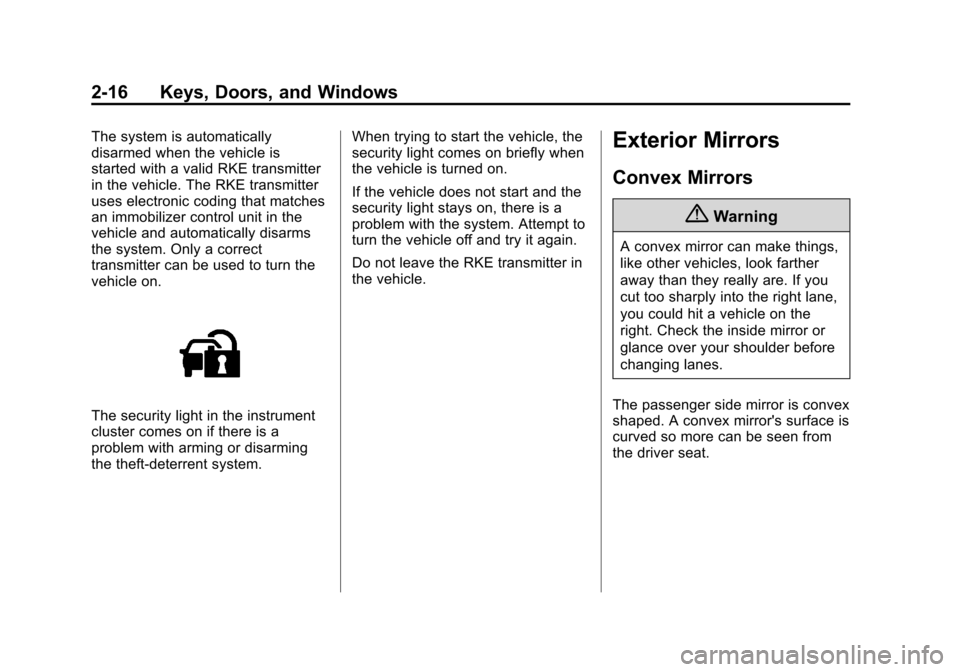
The security light in the instrument
cluster comes on if there is a
problem with arming or disarming
the theft-deterrent system.When trying to start the vehicle, the
security light comes on briefly when
the vehicle is turned on.
If the vehicle does not start and the
security light stays on, there is a
problem with the system. Attempt to
turn the vehicle off and try it again.
Do not leave the RKE transmitter in
the vehicle.
Exterior Mirrors
Convex Mirrors
{Warning
A convex mirror can make things,
like other vehicles, look farther
away than they really are. If you
cut too sharply into the right lane,
you could hit a vehicle on the
right. Check the inside mirror or
glance over your shoulder before
changing lanes.
The passenger side mirror is convex
shaped. A convex mirror's surface is
curved so more can be seen from
the driver seat.
Page 54 of 394
(20,1)Chevrolet VOLT Owner Manual (GMNA-Localizing-U.S./Canada-6014139) -
2014 - CRC - 9/16/13
2-20 Keys, Doors, and Windows
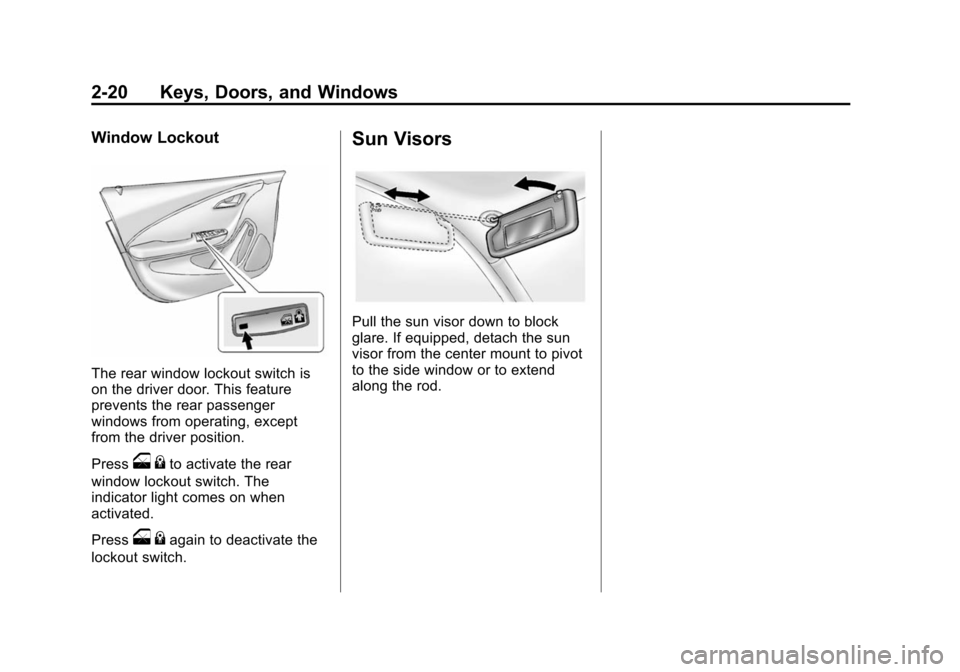
Window Lockout
The rear window lockout switch is
on the driver door. This feature
prevents the rear passenger
windows from operating, except
from the driver position.
Press
o{to activate the rear
window lockout switch. The
indicator light comes on when
activated.
Press
o {again to deactivate the
lockout switch.
Sun Visors
Pull the sun visor down to block
glare. If equipped, detach the sun
visor from the center mount to pivot
to the side window or to extend
along the rod.
Page 60 of 394
(6,1)Chevrolet VOLT Owner Manual (GMNA-Localizing-U.S./Canada-6014139) -
2014 - CRC - 9/16/13
3-6 Seats and Restraints
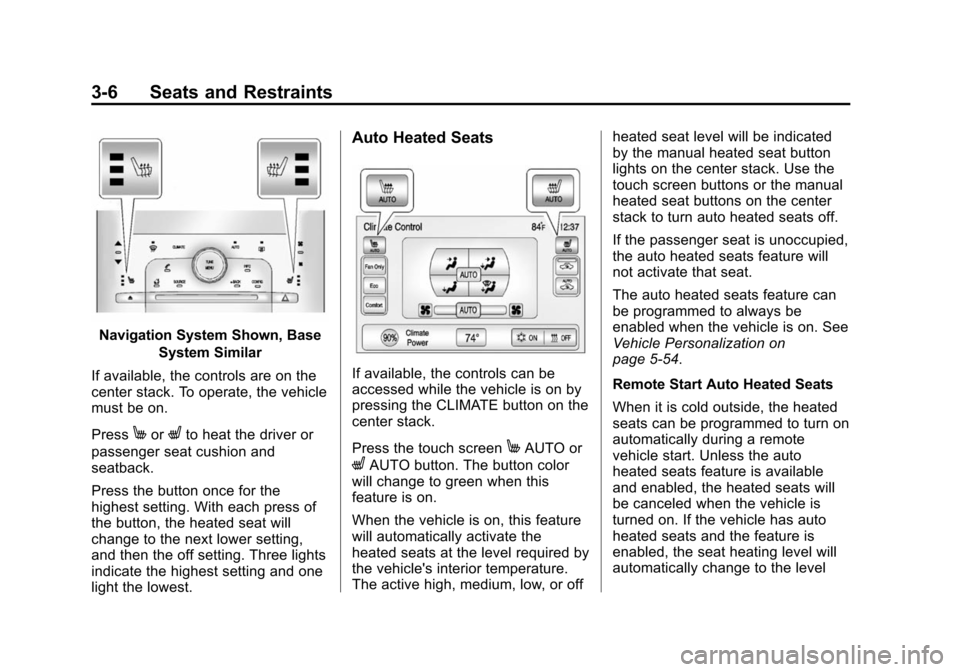
Navigation System Shown, BaseSystem Similar
If available, the controls are on the
center stack. To operate, the vehicle
must be on.
Press
MorLto heat the driver or
passenger seat cushion and
seatback.
Press the button once for the
highest setting. With each press of
the button, the heated seat will
change to the next lower setting,
and then the off setting. Three lights
indicate the highest setting and one
light the lowest.
Auto Heated Seats
If available, the controls can be
accessed while the vehicle is on by
pressing the CLIMATE button on the
center stack.
Press the touch screen
MAUTO or
LAUTO button. The button color
will change to green when this
feature is on.
When the vehicle is on, this feature
will automatically activate the
heated seats at the level required by
the vehicle's interior temperature.
The active high, medium, low, or off heated seat level will be indicated
by the manual heated seat button
lights on the center stack. Use the
touch screen buttons or the manual
heated seat buttons on the center
stack to turn auto heated seats off.
If the passenger seat is unoccupied,
the auto heated seats feature will
not activate that seat.
The auto heated seats feature can
be programmed to always be
enabled when the vehicle is on. See
Vehicle Personalization on
page 5-54.
Remote Start Auto Heated Seats
When it is cold outside, the heated
seats can be programmed to turn on
automatically during a remote
vehicle start. Unless the auto
heated seats feature is available
and enabled, the heated seats will
be canceled when the vehicle is
turned on. If the vehicle has auto
heated seats and the feature is
enabled, the seat heating level will
automatically change to the level
Page 61 of 394
(7,1)Chevrolet VOLT Owner Manual (GMNA-Localizing-U.S./Canada-6014139) -
2014 - CRC - 9/16/13
Seats and Restraints 3-7
required by the vehicle's interior
temperature when the vehicle is
turned on.
The indicator lights on the heated
seat buttons do not turn on during a
remote start.
The temperature performance of an
unoccupied seat may be reduced.
This is normal.
The heated seats will not turn on
during a remote start unless the
heated seats feature is enabled in
the vehicle personalization menu.
SeeVehicle Personalization on
page 5-54.Rear Seats
Folding the Seatback
{Warning
If either seatback is not locked, it
could move forward in a sudden
stop or crash. That could cause
injury to the person sitting there.
Always push and pull on the
seatbacks to be sure they are
locked.
{Warning
A safety belt that is improperly
routed, not properly attached,
or twisted will not provide the
protection needed in a crash. The
person wearing the belt could be
seriously injured. After raising the
rear seatback, always check to be
sure that the safety belts are
properly routed and attached, and
are not twisted. To fold the seatback down:
{Caution
Folding a rear seat with the safety
belts still fastened may cause
damage to the seat or the safety
belts. Always unbuckle the safety
belts and return them to their
normal stowed position before
folding a rear seat.
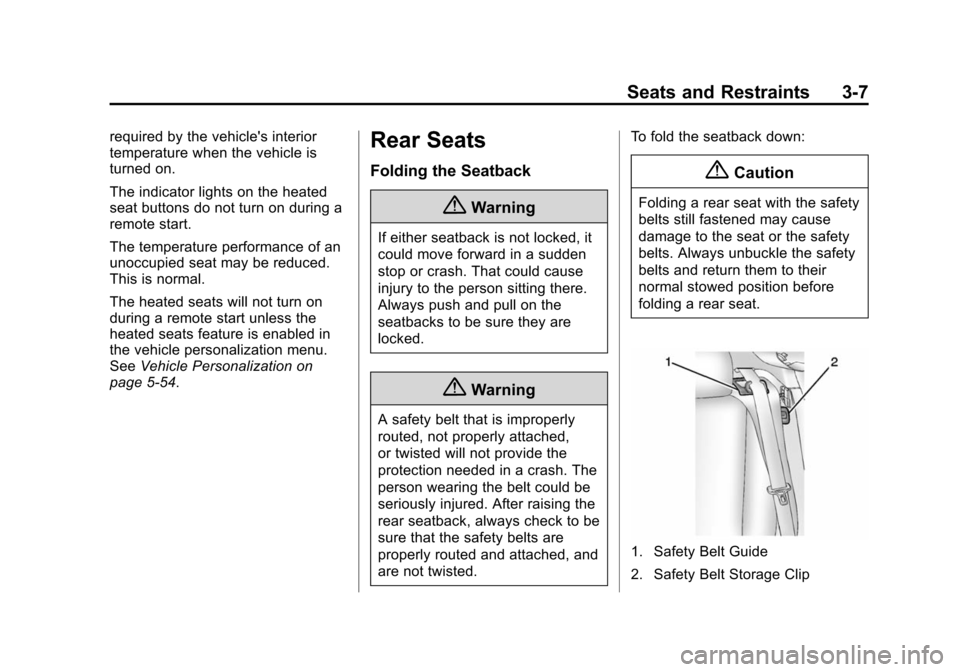
1. Safety Belt Guide
2. Safety Belt Storage Clip