light CHEVROLET VOLT 2014 1.G Manual PDF
[x] Cancel search | Manufacturer: CHEVROLET, Model Year: 2014, Model line: VOLT, Model: CHEVROLET VOLT 2014 1.GPages: 394, PDF Size: 5.86 MB
Page 185 of 394
(5,1)Chevrolet VOLT Owner Manual (GMNA-Localizing-U.S./Canada-6014139) -
2014 - CRC - 9/16/13
Climate Controls 8-5
The air conditioning and electric
heat could be on at the same time
when dehumidification is required in
ECO or Comfort modes.
In Fan Only mode, occasionally the
air conditioning and/or heating
status will be on if the Auto Defog
function is enabled and high
humidity is detected. See“Climate
and Air Quality” underVehicle
Personalization on page 5-54, for
details on enabling or disabling the
Auto Defog function.
The air conditioning may also run if
0is selected, regardless of the
climate mode.
Automatic Operation
The system automatically controls
the fan speed, air delivery mode,
and recirculation to heat or cool
the vehicle to the selected
temperature.
When the AUTO indicator light is
on, the system is in full automatic
operation. If the air delivery mode, fan speed, or recirculation setting is
adjusted, the AUTO indicator turns
off and the selected settings display.
For automatic operation:
1. Press AUTO.
2. Set the temperature. An initial
setting of 23°C (74°F) is
recommended. Allow the system
time to stabilize. Adjust the
temperature as needed.
Q/R(Temperature Control):
Press to increase or decrease the
temperature.
Auto Defog: The system will
monitor high humidity inside the
vehicle. When high humidity is
detected, the climate control system
may adjust to outside air supply and
turn on the air conditioner or the
heater. The fan speed may slightly
increase to help prevent fogging.
When high humidity is no longer
detected, the system will return to
its prior operation. To turn Auto Defog off or on, see
“Climate and
Air Quality” underVehicle
Personalization on page 5-54.
Manual Operation
A(Fan Control): Press the fan
control buttons or the touch screen
fan control, to increase or decrease
the fan speed. The fan speed
setting displays. Pressing either
button cancels automatic fan control
and the fan can be controlled
manually. Press AUTO to return to
automatic operation. Press the fan
down button repeatedly to turn off
the fan and the climate control
system.
If the fan is manually turned off
while in ECO or Comfort mode, the
display will automatically change to
Fan Only mode. When the fan is
turned back on either by manually
increasing fan speed or pressing the
AUTO button, the climate mode will
revert back to ECO or
Comfort mode.
Page 186 of 394
(6,1)Chevrolet VOLT Owner Manual (GMNA-Localizing-U.S./Canada-6014139) -
2014 - CRC - 9/16/13
8-6 Climate Controls
Air Delivery Mode Control:Press
CLIMATE to select the Climate
touch screen. Press the air delivery
mode touch screen button to
change the direction of the airflow.
The selected air delivery mode
button is lit. Pressing any of the air
delivery buttons cancels automatic
air delivery control and the direction
of the airflow can be controlled
manually. Press AUTO to return to
automatic operation.
To change the current mode, select
one of the following:
Y(Vent): Air is directed to the
instrument panel outlets.
\(Bi-Level): Air is divided
between the instrument panel
outlets and the floor outlets.
[(Floor): Air is directed to the
floor outlets.
-(Defog): Air is directed to the
windshield and floor outlets. Clears
the windows of fog or moisture.
0(Defrost): Air is directed to the
windshield. The windshield is
cleared of fog or frost more quickly.
Selecting
0will disable automatic
control and the AUTO button
indicator will not be lit.
Selecting
0again will return to the
previous climate settings.
For best results, clear all snow and
ice from the windshield before
defrosting.
If
0is selected in Fan Only or
ECO mode, air conditioning or
electric heat may turn on and have
a noticeable effect on vehicle
electric range and fuel economy.
AUTO
h(Auto Recirculation):
Press to allow the system to
automatically choose the air supply
mode for best performance in terms
of comfort, efficiency, and
defogging. Air is recirculated or
outside air is pulled into the vehicle.
The touch screen button is lit.
h(Manual Recirculation):
Press to alternate between
recirculating air inside the vehicle or
pulling in outside air. When
selected, the touch screen button
lights up to indicate that air is being
recirculated. This helps to quickly
cool the air inside the vehicle or
prevent outside air and odors from
entering.
Pressing this button cancels
automatic recirculation. Press AUTO
or AUTO
hto return to automatic
operation; recirculation runs
automatically as needed.
Manual recirculation mode is not
available when in Defrost or Defog
modes.
M/L(Manual Heated Seats): If
available, the controls are on the
center stack. To operate, the vehicle
must be on.
Press
MorLto heat the driver or
passenger seat cushion and
seatback. For more information, see
Heated Front Seats on page 3-5.
Page 187 of 394
(7,1)Chevrolet VOLT Owner Manual (GMNA-Localizing-U.S./Canada-6014139) -
2014 - CRC - 9/16/13
Climate Controls 8-7
MAUTO/LAUTO (Auto Heated
Seats): If available, the controls
are on the touch screen on the
center stack.
Press the touch screen
LAUTO or
MAUTO button. The button color
will change to green when this
feature is on. When the vehicle is
on, this feature will automatically
activate the heated seats at the
level required by the vehicle's
interior temperature. The active
high, medium, low, or off heated
seat level will be indicated by the
manual heated seat button lights on
the center stack. Use the touch
screen buttons or the manual
heated seat buttons on the center
stack to turn auto heated seats off.
For more information, see Heated
Front Seats on page 3-5.
Rear Window Defogger
=(Rear Window Defogger):
Press to turn the rear window
defogger on or off. The rear window defogger turns off
automatically after about
five minutes. If turned on again, it
runs for about five minutes before
turning off. The defogger can also
be turned off by turning the
vehicle off.
If equipped with heated outside
rearview mirrors, they turn on when
the rear window defogger button is
on and help to clear fog or frost from
the surface of the mirror. See
Heated Mirrors on page 2-17.
{Caution
Do not try to clear frost or other
material from the inside of the
front windshield and rear window
with a razor blade or anything
else that is sharp. This may
damage the rear window
defogger grid and affect the
radio's ability to pick up stations
clearly. The repairs would not be
covered by the vehicle warranty.
Remote Start:
If equipped with this
feature, the climate control system
may be started by using the Remote
Keyless Entry (RKE) transmitter.
The climate control system will
default to an appropriate heating or
cooling mode. See Remote Start on
page 2-8.
The rear window defogger turns on
if it is cold outside.
Compressor
The vehicle has an electric powered
air conditioning compressor. This
allows for continuous air
conditioning and/or high voltage
battery cooling operation, without
running the engine.
The compressor operating speed is
not tied to the engine speed, so
some noise may be heard from the
compressor, especially when air
conditioning use is high and the
engine has turned off. This is
normal.
Page 191 of 394
(3,1)Chevrolet VOLT Owner Manual (GMNA-Localizing-U.S./Canada-6014139) -
2014 - CRC - 9/16/13
Driving and Operating 9-3
Drive Mode and PRNDL Selection
Use Normal Mode when possible.
Sport Mode provides more
responsive acceleration than
Normal Mode but can reduce
efficiency.
Use Mountain Mode prior to
climbing long, steep grades in
mountainous areas. Be sure to
engage Mountain Mode before
starting to climb. Mountain Mode
reduces electric range and power
but may be needed to maintain
speeds above 96 km/h (60 mph)
when climbing grades of 5% or
greater.
Use Hold Mode on a trip where all
or most of the electric charge will be
depleted. Use Hold Mode mainly
during highway or high speed
driving to maximize both EV miles
and fuel efficiency.
Use L (Low) in heavy stop-and-go
traffic or when traveling downhill.
L (Low) requires less brake pedalapplication and provides a
controlled, efficient way to slow the
vehicle down.
Climate Setting
Using the heat and air conditioning
systems decreases the energy
available for electric driving.
Optimal energy efficiency is
achieved with the heat, air
conditioning, and fan turned off.
Less energy is used at low fan
speeds. When using the fan:
.Fan Only is the most energy
efficient climate setting as long
as
0is not selected.
.ECO is for moderate air
conditioning and heater
operation and is the next most
energy efficient setting as long
as
0is not selected.
.Comfort provides the most
comfort but is the least energy
efficient.Use the auto heated seat feature
instead of climate settings. Heating
the seat uses less energy than
heating the vehicle interior.
Use remote start to heat or cool the
interior when the vehicle is plugged
in to maximize the electric range by
utilizing electricity from the electrical
outlet.
Engine Assisted Heating operation,
if equipped, can be personalized.
In hot weather, avoid parking in
direct sunlight or use sunshades
inside the vehicle.
Turn off the front and rear window
defog/defrost when they are no
longer needed.
Avoid driving with the windows open
at highway speeds.
See
Vehicle Personalization on
page 5-54.
Page 196 of 394
(8,1)Chevrolet VOLT Owner Manual (GMNA-Localizing-U.S./Canada-6014139) -
2014 - CRC - 9/16/13
9-8 Driving and Operating
Remember: Antilock brakes help
avoid only the braking skid.
Driving on Wet Roads
Rain and wet roads can reduce
vehicle traction and affect your
ability to stop and accelerate.
Always drive slower in these types
of driving conditions and avoid
driving through large puddles and
deep‐standing or flowing water.
{Warning
Wet brakes can cause crashes.
They might not work as well in a
quick stop and could cause
pulling to one side. You could
lose control of the vehicle.
After driving through a large
puddle of water or a car/vehicle
wash, lightly apply the brake
pedal until the brakes work
normally.(Continued)
Warning (Continued)
Flowing or rushing water creates
strong forces. Driving through
flowing water could cause the
vehicle to be carried away. If this
happens, you and other vehicle
occupants could drown. Do not
ignore police warnings and be
very cautious about trying to drive
through flowing water.
Hydroplaning
Hydroplaning is dangerous. Water
can build up under the vehicle's
tires so they actually ride on the
water. This can happen if the road is
wet enough and you are going fast
enough. When the vehicle is
hydroplaning, it has little or no
contact with the road.
There is no hard and fast rule about
hydroplaning. The best advice is to
slow down when the road is wet.
Other Rainy Weather Tips
Besides slowing down, other wet
weather driving tips include:
.Allow extra following distance.
.Pass with caution.
.Keep windshield wiping
equipment in good shape.
.Keep the windshield washer fluid
reservoir filled.
.Have good tires with proper
tread depth. SeeTires on
page 10-40.
.Turn off cruise control.
Highway Hypnosis
Always be alert and pay attention to
your surroundings while driving.
If you become tired or sleepy, find a
safe place to park the vehicle
and rest.
Page 199 of 394
(11,1)Chevrolet VOLT Owner Manual (GMNA-Localizing-U.S./Canada-6014139) -
2014 - CRC - 9/16/13
Driving and Operating 9-11
Warning (Continued)
.Fully open the air outlets on
or under the instrument
panel.
.Adjust the climate control
system to a setting that
circulates the air inside the
vehicle and set the fan speed
to the highest setting. See
“Climate Control Systems”in
the Index.
For more information about
carbon monoxide, see Engine
Exhaust on page 9-27.
To conserve energy, run the vehicle
for only short periods as needed to
warm the vehicle and then shut the
vehicle off and close the window
most of the way to save heat.
Repeat this until help arrives but
only when you feel really
uncomfortable from the cold. Moving
about to keep warm also helps. If it takes some time for help to
arrive, start the vehicle. The engine
may start to charge the 12-volt
battery. Turn off unnecessary
accessories to conserve energy.If the Vehicle Is Stuck
Slowly and cautiously spin the
wheels to free the vehicle when
stuck in sand, mud, ice, or snow.
The Traction Control System (TCS)
must be turned off by pressing the
TCS/ESC button. Traction control is
not completely off, but will only
engage if the maneuver can cause
damage to the electric drive unit.
{Warning
If the vehicle's tires spin at high
speed, they can explode, and you
or others could be injured. The
vehicle can overheat, causing an
engine compartment fire or other
(Continued)
Warning (Continued)
damage. Spin the wheels as little
as possible and avoid going
above 56 km/h (35 mph).
Rocking the Vehicle to Get
it Out
Turn the steering wheel left and
right to clear the area around the
front wheels. Shift back and forth
between R (Reverse) and a forward
gear, spinning the wheels as little as
possible. The Traction Control
System prevents the tires from
spinning at high speeds. To prevent
electric drive unit wear, wait until the
wheels stop spinning before shifting
gears. Release the accelerator
pedal while shifting, and press
lightly on the accelerator pedal
when the electric drive unit is
in gear. Slowly spinning the wheels
in the forward and reverse
directions causes a rocking
motion that could free the vehicle.
Page 204 of 394
(16,1)Chevrolet VOLT Owner Manual (GMNA-Localizing-U.S./Canada-6014139) -
2014 - CRC - 9/16/13
9-16 Driving and Operating
Warning (Continued)
.Never stack heavier
things, like suitcases,
inside the vehicle so that
some of them are above
the tops of the seats.
.Do not leave an
unsecured child restraint
in the vehicle.
.Secure loose items in the
vehicle.
.Do not leave a seat folded
down unless needed.
Starting and
Operating
New Vehicle Break-In
The vehicle does not require a
break-in period. Vehicle break-in is
performed during manufacturing.
Power Button
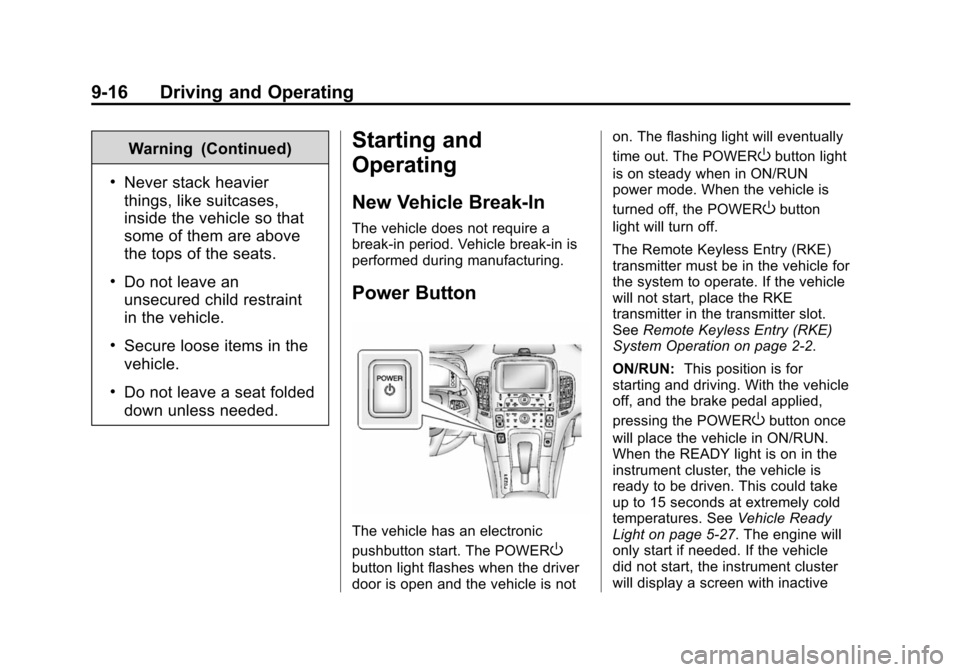
The vehicle has an electronic
pushbutton start. The POWER
O
button light flashes when the driver
door is open and the vehicle is noton. The flashing light will eventually
time out. The POWER
Obutton light
is on steady when in ON/RUN
power mode. When the vehicle is
turned off, the POWER
Obutton
light will turn off.
The Remote Keyless Entry (RKE)
transmitter must be in the vehicle for
the system to operate. If the vehicle
will not start, place the RKE
transmitter in the transmitter slot.
See Remote Keyless Entry (RKE)
System Operation on page 2-2.
ON/RUN: This position is for
starting and driving. With the vehicle
off, and the brake pedal applied,
pressing the POWER
Obutton once
will place the vehicle in ON/RUN.
When the READY light is on in the
instrument cluster, the vehicle is
ready to be driven. This could take
up to 15 seconds at extremely cold
temperatures. See Vehicle Ready
Light on page 5-27. The engine will
only start if needed. If the vehicle
did not start, the instrument cluster
will display a screen with inactive
Page 211 of 394
(23,1)Chevrolet VOLT Owner Manual (GMNA-Localizing-U.S./Canada-6014139) -
2014 - CRC - 9/16/13
Driving and Operating 9-23
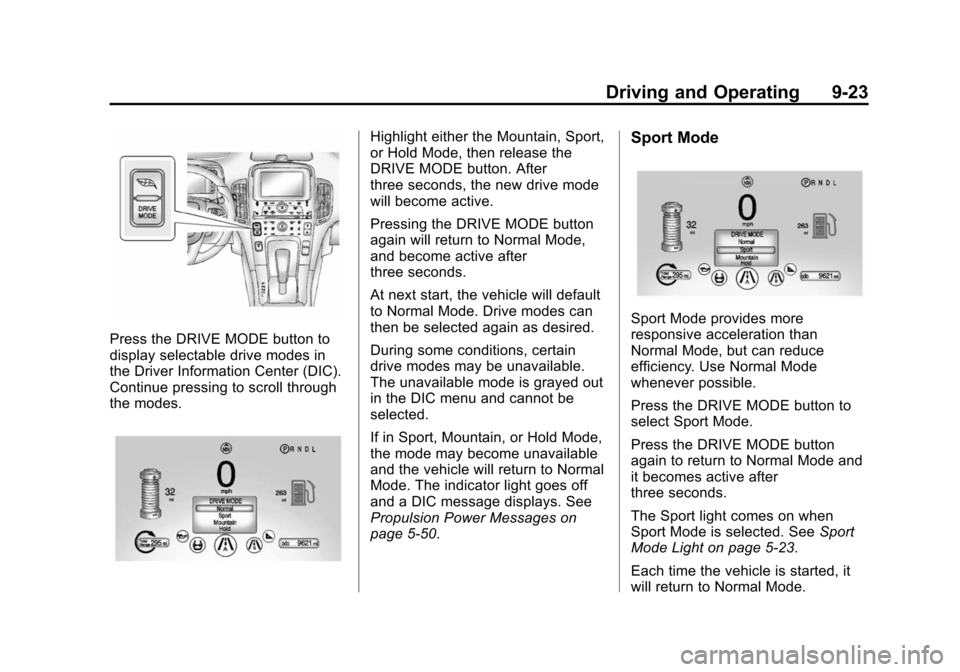
Press the DRIVE MODE button to
display selectable drive modes in
the Driver Information Center (DIC).
Continue pressing to scroll through
the modes.
Highlight either the Mountain, Sport,
or Hold Mode, then release the
DRIVE MODE button. After
three seconds, the new drive mode
will become active.
Pressing the DRIVE MODE button
again will return to Normal Mode,
and become active after
three seconds.
At next start, the vehicle will default
to Normal Mode. Drive modes can
then be selected again as desired.
During some conditions, certain
drive modes may be unavailable.
The unavailable mode is grayed out
in the DIC menu and cannot be
selected.
If in Sport, Mountain, or Hold Mode,
the mode may become unavailable
and the vehicle will return to Normal
Mode. The indicator light goes off
and a DIC message displays. See
Propulsion Power Messages on
page 5-50.Sport Mode
Sport Mode provides more
responsive acceleration than
Normal Mode, but can reduce
efficiency. Use Normal Mode
whenever possible.
Press the DRIVE MODE button to
select Sport Mode.
Press the DRIVE MODE button
again to return to Normal Mode and
it becomes active after
three seconds.
The Sport light comes on when
Sport Mode is selected. SeeSport
Mode Light on page 5-23.
Each time the vehicle is started, it
will return to Normal Mode.
Page 212 of 394
(24,1)Chevrolet VOLT Owner Manual (GMNA-Localizing-U.S./Canada-6014139) -
2014 - CRC - 9/16/13
9-24 Driving and Operating
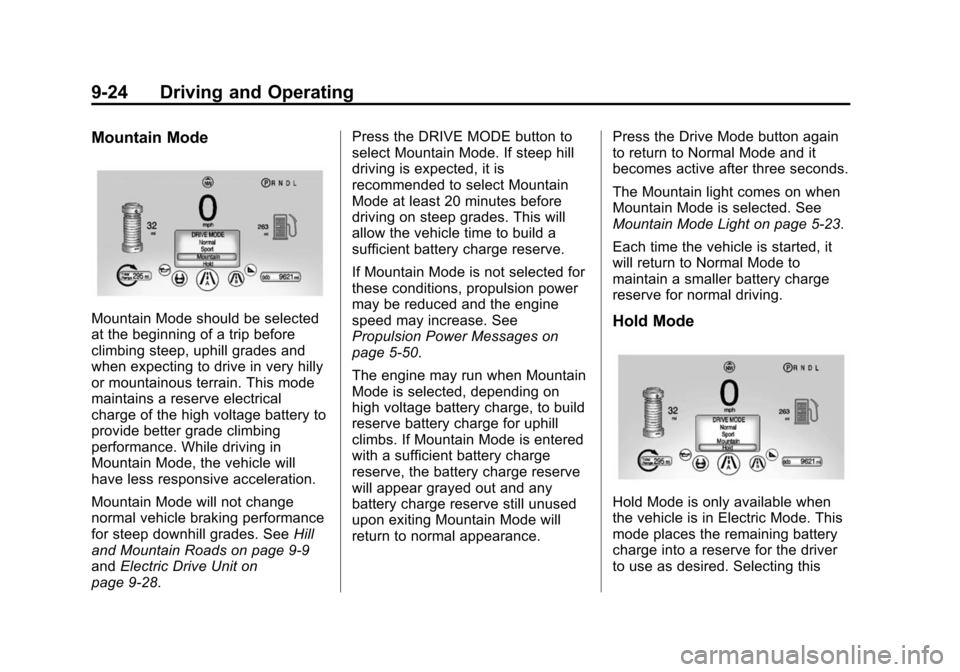
Mountain Mode
Mountain Mode should be selected
at the beginning of a trip before
climbing steep, uphill grades and
when expecting to drive in very hilly
or mountainous terrain. This mode
maintains a reserve electrical
charge of the high voltage battery to
provide better grade climbing
performance. While driving in
Mountain Mode, the vehicle will
have less responsive acceleration.
Mountain Mode will not change
normal vehicle braking performance
for steep downhill grades. SeeHill
and Mountain Roads on page 9-9
and Electric Drive Unit on
page 9-28. Press the DRIVE MODE button to
select Mountain Mode. If steep hill
driving is expected, it is
recommended to select Mountain
Mode at least 20 minutes before
driving on steep grades. This will
allow the vehicle time to build a
sufficient battery charge reserve.
If Mountain Mode is not selected for
these conditions, propulsion power
may be reduced and the engine
speed may increase. See
Propulsion Power Messages on
page 5-50.
The engine may run when Mountain
Mode is selected, depending on
high voltage battery charge, to build
reserve battery charge for uphill
climbs. If Mountain Mode is entered
with a sufficient battery charge
reserve, the battery charge reserve
will appear grayed out and any
battery charge reserve still unused
upon exiting Mountain Mode will
return to normal appearance.
Press the Drive Mode button again
to return to Normal Mode and it
becomes active after three seconds.
The Mountain light comes on when
Mountain Mode is selected. See
Mountain Mode Light on page 5-23.
Each time the vehicle is started, it
will return to Normal Mode to
maintain a smaller battery charge
reserve for normal driving.Hold Mode
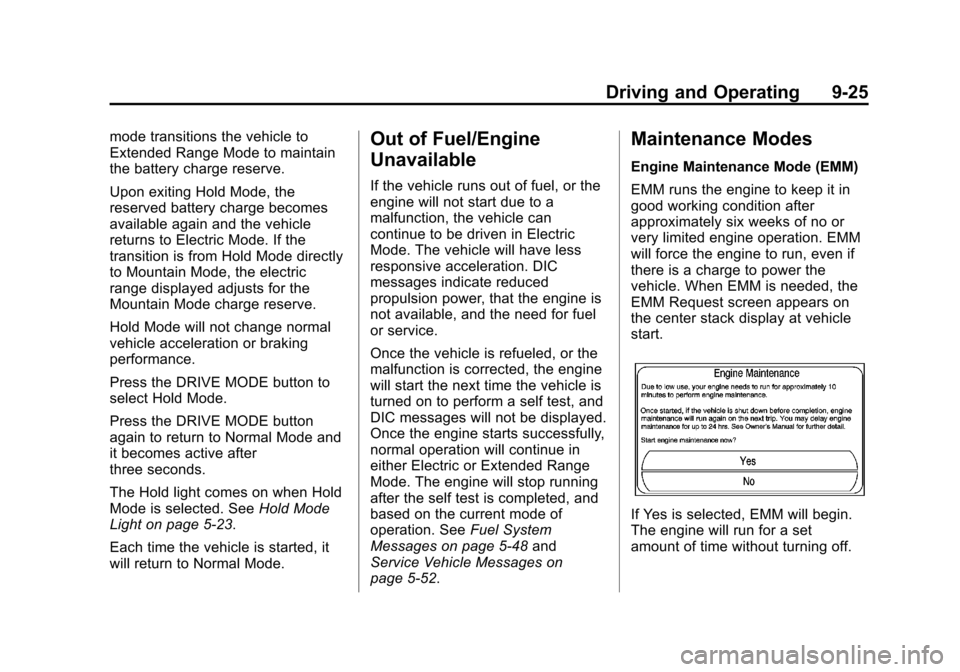
Hold Mode is only available when
the vehicle is in Electric Mode. This
mode places the remaining battery
charge into a reserve for the driver
to use as desired. Selecting this
Page 213 of 394
(25,1)Chevrolet VOLT Owner Manual (GMNA-Localizing-U.S./Canada-6014139) -
2014 - CRC - 9/16/13
Driving and Operating 9-25
mode transitions the vehicle to
Extended Range Mode to maintain
the battery charge reserve.
Upon exiting Hold Mode, the
reserved battery charge becomes
available again and the vehicle
returns to Electric Mode. If the
transition is from Hold Mode directly
to Mountain Mode, the electric
range displayed adjusts for the
Mountain Mode charge reserve.
Hold Mode will not change normal
vehicle acceleration or braking
performance.
Press the DRIVE MODE button to
select Hold Mode.
Press the DRIVE MODE button
again to return to Normal Mode and
it becomes active after
three seconds.
The Hold light comes on when Hold
Mode is selected. SeeHold Mode
Light on page 5-23.
Each time the vehicle is started, it
will return to Normal Mode.Out of Fuel/Engine
Unavailable
If the vehicle runs out of fuel, or the
engine will not start due to a
malfunction, the vehicle can
continue to be driven in Electric
Mode. The vehicle will have less
responsive acceleration. DIC
messages indicate reduced
propulsion power, that the engine is
not available, and the need for fuel
or service.
Once the vehicle is refueled, or the
malfunction is corrected, the engine
will start the next time the vehicle is
turned on to perform a self test, and
DIC messages will not be displayed.
Once the engine starts successfully,
normal operation will continue in
either Electric or Extended Range
Mode. The engine will stop running
after the self test is completed, and
based on the current mode of
operation. See Fuel System
Messages on page 5-48 and
Service Vehicle Messages on
page 5-52.
Maintenance Modes
Engine Maintenance Mode (EMM)
EMM runs the engine to keep it in
good working condition after
approximately six weeks of no or
very limited engine operation. EMM
will force the engine to run, even if
there is a charge to power the
vehicle. When EMM is needed, the
EMM Request screen appears on
the center stack display at vehicle
start.
If Yes is selected, EMM will begin.
The engine will run for a set
amount of time without turning off.