Door handle CHEVROLET VOLT 2014 1.G Owners Manual
[x] Cancel search | Manufacturer: CHEVROLET, Model Year: 2014, Model line: VOLT, Model: CHEVROLET VOLT 2014 1.GPages: 394, PDF Size: 5.86 MB
Page 11 of 394
(5,1)Chevrolet VOLT Owner Manual (GMNA-Localizing-U.S./Canada-6014139) -
2014 - CRC - 9/16/13
In Brief 1-5
Remote Start
Use remote start to heat or cool the
interior when the vehicle is plugged
in to maximize electric range by
utilizing electricity from the electrical
outlet. The engine may start to
support the climate control
operation. Normal operation of the
system will return after the vehicle
has been turned on.
Activating the Remote Start
1. Press and releaseQon the
RKE transmitter; the doors
will lock.
2. Immediately, press and hold
B
until the turn signal lamps flash,
or for at least four seconds.
Pressing
Bagain during a
remote start will turn the
feature off. After entering the vehicle during a
remote start, press the POWER
O
button on the center stack with the
brake pedal applied to operate as
normal.
Canceling Remote Start
To cancel a remote start, do any of
the following:
.Press and holdBuntil the
parking lamps turn off.
.Turn on the hazard warning
flashers.
.Press the POWERObutton on
the center stack, with the brake
pedal applied, then press the
POWER
Obutton again to turn
the vehicle off.
See Remote Start on page 2-8.
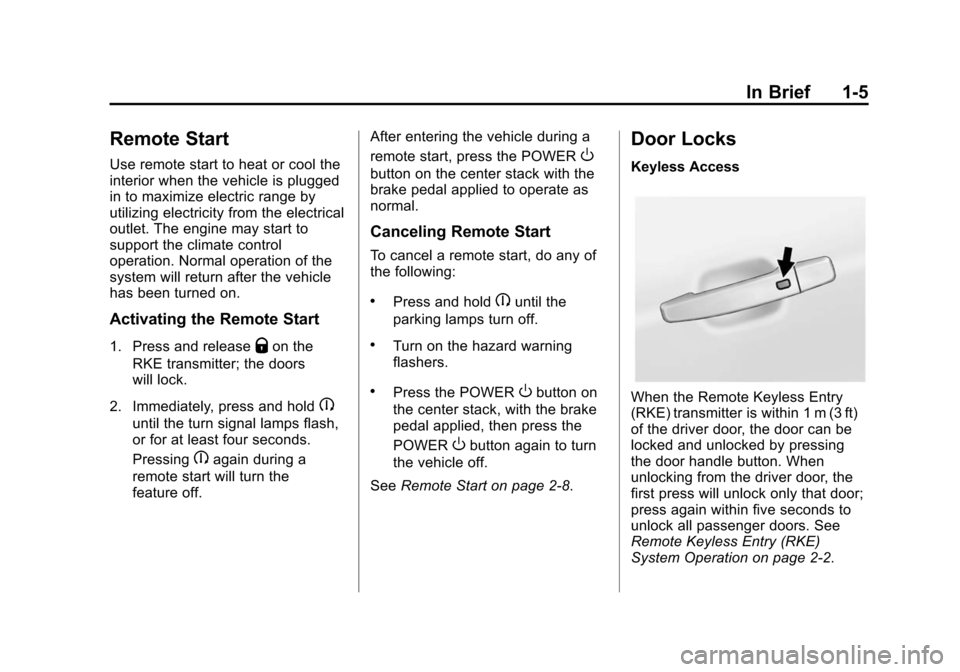
Door Locks
Keyless Access
When the Remote Keyless Entry
(RKE) transmitter is within 1 m (3 ft)
of the driver door, the door can be
locked and unlocked by pressing
the door handle button. When
unlocking from the driver door, the
first press will unlock only that door;
press again within five seconds to
unlock all passenger doors. See
Remote Keyless Entry (RKE)
System Operation on page 2-2.
Page 12 of 394
(6,1)Chevrolet VOLT Owner Manual (GMNA-Localizing-U.S./Canada-6014139) -
2014 - CRC - 9/16/13
1-6 In Brief
Remote Keyless Entry (RKE)
The RKE transmitter must be within
60 m (195 ft) of the vehicle.
K:Press to unlock.
Q:Press to lock.
See Remote Keyless Entry (RKE)
System Operation on page 2-2.
Key
To unlock or lock the door, turn the
key left or right.
Inside the Vehicle
Pushing down the manual lock knob
on the driver door will lock all
doors. Pushing down the manual
lock knob on a passenger door will
lock that door only.
Pull once on the door handle to
unlock the door and again to open
the door. Press the power door lock
switch to lock or unlock all doors.
See Door Locks on page 2-10 and
Power Door Locks on page 2-11. Power Door Locks
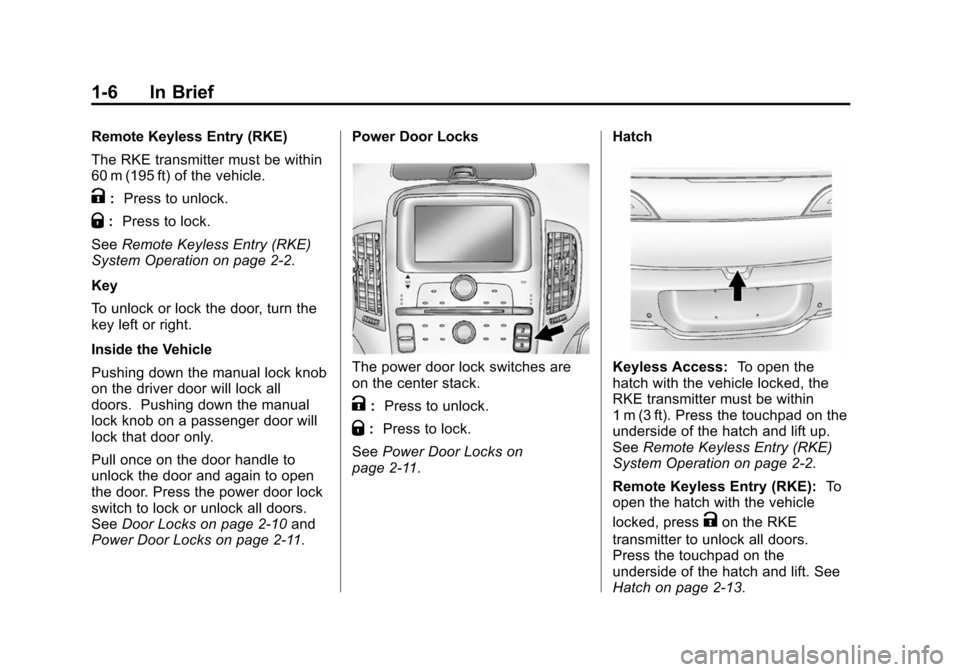
The power door lock switches are
on the center stack.
K:
Press to unlock.
Q:Press to lock.
See Power Door Locks on
page 2-11. Hatch
Keyless Access:
To open the
hatch with the vehicle locked, the
RKE transmitter must be within
1 m (3 ft). Press the touchpad on the
underside of the hatch and lift up.
See Remote Keyless Entry (RKE)
System Operation on page 2-2.
Remote Keyless Entry (RKE): To
open the hatch with the vehicle
locked, press
Kon the RKE
transmitter to unlock all doors.
Press the touchpad on the
underside of the hatch and lift. See
Hatch on page 2-13.
Page 13 of 394
(7,1)Chevrolet VOLT Owner Manual (GMNA-Localizing-U.S./Canada-6014139) -
2014 - CRC - 9/16/13
In Brief 1-7
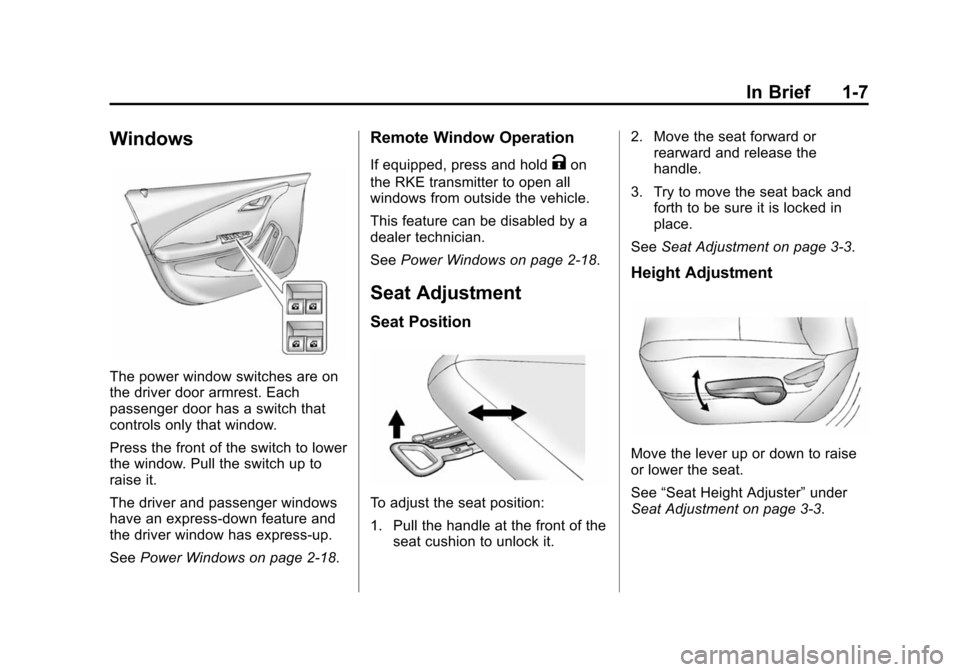
Windows
The power window switches are on
the driver door armrest. Each
passenger door has a switch that
controls only that window.
Press the front of the switch to lower
the window. Pull the switch up to
raise it.
The driver and passenger windows
have an express-down feature and
the driver window has express-up.
SeePower Windows on page 2-18.
Remote Window Operation
If equipped, press and holdKon
the RKE transmitter to open all
windows from outside the vehicle.
This feature can be disabled by a
dealer technician.
See Power Windows on page 2-18.
Seat Adjustment
Seat Position
To adjust the seat position:
1. Pull the handle at the front of the
seat cushion to unlock it. 2. Move the seat forward or
rearward and release the
handle.
3. Try to move the seat back and forth to be sure it is locked in
place.
See Seat Adjustment on page 3-3.
Height Adjustment
Move the lever up or down to raise
or lower the seat.
See“Seat Height Adjuster” under
Seat Adjustment on page 3-3.
Page 26 of 394
(20,1)Chevrolet VOLT Owner Manual (GMNA-Localizing-U.S./Canada-6014139) -
2014 - CRC - 9/19/13
1-20 In Brief
When using a 120-volt AC electrical
outlet, it will take approximately
10 hours to charge the vehicle with
the 12 amp AC current setting or
16 hours using the default 8 amp
AC current setting. When using a
240-volt charging station, it will take
approximately four hours to charge
the vehicle. Charge times will vary
with outside temperature. There are
three ways to program how the
vehicle is charged. See
Programmable Charging on
page 5-31.
The charging system may run fans
and pumps that result in sounds
from the vehicle while it is turned
off. Additional unexpected clicking
sounds may be caused by the
electrical devices used while
charging.
While the charge cord is plugged
into the vehicle, the vehicle cannot
be driven.Charging
Start Charge
1. Make sure the vehicle is parkedand turned off.
2. Push the rearward edge of the charge port door in and release
to open the door.
In cold weather conditions, ice
may form around the charge port
door. Remove ice from the area
before attempting to open or
close the charge port door.
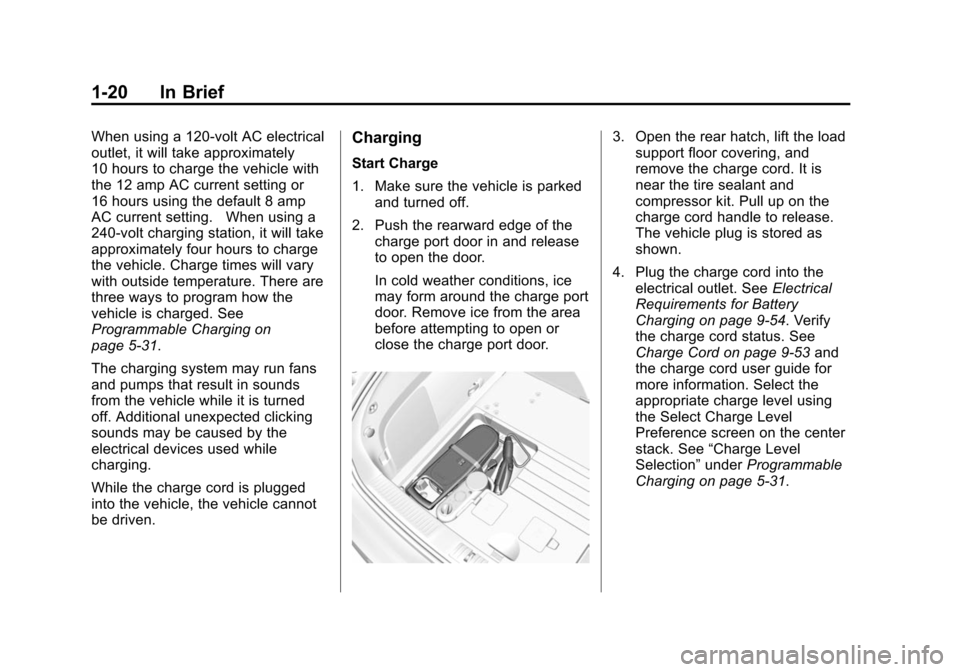
3. Open the rear hatch, lift the loadsupport floor covering, and
remove the charge cord. It is
near the tire sealant and
compressor kit. Pull up on the
charge cord handle to release.
The vehicle plug is stored as
shown.
4. Plug the charge cord into the electrical outlet. See Electrical
Requirements for Battery
Charging on page 9-54. Verify
the charge cord status. See
Charge Cord on page 9-53 and
the charge cord user guide for
more information. Select the
appropriate charge level using
the Select Charge Level
Preference screen on the center
stack. See “Charge Level
Selection” underProgrammable
Charging on page 5-31.
Page 38 of 394
(4,1)Chevrolet VOLT Owner Manual (GMNA-Localizing-U.S./Canada-6014139) -
2014 - CRC - 9/16/13
2-4 Keys, Doors, and Windows
Keyless Access Operation
To lock and unlock the doors and
access the hatch, the RKE
transmitter should be within 1 m
(3 ft) of the door or hatch.
The Keyless Access can be
programmed to unlock all doors on
the first lock/unlock press from the
driver door. SeeVehicle
Personalization on page 5-54.
Keyless Unlocking/Locking from
the Driver Door
When the doors are locked and the
RKE transmitter is within 1 m (3 ft) of
the driver door handle, pressing the
lock/unlock button on the driver door
handle will unlock the driver door.
If the lock/unlock button is pressed
again within five seconds, all
passenger doors will unlock.
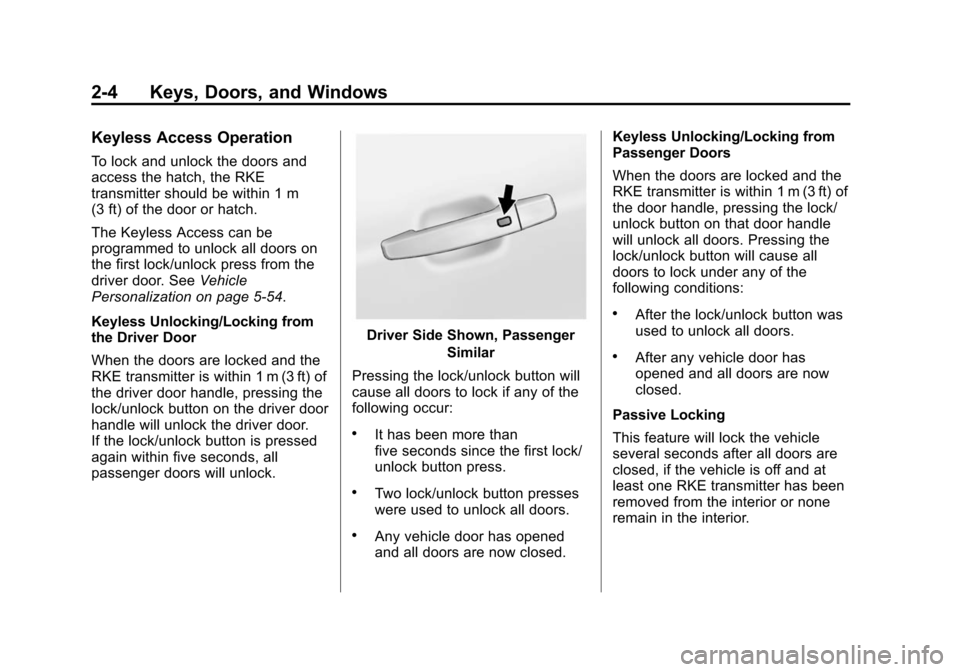
Driver Side Shown, Passenger
Similar
Pressing the lock/unlock button will
cause all doors to lock if any of the
following occur:
.It has been more than
five seconds since the first lock/
unlock button press.
.Two lock/unlock button presses
were used to unlock all doors.
.Any vehicle door has opened
and all doors are now closed. Keyless Unlocking/Locking from
Passenger Doors
When the doors are locked and the
RKE transmitter is within 1 m (3 ft) of
the door handle, pressing the lock/
unlock button on that door handle
will unlock all doors. Pressing the
lock/unlock button will cause all
doors to lock under any of the
following conditions:
.After the lock/unlock button was
used to unlock all doors.
.After any vehicle door has
opened and all doors are now
closed.
Passive Locking
This feature will lock the vehicle
several seconds after all doors are
closed, if the vehicle is off and at
least one RKE transmitter has been
removed from the interior or none
remain in the interior.
Page 45 of 394
(11,1)Chevrolet VOLT Owner Manual (GMNA-Localizing-U.S./Canada-6014139) -
2014 - CRC - 9/16/13
Keys, Doors, and Windows 2-11
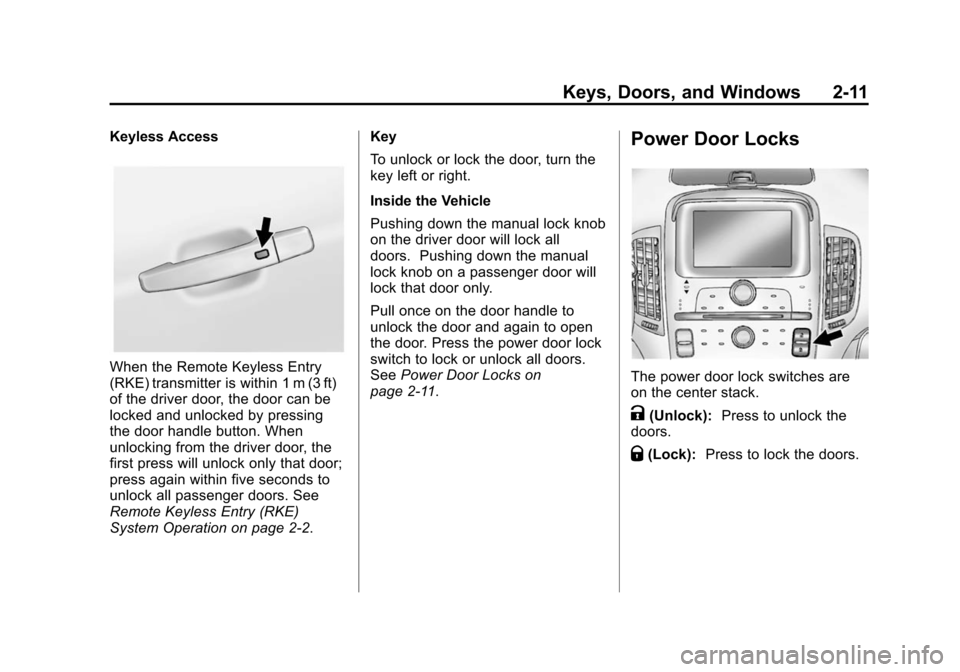
Keyless Access
When the Remote Keyless Entry
(RKE) transmitter is within 1 m (3 ft)
of the driver door, the door can be
locked and unlocked by pressing
the door handle button. When
unlocking from the driver door, the
first press will unlock only that door;
press again within five seconds to
unlock all passenger doors. See
Remote Keyless Entry (RKE)
System Operation on page 2-2.Key
To unlock or lock the door, turn the
key left or right.
Inside the Vehicle
Pushing down the manual lock knob
on the driver door will lock all
doors. Pushing down the manual
lock knob on a passenger door will
lock that door only.
Pull once on the door handle to
unlock the door and again to open
the door. Press the power door lock
switch to lock or unlock all doors.
See
Power Door Locks on
page 2-11.
Power Door Locks
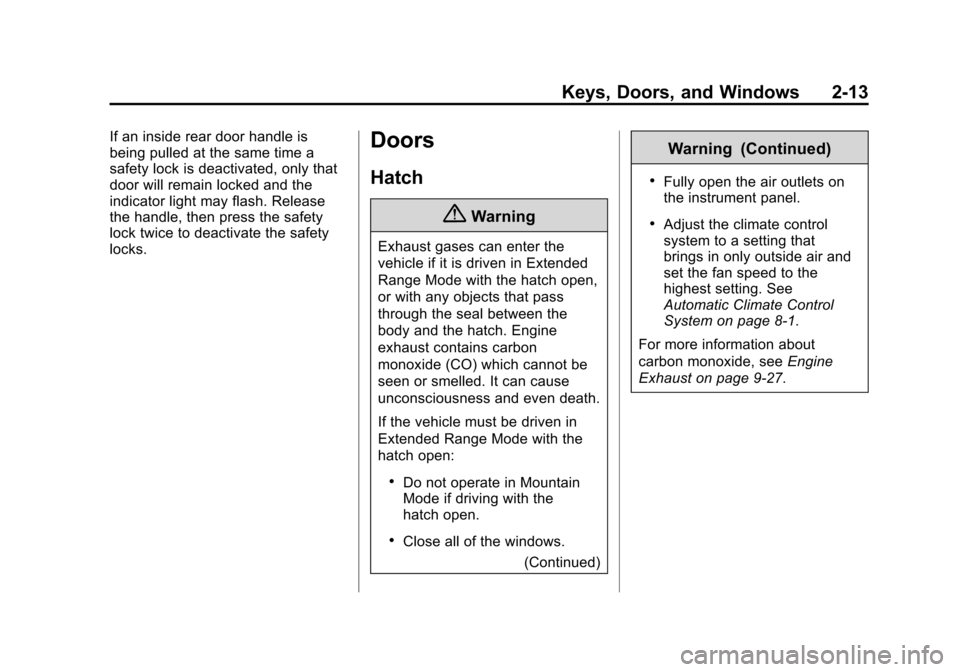
The power door lock switches are
on the center stack.
K(Unlock): Press to unlock the
doors.
Q(Lock): Press to lock the doors.
Page 47 of 394
(13,1)Chevrolet VOLT Owner Manual (GMNA-Localizing-U.S./Canada-6014139) -
2014 - CRC - 9/16/13
Keys, Doors, and Windows 2-13
If an inside rear door handle is
being pulled at the same time a
safety lock is deactivated, only that
door will remain locked and the
indicator light may flash. Release
the handle, then press the safety
lock twice to deactivate the safety
locks.Doors
Hatch
{Warning
Exhaust gases can enter the
vehicle if it is driven in Extended
Range Mode with the hatch open,
or with any objects that pass
through the seal between the
body and the hatch. Engine
exhaust contains carbon
monoxide (CO) which cannot be
seen or smelled. It can cause
unconsciousness and even death.
If the vehicle must be driven in
Extended Range Mode with the
hatch open:
.Do not operate in Mountain
Mode if driving with the
hatch open.
.Close all of the windows.(Continued)
Warning (Continued)
.Fully open the air outlets on
the instrument panel.
.Adjust the climate control
system to a setting that
brings in only outside air and
set the fan speed to the
highest setting. See
Automatic Climate Control
System on page 8-1.
For more information about
carbon monoxide, see Engine
Exhaust on page 9-27.
Page 48 of 394
(14,1)Chevrolet VOLT Owner Manual (GMNA-Localizing-U.S./Canada-6014139) -
2014 - CRC - 9/16/13
2-14 Keys, Doors, and Windows
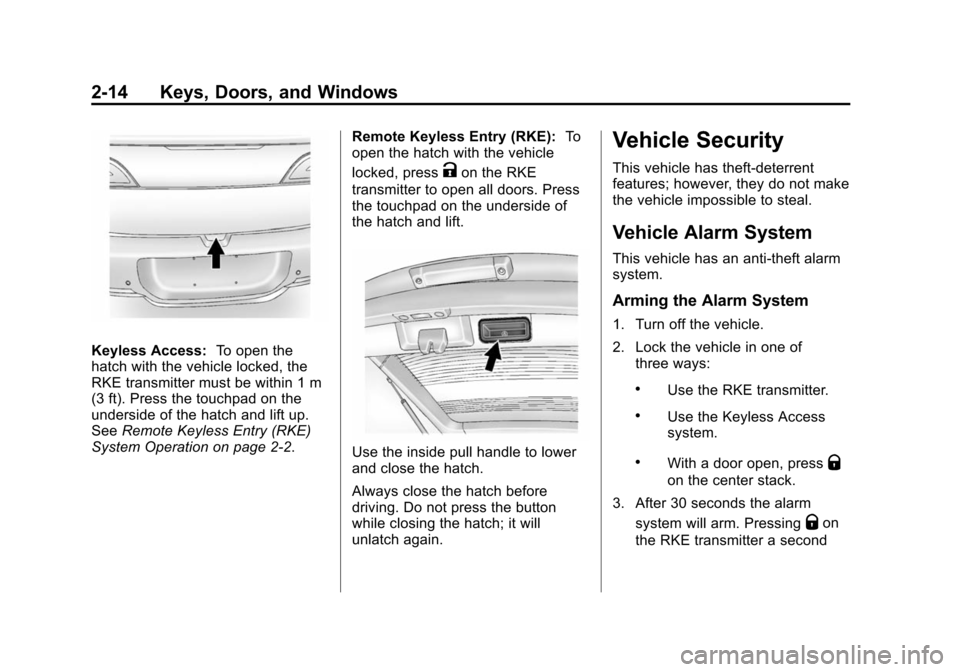
Keyless Access:To open the
hatch with the vehicle locked, the
RKE transmitter must be within 1 m
(3 ft). Press the touchpad on the
underside of the hatch and lift up.
See Remote Keyless Entry (RKE)
System Operation on page 2-2. Remote Keyless Entry (RKE):
To
open the hatch with the vehicle
locked, press
Kon the RKE
transmitter to open all doors. Press
the touchpad on the underside of
the hatch and lift.
Use the inside pull handle to lower
and close the hatch.
Always close the hatch before
driving. Do not press the button
while closing the hatch; it will
unlatch again.
Vehicle Security
This vehicle has theft-deterrent
features; however, they do not make
the vehicle impossible to steal.
Vehicle Alarm System
This vehicle has an anti-theft alarm
system.
Arming the Alarm System
1. Turn off the vehicle.
2. Lock the vehicle in one of three ways:
.Use the RKE transmitter.
.Use the Keyless Access
system.
.With a door open, pressQ
on the center stack.
3. After 30 seconds the alarm system will arm. Pressing
Qon
the RKE transmitter a second
Page 168 of 394
(60,1)Chevrolet VOLT Owner Manual (GMNA-Localizing-U.S./Canada-6014139) -
2014 - CRC - 9/16/13
5-60 Instruments and Controls
Remote Lock Feedback
This allows selection of what
feedback is provided when
unlocking the vehicle with the RKE
transmitter.
Select Lights and Horn, Lights Only,
Horn Only, or OFF.
Remote Door Unlock
This allows selection of which doors
will unlock on the first press of
Kon
the RKE transmitter.
Select Driver Door or All Doors.
If Driver Door is selected, all doors
will unlock on the second press
of
Kwithin five seconds of the prior
press.
Passive Door Unlock
This allows selection of which doors
are unlocked by pressing the button
on the outside door handle.
Select All Doors or Driver
Door Only. Passive Door Lock
This allows passive locking to be
turned on or off and select what
type of feedback.
Select On with Horn Chirp, ON,
or OFF.
Remote Left in Veh. Reminder
When on, the horn will chirp rapidly
three times if an RKE transmitter is
left in the vehicle.
Select to enable or disable.
Return to Factory Settings?
This returns all of the vehicle
personalization settings to the
factory settings.
Select Yes or No.
Universal Remote
System
See
Radio Frequency Statement on
page 13-15.
Universal Remote System
Programming
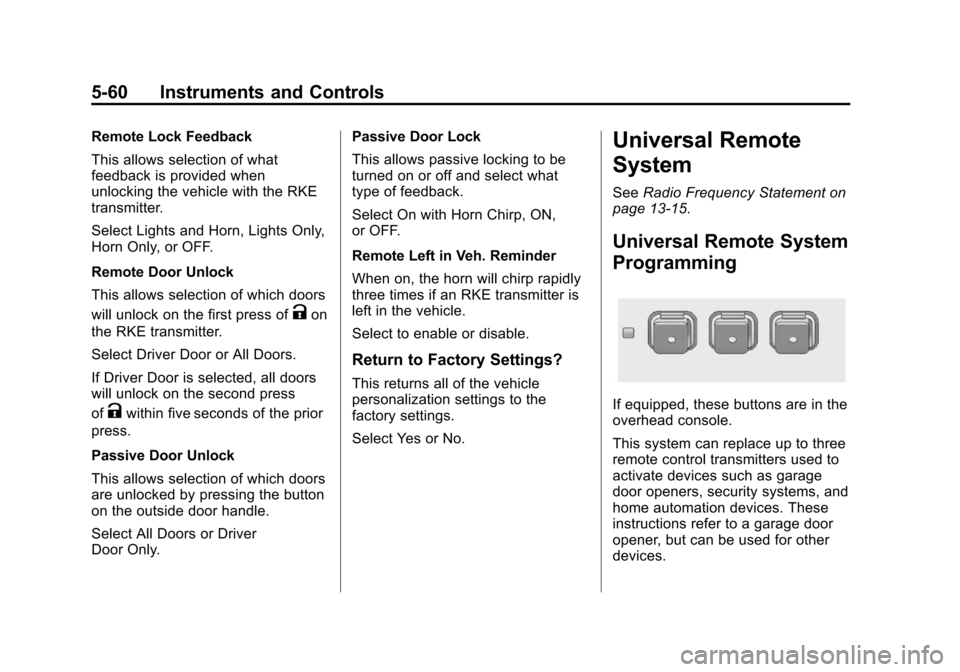
If equipped, these buttons are in the
overhead console.
This system can replace up to three
remote control transmitters used to
activate devices such as garage
door openers, security systems, and
home automation devices. These
instructions refer to a garage door
opener, but can be used for other
devices.
Page 200 of 394
(12,1)Chevrolet VOLT Owner Manual (GMNA-Localizing-U.S./Canada-6014139) -
2014 - CRC - 9/16/13
9-12 Driving and Operating
If that does not get the vehicle out
after a few tries, it might need to be
towed out. If the vehicle does need
to be towed out, seeTowing the
Vehicle on page 10-75.
Vehicle Load Limits
It is very important to know how
much weight the vehicle can
carry. This weight is called the
vehicle capacity weight and
includes the weight of all
occupants, cargo, and all
nonfactory-installed options.
Two labels on the vehicle show
how much weight it was
designed to carry, the Tire and
Loading Information label and
the Certification label.
{Warning
Do not load the vehicle any
heavier than the Gross
Vehicle Weight Rating
(GVWR), or either the
maximum front or rear Gross
Axle Weight Rating (GAWR).
This can cause systems to
break and change the way the
vehicle handles. This could
cause loss of control and a
crash. Overloading can also
shorten the life of the vehicle. Tire and Loading Information
Label
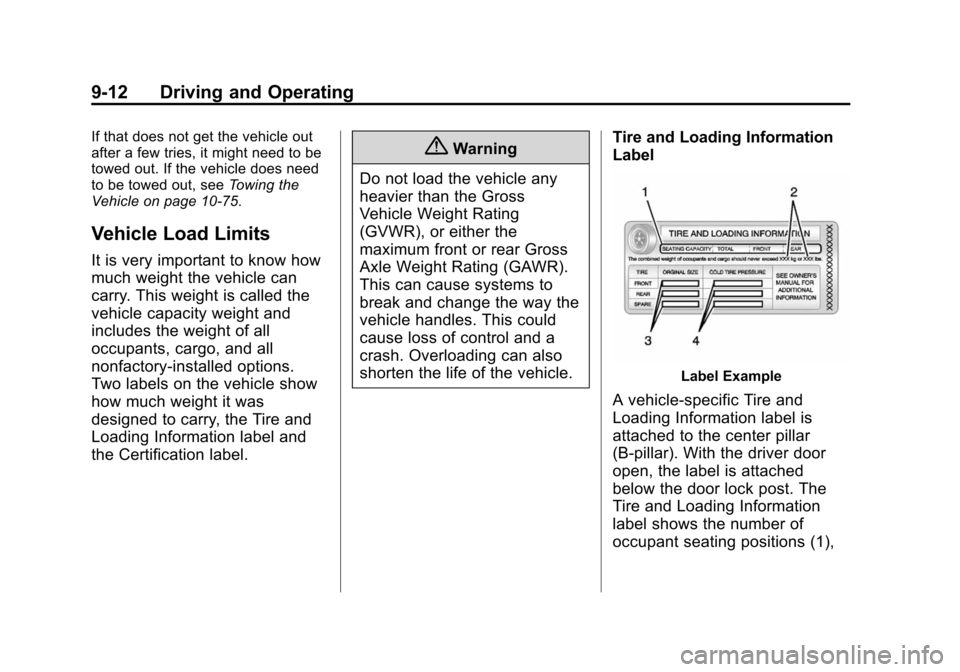
Label Example
A vehicle-specific Tire and
Loading Information label is
attached to the center pillar
(B-pillar). With the driver door
open, the label is attached
below the door lock post. The
Tire and Loading Information
label shows the number of
occupant seating positions (1),