buttons CHEVROLET VOLT 2015 2.G User Guide
[x] Cancel search | Manufacturer: CHEVROLET, Model Year: 2015, Model line: VOLT, Model: CHEVROLET VOLT 2015 2.GPages: 387, PDF Size: 12.83 MB
Page 166 of 387
Black plate (57,1)Chevrolet VOLT Owner Manual (GMNA-Localizing-U.S./Canada-7695131) -
2015 - crc - 4/25/14
Instruments and Controls 5-57
Make sure the hand-held transmitter
has a new battery for quick and
accurate transmission of the
radio-frequency signal.
Programming the Universal
Remote System
For questions or help programming
the Universal Remote system, call
1-800-355-3515 or see
www.homelink.com.
Programming involves
time-sensitive actions, and may time
out causing the procedure to be
repeated.
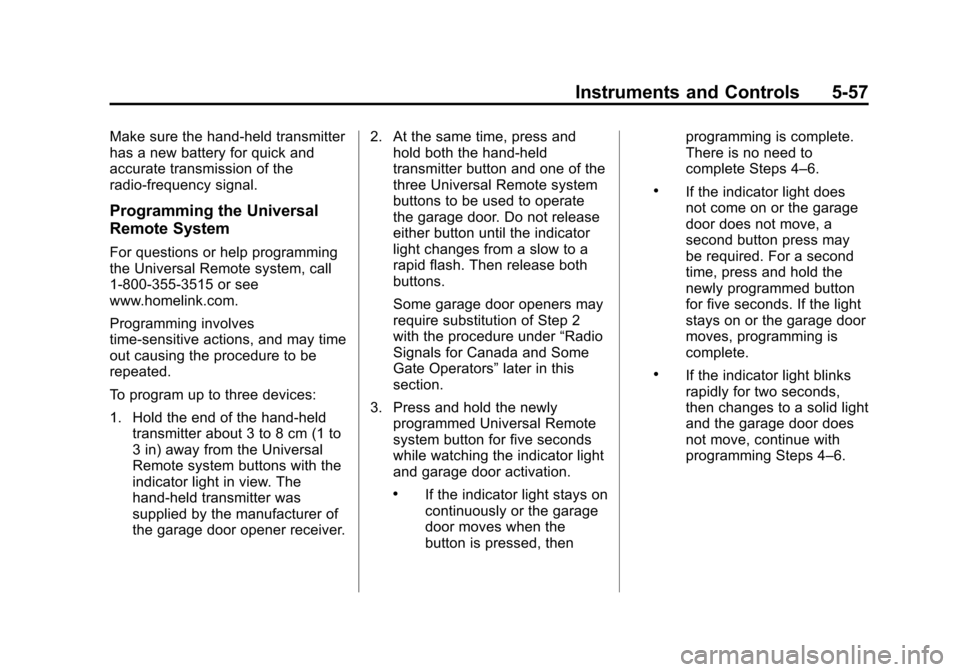
To program up to three devices:
1. Hold the end of the hand-heldtransmitter about 3 to 8 cm (1 to
3 in) away from the Universal
Remote system buttons with the
indicator light in view. The
hand-held transmitter was
supplied by the manufacturer of
the garage door opener receiver. 2. At the same time, press and
hold both the hand-held
transmitter button and one of the
three Universal Remote system
buttons to be used to operate
the garage door. Do not release
either button until the indicator
light changes from a slow to a
rapid flash. Then release both
buttons.
Some garage door openers may
require substitution of Step 2
with the procedure under “Radio
Signals for Canada and Some
Gate Operators” later in this
section.
3. Press and hold the newly programmed Universal Remote
system button for five seconds
while watching the indicator light
and garage door activation.
.If the indicator light stays on
continuously or the garage
door moves when the
button is pressed, then programming is complete.
There is no need to
complete Steps 4–6.
.If the indicator light does
not come on or the garage
door does not move, a
second button press may
be required. For a second
time, press and hold the
newly programmed button
for five seconds. If the light
stays on or the garage door
moves, programming is
complete.
.If the indicator light blinks
rapidly for two seconds,
then changes to a solid light
and the garage door does
not move, continue with
programming Steps 4–6.
Page 167 of 387
Black plate (58,1)Chevrolet VOLT Owner Manual (GMNA-Localizing-U.S./Canada-7695131) -
2015 - crc - 4/25/14
5-58 Instruments and Controls
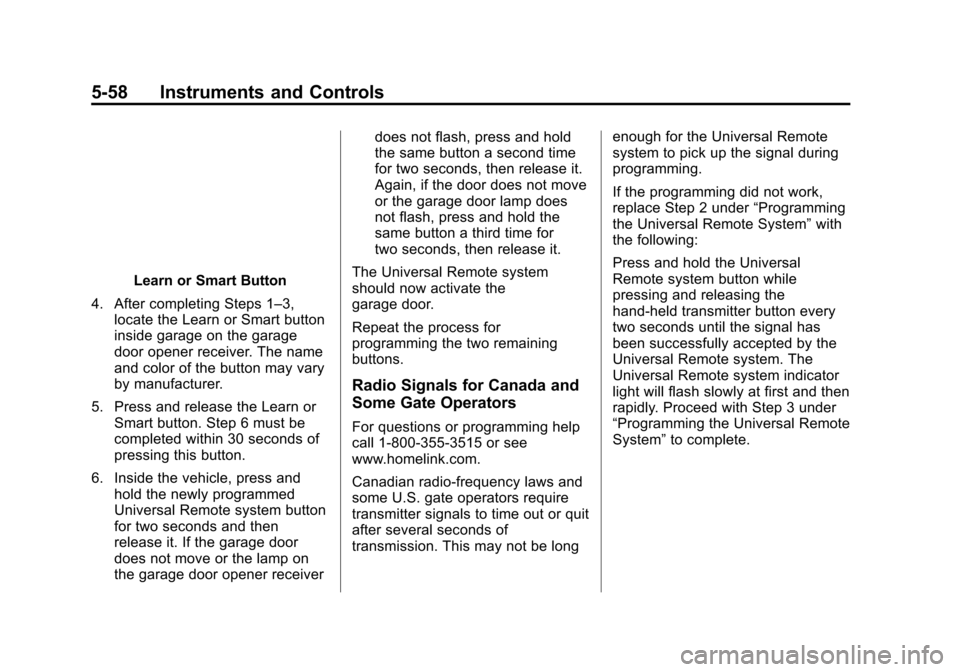
Learn or Smart Button
4. After completing Steps 1–3, locate the Learn or Smart button
inside garage on the garage
door opener receiver. The name
and color of the button may vary
by manufacturer.
5. Press and release the Learn or Smart button. Step 6 must be
completed within 30 seconds of
pressing this button.
6. Inside the vehicle, press and hold the newly programmed
Universal Remote system button
for two seconds and then
release it. If the garage door
does not move or the lamp on
the garage door opener receiver does not flash, press and hold
the same button a second time
for two seconds, then release it.
Again, if the door does not move
or the garage door lamp does
not flash, press and hold the
same button a third time for
two seconds, then release it.
The Universal Remote system
should now activate the
garage door.
Repeat the process for
programming the two remaining
buttons.
Radio Signals for Canada and
Some Gate Operators
For questions or programming help
call 1-800-355-3515 or see
www.homelink.com.
Canadian radio-frequency laws and
some U.S. gate operators require
transmitter signals to time out or quit
after several seconds of
transmission. This may not be long enough for the Universal Remote
system to pick up the signal during
programming.
If the programming did not work,
replace Step 2 under
“Programming
the Universal Remote System” with
the following:
Press and hold the Universal
Remote system button while
pressing and releasing the
hand-held transmitter button every
two seconds until the signal has
been successfully accepted by the
Universal Remote system. The
Universal Remote system indicator
light will flash slowly at first and then
rapidly. Proceed with Step 3 under
“Programming the Universal Remote
System” to complete.
Page 168 of 387
Black plate (59,1)Chevrolet VOLT Owner Manual (GMNA-Localizing-U.S./Canada-7695131) -
2015 - crc - 4/25/14
Instruments and Controls 5-59
Universal Remote System
Operation
Using the Universal Remote
System
Press and hold the appropriate
Universal Remote system button for
at least one-half second. The
indicator light will come on while the
signal is being transmitted.
Erasing Universal Remote
System Buttons
Erase all programmed buttons when
vehicle ownership is terminated.
To erase:
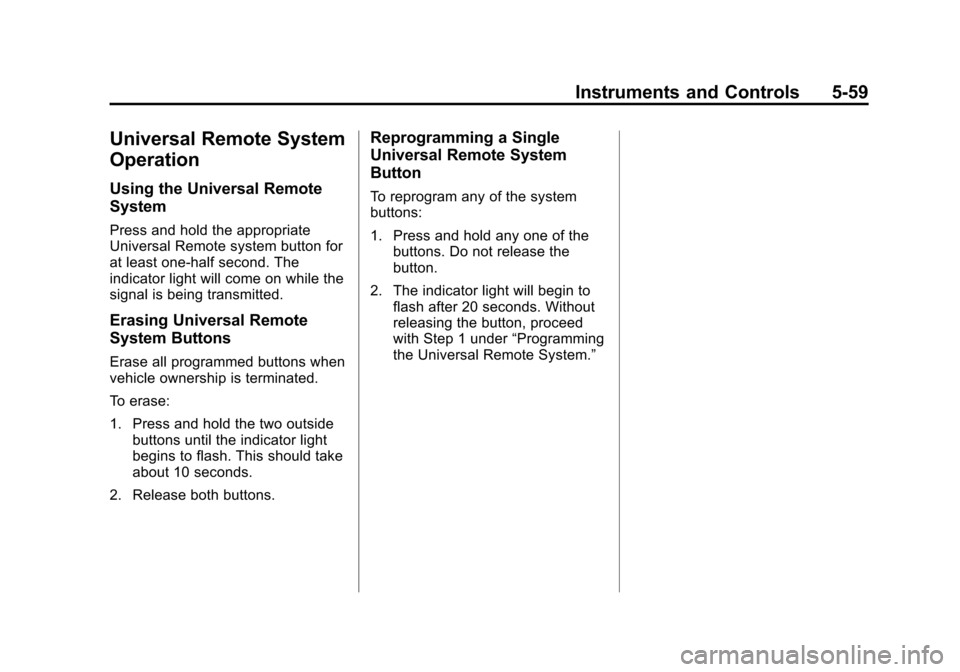
1. Press and hold the two outsidebuttons until the indicator light
begins to flash. This should take
about 10 seconds.
2. Release both buttons.
Reprogramming a Single
Universal Remote System
Button
To reprogram any of the system
buttons:
1. Press and hold any one of the buttons. Do not release the
button.
2. The indicator light will begin to flash after 20 seconds. Without
releasing the button, proceed
with Step 1 under “Programming
the Universal Remote System.”
Page 173 of 387
Black plate (4,1)Chevrolet VOLT Owner Manual (GMNA-Localizing-U.S./Canada-7695131) -
2015 - crc - 4/25/14
6-4 Lighting
If after signaling a turn or lane
change, the arrow flashes rapidly or
does not come on, a signal bulb
may be burned out.
Have any burned out bulbs
replaced. If a bulb is not burned out,
check the fuse. SeeInstrument
Panel Fuse Block (Left Side) on
page 10-35 orInstrument Panel
Fuse Block (Right Side) on
page 10-36.Interior Lighting
Instrument Panel
Illumination Control
The brightness of the instrument
panel cluster display, infotainment
display and controls, steering wheel
controls, and all other illuminated
controls, as well as feature status
indicators can be adjusted.
The thumbwheel is on the
instrument panel beside the steering
column.
Move the thumbwheel up or down to
brighten or dim the lights.
Dome Lamps
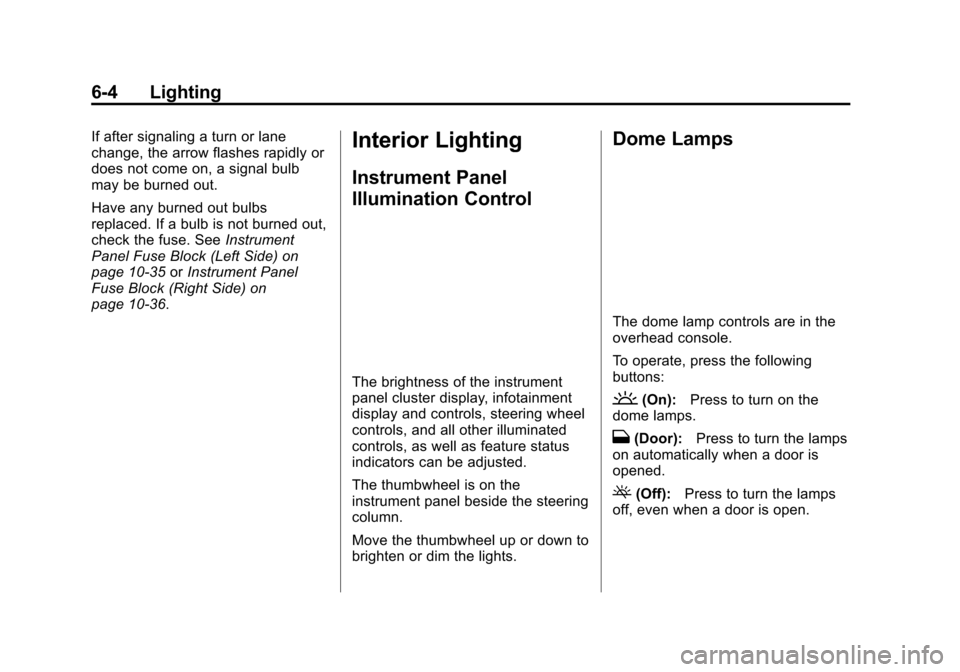
The dome lamp controls are in the
overhead console.
To operate, press the following
buttons:
'(On): Press to turn on the
dome lamps.
H(Door): Press to turn the lamps
on automatically when a door is
opened.
((Off): Press to turn the lamps
off, even when a door is open.
Page 178 of 387
Black plate (1,1)Chevrolet VOLT Owner Manual (GMNA-Localizing-U.S./Canada-7695131) -
2015 - crc - 4/25/14
Climate Controls 8-1
Climate Controls
Climate Control Systems
Automatic Climate ControlSystem . . . . . . . . . . . . . . . . . . . . . . 8-1
Air Vents
Air Vents . . . . . . . . . . . . . . . . . . . . . . 8-8
Climate Control
Systems
Automatic Climate
Control System
The climate control buttons and the
touch screen are used to adjust the
heating, cooling, and ventilation.
The vehicle may require the use of
an auxiliary heat source under
certain cold conditions. This
provides additional heating and
defrost capability obtained by
running the engine, even if the high
voltage battery is adequately
charged. Under these conditions,
the engine will start and use fuel.
Make sure there is fuel in the tank.
Do not allow the vehicle to remain in
extreme temperatures for long
periods without being driven or
being plugged in.
Page 179 of 387
Black plate (2,1)Chevrolet VOLT Owner Manual (GMNA-Localizing-U.S./Canada-7695131) -
2015 - crc - 4/25/14
8-2 Climate Controls
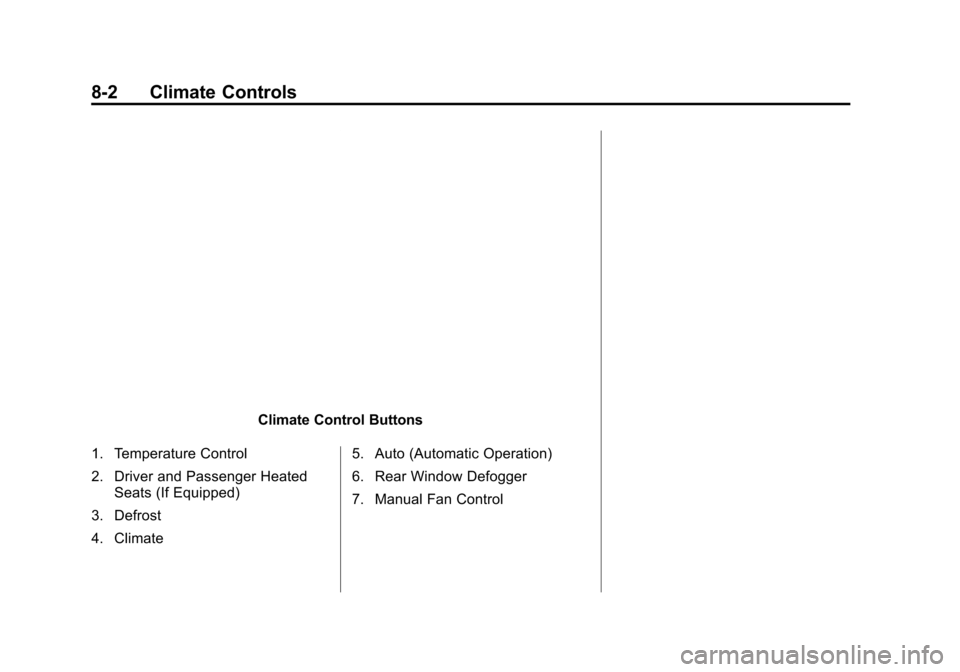
Climate Control Buttons
1. Temperature Control
2. Driver and Passenger Heated Seats (If Equipped)
3. Defrost
4. Climate 5. Auto (Automatic Operation)
6. Rear Window Defogger
7. Manual Fan Control
Page 182 of 387
Black plate (5,1)Chevrolet VOLT Owner Manual (GMNA-Localizing-U.S./Canada-7695131) -
2015 - crc - 4/25/14
Climate Controls 8-5
The air conditioning and electric
heat could be on at the same time
when dehumidification is required in
ECO or Comfort modes.
In Fan Only mode, occasionally the
air conditioning and/or heating
status will be on if the Auto Defog
function is enabled and high
humidity is detected. See“Climate
and Air Quality” underVehicle
Personalization on page 5-50, for
details on enabling or disabling the
Auto Defog function.
The air conditioning may also run if
0is selected, regardless of the
climate mode.
Automatic Operation
The system automatically controls
the fan speed, air delivery mode,
and recirculation to heat or cool the
vehicle to the selected temperature.
When the AUTO indicator light is
on, the system is in full automatic
operation. If the air delivery mode, fan speed, or recirculation setting is
adjusted, the AUTO indicator turns
off and the selected settings display.
For automatic operation:
1. Press AUTO.
2. Set the temperature. An initial
setting of 23°C (74°F) is
recommended. Allow the system
time to stabilize. Adjust the
temperature as needed.
Q/R(Temperature Control):
Press to increase or decrease the
temperature.
Auto Defog: The system will
monitor high humidity inside the
vehicle. When high humidity is
detected, the climate control system
may adjust to outside air supply and
turn on the air conditioner or the
heater. The fan speed may slightly
increase to help prevent fogging.
When high humidity is no longer
detected, the system will return to
its prior operation. To turn Auto Defog off or on, see
“Climate and
Air Quality” underVehicle
Personalization on page 5-50.
Manual Operation
A(Fan Control): Press the fan
control buttons or the touch screen
fan control, to increase or decrease
the fan speed. The fan speed
setting displays. Pressing either
button cancels automatic fan control
and the fan can be controlled
manually. Press AUTO to return to
automatic operation. Press the fan
down button repeatedly to turn off
the fan and the climate control
system.
If the fan is manually turned off
while in ECO or Comfort mode, the
display will automatically change to
Fan Only mode. When the fan is
turned back on either by manually
increasing fan speed or pressing the
AUTO button, the climate mode will
revert back to ECO or
Comfort mode.
Page 183 of 387

Black plate (6,1)Chevrolet VOLT Owner Manual (GMNA-Localizing-U.S./Canada-7695131) -
2015 - crc - 4/25/14
8-6 Climate Controls
Air Delivery Mode Control:Press
CLIMATE to select the Climate
touch screen. Press the air delivery
mode touch screen button to
change the direction of the airflow.
The selected air delivery mode
button is lit. Pressing any of the air
delivery buttons cancels automatic
air delivery control and the direction
of the airflow can be controlled
manually. Press AUTO to return to
automatic operation.
To change the current mode, select
one of the following:
Y(Vent): Air is directed to the
instrument panel outlets.
\(Bi-Level): Air is divided
between the instrument panel
outlets and the floor outlets.
[(Floor): Air is directed to the
floor outlets.
-(Defog): Air is directed to the
windshield and floor outlets. Clears
the windows of fog or moisture.
0(Defrost): Air is directed to the
windshield. The windshield is
cleared of fog or frost more quickly.
Selecting
0will disable automatic
control and the AUTO button
indicator will not be lit.
Selecting
0again will return to the
previous climate settings.
For best results, clear all snow and
ice from the windshield before
defrosting.
If
0is selected in Fan Only or
ECO mode, air conditioning or
electric heat may turn on and have
a noticeable effect on vehicle
electric range and fuel economy.
AUTO
h(Auto Recirculation):
Press to allow the system to
automatically choose the air supply
mode for best performance in terms
of comfort, efficiency, and
defogging. Air is recirculated or
outside air is pulled into the vehicle.
The touch screen button is lit.
h(Manual Recirculation):
Press to alternate between
recirculating air inside the vehicle or
pulling in outside air. When
selected, the touch screen button
lights up to indicate that air is being
recirculated. This helps to quickly
cool the air inside the vehicle or
prevent outside air and odors from
entering.
Pressing this button cancels
automatic recirculation. Press AUTO
or AUTO
hto return to automatic
operation; recirculation runs
automatically as needed.
Manual recirculation mode is not
available when in Defrost or Defog
modes.
M/L(Manual Heated Seats): If
available, the controls are on the
center stack. To operate, the vehicle
must be on.
Press
MorLto heat the driver or
passenger seat cushion and
seatback. For more information, see
Heated Front Seats on page 3-5.
Page 184 of 387
Black plate (7,1)Chevrolet VOLT Owner Manual (GMNA-Localizing-U.S./Canada-7695131) -
2015 - crc - 4/25/14
Climate Controls 8-7
MAUTO/LAUTO (Auto Heated
Seats): If available, the controls
are on the touch screen on the
center stack.
Press the touch screen
LAUTO or
MAUTO button. The button color
will change to green when this
feature is on. When the vehicle is
on, this feature will automatically
activate the heated seats at the
level required by the vehicle's
interior temperature. The active
high, medium, low, or off heated
seat level will be indicated by the
manual heated seat button lights on
the center stack. Use the touch
screen buttons or the manual
heated seat buttons on the center
stack to turn auto heated seats off.
For more information, see Heated
Front Seats on page 3-5.
Rear Window Defogger
=(Rear Window Defogger):
Press to turn the rear window
defogger on or off. An indicator light
on the button comes on to show that
the rear window defogger is on. The defogger only works when the
vehicle is in ON/RUN. The defogger
will turn off if the vehicle is
turned off.
If equipped with heated outside
rearview mirrors, they turn on when
the rear window defogger button is
on and help to clear fog or frost from
the surface of the mirror. See
Heated Mirrors on page 2-17.
{Caution
Do not try to clear frost or other
material from the inside of the
front windshield and rear window
with a razor blade or anything
else that is sharp. This may
damage the rear window
defogger grid and affect the
radio's ability to pick up stations
clearly. The repairs would not be
covered by the vehicle warranty.
Remote Start: If equipped with this
feature, the climate control system
may be started by using the Remote Keyless Entry (RKE) transmitter.
The climate control system will
default to an appropriate heating or
cooling mode. See
Remote Start on
page 2-8.
The rear window defogger turns on
if it is cold outside.
Compressor
The vehicle has an electric powered
air conditioning compressor. This
allows for continuous air
conditioning and/or high voltage
battery cooling operation, without
running the engine.
The compressor operating speed is
not tied to the engine speed, so
some noise may be heard from the
compressor, especially when air
conditioning use is high and the
engine has turned off. This is
normal.
Page 366 of 387
Black plate (1,1)Chevrolet VOLT Owner Manual (GMNA-Localizing-U.S./Canada-7695131) -
2015 - crc - 4/25/14
OnStar 14-1
OnStar
OnStar Overview
OnStar Overview . . . . . . . . . . . . 14-1
OnStar Services
Emergency . . . . . . . . . . . . . . . . . . 14-2
Security . . . . . . . . . . . . . . . . . . . . . . 14-3
Navigation . . . . . . . . . . . . . . . . . . . 14-3
Connections . . . . . . . . . . . . . . . . . 14-4
Vehicle Diagnostics . . . . . . . . . . 14-6
OnStar Additional Information
OnStar AdditionalInformation . . . . . . . . . . . . . . . . . 14-6
OnStar Overview
=Voice Command Button
QBlue OnStar Button
>Emergency Button
This vehicle may be equipped with a
comprehensive, in-vehicle system
that can connect to a live OnStar
Advisor for Emergency, Security,
Navigation, Connection, and
Diagnostic Services. OnStar
services may require a paid
subscription. OnStar requires the
vehicle battery and electrical
system, cellular service, and GPS
satellite signals to be available and
operating. OnStar acts as a link to
existing public emergency service
providers. OnStar may collect
information about you and your vehicle, including location
information. See OnStar
’s Terms
and Conditions and Privacy
Statement for more details including
system limitations at
www.onstar.com (U.S.) or
www.onstar.ca (Canada).
The OnStar system status light is
next to the OnStar buttons. If the
status light is:
.Solid Green: System is on.
.Flashing Green: On a call.
.Red: Indicates a problem.
.Off: System is off. Press the blue
OnStar button twice to speak
with an OnStar Advisor.
Press
Qor call 1-888-4-ONSTAR
(1-888-466-7827) to speak to an
Advisor.
Press
=to:
.Make a call, end a call,
or answer an incoming call.
.Give OnStar Hands-Free Calling
voice commands.