maintenance CHEVROLET VOLT 2015 2.G User Guide
[x] Cancel search | Manufacturer: CHEVROLET, Model Year: 2015, Model line: VOLT, Model: CHEVROLET VOLT 2015 2.GPages: 387, PDF Size: 12.83 MB
Page 149 of 387
Black plate (40,1)Chevrolet VOLT Owner Manual (GMNA-Localizing-U.S./Canada-7695131) -
2015 - crc - 4/25/14
5-40 Instruments and Controls
DIC Operation and Displays
View the DIC displays by pressing
the DIC buttons to the left of the
steering wheel. The DIC displays
trip, fuel, and warning messages if a
system problem is detected.
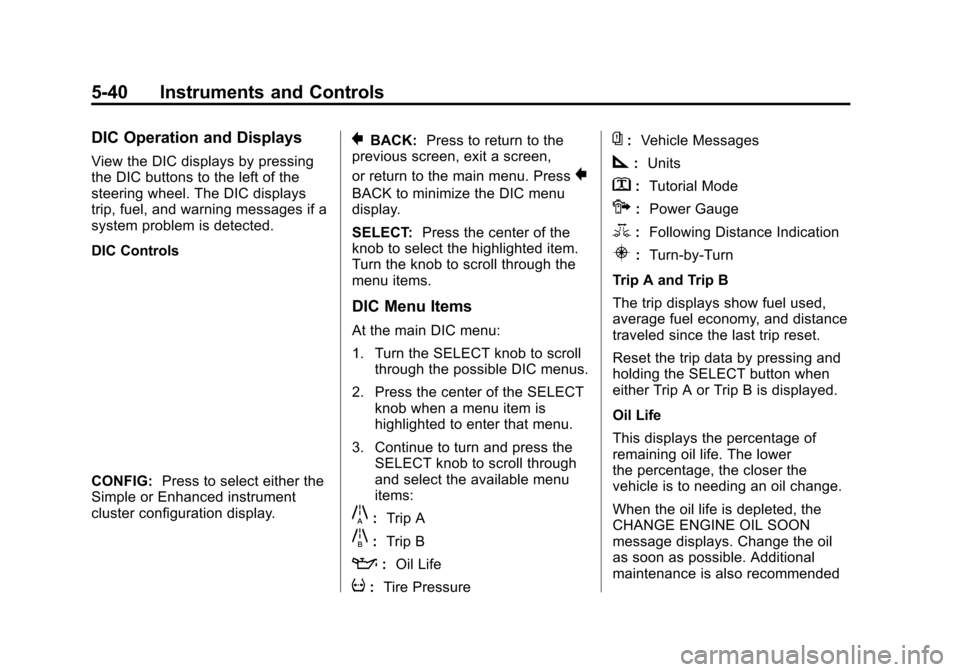
DIC Controls
CONFIG:Press to select either the
Simple or Enhanced instrument
cluster configuration display.
}BACK: Press to return to the
previous screen, exit a screen,
or return to the main menu. Press
}
BACK to minimize the DIC menu
display.
SELECT: Press the center of the
knob to select the highlighted item.
Turn the knob to scroll through the
menu items.
DIC Menu Items
At the main DIC menu:
1. Turn the SELECT knob to scroll
through the possible DIC menus.
2. Press the center of the SELECT knob when a menu item is
highlighted to enter that menu.
3. Continue to turn and press the SELECT knob to scroll through
and select the available menu
items:
}:Trip A
x:Trip B
::Oil Life
v:Tire Pressure
{:Vehicle Messages
z:Units
y: Tutorial Mode
{:Power Gauge
3: Following Distance Indication
u:Turn-by-Turn
Trip A and Trip B
The trip displays show fuel used,
average fuel economy, and distance
traveled since the last trip reset.
Reset the trip data by pressing and
holding the SELECT button when
either Trip A or Trip B is displayed.
Oil Life
This displays the percentage of
remaining oil life. The lower
the percentage, the closer the
vehicle is to needing an oil change.
When the oil life is depleted, the
CHANGE ENGINE OIL SOON
message displays. Change the oil
as soon as possible. Additional
maintenance is also recommended
Page 150 of 387
Black plate (41,1)Chevrolet VOLT Owner Manual (GMNA-Localizing-U.S./Canada-7695131) -
2015 - crc - 4/25/14
Instruments and Controls 5-41
in the Maintenance Schedule. See
Maintenance Schedule on
page 11-2andEngine Oil on
page 10-9.
The oil life must be reset after each
oil change. Avoid accidental
resetting of the Engine Oil Life
System. It cannot be reset
accurately until the next oil change.
To reset the Engine Oil Life System,
see Engine Oil Life System on
page 10-12. The system is reset
when 100% displays.
Tire Pressure
The display will show a vehicle with
the approximate pressures of all
four tires. Tire pressure is displayed
in either kilopascals (kPa) or in
pounds per square inch (psi).
If a low or high tire pressure is
detected, a message is displayed
advising to check the tire pressure
in the specified tire. See Tire
Pressure on page 10-46 andTire
Messages on page 5-49. If the tire pressure display shows
dashes instead of a value, there
may be a problem with the vehicle.
See your dealer for service.
Vehicle Messages
Turn the SELECT knob to scroll
through any active warning
messages. Press SELECT to review
the messages.
Units
Turn the SELECT knob to change
the unit display to METRIC or US
when the display is active. Press
SELECT to confirm the setting. This
will change the displays on the
cluster and DIC to either metric or
English (US) measurements.
Tutorial Mode
Select this menu item to view a
screen that explains some of the
unique features of the cluster or the
Open Source Software information
for the cluster.
Tutorial mode is only available when
the vehicle is in P (Park).Power Gauge
Select this menu item the power
gauge.
The power gauge informs the driver
of the total power coming from the
engine or battery to operate the
vehicle. When in Regen mode, this
gauge will inform the driver of the
amount of power being restored to
the battery from the vehicle.
Following Distance Indication
Select this menu item to view the
following distance indication. See
“Following Distance Indication”
under
Forward Collision Alert (FCA)
System on page 9-37.
Turn-by-Turn
Select this menu item to view the
OnStar or Navigation System
Turn-by-Turn guidance. See the
infotainment manual.
Page 153 of 387
Black plate (44,1)Chevrolet VOLT Owner Manual (GMNA-Localizing-U.S./Canada-7695131) -
2015 - crc - 4/25/14
5-44 Instruments and Controls
Electric Drive Unit
Messages
SHIFT TO PARK
This message displays when the
vehicle should be shifted to
P (Park). This may appear when
attempting to turn off the vehicle
when it is not in P (Park).
Engine Cooling System
Messages
ENGINE OVERHEATED—
REDUCE SPEED
This message displays when the
engine coolant temperature or
engine oil is too hot. Reduce speed
and allow the vehicle to cool down.
ENGINE OVERHEATED —
TURN VEHICLE OFF
This message displays and a
continuous chime sounds if the
engine cooling system reaches
unsafe temperatures for operation.
Stop and turn off the vehicle as soon as it is safe to do so to avoid
severe damage. This message
clears when the engine has cooled
to a safe operating temperature.
ENGINE RUNNING DUE TO
TEMPERATURE
This message displays when the
high voltage battery is charged but
the engine has to come on because
of the outside temperature or high
voltage battery temperature.
Engine Oil Messages
CHANGE ENGINE OIL SOON
This message displays when the
engine oil needs to be changed.
After changing the engine oil, the
Engine Oil Life System must be
reset. See
Engine Oil Life System
on page 10-12 andDriver
Information Center (DIC) on
page 5-39 for information on how to
reset the system. See Engine Oil on
page 10-9 andMaintenance
Schedule on page 11-2.
OIL PRESSURE LOW —TURN
VEHICLE OFF
This message displays if low oil
pressure levels occur. Stop the
vehicle as soon as safely possible
and do not operate it until the cause
of the low oil pressure has been
corrected. Check the oil as soon as
possible and have the vehicle
serviced by your dealer.
Fuel System Messages
CLOSE FUEL DOOR
This message displays when the
fuel door is open and the vehicle is
moving.
ENGINE NOT AVAILABLE
ADD FUEL
This message displays when the
engine is not available due to
running out of fuel. The vehicle can
continue to be driven in Electric
Mode until the battery is depleted,
but will have reduced acceleration.
Page 157 of 387
Black plate (48,1)Chevrolet VOLT Owner Manual (GMNA-Localizing-U.S./Canada-7695131) -
2015 - crc - 4/25/14
5-48 Instruments and Controls
SeeTraction Control/Electronic
Stability Control on page 9-33 for
information on resetting the system.
STABILITRAK OFF
This message displays when
StabiliTrak is turned off. Adjust your
driving accordingly.
TRACTION CONTROL OFF
This message displays when the
Traction Control System (TCS) is
turned off. Adjust your driving
accordingly.
TRACTION CONTROL ON
This message displays when the
Traction Control System (TCS) is
turned on.
Airbag System Messages
SERVICE AIRBAG
This message displays if there is a
problem with the airbag system.
Take the vehicle to your dealer for
service.
Security Messages
SERVICE THEFT ALARM
This message displays if there is a
problem with the alarm. See your
dealer for service.
SERVICE THEFT DETERRENT
SYSTEM
This message displays if there is a
problem with the theft-deterrent
system. See your dealer for service.
Service Vehicle Messages
ENGINE MAINTENANCE XXX%
COMPLETE
This message displays when the
Engine Maintenance Mode is
running. See “Engine Maintenance
Mode” underMaintenance Modes
on page 9-25.
ENGINE NOT AVAILABLE
SERVICE SOON
This message displays when the
engine is not available due to a
malfunction that will not allow the
engine to start. The vehicle can
continue to be driven in Electric
Mode until the battery is depleted,
but will have reduced acceleration.
When this message is displayed,
the vehicle should be taken to your
dealer for service as soon as
possible. See Out of Fuel/Engine
Unavailable on page 9-25.
SERVICE AC SYSTEM
This message displays if there is a
problem with the air conditioning
system. Take the vehicle to your
dealer for service.
SERVICE HEATER SOON
This message displays if there is a
problem with the heater system.
Take the vehicle to your dealer for
service.
Page 186 of 387
Black plate (1,1)Chevrolet VOLT Owner Manual (GMNA-Localizing-U.S./Canada-7695131) -
2015 - crc - 4/25/14
Driving and Operating 9-1
Driving and
Operating
Driving Information
Driving for Better EnergyEfficiency . . . . . . . . . . . . . . . . . . . . 9-2
Distracted Driving . . . . . . . . . . . . . 9-4
Defensive Driving . . . . . . . . . . . . . 9-5
Drunk Driving . . . . . . . . . . . . . . . . . 9-5
Control of a Vehicle . . . . . . . . . . . 9-5
Braking . . . . . . . . . . . . . . . . . . . . . . . 9-5
Steering . . . . . . . . . . . . . . . . . . . . . . . 9-6
Off-Road Recovery . . . . . . . . . . . . 9-6
Loss of Control . . . . . . . . . . . . . . . . 9-7
Driving on Wet Roads . . . . . . . . . 9-7
Hill and Mountain Roads . . . . . . 9-9
Winter Driving . . . . . . . . . . . . . . . . . 9-9
If the Vehicle Is Stuck . . . . . . . . 9-11
Vehicle Load Limits . . . . . . . . . . 9-12
Starting and Operating
New Vehicle Break-In . . . . . . . . 9-16
Power Button . . . . . . . . . . . . . . . . 9-16
Starting and Stopping the Vehicle . . . . . . . . . . . . . . . . . . . . . 9-18
Retained Accessory Power (RAP) . . . . . . . . . . . . . . . 9-19 Shifting Into Park . . . . . . . . . . . . 9-19
Shifting out of Park . . . . . . . . . . 9-20
Parking over Things
That Burn . . . . . . . . . . . . . . . . . . 9-21
Electric Vehicle Operating
Modes
System Operation . . . . . . . . . . . 9-21
Electric Mode . . . . . . . . . . . . . . . . 9-22
Extended Range Mode . . . . . . 9-22
Driver Selected OperatingModes . . . . . . . . . . . . . . . . . . . . . . 9-22
Out of Fuel/Engine Unavailable . . . . . . . . . . . . . . . . 9-25
Maintenance Modes . . . . . . . . . 9-25
Engine Exhaust
Engine Exhaust . . . . . . . . . . . . . . 9-27
Running the Vehicle While Parked . . . . . . . . . . . . . . . . . . . . . 9-28
Electric Drive Unit
Electric Drive Unit . . . . . . . . . . . 9-28
Brakes
Antilock BrakeSystem (ABS) . . . . . . . . . . . . . . 9-30
Electric Parking Brake . . . . . . . 9-31
Regenerative Braking . . . . . . . . 9-32
Ride Control Systems
Traction Control/Electronic Stability Control . . . . . . . . . . . . 9-33
Cruise Control
Cruise Control . . . . . . . . . . . . . . . 9-35
Driver Assistance Systems
Forward Collision Alert (FCA)System . . . . . . . . . . . . . . . . . . . . . 9-37
Parking Assist . . . . . . . . . . . . . . . 9-39
Rear Vision Camera (RVC) . . . . . . . . . . . . . 9-42
Lane Departure Warning (LDW) . . . . . . . . . . . . . 9-44
Charging
Plug-In Charging . . . . . . . . . . . . . 9-45
Delayed ChargingOverride . . . . . . . . . . . . . . . . . . . . 9-47
Charging Status Feedback . . . . . . . . . . . . . . . . . . 9-48
Charge Cord . . . . . . . . . . . . . . . . . 9-51
Utility Interruption of Charging . . . . . . . . . . . . . . . . . . . 9-52
Electrical Requirements for Battery Charging . . . . . . . . . . . 9-52
Page 188 of 387
Black plate (3,1)Chevrolet VOLT Owner Manual (GMNA-Localizing-U.S./Canada-7695131) -
2015 - crc - 4/25/14
Driving and Operating 9-3
Sport Mode provides more
responsive acceleration than
Normal Mode but can reduce
efficiency.
Use Mountain Mode prior to
climbing long, steep grades in
mountainous areas. Be sure to
engage Mountain Mode before
starting to climb. Mountain Mode
reduces electric range and power
but may be needed to maintain
speeds above 96 km/h (60 mph)
when climbing grades of 5% or
greater.
Use Hold Mode on a trip where all
or most of the electric charge will be
depleted. Use Hold Mode mainly
during highway or high speed
driving to maximize both EV miles
and fuel efficiency.
Use L (Low) in heavy stop-and-go
traffic or when traveling downhill.
L (Low) requires less brake pedal
application and provides a
controlled, efficient way to slow the
vehicle down.Climate Setting
Using the heat and air conditioning
systems decreases the energy
available for electric driving.
Optimal energy efficiency is
achieved with the heat, air
conditioning, and fan turned off.
Less energy is used at low fan
speeds. When using the fan:
.Fan Only is the most energy
efficient climate setting as long
as
0is not selected.
.ECO is for moderate air
conditioning and heater
operation and is the next most
energy efficient setting as long
as
0is not selected.
.Comfort provides the most
comfort but is the least energy
efficient.
Use the auto heated seat feature
instead of climate settings. Heating
the seat uses less energy than
heating the vehicle interior. Use remote start to heat or cool the
interior when the vehicle is plugged
in to maximize the electric range by
utilizing electricity from the electrical
outlet.
Engine Assisted Heating operation,
if equipped, can be personalized.
In hot weather, avoid parking in
direct sunlight or use sunshades
inside the vehicle.
Turn off the front and rear window
defog/defrost when they are no
longer needed.
Avoid driving with the windows open
at highway speeds.
See
Vehicle Personalization on
page 5-50.Vehicle Charging/Maintenance
Charging
Keep the vehicle plugged in, even
when fully charged, to keep the
battery temperature ready for the
next drive. This is important when
outside temperatures are extremely
hot or cold.
Page 189 of 387
Black plate (4,1)Chevrolet VOLT Owner Manual (GMNA-Localizing-U.S./Canada-7695131) -
2015 - crc - 4/25/14
9-4 Driving and Operating
Maintenance
Always keep the tires properly
inflated and the vehicle properly
aligned.
The weight of excess cargo in the
vehicle affects efficiency and range.
Avoid carrying more than is needed.
If fuel is not regularly used, consider
keeping the fuel tank only one-third
full. Excess fuel weight impacts
efficiency and range.
For fuel recommendations, seeFuel
on page 9-53
Avoid unnecessary use of electrical
accessories. Power used for
functions other than propelling the
vehicle will reduce EV range.
Using a rooftop carrier will reduce
efficiency due to additional weight
and drag.
Distracted Driving
Distraction comes in many forms
and can take your focus from the
task of driving. Exercise good judgment and do not let other
activities divert your attention away
from the road. Many local
governments have enacted laws
regarding driver distraction. Become
familiar with the local laws in
your area.
To avoid distracted driving, always
keep your eyes on the road, hands
on the wheel, and mind on the drive.
.Do not use a phone in
demanding driving situations.
Use a hands-free method to
place or receive necessary
phone calls.
.Watch the road. Do not read,
take notes, or look up
information on phones or other
electronic devices.
.Designate a front seat
passenger to handle potential
distractions.
.Become familiar with vehicle
features before driving, such as
programming favorite radio
stations and adjusting climate
control and seat settings.
Program all trip information into
any navigation device prior to
driving.
.Wait until the vehicle is parked
to retrieve items that have fallen
to the floor.
.Stop or park the vehicle to tend
to children.
.Keep pets in an appropriate
carrier or restraint.
.Avoid stressful conversations
while driving, whether with a
passenger or on a cell phone.
{Warning
Taking your eyes off the road too
long or too often could cause a
crash resulting in injury or death.
Focus your attention on driving.
Page 191 of 387
Black plate (6,1)Chevrolet VOLT Owner Manual (GMNA-Localizing-U.S./Canada-7695131) -
2015 - crc - 4/25/14
9-6 Driving and Operating
still be some power brake assist but
it will be used when the brake is
applied. Once the power assist is
used up, it can take longer to stop
and the brake pedal will be harder
to push.
Steering
Electric Power Steering
The vehicle has electric power
steering. It does not have power
steering fluid. Regular maintenance
is not required.
If power steering assist is lost due
to a system malfunction, the vehicle
can be steered, but may require
increased effort.
See your dealer if there is a
problem.
If the steering wheel is turned until it
reaches the end of its travel and is
held against that position for an
extended period of time, power
steering assist may be reduced.If the steering assist is used for an
extended period of time, power
assist may be reduced.
Normal use of the power steering
assist should return when the
system cools down.
See specific vehicle steering
messages under
Service Vehicle
Messages on page 5-48. See your
dealer if there is a problem.
Curve Tips
.Take curves at a reasonable
speed.
.Reduce speed before entering a
curve.
.Maintain a reasonable steady
speed through the curve.
.Wait until the vehicle is out of
the curve before accelerating
gently into the straightaway.
Steering in Emergencies
.There are some situations when
steering around a problem may
be more effective than braking.
.Holding both sides of the
steering wheel allows you to turn
180 degrees without removing
a hand.
.The Antilock Brake System
(ABS) allows steering while
braking.
Off-Road Recovery
Page 204 of 387
Black plate (19,1)Chevrolet VOLT Owner Manual (GMNA-Localizing-U.S./Canada-7695131) -
2015 - crc - 4/25/14
Driving and Operating 9-19
driver door upon entry, when the
vehicle is ready to be driven, and
when the vehicle is turned off.
The instrument cluster displays an
active fuel or battery gauge, along
with an audio startup cue, when the
vehicle is ready to be driven. This
could take up to 15 seconds at
extremely cold temperatures. The
engine will only start if needed.
If the vehicle did not start, the
instrument cluster will display a
screen with inactive fuel and battery
gauges. SeeStarting and Stopping
the Vehicle on page 9-18.
Restarting Procedure
If the vehicle must be restarted
while it is still moving, move the shift
lever to N (Neutral) and press the
POWER
Obutton twice without
pressing the brake pedal. The
propulsion system will not restart in
any other position. Computers determine when the
engine needs to run. The engine
may start, if required, when the
propulsion system is on. Some
vehicle conditions that force the
engine to run:
.There are cold ambient
temperatures.
.The hood is open or not
completely latched.
.The high voltage battery has a
low charge.
.The engine needs to run for
maintenance.
See Maintenance Modes on
page 9-25.
A chime will sound if the driver door
is opened while the vehicle is in ON/
RUN. Always press the POWER
O
button to turn the vehicle off before
exiting.
Stopping Procedure
For information on how to turn the
vehicle off, see Power Button on
page 9-16.
Retained Accessory
Power (RAP)
The following features will operate
for up to 10 minutes or until the
driver door is opened:
.Audio System
.Accessory Power Outlets
Power windows will operate for up
to 10 minutes or until any door is
opened.
Shifting Into Park
1. Hold the brake pedal down and set the parking brake. See
Electric Parking Brake on
page 9-31.
2. Move the shift lever into P (Park) by pushing the lever all the way
toward the front of the vehicle.
3. Turn the vehicle off.
Page 207 of 387
Black plate (22,1)Chevrolet VOLT Owner Manual (GMNA-Localizing-U.S./Canada-7695131) -
2015 - crc - 4/25/14
9-22 Driving and Operating
Electric Mode
In Electric Mode, the vehicle does
not use fuel or produce tailpipe
emissions. During this primary
mode, the vehicle is powered by
electrical energy stored in the high
voltage battery. The vehicle can
operate in this mode until the
battery has reached a low charge.
There are some conditions when the
battery charge is high enough to
provide Electric Mode operation, but
the engine still runs. They are:
.Cold ambient temperatures.
.Hot or cold high voltage battery
temperatures.
.The hood being open or not
completely closed and latched.
.Certain high voltage battery fault
conditions.
.Engine Maintenance Mode or
Fuel Maintenance Mode
being run.
Extended Range Mode
When the vehicle reaches the end
of its electric range, it switches to
Extended Range Mode (ERM). In
this secondary mode, electricity is
produced by the fuel‐powered
engine. This secondary source of
electric power extends the vehicle
range. Operation will continue in
ERM until the vehicle can be
plugged in to recharge the high
voltage battery and restore
Electric Mode.
The high voltage battery will
continue to provide some power and
work together with the engine to
provide peak performance when it is
required, such as driving up a steep
incline or for high acceleration
maneuvers. The battery will not be
charged nor will electric vehicle
range be restored by the engine.
In either Electric Mode or Extended
Range Mode, when the hood is
open, the engine will run without
turning off if the vehicle is on. Thehigh voltage battery is neither
charged nor discharged when this
occurs.
In either Electric Mode or Extended
Range Mode, if there is a high
voltage battery fault, the engine may
run without turning off to generate
needed electricity. The malfunction
indicator lamp will turn on. See
Malfunction Indicator Lamp on
page 5-16.
Driver Selected Operating
Modes
While driving in Electric or Extended
Range Mode, additional operating
modes can be selected.