lights CHEVROLET VOLT 2015 2.G Owner's Manual
[x] Cancel search | Manufacturer: CHEVROLET, Model Year: 2015, Model line: VOLT, Model: CHEVROLET VOLT 2015 2.GPages: 387, PDF Size: 12.83 MB
Page 217 of 387
Black plate (32,1)Chevrolet VOLT Owner Manual (GMNA-Localizing-U.S./Canada-7695131) -
2015 - crc - 4/25/14
9-32 Driving and Operating
EPB Release
To release the EPB:
1. Place the vehicle in ON/RUN.
2. Apply and hold the brake pedal.
3. Push momentarily on the EPBswitch.
The EPB is released when the red
parking brake status light is off.
If the amber parking brake warning
light is on, release the EPB by
pushing down on the EPB switch
and holding it down. Continue to
hold the switch until the red parking
brake status light is off. If either light
stays on after release is attempted,
see your dealer.
{Caution
Driving with the parking brake on
can overheat the brake system
and cause premature wear or
damage to brake system parts. (Continued)
Caution (Continued)
Make sure that the parking brake
is fully released and the brake
warning light is off before driving.
Automatic EPB Release
The EPB will automatically release if
the vehicle is running, placed into
gear, and an attempt is made to
drive away. Avoid rapid acceleration
when the EPB is applied, to
preserve parking brake lining life.
Regenerative Braking
Regenerative braking takes some of
the energy from the moving vehicle
and turns it back into electrical
energy. This energy is then stored
back into the high voltage battery
system, contributing to increased
energy efficiency.
The hydraulic disc brakes work with
the regenerative braking to ensure
effective braking, such as when a
high braking demand is requested. The braking system is computer
controlled and blends the
regenerative braking with the
conventional hydraulic disc brakes
to meet any requirements for
deceleration. The controller
interprets the braking request and
uses regenerative braking,
conventional hydraulic braking, or a
combination of both as necessary.
Because the controller applies the
hydraulic brakes through its high
pressure accumulator, you may
occasionally hear the motor‐driven
pump when it recharges the system.
This is normal.
See
Warning Lights, Gauges, and
Indicators on page 5-8 andDriver
Information Center (DIC) on
page 5-39. In the event of a
controller problem, the brake pedal
may be harder to push and the
stopping distance may be longer.
Page 222 of 387
Black plate (37,1)Chevrolet VOLT Owner Manual (GMNA-Localizing-U.S./Canada-7695131) -
2015 - crc - 4/25/14
Driving and Operating 9-37
set cruise control speed. While
pressing the accelerator pedal or
shortly following the release to
override cruise control, briefly
moving the thumbwheel toward
SET–will result in cruise control set
to the current vehicle speed.
Using Cruise Control on Hills
How well the cruise control works
on hills depends upon the vehicle
speed, load, and the steepness of
the hills. When going up steep hills,
you might have to step on the
accelerator pedal to maintain the
vehicle speed. When going
downhill, you might have to brake or
shift to a lower gear to keep your
speed down. If the brake pedal is
applied, cruise control will
disengage. Ending Cruise Control
There are four ways to end cruise
control:
.Step lightly on the brake pedal;
when cruise control disengages,
the indicator light will not be lit.
.Press*.
.Shift the Electric Drive Unit to
N (Neutral).
.Press1to turn the cruise
control system off completely.
Erasing Speed Memory
The cruise control set speed is
erased from memory if
1is pressed
or if the vehicle is turned off.
Driver Assistance
Systems
Forward Collision Alert
(FCA) System
If equipped, the FCA system may
help to avoid or reduce the harm
caused by front-end crashes. When
approaching a vehicle ahead too
quickly, FCA provides a red visual
alert and beeps. FCA also lights an
amber visual alert if following
another vehicle much too closely.
FCA detects vehicles within a
distance of approximately 60 m
(197 ft) and operates at speeds
above 40 km/h (25 mph).
{Warning
FCA is a warning system and
does not apply the brakes. When
approaching a slower-moving or
stopped vehicle ahead too rapidly,
(Continued)
Page 226 of 387
Black plate (41,1)Chevrolet VOLT Owner Manual (GMNA-Localizing-U.S./Canada-7695131) -
2015 - crc - 4/25/14
Driving and Operating 9-41
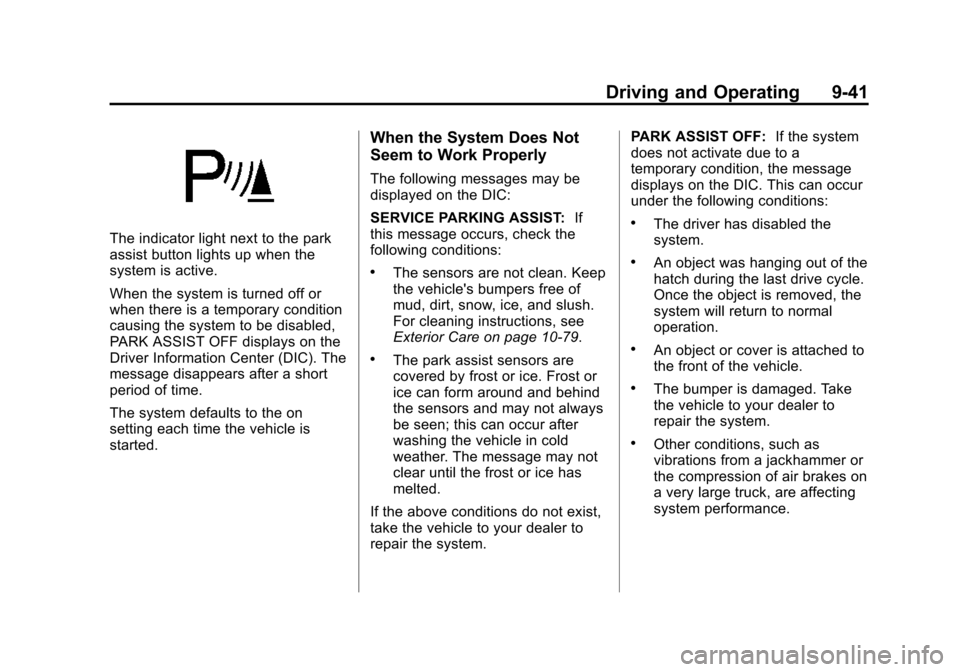
The indicator light next to the park
assist button lights up when the
system is active.
When the system is turned off or
when there is a temporary condition
causing the system to be disabled,
PARK ASSIST OFF displays on the
Driver Information Center (DIC). The
message disappears after a short
period of time.
The system defaults to the on
setting each time the vehicle is
started.
When the System Does Not
Seem to Work Properly
The following messages may be
displayed on the DIC:
SERVICE PARKING ASSIST:If
this message occurs, check the
following conditions:
.The sensors are not clean. Keep
the vehicle's bumpers free of
mud, dirt, snow, ice, and slush.
For cleaning instructions, see
Exterior Care on page 10-79.
.The park assist sensors are
covered by frost or ice. Frost or
ice can form around and behind
the sensors and may not always
be seen; this can occur after
washing the vehicle in cold
weather. The message may not
clear until the frost or ice has
melted.
If the above conditions do not exist,
take the vehicle to your dealer to
repair the system. PARK ASSIST OFF:
If the system
does not activate due to a
temporary condition, the message
displays on the DIC. This can occur
under the following conditions:
.The driver has disabled the
system.
.An object was hanging out of the
hatch during the last drive cycle.
Once the object is removed, the
system will return to normal
operation.
.An object or cover is attached to
the front of the vehicle.
.The bumper is damaged. Take
the vehicle to your dealer to
repair the system.
.Other conditions, such as
vibrations from a jackhammer or
the compression of air brakes on
a very large truck, are affecting
system performance.
Page 279 of 387
Black plate (36,1)Chevrolet VOLT Owner Manual (GMNA-Localizing-U.S./Canada-7695131) -
2015 - crc - 4/25/14
10-36 Vehicle Care
FusesUsage
F8 Empty
F9 OnStar
F10 Body Control Module 1/Body
Control Module
Electronics/Keyless
Entry/Power Moding/
Center High
Mounted Stoplamp/
License Plate
Lamps/Left Daytime
Running Lamp/Left
Parking Lamps/
Hatch Release
Relay Control/
Washer Pump Relay
Control/Switch
Indicator Lights
F11 Body Control Module 4/Left
Headlamp
F12 Empty
F13 Empty
F14 Empty Fuses
Usage
F15 Power Outlet (Inside Floor Console/Rear
of Floor Console)
F16 Empty
F17 Empty
F18 Empty
Relays Usage
R1 Retained Accessory Power Relay for
Power Outlets
R2 Empty
R3 Empty
R4 Empty
Diodes Usage DIODE EmptyInstrument Panel Fuse
Block (Right Side)
The right instrument panel fuse
block is on the right side end of the
instrument panel. To access the
fuses, open the fuse panel door by
pulling out.
To reinstall the door, insert the
bottom tab first, then push the door
back into its original location.
Page 280 of 387
Black plate (37,1)Chevrolet VOLT Owner Manual (GMNA-Localizing-U.S./Canada-7695131) -
2015 - crc - 4/25/14
Vehicle Care 10-37
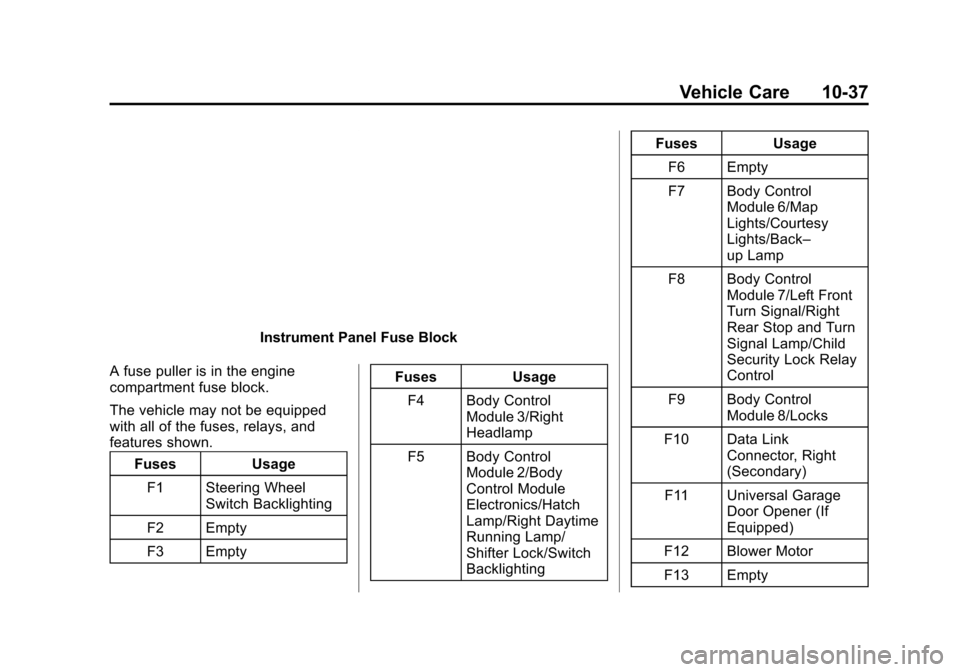
Instrument Panel Fuse Block
A fuse puller is in the engine
compartment fuse block.
The vehicle may not be equipped
with all of the fuses, relays, and
features shown. Fuses Usage
F1 Steering Wheel Switch Backlighting
F2 Empty
F3 Empty Fuses
Usage
F4 Body Control Module 3/Right
Headlamp
F5 Body Control Module 2/Body
Control Module
Electronics/Hatch
Lamp/Right Daytime
Running Lamp/
Shifter Lock/Switch
Backlighting Fuses
Usage
F6 Empty
F7 Body Control Module 6/Map
Lights/Courtesy
Lights/Back–
up Lamp
F8 Body Control Module 7/Left Front
Turn Signal/Right
Rear Stop and Turn
Signal Lamp/Child
Security Lock Relay
Control
F9 Body Control Module 8/Locks
F10 Data Link Connector, Right
(Secondary)
F11 Universal Garage Door Opener (If
Equipped)
F12 Blower Motor
F13 Empty
Page 339 of 387
Black plate (8,1)Chevrolet VOLT Owner Manual (GMNA-Localizing-U.S./Canada-7695131) -
2015 - crc - 4/25/14
11-8 Service and Maintenance
Brakes
Brakes stop the vehicle and are
crucial to safe driving.
.Signs of brake wear may include
chirping, grinding, or squealing
noises, or difficulty stopping.
.Trained dealer technicians have
access to tools and equipment
to inspect the brakes and
recommend quality parts
engineered for the vehicle.
Fluids
Proper fluid levels and approved
fluids protect the vehicle’s systems
and components. See
Recommended Fluids and
Lubricants on page 11-10 for GM
approved fluids.
.Engine oil and windshield
washer fluid levels should be
checked at every fuel fill.
.Instrument cluster lights may
come on to indicate that fluids
may be low and need to be
filled. Hoses
Hoses transport fluids and should
be regularly inspected to ensure
that there are no cracks or leaks.
With a multi-point inspection, your
dealer can inspect the hoses and
advise if replacement is needed.
Lamps
Properly working headlamps,
taillamps, and brake lamps are
important to see and be seen on
the road.
.Signs that the headlamps need
attention include dimming, failure
to light, cracking, or damage.
The brake lamps need to be
checked periodically to ensure
that they light when braking.
.With a multi-point inspection,
your dealer can check the lamps
and note any concerns.
Shocks and Struts
Shocks and struts help aid in control
for a smoother ride.
.Signs of wear may include
steering wheel vibration, bounce/
sway while braking, longer
stopping distance, or uneven
tire wear.
.As part of the multi-point
inspection, trained dealer
technicians can visually inspect
the shocks and struts for signs
of leaking, blown seals,
or damage, and can advise
when service is needed.
Tires
Tires need to be properly inflated,
rotated, and balanced. Maintaining
the tires can save money and fuel,
and can reduce the risk of tire
failure.
.Signs that the tires need to be
replaced include three or more
visible treadwear indicators; cord
or fabric showing through the
Page 369 of 387
Black plate (4,1)Chevrolet VOLT Owner Manual (GMNA-Localizing-U.S./Canada-7695131) -
2015 - crc - 4/25/14
14-4 OnStar
Destination Download:PressQ,
then request the Advisor to
download directions to the
navigation system in the vehicle (if
equipped). After the call ends, press
the “Go” button on the navigation
screen to begin driving directions.
If directions are downloaded to the
navigation system, the route can
only be canceled through the
navigation system.
Destinations can also be
downloaded on the go. For
information about eNav or
Destination Download, see
www.onstar.com (U.S.) or
www.onstar.ca (Canada).
Connections
The required specific Onstar
subscription plan includes the
services that follow to help
customers stay connected.
For coverage maps, see
www.onstar.com (U.S.) or
www.onstar.ca (Canada). WiFi Connectivity (If Equipped)
The vehicle has a WiFi hotspot that
provides a high-speed, wireless
Internet connection to connect
multiple mobile devices (data plan
required).
1. To retrieve WiFi hotspot
information, press
=and select
or say “WiFi settings.”
2. The WiFi settings will display the WiFi network name/SSID,
passphrase, and level of
encryption.
3. To change the SSID or passphrase, press
Qor call
1-888-4-ONSTAR to connect
with an Advisor.
OnStar RemoteLink
®Mobile App
(If Equipped)
Download the OnStar RemoteLink
mobile app to select Apple
®,
Android™, and BlackBerry®or
Windows 7 or 8 mobile devices.
From the mobile device, check the
vehicle’s fuel level, oil life, or tire pressure (if the vehicle is equipped
with the tire pressure monitoring
system); or activate remote horn
and lights. Also remote start the
vehicle (if factory equipped) or
unlock the doors from anywhere
with a wireless connection (if
equipped with automatic locks).
With a required specific OnStar
subscription plan, a destination can
be sent to the vehicle. For OnStar
RemoteLink information and
compatibility, see www.onstar.com
(U.S.) or www.onstar.ca (Canada).
OnStar RemoteLink
®Key Fob
Services
This feature is included for five
years and allows for remote door
lock/unlock (if equipped with
automatic locks), remote start (if
factory equipped), or activation of
horn and lights from anywhere with
a wireless signal. Download the app
and start using it any time during the
trial period to get started.
Page 380 of 387

Black plate (5,1)Chevrolet VOLT Owner Manual (GMNA-Localizing-U.S./Canada-7695131) -
2015 - crc - 4/25/14
INDEX i-5
Gauges (cont'd)Speedometer . . . . . . . . . . . . . . . . . 5-11
Trip Odometer . . . . . . . . . . . . . . . . 5-12
Warning Lights and
Indicators . . . . . . . . . . . . . . . . . . . . 5-8
General Information Service and Maintenance . . . . . 11-1
Towing . . . . . . . . . . . . . . . . . . . . . . . . 9-57
Vehicle Care . . . . . . . . . . . . . . . . . . 10-2
Glove Box . . . . . . . . . . . . . . . . . . . . . . 4-1
GM Mobility Reimbursement Program . . . . . . . . . . . . . . . . . . . . . . 13-5
H
Halogen Bulbs . . . . . . . . . . . . . . . . 10-27
Hatch . . . . . . . . . . . . . . . . . . . . . . . . . . 2-13
Hazard Warning Flashers . . . . . . . 6-3
Head Restraints . . . . . . . . . . . . . . . . 3-2
Headlamps . . . . . . . . . . . . . . . . . . . 10-27Aiming . . . . . . . . . . . . . . . . . . . . . . 10-27
Automatic . . . . . . . . . . . . . . . . . . . . . . 6-2
Bulb Replacement . . . . . . . . . . 10-27
Daytime Running
Lamps (DRL) . . . . . . . . . . . . . . . . . 6-2
Flash-to-Pass . . . . . . . . . . . . . . . . . . 6-1 Headlamps (cont'd)
High-Beam On Light . . . . . . . . . . 5-25
High/Low Beam Changer . . . . . . 6-1
Lamps On Reminder . . . . . . . . . 5-25
Heated Front Seats . . . . . . . . . . . . . 3-5
Heated Mirrors . . . . . . . . . . . . . . . . . 2-17
Heating and Air Conditioning . . . 8-1
High Voltage Battery Gauge . . . 5-12
High Voltage Devices and Wiring . . . . . . . . . . . . . . . . . . . . . . . 10-30
High-Beam On Light . . . . . . . . . . . 5-25
Hill and Mountain Roads . . . . . . . . 9-9
Hold Mode Light . . . . . . . . . . . . . . . 5-21
Hood . . . . . . . . . . . . . . . . . . . . . . . . . . 10-6
Hood, Door, Hatch Open Light . . . . . . . . . . . . . . . . . . . . . . . . . 5-25
Horn . . . . . . . . . . . . . . . . . . . . . . . . . . . . 5-5
How to Wear Safety Belts Properly . . . . . . . . . . . . . . . . . . . . . . 3-10
I
Immobilizer . . . . . . . . . . . . . . . . . . . . 2-15
IndicatorVehicle Ahead . . . . . . . . . . . . . . . . 5-22
Infants and Young Children,
Restraints . . . . . . . . . . . . . . . . . . . . 3-32 Information
Energy . . . . . . . . . . . . . . . . . . . . . . . 5-38
Infotainment . . . . . . . . . . . . . . . . . . . . 7-1
Infotainment System . . . . . . . . . . 13-15
Instrument Cluster . . . . . . . . . . . . . . 5-8
Instrument Panel Storage Area . . . . . . . . . . . . . . . . . . 4-1
Instrument Panel Overview . . . . . 5-3
Interior Rearview Mirrors . . . . . . . 2-17
Introduction . . . . . . . . . . . . . . . . . . . . . . . iii
J
Jump Starting . . . . . . . . . . . . . . . . . 10-69
K
Key and Lock Messages . . . . . . . 5-45
Keyless Entry Remote (RKE) System . . . . . . . . 2-2
Keys . . . . . . . . . . . . . . . . . . . . . . . . . . . . 2-1
Page 381 of 387

Black plate (6,1)Chevrolet VOLT Owner Manual (GMNA-Localizing-U.S./Canada-7695131) -
2015 - crc - 4/25/14
i-6 INDEX
L
Labeling, Tire Sidewall . . . . . . . . 10-42
LampsDaytime Running (DRL) . . . . . . . 6-2
Dome . . . . . . . . . . . . . . . . . . . . . . . . . . 6-4
Exterior Controls . . . . . . . . . . . . . . . 6-1
License Plate . . . . . . . . . . . . . . . 10-29
Malfunction Indicator . . . . . . . . . 5-16
Messages . . . . . . . . . . . . . . . . . . . . 5-46
On Reminder . . . . . . . . . . . . . . . . . 5-25
Reading . . . . . . . . . . . . . . . . . . . . . . . 6-5
Lane Departure Warning (LDW) . . . . . . . . . . . . . . . 9-44
Lane Departure Warning Light . . . . . . . . . . . . . . . . . . . . . . . . . 5-21
Lap-Shoulder Belt . . . . . . . . . . . . . 3-11
LATCH System
Replacing Parts after aCrash . . . . . . . . . . . . . . . . . . . . . . . 3-44
LATCH, Lower Anchors and
Tethers for Children . . . . . . . . . . 3-38
LED Lighting . . . . . . . . . . . . . . . . . . 10-27
Lifting the Vehicle, Tires . . . . . . . 10-3 Light
Hold Mode . . . . . . . . . . . . . . . . . . . . 5-21
Ready Indicator . . . . . . . . . . . . . . . 5-25
Vehicle Ready . . . . . . . . . . . . . . . . 5-25
Lighting Entry . . . . . . . . . . . . . . . . . . . . . . . . . . 6-5
Exit . . . . . . . . . . . . . . . . . . . . . . . . . . . . 6-5
Illumination Control . . . . . . . . . . . . 6-4
LED . . . . . . . . . . . . . . . . . . . . . . . . 10-27
Lights Airbag Readiness . . . . . . . . . . . . . 5-14
Antilock Brake System
(ABS) Warning . . . . . . . . . . . . . . 5-20
Brake System Warning . . . . . . . 5-19
Charging System . . . . . . . . . . . . . 5-16
Cruise Control . . . . . . . . . . . . . . . . 5-25
Electric Parking Brake . . . . . . . . 5-19
Engine Coolant Temperature Warning . . . . . . . 5-23
Engine Oil Pressure . . . . . . . . . . 5-24
Flash-to-Pass . . . . . . . . . . . . . . . . . . 6-1
High-Beam On . . . . . . . . . . . . . . . . 5-25
High/Low Beam Changer . . . . . . 6-1
Hood, Door, Hatch Open . . . . . 5-25
Lane Departure Warning . . . . . . 5-21
Low Fuel Warning . . . . . . . . . . . . 5-24 Lights (cont'd)
Mountain Mode . . . . . . . . . . . . . . . 5-21
Safety Belt Reminders . . . . . . . . 5-13
Security . . . . . . . . . . . . . . . . . . . . . . 5-24
Service Electric Parking
Brake . . . . . . . . . . . . . . . . . . . . . . . 5-20
Sport Mode . . . . . . . . . . . . . . . . . . . 5-21
StabiliTrak
®OFF . . . . . . . . . . . . . 5-22
Tire Pressure . . . . . . . . . . . . . . . . . 5-23
Traction Control System
(TCS)/StabiliTrak
®. . . . . . . . . . 5-23
Traction Off . . . . . . . . . . . . . . . . . . . 5-22
Locks Automatic Door . . . . . . . . . . . . . . . 2-12
Delayed Locking . . . . . . . . . . . . . . 2-12
Door . . . . . . . . . . . . . . . . . . . . . . . . . . 2-10
Lockout Protection . . . . . . . . . . . . 2-12
Power Door . . . . . . . . . . . . . . . . . . . 2-11
Safety . . . . . . . . . . . . . . . . . . . . . . . . 2-12
Loss of Control . . . . . . . . . . . . . . . . . 9-7
Low Fuel Warning Light . . . . . . . . 5-24
Lower Anchors and Tethers for Children (LATCH
System) . . . . . . . . . . . . . . . . . . . . . . 3-38
Page 387 of 387

Black plate (12,1)Chevrolet VOLT Owner Manual (GMNA-Localizing-U.S./Canada-7695131) -
2015 - crc - 4/25/14
i-12 INDEX
W
WarningBrake System Light . . . . . . . . . . . 5-19
Lane Departure (LDW) . . . . . . . 9-44
Warning Light Forward CollisionAlert (FCA) . . . . . . . . . . . . . . . . . . 5-22
Warning Lights, Gauges, and Indicators . . . . . . . . . . . . . . . . . . . . . 5-8
Warnings . . . . . . . . . . . . . . . . . . . . . . . . . iv Cautions and Danger . . . . . . . . . . . .iv
Hazard Flashers . . . . . . . . . . . . . . . 6-3
Washer Fluid . . . . . . . . . . . . . . . . . 10-20
Wheels Alignment and TireBalance . . . . . . . . . . . . . . . . . . . 10-57
Different Size . . . . . . . . . . . . . . . 10-55
Replacement . . . . . . . . . . . . . . . 10-58 When It Is Time for New
Tires . . . . . . . . . . . . . . . . . . . . . . . . 10-53
Where to Put the Restraint . . . . 3-36
Windows . . . . . . . . . . . . . . . . . . . . . . 2-18 Power . . . . . . . . . . . . . . . . . . . . . . . . 2-18
Windshield Wiper/Washer . . . . . . . . . . . . . . . . . 5-6
Winter Driving . . . . . . . . . . . . . . . . . . . . . . . . . 9-9
Winter Tires . . . . . . . . . . . . . . . . . . 10-41
Wiper Blade Replacement . . . . 10-26
Wiring, High Voltage Devices . . . . . . . . . . . . . . . . . . . . . 10-30