turn signal CHEVROLET VOLT 2015 2.G Owner's Manual
[x] Cancel search | Manufacturer: CHEVROLET, Model Year: 2015, Model line: VOLT, Model: CHEVROLET VOLT 2015 2.GPages: 387, PDF Size: 12.83 MB
Page 280 of 387
Black plate (37,1)Chevrolet VOLT Owner Manual (GMNA-Localizing-U.S./Canada-7695131) -
2015 - crc - 4/25/14
Vehicle Care 10-37
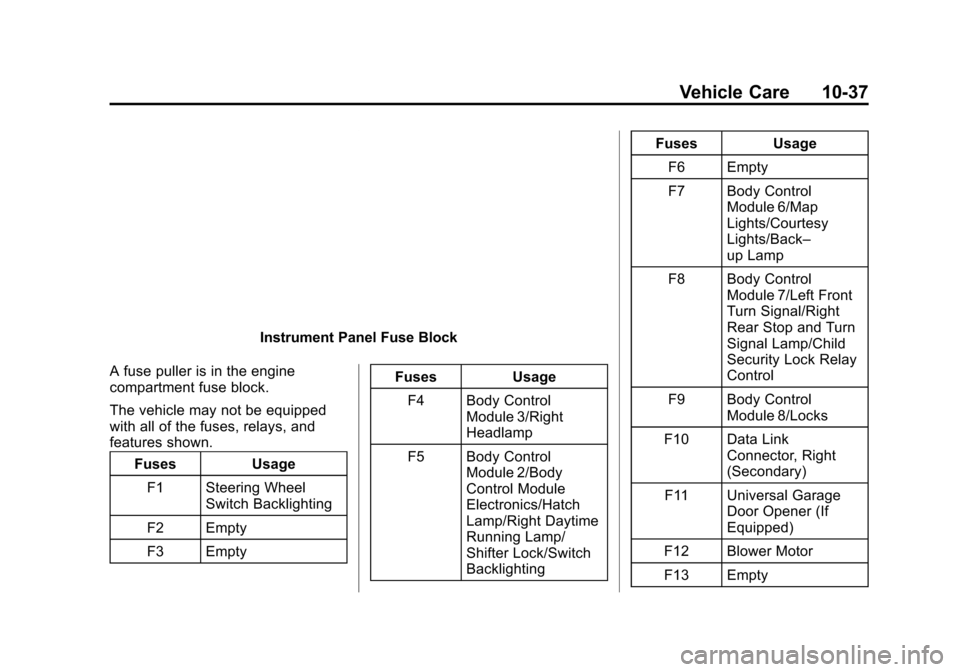
Instrument Panel Fuse Block
A fuse puller is in the engine
compartment fuse block.
The vehicle may not be equipped
with all of the fuses, relays, and
features shown. Fuses Usage
F1 Steering Wheel Switch Backlighting
F2 Empty
F3 Empty Fuses
Usage
F4 Body Control Module 3/Right
Headlamp
F5 Body Control Module 2/Body
Control Module
Electronics/Hatch
Lamp/Right Daytime
Running Lamp/
Shifter Lock/Switch
Backlighting Fuses
Usage
F6 Empty
F7 Body Control Module 6/Map
Lights/Courtesy
Lights/Back–
up Lamp
F8 Body Control Module 7/Left Front
Turn Signal/Right
Rear Stop and Turn
Signal Lamp/Child
Security Lock Relay
Control
F9 Body Control Module 8/Locks
F10 Data Link Connector, Right
(Secondary)
F11 Universal Garage Door Opener (If
Equipped)
F12 Blower Motor
F13 Empty
Page 294 of 387
Black plate (51,1)Chevrolet VOLT Owner Manual (GMNA-Localizing-U.S./Canada-7695131) -
2015 - crc - 4/25/14
Vehicle Care 10-51
message should go off at the next
drive cycle. The sensors are
matched to the tire/wheel positions,
using a TPMS relearn tool, in the
following order: driver side front tire,
passenger side front tire, passenger
side rear tire, and driver side rear.
See your dealer for service or to
purchase a relearn tool. A TPMS
relearn tool can also be purchased.
See Tire Pressure Monitor Sensor
Activation Tool at
www.gmtoolsandequipment.com or
call 1-800-GM TOOLS
(1-800-468-6657).
There are two minutes to match the
first tire/wheel position, and
five minutes overall to match all four
tire/wheel positions. If it takes
longer, the matching process stops
and must be restarted.
Follow the TPMS sensor matching
process:
1. Set the parking brake.
2. Put the vehicle in ON/RUN andplace the vehicle in P (Park). 3. If the DIC display is minimized,
press the SELECT knob to
maximize it.
4. Use the SELECT knob to scroll to the Tire Pressure display
screen.
5. Press and hold the SELECT knob for five seconds to begin
the sensor matching process.
A message displays confirming
to begin the process.
6. Use the SELECT knob to select YES with the highlighted
selection, and press the
SELECT knob again to confirm
the selection.
The horn sounds twice to signal
the receiver is in relearn mode
and the TIRE LEARNING
ACTIVE message displays on
the DIC screen.
7. Start with the driver side front tire.
8. Place the relearn tool against the tire sidewall, near the valve
stem. Then press the button to activate the TPMS sensor.
A horn chirp confirms that the
sensor identification code has
been matched to this tire and
wheel position.
9. Proceed to the passenger side front tire, and repeat the
procedure in Step 8.
10. Proceed to the passenger side rear tire, and repeat the
procedure in Step 8.
11. Proceed to the driver side rear tire, and repeat the procedure
in Step 8. The horn sounds two
times to indicate the sensor
identification code has been
matched to the driver side rear
tire, and the TPMS sensor
matching process is no longer
active. The TIRE LEARNING
ACTIVE message on the DIC
display screen goes off.
12. Turn the vehicle off.
Page 372 of 387
Black plate (7,1)Chevrolet VOLT Owner Manual (GMNA-Localizing-U.S./Canada-7695131) -
2015 - crc - 4/25/14
OnStar 14-7
in that area. The wireless service
provider must also have coverage,
network capacity, reception, and
technology compatible with OnStar
services. Service involving location
information about the vehicle cannot
work unless GPS signals are
available, unobstructed, and
compatible with the OnStar
hardware. OnStar services may not
work if the OnStar equipment is not
properly installed or it has not been
properly maintained. If equipment or
software is added, connected,
or modified, OnStar services may
not work. Other problems beyond
the control of OnStar may prevent
service such as hills, tall buildings,
tunnels, weather, electrical system
design and architecture of the
vehicle, damage to the vehicle in a
crash, or wireless phone network
congestion or jamming.
SeeRadio Frequency Statement on
page 13-12.Services for People with
Disabilities
Advisors provide services to help
subscribers with physical disabilities
and medical conditions.
Press
Qfor help with:
.Locating a gas station with an
attendant to pump gas.
.Finding a hotel, restaurant, etc.,
that meets accessibility needs.
.Providing directions to the
closest hospital or pharmacy in
urgent situations.
TTY Users
OnStar has the ability to
communicate to deaf,
hard-of-hearing, or speech-impaired
customers while in the vehicle. The
available dealer-installed TTY
system can provide in-vehicle
access to all of the OnStar services,
except Virtual Advisor and OnStar
Turn-by-Turn Navigation.
OnStar Personal Identification
Number (PIN)
A PIN is needed to access some of
the OnStar services, like Remote
Door Unlock and Stolen Vehicle
Assistance. The PIN will need to be
changed the first time when
speaking with an Advisor. To
change the OnStar PIN, contact an
OnStar Advisor by pressing
Qor
calling 1-888-4-ONSTAR.
Warranty
OnStar equipment may be
warranted as part of the vehicle
warranty.
Languages
The vehicle can be programmed to
respond in multiple languages.
Press
Qand ask for an Advisor.
Advisors are available in English,
Spanish, and French. Available
languages may vary by country.
Page 373 of 387
Black plate (8,1)Chevrolet VOLT Owner Manual (GMNA-Localizing-U.S./Canada-7695131) -
2015 - crc - 4/25/14
14-8 OnStar
Potential Issues
OnStar cannot perform Remote
Door Unlock or Stolen Vehicle
Assistance after the vehicle has
been off continuously for five days.
After five days, OnStar can contact
Roadside Assistance and a
locksmith to help gain access to the
vehicle.
Global Positioning
System (GPS)
.Obstruction of the GPS can
occur in a large city with tall
buildings; in parking garages;
around airports; in tunnels,
underpasses; or in an area with
very dense trees. If GPS signals
are not available, the OnStar
system should still operate to
call OnStar. However, OnStar
could have difficulty identifying
the exact location.
.In emergency situations, OnStar
can use the last stored GPS
location to send to emergency
responders.A temporary loss of GPS can cause
loss of the ability to send a
Turn-by-Turn Navigation route. The
Advisor may give a verbal route or
may ask for a call back after the
vehicle is driven into an open area.
Cellular and GPS Antennas
Do not place items over or near the
antenna to prevent blocking cellular
and GPS signal reception. Cellular
reception is required for OnStar to
send remote signals to the vehicle.
Unable to Connect to OnStar
Message
If there is limited cellular coverage
or the cellular network has reached
maximum capacity, this message
may come on. Press
Qto try the
call again or try again after driving a
few miles into another cellular area.
Vehicle and Power Issues
OnStar services require a vehicle
electrical system, wireless service,
and GPS satellite technologies to be
available and operating for features to function properly. These systems
may not operate if the battery is
discharged or disconnected.
Add-on Electrical Equipment
The OnStar system is integrated
into the electrical architecture of the
vehicle. Do not add any electrical
equipment. See
Add-On Electrical
Equipment on page 9-57. Added
electrical equipment may interfere
with the operation of the OnStar
system and cause it to not operate.
Privacy
The complete OnStar Privacy
Statement may be found at
www.onstar.com (U.S.),
or www.onstar.ca (Canada). We
recommend that you review it. If you
have any questions, call
1-888-4-ONSTAR (1-888-466-7827)
or press
Qto speak with an
Advisor. Users of wireless
communications are cautioned that
the privacy of any information sent
via wireless cellular communications
cannot be assured. Third parties
Page 385 of 387

Black plate (10,1)Chevrolet VOLT Owner Manual (GMNA-Localizing-U.S./Canada-7695131) -
2015 - crc - 4/25/14
i-10 INDEX
Service (cont'd)Publications Ordering
Information . . . . . . . . . . . . . . . . .13-11
Scheduling Appointments . . . . . 13-7
Vehicle Messages . . . . . . . . . . . . 5-48
Service Electric Parking Brake Light . . . . . . . . . . . . . . . . . . . 5-20
Services Special Application . . . . . . . . . . . 11-7
Servicing the Airbag . . . . . . . . . . . 3-28
Shifting Into Park . . . . . . . . . . . . . . . . . . . . . . 9-19
Out of Park . . . . . . . . . . . . . . . . . . . 9-20
Signals, Turn and
Lane-Change . . . . . . . . . . . . . . . . . 6-3
Special Application Services . . . 11-7
Specifications and Capacities . . . . . . . . . . . . . . . . . . . . 12-2
Speedometer . . . . . . . . . . . . . . . . . . 5-11
Sport Mode Light . . . . . . . . . . . . . . 5-21
StabiliTrak OFF Light . . . . . . . . . . . . . . . . . . . . . 5-22
Start
Remote . . . . . . . . . . . . . . . . . . . . . . . . 2-8
Starting and Stopping the Vehicle . . . . . . . . . . . . . . . . . . . . . . . 9-18 Starting the Vehicle
Messages . . . . . . . . . . . . . . . . . . . . 5-49
Status Screens Charging . . . . . . . . . . . . . . . . . . . . . 9-48
Steering . . . . . . . . . . . . . . . . . . . . . . . . 9-6 Wheel Adjustment . . . . . . . . . . . . . 5-5
Wheel Controls . . . . . . . . . . . . . . . . 5-5
Storage Areas Cargo Cover . . . . . . . . . . . . . . . . . . . 4-4
Floor Console . . . . . . . . . . . . . . . . . 4-1
Glove Box . . . . . . . . . . . . . . . . . . . . . 4-1
Instrument Panel . . . . . . . . . . . . . . 4-1
Umbrella . . . . . . . . . . . . . . . . . . . . . . . 4-4
Storage Compartments . . . . . . . . . 4-1
Storing the Tire Sealant and Compressor Kit . . . . . . . . . 10-68
Stuck Vehicle . . . . . . . . . . . . . . . . . . 9-11
Summer Tires . . . . . . . . . . . . . . . . 10-41
Sun Visors . . . . . . . . . . . . . . . . . . . . . 2-20
Symbols . . . . . . . . . . . . . . . . . . . . . . . . . . iv
System Forward CollisionAlert (FCA) . . . . . . . . . . . . . . . . . . 9-37
Infotainment . . . . . . . . . . . . 7-1, 13-15
System Operation . . . . . . . . . . . . . 9-21T
Text Telephone (TTY) Users . . . 13-4
Theft-Deterrent Systems . . . . . . . 2-15
Immobilizer . . . . . . . . . . . . . . . . . . . 2-15
Tires . . . . . . . . . . . . . . . . . . . . . . . . . . 10-40 All-Season . . . . . . . . . . . . . . . . . . 10-41
Buying New Tires . . . . . . . . . . . 10-54
Chains . . . . . . . . . . . . . . . . . . . . . . 10-59
Designations . . . . . . . . . . . . . . . 10-43
Different Size . . . . . . . . . . . . . . . 10-55
If a Tire Goes Flat . . . . . . . . . . 10-59
Inflation Monitor System . . . . 10-48
Inspection . . . . . . . . . . . . . . . . . . 10-52
Lifting the Vehicle . . . . . . . . . . . . . 10-3
Messages . . . . . . . . . . . . . . . . . . . . 5-49
Pressure Light . . . . . . . . . . . . . . . . 5-23
Pressure Monitor System . . . 10-47
Rotation . . . . . . . . . . . . . . . . . . . . 10-52
Sealant andCompressor Kit . . . . . . . . . . . 10-61
Sealant and Compressor Kit, Storing . . . . . . . . . . . . . . . . 10-68
Sidewall Labeling . . . . . . . . . . . 10-42
Terminology and Definitions . . . . . . . . . . . . . . . . . 10-43
Page 386 of 387

Black plate (11,1)Chevrolet VOLT Owner Manual (GMNA-Localizing-U.S./Canada-7695131) -
2015 - crc - 4/25/14
INDEX i-11
Tires (cont'd)Uniform Tire Quality
Grading . . . . . . . . . . . . . . . . . . . 10-56
Wheel Alignment and Tire
Balance . . . . . . . . . . . . . . . . . . . 10-57
Wheel Replacement . . . . . . . . 10-58
When It Is Time for New Tires . . . . . . . . . . . . . . . . . . . . . . 10-53
Winter . . . . . . . . . . . . . . . . . . . . . . 10-41
Total Vehicle Range . . . . . . . . . . . 5-13
Towing General Information . . . . . . . . . . 9-57
Recreational Vehicle . . . . . . . . 10-77
Vehicle . . . . . . . . . . . . . . . . . . . . . 10-75
Traction Control System (TCS)/StabiliTrak
®Light . . . . . . . . . . . . 5-23
Off Light . . . . . . . . . . . . . . . . . . . . . . 5-22
Traction Control/Electronic Stability Control . . . . . . . . . . . . . . 9-33
Transportation Program, Courtesy . . . . . . . . . . . . . . . . . . . . . 13-7
Trip Odometer . . . . . . . . . . . . . . . . . 5-12
Turn and Lane-Change
Signals . . . . . . . . . . . . . . . . . . . . . . . . 6-3
U
Umbrella Storage . . . . . . . . . . . . . . . 4-4
Uniform Tire QualityGrading . . . . . . . . . . . . . . . . . . . . . 10-56
Universal Remote System . . . . . 5-56 Operation . . . . . . . . . . . . . . . . . . . . . 5-59
Programming . . . . . . . . . . . . . . . . . 5-56
Using This Manual . . . . . . . . . . . . . . . . iii
Utility Interruption of Charging . . . . . . . . . . . . . . . . . . . . . 9-52
V
VehicleAlarm System . . . . . . . . . . . . . . . . 2-14
Canadian Owners . . . . . . . . . . . . . . . iii
Control . . . . . . . . . . . . . . . . . . . . . . . . 9-5
IdentificationNumber (VIN) . . . . . . . . . . . . . . . 12-1
Load Limits . . . . . . . . . . . . . . . . . . . 9-12
Messages . . . . . . . . . . . . . . . . . . . . 5-42
Personalization . . . . . . . . . . . . . . . 5-50
Reminder Messages . . . . . . . . . . 5-50
Security . . . . . . . . . . . . . . . . . . . . . . 2-14
Speed Messages . . . . . . . . . . . . . 5-50 Vehicle (cont'd)
Starting and Stopping . . . . . . . . . 9-18
Total Range . . . . . . . . . . . . . . . . . . 5-13
Towing . . . . . . . . . . . . . . . . . . . . . . 10-75
Vehicle Ahead Indicator . . . . . . . 5-22
Vehicle Care Storing the Tire Sealantand Compressor Kit . . . . . . . 10-68
Tire Pressure . . . . . . . . . . . . . . . 10-46
Vehicle Data Recording and Privacy . . . . . . . . . . . . . . . . . 13-14
Vehicle Diagnostics OnStar
®. . . . . . . . . . . . . . . . . . . . . . 14-6
Vehicle Ready Light . . . . . . . . . . . 5-25
Ventilation, Air . . . . . . . . . . . . . . . . . . 8-8
Visors . . . . . . . . . . . . . . . . . . . . . . . . . 2-20
Voltage Devices and Wiring . . . . . . . . . . . . . . . . . . . . . . . 10-30