cruise control CHEVROLET VOLT 2016 2.G User Guide
[x] Cancel search | Manufacturer: CHEVROLET, Model Year: 2016, Model line: VOLT, Model: CHEVROLET VOLT 2016 2.GPages: 366, PDF Size: 5.4 MB
Page 167 of 366
Chevrolet VOLT Owner Manual (GMNA-Localizing-U.S/Canada/Mexico-
9159388) - 2016 - crc - 5/20/15
166 Driving and Operating
Warning (Continued)
occupants could drown. Do not
ignore police warnings and be
very cautious about trying to drive
through flowing water.
Hydroplaning
Hydroplaning is dangerous. Water
can build up under the vehicle's
tires so they actually ride on the
water. This can happen if the road is
wet enough and you are going fast
enough. When the vehicle is
hydroplaning, it has little or no
contact with the road.
There is no hard and fast rule about
hydroplaning. The best advice is to
slow down when the road is wet.
Other Rainy Weather Tips
Besides slowing down, other wet
weather driving tips include:
.Allow extra following distance.
. Pass with caution.
. Keep windshield wiping
equipment in good shape. .
Keep the windshield washer fluid
reservoir filled.
. Have good tires with proper
tread depth. See Tires0261.
. Turn off cruise control.
Hill and Mountain Roads
Driving on steep hills or through
mountains is different than driving
on flat or rolling terrain. See
“Mountain Mode” underDriver
Selected Operating Modes 0177.
Tips include:
. Keep the vehicle serviced and in
good shape.
. Check all fluid levels and brakes,
tires, cooling system, and
electric drive unit.
. Keep the vehicle in gear when
going down steep or long hills.
{Warning
Coasting downhill in N (Neutral)
or with the vehicle turned off is
dangerous. The brakes will have
(Continued)
Warning (Continued)
to do all the work of slowing down
the vehicle and could become too
hot. Hot brakes may not be able
to slow the vehicle enough to
maintain speed and control. You
could crash. Always have the
vehicle running and in gear
(preferably LOW range) when
going downhill. This will allow the
electric drive unit to assist in
slowing and maintaining speed.
. Drive at speeds to keep the
vehicle in its own lane. Do not
swing wide or cross the
center line.
. Be alert on top of hills.
Something could be in your lane
(e.g., stalled car, accident).
. Pay attention to special road
signs (e.g., falling rocks area,
winding roads, long grades,
passing or no-passing zones)
and take appropriate action.
Page 168 of 366
Chevrolet VOLT Owner Manual (GMNA-Localizing-U.S/Canada/Mexico-
9159388) - 2016 - crc - 5/20/15
Driving and Operating 167
Winter Driving
Driving on Snow or Ice
Snow or ice between the tires and
the road creates less traction or
grip, so drive carefully. Wet ice can
occur at about 0 °C (32 °F) when
freezing rain begins to fall. Avoid
driving on wet ice or in freezing rain
until roads can be treated.
For slippery road driving:
.Accelerate gently. Accelerating
too quickly causes the wheels to
spin and makes the surface
under the tires slick.
. Turn on Traction Control. See
Traction Control/Electronic
Stability Control 0188.
. The Antilock Brake System
(ABS) improves vehicle stability
during hard stops, but the
brakes should be applied sooner
than when on dry pavement.
See Antilock Brake System
(ABS) 0184.
. Allow greater following distance
and watch for slippery spots. Icy
patches can occur on otherwise clear roads in shaded areas.
The surface of a curve or an
overpass can remain icy when
the surrounding roads are clear.
Avoid sudden steering
maneuvers and braking while
on ice.
. Turn off cruise control.
Stay with the vehicle unless there is
help nearby. If possible, use
Roadside Assistance. See Roadside
Assistance Program 0335. To get
help and keep everyone in the
vehicle safe:
. Turn on the hazard warning
flashers.
. Tie a red cloth to an outside
mirror.
{Warning
Snow can trap engine exhaust
under the vehicle. This may
cause exhaust gases to get
inside. Engine exhaust contains
carbon monoxide (CO), which
(Continued)
Warning (Continued)
cannot be seen or smelled. It can
cause unconsciousness and even
death.
If the vehicle is stuck in snow:
. Clear snow from the base of
the vehicle, especially any
blocking the exhaust pipe.
. Open a window about 5 cm
(2 in) on the vehicle side
that is away from the wind,
to bring in fresh air.
. Fully open the air outlets on
or under the instrument
panel.
. Adjust the climate control
system to circulate the air
inside the vehicle and set
the fan speed to the highest
setting. See “Climate
Control Systems.”
For more information about CO,
see Engine Exhaust 0182 in the
index.
Page 189 of 366
Chevrolet VOLT Owner Manual (GMNA-Localizing-U.S/Canada/Mexico-
9159388) - 2016 - crc - 5/20/15
188 Driving and Operating
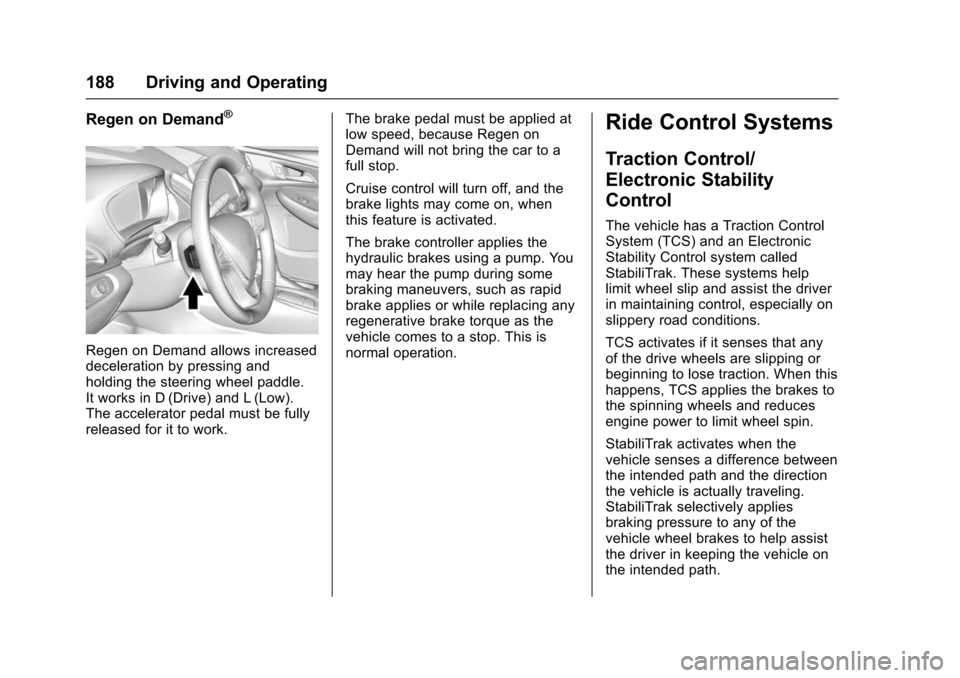
Regen on Demand®
Regen on Demand allows increased
deceleration by pressing and
holding the steering wheel paddle.
It works in D (Drive) and L (Low).
The accelerator pedal must be fully
released for it to work.The brake pedal must be applied at
low speed, because Regen on
Demand will not bring the car to a
full stop.
Cruise control will turn off, and the
brake lights may come on, when
this feature is activated.
The brake controller applies the
hydraulic brakes using a pump. You
may hear the pump during some
braking maneuvers, such as rapid
brake applies or while replacing any
regenerative brake torque as the
vehicle comes to a stop. This is
normal operation.
Ride Control Systems
Traction Control/
Electronic Stability
Control
The vehicle has a Traction Control
System (TCS) and an Electronic
Stability Control system called
StabiliTrak. These systems help
limit wheel slip and assist the driver
in maintaining control, especially on
slippery road conditions.
TCS activates if it senses that any
of the drive wheels are slipping or
beginning to lose traction. When this
happens, TCS applies the brakes to
the spinning wheels and reduces
engine power to limit wheel spin.
StabiliTrak activates when the
vehicle senses a difference between
the intended path and the direction
the vehicle is actually traveling.
StabiliTrak selectively applies
braking pressure to any of the
vehicle wheel brakes to help assist
the driver in keeping the vehicle on
the intended path.
Page 190 of 366
Chevrolet VOLT Owner Manual (GMNA-Localizing-U.S/Canada/Mexico-
9159388) - 2016 - crc - 5/20/15
Driving and Operating 189
If cruise control is being used and
traction control or StabiliTrak begins
to limit wheel spin, cruise control will
disengage. Cruise control may be
turned back on when road
conditions allow.
Both systems come on
automatically when the vehicle is
started and begins to move. The
systems may be heard or felt while
they are operating or while
performing diagnostic checks. This
is normal and does not mean there
is a problem with the vehicle.
It is recommended to leave both
systems on for normal driving
conditions, but it may be necessary
to turn TCS off if the vehicle gets
stuck in sand, mud, ice, or snow.
SeeIf the Vehicle Is Stuck 0168
and “Turning the Systems Off and
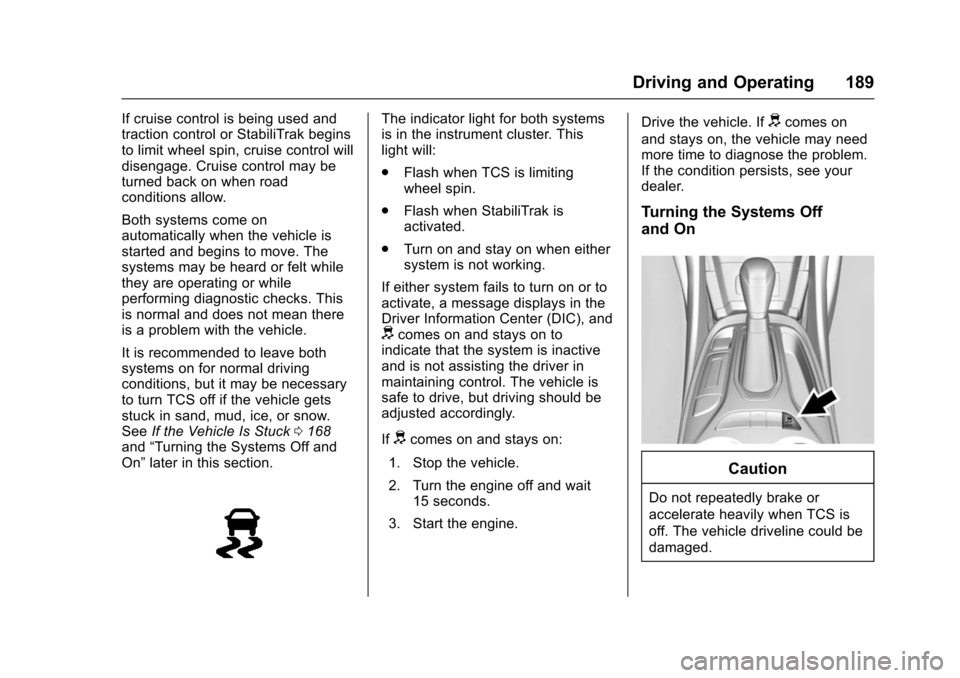
On” later in this section.The indicator light for both systems
is in the instrument cluster. This
light will:
.
Flash when TCS is limiting
wheel spin.
. Flash when StabiliTrak is
activated.
. Turn on and stay on when either
system is not working.
If either system fails to turn on or to
activate, a message displays in the
Driver Information Center (DIC), and
dcomes on and stays on to
indicate that the system is inactive
and is not assisting the driver in
maintaining control. The vehicle is
safe to drive, but driving should be
adjusted accordingly.
If
dcomes on and stays on:
1. Stop the vehicle.
2. Turn the engine off and wait 15 seconds.
3. Start the engine. Drive the vehicle. If
dcomes on
and stays on, the vehicle may need
more time to diagnose the problem.
If the condition persists, see your
dealer.
Turning the Systems Off
and On
Caution
Do not repeatedly brake or
accelerate heavily when TCS is
off. The vehicle driveline could be
damaged.
Page 191 of 366
Chevrolet VOLT Owner Manual (GMNA-Localizing-U.S/Canada/Mexico-
9159388) - 2016 - crc - 5/20/15
190 Driving and Operating
To turn off only TCS, press and
release
g. The Traction Off lighti
displays in the instrument cluster.
The appropriate DIC message is
displayed. SeeRide Control System
Messages 0136. To turn TCS on
again, press and release
g. The
Traction Off light
idisplayed in the
instrument cluster will turn off.
To turn off both TCS and StabiliTrak,
press and hold
guntil the Traction
Off light
iand StabiliTrak Off light
gcome on and stay on in the
instrument cluster. The appropriate
DIC message is displayed. See
Ride Control System Messages
0 136. To turn TCS and StabiliTrak
on again, press and release
g. The
Traction Off light
iand StabiliTrak
Off light
gin the instrument cluster
turn off.
Adding accessories can affect the
vehicle performance. See
Accessories and Modifications
0 226.
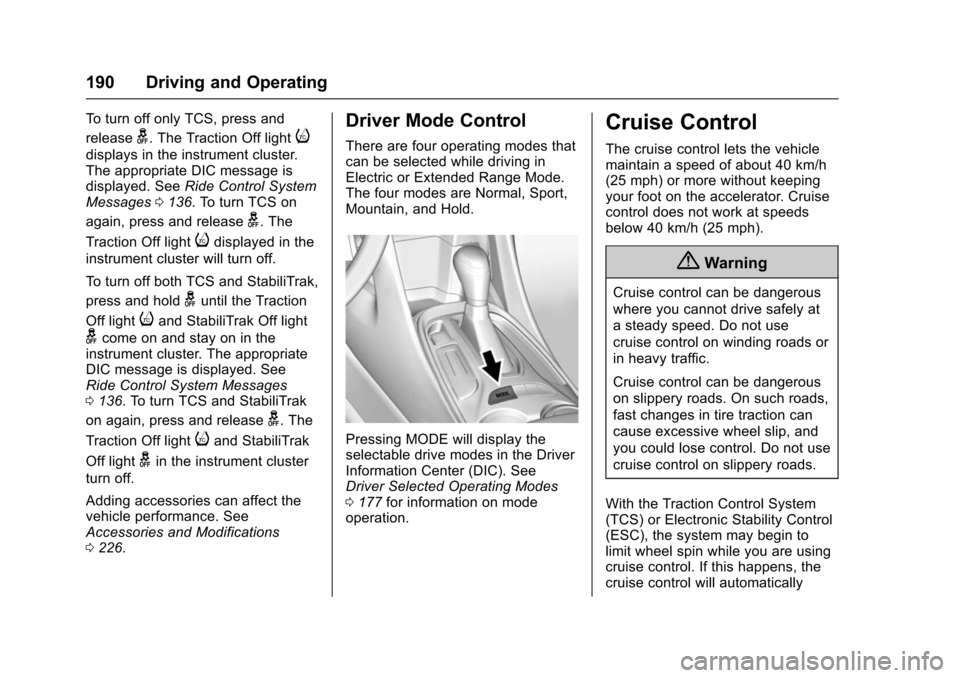
Driver Mode Control
There are four operating modes that
can be selected while driving in
Electric or Extended Range Mode.
The four modes are Normal, Sport,
Mountain, and Hold.
Pressing MODE will display the
selectable drive modes in the Driver
Information Center (DIC). See
Driver Selected Operating Modes
0177 for information on mode
operation.
Cruise Control
The cruise control lets the vehicle
maintain a speed of about 40 km/h
(25 mph) or more without keeping
your foot on the accelerator. Cruise
control does not work at speeds
below 40 km/h (25 mph).
{Warning
Cruise control can be dangerous
where you cannot drive safely at
a steady speed. Do not use
cruise control on winding roads or
in heavy traffic.
Cruise control can be dangerous
on slippery roads. On such roads,
fast changes in tire traction can
cause excessive wheel slip, and
you could lose control. Do not use
cruise control on slippery roads.
With the Traction Control System
(TCS) or Electronic Stability Control
(ESC), the system may begin to
limit wheel spin while you are using
cruise control. If this happens, the
cruise control will automatically
Page 192 of 366
Chevrolet VOLT Owner Manual (GMNA-Localizing-U.S/Canada/Mexico-
9159388) - 2016 - crc - 5/20/15
Driving and Operating 191
disengage. SeeTraction Control/
Electronic Stability Control 0188.
If a collision alert occurs when
cruise control is activated, cruise
control is disengaged. See Forward
Collision Alert (FCA) System 0198.
When road conditions allow you to
safely use it again, cruise control
can be turned back on.
If the brakes are applied, cruise
control disengages.
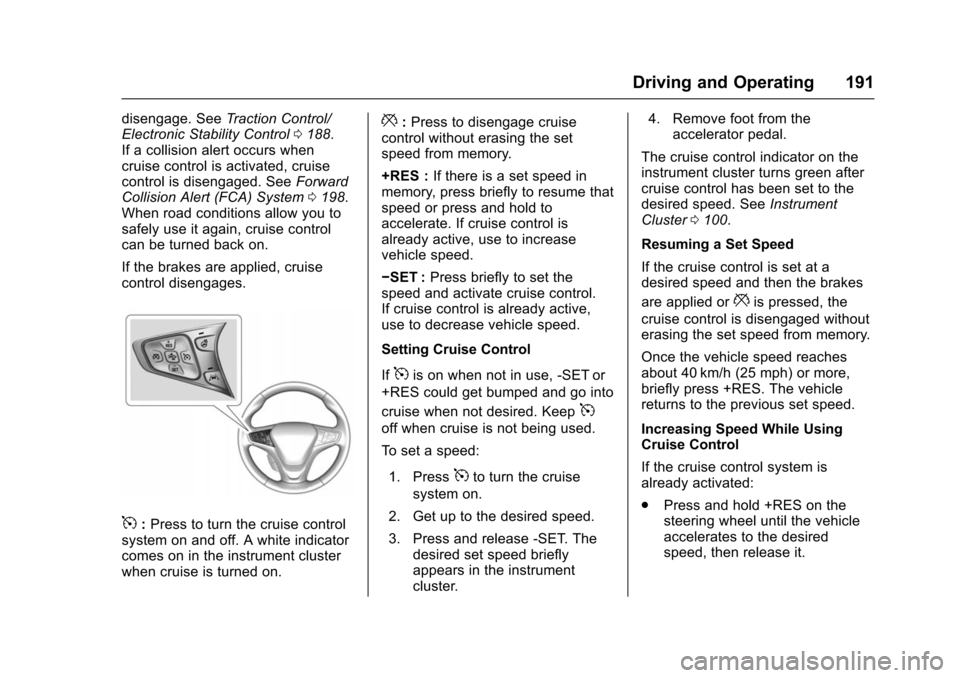
5: Press to turn the cruise control
system on and off. A white indicator
comes on in the instrument cluster
when cruise is turned on.
*: Press to disengage cruise
control without erasing the set
speed from memory.
+RES : If there is a set speed in
memory, press briefly to resume that
speed or press and hold to
accelerate. If cruise control is
already active, use to increase
vehicle speed.
−SET : Press briefly to set the
speed and activate cruise control.
If cruise control is already active,
use to decrease vehicle speed.
Setting Cruise Control
If
5is on when not in use, -SET or
+RES could get bumped and go into
cruise when not desired. Keep
5
off when cruise is not being used.
To set a speed:
1. Press
5to turn the cruise
system on.
2. Get up to the desired speed.
3. Press and release -SET. The desired set speed briefly
appears in the instrument
cluster. 4. Remove foot from the
accelerator pedal.
The cruise control indicator on the
instrument cluster turns green after
cruise control has been set to the
desired speed. See Instrument
Cluster 0100.
Resuming a Set Speed
If the cruise control is set at a
desired speed and then the brakes
are applied or
*is pressed, the
cruise control is disengaged without
erasing the set speed from memory.
Once the vehicle speed reaches
about 40 km/h (25 mph) or more,
briefly press +RES. The vehicle
returns to the previous set speed.
Increasing Speed While Using
Cruise Control
If the cruise control system is
already activated:
. Press and hold +RES on the
steering wheel until the vehicle
accelerates to the desired
speed, then release it.
Page 193 of 366
Chevrolet VOLT Owner Manual (GMNA-Localizing-U.S/Canada/Mexico-
9159388) - 2016 - crc - 5/20/15
192 Driving and Operating
.To increase the speed in small
increments, briefly press +RES.
For each press, the vehicle goes
about 1 km/h (1 mph) faster.
The speedometer reading can be
displayed in either English or metric
units. See Driver Information Center
(DIC) 0128. The increment value
used depends on the units
displayed.
Reducing Speed While Using
Cruise Control
If the cruise control system is
already activated:
. Press and hold -SET until the
desired lower speed is reached,
then release it.
. To slow down in small
increments, briefly press -SET.
For each press, the vehicle goes
about 1 km/h (1 mph) slower.
The speedometer reading can be
displayed in either English or metric
units. See Driver Information Center
(DIC) 0128. The increment value
used depends on the units
displayed. Passing Another Vehicle While
Using Cruise Control
Use the accelerator pedal to
increase the vehicle speed. When
you take your foot off the pedal, the
vehicle will slow down to the
previous set cruise speed. While
pressing the accelerator pedal or
shortly following the release to
override cruise control, briefly
pressing -SET will result in cruise
control set to the current vehicle
speed.
Using Cruise Control on Hills
How well the cruise control works
on hills depends upon the vehicle
speed, load, and the steepness of
the hills. When going up steep hills,
you might have to step on the
accelerator pedal to maintain the
vehicle speed. When going
downhill, you might have to brake or
shift to a lower gear to keep your
speed down.
If a lower gear is being used while
going downhill, this causes the
vehicle to have improved control of
vehicle speed by using a
combination of engine andregenerative braking depending on
vehicle conditions. At times you
might have to apply the brakes to
keep your speed down. If the brake
pedal is applied, cruise control will
disengage.
Ending Cruise Control
There are four ways to end cruise
control:
.
Step lightly on the brake pedal;
when cruise control disengages,
the indicator light will not be lit.
. Press
*.
. Shift the electric drive unit to
N (Neutral).
. Press
5to turn the cruise
control system off completely.
Erasing Speed Memory
The cruise control set speed is
erased from memory if
5is pressed
or if the vehicle is turned off.
Page 200 of 366
Chevrolet VOLT Owner Manual (GMNA-Localizing-U.S/Canada/Mexico-
9159388) - 2016 - crc - 5/20/15
Driving and Operating 199
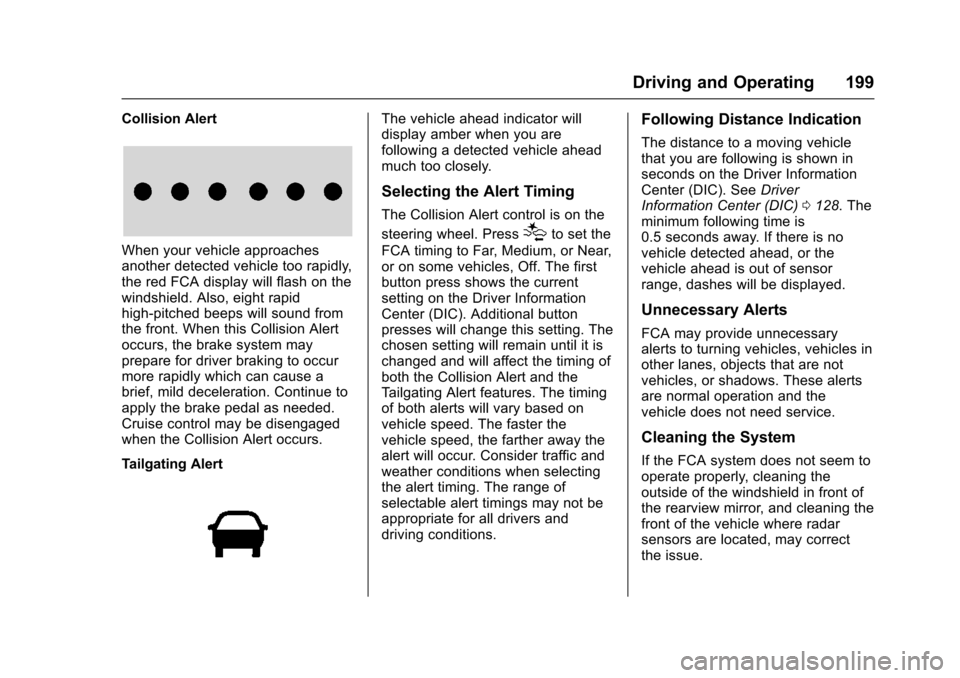
Collision Alert
When your vehicle approaches
another detected vehicle too rapidly,
the red FCA display will flash on the
windshield. Also, eight rapid
high-pitched beeps will sound from
the front. When this Collision Alert
occurs, the brake system may
prepare for driver braking to occur
more rapidly which can cause a
brief, mild deceleration. Continue to
apply the brake pedal as needed.
Cruise control may be disengaged
when the Collision Alert occurs.
Tailgating Alert
The vehicle ahead indicator will
display amber when you are
following a detected vehicle ahead
much too closely.
Selecting the Alert Timing
The Collision Alert control is on the
steering wheel. Press
[to set the
FCA timing to Far, Medium, or Near,
or on some vehicles, Off. The first
button press shows the current
setting on the Driver Information
Center (DIC). Additional button
presses will change this setting. The
chosen setting will remain until it is
changed and will affect the timing of
both the Collision Alert and the
Tailgating Alert features. The timing
of both alerts will vary based on
vehicle speed. The faster the
vehicle speed, the farther away the
alert will occur. Consider traffic and
weather conditions when selecting
the alert timing. The range of
selectable alert timings may not be
appropriate for all drivers and
driving conditions.
Following Distance Indication
The distance to a moving vehicle
that you are following is shown in
seconds on the Driver Information
Center (DIC). See Driver
Information Center (DIC) 0128. The
minimum following time is
0.5 seconds away. If there is no
vehicle detected ahead, or the
vehicle ahead is out of sensor
range, dashes will be displayed.
Unnecessary Alerts
FCA may provide unnecessary
alerts to turning vehicles, vehicles in
other lanes, objects that are not
vehicles, or shadows. These alerts
are normal operation and the
vehicle does not need service.
Cleaning the System
If the FCA system does not seem to
operate properly, cleaning the
outside of the windshield in front of
the rearview mirror, and cleaning the
front of the vehicle where radar
sensors are located, may correct
the issue.
Page 358 of 366

Chevrolet VOLT Owner Manual (GMNA-Localizing-U.S/Canada/Mexico-
9159388) - 2016 - crc - 5/20/15
Index 357
Compressor Kit, Tire Sealant . . . 282
ConnectionsOnStar
®. . . . . . . . . . . . . . . . . . . . . . 347
Control Traction and ElectronicStability . . . . . . . . . . . . . . . . . . . . . 188
Control of a Vehicle . . . . . . . . . . . . . 163
Convex Mirrors . . . . . . . . . . . . . . . . . . 44
Coolant
Engine . . . . . . . . . . . . . . . . . . . . . . . . 239
Engine TemperatureWarning Light . . . . . . . . . . . . . . . .114
Cooling System . . . . . . . . . . . . 236–238 Engine Messages . . . . . . . . . . . . 132
Courtesy Transportation Program . . . . . . . . . . . . . . . . . . . . . . . 337
Cover Cargo . . . . . . . . . . . . . . . . . . . . . . . . . . . 93
Cruise Control . . . . . . . . . . . . . . . . . . 190 Light . . . . . . . . . . . . . . . . . . . . . . . . . . .116
Messages . . . . . . . . . . . . . . . . . . . . 131
Customer Assistance . . . . . . . . . . . 334 Offices . . . . . . . . . . . . . . . . . . . . . . . . 333
Text Telephone (TTY)Users . . . . . . . . . . . . . . . . . . . . . . . 334
Customer Information Service PublicationsOrdering Information . . . . . . . . 340 Customer Satisfaction
Procedure . . . . . . . . . . . . . . . . . . . . . 331D
Damage Repair, Collision . . . . . . . 338
Danger, Warning, and Caution . . . . 3
Data Recorders, Event . . . . . . . . . 343
Daytime Running
Lamps (DRL) . . . . . . . . . . . . . . . . . . 148
Defensive Driving . . . . . . . . . . . . . . . 163
Delayed Charging Override . . . . . 206
Delayed Locking . . . . . . . . . . . . . . . . . 39
Diagnostics OnStar
®. . . . . . . . . . . . . . . . . . . . . . 349
Display Center Stack . . . . . . . . . . . . . . . . . .116
Distracted Driving . . . . . . . . . . . . . . . 162
Dome Lamps . . . . . . . . . . . . . . . . . . . 150
Door
Ajar Light . . . . . . . . . . . . . . . . . . . . . .116
Ajar Messages . . . . . . . . . . . . . . . 131
Delayed Locking . . . . . . . . . . . . . . . . 39
Locks . . . . . . . . . . . . . . . . . . . . . . . . . . . 37
Power Locks . . . . . . . . . . . . . . . . . . . . 39
Drive Belt Routing, Engine . . . . . . 330
Drive Unit Electric . . . . . . . . . . . . . . . . . . . . . . . 183
Driver Assistance Systems . . . . . 193
Driver Efficiency Gauge . . . . . . . . 105 Driver Information
Center (DIC) . . . . . . . . . . . . . . . . . . 128
Driver Mode Control . . . . . . . . . . . . 190
Driver Selected Operating Modes . . . . . . . . . . . . . . . . . . . . . . . . 177
Driving Assistance Systems . . . . . . . . . . 197
Defensive . . . . . . . . . . . . . . . . . . . . . 163
Drunk . . . . . . . . . . . . . . . . . . . . . . . . . 163
Hill and Mountain Roads . . . . . . 166
If the Vehicle is Stuck . . . . . . . . . 168
Loss of Control . . . . . . . . . . . . . . . 165
Off-Road Recovery . . . . . . . . . . . 164
Vehicle Load Limits . . . . . . . . . . . 168
Wet Roads . . . . . . . . . . . . . . . . . . . 165
Winter . . . . . . . . . . . . . . . . . . . . . . . . 167
Driving for Better Energy Efficiency . . . . . . . . . . . . . . . . . . . . . . 25
E
Electric Drive Unit . . . . . . . . . . . . . . 183
Electric Drive Unit Messages . . . 131
Electric Drive Unit Shift LockControl Function Check . . . . . . . 247
Electric Mode . . . . . . . . . . . . . . . . . . . 176
Electric Parking Brake . . . . . . . . . . 185
Electric Parking Brake Light . . . . 111
Electrical Equipment, Add-On . . . . . . . . . . . . . . . . . . . . . . . 224
Page 361 of 366

Chevrolet VOLT Owner Manual (GMNA-Localizing-U.S/Canada/Mexico-
9159388) - 2016 - crc - 5/20/15
360 Index
Lamps (cont'd)License Plate . . . . . . . . . . . . . . . . . 250
Malfunction Indicator . . . . . . . . . 109
Messages . . . . . . . . . . . . . . . . . . . . 133
On Reminder . . . . . . . . . . . . . . . . . .116
Reading . . . . . . . . . . . . . . . . . . . . . . 151
Taillamps . . . . . . . . . . . . . . . . . . . . . 250
Lane Change Alert (LCA) . . . . . . . 201
Lane Departure Warning (LDW) . . . . . . . . . . . . . . . . 203
Lane Keep Assist (LKA) . . . . . . . . 203
Lane Keep Assist Light . . . . . . . . . 112
Lap-Shoulder Belt . . . . . . . . . . . . . . . 58
LATCH System Replacing Parts after aCrash . . . . . . . . . . . . . . . . . . . . . . . . . 87
LATCH, Lower Anchors and Tethers for Children . . . . . . . . . . . . 80
LED Lighting . . . . . . . . . . . . . . . . . . . . 249
Lifting the Vehicle, Tires . . . . . . . . 227
Light Hold Mode . . . . . . . . . . . . . . . . . . . . .112
Ready Indicator . . . . . . . . . . . . . . . .115
Vehicle Ready . . . . . . . . . . . . . . . . .115
Lighting Entry . . . . . . . . . . . . . . . . . . . . . . . . . 151
Exit . . . . . . . . . . . . . . . . . . . . . . . . . . . 151
Illumination Control . . . . . . . . . . . 150 Lighting (cont'd)
LED . . . . . . . . . . . . . . . . . . . . . . . . . . 249
Lights . . . . . . . . . . . . . . . . . . . . . . . . . . . 112 Airbag Readiness . . . . . . . . . . . . . 107
Antilock Brake System
(ABS) Warning . . . . . . . . . . . . . . . 111
Brake System Warning . . . . . . . .110
Charging System . . . . . . . . . . . . . 108
Cruise Control . . . . . . . . . . . . . . . . .116
Door Ajar . . . . . . . . . . . . . . . . . . . . . .116
Electric Parking Brake . . . . . . . . . 111
Engine Coolant Temperature Warning . . . . . . . .114
Engine Oil Pressure . . . . . . . . . . .114
Flash-to-Pass . . . . . . . . . . . . . . . . . 148
High-Beam On . . . . . . . . . . . . . . . . .115
High/Low Beam Changer . . . . . 147
Low Fuel Warning . . . . . . . . . . . . .115
Mountain Mode . . . . . . . . . . . . . . . .112
Safety Belt Reminders . . . . . . . . 106
Security . . . . . . . . . . . . . . . . . . . . . . .115
Service Electric Parking Brake . . . . . . . . . . . . . . . . . . . . . . . . 111
Sport Mode . . . . . . . . . . . . . . . . . . . .112
StabiliTrak
®OFF . . . . . . . . . . . . . .113
Tire Pressure . . . . . . . . . . . . . . . . . .114
Traction Control System (TCS)/StabiliTrak
®. . . . . . . . . . .113 Lights (cont'd)
Traction Off . . . . . . . . . . . . . . . . . . . .113
Locks Automatic Door . . . . . . . . . . . . . . . . . 39
Delayed Locking . . . . . . . . . . . . . . . . 39
Door . . . . . . . . . . . . . . . . . . . . . . . . . . . . 37
Lockout Protection . . . . . . . . . . . . . . 39
Power Door . . . . . . . . . . . . . . . . . . . . . 39
Safety . . . . . . . . . . . . . . . . . . . . . . . . . . 40
Loss of Control . . . . . . . . . . . . . . . . . 165
Low Fuel Warning Light . . . . . . . . . 115
Lower Anchors and Tethers for Children (LATCH
System) . . . . . . . . . . . . . . . . . . . . . . . . 80
M
MaintenanceRecords . . . . . . . . . . . . . . . . . . . . . . 326
Maintenance and Care
Additional . . . . . . . . . . . . . . . . . . . . . 321
Maintenance Modes . . . . . . . . . . . . 180
Maintenance Schedule . . . . . . . . . 315 Recommended Fluids andLubricants . . . . . . . . . . . . . . . . . . . 324
Malfunction Indicator Lamp . . . . . 109
Messages Airbag System . . . . . . . . . . . . . . . . 136
Brake System . . . . . . . . . . . . . . . . 130
Compass . . . . . . . . . . . . . . . . . . . . . 131