key battery CHEVROLET VOLT 2016 2.G User Guide
[x] Cancel search | Manufacturer: CHEVROLET, Model Year: 2016, Model line: VOLT, Model: CHEVROLET VOLT 2016 2.GPages: 366, PDF Size: 5.4 MB
Page 138 of 366
Chevrolet VOLT Owner Manual (GMNA-Localizing-U.S/Canada/Mexico-
9159388) - 2016 - crc - 5/20/15
Instruments and Controls 137
ENGINE NOT AVAILABLE
SERVICE SOON
This message displays when the
engine is not available due to a
malfunction that will not allow the
engine to start. The vehicle can
continue to be driven in Electric
Mode until the battery is depleted,
but will have reduced acceleration.
When this message is displayed,
the vehicle should be taken to your
dealer for service as soon as
possible. SeeOut of Fuel/Engine
Unavailable 0179.
SERVICE AC SYSTEM
This message displays if there is a
problem with the air conditioning
system. See your dealer for service.
SERVICE HEATER SOON
This message displays if there is a
problem with the heater system.
See your dealer for service.
SERVICE POWER STEERING
This message displays and a chime
may sound when there may be a
problem with the power steering
system. If this message displays
and a reduction in steering
performance or loss of power
steering assistance is noticed, see
your dealer for service.
SERVICE VEHICLE SOON
This message displays if there is a
problem with the vehicle. See your
dealer for service. Depending on the
severity of a crash, this message
may come on along with the airbag
readiness light.
Starting the Vehicle
Messages
PRESS BRAKE TO START
VEHICLE
This message displays when
attempting to start the vehicle
without first pressing the brake
pedal.
PRESS BUTTON AGAIN TO
TURN ENGINE OFF
This message displays as a
reminder to press POWER
Oto turn
the vehicle off when an attempt is
made to turn off the vehicle while it
is in motion.
SERVICE KEYLESS START
SYSTEM
This message is displayed if there is
a problem with the pushbutton start
system. See your dealer for service.
Tire Messages
SERVICE TIRE MONITOR
SYSTEM
This message displays if there is a
problem with the Tire Pressure
Monitor System (TPMS). See Tire
Pressure Monitor Operation 0270.
TIRE LEARNING ACTIVE
This message displays when the
system is learning new tires. See
Tire Pressure Monitor Operation
0270.
Page 159 of 366
Chevrolet VOLT Owner Manual (GMNA-Localizing-U.S/Canada/Mexico-
9159388) - 2016 - crc - 5/20/15
158 Climate Controls
on and help to clear fog or frost from
the surface of the mirror. See
Heated Mirrors045.
Caution
Do not try to clear frost or other
material from the inside of the
front windshield and rear window
with a razor blade or anything
else that is sharp. This may
damage the rear window
defogger grid and affect the
radio's ability to pick up stations
clearly. The repairs would not be
covered by the vehicle warranty.
Remote Start : The climate control
system may be started by using the
Remote Keyless Entry (RKE)
transmitter. The climate control
system will default to an appropriate
heating or cooling mode. See
Remote Start 035.
The rear window defogger turns on
if it is cold outside.
Compressor
The vehicle has an electric powered
air conditioning compressor. This
allows for continuous air
conditioning and/or high voltage
battery cooling operation, without
running the engine.
The compressor operating speed is
not tied to the engine speed, so
some noise may be heard from the
compressor, especially when air
conditioning use is high and the
engine has turned off. This is
normal.
Sensors
Solar Sensor
The solar sensor is on top of the
instrument panel, near the
windshield, where it monitors solar
intensity.
The climate control system uses the
sensor information to adjust the
temperature, fan speed,
recirculation, and air delivery mode
for best comfort. Do not cover the sensor; otherwise
the automatic climate control system
may not work properly.
Humidity Sensor
The humidity sensor is near the
base of the inside rearview mirror.
The climate control system uses the
sensor information to adjust the
temperature and recirculation for
best comfort.
Outside Air Temperature Sensor
The outside air temperature sensor
is behind the front grille of the
vehicle. The vehicle uses the sensor
information to display outside air
temperature. The climate control
system uses the information to
adjust the climate system operation.
Page 173 of 366
Chevrolet VOLT Owner Manual (GMNA-Localizing-U.S/Canada/Mexico-
9159388) - 2016 - crc - 5/20/15
172 Driving and Operating
RUN power mode. When the vehicle
is turned off, the POWER
Olight
will turn off.
The Remote Keyless Entry (RKE)
transmitter must be in the vehicle for
the system to operate. If the vehicle
will not start, place the RKE
transmitter in the transmitter pocket.
See Remote Keyless Entry (RKE)
System Operation 029.
ON/RUN : This position is for
starting and driving. With the vehicle
off, and the brake pedal applied,
pressing POWER
Oonce will place
the vehicle in ON/RUN. When the
READY light is on in the instrument
cluster, the vehicle is ready to be
driven. This could take up to
15 seconds at extremely cold
temperatures. See Vehicle Ready
Light 0115. The engine will only
start if needed. If the vehicle did not
start, the instrument cluster will
display a screen with inactive fuel
and battery gauges. See Starting
and Stopping the Vehicle 0173. Service Only Mode
This power mode is available for
service and diagnostics, and to
verify the proper operation of the
malfunction indicator lamp as may
be required for emission inspection
purposes. With the vehicle off, and
the brake pedal not applied,
pressing and holding POWER
Ofor
more than five seconds will place
the vehicle in Service Only Mode.
The instruments and audio systems
will operate as they do in ON/RUN,
but the vehicle will not be able to be
driven. The propulsion system will
not start in Service Only Mode.
Press the button again to turn the
vehicle off.
Caution
Service Only Mode will discharge
the 12-volt battery. Do not use
Service Only Mode for an
extended period, or the vehicle
may not start. STOPPING THE VEHICLE/OFF :
To turn the vehicle off, press
POWER
Owith the vehicle in
P (Park). Retained Accessory Power
(RAP) will remain active until the
driver door is opened. See Retained
Accessory Power (RAP) 0174.
When turning off the vehicle, if the
vehicle is not in P (Park), the vehicle
will go to ACC/ACCESSORY and
display the message SHIFT TO
PARK in the Driver Information
Center (DIC). See Electric Drive
Unit Messages 0131.
If the vehicle must be shut off in an
emergency: 1. Brake using a firm and steady pressure. Do not pump the
brakes.
2. Shift the vehicle to N (Neutral). This can be done while the
vehicle is moving. After shifting
to N (Neutral), firmly apply the
brakes and steer the vehicle to
a safe location.
3. Come to a complete stop, shift to P (Park), and turn the vehicle
off by pressing POWER
O.
Page 174 of 366
Chevrolet VOLT Owner Manual (GMNA-Localizing-U.S/Canada/Mexico-
9159388) - 2016 - crc - 5/20/15
Driving and Operating 173
4. Set the parking brake. SeeElectric Parking Brake 0185.
{Warning
Turning off the vehicle while
moving may disable the airbags.
While driving, only shut the
propulsion system off in an
emergency.
If the vehicle cannot be pulled over,
and must be shut off while driving,
press and hold POWER
Ofor
longer than two seconds, or press
twice in five seconds.
Starting and Stopping the
Vehicle
Computers determine when the
engine needs to run. The engine
may start, if required, when the
propulsion system is on.
Starting Procedure
Move the shift lever to P (Park) or
N (Neutral). The propulsion system
will not start in any other position.
Caution
Do not try to shift to P (Park) if the
vehicle is moving or the electric
drive unit could be damaged.
Shift to P (Park) only when the
vehicle is stopped.
Caution
If you add electrical parts or
accessories, you could change
the way the vehicle operates. Any
resulting damage would not be
covered by the vehicle warranty.
See Add-On Electrical Equipment
0 224.
The Remote Keyless Entry (RKE)
transmitter must be in the vehicle.
Press the brake pedal and press
and release POWER
O.
If the RKE transmitter is not in the
vehicle or something is interfering
with the transmitter, a message displays in the Driver Information
Center (DIC). See
Key and Lock
Messages 0133.
If the vehicle will not start due to a
low RKE transmitter battery, the
vehicle can still be driven. See
“Starting the Vehicle with a Low
Transmitter Battery” inRemote
Keyless Entry (RKE) System
Operation 029.
A Welcome, Ready, and Good-bye
audio message will be heard in the
vehicle and animated on the
instrument cluster when opening the
driver door upon entry, when the
vehicle is ready to be driven, and
when the vehicle is turned off.
The instrument cluster displays an
active fuel and/or battery gauge,
along with an audio startup cue,
when the vehicle is ready to be
driven. This could take up to
15 seconds at extremely cold
temperatures. The engine will only
start if needed. If the vehicle did not
start, the instrument cluster will
display a screen with inactive fuel
and battery gauges. See Starting
and Stopping the Vehicle 0173.
Page 219 of 366
Chevrolet VOLT Owner Manual (GMNA-Localizing-U.S/Canada/Mexico-
9159388) - 2016 - crc - 5/20/15
218 Driving and Operating
.The device must accept any
interference received, including
interference that may cause
undesired operation of the
device.
Changes or modifications to any of
these systems by other than an
authorized service facility could void
authorization to use this equipment.
Utility Interruption of
Charging
If using AC charging, this vehicle
will respond to remote requests
through OnStar to limit or
completely block electrical power
grid usage for brief time periods.
A utility interruption of charging may
increase AC vehicle charge times.
When electrical grid power is
completely blocked, the vehicle will
delay charging until the utility
interruption has expired. The vehicle
should be left plugged in so that the
vehicle can automatically begin
charging. Changing the charge mode to
Immediate or performing a delayed
charging override will not disable a
utility interruption.
A pop-up will appear in the center
stack display during the key cycle
following any utility interruption. See
“Charging Interrupted or Overridden
Pop-Up”
underProgrammable
Charging 0118.
A message will display on the
instrument cluster indicating that a
utility interruption has occurred. See
Instrument Cluster 0100.
Charging Station
Troubleshooting
If the vehicle does not charge after
being plugged in to a residential
240-volt charging station:
1. Verify that the charge mode is set to Immediate.
2. Verify that the charging station’s circuit breaker has not
been tripped.
3. Plug the portable charge cord into the wall outlet, verify that
the indicator light on the charge cord is solid green, and
connect it to the vehicle. See
“Charge Cord Status
Indicators”
inCharge Cord
0 210.
4. If the vehicle charges with the portable charge cord, there
may be a problem with the
charging station. Try to charge
the vehicle with a different
240-volt charging station, such
as a public station. If both
attempts charge the vehicle,
contact the charging station
manufacturer.
Electrical Requirements
for Battery Charging
This vehicle is capable of being
charged with most standard vehicle
charging equipment complying with
one or more of the following:
.SAE J1772
. SAE J2847-2
. IEC 61851-1
. IEC 61851-22
. IEC 61851-23
Page 227 of 366
Chevrolet VOLT Owner Manual (GMNA-Localizing-U.S/Canada/Mexico-
9159388) - 2016 - crc - 5/20/15
226 Vehicle Care
Tire Changing . . . . . . . . . . . . . . . . 289
Compact Spare Tire . . . . . . . . . . 294
Jump Starting
Jump Starting - NorthAmerica . . . . . . . . . . . . . . . . . . . . . 295
Towing the Vehicle
Towing the Vehicle . . . . . . . . . . . 300
Recreational VehicleTowing . . . . . . . . . . . . . . . . . . . . . . 302
Appearance Care
Exterior Care . . . . . . . . . . . . . . . . . 304
Interior Care . . . . . . . . . . . . . . . . . . 309
Floor Mats . . . . . . . . . . . . . . . . . . . . 312
General Information
For service and parts needs, visit
your dealer. You will receive
genuine GM parts and GM-trained
and supported service people.
Genuine GM parts have one of
these marks:
California Proposition
65 Warning
WARNING: Most motor vehicles,
including this one, contain and/or
emit chemicals known to the State
of California to cause cancer and
birth defects or other reproductive harm. Engine exhaust, many parts
and systems, many fluids, and
some component wear by-products
contain and/or emit these
chemicals.
See
Battery - North America 0245
and Jump Starting - North America
0 295.
California Perchlorate
Materials Requirements
Certain types of automotive
applications, such as airbag
initiators, safety belt pretensioners,
and lithium batteries contained in
Remote Keyless Entry transmitters,
may contain perchlorate materials.
Special handling may be necessary.
For additional information, see
www.dtsc.ca.gov/hazardouswaste/
perchlorate.
Accessories and
Modifications
Adding non-dealer accessories or
making modifications to the vehicle
can affect vehicle performance and
safety, including such things as
Page 247 of 366
Chevrolet VOLT Owner Manual (GMNA-Localizing-U.S/Canada/Mexico-
9159388) - 2016 - crc - 5/20/15
246 Vehicle Care
{Warning
WARNING:Battery posts,
terminals, and related
accessories contain lead and lead
compounds, chemicals known to
the State of California to cause
cancer and birth defects or other
reproductive harm. Batteries also
contain other chemicals known to
the State of California to cause
cancer. WASH HANDS AFTER
HANDLING. SeeCalifornia
Proposition 65 Warning 0226.
Vehicle Storage
{Warning
Batteries have acid that can burn
you and gas that can explode.
You can be badly hurt if you are
not careful. See Jump Starting -
North America 0295 for tips on
working around a battery without
getting hurt. Up to four weeks
.
Plug in the high voltage battery
charge cord if temperatures will
exceed 35 °C (95 °F) and keep
the 12-volt battery cables
connected.
Four weeks to 12 months
. Discharge the high voltage
battery until two or three bars
remain on the battery range
indicator (Battery symbol) on the
instrument cluster.
. Do not plug in the high voltage
battery charge cord.
. Remove the black negative (−)
cable from the 12-volt battery.
Attach a trickle charger to the
battery terminals or keep the
12-volt battery cables connected
and trickle charge from the
underhood remote positive (+)
and negative (−) terminals. See
Jump Starting - North America
0295 for the location of these
terminals.
Caution
The vehicle is equipped with an
AGM/VRLA 12-volt battery, which
can be damaged by using the
incorrect type of trickle charger.
An AGM/VRLA-compatible
charger must be used, with the
appropriate setting selected.
Follow the trickle charger
manufacturer instructions.
Reconnecting the 12-Volt Black
Negative Cable
With the 12-volt black negative (−)
cable disconnected, the hatch
cannot be opened by pressing the
hatch release button. If the hatch is
closed and latched after power has
been disconnected: 1. Use the door key to open the driver door.
2. Manually unlock and open one of the rear doors.
3. Lower one of the rear seatbacks.
Page 325 of 366
Chevrolet VOLT Owner Manual (GMNA-Localizing-U.S/Canada/Mexico-
9159388) - 2016 - crc - 5/20/15
324 Service and Maintenance
Recommended Fluids, Lubricants, and Parts
Recommended Fluids and Lubricants
UsageFluid/Lubricant
Engine Oil Use only engine oil meeting the dexos1™ specification of the proper SAE
viscosity grade. Look for the dexos1 approved logo for GM approved
engine oil. See Engine Oil0232.
Engine Cooling System Premix DEX-COOL
®(GM Part No. 12378390, in Canada 10953456). See
Engine Coolant 0239.
High Voltage Battery Cooling System Premix DEX-COOL (GM Part No. 12378390, in Canada 10953456). Power Electronics Cooling System Premix DEX-COOL (GM Part No. 12378390, in Canada 10953456). Brake Hydraulic System DOT 3 Hydraulic Brake Fluid (GM Part No. 19299818, in Canada 19299819).
Windshield Washer Automotive windshield washer fluid that meets regional freeze protection requirements.
Electric Drive Unit DEXRON
®-VI Automatic Transmission Fluid
Key Lock Cylinders, Hood and Hatch Hinges Multi-Purpose Lubricant, Superlube (GM Part No. 12346241, in
Canada 10953474).
Weatherstrip Conditioning Weatherstrip Lubricant (GM Part No. 3634770, in Canada 10953518) or Dielectric Silicone Grease (GM Part No. 12345579, in Canada 10953481.
Page 347 of 366
Chevrolet VOLT Owner Manual (GMNA-Localizing-U.S/Canada/Mexico-
9159388) - 2016 - crc - 5/20/15
346 OnStar
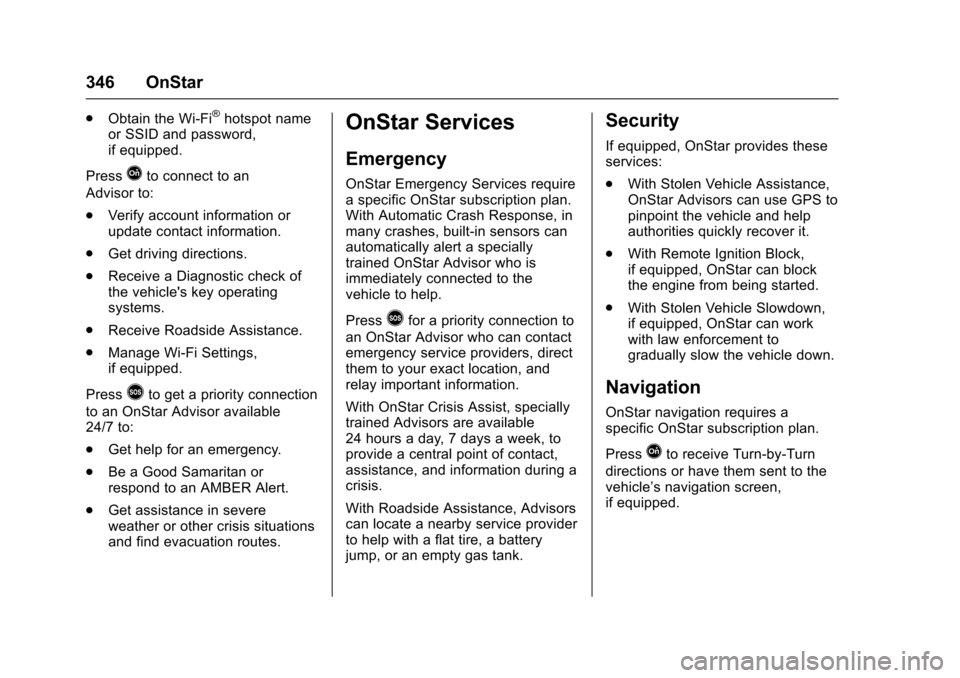
.Obtain the Wi-Fi®hotspot name
or SSID and password,
if equipped.
Press
Qto connect to an
Advisor to:
. Verify account information or
update contact information.
. Get driving directions.
. Receive a Diagnostic check of
the vehicle's key operating
systems.
. Receive Roadside Assistance.
. Manage Wi-Fi Settings,
if equipped.
Press
>to get a priority connection
to an OnStar Advisor available
24/7 to:
. Get help for an emergency.
. Be a Good Samaritan or
respond to an AMBER Alert.
. Get assistance in severe
weather or other crisis situations
and find evacuation routes.
OnStar Services
Emergency
OnStar Emergency Services require
a specific OnStar subscription plan.
With Automatic Crash Response, in
many crashes, built-in sensors can
automatically alert a specially
trained OnStar Advisor who is
immediately connected to the
vehicle to help.
Press
>for a priority connection to
an OnStar Advisor who can contact
emergency service providers, direct
them to your exact location, and
relay important information.
With OnStar Crisis Assist, specially
trained Advisors are available
24 hours a day, 7 days a week, to
provide a central point of contact,
assistance, and information during a
crisis.
With Roadside Assistance, Advisors
can locate a nearby service provider
to help with a flat tire, a battery
jump, or an empty gas tank.
Security
If equipped, OnStar provides these
services:
. With Stolen Vehicle Assistance,
OnStar Advisors can use GPS to
pinpoint the vehicle and help
authorities quickly recover it.
. With Remote Ignition Block,
if equipped, OnStar can block
the engine from being started.
. With Stolen Vehicle Slowdown,
if equipped, OnStar can work
with law enforcement to
gradually slow the vehicle down.
Navigation
OnStar navigation requires a
specific OnStar subscription plan.
Press
Qto receive Turn-by-Turn
directions or have them sent to the
vehicle’s navigation screen,
if equipped.
Page 360 of 366

Chevrolet VOLT Owner Manual (GMNA-Localizing-U.S/Canada/Mexico-
9159388) - 2016 - crc - 5/20/15
Index 359
G
GaugesBattery . . . . . . . . . . . . . . . . . . . . . . . 104
Driver Efficiency . . . . . . . . . . . . . . 105
Fuel . . . . . . . . . . . . . . . . . . . . . . . . . . 104
Odometer . . . . . . . . . . . . . . . . . . . . . 104
Power Indicator . . . . . . . . . . . . . . . 106
Speedometer . . . . . . . . . . . . . . . . . 104
Trip Odometer . . . . . . . . . . . . . . . . 104
Warning Lights andIndicators . . . . . . . . . . . . . . . . . . . 100
General Information Service and Maintenance . . . . . 314
Towing . . . . . . . . . . . . . . . . . . . . . . . . 223
Vehicle Care . . . . . . . . . . . . . . . . . . 226
Glove Box . . . . . . . . . . . . . . . . . . . . . . . 92
GM Mobility Reimbursement Program . . . . . . . . . . . . . . . . . . . . . . . 334
H
Halogen Bulbs . . . . . . . . . . . . . . . . . . 249
Hatch . . . . . . . . . . . . . . . . . . . . . . . . . . . . 41
Hazard Warning Flashers . . . . . . . 149
Head Restraints . . . . . . . . . . . . . . . . . 50
Headlamps . . . . . . . . . . . . . . . . . . . . . 249Aiming . . . . . . . . . . . . . . . . . . . . . . . . 249
Automatic . . . . . . . . . . . . . . . . . . . . . 148
Bulb Replacement . . . . . . . . . . . . 249 Headlamps (cont'd)
Daytime Running
Lamps (DRL) . . . . . . . . . . . . . . . . 148
Flash-to-Pass . . . . . . . . . . . . . . . . . 148
High-Beam On Light . . . . . . . . . . .115
High/Low Beam Changer . . . . . 147
Lamps On Reminder . . . . . . . . . .116
Heated Rear Seats . . . . . . . . . . . . . . . . . . . . . 56
Steering Wheel . . . . . . . . . . . . . . . . . 95
Heated Front Seats . . . . . . . . . . . . . . 53
Heated Mirrors . . . . . . . . . . . . . . . . . . . 45
Heating and Air Conditioning . . . 154
High Voltage Battery Gauge . . . . 104
High Voltage Devices and Wiring . . . . . . . . . . . . . . . . . . . . . . . . . 251
High-Beam On Light . . . . . . . . . . . . 115
Hill and Mountain Roads . . . . . . . . 166
Hill Start Assist (HSA) . . . . . . . . . . 186
Hold Mode Light . . . . . . . . . . . . . . . . 112
Hood . . . . . . . . . . . . . . . . . . . . . . . . . . . 230
Horn . . . . . . . . . . . . . . . . . . . . . . . . . . . . . 96
How to Wear Safety Belts Properly . . . . . . . . . . . . . . . . . . . . . . . . 57
I
Immobilizer . . . . . . . . . . . . . . . . . . . . . . 43
IndicatorVehicle Ahead . . . . . . . . . . . . . . . . .113
Infants and Young Children,
Restraints . . . . . . . . . . . . . . . . . . . . . . 75
Information Energy . . . . . . . . . . . . . . . . . . . . . . . 127
Infotainment . . . . . . . . . . . . . . . . . . . . 153
Infotainment System . . . . . . . . . . . . 344
Instrument Cluster . . . . . . . . . . . . . . 100
Interior Rearview Mirrors . . . . . . . . . 45
Introduction . . . . . . . . . . . . . . . . . . . . . . . 2
J
Jump Starting - North America . . . . . . . . . . . . . . . . . . . . . . . 295
K
Key and Lock Messages . . . . . . . . 133
Keyless EntryRemote (RKE) System . . . . . . . . . 29
Keys . . . . . . . . . . . . . . . . . . . . . . . . . . . . . 28
L
Labeling, Tire Sidewall . . . . . . . . . . 263
Lamps Daytime Running (DRL) . . . . . . 148
Dome . . . . . . . . . . . . . . . . . . . . . . . . . 150
Exterior Controls . . . . . . . . . . . . . . 146