mirror CHEVROLET VOLT 2016 2.G User Guide
[x] Cancel search | Manufacturer: CHEVROLET, Model Year: 2016, Model line: VOLT, Model: CHEVROLET VOLT 2016 2.GPages: 366, PDF Size: 5.4 MB
Page 168 of 366
Chevrolet VOLT Owner Manual (GMNA-Localizing-U.S/Canada/Mexico-
9159388) - 2016 - crc - 5/20/15
Driving and Operating 167
Winter Driving
Driving on Snow or Ice
Snow or ice between the tires and
the road creates less traction or
grip, so drive carefully. Wet ice can
occur at about 0 °C (32 °F) when
freezing rain begins to fall. Avoid
driving on wet ice or in freezing rain
until roads can be treated.
For slippery road driving:
.Accelerate gently. Accelerating
too quickly causes the wheels to
spin and makes the surface
under the tires slick.
. Turn on Traction Control. See
Traction Control/Electronic
Stability Control 0188.
. The Antilock Brake System
(ABS) improves vehicle stability
during hard stops, but the
brakes should be applied sooner
than when on dry pavement.
See Antilock Brake System
(ABS) 0184.
. Allow greater following distance
and watch for slippery spots. Icy
patches can occur on otherwise clear roads in shaded areas.
The surface of a curve or an
overpass can remain icy when
the surrounding roads are clear.
Avoid sudden steering
maneuvers and braking while
on ice.
. Turn off cruise control.
Stay with the vehicle unless there is
help nearby. If possible, use
Roadside Assistance. See Roadside
Assistance Program 0335. To get
help and keep everyone in the
vehicle safe:
. Turn on the hazard warning
flashers.
. Tie a red cloth to an outside
mirror.
{Warning
Snow can trap engine exhaust
under the vehicle. This may
cause exhaust gases to get
inside. Engine exhaust contains
carbon monoxide (CO), which
(Continued)
Warning (Continued)
cannot be seen or smelled. It can
cause unconsciousness and even
death.
If the vehicle is stuck in snow:
. Clear snow from the base of
the vehicle, especially any
blocking the exhaust pipe.
. Open a window about 5 cm
(2 in) on the vehicle side
that is away from the wind,
to bring in fresh air.
. Fully open the air outlets on
or under the instrument
panel.
. Adjust the climate control
system to circulate the air
inside the vehicle and set
the fan speed to the highest
setting. See “Climate
Control Systems.”
For more information about CO,
see Engine Exhaust 0182 in the
index.
Page 196 of 366
Chevrolet VOLT Owner Manual (GMNA-Localizing-U.S/Canada/Mexico-
9159388) - 2016 - crc - 5/20/15
Driving and Operating 195
warmer or humid weather. Blocked
sensors will not detect objects and
can also cause false detections.
Keep the sensors clean of mud, dirt,
snow, ice, and slush; and clean
sensors after a car wash in freezing
temperatures.
{Warning
The parking assist system does
not detect children, pedestrians,
bicyclists, animals, or objects
located below the bumper or that
are too close or too far from the
vehicle. It is not available at
speeds greater than 8 km/h
(5 mph). To prevent injury, death,
or vehicle damage, even with
parking assist, always check the
area around the vehicle and
check all mirrors before moving
forward or backing.
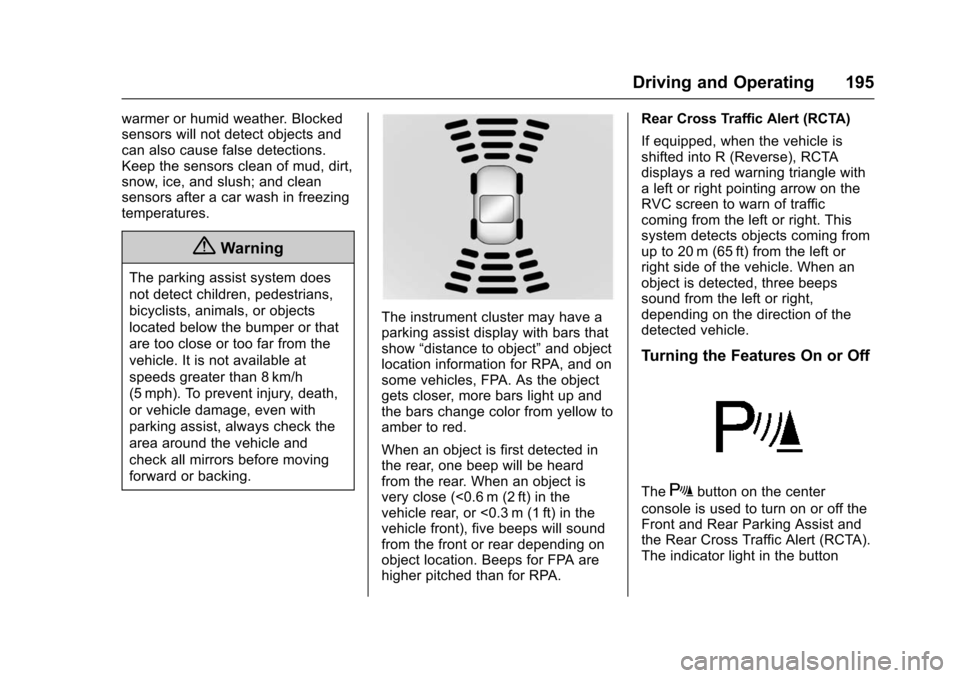
The instrument cluster may have a
parking assist display with bars that
show“distance to object” and object
location information for RPA, and on
some vehicles, FPA. As the object
gets closer, more bars light up and
the bars change color from yellow to
amber to red.
When an object is first detected in
the rear, one beep will be heard
from the rear. When an object is
very close (<0.6 m (2 ft) in the
vehicle rear, or <0.3 m (1 ft) in the
vehicle front), five beeps will sound
from the front or rear depending on
object location. Beeps for FPA are
higher pitched than for RPA. Rear Cross Traffic Alert (RCTA)
If equipped, when the vehicle is
shifted into R (Reverse), RCTA
displays a red warning triangle with
a left or right pointing arrow on the
RVC screen to warn of traffic
coming from the left or right. This
system detects objects coming from
up to 20 m (65 ft) from the left or
right side of the vehicle. When an
object is detected, three beeps
sound from the left or right,
depending on the direction of the
detected vehicle.
Turning the Features On or Off
TheXbutton on the center
console is used to turn on or off the
Front and Rear Parking Assist and
the Rear Cross Traffic Alert (RCTA).
The indicator light in the button
Page 200 of 366
Chevrolet VOLT Owner Manual (GMNA-Localizing-U.S/Canada/Mexico-
9159388) - 2016 - crc - 5/20/15
Driving and Operating 199
Collision Alert
When your vehicle approaches
another detected vehicle too rapidly,
the red FCA display will flash on the
windshield. Also, eight rapid
high-pitched beeps will sound from
the front. When this Collision Alert
occurs, the brake system may
prepare for driver braking to occur
more rapidly which can cause a
brief, mild deceleration. Continue to
apply the brake pedal as needed.
Cruise control may be disengaged
when the Collision Alert occurs.
Tailgating Alert
The vehicle ahead indicator will
display amber when you are
following a detected vehicle ahead
much too closely.
Selecting the Alert Timing
The Collision Alert control is on the
steering wheel. Press
[to set the
FCA timing to Far, Medium, or Near,
or on some vehicles, Off. The first
button press shows the current
setting on the Driver Information
Center (DIC). Additional button
presses will change this setting. The
chosen setting will remain until it is
changed and will affect the timing of
both the Collision Alert and the
Tailgating Alert features. The timing
of both alerts will vary based on
vehicle speed. The faster the
vehicle speed, the farther away the
alert will occur. Consider traffic and
weather conditions when selecting
the alert timing. The range of
selectable alert timings may not be
appropriate for all drivers and
driving conditions.
Following Distance Indication
The distance to a moving vehicle
that you are following is shown in
seconds on the Driver Information
Center (DIC). See Driver
Information Center (DIC) 0128. The
minimum following time is
0.5 seconds away. If there is no
vehicle detected ahead, or the
vehicle ahead is out of sensor
range, dashes will be displayed.
Unnecessary Alerts
FCA may provide unnecessary
alerts to turning vehicles, vehicles in
other lanes, objects that are not
vehicles, or shadows. These alerts
are normal operation and the
vehicle does not need service.
Cleaning the System
If the FCA system does not seem to
operate properly, cleaning the
outside of the windshield in front of
the rearview mirror, and cleaning the
front of the vehicle where radar
sensors are located, may correct
the issue.
Page 202 of 366
Chevrolet VOLT Owner Manual (GMNA-Localizing-U.S/Canada/Mexico-
9159388) - 2016 - crc - 5/20/15
Driving and Operating 201
Intelligent Brake Assist (IBA)
IBA may activate when the brake
pedal is applied quickly by providing
a boost to braking based on the
speed of approach and distance to
a vehicle ahead.
Minor brake pedal pulsations or
pedal movement during this time is
normal and the brake pedal should
continue to be applied as needed.
IBA will automatically disengage
only when the brake pedal is
released.
{Warning
IBA may increase vehicle braking
in situations when it may not be
necessary. You could block the
flow of traffic. If this occurs, take
your foot off the brake pedal and
then apply the brakes as needed.
FAB and IBA can be disabled
through vehicle personalization. See
the “Auto Collision Preparation”
information in “Collision/Detection
Systems” underVehicle
Personalization 0138.
Side Blind Zone
Alert (SBZA)
If equipped, the SBZA system is a
lane-changing aid that assists
drivers with avoiding crashes that
occur with moving vehicles in the
side blind zone (or spot) areas.
When the vehicle is in a forward
gear, the left or right side mirror
display will light up if a moving
vehicle is detected in that blind
zone. If the turn signal is activated
and a vehicle is also detected on
the same side, the display will flash
as an extra warning not to change
lanes. Since this system is part of
the Lane Change Alert system, read
the entire Lane Change Alert
section before using this feature.
Lane Change Alert (LCA)
If equipped, the LCA system is a
lane-changing aid that assists
drivers with avoiding lane change
crashes that occur with moving
vehicles in the side blind zone (or
spot) areas or with vehicles rapidly
approaching these areas from
behind. The LCA warning display
will light up in the corresponding
outside side mirror and will flash if
the turn signal is on.
{Warning
LCA does not alert the driver to
vehicles outside of the system
detection zones, pedestrians,
bicyclists, or animals. It may not
provide alerts when changing
lanes under all driving conditions.
Failure to use proper care when
changing lanes may result in
injury, death, or vehicle damage.
Before making a lane change,
always check mirrors, glance over
your shoulder, and use the turn
signals.
Page 203 of 366
Chevrolet VOLT Owner Manual (GMNA-Localizing-U.S/Canada/Mexico-
9159388) - 2016 - crc - 5/20/15
202 Driving and Operating
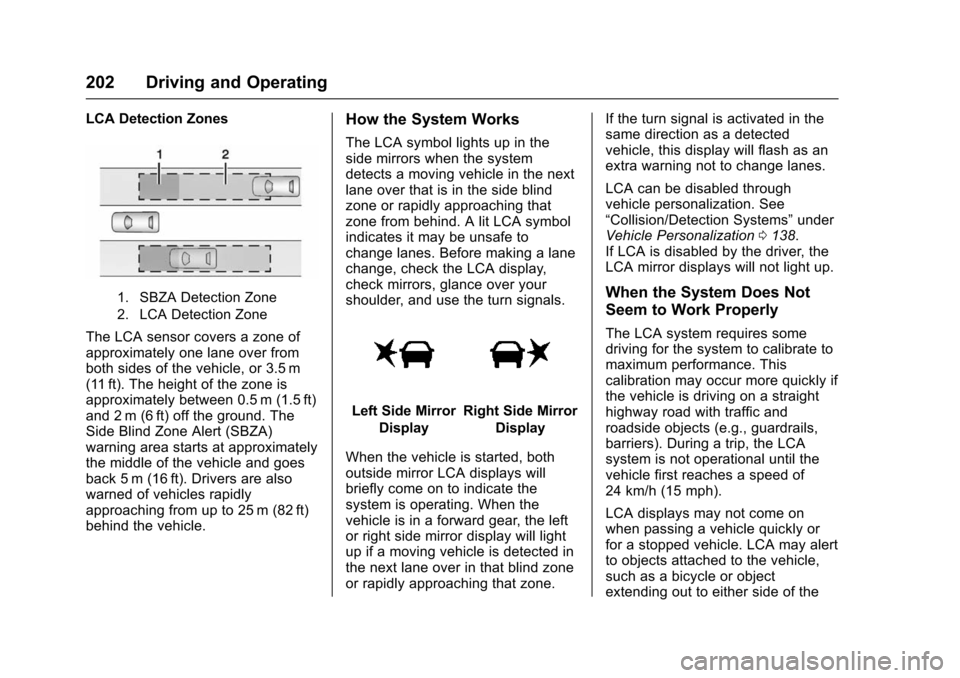
LCA Detection Zones
1. SBZA Detection Zone
2. LCA Detection Zone
The LCA sensor covers a zone of
approximately one lane over from
both sides of the vehicle, or 3.5 m
(11 ft). The height of the zone is
approximately between 0.5 m (1.5 ft)
and 2 m (6 ft) off the ground. The
Side Blind Zone Alert (SBZA)
warning area starts at approximately
the middle of the vehicle and goes
back 5 m (16 ft). Drivers are also
warned of vehicles rapidly
approaching from up to 25 m (82 ft)
behind the vehicle.
How the System Works
The LCA symbol lights up in the
side mirrors when the system
detects a moving vehicle in the next
lane over that is in the side blind
zone or rapidly approaching that
zone from behind. A lit LCA symbol
indicates it may be unsafe to
change lanes. Before making a lane
change, check the LCA display,
check mirrors, glance over your
shoulder, and use the turn signals.
Left Side MirrorDisplayRight Side Mirror Display
When the vehicle is started, both
outside mirror LCA displays will
briefly come on to indicate the
system is operating. When the
vehicle is in a forward gear, the left
or right side mirror display will light
up if a moving vehicle is detected in
the next lane over in that blind zone
or rapidly approaching that zone. If the turn signal is activated in the
same direction as a detected
vehicle, this display will flash as an
extra warning not to change lanes.
LCA can be disabled through
vehicle personalization. See
“Collision/Detection Systems”
under
Vehicle Personalization 0138.
If LCA is disabled by the driver, the
LCA mirror displays will not light up.
When the System Does Not
Seem to Work Properly
The LCA system requires some
driving for the system to calibrate to
maximum performance. This
calibration may occur more quickly if
the vehicle is driving on a straight
highway road with traffic and
roadside objects (e.g., guardrails,
barriers). During a trip, the LCA
system is not operational until the
vehicle first reaches a speed of
24 km/h (15 mph).
LCA displays may not come on
when passing a vehicle quickly or
for a stopped vehicle. LCA may alert
to objects attached to the vehicle,
such as a bicycle or object
extending out to either side of the
Page 205 of 366
Chevrolet VOLT Owner Manual (GMNA-Localizing-U.S/Canada/Mexico-
9159388) - 2016 - crc - 5/20/15
204 Driving and Operating
Warning (Continued)
The LKA and LDW systems
may not:. Provide an alert or enough
steering assist to avoid a
lane departure or crash.
. Detect lane markings under
poor weather or visibility
conditions. This can occur if
the windshield or
headlamps are blocked by
dirt, snow, or ice, if they are
not in proper condition, or if
the sun shines directly into
the camera.
. Detect road edges.
. Detect lanes on winding or
hilly roads.
If LKA only detects lane markings
on one side of the road, it will
only assist or provide an LDW
alert when approaching the lane
on the side where it has detected
a lane marking. Even with LKA
and LDW, you must steer the (Continued)
Warning (Continued)
vehicle. Always keep your
attention on the road and
maintain proper vehicle position
within the lane, or vehicle
damage, injury, or death could
occur. Always keep the
windshield, headlamps, and
camera sensors clean and in
good repair. Do not use LKA in
bad weather conditions.
{Warning
Using LKA on slippery roads
could cause loss of control of the
vehicle and a crash. Turn the
system off.
How the System Works
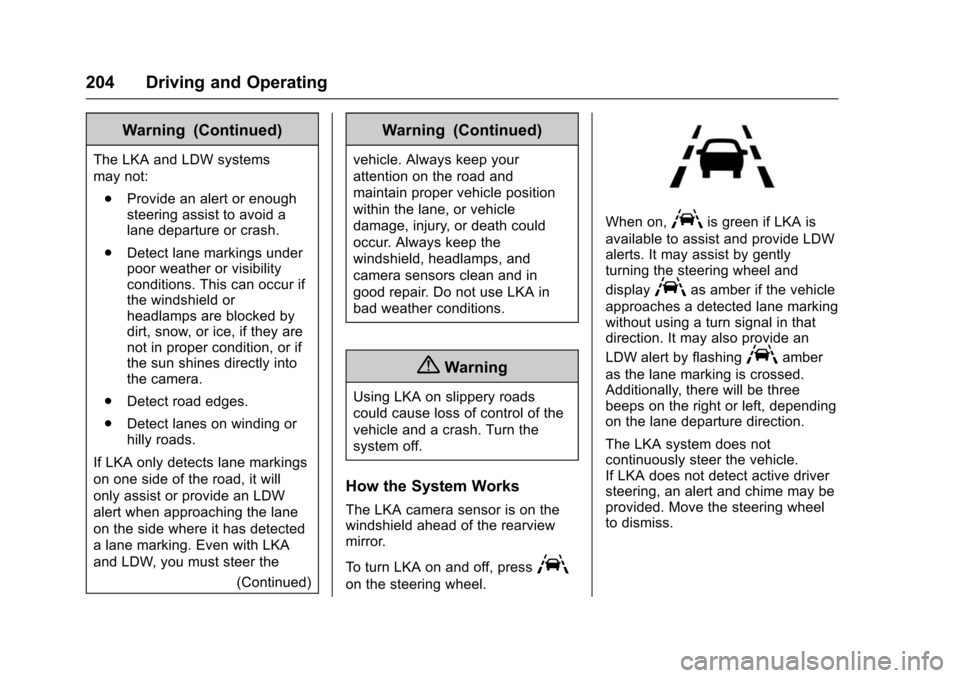
The LKA camera sensor is on the
windshield ahead of the rearview
mirror.
To turn LKA on and off, press
A
on the steering wheel.
When on,Ais green if LKA is
available to assist and provide LDW
alerts. It may assist by gently
turning the steering wheel and
display
Aas amber if the vehicle
approaches a detected lane marking
without using a turn signal in that
direction. It may also provide an
LDW alert by flashing
Aamber
as the lane marking is crossed.
Additionally, there will be three
beeps on the right or left, depending
on the lane departure direction.
The LKA system does not
continuously steer the vehicle.
If LKA does not detect active driver
steering, an alert and chime may be
provided. Move the steering wheel
to dismiss.
Page 255 of 366
Chevrolet VOLT Owner Manual (GMNA-Localizing-U.S/Canada/Mexico-
9159388) - 2016 - crc - 5/20/15
254 Vehicle Care
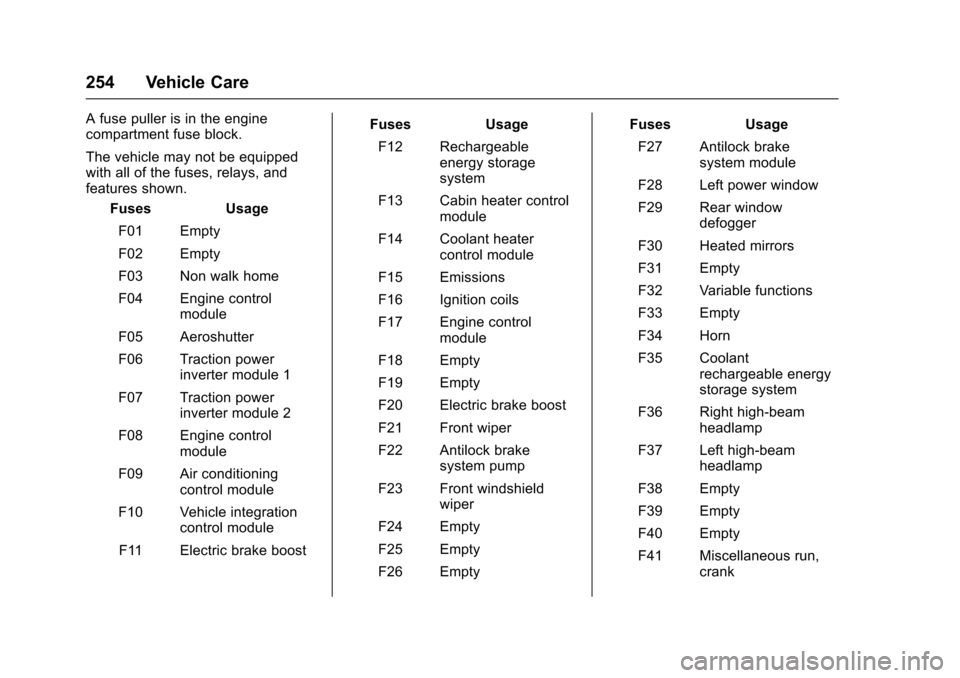
A fuse puller is in the engine
compartment fuse block.
The vehicle may not be equipped
with all of the fuses, relays, and
features shown.Fuses Usage
F01 Empty
F02 Empty
F03 Non walk home
F04 Engine control module
F05 Aeroshutter
F06 Traction power inverter module 1
F07 Traction power inverter module 2
F08 Engine control module
F09 Air conditioning control module
F10 Vehicle integration control module
F11 Electric brake boost Fuses
Usage
F12 Rechargeable energy storage
system
F13 Cabin heater control module
F14 Coolant heater control module
F15 Emissions
F16 Ignition coils
F17 Engine control module
F18 Empty
F19 Empty
F20 Electric brake boost
F21 Front wiper
F22 Antilock brake system pump
F23 Front windshield wiper
F24 Empty
F25 Empty
F26 Empty Fuses
Usage
F27 Antilock brake system module
F28 Left power window
F29 Rear window defogger
F30 Heated mirrors
F31 Empty
F32 Variable functions
F33 Empty
F34 Horn
F35 Coolant rechargeable energy
storage system
F36 Right high-beam headlamp
F37 Left high-beam headlamp
F38 Empty
F39 Empty
F40 Empty
F41 Miscellaneous run, crank
Page 262 of 366
Chevrolet VOLT Owner Manual (GMNA-Localizing-U.S/Canada/Mexico-
9159388) - 2016 - crc - 5/20/15
Vehicle Care 261
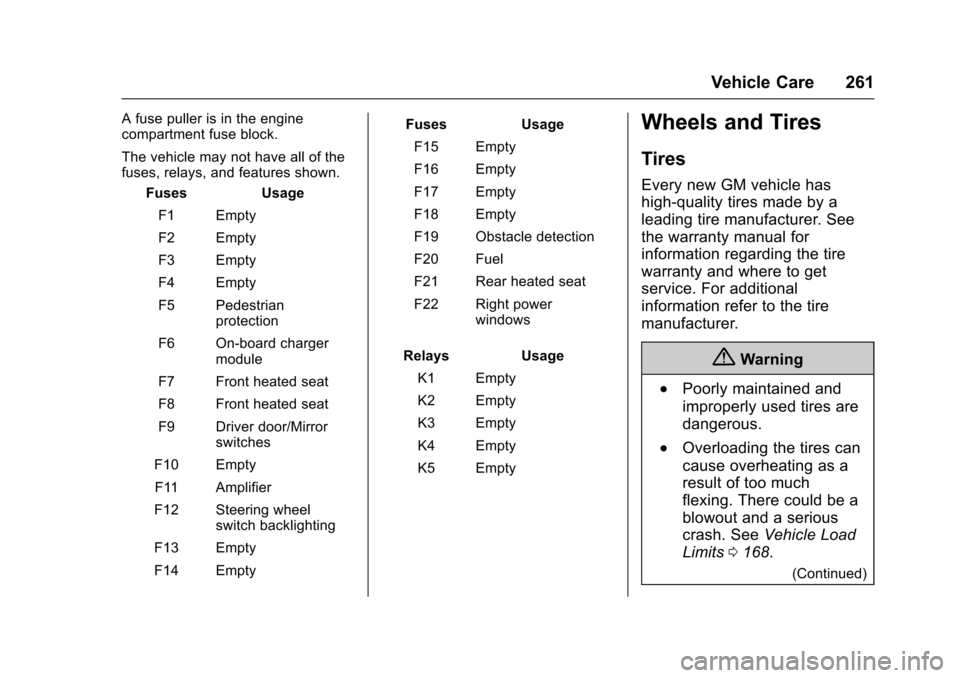
A fuse puller is in the engine
compartment fuse block.
The vehicle may not have all of the
fuses, relays, and features shown.Fuses Usage
F1 Empty
F2 Empty
F3 Empty
F4 Empty
F5 Pedestrian protection
F6 On-board charger module
F7 Front heated seat
F8 Front heated seat
F9 Driver door/Mirror switches
F10 Empty F11 Amplifier
F12 Steering wheel switch backlighting
F13 Empty
F14 Empty Fuses
Usage
F15 Empty
F16 Empty
F17 Empty
F18 Empty
F19 Obstacle detection
F20 Fuel
F21 Rear heated seat
F22 Right power windows
Relays Usage
K1 Empty
K2 Empty
K3 Empty
K4 Empty
K5 EmptyWheels and Tires
Tires
Every new GM vehicle has
high-quality tires made by a
leading tire manufacturer. See
the warranty manual for
information regarding the tire
warranty and where to get
service. For additional
information refer to the tire
manufacturer.
{Warning
.Poorly maintained and
improperly used tires are
dangerous.
.Overloading the tires can
cause overheating as a
result of too much
flexing. There could be a
blowout and a serious
crash. See Vehicle Load
Limits 0168.
(Continued)
Page 358 of 366

Chevrolet VOLT Owner Manual (GMNA-Localizing-U.S/Canada/Mexico-
9159388) - 2016 - crc - 5/20/15
Index 357
Compressor Kit, Tire Sealant . . . 282
ConnectionsOnStar
®. . . . . . . . . . . . . . . . . . . . . . 347
Control Traction and ElectronicStability . . . . . . . . . . . . . . . . . . . . . 188
Control of a Vehicle . . . . . . . . . . . . . 163
Convex Mirrors . . . . . . . . . . . . . . . . . . 44
Coolant
Engine . . . . . . . . . . . . . . . . . . . . . . . . 239
Engine TemperatureWarning Light . . . . . . . . . . . . . . . .114
Cooling System . . . . . . . . . . . . 236–238 Engine Messages . . . . . . . . . . . . 132
Courtesy Transportation Program . . . . . . . . . . . . . . . . . . . . . . . 337
Cover Cargo . . . . . . . . . . . . . . . . . . . . . . . . . . . 93
Cruise Control . . . . . . . . . . . . . . . . . . 190 Light . . . . . . . . . . . . . . . . . . . . . . . . . . .116
Messages . . . . . . . . . . . . . . . . . . . . 131
Customer Assistance . . . . . . . . . . . 334 Offices . . . . . . . . . . . . . . . . . . . . . . . . 333
Text Telephone (TTY)Users . . . . . . . . . . . . . . . . . . . . . . . 334
Customer Information Service PublicationsOrdering Information . . . . . . . . 340 Customer Satisfaction
Procedure . . . . . . . . . . . . . . . . . . . . . 331D
Damage Repair, Collision . . . . . . . 338
Danger, Warning, and Caution . . . . 3
Data Recorders, Event . . . . . . . . . 343
Daytime Running
Lamps (DRL) . . . . . . . . . . . . . . . . . . 148
Defensive Driving . . . . . . . . . . . . . . . 163
Delayed Charging Override . . . . . 206
Delayed Locking . . . . . . . . . . . . . . . . . 39
Diagnostics OnStar
®. . . . . . . . . . . . . . . . . . . . . . 349
Display Center Stack . . . . . . . . . . . . . . . . . .116
Distracted Driving . . . . . . . . . . . . . . . 162
Dome Lamps . . . . . . . . . . . . . . . . . . . 150
Door
Ajar Light . . . . . . . . . . . . . . . . . . . . . .116
Ajar Messages . . . . . . . . . . . . . . . 131
Delayed Locking . . . . . . . . . . . . . . . . 39
Locks . . . . . . . . . . . . . . . . . . . . . . . . . . . 37
Power Locks . . . . . . . . . . . . . . . . . . . . 39
Drive Belt Routing, Engine . . . . . . 330
Drive Unit Electric . . . . . . . . . . . . . . . . . . . . . . . 183
Driver Assistance Systems . . . . . 193
Driver Efficiency Gauge . . . . . . . . 105 Driver Information
Center (DIC) . . . . . . . . . . . . . . . . . . 128
Driver Mode Control . . . . . . . . . . . . 190
Driver Selected Operating Modes . . . . . . . . . . . . . . . . . . . . . . . . 177
Driving Assistance Systems . . . . . . . . . . 197
Defensive . . . . . . . . . . . . . . . . . . . . . 163
Drunk . . . . . . . . . . . . . . . . . . . . . . . . . 163
Hill and Mountain Roads . . . . . . 166
If the Vehicle is Stuck . . . . . . . . . 168
Loss of Control . . . . . . . . . . . . . . . 165
Off-Road Recovery . . . . . . . . . . . 164
Vehicle Load Limits . . . . . . . . . . . 168
Wet Roads . . . . . . . . . . . . . . . . . . . 165
Winter . . . . . . . . . . . . . . . . . . . . . . . . 167
Driving for Better Energy Efficiency . . . . . . . . . . . . . . . . . . . . . . 25
E
Electric Drive Unit . . . . . . . . . . . . . . 183
Electric Drive Unit Messages . . . 131
Electric Drive Unit Shift LockControl Function Check . . . . . . . 247
Electric Mode . . . . . . . . . . . . . . . . . . . 176
Electric Parking Brake . . . . . . . . . . 185
Electric Parking Brake Light . . . . 111
Electrical Equipment, Add-On . . . . . . . . . . . . . . . . . . . . . . . 224
Page 359 of 366

Chevrolet VOLT Owner Manual (GMNA-Localizing-U.S/Canada/Mexico-
9159388) - 2016 - crc - 5/20/15
358 Index
Electrical Requirements forBattery Charging . . . . . . . . . . . . . . 218
Electrical System Engine Compartment FuseBlock . . . . . . . . . . . . . . . . . . . . . . . . 252
Instrument Panel Fuse Block . . . . . . . . . . . . . . . . . . . . . . . . 256
Overload . . . . . . . . . . . . . . . . . . . . . 252
Rear Compartment Fuse Block . . . . . . . . . . . . . . . . . . . . . . . . 259
Emergency
OnStar
®. . . . . . . . . . . . . . . . . . . . . . 346
Energy Efficiency Driving . . . . . . . . . . . . . . . . . . . . . . . . . . 25
Energy Information . . . . . . . . . . . . . 127
Engine Air Cleaner/Filter . . . . . . . . . . . . . 235
Check and Service EngineSoon Light . . . . . . . . . . . . . . . . . . 109
Compartment Overview . . . . . . . 231
Coolant . . . . . . . . . . . . . . . . . . . . . . . 239
Coolant Temperature Warning Light . . . . . . . . . . . . . . . .114
Cooling System . . . . . . . . . . 236–238
Cooling System Messages . . . 132
Drive Belt Routing . . . . . . . . . . . . 330
Exhaust . . . . . . . . . . . . . . . . . . . . . . 182
Oil Life System . . . . . . . . . . . . . . . 234 Engine (cont'd)
Oil Messages . . . . . . . . . . . . . . . . . 132
Oil Pressure Light . . . . . . . . . . . . .114
Overheating . . . . . . . . . . . . . . . . . . 242
Running While Parked . . . . . . . . 182
Engine Unavailable Out of Fuel . . . . . . . . . . . . . . . . . . . 179
Entry Lighting . . . . . . . . . . . . . . . . . . . 151
Event Data Recorders . . . . . . . . . . 343
Exit Lighting . . . . . . . . . . . . . . . . . . . . 151
Extended Range Mode . . . . . . . . . 176
Extender, Safety Belt . . . . . . . . . . . . 60
Exterior Lamp Controls . . . . . . . . . 146
F
Filter, Engine Air Cleaner . . . . . . . . . . . 235
Flash-to-Pass . . . . . . . . . . . . . . . . . . . 148
Flashers, Hazard Warning . . . . . . 149
Flat Tire . . . . . . . . . . . . . . . . . . . . . . . . 281 Changing . . . . . . . . . . . . . . . . . . . . . 289
Floor Mats . . . . . . . . . . . . . . . . . . . . . . 312
Fluid Brakes . . . . . . . . . . . . . . . . . . . . . . . . 243
Washer . . . . . . . . . . . . . . . . . . . . . . . 242
Folding Mirrors . . . . . . . . . . . . . . . . . . 45
Forward Collision Alert (FCA) System . . . . . . . . . . . . . . . . . 198 Frequency Statement
Radio . . . . . . . . . . . . . . . . . . . . . . . . . 341
Front Automatic Braking (FAB) System . . . . . . . . . . . . . . . . . 200
Front Seats Adjustment . . . . . . . . . . . . . . . . . . . . . 51
Heated . . . . . . . . . . . . . . . . . . . . . . . . . 53
Fuel . . . . . . . . . . . . . . . . . . . . . . . . . . . . 219 Additives . . . . . . . . . . . . . . . . . . . . . 221
Filling a Portable FuelContainer . . . . . . . . . . . . . . . . . . . 223
Filling the Tank . . . . . . . . . . . . . . . 221
Foreign Countries . . . . . . . . . . . . 221
Gauge . . . . . . . . . . . . . . . . . . . . . . . . 104
Low Fuel Warning Light . . . . . . . .115
Requirements, California . . . . . 220
System Messages . . . . . . . . . . . . 132
Function Check Electric Drive Unit ShiftLock Control . . . . . . . . . . . . . . . . 247
Fuses
Engine Compartment FuseBlock . . . . . . . . . . . . . . . . . . . . . . . . 252
Instrument Panel Fuse Block . . . . . . . . . . . . . . . . . . . . . . . . 256
Rear Compartment Fuse Block . . . . . . . . . . . . . . . . . . . . . . . . 259