change time CHEVROLET VOLT 2016 2.G Owner's Manual
[x] Cancel search | Manufacturer: CHEVROLET, Model Year: 2016, Model line: VOLT, Model: CHEVROLET VOLT 2016 2.GPages: 366, PDF Size: 5.4 MB
Page 180 of 366
Chevrolet VOLT Owner Manual (GMNA-Localizing-U.S/Canada/Mexico-
9159388) - 2016 - crc - 5/20/15
Driving and Operating 179
The engine may run when Mountain
Mode is selected, depending on the
high voltage battery charge, to build
reserve battery charge for uphill
climbs. If Mountain Mode is entered
with a sufficient battery charge
reserve, the battery charge reserve
will appear grayed out and any
battery charge reserve still unused
upon exiting Mountain Mode will
return to normal appearance.
Press Drive Mode again to return to
Normal Mode and it becomes active
after three seconds.
Each time the vehicle is started, it
will return to Normal Mode to
maintain a smaller battery charge
reserve for normal driving.Hold Mode
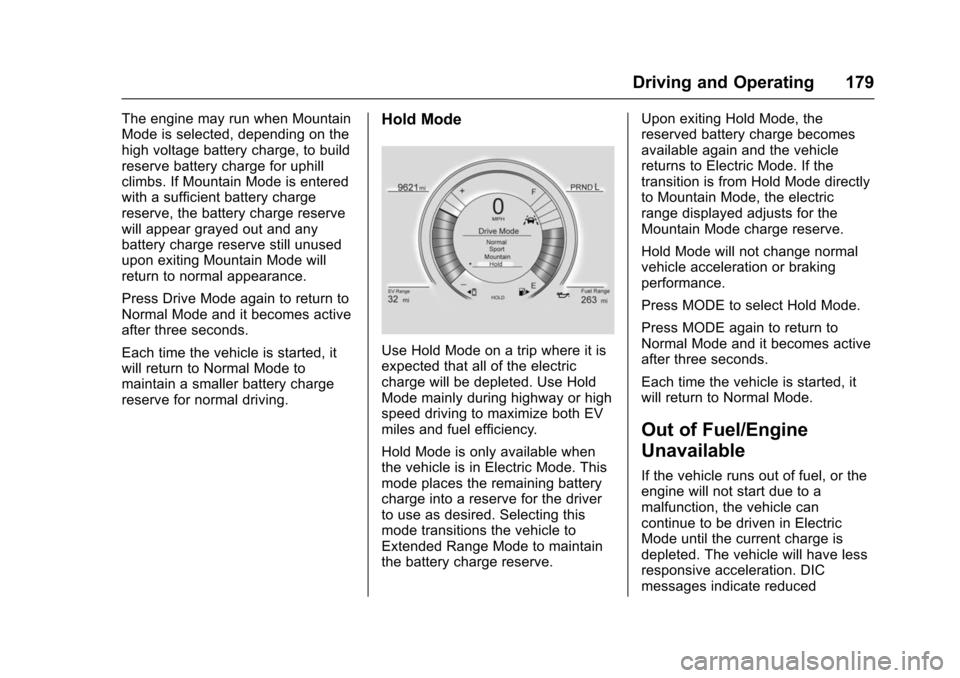
Use Hold Mode on a trip where it is
expected that all of the electric
charge will be depleted. Use Hold
Mode mainly during highway or high
speed driving to maximize both EV
miles and fuel efficiency.
Hold Mode is only available when
the vehicle is in Electric Mode. This
mode places the remaining battery
charge into a reserve for the driver
to use as desired. Selecting this
mode transitions the vehicle to
Extended Range Mode to maintain
the battery charge reserve.Upon exiting Hold Mode, the
reserved battery charge becomes
available again and the vehicle
returns to Electric Mode. If the
transition is from Hold Mode directly
to Mountain Mode, the electric
range displayed adjusts for the
Mountain Mode charge reserve.
Hold Mode will not change normal
vehicle acceleration or braking
performance.
Press MODE to select Hold Mode.
Press MODE again to return to
Normal Mode and it becomes active
after three seconds.
Each time the vehicle is started, it
will return to Normal Mode.
Out of Fuel/Engine
Unavailable
If the vehicle runs out of fuel, or the
engine will not start due to a
malfunction, the vehicle can
continue to be driven in Electric
Mode until the current charge is
depleted. The vehicle will have less
responsive acceleration. DIC
messages indicate reduced
Page 186 of 366
Chevrolet VOLT Owner Manual (GMNA-Localizing-U.S/Canada/Mexico-
9159388) - 2016 - crc - 5/20/15
Driving and Operating 185
If driving safely on a wet road and it
becomes necessary to slam on the
brakes and continue braking to
avoid a sudden obstacle, a
computer senses that the wheels
are slowing down. If one of the
wheels is about to stop rolling, the
computer will separately work the
brakes at each wheel.
ABS can change the brake pressure
to each wheel, as required, faster
than any driver could. This can help
the driver steer around the obstacle
while braking hard.
As the brakes are applied, the
computer keeps receiving updates
on wheel speed and controls
braking pressure accordingly.
Remember: ABS does not change
the time needed to get a foot up to
the brake pedal or always decrease
stopping distance. If you get too
close to the vehicle in front of you,
there will not be enough time to
apply the brakes if that vehicle
suddenly slows or stops. Always
leave enough room up ahead to
stop, even with ABS.Using ABS
Do not pump the brakes. Just hold
the brake pedal down firmly and let
ABS work. You might hear the ABS
pump or motor operating and feel
the brake pedal pulsate, but this is
normal.
Braking in Emergencies
ABS allows the driver to steer and
brake at the same time. In many
emergencies, steering can help
more than even the very best
braking.
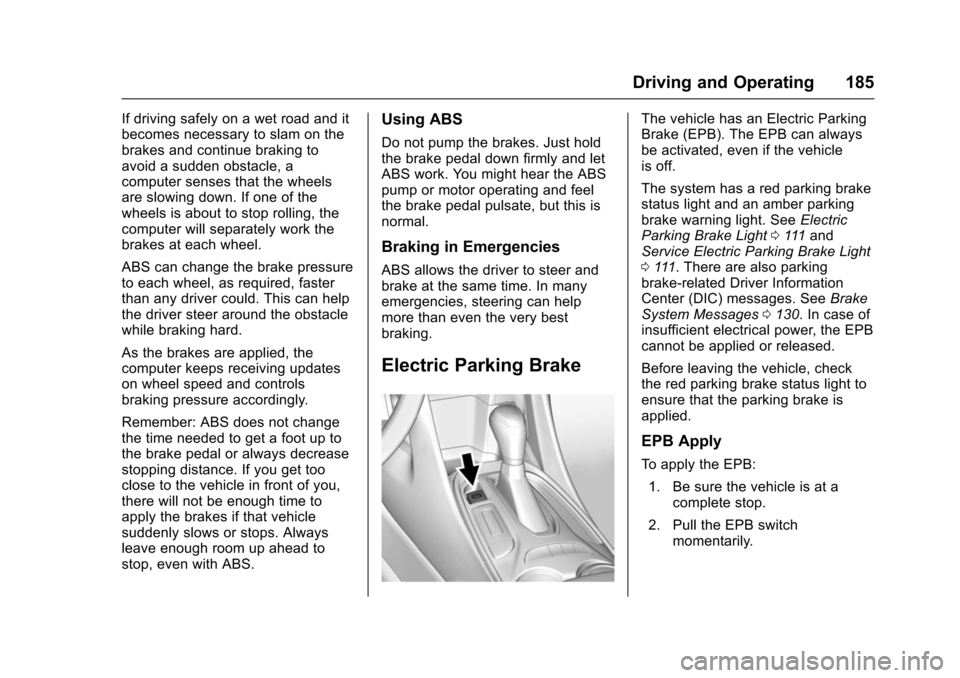
Electric Parking Brake
The vehicle has an Electric Parking
Brake (EPB). The EPB can always
be activated, even if the vehicle
is off.
The system has a red parking brake
status light and an amber parking
brake warning light. SeeElectric
Parking Brake Light 0111 and
Service Electric Parking Brake Light
0 111. There are also parking
brake-related Driver Information
Center (DIC) messages. See Brake
System Messages 0130. In case of
insufficient electrical power, the EPB
cannot be applied or released.
Before leaving the vehicle, check
the red parking brake status light to
ensure that the parking brake is
applied.
EPB Apply
To apply the EPB:
1. Be sure the vehicle is at a complete stop.
2. Pull the EPB switch momentarily.
Page 194 of 366
Chevrolet VOLT Owner Manual (GMNA-Localizing-U.S/Canada/Mexico-
9159388) - 2016 - crc - 5/20/15
Driving and Operating 193
Driver Assistance
Systems
This vehicle may have features that
work together to help avoid crashes
or reduce crash damage while
driving, backing, and parking. Read
this entire section before using
these systems.
{Warning
Do not rely on the Driver
Assistance Systems. These
systems do not replace the need
for paying attention and driving
safely. You may not hear or see
alerts or warnings provided by
these systems. Failure to use
proper care when driving may
result in injury, death, or vehicle
damage. SeeDefensive Driving
0 163.
Under many conditions, these
systems will not: (Continued)
Warning (Continued)
.Detect children,
pedestrians, bicyclists,
or animals.
. Detect vehicles or objects
outside the area monitored
by the system.
. Work at all driving speeds.
. Warn you or provide you
with enough time to avoid a
crash.
. Work under poor visibility or
bad weather conditions.
. Work if the detection sensor
is not cleaned or is covered
by ice, snow, mud, or dirt.
Complete attention is always
required while driving, and you
should be ready to take action
and apply the brakes and/or steer
the vehicle to avoid crashes. Audible Alert
Some driver assistance features
alert the driver of obstacles by
beeping. To change the volume of
the warning chime, see
“Comfort
and Convenience” underVehicle
Personalization 0138.
Assistance Systems for
Parking or Backing
If equipped, the Rear Vision Camera
(RVC), Rear Parking Assist (RPA),
Front Parking Assist (FPA), Rear
Cross Traffic Alert (RCTA), and
Automatic Parking Assist (APA) may
help the driver park or avoid objects.
Always check around the vehicle
when parking or backing.
Rear Vision Camera (RVC)
When the vehicle is shifted into
R (Reverse), the RVC displays an
image of the area behind the vehicle
in the center stack display. The
previous screen displays when the
vehicle is shifted out of R (Reverse)
after a short delay. To return to the
previous screen sooner, press a
Page 200 of 366
Chevrolet VOLT Owner Manual (GMNA-Localizing-U.S/Canada/Mexico-
9159388) - 2016 - crc - 5/20/15
Driving and Operating 199
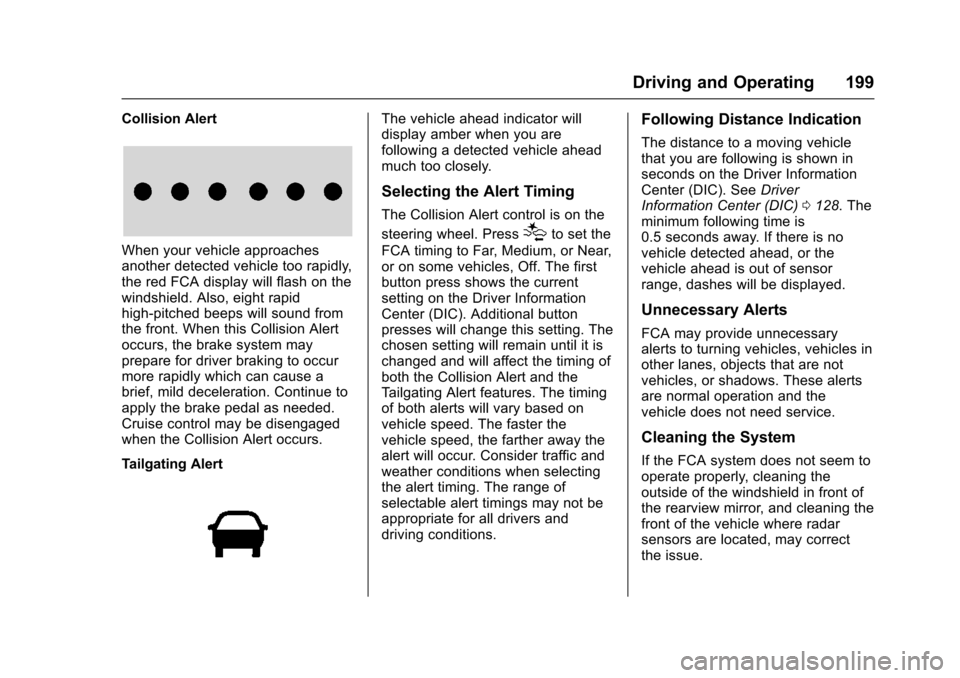
Collision Alert
When your vehicle approaches
another detected vehicle too rapidly,
the red FCA display will flash on the
windshield. Also, eight rapid
high-pitched beeps will sound from
the front. When this Collision Alert
occurs, the brake system may
prepare for driver braking to occur
more rapidly which can cause a
brief, mild deceleration. Continue to
apply the brake pedal as needed.
Cruise control may be disengaged
when the Collision Alert occurs.
Tailgating Alert
The vehicle ahead indicator will
display amber when you are
following a detected vehicle ahead
much too closely.
Selecting the Alert Timing
The Collision Alert control is on the
steering wheel. Press
[to set the
FCA timing to Far, Medium, or Near,
or on some vehicles, Off. The first
button press shows the current
setting on the Driver Information
Center (DIC). Additional button
presses will change this setting. The
chosen setting will remain until it is
changed and will affect the timing of
both the Collision Alert and the
Tailgating Alert features. The timing
of both alerts will vary based on
vehicle speed. The faster the
vehicle speed, the farther away the
alert will occur. Consider traffic and
weather conditions when selecting
the alert timing. The range of
selectable alert timings may not be
appropriate for all drivers and
driving conditions.
Following Distance Indication
The distance to a moving vehicle
that you are following is shown in
seconds on the Driver Information
Center (DIC). See Driver
Information Center (DIC) 0128. The
minimum following time is
0.5 seconds away. If there is no
vehicle detected ahead, or the
vehicle ahead is out of sensor
range, dashes will be displayed.
Unnecessary Alerts
FCA may provide unnecessary
alerts to turning vehicles, vehicles in
other lanes, objects that are not
vehicles, or shadows. These alerts
are normal operation and the
vehicle does not need service.
Cleaning the System
If the FCA system does not seem to
operate properly, cleaning the
outside of the windshield in front of
the rearview mirror, and cleaning the
front of the vehicle where radar
sensors are located, may correct
the issue.
Page 202 of 366
Chevrolet VOLT Owner Manual (GMNA-Localizing-U.S/Canada/Mexico-
9159388) - 2016 - crc - 5/20/15
Driving and Operating 201
Intelligent Brake Assist (IBA)
IBA may activate when the brake
pedal is applied quickly by providing
a boost to braking based on the
speed of approach and distance to
a vehicle ahead.
Minor brake pedal pulsations or
pedal movement during this time is
normal and the brake pedal should
continue to be applied as needed.
IBA will automatically disengage
only when the brake pedal is
released.
{Warning
IBA may increase vehicle braking
in situations when it may not be
necessary. You could block the
flow of traffic. If this occurs, take
your foot off the brake pedal and
then apply the brakes as needed.
FAB and IBA can be disabled
through vehicle personalization. See
the “Auto Collision Preparation”
information in “Collision/Detection
Systems” underVehicle
Personalization 0138.
Side Blind Zone
Alert (SBZA)
If equipped, the SBZA system is a
lane-changing aid that assists
drivers with avoiding crashes that
occur with moving vehicles in the
side blind zone (or spot) areas.
When the vehicle is in a forward
gear, the left or right side mirror
display will light up if a moving
vehicle is detected in that blind
zone. If the turn signal is activated
and a vehicle is also detected on
the same side, the display will flash
as an extra warning not to change
lanes. Since this system is part of
the Lane Change Alert system, read
the entire Lane Change Alert
section before using this feature.
Lane Change Alert (LCA)
If equipped, the LCA system is a
lane-changing aid that assists
drivers with avoiding lane change
crashes that occur with moving
vehicles in the side blind zone (or
spot) areas or with vehicles rapidly
approaching these areas from
behind. The LCA warning display
will light up in the corresponding
outside side mirror and will flash if
the turn signal is on.
{Warning
LCA does not alert the driver to
vehicles outside of the system
detection zones, pedestrians,
bicyclists, or animals. It may not
provide alerts when changing
lanes under all driving conditions.
Failure to use proper care when
changing lanes may result in
injury, death, or vehicle damage.
Before making a lane change,
always check mirrors, glance over
your shoulder, and use the turn
signals.
Page 206 of 366
Chevrolet VOLT Owner Manual (GMNA-Localizing-U.S/Canada/Mexico-
9159388) - 2016 - crc - 5/20/15
Driving and Operating 205
When the System Does Not
Seem to Work Properly
The system performance may be
affected by:
.Close vehicles ahead.
. Sudden lighting changes, such
as when driving through tunnels.
. Banked roads.
. Roads with poor lane markings,
such as two-lane roads.
If the LKA system is not functioning
properly when lane markings are
clearly visible, cleaning the
windshield may help.
LKA assistance and/or LDW alerts
may occur due to tar marks,
shadows, cracks in the road,
temporary or construction lane
markings, or other road
imperfections. This is normal system
operation; the vehicle does not need
service. Turn LKA off if these
conditions continue.
Charging
Plug-In Charging
This section explains the charging
of the vehicle's high voltage battery.
Do not allow the vehicle to remain in
extreme temperatures for long
periods without being driven or
plugged in. Plug the vehicle in when
temperatures are below 0 °C (32 °F)
and above 32 °C (90 °F) to
maximize the life of the high voltage
battery.
When using a 120-volt AC electrical
outlet, it will take approximately
13 hours to charge the vehicle with
the 12 amp AC current setting or
19 hours using the default 8 amp
AC current setting. When using a
240-volt charging station, it will take
approximately 4.5 hours to charge
the vehicle. Charge times will vary
with outside temperature. There are
three ways to program how the
vehicle is charged. See
Programmable Charging 0118.
The charging system may run fans
and pumps that result in sounds
from the vehicle while it is turned off. Additional unexpected clicking
sounds may be caused by the
electrical devices used while
charging.
While the charge cord is plugged
into the vehicle, the vehicle cannot
be driven.
Charging
Start Charge
1. Make sure the vehicle is parked. Select the appropriate
charge level using the Charge
Limit Preference screen on the
center stack. See “Charge
Limit Selection” under
Programmable Charging 0118.
Turn the vehicle off.
2. Push the rearward edge of the charge port door in and release
to open the door.
In cold weather conditions, ice
may form around the charge
port door. Remove ice from the
area before attempting to open
or close the charge port door.
Page 219 of 366
Chevrolet VOLT Owner Manual (GMNA-Localizing-U.S/Canada/Mexico-
9159388) - 2016 - crc - 5/20/15
218 Driving and Operating
.The device must accept any
interference received, including
interference that may cause
undesired operation of the
device.
Changes or modifications to any of
these systems by other than an
authorized service facility could void
authorization to use this equipment.
Utility Interruption of
Charging
If using AC charging, this vehicle
will respond to remote requests
through OnStar to limit or
completely block electrical power
grid usage for brief time periods.
A utility interruption of charging may
increase AC vehicle charge times.
When electrical grid power is
completely blocked, the vehicle will
delay charging until the utility
interruption has expired. The vehicle
should be left plugged in so that the
vehicle can automatically begin
charging. Changing the charge mode to
Immediate or performing a delayed
charging override will not disable a
utility interruption.
A pop-up will appear in the center
stack display during the key cycle
following any utility interruption. See
“Charging Interrupted or Overridden
Pop-Up”
underProgrammable
Charging 0118.
A message will display on the
instrument cluster indicating that a
utility interruption has occurred. See
Instrument Cluster 0100.
Charging Station
Troubleshooting
If the vehicle does not charge after
being plugged in to a residential
240-volt charging station:
1. Verify that the charge mode is set to Immediate.
2. Verify that the charging station’s circuit breaker has not
been tripped.
3. Plug the portable charge cord into the wall outlet, verify that
the indicator light on the charge cord is solid green, and
connect it to the vehicle. See
“Charge Cord Status
Indicators”
inCharge Cord
0 210.
4. If the vehicle charges with the portable charge cord, there
may be a problem with the
charging station. Try to charge
the vehicle with a different
240-volt charging station, such
as a public station. If both
attempts charge the vehicle,
contact the charging station
manufacturer.
Electrical Requirements
for Battery Charging
This vehicle is capable of being
charged with most standard vehicle
charging equipment complying with
one or more of the following:
.SAE J1772
. SAE J2847-2
. IEC 61851-1
. IEC 61851-22
. IEC 61851-23
Page 233 of 366
Chevrolet VOLT Owner Manual (GMNA-Localizing-U.S/Canada/Mexico-
9159388) - 2016 - crc - 5/20/15
232 Vehicle Care
1. Windshield Washer FluidReservoir. See “Adding Washer
Fluid” under Washer Fluid
0 242.
2. Engine Air Cleaner/Filter 0235.
3. Engine Oil Fill Cap. See Engine Oil 0232.
4. Engine Oil Dipstick. See Engine Oil 0232.
5. Engine Cooling Fan (Out of View). See Cooling System
(Engine) 0236 orCooling
System (High Voltage Battery)
0 237 orCooling System
(Power Electronics and
Charger Modules) 0238.
6. Brake Fluid Reservoir. See “Brake Fluid” underBrakes
0 243.
7. Electric Drive Unit Fluid Cap.
8. High Voltage Battery Coolant Reservoir and Pressure Cap.
See Cooling System (Engine)
0 236 orCooling System (High
Voltage Battery) 0237 or
Cooling System (Power
Electronics and Charger
Modules) 0238. 9. Engine Coolant Surge Tank
and Pressure Cap. See Engine
Coolant 0239.
10. Remote Positive (+) Terminal. SeeJump Starting - North
America 0295.
11. Power Electronics Coolant Reservoir and Pressure Cap.
SeeCooling System (Engine)
0 236 orCooling System (High
Voltage Battery) 0237 or
Cooling System (Power
Electronics and Charger
Modules) 0238.
12. Engine Compartment Fuse
Block 0252.
13. Remote Negative (−) Terminal. SeeJump Starting - North
America 0295.
Engine Oil
To ensure proper engine
performance and long life, careful
attention must be paid to engine oil.
Following these simple, but
important steps will help protect
your investment: .
Always use engine oil approved
to the proper specification and of
the proper viscosity grade. See
“Selecting the Right Engine Oil”
in this section.
. Check the engine oil level
regularly and maintain the
proper oil level. See “Checking
Engine Oil” and“When to Add
Engine Oil” in this section.
. Change the engine oil at the
appropriate time. See Engine Oil
Life System 0234.
. Always dispose of engine oil
properly. See “What to Do with
Used Oil” in this section.
Checking Engine Oil
It is a good idea to check the engine
oil level at each fuel fill. In order to
get an accurate reading, the vehicle
must be on level ground. The
engine oil dipstick handle is a loop.
SeeEngine Compartment Overview
0 231 for the location of the engine
oil dipstick.
Obtaining an accurate oil level
reading is essential:
Page 235 of 366
Chevrolet VOLT Owner Manual (GMNA-Localizing-U.S/Canada/Mexico-
9159388) - 2016 - crc - 5/20/15
234 Vehicle Care
Specification
Ask for and use engine oils that
meet the dexos1™specification.
Engine oils that have been
approved by GM as meeting the
dexos1 specification are marked
with the dexos1 approved logo. See
www.gmdexos.com.
Caution
Failure to use the recommended
engine oil can result in engine
damage not covered by the
vehicle warranty. Check with your
dealer or service provider on
whether the oil is approved to the
dexos1 specification. Viscosity Grade
Use SAE 5W-20 viscosity grade
engine oil. SAE 0W-20 may be used
as an alternative.
When selecting an oil of the
appropriate viscosity grade, always
select an oil of the correct
specification. See
“Specification”
earlier in this section.
Engine Oil Additives/Engine
Oil Flushes
Do not add anything to the oil. The
recommended oils meeting the
dexos1 specification are all that is
needed for good performance and
engine protection.
Engine oil system flushes are not
recommended and could cause
engine damage not covered by the
vehicle warranty.
What to Do with Used Oil
Used engine oil contains certain
elements that can be unhealthy for
your skin and could even cause
cancer. Do not let used oil stay on
your skin for very long. Clean your
skin and nails with soap and water, or a good hand cleaner. Wash or
properly dispose of clothing or rags
containing used engine oil. See the
manufacturer's warnings about the
use and disposal of oil products.
Used oil can be a threat to the
environment. If you change your
own oil, be sure to drain all the oil
from the filter before disposal. Never
dispose of oil by putting it in the
trash or pouring it on the ground,
into sewers, or into streams or
bodies of water. Recycle it by taking
it to a place that collects used oil.
Engine Oil Life System
When to Change Engine Oil
This vehicle has a computer system
that indicates when to change the
engine oil and filter. This is based
on a combination of factors which
include engine revolutions, engine
temperature, and miles driven.
Based on driving conditions, the
mileage at which an oil change is
indicated can vary considerably. For
the oil life system to work properly,
the system must be reset every time
the oil is changed.
Page 236 of 366
Chevrolet VOLT Owner Manual (GMNA-Localizing-U.S/Canada/Mexico-
9159388) - 2016 - crc - 5/20/15
Vehicle Care 235
When the system has calculated
that oil life has been diminished, it
indicates that an oil change is
necessary. A CHANGE ENGINE
OIL SOON message comes on.
Change the oil as soon as possible
within the next 1 000 km (600 mi).
It is possible that, if driving under
the best conditions, the oil life
system might indicate that an oil
change is not necessary for up to
two years. The engine oil and filter
must be changed at least once
every two years and, at this time,
the system must be reset. Your
dealer has trained service people
who will perform this work and reset
the system. It is also important to
check the oil regularly over the
course of an oil drain interval and
keep it at the proper level.
If the system is ever reset
accidentally, the oil must be
changed at 5 000 km (3,000 mi)
since the last oil change.
Remember to reset the oil life
system whenever the oil is changed.How to Reset the Engine Oil
Life System
Reset the system whenever the
engine oil is changed so that the
system can calculate the next
engine oil change. To reset the
system:1. Select REMAINING OIL LIFE on the DIC menu.
2. Press and hold
Vfor several
seconds while the Oil Life
display is active to reset the Oil
Life system.
3. 100% OIL LIFE will be displayed when the oil life
system is successfully reset.
If the CHANGE ENGINE OIL SOON
message comes back on when the
vehicle is started, the engine oil life
system has not reset. Repeat the
procedure.
Engine Air Cleaner/Filter
The engine air cleaner/filter is in the
engine compartment on the
passenger side of the vehicle, see
Engine Compartment Overview
0 231.
When to Inspect the Engine Air
Filter
For intervals on changing and
inspecting the engine air cleaner/
filter, see Maintenance Schedule
0 315.
How to Inspect the Engine Air
Filter
Do not start the engine or have the
engine running with the engine air
cleaner/filter housing open. Before
removing the engine air cleaner/
filter, make sure that the engine air
cleaner/filter housing and nearby
components are free of dirt and
debris. Remove the engine air
cleaner/filter. Lightly tap and shake
the engine air cleaner/filter (away
from the vehicle), to release loose
dust and dirt. Inspect the engine air
cleaner/filter for damage, and