key CHEVROLET VOLT 2016 2.G Owner's Manual
[x] Cancel search | Manufacturer: CHEVROLET, Model Year: 2016, Model line: VOLT, Model: CHEVROLET VOLT 2016 2.GPages: 366, PDF Size: 5.4 MB
Page 44 of 366
Chevrolet VOLT Owner Manual (GMNA-Localizing-U.S/Canada/Mexico-
9159388) - 2016 - crc - 5/20/15
Keys, Doors, and Windows 43
Disarming the Alarm System
To disarm the alarm system, or turn
off the alarm if it has been activated,
do one of the following:
.Press
Kon the RKE transmitter.
. Unlock the vehicle using the
Keyless Access system.
. Start the vehicle.
To avoid setting off the alarm by
accident:
. Lock the vehicle after all
occupants have exited.
. Always unlock a door with the
RKE transmitter or use the
Keyless Access system.
Unlocking the driver door with the
key will not disarm the system or
turn off the alarm.
How to Detect a Tamper
Condition
IfKis pressed on the transmitter
and the horn chirps and the lights
flash three times, a previous alarm
occurred while the system was
armed.
If the alarm has been activated, a
message will appear on the DIC.
See Security Messages 0136.
Immobilizer
See Radio Frequency Statement
0 341.
Immobilizer Operation
This vehicle has a passive
theft-deterrent system. The system
does not have to be manually
armed or disarmed.
The vehicle is automatically
immobilized when the vehicle is
turned off. The system is automatically
disarmed when the vehicle is
started with a valid RKE transmitter
in the vehicle. The RKE transmitter
uses electronic coding that matches
an immobilizer control unit in the
vehicle and automatically disarms
the system. Only a correct
transmitter can be used to turn the
vehicle on.
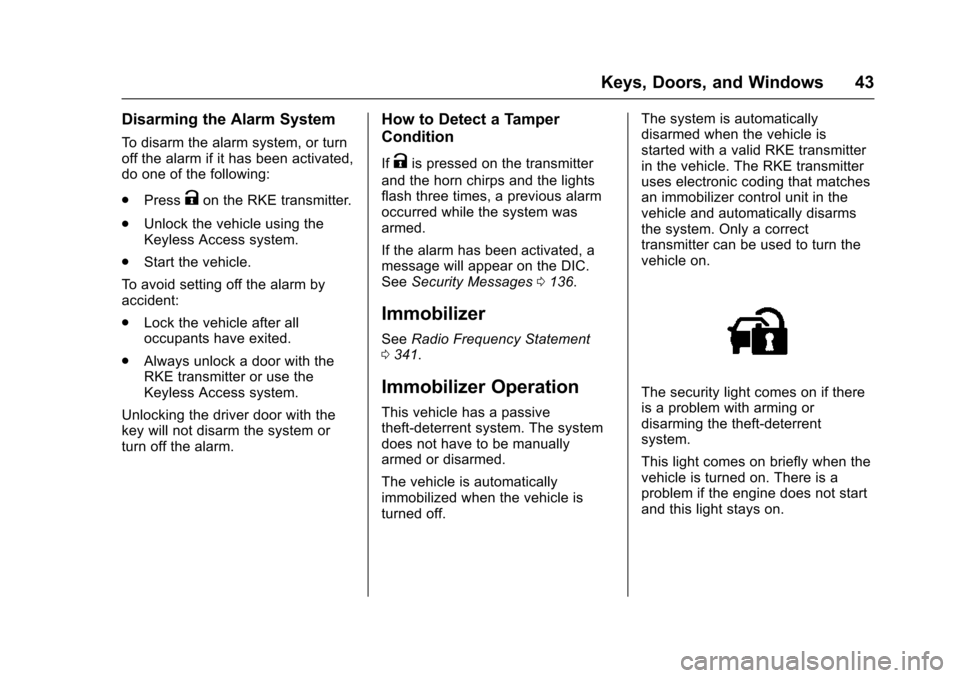
The security light comes on if there
is a problem with arming or
disarming the theft-deterrent
system.
This light comes on briefly when the
vehicle is turned on. There is a
problem if the engine does not start
and this light stays on.
Page 45 of 366
Chevrolet VOLT Owner Manual (GMNA-Localizing-U.S/Canada/Mexico-
9159388) - 2016 - crc - 5/20/15
44 Keys, Doors, and Windows
Turn the ignition off and try again.
If the engine still does not start, and
the RKE transmitter appears
undamaged, try the other RKE
transmitter for the vehicle, or place
the RKE transmitter in the
transmitter pocket. SeeRemote
Keyless Entry (RKE) System
Operation 029. It may be necessary
to check the fuse. See Electrical
System Overload 0252. If the
vehicle does start, the first
transmitter is bad, if the vehicle still
does not start the vehicle needs
service. See your dealer.
Do not leave the key or device that
disarms or deactivates the vehicle
theft deterrent system in the vehicle.Exterior Mirrors
Convex Mirrors
{Warning
A convex mirror can make things,
like other vehicles, look farther
away than they really are. If you
cut too sharply into the right lane,
you could hit a vehicle on the
right. Check the inside mirror or
glance over your shoulder before
changing lanes.
The passenger side mirror is convex
shaped. A convex mirror's surface is
curved so more can be seen from
the driver seat.
Power Mirrors
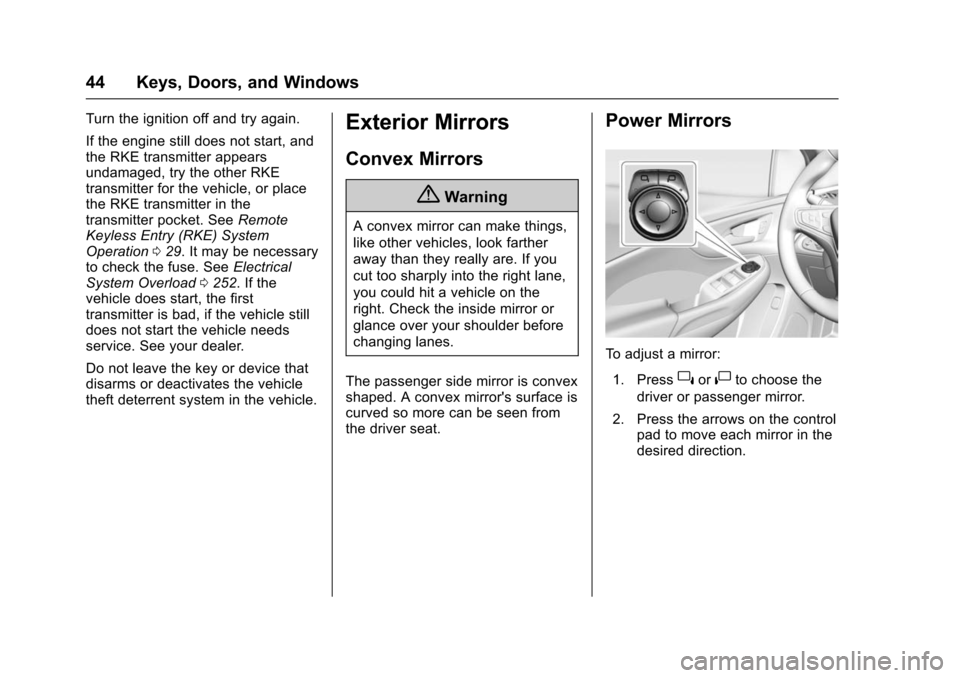
To adjust a mirror: 1. Press
}or|to choose the
driver or passenger mirror.
2. Press the arrows on the control pad to move each mirror in the
desired direction.
Page 46 of 366
Chevrolet VOLT Owner Manual (GMNA-Localizing-U.S/Canada/Mexico-
9159388) - 2016 - crc - 5/20/15
Keys, Doors, and Windows 45
Folding Mirrors
Manual Folding Mirrors
The mirrors can be folded inward
toward the vehicle to prevent
damage when going through an
automatic car wash. Push the mirror
outward to return it to the original
position.
Heated Mirrors
The rear window defogger also
heats the outside mirrors,
if equipped.
=:Press to heat the outside
rearview mirrors. See “Rear Window
Defogger” underAutomatic Climate
Control System 0154.
Interior Mirrors
Interior Rearview Mirrors
Adjust the rearview mirror for a clear
view of the area behind your
vehicle.
Do not spray glass cleaner directly
on the mirror. Use a soft towel
dampened with water.
Manual Rearview Mirror
If equipped with a manual rearview
mirror, push the tab forward for
daytime use and pull it for nighttime
use to avoid glare from the
headlamps from behind.
Automatic Dimming
Rearview Mirror
If equipped, automatic dimming
reduces the glare of headlamps
from behind. The dimming feature
comes on when the vehicle is
started.
Windows
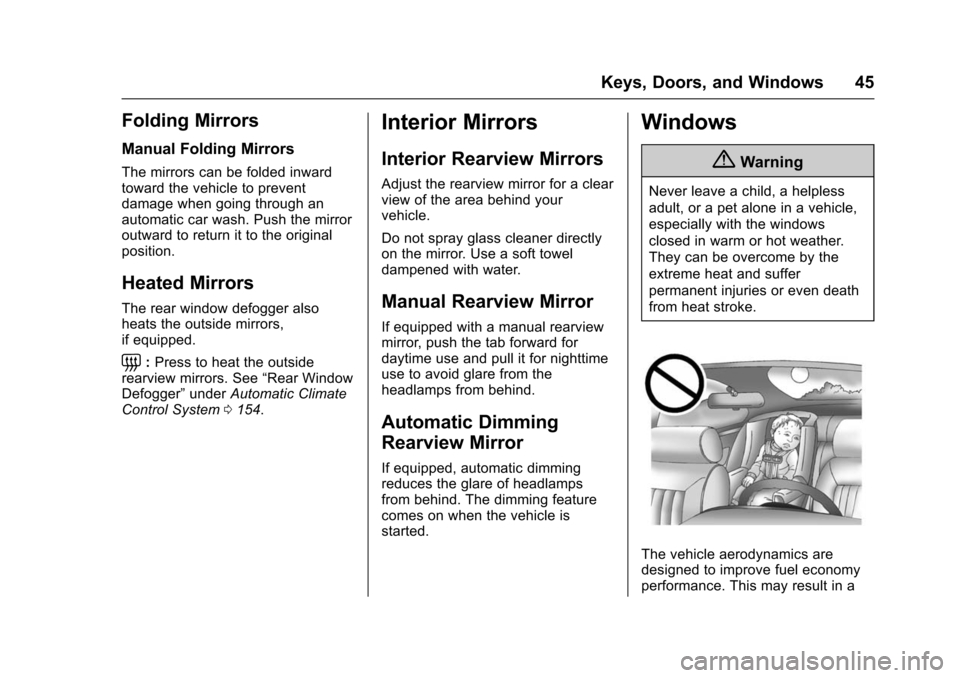
{Warning
Never leave a child, a helpless
adult, or a pet alone in a vehicle,
especially with the windows
closed in warm or hot weather.
They can be overcome by the
extreme heat and suffer
permanent injuries or even death
from heat stroke.
The vehicle aerodynamics are
designed to improve fuel economy
performance. This may result in a
Page 47 of 366
Chevrolet VOLT Owner Manual (GMNA-Localizing-U.S/Canada/Mexico-
9159388) - 2016 - crc - 5/20/15
46 Keys, Doors, and Windows
pulsing sound when either rear
window is down and the front
windows are up. To reduce the
sound, open either a front window
or the sunroof, if equipped.
Power Windows
{Warning
Children could be seriously
injured or killed if caught in the
path of a closing window. Never
leave the Remote Keyless Entry
(RKE) transmitter in a vehicle with
children. When there are children
in the rear seat, use the window
lockout switch to prevent
operation of the windows. See
Keys028.
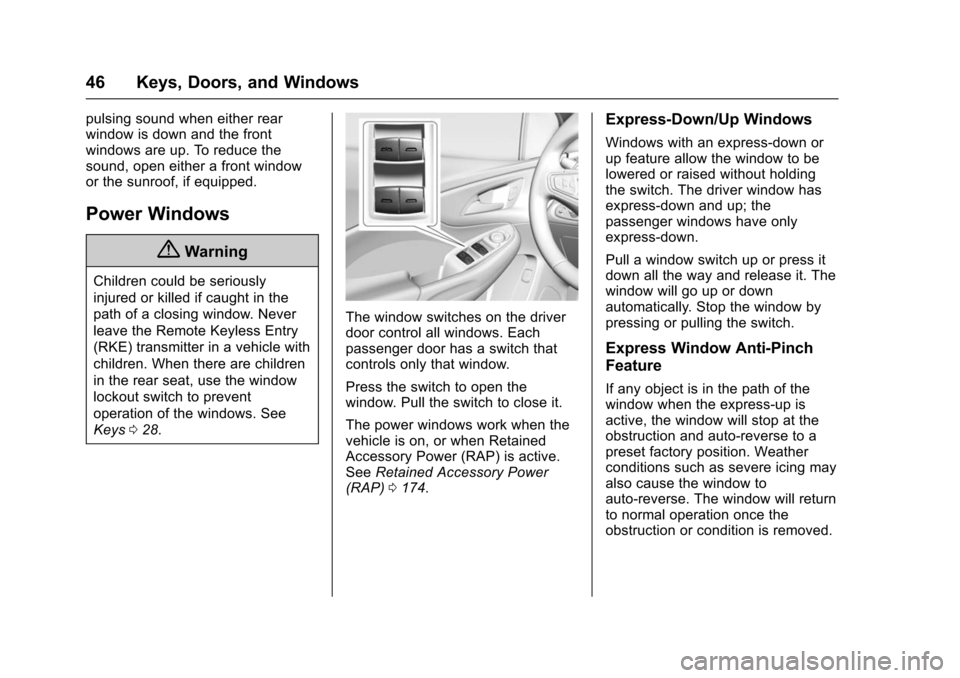
The window switches on the driver
door control all windows. Each
passenger door has a switch that
controls only that window.
Press the switch to open the
window. Pull the switch to close it.
The power windows work when the
vehicle is on, or when Retained
Accessory Power (RAP) is active.
See Retained Accessory Power
(RAP) 0174.
Express-Down/Up Windows
Windows with an express-down or
up feature allow the window to be
lowered or raised without holding
the switch. The driver window has
express-down and up; the
passenger windows have only
express-down.
Pull a window switch up or press it
down all the way and release it. The
window will go up or down
automatically. Stop the window by
pressing or pulling the switch.
Express Window Anti-Pinch
Feature
If any object is in the path of the
window when the express-up is
active, the window will stop at the
obstruction and auto-reverse to a
preset factory position. Weather
conditions such as severe icing may
also cause the window to
auto-reverse. The window will return
to normal operation once the
obstruction or condition is removed.
Page 48 of 366
Chevrolet VOLT Owner Manual (GMNA-Localizing-U.S/Canada/Mexico-
9159388) - 2016 - crc - 5/20/15
Keys, Doors, and Windows 47
Express Window Anti-Pinch
Override
{Warning
If express override is activated,
the window will not reverse
automatically. You or others could
be injured and the window could
be damaged. Before you use
express override, make sure that
all people and obstructions are
clear of the window path.
In an emergency, the anti-pinch
feature can be overridden in a
supervised mode. Hold the window
switch all the way up to the second
position. The window goes up for as
long as the switch is held. Once the
switch is released, the express
mode is reactivated.
In this mode, the window can still
close on an object in its path. Use
care when using the override mode.
Programming the Power
Windows
Programming the power windows
may be necessary if the 12-volt
battery has been disconnected or
discharged.
To program the window: 1. Close all doors with the vehicle on, or when Retained
Accessory Power (RAP) is
active. See Retained
Accessory Power (RAP) 0174.
2. Pull the window switch to completely close the window.
Continue to hold the window
switch two seconds after the
window is closed.
3. Repeat for each window.
If equipped, the windows may be
opened remotely. See Remote
Keyless Entry (RKE) System
Operation 029.
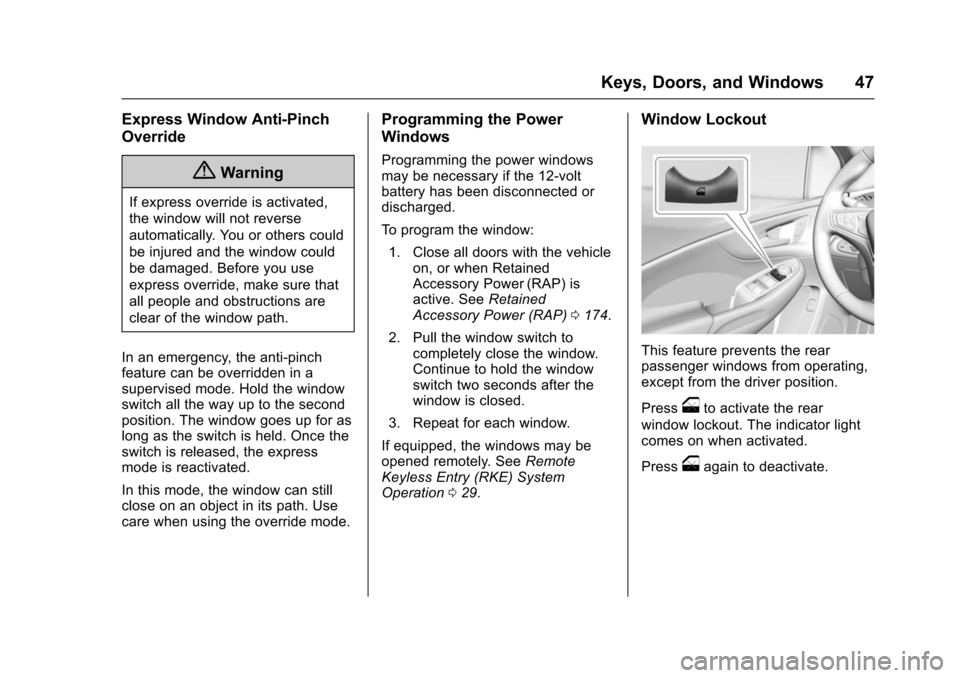
Window Lockout
This feature prevents the rear
passenger windows from operating,
except from the driver position.
Press
oto activate the rear
window lockout. The indicator light
comes on when activated.
Press
oagain to deactivate.
Page 49 of 366
Chevrolet VOLT Owner Manual (GMNA-Localizing-U.S/Canada/Mexico-
9159388) - 2016 - crc - 5/20/15
48 Keys, Doors, and Windows
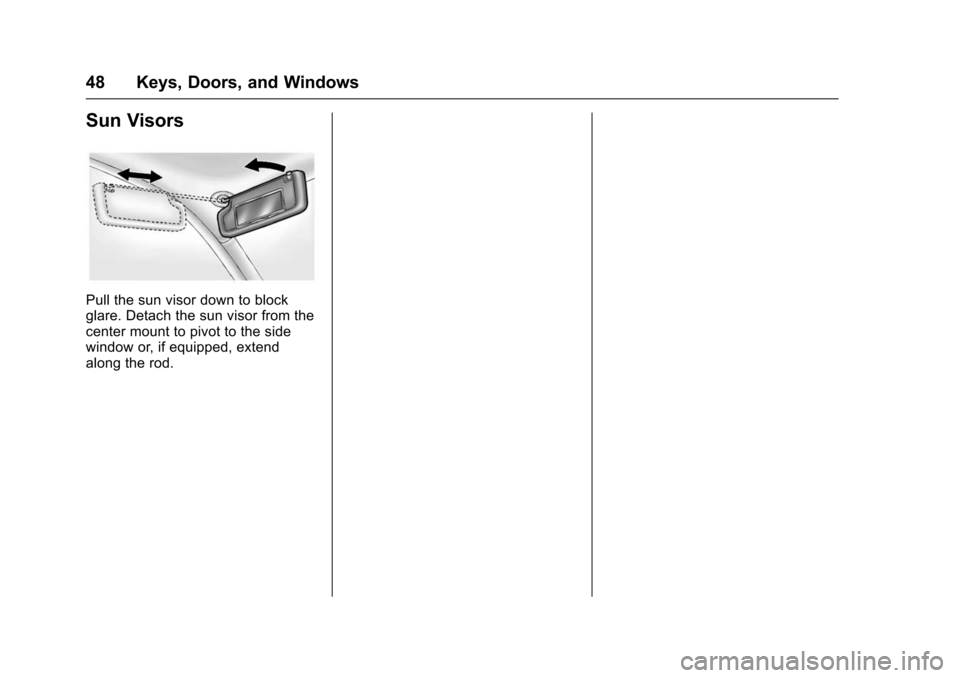
Sun Visors
Pull the sun visor down to block
glare. Detach the sun visor from the
center mount to pivot to the side
window or, if equipped, extend
along the rod.
Page 61 of 366
Chevrolet VOLT Owner Manual (GMNA-Localizing-U.S/Canada/Mexico-
9159388) - 2016 - crc - 5/20/15
60 Seats and Restraints
activation are met. Safety belt
pretensioners can also help tighten
the safety belts in a side crash or a
rollover event.
Pretensioners work only once. If the
pretensioners activate in a crash,
they need to be replaced, and other
new parts for the vehicle's safety
belt system may be required. See
Replacing Safety Belt System Parts
after a Crash061.
Safety Belt Use During
Pregnancy
Safety belts work for everyone,
including pregnant women. Like all
occupants, they are more likely to
be seriously injured if they do not
wear safety belts.
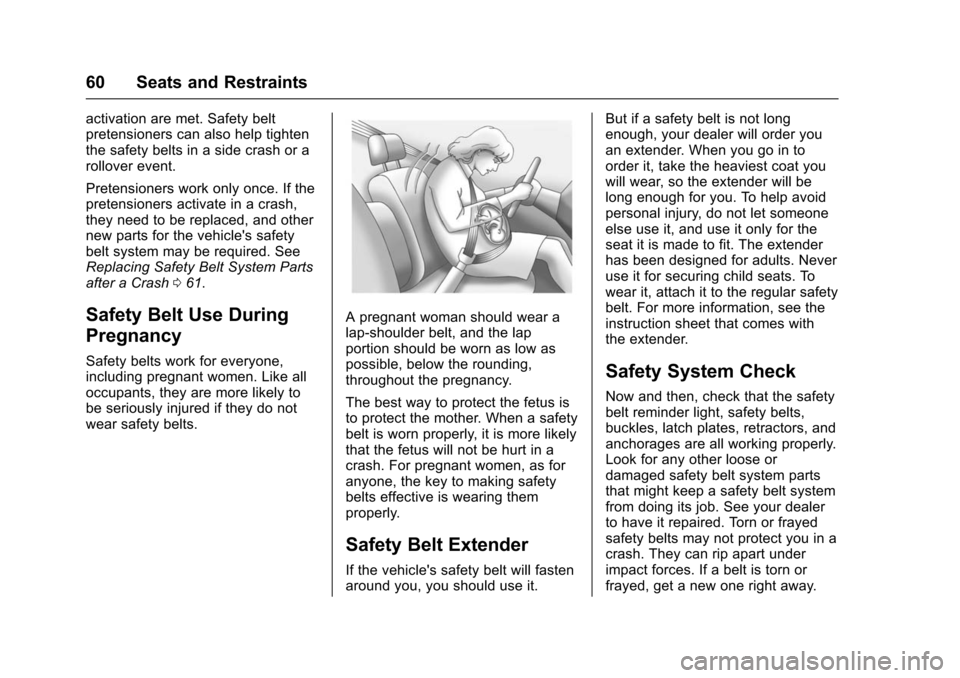
A pregnant woman should wear a
lap-shoulder belt, and the lap
portion should be worn as low as
possible, below the rounding,
throughout the pregnancy.
The best way to protect the fetus is
to protect the mother. When a safety
belt is worn properly, it is more likely
that the fetus will not be hurt in a
crash. For pregnant women, as for
anyone, the key to making safety
belts effective is wearing them
properly.
Safety Belt Extender
If the vehicle's safety belt will fasten
around you, you should use it. But if a safety belt is not long
enough, your dealer will order you
an extender. When you go in to
order it, take the heaviest coat you
will wear, so the extender will be
long enough for you. To help avoid
personal injury, do not let someone
else use it, and use it only for the
seat it is made to fit. The extender
has been designed for adults. Never
use it for securing child seats. To
wear it, attach it to the regular safety
belt. For more information, see the
instruction sheet that comes with
the extender.
Safety System Check
Now and then, check that the safety
belt reminder light, safety belts,
buckles, latch plates, retractors, and
anchorages are all working properly.
Look for any other loose or
damaged safety belt system parts
that might keep a safety belt system
from doing its job. See your dealer
to have it repaired. Torn or frayed
safety belts may not protect you in a
crash. They can rip apart under
impact forces. If a belt is torn or
frayed, get a new one right away.
Page 95 of 366
Chevrolet VOLT Owner Manual (GMNA-Localizing-U.S/Canada/Mexico-
9159388) - 2016 - crc - 5/20/15
94 Instruments and Controls
Instruments and
Controls
Controls
Steering Wheel Adjustment . . . . 95
Steering Wheel Controls . . . . . . . 95
Heated Steering Wheel . . . . . . . . 95
Horn . . . . . . . . . . . . . . . . . . . . . . . . . . . 96
Windshield Wiper/Washer . . . . . . 96
Compass . . . . . . . . . . . . . . . . . . . . . . 97
Clock . . . . . . . . . . . . . . . . . . . . . . . . . . 97
Power Outlets . . . . . . . . . . . . . . . . . 98
Wireless Charging . . . . . . . . . . . . . 99
Warning Lights, Gauges, and
Indicators
Warning Lights, Gauges, andIndicators . . . . . . . . . . . . . . . . . . . 100
Instrument Cluster . . . . . . . . . . . . 100
Speedometer . . . . . . . . . . . . . . . . . 104
Odometer . . . . . . . . . . . . . . . . . . . . . 104
Trip Odometer . . . . . . . . . . . . . . . . 104
Battery Gauge (High Voltage) . . . . . . . . . . . . . . . . . . . . . 104
Fuel Gauge . . . . . . . . . . . . . . . . . . . 104
Driver Efficiency Gauge . . . . . . 105
Power Indicator Gauge . . . . . . . 106
Safety Belt Reminders . . . . . . . . 106
Airbag Readiness Light . . . . . . . 107 Passenger Airbag Status
Indicator . . . . . . . . . . . . . . . . . . . . 108
Charging System Light (12-Volt Battery) . . . . . . . . . . . . . . . . . . . . . 108
Malfunction Indicator Lamp
(Check Engine Light) . . . . . . . . 109
Brake System Warning Light . . . . . . . . . . . . . . . . . . . . . . . . 110
Electric Parking Brake Light . . . . . . . . . . . . . . . . . . . . . . . . . 111
Service Electric Parking Brake Light . . . . . . . . . . . . . . . . . . . . . . . . . 111
Antilock Brake System (ABS) Warning Light . . . . . . . . . . . . . . . 111
Sport Mode Light . . . . . . . . . . . . . 112
Mountain Mode Light . . . . . . . . . 112
Hold Mode Light . . . . . . . . . . . . . . 112
Lane Keep Assist (LKA) Light . . . . . . . . . . . . . . . . . . . . . . . . 112
Vehicle Ahead Indicator . . . . . . . 113
Traction Off Light . . . . . . . . . . . . . 113
StabiliTrak
®OFF Light . . . . . . . . 113
Traction Control System (TCS)/ StabiliTrak
®Light . . . . . . . . . . . . 113
Engine Coolant Temperature Warning Light . . . . . . . . . . . . . . . 114
Tire Pressure Light . . . . . . . . . . . 114
Engine Oil Pressure Light . . . . . 114
Low Fuel Warning Light . . . . . . . 115
Security Light . . . . . . . . . . . . . . . . . 115
Vehicle Ready Light . . . . . . . . . . 115 High-Beam On Light . . . . . . . . . . 115
Lamps On Reminder . . . . . . . . . . 116
Cruise Control Light . . . . . . . . . . 116
Door Ajar Light . . . . . . . . . . . . . . . 116
Information Displays
Center Stack Display . . . . . . . . . 116
Power Flows . . . . . . . . . . . . . . . . . . 117
Programmable Charging . . . . . . 118
Energy Information . . . . . . . . . . . 127
Driver Information
Center (DIC) . . . . . . . . . . . . . . . . 128
Vehicle Messages
Vehicle Messages . . . . . . . . . . . . 130
Battery and ChargingMessages . . . . . . . . . . . . . . . . . . . 130
Brake System Messages . . . . . 130
Compass Messages . . . . . . . . . . 131
Cruise Control Messages . . . . . 131
Door Ajar Messages . . . . . . . . . . 131
Electric Drive Unit Messages . . . . . . . . . . . . . . . . . . . 131
Engine Cooling System Messages . . . . . . . . . . . . . . . . . . . 132
Engine Oil Messages . . . . . . . . . 132
Fuel System Messages . . . . . . . 132
Key and Lock Messages . . . . . 133
Lamp Messages . . . . . . . . . . . . . . 133
Object Detection System Messages . . . . . . . . . . . . . . . . . . . 134
Page 100 of 366
Chevrolet VOLT Owner Manual (GMNA-Localizing-U.S/Canada/Mexico-
9159388) - 2016 - crc - 5/20/15
Instruments and Controls 99
Wireless Charging
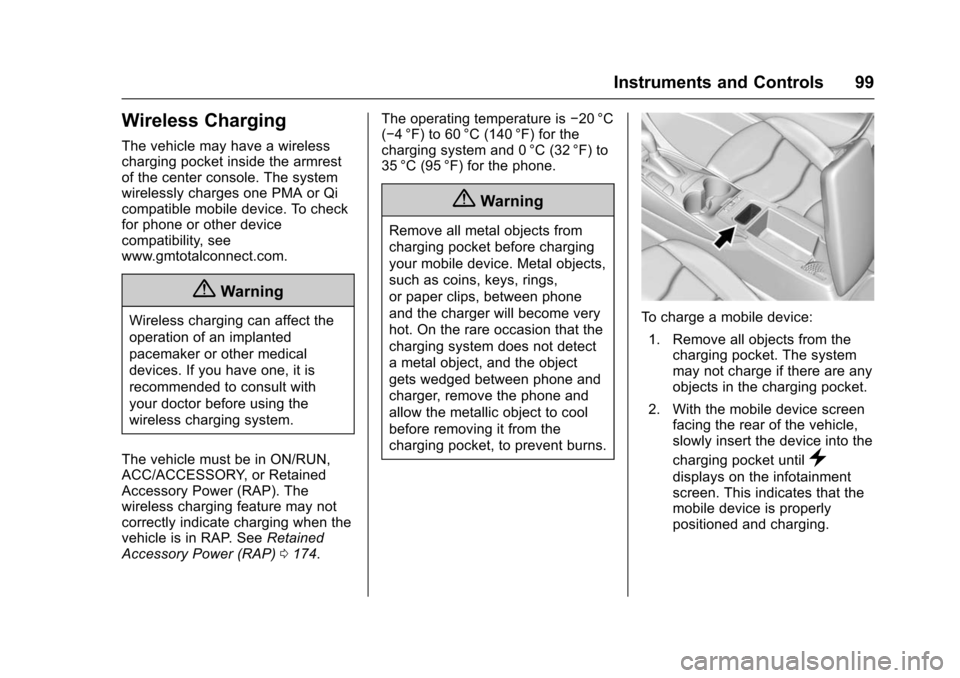
The vehicle may have a wireless
charging pocket inside the armrest
of the center console. The system
wirelessly charges one PMA or Qi
compatible mobile device. To check
for phone or other device
compatibility, see
www.gmtotalconnect.com.
{Warning
Wireless charging can affect the
operation of an implanted
pacemaker or other medical
devices. If you have one, it is
recommended to consult with
your doctor before using the
wireless charging system.
The vehicle must be in ON/RUN,
ACC/ACCESSORY, or Retained
Accessory Power (RAP). The
wireless charging feature may not
correctly indicate charging when the
vehicle is in RAP. See Retained
Accessory Power (RAP) 0174. The operating temperature is
−20 °C
(−4 °F) to 60 °C (140 °F) for the
charging system and 0 °C (32 °F) to
35 °C (95 °F) for the phone.
{Warning
Remove all metal objects from
charging pocket before charging
your mobile device. Metal objects,
such as coins, keys, rings,
or paper clips, between phone
and the charger will become very
hot. On the rare occasion that the
charging system does not detect
a metal object, and the object
gets wedged between phone and
charger, remove the phone and
allow the metallic object to cool
before removing it from the
charging pocket, to prevent burns.
To charge a mobile device:
1. Remove all objects from the charging pocket. The system
may not charge if there are any
objects in the charging pocket.
2. With the mobile device screen facing the rear of the vehicle,
slowly insert the device into the
charging pocket until
}
displays on the infotainment
screen. This indicates that the
mobile device is properly
positioned and charging.
Page 134 of 366
Chevrolet VOLT Owner Manual (GMNA-Localizing-U.S/Canada/Mexico-
9159388) - 2016 - crc - 5/20/15
Instruments and Controls 133
TIGHTEN GAS CAP
This message displays when the
fuel cap is not on tight. Tighten the
fuel cap.
WAIT TO REFUEL
This message displays when the
fuel system is pressurized. You
must wait to refuel the vehicle until
this message goes off.
Key and Lock Messages
NO REMOTE KEY WAS
DETECTED PLACE KEY IN
TRANSMITTER POCKET THEN
START YOUR VEHICLE
This message displays when trying
to start the vehicle if an RKE
transmitter is not detected. The
transmitter battery may be weak.
See“Starting the Vehicle with a Low
Transmitter Battery” underRemote
Keyless Entry (RKE) System
Operation 029.
NO REMOTE DETECTED
This message displays when the
transmitter battery may be weak.
See “Starting the Vehicle with a Low
Transmitter Battery” underRemote
Keyless Entry (RKE) System
Operation 029.
NO REMOTE DETECTED
PRESS BRAKE TO RESTART
This message displays when
attempting to turn off the vehicle
and the RKE transmitter is no longer
detected. Restarting is allowed
without the RKE transmitter for
five minutes. Press the brake pedal
to restart the vehicle.
NUMBER OF KEYS
PROGRAMMED
This message displays when
programming new keys to the
vehicle.
REMOTE LEFT IN VEHICLE
This message displays when
leaving the vehicle with the RKE
transmitter still inside.
REPLACE BATTERY IN
REMOTE KEY
This message displays when the
battery in the RKE transmitter needs
to be replaced.
Lamp Messages
AUTOMATIC LIGHT CONTROL
ON/OFF
A message will display when the
automatic light control has been
turned on or off.
CHECK LAMP or LAMP
FAILURE
Depending on the lamp, one of
these messages may display. See
Bulb Replacement 0249.
TURN SIGNAL ON
This message displays if the turn
signal has been left on. Turn off the
turn signal.