door lock CHEVROLET VOLT 2017 2.G Owner's Guide
[x] Cancel search | Manufacturer: CHEVROLET, Model Year: 2017, Model line: VOLT, Model: CHEVROLET VOLT 2017 2.GPages: 376, PDF Size: 6.75 MB
Page 144 of 376
Chevrolet VOLT Owner Manual (GMNA-Localizing-U.S./Canada/Mexico-
9807421) - 2017 - CRC - 11/18/15
Instruments and Controls 143
Select Off, Low, Medium-Low,
Medium, Medium-High, or High.
Maximum Startup Volume
This feature sets the maximum
startup volume. If the vehicle is
started and the volume is greater
than this level, the volume is
adjusted to this level. To set the
maximum startup volume, touch +
or−to increase or decrease.
Audio Cue Volume
This feature sets the volume of
audio files played at system startup
and shutdown.
Select On, then select + or −to
increase or decrease the volume.
Vehicle
Select and the following may
display:
. Climate and Air Quality
. Collision/Detection Systems
. Comfort and Convenience
. Energy
. Lighting .
Power Door Locks
. Remote Lock, Unlock, Start
Climate and Air Quality
Select and the following may
display:
. Auto Fan Speed
. Auto Heated Seats
. Auto Defog
. Engine Assist Heat
. Engine Assist Heat Plugged In
Auto Fan Speed
This feature will set the maximum
auto fan speed.
Select Low, Medium, or High.
Auto Heated Seats
When enabled, the AUTO heated
seat buttons on the touch screen
will be highlighted. This feature will
automatically activate heated seats
at the level required by the interior
temperature. The auto heated seats
can be turned off by using the
heated seat buttons on the center
stack. Select Off or On.
Auto Defog
When set to On, the front defog will
automatically come on when the
vehicle is started.
Select Off or On.
Engine Assist Heat
If equipped, this feature selects the
outside temperature level at which
the engine may run to assist heating
in Electric Mode. A change in
selection will not take effect until
after the vehicle is first
powered down.
Select On for temperatures below
approximately 2 °C (35 °F), or select
Deferred for temperatures below
approximately
−10 °C (15 °F).
Engine Assist Heat Plugged In
During remote start, this feature
turns on or off the ability for the
engine to run to help heat the
vehicle when it is plugged in.
A change in setting will not take
effect until after the vehicle is first
powered down.
Page 146 of 376
Chevrolet VOLT Owner Manual (GMNA-Localizing-U.S./Canada/Mexico-
9807421) - 2017 - CRC - 11/18/15
Instruments and Controls 145
Charge Cord Theft Alert
This allows the feature to be turned
on or off.
Select Off or On.
Charge Power Loss Alert
This allows the feature to be turned
on or off.
Select Off or On.
Lighting
Select and the following may
display:
.Vehicle Locator Lights
. Exit Lighting
Vehicle Locator Lights
This feature will flash the exterior
lamps and allows some of the
exterior lamps and most of the
interior lamps to turn on briefly
when
Kon the Remote Keyless
Entry (RKE) transmitter is pressed
to locate the vehicle.
Select Off or On. Exit Lighting
This allows the selection of how
long the exterior lamps stay on
when leaving the vehicle when it is
dark outside.
Select Off, 30 Seconds, 60
Seconds, or 120 Seconds.
Power Door Locks
Select and the following may
display:
.
Unlocked Door Anti-Lockout
. Auto Door Unlock
. Delayed Door Lock
Unlocked Door Anti-Lockout
When on, this feature will keep the
driver door from locking when the
door is open. If Off is selected, the
Delayed Door Lock menu will be
available.
Select Off or On.
Auto Door Unlock
This allows selection of which of the
doors will automatically unlock when
the vehicle is shifted into P (Park).
Select Off, All Doors, or Driver Door. Delayed Door Lock
When on, this feature will delay the
locking of the doors. To override the
delay, press the power door lock
switch on the door.
Select Off or On.
Remote Lock, Unlock, Start
Select and the following may
display:
.
Remote Unlock Light Feedback
. Remote Lock Feedback
. Remote Door Unlock
. Remote Start Auto Heat Seats
. Remote Window Operation
. Passive Door Unlock
. Passive Door Lock
. Remote Left in Vehicle Alert
Remote Unlock Light Feedback
When on, the exterior lamps will
flash when unlocking the vehicle
with the RKE transmitter.
Select Off or Flash Lights.
Page 147 of 376
Chevrolet VOLT Owner Manual (GMNA-Localizing-U.S./Canada/Mexico-
9807421) - 2017 - CRC - 11/18/15
146 Instruments and Controls
Remote Lock Feedback
This allows selection of what type of
feedback is given when locking the
vehicle with the RKE transmitter.
Select Off, Lights and Horn, Lights
Only, or Horn Only.
Remote Door Unlock
This allows selection of which doors
will unlock when pressing
Kon the
RKE transmitter.
Select All Doors or Driver Door.
Remote Start Auto Heat Seats
If equipped and turned on, this
feature will turn the heated seats on
when using remote start on
cold days.
Select Off or On.
Remote Window Operation
This allows the window to be
opened when pressing and
holding
Kon the RKE transmitter.
See Remote Keyless Entry (RKE)
System Operation 030.
Select Off or On. Passive Door Unlock
This allows the selection of what
doors will unlock when using the
door handle touch pad button on the
driver door to unlock the vehicle.
Select All Doors or Driver Door.
Passive Door Lock
This allows passive locking to be
turned on or off and selects
feedback. See
“Passive Locking” in
Remote Keyless Entry (RKE)
System Operation 030.
Select Off, On with Horn
Chirp, or On.
Remote Left in Vehicle Alert
This feature sounds an alert when
the RKE transmitter is left in the
vehicle.
Select Off or On.
Bluetooth
Select and the following may
display:
. Pair New Device
. Device Management
. Ringtones .
Voice Mail Numbers
. Text Message
Pair New Device
Select to pair a new device. See
“Pairing” in“Infotainment Controls”
under “Bluetooth” in the infotainment
manual.
Device Management
Select to connect to a different
phone source, disconnect a phone,
or delete a phone.
Ringtones
Select to change the ring tone for
the specific phone. The phone does
not need to be connected to change
the ring tone.
Voice Mail Numbers
This feature displays the voice mail
number for all connected phones.
To change the voice mail number,
select EDIT and type in a new
number, then select SAVE.
Page 178 of 376
Chevrolet VOLT Owner Manual (GMNA-Localizing-U.S./Canada/Mexico-
9807421) - 2017 - CRC - 11/18/15
Driving and Operating 177
displays in the Driver Information
Center (DIC). SeeKey and Lock
Messages 0135.
If the vehicle will not start due to a
low RKE transmitter battery, the
vehicle can still be driven. See
“Starting the Vehicle with a Low
Transmitter Battery” inRemote
Keyless Entry (RKE) System
Operation 030.
A Welcome, Ready, and Good-bye
audio message will be heard in the
vehicle and animated on the
instrument cluster when opening the
driver door upon entry, when the
vehicle is ready to be driven, and
when the vehicle is turned off.
The instrument cluster displays an
active fuel and/or battery gauge,
along with an audio startup cue,
when the vehicle is ready to be
driven. This could take up to
15 seconds at extremely cold
temperatures. The engine will only
start if needed. If the vehicle did not
start, the instrument cluster will
display a screen with inactive fuel
and battery gauges. See Starting
and Stopping the Vehicle 0176. Restarting Procedure
If the vehicle must be restarted
while it is still moving, move the shift
lever to N (Neutral) and press
POWER
Otwice without pressing
the brake pedal. The propulsion
system will not restart in any other
position.
Forced Engine On
Some vehicle conditions that force
the engine to run:
. There are cold ambient
temperatures.
. The hood is open or not
completely latched while the
vehicle is not in N (Neutral).
. The high voltage battery has a
low charge.
. The engine needs to run for
maintenance.
See Maintenance Modes 0183.
A chime will sound if the driver door
is opened while the vehicle is in ON/
RUN. Always press POWER
Oto
turn the vehicle off before exiting.
Stopping Procedure
For information on how to turn the
vehicle off, see Power Button0175.
Retained Accessory
Power (RAP)
The following features will operate
for up to 10 minutes or until the
driver door is opened:
.
Audio System
. Accessory Power Outlets
Power windows will operate for up
to 10 minutes or until any door is
opened.
Shifting Into Park
1. Hold the brake pedal down and set the parking brake. See
Electric Parking Brake 0188.
2. Move the shift lever into P (Park) by pushing the lever
all the way toward the front of
the vehicle.
3. Turn the vehicle off.
Page 201 of 376
Chevrolet VOLT Owner Manual (GMNA-Localizing-U.S./Canada/Mexico-
9807421) - 2017 - CRC - 11/18/15
200 Driving and Operating
selected following gap. The vehicle
speed increases or decreases to
follow the vehicle in front of you, but
will not exceed the set speed. It may
apply limited braking, if necessary.
When braking is active, the brake
lamps will come on. The automatic
braking may feel or sound different
than if the brakes were applied
manually. This is normal.
Stationary or Very Slow-Moving
Objects
{Warning
Adaptive Cruise Control (ACC)
may not detect and react to
stopped or slow-moving vehicles
ahead of you. For example, the
system may not brake for a
vehicle it has never detected
moving. This can occur in
stop-and-go traffic or when a
vehicle suddenly appears due to
a vehicle ahead changing lanes.
Your vehicle may not stop and
could cause a crash. Use caution
when using ACC. Your complete(Continued)
Warning (Continued)
attention is always required while
driving and you should be ready
to take action and apply the
brakes.
ACC Automatically Disengages
ACC may automatically disengage
and the driver will need to manually
apply the brakes to slow the
vehicle when:
. The sensors are blocked.
. The Traction Control System
(TCS) or StabiliTrak system has
activated or been disabled.
. No traffic or other objects are
being detected.
. There is a fault in the system.
The ACC active indicator will not be
displayed when ACC is no longer
active. Notification to Resume ACC
ACC will maintain a following gap
behind a detected vehicle and slow
your vehicle to a stop behind that
vehicle.
If the stopped vehicle ahead has
driven away and ACC has not
resumed, the vehicle ahead
indicator will flash as a reminder to
check traffic before proceeding. In
addition, three beeps will sound.
See
“Go Notifier” in“Collision/
Detection Systems” underVehicle
Personalization 0141.
When the vehicle ahead drives
away, press +RES or the
accelerator pedal to resume ACC.
If stopped for more than
two minutes or if the driver door is
opened and the driver safety belt is
unbuckled, the ACC automatically
applies the Electric Parking Brake
(EPB) to hold the vehicle. The
Electric Parking Brake status light
will turn on. See Electric Parking
Brake 0188. To release the EPB,
press the accelerator pedal.
Page 217 of 376
Chevrolet VOLT Owner Manual (GMNA-Localizing-U.S./Canada/Mexico-
9807421) - 2017 - CRC - 11/18/15
216 Driving and Operating
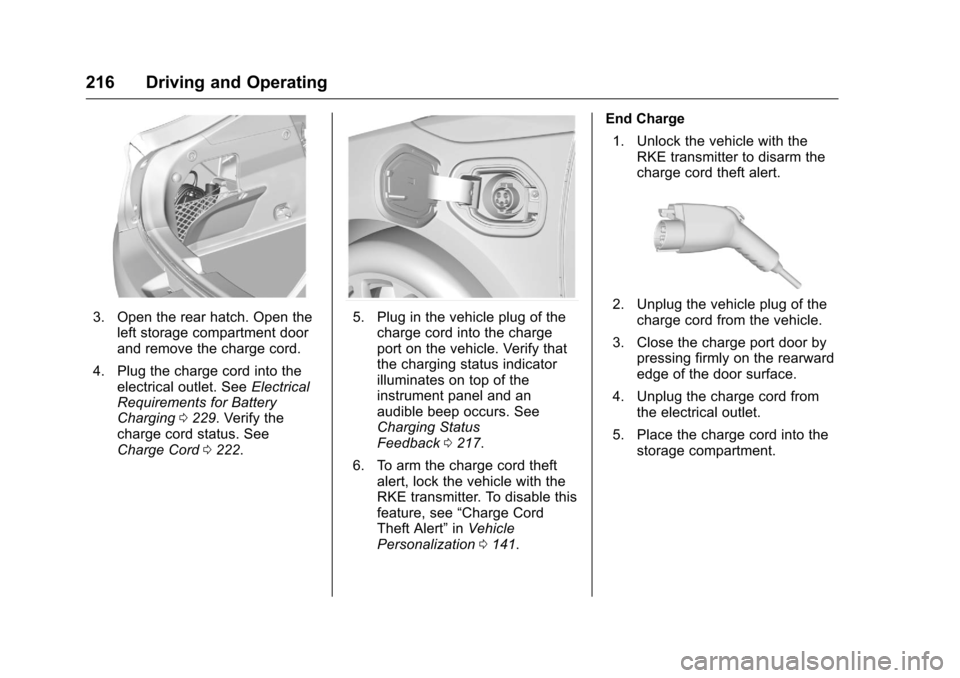
3. Open the rear hatch. Open theleft storage compartment door
and remove the charge cord.
4. Plug the charge cord into the electrical outlet. See Electrical
Requirements for Battery
Charging 0229. Verify the
charge cord status. See
Charge Cord 0222.5. Plug in the vehicle plug of the
charge cord into the charge
port on the vehicle. Verify that
the charging status indicator
illuminates on top of the
instrument panel and an
audible beep occurs. See
Charging Status
Feedback 0217.
6. To arm the charge cord theft alert, lock the vehicle with the
RKE transmitter. To disable this
feature, see “Charge Cord
Theft Alert” inVehicle
Personalization 0141. End Charge
1. Unlock the vehicle with the RKE transmitter to disarm the
charge cord theft alert.2. Unplug the vehicle plug of thecharge cord from the vehicle.
3. Close the charge port door by pressing firmly on the rearward
edge of the door surface.
4. Unplug the charge cord from the electrical outlet.
5. Place the charge cord into the storage compartment.
Page 233 of 376
Chevrolet VOLT Owner Manual (GMNA-Localizing-U.S./Canada/Mexico-
9807421) - 2017 - CRC - 11/18/15
232 Driving and Operating
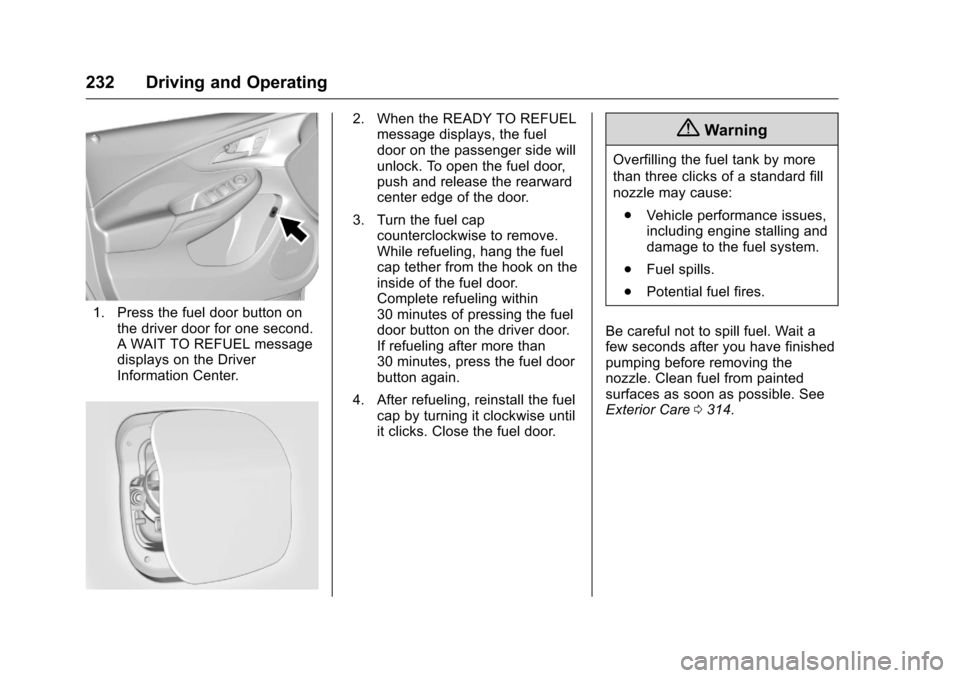
1. Press the fuel door button onthe driver door for one second.
A WAIT TO REFUEL message
displays on the Driver
Information Center.
2. When the READY TO REFUELmessage displays, the fuel
door on the passenger side will
unlock. To open the fuel door,
push and release the rearward
center edge of the door.
3. Turn the fuel cap counterclockwise to remove.
While refueling, hang the fuel
cap tether from the hook on the
inside of the fuel door.
Complete refueling within
30 minutes of pressing the fuel
door button on the driver door.
If refueling after more than
30 minutes, press the fuel door
button again.
4. After refueling, reinstall the fuel cap by turning it clockwise until
it clicks. Close the fuel door.{Warning
Overfilling the fuel tank by more
than three clicks of a standard fill
nozzle may cause:
. Vehicle performance issues,
including engine stalling and
damage to the fuel system.
. Fuel spills.
. Potential fuel fires.
Be careful not to spill fuel. Wait a
few seconds after you have finished
pumping before removing the
nozzle. Clean fuel from painted
surfaces as soon as possible. See
Exterior Care 0314.
Page 258 of 376
Chevrolet VOLT Owner Manual (GMNA-Localizing-U.S./Canada/Mexico-
9807421) - 2017 - CRC - 11/18/15
Vehicle Care 257
Vehicle Storage
{Warning
Batteries have acid that can burn
you and gas that can explode.
You can be badly hurt if you are
not careful. SeeJump Starting -
North America 0305 for tips on
working around a battery without
getting hurt.
Up to four weeks
. Plug in the high voltage battery
charge cord if temperatures will
exceed 35 °C (95 °F) and keep
the 12-volt battery cables
connected.
Four weeks to 12 months
. Discharge the high voltage
battery until two or three bars
remain on the battery range
indicator (Battery symbol) on the
instrument cluster.
. Do not plug in the high voltage
battery charge cord. .
Remove the black negative (−)
cable from the 12-volt battery.
Attach a trickle charger to the
battery terminals or keep the
12-volt battery cables connected
and trickle charge from the
underhood remote positive (+)
and negative (−) terminals. See
Jump Starting - North America
0305 for the location of these
terminals.
Caution
The vehicle is equipped with an
AGM/VRLA 12-volt battery, which
can be damaged by using the
incorrect type of trickle charger.
An AGM/VRLA-compatible
charger must be used, with the
appropriate setting selected.
Follow the trickle charger
manufacturer instructions.
Reconnecting the 12-Volt Black
Negative Cable
With the 12-volt black negative (−)
cable disconnected, the hatch
cannot be opened by pressing the hatch release button. If the hatch is
closed and latched after power has
been disconnected:
1. Use the door key to open the driver door.
2. Manually unlock and open one of the rear doors.
3. Lower one of the rear seatbacks.
4. Pull the load floor cover forward to access and
reconnect the 12-volt battery
black negative (−) cable.
5. After the cable has been connected, open the rear hatch
and then tighten the cable.
After the battery cable is
reconnected, it is possible that the
vehicle may not operate in Electric
Mode. If this happens, the high
voltage battery may need to be
charged.
Page 267 of 376
Chevrolet VOLT Owner Manual (GMNA-Localizing-U.S./Canada/Mexico-
9807421) - 2017 - CRC - 11/18/15
266 Vehicle Care
FusesUsage
F49 –
F50 –
F51 –
F52 Engine control module/ Traction power inverter
module
F53 Left cooling fan
F54 Right cooling fan
F55 Electric pump
F56 –
F57 –
Relays Usage
K01 –
K02 –
K03 Engine control module
K04 –
K05 –
K06 –
K07 – Relays
Usage
K08 –
K09 –
K10 –
K11 –
K12 High-beam headlamps
K13 –
K14 Run/Crank
K15 Rear window defogger
K16 Horn PCB relay
K17 –
K18 –
K19 Coolant pump PCB relay
K20 –
K21 –
K22 Front washer
K23 –Instrument Panel Fuse
Block
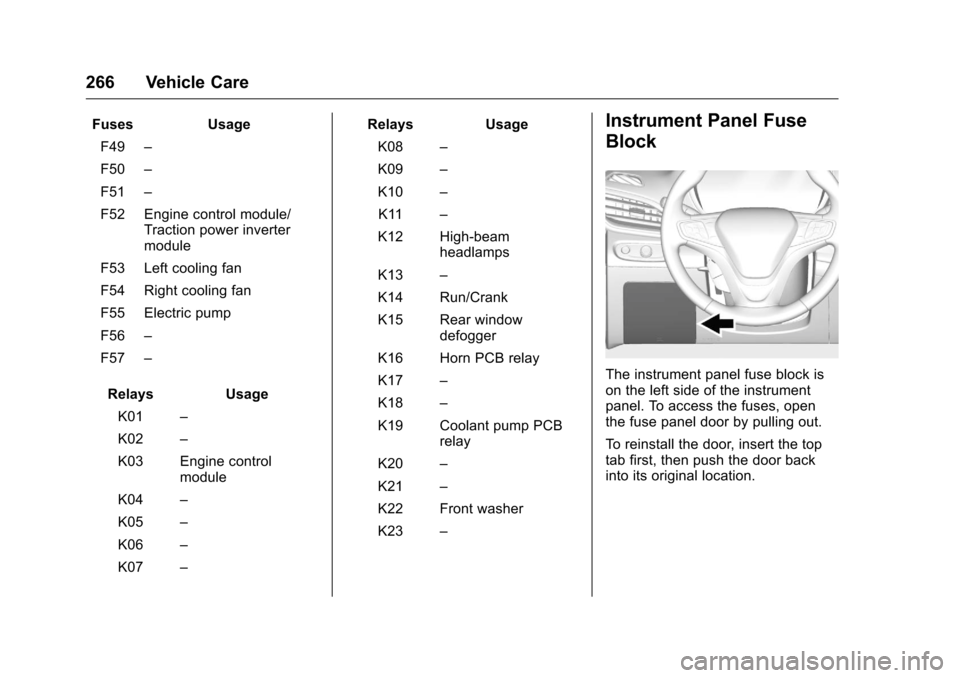
The instrument panel fuse block is
on the left side of the instrument
panel. To access the fuses, open
the fuse panel door by pulling out.
To reinstall the door, insert the top
tab first, then push the door back
into its original location.
Page 270 of 376
Chevrolet VOLT Owner Manual (GMNA-Localizing-U.S./Canada/Mexico-
9807421) - 2017 - CRC - 11/18/15
Vehicle Care 269
Circuit
Breakers Usage
CB1 Front auxiliary power outlet
CB2 Rear auxiliary power outlet
Relays Usage R1 –
R2 Retained accessory power
R3 Hatch
R4 –
R5 –Rear Compartment Fuse
Block
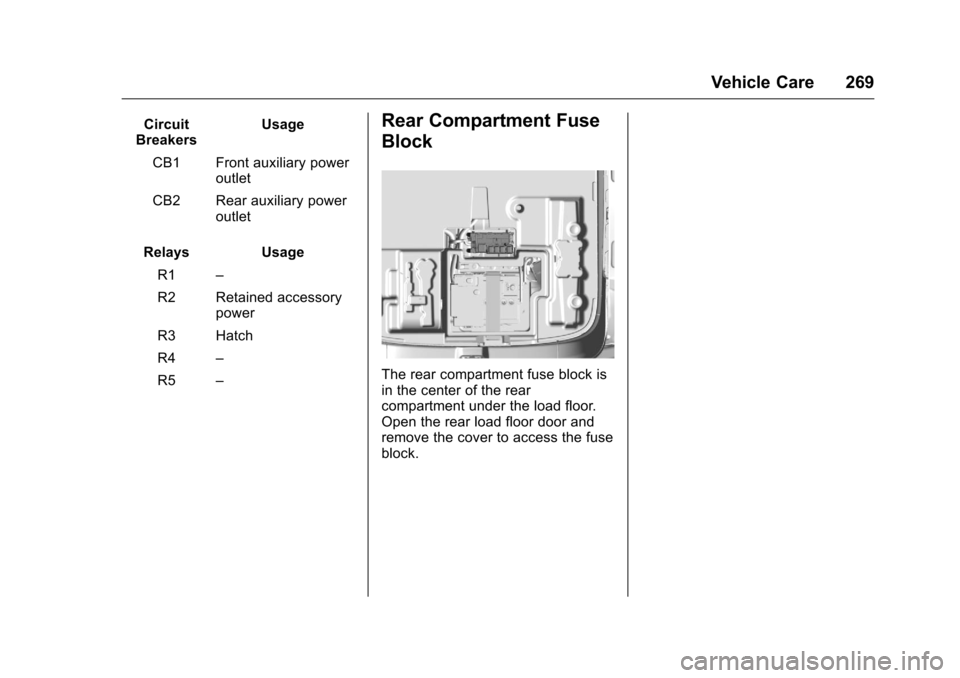
The rear compartment fuse block is
in the center of the rear
compartment under the load floor.
Open the rear load floor door and
remove the cover to access the fuse
block.