key CHEVROLET VOLT 2017 2.G Service Manual
[x] Cancel search | Manufacturer: CHEVROLET, Model Year: 2017, Model line: VOLT, Model: CHEVROLET VOLT 2017 2.GPages: 376, PDF Size: 6.75 MB
Page 178 of 376
Chevrolet VOLT Owner Manual (GMNA-Localizing-U.S./Canada/Mexico-
9807421) - 2017 - CRC - 11/18/15
Driving and Operating 177
displays in the Driver Information
Center (DIC). SeeKey and Lock
Messages 0135.
If the vehicle will not start due to a
low RKE transmitter battery, the
vehicle can still be driven. See
“Starting the Vehicle with a Low
Transmitter Battery” inRemote
Keyless Entry (RKE) System
Operation 030.
A Welcome, Ready, and Good-bye
audio message will be heard in the
vehicle and animated on the
instrument cluster when opening the
driver door upon entry, when the
vehicle is ready to be driven, and
when the vehicle is turned off.
The instrument cluster displays an
active fuel and/or battery gauge,
along with an audio startup cue,
when the vehicle is ready to be
driven. This could take up to
15 seconds at extremely cold
temperatures. The engine will only
start if needed. If the vehicle did not
start, the instrument cluster will
display a screen with inactive fuel
and battery gauges. See Starting
and Stopping the Vehicle 0176. Restarting Procedure
If the vehicle must be restarted
while it is still moving, move the shift
lever to N (Neutral) and press
POWER
Otwice without pressing
the brake pedal. The propulsion
system will not restart in any other
position.
Forced Engine On
Some vehicle conditions that force
the engine to run:
. There are cold ambient
temperatures.
. The hood is open or not
completely latched while the
vehicle is not in N (Neutral).
. The high voltage battery has a
low charge.
. The engine needs to run for
maintenance.
See Maintenance Modes 0183.
A chime will sound if the driver door
is opened while the vehicle is in ON/
RUN. Always press POWER
Oto
turn the vehicle off before exiting.
Stopping Procedure
For information on how to turn the
vehicle off, see Power Button0175.
Retained Accessory
Power (RAP)
The following features will operate
for up to 10 minutes or until the
driver door is opened:
.
Audio System
. Accessory Power Outlets
Power windows will operate for up
to 10 minutes or until any door is
opened.
Shifting Into Park
1. Hold the brake pedal down and set the parking brake. See
Electric Parking Brake 0188.
2. Move the shift lever into P (Park) by pushing the lever
all the way toward the front of
the vehicle.
3. Turn the vehicle off.
Page 229 of 376
Chevrolet VOLT Owner Manual (GMNA-Localizing-U.S./Canada/Mexico-
9807421) - 2017 - CRC - 11/18/15
228 Driving and Operating
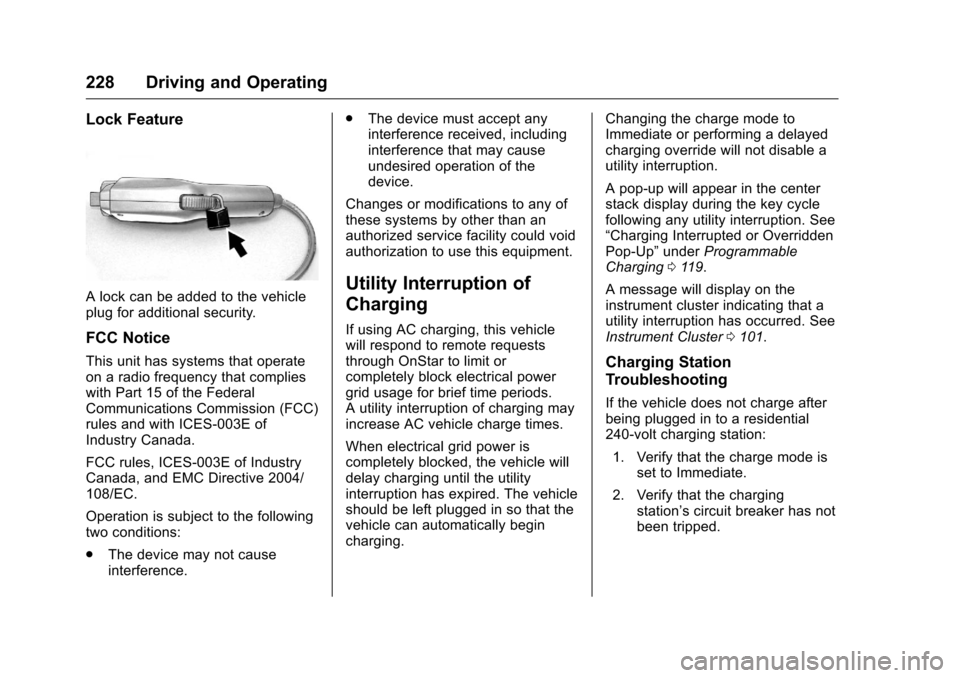
Lock Feature
A lock can be added to the vehicle
plug for additional security.
FCC Notice
This unit has systems that operate
on a radio frequency that complies
with Part 15 of the Federal
Communications Commission (FCC)
rules and with ICES-003E of
Industry Canada.
FCC rules, ICES-003E of Industry
Canada, and EMC Directive 2004/
108/EC.
Operation is subject to the following
two conditions:
.The device may not cause
interference. .
The device must accept any
interference received, including
interference that may cause
undesired operation of the
device.
Changes or modifications to any of
these systems by other than an
authorized service facility could void
authorization to use this equipment.
Utility Interruption of
Charging
If using AC charging, this vehicle
will respond to remote requests
through OnStar to limit or
completely block electrical power
grid usage for brief time periods.
A utility interruption of charging may
increase AC vehicle charge times.
When electrical grid power is
completely blocked, the vehicle will
delay charging until the utility
interruption has expired. The vehicle
should be left plugged in so that the
vehicle can automatically begin
charging. Changing the charge mode to
Immediate or performing a delayed
charging override will not disable a
utility interruption.
A pop-up will appear in the center
stack display during the key cycle
following any utility interruption. See
“Charging Interrupted or Overridden
Pop-Up”
underProgrammable
Charging 0119.
A message will display on the
instrument cluster indicating that a
utility interruption has occurred. See
Instrument Cluster 0101.
Charging Station
Troubleshooting
If the vehicle does not charge after
being plugged in to a residential
240-volt charging station:
1. Verify that the charge mode is set to Immediate.
2. Verify that the charging station’s circuit breaker has not
been tripped.
Page 237 of 376
Chevrolet VOLT Owner Manual (GMNA-Localizing-U.S./Canada/Mexico-
9807421) - 2017 - CRC - 11/18/15
236 Vehicle Care
Storing the Tire Sealant andCompressor Kit . . . . . . . . . . . . . 299
Tire Changing . . . . . . . . . . . . . . . . 299
Compact Spare Tire . . . . . . . . . . 304
Jump Starting
Jump Starting - North America . . . . . . . . . . . . . . . . . . . . . 305
Towing the Vehicle
Towing the Vehicle . . . . . . . . . . . . 311
Recreational VehicleTowing . . . . . . . . . . . . . . . . . . . . . . 312
Appearance Care
Exterior Care . . . . . . . . . . . . . . . . . 314
Interior Care . . . . . . . . . . . . . . . . . . 319
Floor Mats . . . . . . . . . . . . . . . . . . . . 322
General Information
For service and parts needs, visit
your dealer. You will receive
genuine GM parts and GM-trained
and supported service people.
Genuine GM parts have one of
these marks:
California Proposition
65 Warning
WARNING: Most motor vehicles,
including this one, as well as many
of its service parts and fluids, contain and/or emit chemicals
known to the State of California to
cause cancer and birth defects or
other reproductive harm. Engine
exhaust, many parts and systems,
many fluids, and some component
wear by-products contain and/or
emit these chemicals.
See
Battery - North America 0256
and Jump Starting - North
America 0305.
California Perchlorate
Materials Requirements
Certain types of automotive
applications, such as airbag
initiators, safety belt pretensioners,
and lithium batteries contained in
Remote Keyless Entry transmitters,
may contain perchlorate materials.
Special handling may be necessary.
For additional information, see
www.dtsc.ca.gov/hazardouswaste/
perchlorate.
Page 258 of 376
Chevrolet VOLT Owner Manual (GMNA-Localizing-U.S./Canada/Mexico-
9807421) - 2017 - CRC - 11/18/15
Vehicle Care 257
Vehicle Storage
{Warning
Batteries have acid that can burn
you and gas that can explode.
You can be badly hurt if you are
not careful. SeeJump Starting -
North America 0305 for tips on
working around a battery without
getting hurt.
Up to four weeks
. Plug in the high voltage battery
charge cord if temperatures will
exceed 35 °C (95 °F) and keep
the 12-volt battery cables
connected.
Four weeks to 12 months
. Discharge the high voltage
battery until two or three bars
remain on the battery range
indicator (Battery symbol) on the
instrument cluster.
. Do not plug in the high voltage
battery charge cord. .
Remove the black negative (−)
cable from the 12-volt battery.
Attach a trickle charger to the
battery terminals or keep the
12-volt battery cables connected
and trickle charge from the
underhood remote positive (+)
and negative (−) terminals. See
Jump Starting - North America
0305 for the location of these
terminals.
Caution
The vehicle is equipped with an
AGM/VRLA 12-volt battery, which
can be damaged by using the
incorrect type of trickle charger.
An AGM/VRLA-compatible
charger must be used, with the
appropriate setting selected.
Follow the trickle charger
manufacturer instructions.
Reconnecting the 12-Volt Black
Negative Cable
With the 12-volt black negative (−)
cable disconnected, the hatch
cannot be opened by pressing the hatch release button. If the hatch is
closed and latched after power has
been disconnected:
1. Use the door key to open the driver door.
2. Manually unlock and open one of the rear doors.
3. Lower one of the rear seatbacks.
4. Pull the load floor cover forward to access and
reconnect the 12-volt battery
black negative (−) cable.
5. After the cable has been connected, open the rear hatch
and then tighten the cable.
After the battery cable is
reconnected, it is possible that the
vehicle may not operate in Electric
Mode. If this happens, the high
voltage battery may need to be
charged.
Page 320 of 376
Chevrolet VOLT Owner Manual (GMNA-Localizing-U.S./Canada/Mexico-
9807421) - 2017 - CRC - 11/18/15
Vehicle Care 319
Brake System
Visually inspect brake lines and
hoses for proper hook-up, binding,
leaks, cracks, chafing, etc. Inspect
disc brake pads for wear and rotors
for surface condition. Inspect drum
brake linings/shoes for wear or
cracks. Inspect all other brake parts.
Steering, Suspension, and
Chassis Components
Visually inspect steering,
suspension, and chassis
components for damaged, loose,
or missing parts or signs of wear at
least once a year.
Inspect power steering for proper
attachment, connections, binding,
leaks, cracks, chafing, etc.
Visually check constant velocity joint
boots and axle seals for leaks.
Body Component Lubrication
Lubricate all key lock cylinders,
hood hinges, hatch/liftgate hinges,
and the steel fuel door hinge unless
the components are plastic.
Applying silicone grease onweatherstrips with a clean cloth will
make them last longer, seal better,
and not stick or squeak.
Underbody Maintenance
At least twice a year, spring and fall,
use plain water to flush dirt and
debris from the vehicle's underbody.
Your dealer or an underbody car
washing system can do this. If not
removed, rust and corrosion can
develop.
Do not directly power wash the
transfer case and/or front/rear axle
output seals. High pressure water
can overcome the seals and
contaminate the fluid. Contaminated
fluid will decrease the life of the
transfer case and/or axles and
should be replaced.
Sheet Metal Damage
If the vehicle is damaged and
requires sheet metal repair or
replacement, make sure the body
repair shop applies anti-corrosion
material to parts repaired or
replaced to restore corrosion
protection.
Original manufacturer replacement
parts will provide the corrosion
protection while maintaining the
vehicle warranty.
Finish Damage
Quickly repair minor chips and
scratches with touch-up materials
available from your dealer to avoid
corrosion. Larger areas of finish
damage can be corrected in your
dealer's body and paint shop.
Chemical Paint Spotting
Airborne pollutants can fall upon
and attack painted vehicle surfaces
causing blotchy, ring-shaped
discolorations, and small, irregular
dark spots etched into the paint
surface. Refer to
“Finish Care”
previously in this section.
Interior Care
To prevent dirt particle abrasions,
regularly clean the vehicle's interior.
Immediately remove any soils.
Newspapers or dark garments can
transfer color to the vehicle’s
interior.
Page 335 of 376
Chevrolet VOLT Owner Manual (GMNA-Localizing-U.S./Canada/Mexico-
9807421) - 2017 - CRC - 11/18/15
334 Service and Maintenance
Recommended Fluids, Lubricants, and Parts
Recommended Fluids and Lubricants
UsageFluid/Lubricant
Engine Oil Engine oil meeting the dexos1™ specification of the proper SAE viscosity
grade. ACDelco dexos1 Synthetic Blend is recommended. See Engine
Oil 0243.
Engine Cooling System Premix DEX-COOL
®(GM Part No. 12378390, in Canada 10953456). See
Engine Coolant 0250.
High Voltage Battery Cooling System Premix DEX-COOL (GM Part No. 12378390, in Canada 10953456). Power Electronics Cooling System Premix DEX-COOL (GM Part No. 12378390, in Canada 10953456). Brake Hydraulic System DOT 3 Hydraulic Brake Fluid (GM Part No. 19299818, in Canada 19299819).
Windshield Washer Automotive windshield washer fluid that meets regional freeze protection requirements.
Electric Drive Unit DEXRON
®-VI Automatic Transmission Fluid.
Key Lock Cylinders, Hood and Hatch Hinges Multi-Purpose Lubricant, Superlube (GM Part No. 12346241, in
Canada 10953474).
Weatherstrip Conditioning Weatherstrip Lubricant (GM Part No. 3634770, in Canada 10953518) or Dielectric Silicone Grease (GM Part No. 12345579, in Canada 10953481.
Page 357 of 376
Chevrolet VOLT Owner Manual (GMNA-Localizing-U.S./Canada/Mexico-
9807421) - 2017 - CRC - 11/18/15
356 OnStar
.Obtain and customize the Wi-Fi®
hotspot name or SSID and
password, if equipped.
Press
Qto connect to an
Advisor to:
. Verify account information or
update contact information.
. Get driving directions.
. Receive a Diagnostic check of
the vehicle's key operating
systems.
. Receive Roadside Assistance.
. Manage Wi-Fi Settings,
if equipped.
Press
>to get a priority connection
to an OnStar Advisor available
24/7 to:
. Get help for an emergency.
. Be a Good Samaritan or
respond to an AMBER Alert.
. Get assistance in severe
weather or other crisis situations
and find evacuation routes.
OnStar Services
Emergency
Emergency Services require an
active, OnStar service plan
(excludes Basic Plan). With
Automatic Crash Response, built-in
sensors can automatically alert a
specially trained OnStar Advisor
who is immediately connected in to
the vehicle to help.
Press
>for a priority connection to
an OnStar Advisor who can contact
emergency service providers, direct
them to your exact location, and
relay important information.
With OnStar Crisis Assist, specially
trained Advisors are available
24 hours a day, 7 days a week, to
provide a central point of contact,
assistance, and information during a
crisis.
With Roadside Assistance, Advisors
can locate a nearby service provider
to help with a flat tire, a battery
jump, or an empty gas tank.
Security
If equipped, OnStar provides these
services:
. With Stolen Vehicle Assistance,
OnStar Advisors can use GPS to
pinpoint the vehicle and help
authorities quickly recover it.
. With Remote Ignition Block™,
if equipped, OnStar can block
the engine from being restarted.
. With Stolen Vehicle Slowdown
®,
if equipped, OnStar can work
with law enforcement to
gradually slow the vehicle down.
Theft Alarm Notification
If equipped, if the doors are locked
and the vehicle alarm sounds, a
notification by text, e-mail, or phone
call will be sent. If the vehicle is
stolen, an OnStar Advisor can work
with authorities to recover the
vehicle.
Page 360 of 376
Chevrolet VOLT Owner Manual (GMNA-Localizing-U.S./Canada/Mexico-
9807421) - 2017 - CRC - 11/18/15
OnStar 359
Remote Services
Contact an OnStar Advisor to
unlock the doors or sound the horn
and flash the lamps.
OnStar AtYourService
OnStar Advisors can provide offers
from restaurants and retailers on
your route, help locate hotels,
or book a room. These services
vary by market.
OnStar Hands-Free Calling
Make and receive calls with the
built-in wireless calling service,
which requires available minutes.
Make a Call1. Press
=. System responds:
“OnStar ready.”
2. Say “Call.”System responds:
“Call. Please say the name or
number to call.”
3. Say the entire number without pausing, including a “1”and the
area code. System responds:
“OK, calling.”
Calling 911 Emergency
1. Press=. System responds:
“OnStar ready.”
2. Say “Call.”System responds:
“Call. Please say the name or
number to call.”
3. Say “911”without pausing.
System responds: “911.”
4. Say “Call.”System responds:
“OK, dialing 911.”
Retrieve My Number
1. Press=. System responds:
“OnStar ready.”
2. Say “My number.” System
responds: “Your OnStar
Hands-Free Calling number is,”
then says the number.
End a Call
Press=. System responds: “Call
ended.”
Verify Minutes and Expiration
Press=and say “Minutes” then
“Verify” to check how many minutes
remain and their expiration date.
Diagnostics
Advanced Diagnostics provides a
status of the vehicle’ s key systems
with a monthly e-mail or by pressing
Q. The Proactive Alerts feature (if
available) can help predict and alert
of potential upcoming maintenance
issues with select components on
the vehicle, before they become a
problem.
OnStar can also monitor and report
tire pressure, if the vehicle is
equipped with a Tire Pressure
Monitoring System.
Page 370 of 376
Chevrolet VOLT Owner Manual (GMNA-Localizing-U.S./Canada/Mexico-
9807421) - 2017 - CRC - 11/18/15
Index 369
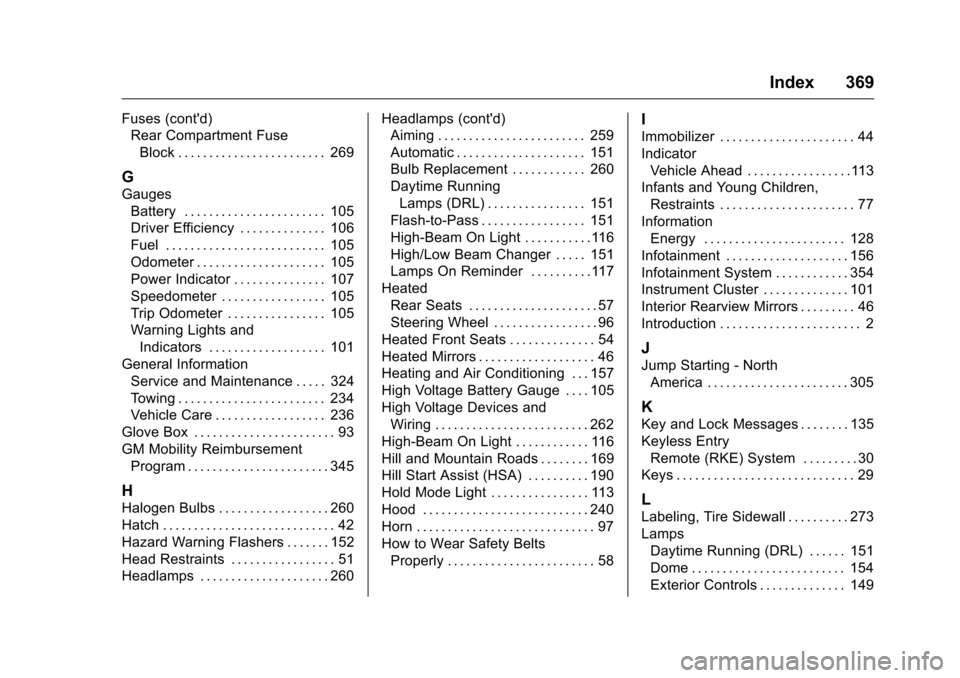
Fuses (cont'd)Rear Compartment Fuse
Block . . . . . . . . . . . . . . . . . . . . . . . . 269
G
GaugesBattery . . . . . . . . . . . . . . . . . . . . . . . 105
Driver Efficiency . . . . . . . . . . . . . . 106
Fuel . . . . . . . . . . . . . . . . . . . . . . . . . . 105
Odometer . . . . . . . . . . . . . . . . . . . . . 105
Power Indicator . . . . . . . . . . . . . . . 107
Speedometer . . . . . . . . . . . . . . . . . 105
Trip Odometer . . . . . . . . . . . . . . . . 105
Warning Lights andIndicators . . . . . . . . . . . . . . . . . . . 101
General Information Service and Maintenance . . . . . 324
Towing . . . . . . . . . . . . . . . . . . . . . . . . 234
Vehicle Care . . . . . . . . . . . . . . . . . . 236
Glove Box . . . . . . . . . . . . . . . . . . . . . . . 93
GM Mobility Reimbursement Program . . . . . . . . . . . . . . . . . . . . . . . 345
H
Halogen Bulbs . . . . . . . . . . . . . . . . . . 260
Hatch . . . . . . . . . . . . . . . . . . . . . . . . . . . . 42
Hazard Warning Flashers . . . . . . . 152
Head Restraints . . . . . . . . . . . . . . . . . 51
Headlamps . . . . . . . . . . . . . . . . . . . . . 260 Headlamps (cont'd)
Aiming . . . . . . . . . . . . . . . . . . . . . . . . 259
Automatic . . . . . . . . . . . . . . . . . . . . . 151
Bulb Replacement . . . . . . . . . . . . 260
Daytime Running
Lamps (DRL) . . . . . . . . . . . . . . . . 151
Flash-to-Pass . . . . . . . . . . . . . . . . . 151
High-Beam On Light . . . . . . . . . . .116
High/Low Beam Changer . . . . . 151
Lamps On Reminder . . . . . . . . . .117
Heated Rear Seats . . . . . . . . . . . . . . . . . . . . . 57
Steering Wheel . . . . . . . . . . . . . . . . . 96
Heated Front Seats . . . . . . . . . . . . . . 54
Heated Mirrors . . . . . . . . . . . . . . . . . . . 46
Heating and Air Conditioning . . . 157
High Voltage Battery Gauge . . . . 105
High Voltage Devices and
Wiring . . . . . . . . . . . . . . . . . . . . . . . . . 262
High-Beam On Light . . . . . . . . . . . . 116
Hill and Mountain Roads . . . . . . . . 169
Hill Start Assist (HSA) . . . . . . . . . . 190
Hold Mode Light . . . . . . . . . . . . . . . . 113
Hood . . . . . . . . . . . . . . . . . . . . . . . . . . . 240
Horn . . . . . . . . . . . . . . . . . . . . . . . . . . . . . 97
How to Wear Safety Belts Properly . . . . . . . . . . . . . . . . . . . . . . . . 58
I
Immobilizer . . . . . . . . . . . . . . . . . . . . . . 44
IndicatorVehicle Ahead . . . . . . . . . . . . . . . . .113
Infants and Young Children,
Restraints . . . . . . . . . . . . . . . . . . . . . . 77
Information Energy . . . . . . . . . . . . . . . . . . . . . . . 128
Infotainment . . . . . . . . . . . . . . . . . . . . 156
Infotainment System . . . . . . . . . . . . 354
Instrument Cluster . . . . . . . . . . . . . . 101
Interior Rearview Mirrors . . . . . . . . . 46
Introduction . . . . . . . . . . . . . . . . . . . . . . . 2
J
Jump Starting - North America . . . . . . . . . . . . . . . . . . . . . . . 305
K
Key and Lock Messages . . . . . . . . 135
Keyless EntryRemote (RKE) System . . . . . . . . . 30
Keys . . . . . . . . . . . . . . . . . . . . . . . . . . . . . 29
L
Labeling, Tire Sidewall . . . . . . . . . . 273
Lamps Daytime Running (DRL) . . . . . . 151
Dome . . . . . . . . . . . . . . . . . . . . . . . . . 154
Exterior Controls . . . . . . . . . . . . . . 149
Page 372 of 376
Chevrolet VOLT Owner Manual (GMNA-Localizing-U.S./Canada/Mexico-
9807421) - 2017 - CRC - 11/18/15
Index 371
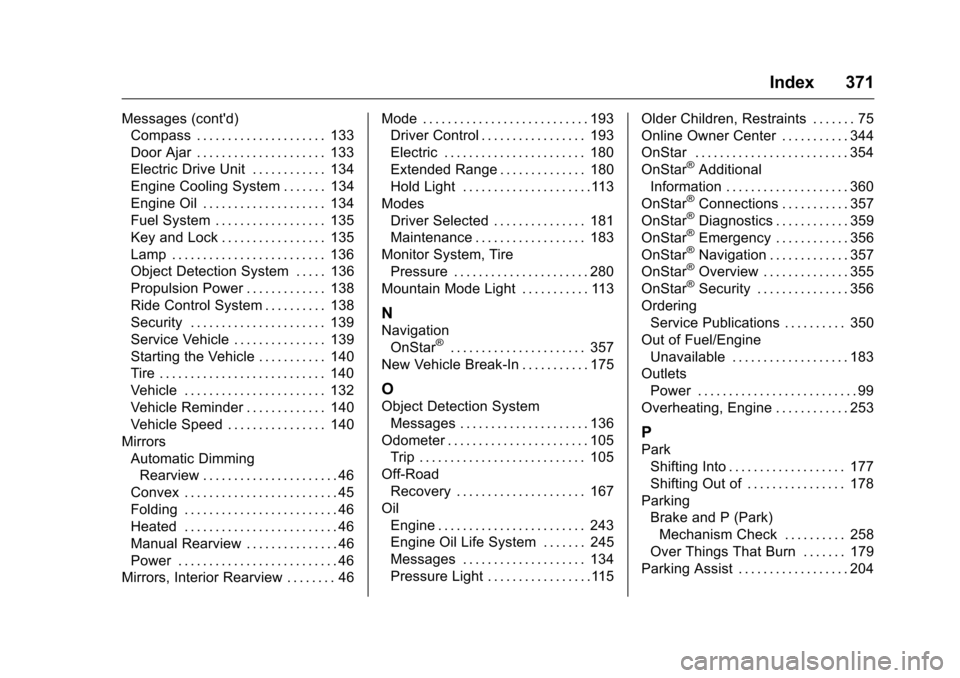
Messages (cont'd)Compass . . . . . . . . . . . . . . . . . . . . . 133
Door Ajar . . . . . . . . . . . . . . . . . . . . . 133
Electric Drive Unit . . . . . . . . . . . . 134
Engine Cooling System . . . . . . . 134
Engine Oil . . . . . . . . . . . . . . . . . . . . 134
Fuel System . . . . . . . . . . . . . . . . . . 135
Key and Lock . . . . . . . . . . . . . . . . . 135
Lamp . . . . . . . . . . . . . . . . . . . . . . . . . 136
Object Detection System . . . . . 136
Propulsion Power . . . . . . . . . . . . . 138
Ride Control System . . . . . . . . . . 138
Security . . . . . . . . . . . . . . . . . . . . . . 139
Service Vehicle . . . . . . . . . . . . . . . 139
Starting the Vehicle . . . . . . . . . . . 140
Tire . . . . . . . . . . . . . . . . . . . . . . . . . . . 140
Vehicle . . . . . . . . . . . . . . . . . . . . . . . 132
Vehicle Reminder . . . . . . . . . . . . . 140
Vehicle Speed . . . . . . . . . . . . . . . . 140
Mirrors Automatic DimmingRearview . . . . . . . . . . . . . . . . . . . . . . 46
Convex . . . . . . . . . . . . . . . . . . . . . . . . . 45
Folding . . . . . . . . . . . . . . . . . . . . . . . . . 46
Heated . . . . . . . . . . . . . . . . . . . . . . . . . 46
Manual Rearview . . . . . . . . . . . . . . . 46
Power . . . . . . . . . . . . . . . . . . . . . . . . . . 46
Mirrors, Interior Rearview . . . . . . . . 46 Mode . . . . . . . . . . . . . . . . . . . . . . . . . . . 193
Driver Control . . . . . . . . . . . . . . . . . 193
Electric . . . . . . . . . . . . . . . . . . . . . . . 180
Extended Range . . . . . . . . . . . . . . 180
Hold Light . . . . . . . . . . . . . . . . . . . . .113
Modes Driver Selected . . . . . . . . . . . . . . . 181
Maintenance . . . . . . . . . . . . . . . . . . 183
Monitor System, Tire Pressure . . . . . . . . . . . . . . . . . . . . . . 280
Mountain Mode Light . . . . . . . . . . . 113
N
Navigation
OnStar®. . . . . . . . . . . . . . . . . . . . . . 357
New Vehicle Break-In . . . . . . . . . . . 175
O
Object Detection System Messages . . . . . . . . . . . . . . . . . . . . . 136
Odometer . . . . . . . . . . . . . . . . . . . . . . . 105 Trip . . . . . . . . . . . . . . . . . . . . . . . . . . . 105
Off-Road Recovery . . . . . . . . . . . . . . . . . . . . . 167
Oil Engine . . . . . . . . . . . . . . . . . . . . . . . . 243
Engine Oil Life System . . . . . . . 245
Messages . . . . . . . . . . . . . . . . . . . . 134
Pressure Light . . . . . . . . . . . . . . . . .115 Older Children, Restraints . . . . . . . 75
Online Owner Center . . . . . . . . . . . 344
OnStar . . . . . . . . . . . . . . . . . . . . . . . . . 354
OnStar
®Additional
Information . . . . . . . . . . . . . . . . . . . . 360
OnStar
®Connections . . . . . . . . . . . 357
OnStar®Diagnostics . . . . . . . . . . . . 359
OnStar®Emergency . . . . . . . . . . . . 356
OnStar®Navigation . . . . . . . . . . . . . 357
OnStar®Overview . . . . . . . . . . . . . . 355
OnStar®Security . . . . . . . . . . . . . . . 356
Ordering Service Publications . . . . . . . . . . 350
Out of Fuel/Engine Unavailable . . . . . . . . . . . . . . . . . . . 183
Outlets
Power . . . . . . . . . . . . . . . . . . . . . . . . . . 99
Overheating, Engine . . . . . . . . . . . . 253
P
Park Shifting Into . . . . . . . . . . . . . . . . . . . 177
Shifting Out of . . . . . . . . . . . . . . . . 178
Parking Brake and P (Park)Mechanism Check . . . . . . . . . . 258
Over Things That Burn . . . . . . . 179
Parking Assist . . . . . . . . . . . . . . . . . . 204