light CHEVROLET VOLT 2017 2.G Owners Manual
[x] Cancel search | Manufacturer: CHEVROLET, Model Year: 2017, Model line: VOLT, Model: CHEVROLET VOLT 2017 2.GPages: 376, PDF Size: 6.75 MB
Page 2 of 376
Chevrolet VOLT Owner Manual (GMNA-Localizing-U.S./Canada/Mexico-
9807421) - 2017 - CRC - 11/18/15
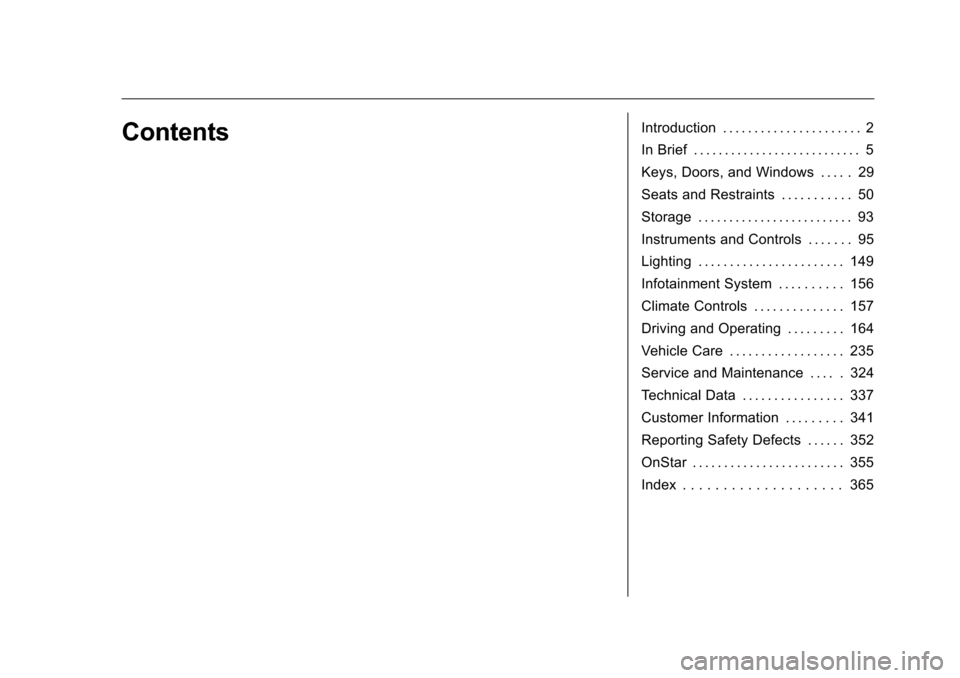
ContentsIntroduction . . . . . . . . . . . . . . . . . . . . . . 2
In Brief . . . . . . . . . . . . . . . . . . . . . . . . . . . 5
Keys, Doors, and Windows . . . . . 29
Seats and Restraints . . . . . . . . . . . 50
Storage . . . . . . . . . . . . . . . . . . . . . . . . . 93
Instruments and Controls . . . . . . . 95
Lighting . . . . . . . . . . . . . . . . . . . . . . . 149
Infotainment System . . . . . . . . . . 156
Climate Controls . . . . . . . . . . . . . . 157
Driving and Operating . . . . . . . . . 164
Vehicle Care . . . . . . . . . . . . . . . . . . 235
Service and Maintenance . . . . . 324
Technical Data . . . . . . . . . . . . . . . . 337
Customer Information . . . . . . . . . 341
Reporting Safety Defects . . . . . . 352
OnStar . . . . . . . . . . . . . . . . . . . . . . . . 355
Index . . . . . . . . . . . . . . . . . . . . 365
Page 4 of 376
Chevrolet VOLT Owner Manual (GMNA-Localizing-U.S./Canada/Mexico-
9807421) - 2017 - CRC - 11/18/15
Introduction 3
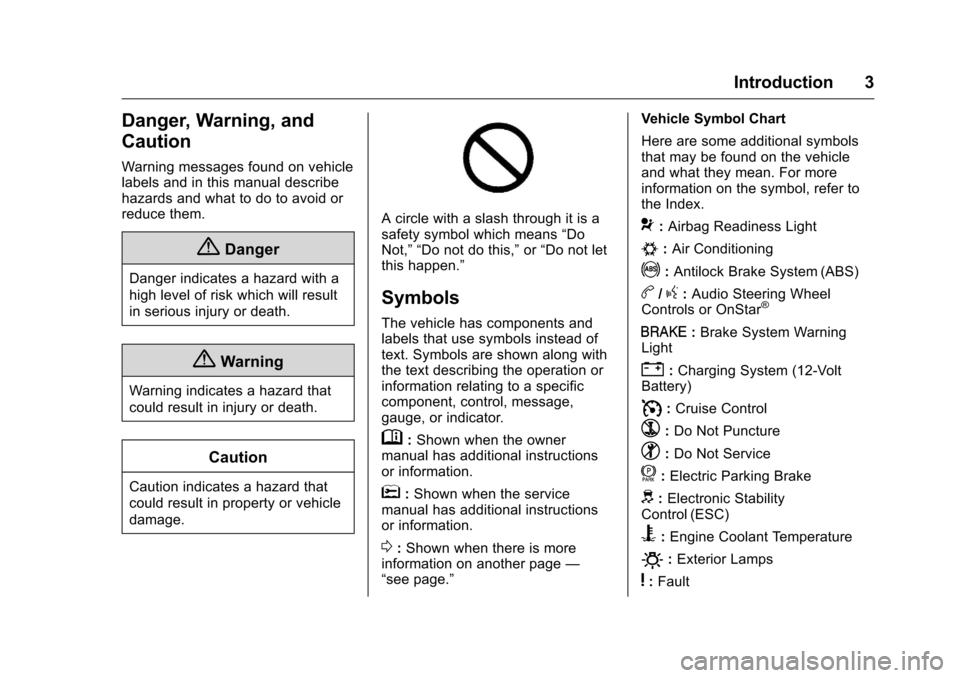
Danger, Warning, and
Caution
Warning messages found on vehicle
labels and in this manual describe
hazards and what to do to avoid or
reduce them.
{Danger
Danger indicates a hazard with a
high level of risk which will result
in serious injury or death.
{Warning
Warning indicates a hazard that
could result in injury or death.
Caution
Caution indicates a hazard that
could result in property or vehicle
damage.
A circle with a slash through it is a
safety symbol which means“Do
Not,” “Do not do this,” or“Do not let
this happen.”
Symbols
The vehicle has components and
labels that use symbols instead of
text. Symbols are shown along with
the text describing the operation or
information relating to a specific
component, control, message,
gauge, or indicator.
M: Shown when the owner
manual has additional instructions
or information.
*: Shown when the service
manual has additional instructions
or information.
0: Shown when there is more
information on another page —
“see page.” Vehicle Symbol Chart
Here are some additional symbols
that may be found on the vehicle
and what they mean. For more
information on the symbol, refer to
the Index.
9:
Airbag Readiness Light
#:Air Conditioning
!:Antilock Brake System (ABS)
b/g: Audio Steering Wheel
Controls or OnStar®
I: Brake System Warning
Light
": Charging System (12-Volt
Battery)
I: Cruise Control
`:Do Not Puncture
^:Do Not Service
f:Electric Parking Brake
d: Electronic Stability
Control (ESC)
B: Engine Coolant Temperature
O:Exterior Lamps
y:Fault
Page 6 of 376
Chevrolet VOLT Owner Manual (GMNA-Localizing-U.S./Canada/Mexico-
9807421) - 2017 - CRC - 11/18/15
In Brief 5
In Brief
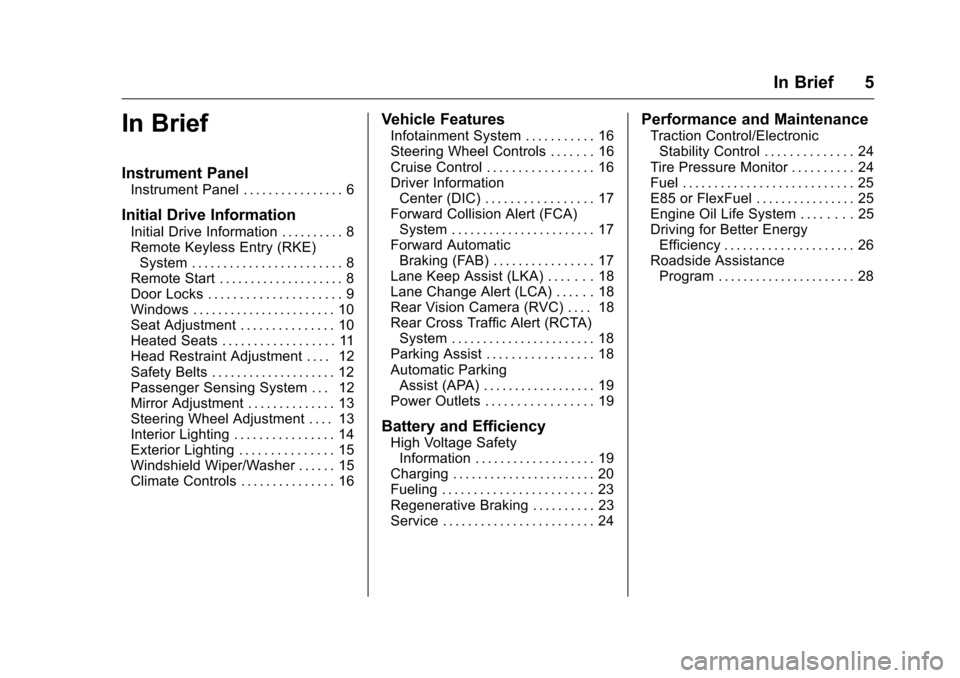
Instrument Panel
Instrument Panel . . . . . . . . . . . . . . . . 6
Initial Drive Information
Initial Drive Information . . . . . . . . . . 8
Remote Keyless Entry (RKE)System . . . . . . . . . . . . . . . . . . . . . . . . 8
Remote Start . . . . . . . . . . . . . . . . . . . . 8
Door Locks . . . . . . . . . . . . . . . . . . . . . 9
Windows . . . . . . . . . . . . . . . . . . . . . . . 10
Seat Adjustment . . . . . . . . . . . . . . . 10
Heated Seats . . . . . . . . . . . . . . . . . . 11
Head Restraint Adjustment . . . . 12
Safety Belts . . . . . . . . . . . . . . . . . . . . 12
Passenger Sensing System . . . 12
Mirror Adjustment . . . . . . . . . . . . . . 13
Steering Wheel Adjustment . . . . 13
Interior Lighting . . . . . . . . . . . . . . . . 14
Exterior Lighting . . . . . . . . . . . . . . . 15
Windshield Wiper/Washer . . . . . . 15
Climate Controls . . . . . . . . . . . . . . . 16
Vehicle Features
Infotainment System . . . . . . . . . . . 16
Steering Wheel Controls . . . . . . . 16
Cruise Control . . . . . . . . . . . . . . . . . 16
Driver Information Center (DIC) . . . . . . . . . . . . . . . . . 17
Forward Collision Alert (FCA) System . . . . . . . . . . . . . . . . . . . . . . . 17
Forward Automatic Braking (FAB) . . . . . . . . . . . . . . . . 17
Lane Keep Assist (LKA) . . . . . . . 18
Lane Change Alert (LCA) . . . . . . 18
Rear Vision Camera (RVC) . . . . 18
Rear Cross Traffic Alert (RCTA) System . . . . . . . . . . . . . . . . . . . . . . . 18
Parking Assist . . . . . . . . . . . . . . . . . 18
Automatic Parking Assist (APA) . . . . . . . . . . . . . . . . . . 19
Power Outlets . . . . . . . . . . . . . . . . . 19
Battery and Efficiency
High Voltage Safety Information . . . . . . . . . . . . . . . . . . . 19
Charging . . . . . . . . . . . . . . . . . . . . . . . 20
Fueling . . . . . . . . . . . . . . . . . . . . . . . . 23
Regenerative Braking . . . . . . . . . . 23
Service . . . . . . . . . . . . . . . . . . . . . . . . 24
Performance and Maintenance
Traction Control/Electronic Stability Control . . . . . . . . . . . . . . 24
Tire Pressure Monitor . . . . . . . . . . 24
Fuel . . . . . . . . . . . . . . . . . . . . . . . . . . . 25
E85 or FlexFuel . . . . . . . . . . . . . . . . 25
Engine Oil Life System . . . . . . . . 25
Driving for Better Energy Efficiency . . . . . . . . . . . . . . . . . . . . . 26
Roadside Assistance Program . . . . . . . . . . . . . . . . . . . . . . 28
Page 8 of 376
Chevrolet VOLT Owner Manual (GMNA-Localizing-U.S./Canada/Mexico-
9807421) - 2017 - CRC - 11/18/15
In Brief 7
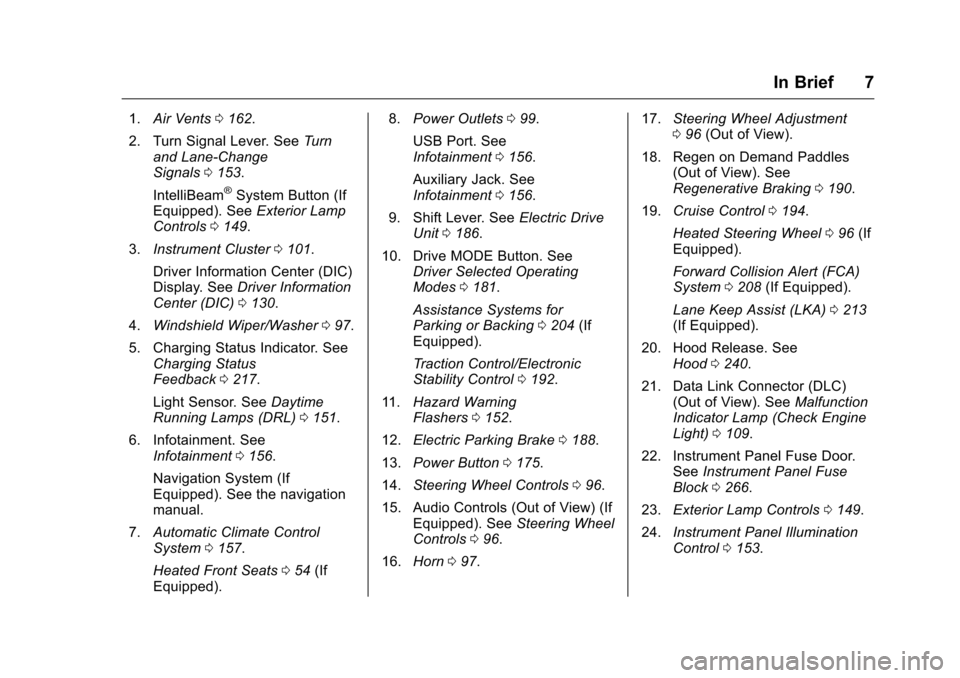
1.Air Vents 0162.
2. Turn Signal Lever. See Turn
and Lane-Change
Signals 0153.
IntelliBeam
®System Button (If
Equipped). See Exterior Lamp
Controls 0149.
3. Instrument Cluster 0101.
Driver Information Center (DIC)
Display. See Driver Information
Center (DIC) 0130.
4. Windshield Wiper/Washer 097.
5. Charging Status Indicator. See Charging Status
Feedback 0217.
Light Sensor. See Daytime
Running Lamps (DRL) 0151.
6. Infotainment. See Infotainment 0156.
Navigation System (If
Equipped). See the navigation
manual.
7. Automatic Climate Control
System 0157.
Heated Front Seats 054 (If
Equipped). 8.
Power Outlets 099.
USB Port. See
Infotainment 0156.
Auxiliary Jack. See
Infotainment 0156.
9. Shift Lever. See Electric Drive
Unit 0186.
10. Drive MODE Button. See Driver Selected Operating
Modes 0181.
Assistance Systems for
Parking or Backing 0204 (If
Equipped).
Traction Control/Electronic
Stability Control 0192.
11. Hazard Warning
Flashers 0152.
12. Electric Parking Brake 0188.
13. Power Button 0175.
14. Steering Wheel Controls 096.
15. Audio Controls (Out of View) (If Equipped). See Steering Wheel
Controls 096.
16. Horn 097. 17.
Steering Wheel Adjustment
096 (Out of View).
18. Regen on Demand Paddles (Out of View). See
Regenerative Braking 0190.
19. Cruise Control 0194.
Heated Steering Wheel 096 (If
Equipped).
Forward Collision Alert (FCA)
System 0208 (If Equipped).
Lane Keep Assist (LKA) 0213
(If Equipped).
20. Hood Release. See Hood 0240.
21. Data Link Connector (DLC) (Out of View). See Malfunction
Indicator Lamp (Check Engine
Light) 0109.
22. Instrument Panel Fuse Door. SeeInstrument Panel Fuse
Block 0266.
23. Exterior Lamp Controls 0149.
24. Instrument Panel Illumination
Control 0153.
Page 13 of 376
Chevrolet VOLT Owner Manual (GMNA-Localizing-U.S./Canada/Mexico-
9807421) - 2017 - CRC - 11/18/15
12 In Brief
and then the off setting. Three lights
indicate the highest setting and one
light the lowest.
SeeHeated Front Seats 054.
Auto Heated Seats
If equipped, the controls can be
accessed while the vehicle is on by
pressing
LorMon the center
stack.
When the vehicle is on, this feature
will automatically activate the
heated seats at the level required by
the vehicle's interior temperature.
The active high, medium, low, or off
heated seat level will be indicated
by the heated seat button lights on
the center stack. Use the heated
seat buttons on the center stack to
turn auto heated seats off.
See Heated Front Seats 054.
The heated seats can also be
programmed to come on during a
remote start. See Vehicle
Personalization 0141.
Head Restraint
Adjustment
Do not drive until the head restraints
for all occupants are installed and
adjusted properly.
To achieve a comfortable seating
position, change the seatback
recline angle as little as necessary
while keeping the seat and the head
restraint height in the proper
position.
See Head Restraints 051 and Seat
Adjustment 052.
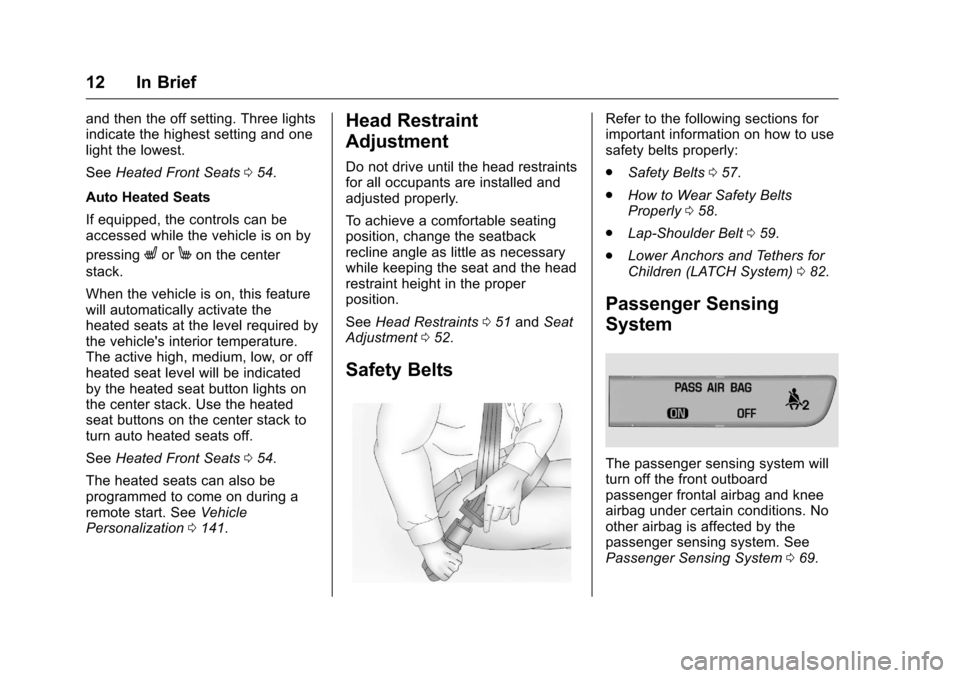
Safety Belts
Refer to the following sections for
important information on how to use
safety belts properly:
.
Safety Belts 057.
. How to Wear Safety Belts
Properly 058.
. Lap-Shoulder Belt 059.
. Lower Anchors and Tethers for
Children (LATCH System) 082.
Passenger Sensing
System
The passenger sensing system will
turn off the front outboard
passenger frontal airbag and knee
airbag under certain conditions. No
other airbag is affected by the
passenger sensing system. See
Passenger Sensing System 069.
Page 14 of 376
Chevrolet VOLT Owner Manual (GMNA-Localizing-U.S./Canada/Mexico-
9807421) - 2017 - CRC - 11/18/15
In Brief 13
The passenger airbag status
indicator lights on the overhead
console are visible when the vehicle
is started. SeePassenger Airbag
Status Indicator 0108.
Mirror Adjustment
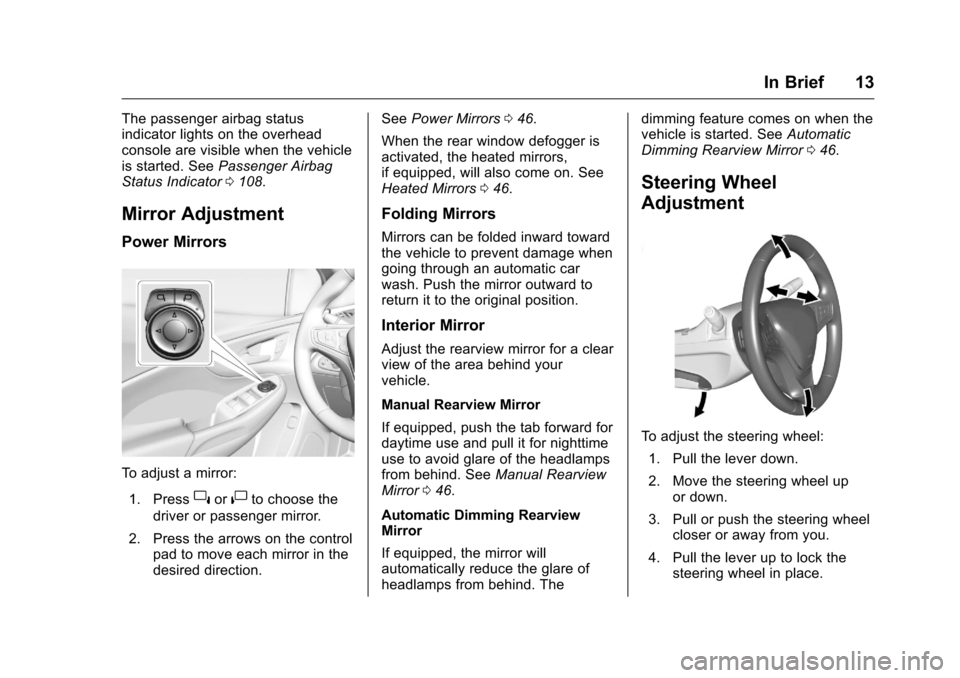
Power Mirrors
To adjust a mirror:
1. Press
}or|to choose the
driver or passenger mirror.
2. Press the arrows on the control pad to move each mirror in the
desired direction. See
Power Mirrors 046.
When the rear window defogger is
activated, the heated mirrors,
if equipped, will also come on. See
Heated Mirrors 046.
Folding Mirrors
Mirrors can be folded inward toward
the vehicle to prevent damage when
going through an automatic car
wash. Push the mirror outward to
return it to the original position.
Interior Mirror
Adjust the rearview mirror for a clear
view of the area behind your
vehicle.
Manual Rearview Mirror
If equipped, push the tab forward for
daytime use and pull it for nighttime
use to avoid glare of the headlamps
from behind. See Manual Rearview
Mirror 046.
Automatic Dimming Rearview
Mirror
If equipped, the mirror will
automatically reduce the glare of
headlamps from behind. The dimming feature comes on when the
vehicle is started. See
Automatic
Dimming Rearview Mirror 046.
Steering Wheel
Adjustment
To adjust the steering wheel:
1. Pull the lever down.
2. Move the steering wheel up or down.
3. Pull or push the steering wheel closer or away from you.
4. Pull the lever up to lock the steering wheel in place.
Page 15 of 376
Chevrolet VOLT Owner Manual (GMNA-Localizing-U.S./Canada/Mexico-
9807421) - 2017 - CRC - 11/18/15
14 In Brief
Do not adjust the steering wheel
while driving.
Interior Lighting
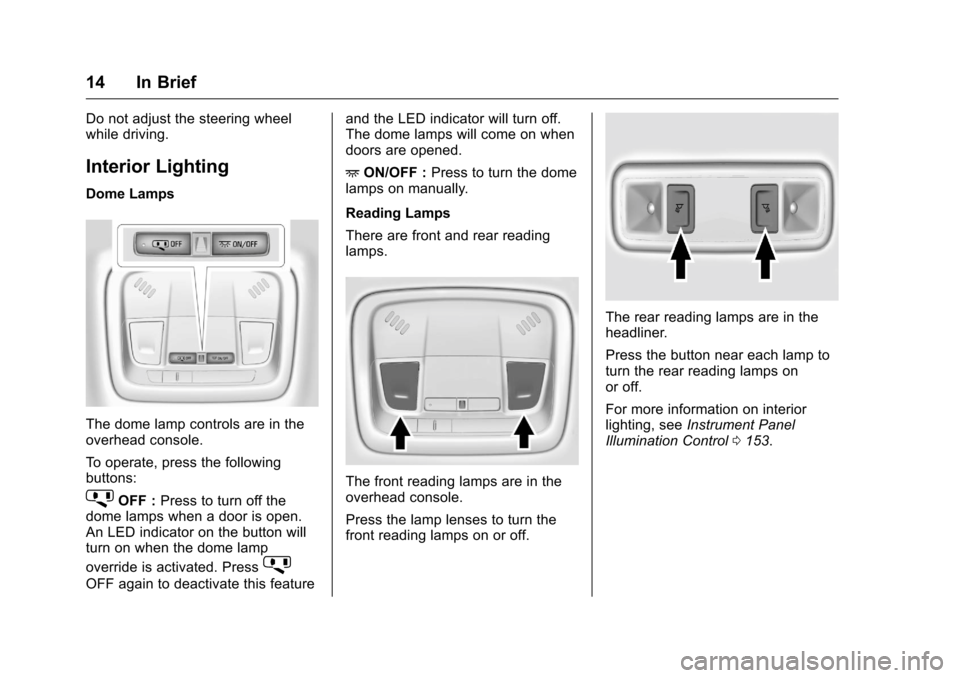
Dome Lamps
The dome lamp controls are in the
overhead console.
To operate, press the following
buttons:
jOFF :Press to turn off the
dome lamps when a door is open.
An LED indicator on the button will
turn on when the dome lamp
override is activated. Press
j
OFF again to deactivate this feature and the LED indicator will turn off.
The dome lamps will come on when
doors are opened.
+
ON/OFF : Press to turn the dome
lamps on manually.
Reading Lamps
There are front and rear reading
lamps.
The front reading lamps are in the
overhead console.
Press the lamp lenses to turn the
front reading lamps on or off.
The rear reading lamps are in the
headliner.
Press the button near each lamp to
turn the rear reading lamps on
or off.
For more information on interior
lighting, see Instrument Panel
Illumination Control 0153.
Page 16 of 376
Chevrolet VOLT Owner Manual (GMNA-Localizing-U.S./Canada/Mexico-
9807421) - 2017 - CRC - 11/18/15
In Brief 15
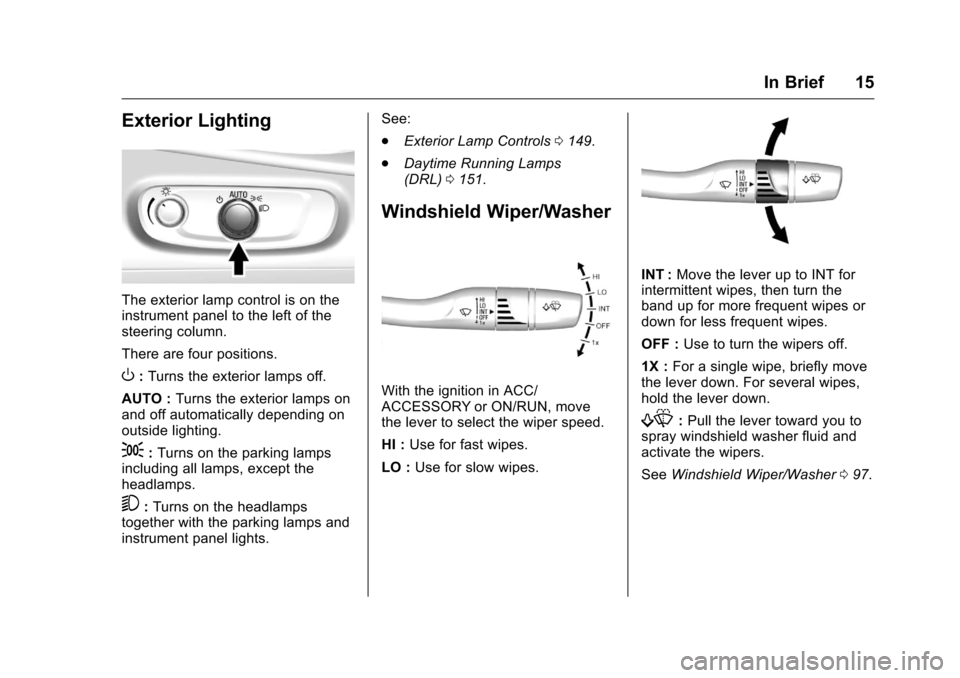
Exterior Lighting
The exterior lamp control is on the
instrument panel to the left of the
steering column.
There are four positions.
O:Turns the exterior lamps off.
AUTO : Turns the exterior lamps on
and off automatically depending on
outside lighting.
;: Turns on the parking lamps
including all lamps, except the
headlamps.
5: Turns on the headlamps
together with the parking lamps and
instrument panel lights. See:
.
Exterior Lamp Controls 0149.
. Daytime Running Lamps
(DRL) 0151.
Windshield Wiper/Washer
With the ignition in ACC/
ACCESSORY or ON/RUN, move
the lever to select the wiper speed.
HI : Use for fast wipes.
LO : Use for slow wipes.
INT : Move the lever up to INT for
intermittent wipes, then turn the
band up for more frequent wipes or
down for less frequent wipes.
OFF : Use to turn the wipers off.
1X : For a single wipe, briefly move
the lever down. For several wipes,
hold the lever down.
f: Pull the lever toward you to
spray windshield washer fluid and
activate the wipers.
See Windshield Wiper/Washer 097.
Page 19 of 376
Chevrolet VOLT Owner Manual (GMNA-Localizing-U.S./Canada/Mexico-
9807421) - 2017 - CRC - 11/18/15
18 In Brief
vehicle. This can help avoid or
lessen the severity of crashes when
driving in a forward gear.
SeeForward Automatic Braking
(FAB) 0210.
Lane Keep Assist (LKA)
If equipped, LKA may help avoid
crashes due to unintentional lane
departures. It may assist by gently
turning the steering wheel if the
vehicle approaches a detected lane
marking without using a turn signal
in that direction. It may also provide
a Lane Departure Warning (LDW)
alert as the lane marking is crossed.
The system will not assist or alert if
it detects that you are actively
steering. Override LKA by turning
the steering wheel. LKA uses a
camera to detect lane markings
between 60 km/h (37 mph) and
180 km/h (112 mph).
See Lane Departure Warning (LDW)
0 213 andLane Keep Assist
(LKA) 0213.
Lane Change Alert (LCA)
If equipped, the LCA system is a
lane-changing aid that assists
drivers with avoiding lane change
crashes that occur with moving
vehicles in the side blind zone (or
spot) areas or with vehicles rapidly
approaching these areas from
behind. The LCA warning display
will light up in the corresponding
outside side mirror and will flash if
the turn signal is on. The Side Blind
Zone Alert (SBZA) system is
included as part of the LCA system.
See Side Blind Zone Alert (SBZA)
0 211 and Lane Change Alert
(LCA) 0211.
Rear Vision
Camera (RVC)
If equipped, RVC displays a view of
the area behind the vehicle on the
center stack display when the
vehicle is shifted into R (Reverse) to
aid with parking and low-speed
backing maneuvers. See
Assistance Systems for Parking
or Backing 0204.
Rear Cross Traffic Alert
(RCTA) System
If equipped, the RCTA system uses
a triangle with an arrow displayed
on the RVC screen to warn of traffic
behind your vehicle that may cross
your vehicle's path while in
R (Reverse). In addition, beeps will
sound.
See Assistance Systems for Parking
or Backing 0204.
Parking Assist
If equipped, Rear Parking Assist
(RPA) uses sensors on the rear
bumper to assist with parking and
avoiding objects while in
R (Reverse). It operates at speeds
less than 8 km/h (5 mph). RPA may
display a warning triangle on the
RVC screen and a graphic on the
instrument cluster to provide the
object distance. In addition, multiple
beeps may occur if very close to an
object.
Page 25 of 376
Chevrolet VOLT Owner Manual (GMNA-Localizing-U.S./Canada/Mexico-
9807421) - 2017 - CRC - 11/18/15
24 In Brief
the high voltage battery system,
contributing to increased energy
efficiency.
Regen on Demand®
This feature will slow the vehicle by
recapturing energy using the
steering wheel paddle.
SeeRegenerative Braking 0190.
Service
{Warning
Never try to do your own service
on high voltage components. You
can be injured and the vehicle
can be damaged if you try to do
your own service work. Service
and repair of these high voltage
components should only be
performed by a trained service
technician with the proper
knowledge and tools. See Doing
Your Own Service Work 0239.
Performance and
Maintenance
Traction Control/
Electronic Stability
Control
The TCS limits wheel spin. The
system turns on automatically every
time the vehicle is powered up.
The Electronic Stability Control
system called StabiliTrak assists
with directional control of the vehicle
in difficult driving conditions. The
system turns on automatically every
time the vehicle is on.
.
To turn off traction control, press
and release
g, on the center
console behind the shift lever.
i
illuminates and the appropriate
Driver Information Center (DIC)
message is displayed. See Ride
Control System
Messages 0138.
. To turn off both traction control
and StabiliTrak, press and
hold
g, untiliandgcome on and stay on in the instrument
cluster and the appropriate
DIC message is displayed. See
Ride Control System
Messages
0138.
. Press and release
gto turn on
both systems.
See Traction Control/Electronic
Stability Control 0192.
Tire Pressure Monitor
This vehicle may have a Tire
Pressure Monitor System (TPMS).
The low tire pressure warning light
alerts to a significant loss in
pressure of one of the vehicle's
tires. If the warning light comes on,
stop as soon as possible and inflate
the tires to the recommended
pressure shown on the Tire and
Loading Information label. See