park assist CHEVROLET VOLT 2017 2.G Owners Manual
[x] Cancel search | Manufacturer: CHEVROLET, Model Year: 2017, Model line: VOLT, Model: CHEVROLET VOLT 2017 2.GPages: 376, PDF Size: 6.75 MB
Page 6 of 376
Chevrolet VOLT Owner Manual (GMNA-Localizing-U.S./Canada/Mexico-
9807421) - 2017 - CRC - 11/18/15
In Brief 5
In Brief
Instrument Panel
Instrument Panel . . . . . . . . . . . . . . . . 6
Initial Drive Information
Initial Drive Information . . . . . . . . . . 8
Remote Keyless Entry (RKE)System . . . . . . . . . . . . . . . . . . . . . . . . 8
Remote Start . . . . . . . . . . . . . . . . . . . . 8
Door Locks . . . . . . . . . . . . . . . . . . . . . 9
Windows . . . . . . . . . . . . . . . . . . . . . . . 10
Seat Adjustment . . . . . . . . . . . . . . . 10
Heated Seats . . . . . . . . . . . . . . . . . . 11
Head Restraint Adjustment . . . . 12
Safety Belts . . . . . . . . . . . . . . . . . . . . 12
Passenger Sensing System . . . 12
Mirror Adjustment . . . . . . . . . . . . . . 13
Steering Wheel Adjustment . . . . 13
Interior Lighting . . . . . . . . . . . . . . . . 14
Exterior Lighting . . . . . . . . . . . . . . . 15
Windshield Wiper/Washer . . . . . . 15
Climate Controls . . . . . . . . . . . . . . . 16
Vehicle Features
Infotainment System . . . . . . . . . . . 16
Steering Wheel Controls . . . . . . . 16
Cruise Control . . . . . . . . . . . . . . . . . 16
Driver Information Center (DIC) . . . . . . . . . . . . . . . . . 17
Forward Collision Alert (FCA) System . . . . . . . . . . . . . . . . . . . . . . . 17
Forward Automatic Braking (FAB) . . . . . . . . . . . . . . . . 17
Lane Keep Assist (LKA) . . . . . . . 18
Lane Change Alert (LCA) . . . . . . 18
Rear Vision Camera (RVC) . . . . 18
Rear Cross Traffic Alert (RCTA) System . . . . . . . . . . . . . . . . . . . . . . . 18
Parking Assist . . . . . . . . . . . . . . . . . 18
Automatic Parking Assist (APA) . . . . . . . . . . . . . . . . . . 19
Power Outlets . . . . . . . . . . . . . . . . . 19
Battery and Efficiency
High Voltage Safety Information . . . . . . . . . . . . . . . . . . . 19
Charging . . . . . . . . . . . . . . . . . . . . . . . 20
Fueling . . . . . . . . . . . . . . . . . . . . . . . . 23
Regenerative Braking . . . . . . . . . . 23
Service . . . . . . . . . . . . . . . . . . . . . . . . 24
Performance and Maintenance
Traction Control/Electronic Stability Control . . . . . . . . . . . . . . 24
Tire Pressure Monitor . . . . . . . . . . 24
Fuel . . . . . . . . . . . . . . . . . . . . . . . . . . . 25
E85 or FlexFuel . . . . . . . . . . . . . . . . 25
Engine Oil Life System . . . . . . . . 25
Driving for Better Energy Efficiency . . . . . . . . . . . . . . . . . . . . . 26
Roadside Assistance Program . . . . . . . . . . . . . . . . . . . . . . 28
Page 8 of 376
Chevrolet VOLT Owner Manual (GMNA-Localizing-U.S./Canada/Mexico-
9807421) - 2017 - CRC - 11/18/15
In Brief 7
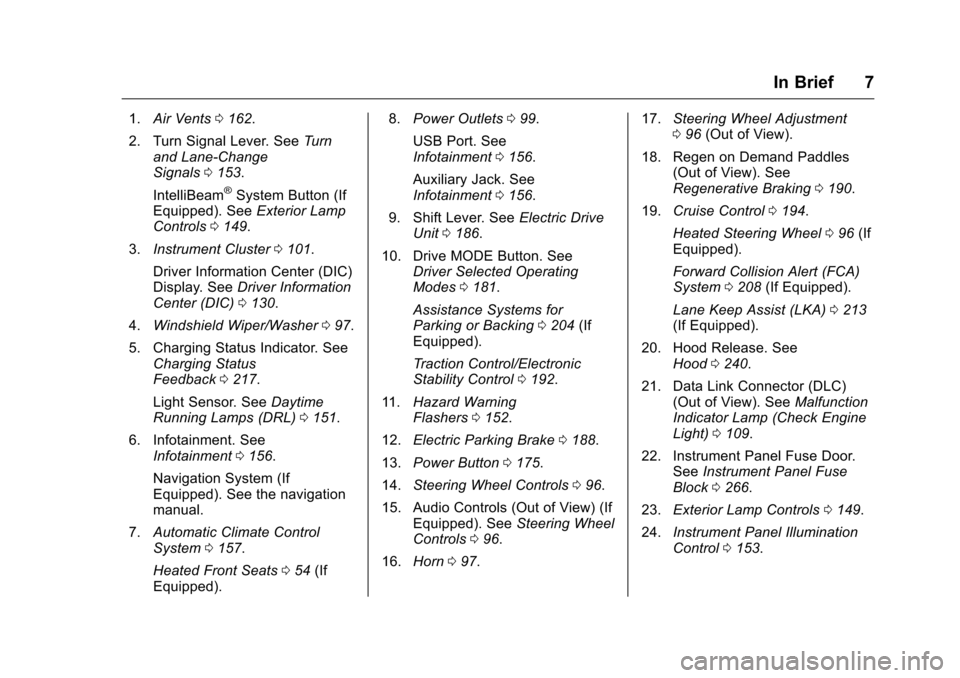
1.Air Vents 0162.
2. Turn Signal Lever. See Turn
and Lane-Change
Signals 0153.
IntelliBeam
®System Button (If
Equipped). See Exterior Lamp
Controls 0149.
3. Instrument Cluster 0101.
Driver Information Center (DIC)
Display. See Driver Information
Center (DIC) 0130.
4. Windshield Wiper/Washer 097.
5. Charging Status Indicator. See Charging Status
Feedback 0217.
Light Sensor. See Daytime
Running Lamps (DRL) 0151.
6. Infotainment. See Infotainment 0156.
Navigation System (If
Equipped). See the navigation
manual.
7. Automatic Climate Control
System 0157.
Heated Front Seats 054 (If
Equipped). 8.
Power Outlets 099.
USB Port. See
Infotainment 0156.
Auxiliary Jack. See
Infotainment 0156.
9. Shift Lever. See Electric Drive
Unit 0186.
10. Drive MODE Button. See Driver Selected Operating
Modes 0181.
Assistance Systems for
Parking or Backing 0204 (If
Equipped).
Traction Control/Electronic
Stability Control 0192.
11. Hazard Warning
Flashers 0152.
12. Electric Parking Brake 0188.
13. Power Button 0175.
14. Steering Wheel Controls 096.
15. Audio Controls (Out of View) (If Equipped). See Steering Wheel
Controls 096.
16. Horn 097. 17.
Steering Wheel Adjustment
096 (Out of View).
18. Regen on Demand Paddles (Out of View). See
Regenerative Braking 0190.
19. Cruise Control 0194.
Heated Steering Wheel 096 (If
Equipped).
Forward Collision Alert (FCA)
System 0208 (If Equipped).
Lane Keep Assist (LKA) 0213
(If Equipped).
20. Hood Release. See Hood 0240.
21. Data Link Connector (DLC) (Out of View). See Malfunction
Indicator Lamp (Check Engine
Light) 0109.
22. Instrument Panel Fuse Door. SeeInstrument Panel Fuse
Block 0266.
23. Exterior Lamp Controls 0149.
24. Instrument Panel Illumination
Control 0153.
Page 19 of 376
Chevrolet VOLT Owner Manual (GMNA-Localizing-U.S./Canada/Mexico-
9807421) - 2017 - CRC - 11/18/15
18 In Brief
vehicle. This can help avoid or
lessen the severity of crashes when
driving in a forward gear.
SeeForward Automatic Braking
(FAB) 0210.
Lane Keep Assist (LKA)
If equipped, LKA may help avoid
crashes due to unintentional lane
departures. It may assist by gently
turning the steering wheel if the
vehicle approaches a detected lane
marking without using a turn signal
in that direction. It may also provide
a Lane Departure Warning (LDW)
alert as the lane marking is crossed.
The system will not assist or alert if
it detects that you are actively
steering. Override LKA by turning
the steering wheel. LKA uses a
camera to detect lane markings
between 60 km/h (37 mph) and
180 km/h (112 mph).
See Lane Departure Warning (LDW)
0 213 andLane Keep Assist
(LKA) 0213.
Lane Change Alert (LCA)
If equipped, the LCA system is a
lane-changing aid that assists
drivers with avoiding lane change
crashes that occur with moving
vehicles in the side blind zone (or
spot) areas or with vehicles rapidly
approaching these areas from
behind. The LCA warning display
will light up in the corresponding
outside side mirror and will flash if
the turn signal is on. The Side Blind
Zone Alert (SBZA) system is
included as part of the LCA system.
See Side Blind Zone Alert (SBZA)
0 211 and Lane Change Alert
(LCA) 0211.
Rear Vision
Camera (RVC)
If equipped, RVC displays a view of
the area behind the vehicle on the
center stack display when the
vehicle is shifted into R (Reverse) to
aid with parking and low-speed
backing maneuvers. See
Assistance Systems for Parking
or Backing 0204.
Rear Cross Traffic Alert
(RCTA) System
If equipped, the RCTA system uses
a triangle with an arrow displayed
on the RVC screen to warn of traffic
behind your vehicle that may cross
your vehicle's path while in
R (Reverse). In addition, beeps will
sound.
See Assistance Systems for Parking
or Backing 0204.
Parking Assist
If equipped, Rear Parking Assist
(RPA) uses sensors on the rear
bumper to assist with parking and
avoiding objects while in
R (Reverse). It operates at speeds
less than 8 km/h (5 mph). RPA may
display a warning triangle on the
RVC screen and a graphic on the
instrument cluster to provide the
object distance. In addition, multiple
beeps may occur if very close to an
object.
Page 20 of 376
Chevrolet VOLT Owner Manual (GMNA-Localizing-U.S./Canada/Mexico-
9807421) - 2017 - CRC - 11/18/15
In Brief 19
The vehicle may also have the Front
Parking Assist system.
SeeAssistance Systems for Parking
or Backing 0204.
Automatic Parking
Assist (APA)
If equipped, the APA system helps
to search for and maneuver the
vehicle into parallel or perpendicular
parking spots using automatic
steering, DIC displays, and beeps.
When the vehicle speed is below
30 km/h (18 mph), press
Oto
enable the system.
See “Automatic Parking Assist
(APA)” underAssistance Systems
for Parking or Backing 0204.
Power Outlets
The accessory power outlets can be
used to plug in electrical equipment,
such as a cell phone or MP3 player.
There are two accessory power
outlets:
.
In the storage area below the
climate control system.
. On the rear of the front console
armrest.
The power outlets supply power
while the vehicle is on, or if the
vehicle is in Retained Accessory
Power (RAP). See Retained
Accessory Power (RAP) 0177.
Lift the cover to access and replace
when not in use.
See Power Outlets 099.
Battery and Efficiency
High Voltage Safety
Information
{Warning
Exposure to high voltage can
cause shock, burns, and even
death. The high voltage
components in the vehicle can
only be serviced by technicians
with special training.
High voltage components are
identified by labels. Do not
remove, open, take apart,
or modify these components.
High voltage cable or wiring has
orange covering or labels. Do not
probe, tamper with, cut, or modify
high voltage cable or wiring.
This vehicle has a high voltage
battery and a standard 12-volt
battery.
Page 28 of 376
Chevrolet VOLT Owner Manual (GMNA-Localizing-U.S./Canada/Mexico-
9807421) - 2017 - CRC - 11/18/15
In Brief 27
Less energy is used at low fan
speeds. When using the fan:
.Fan Only is the most energy
efficient climate setting as long
as
0is not selected.
. Use eco for moderate air
conditioning and heater
operation. This is the next most
energy efficient setting as long
as
0is not selected.
. MAX provides the most comfort
but is the least energy efficient.
Use the auto heated seat feature
and the heated steering wheel
instead of climate settings. Heating
the seat and steering wheel uses
less energy than heating the vehicle
interior.
Use remote start to heat or cool the
interior when the vehicle is plugged
in to maximize the electric range by
utilizing electricity from the electrical
outlet. Engine Assisted Heating,
if equipped, can be personalized
while plugged in. See
“Engine
Assist Heat Plugged In” under
Vehicle Personalization 0141.
In hot weather, avoid parking in
direct sunlight or use sunshades
inside the vehicle.
Turn off the front and rear window
defog/defrost when they are no
longer needed.
Avoid driving with the windows open
at highway speeds.
Vehicle Charging/Maintenance
Charging
Keep the vehicle plugged in, even
when fully charged, to keep the
battery temperature ready for the
next drive. This is important when
outside temperatures are extremely
hot or cold. Maintenance
Always keep the tires properly
inflated and the vehicle properly
aligned.
The weight of excess cargo in the
vehicle affects efficiency and range.
Avoid carrying more than is needed.
If fuel is not regularly used, consider
keeping the fuel tank only one-third
full. Excess fuel weight impacts
efficiency and range.
For fuel recommendations, see
Fuel
0230.
Avoid unnecessary use of electrical
accessories. Power used for
functions other than propelling the
vehicle will reduce EV range.
Using a rooftop carrier will reduce
efficiency due to additional weight
and drag.
Page 96 of 376
Chevrolet VOLT Owner Manual (GMNA-Localizing-U.S./Canada/Mexico-
9807421) - 2017 - CRC - 11/18/15
Instruments and Controls 95
Instruments and
Controls
Controls
Steering Wheel Adjustment . . . . 96
Steering Wheel Controls . . . . . . . 96
Heated Steering Wheel . . . . . . . . 96
Horn . . . . . . . . . . . . . . . . . . . . . . . . . . . 97
Windshield Wiper/Washer . . . . . . 97
Compass . . . . . . . . . . . . . . . . . . . . . . 98
Clock . . . . . . . . . . . . . . . . . . . . . . . . . . 98
Power Outlets . . . . . . . . . . . . . . . . . 99
Wireless Charging . . . . . . . . . . . . . 99
Warning Lights, Gauges, and
Indicators
Warning Lights, Gauges, andIndicators . . . . . . . . . . . . . . . . . . . 101
Instrument Cluster . . . . . . . . . . . . 101
Speedometer . . . . . . . . . . . . . . . . . 105
Odometer . . . . . . . . . . . . . . . . . . . . . 105
Trip Odometer . . . . . . . . . . . . . . . . 105
Battery Gauge (High Voltage) . . . . . . . . . . . . . . . . . . . . . 105
Fuel Gauge . . . . . . . . . . . . . . . . . . . 105
Driver Efficiency Gauge . . . . . . 106
Power Indicator Gauge . . . . . . . 107
Safety Belt Reminders . . . . . . . . 107
Airbag Readiness Light . . . . . . . 108 Passenger Airbag Status
Indicator . . . . . . . . . . . . . . . . . . . . 108
Charging System Light (12-Volt Battery) . . . . . . . . . . . . . . . . . . . . . 109
Malfunction Indicator Lamp
(Check Engine Light) . . . . . . . . 109
Brake System Warning Light . . . . . . . . . . . . . . . . . . . . . . . . . 111
Electric Parking Brake Light . . . . . . . . . . . . . . . . . . . . . . . . . 111
Service Electric Parking Brake Light . . . . . . . . . . . . . . . . . . . . . . . . 112
Antilock Brake System (ABS) Warning Light . . . . . . . . . . . . . . . 112
Sport Mode Light . . . . . . . . . . . . . 112
Mountain Mode Light . . . . . . . . . 113
Hold Mode Light . . . . . . . . . . . . . . 113
Lane Keep Assist (LKA) Light . . . . . . . . . . . . . . . . . . . . . . . . 113
Vehicle Ahead Indicator . . . . . . . 113
Traction Off Light . . . . . . . . . . . . . 113
StabiliTrak
®OFF Light . . . . . . . . 114
Traction Control System (TCS)/ StabiliTrak
®Light . . . . . . . . . . . . 114
Engine Coolant Temperature Warning Light . . . . . . . . . . . . . . . 114
Tire Pressure Light . . . . . . . . . . . 115
Engine Oil Pressure Light . . . . . 115
Low Fuel Warning Light . . . . . . . 116
Security Light . . . . . . . . . . . . . . . . . 116
Vehicle Ready Light . . . . . . . . . . 116 High-Beam On Light . . . . . . . . . . 116
Lamps On Reminder . . . . . . . . . . 117
Cruise Control Light . . . . . . . . . . 117
Door Ajar Light . . . . . . . . . . . . . . . 117
Information Displays
Power Flows . . . . . . . . . . . . . . . . . . 117
Programmable Charging . . . . . . 119
Energy Information . . . . . . . . . . . 128
Driver Information
Center (DIC) . . . . . . . . . . . . . . . . 130
Vehicle Messages
Vehicle Messages . . . . . . . . . . . . 132
Battery and ChargingMessages . . . . . . . . . . . . . . . . . . . 132
Brake System Messages . . . . . 133
Compass Messages . . . . . . . . . . 133
Cruise Control Messages . . . . . 133
Door Ajar Messages . . . . . . . . . . 133
Electric Drive Unit Messages . . . . . . . . . . . . . . . . . . . 134
Engine Cooling System Messages . . . . . . . . . . . . . . . . . . . 134
Engine Oil Messages . . . . . . . . . 134
Fuel System Messages . . . . . . . 135
Key and Lock Messages . . . . . 135
Lamp Messages . . . . . . . . . . . . . . 136
Object Detection System Messages . . . . . . . . . . . . . . . . . . . 136
Page 112 of 376
Chevrolet VOLT Owner Manual (GMNA-Localizing-U.S./Canada/Mexico-
9807421) - 2017 - CRC - 11/18/15
Instruments and Controls 111
not used to perform an Emissions
Inspection/Maintenance test or to
service the vehicle may affect
vehicle operation. SeeAdd-On
Electrical Equipment 0234. See
your dealer if assistance is needed.
The vehicle may not pass
inspection if:
. The light is on when the engine
is running.
. The light does not come on
when the vehicle is in Service
Only Mode.
. Critical emission control systems
have not been completely
diagnosed. If this happens, the
vehicle would not be ready for
inspection and might require
several days of routine driving
before the system is ready for
inspection. This can happen if
the 12-volt battery has recently
been replaced or run down, or if
the vehicle has been recently
serviced.
See your dealer if the vehicle will
not pass or cannot be made ready
for the test.Brake System Warning
Light
The vehicle brake system consists
of two hydraulic circuits. If one
circuit is not working, the remaining
circuit can still work to stop the
vehicle. For normal braking
performance, both circuits need to
be working.
If the warning light comes on, there
is a brake problem. Have the brake
system inspected right away.
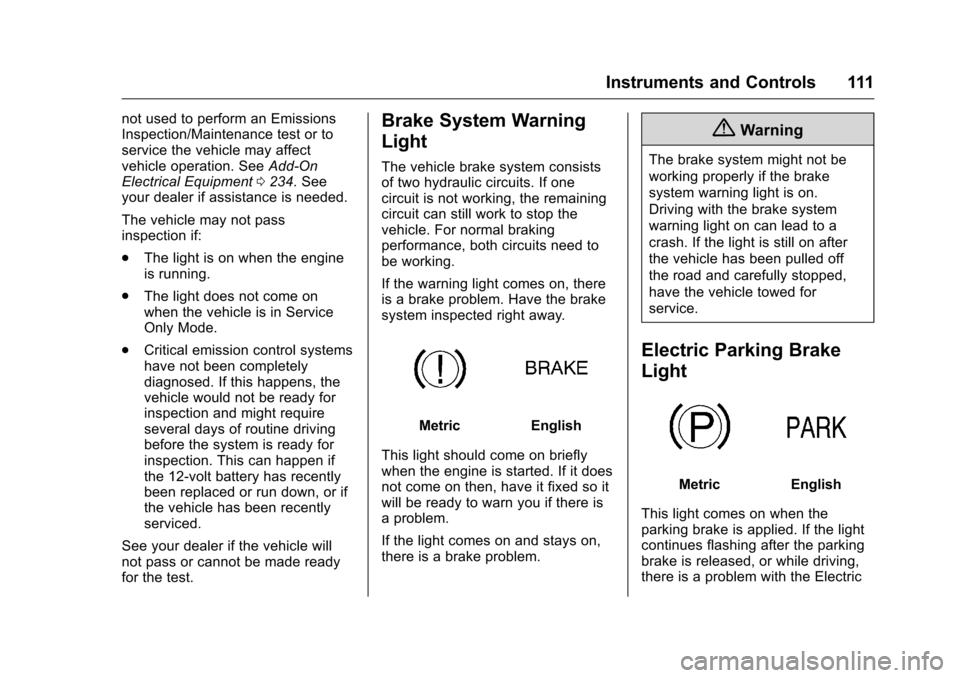
MetricEnglish
This light should come on briefly
when the engine is started. If it does
not come on then, have it fixed so it
will be ready to warn you if there is
a problem.
If the light comes on and stays on,
there is a brake problem.
{Warning
The brake system might not be
working properly if the brake
system warning light is on.
Driving with the brake system
warning light on can lead to a
crash. If the light is still on after
the vehicle has been pulled off
the road and carefully stopped,
have the vehicle towed for
service.
Electric Parking Brake
Light
MetricEnglish
This light comes on when the
parking brake is applied. If the light
continues flashing after the parking
brake is released, or while driving,
there is a problem with the Electric
Page 134 of 376
Chevrolet VOLT Owner Manual (GMNA-Localizing-U.S./Canada/Mexico-
9807421) - 2017 - CRC - 11/18/15
Instruments and Controls 133
LOW BATTERY
This message displays when the
12-volt battery voltage is low. See
Battery - North America0256.
SERVICE BATTERY
CHARGING SYSTEM
This message displays when there
is a fault in the 12-volt battery
charging system. See your dealer
for service.
SERVICE HIGH VOLTAGE
CHARGING SYSTEM
This message displays when there
is a problem with the high voltage
charging system. See your dealer
for service.
Brake System Messages
BRAKE FLUID LOW
This message displays when the
brake fluid level is low. See Brake
Fluid 0254.
RELEASE PARKING BRAKE
This message displays if the Electric
Parking Brake is on while the
vehicle is in motion. Release it
before attempting to drive. See
Electric Parking Brake 0188.
SERVICE BRAKE ASSIST
This message displays when there
is a problem with the brake boost
system. When this message
displays, the brake pedal may be
harder to push and the stopping
distance may be longer. See your
dealer for service.
SERVICE PARKING BRAKE
This message displays when there
is a problem with the Electric
Parking Brake. See your dealer for
service.
STEP ON BRAKE TO
RELEASE PARK BRAKE
This message displays when
attempting to release the Electric
Parking Brake without the brake
pedal applied. See Electric Parking
Brake 0188.
Compass Messages
Dashes may be displayed if the
vehicle temporarily loses
communication with the Global
Positioning System (GPS).
Cruise Control Messages
CRUISE SET TO XXX
This message displays when the
cruise control is set and shows the
speed it was set to. See Cruise
Control 0194.
Door Ajar Messages
DOOR OPEN
A door open symbol will be
displayed on the DIC showing which
door is open. If the vehicle has been
shifted out of P (Park), a DOOR
OPEN message will also be
displayed. The DOOR OPEN
message may also be displayed if
the vehicle starts to move. Close the
door completely.
Page 138 of 376
Chevrolet VOLT Owner Manual (GMNA-Localizing-U.S./Canada/Mexico-
9807421) - 2017 - CRC - 11/18/15
Instruments and Controls 137
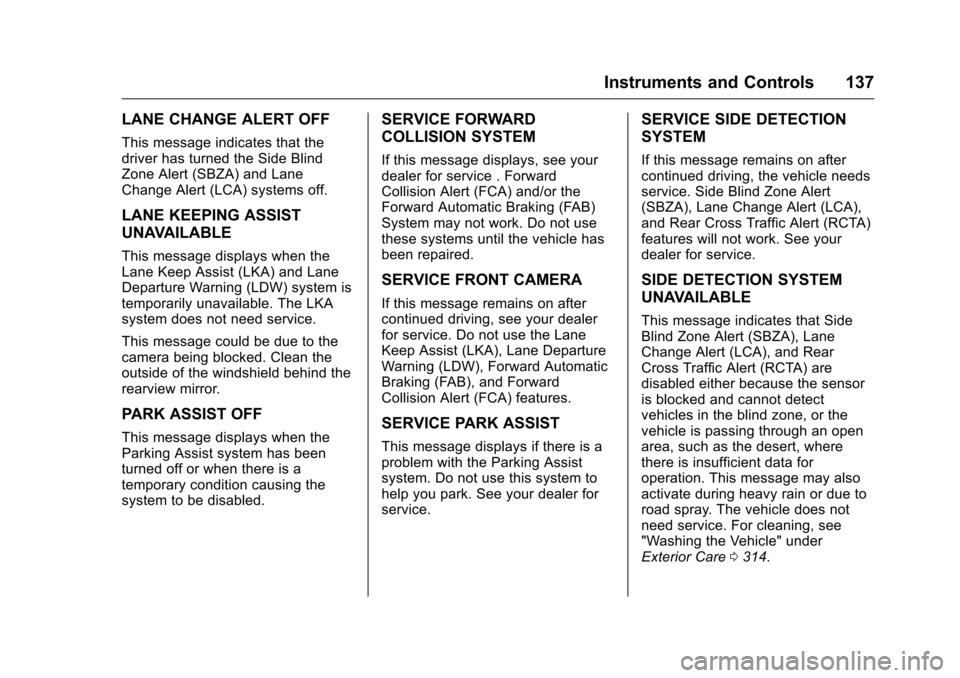
LANE CHANGE ALERT OFF
This message indicates that the
driver has turned the Side Blind
Zone Alert (SBZA) and Lane
Change Alert (LCA) systems off.
LANE KEEPING ASSIST
UNAVAILABLE
This message displays when the
Lane Keep Assist (LKA) and Lane
Departure Warning (LDW) system is
temporarily unavailable. The LKA
system does not need service.
This message could be due to the
camera being blocked. Clean the
outside of the windshield behind the
rearview mirror.
PARK ASSIST OFF
This message displays when the
Parking Assist system has been
turned off or when there is a
temporary condition causing the
system to be disabled.
SERVICE FORWARD
COLLISION SYSTEM
If this message displays, see your
dealer for service . Forward
Collision Alert (FCA) and/or the
Forward Automatic Braking (FAB)
System may not work. Do not use
these systems until the vehicle has
been repaired.
SERVICE FRONT CAMERA
If this message remains on after
continued driving, see your dealer
for service. Do not use the Lane
Keep Assist (LKA), Lane Departure
Warning (LDW), Forward Automatic
Braking (FAB), and Forward
Collision Alert (FCA) features.
SERVICE PARK ASSIST
This message displays if there is a
problem with the Parking Assist
system. Do not use this system to
help you park. See your dealer for
service.
SERVICE SIDE DETECTION
SYSTEM
If this message remains on after
continued driving, the vehicle needs
service. Side Blind Zone Alert
(SBZA), Lane Change Alert (LCA),
and Rear Cross Traffic Alert (RCTA)
features will not work. See your
dealer for service.
SIDE DETECTION SYSTEM
UNAVAILABLE
This message indicates that Side
Blind Zone Alert (SBZA), Lane
Change Alert (LCA), and Rear
Cross Traffic Alert (RCTA) are
disabled either because the sensor
is blocked and cannot detect
vehicles in the blind zone, or the
vehicle is passing through an open
area, such as the desert, where
there is insufficient data for
operation. This message may also
activate during heavy rain or due to
road spray. The vehicle does not
need service. For cleaning, see
"Washing the Vehicle" under
Exterior Care0314.
Page 145 of 376
Chevrolet VOLT Owner Manual (GMNA-Localizing-U.S./Canada/Mexico-
9807421) - 2017 - CRC - 11/18/15
144 Instruments and Controls
Select Off or On.
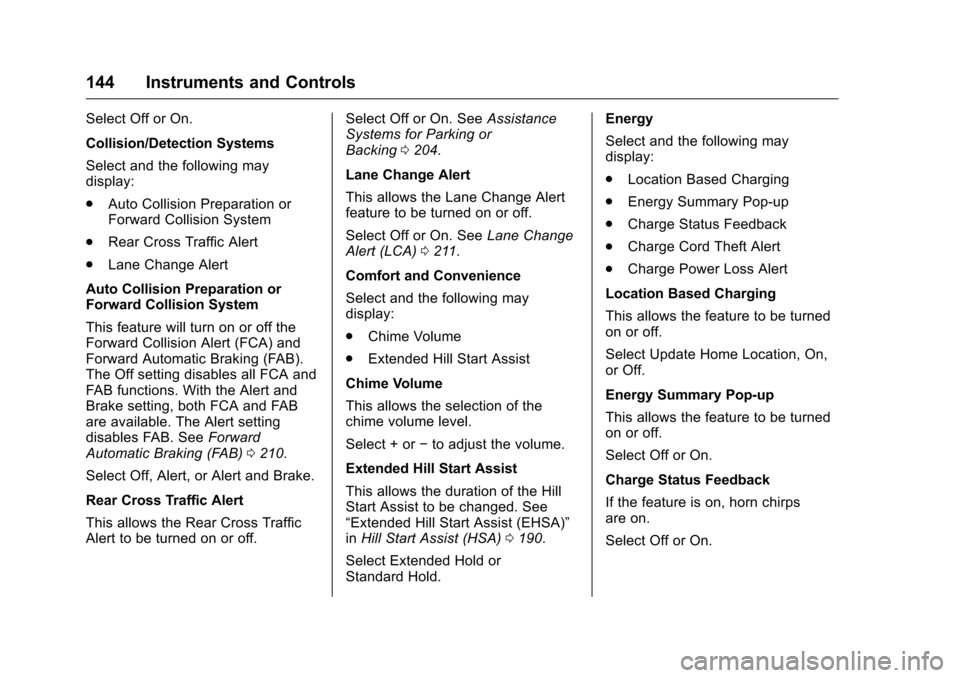
Collision/Detection Systems
Select and the following may
display:
.Auto Collision Preparation or
Forward Collision System
. Rear Cross Traffic Alert
. Lane Change Alert
Auto Collision Preparation or
Forward Collision System
This feature will turn on or off the
Forward Collision Alert (FCA) and
Forward Automatic Braking (FAB).
The Off setting disables all FCA and
FAB functions. With the Alert and
Brake setting, both FCA and FAB
are available. The Alert setting
disables FAB. See Forward
Automatic Braking (FAB) 0210.
Select Off, Alert, or Alert and Brake.
Rear Cross Traffic Alert
This allows the Rear Cross Traffic
Alert to be turned on or off. Select Off or On. See
Assistance
Systems for Parking or
Backing 0204.
Lane Change Alert
This allows the Lane Change Alert
feature to be turned on or off.
Select Off or On. See Lane Change
Alert (LCA) 0211.
Comfort and Convenience
Select and the following may
display:
. Chime Volume
. Extended Hill Start Assist
Chime Volume
This allows the selection of the
chime volume level.
Select + or −to adjust the volume.
Extended Hill Start Assist
This allows the duration of the Hill
Start Assist to be changed. See
“Extended Hill Start Assist (EHSA)”
in Hill Start Assist (HSA) 0190.
Select Extended Hold or
Standard Hold. Energy
Select and the following may
display:
.
Location Based Charging
. Energy Summary Pop-up
. Charge Status Feedback
. Charge Cord Theft Alert
. Charge Power Loss Alert
Location Based Charging
This allows the feature to be turned
on or off.
Select Update Home Location, On,
or Off.
Energy Summary Pop-up
This allows the feature to be turned
on or off.
Select Off or On.
Charge Status Feedback
If the feature is on, horn chirps
are on.
Select Off or On.