key battery CHEVROLET VOLT 2018 User Guide
[x] Cancel search | Manufacturer: CHEVROLET, Model Year: 2018, Model line: VOLT, Model: CHEVROLET VOLT 2018Pages: 379, PDF Size: 5.65 MB
Page 158 of 379
Chevrolet VOLT Owner Manual (GMNA-Localizing-U.S./Canada/Mexico-
11349113) - 2018 - crc - 10/12/17
Climate Controls 157
The defogger only works when the
vehicle is on. The defogger will turn
off if the vehicle is turned off.
If equipped with heated outside
rearview mirrors, they turn on when
the rear window defogger button is
on and help to clear fog or frost from
the surface of the mirror. See
Heated Mirrors048.
Caution
Do not try to clear frost or other
material from the inside of the
front windshield and rear window
with a razor blade or anything
else that is sharp. This may
damage the rear window
defogger grid and affect the
radio's ability to pick up stations
clearly. The repairs would not be
covered by the vehicle warranty.
Remote Start : The climate control
system may be started by using the
Remote Keyless Entry (RKE)
transmitter. The climate control system will default to an appropriate
heating or cooling mode. See
Remote Start
038.
If equipped, the heated seats will
turn on if it is cold outside. The
heated seat indicator light may not
come on during a remote start.
If equipped, the heated steering
wheel will come on if it is cold
outside. The heated steering wheel
indicator light may not come on
during a remote start.
The rear window defogger turns on
if it is cold outside.
Compressor
The vehicle has an electric powered
air conditioning compressor. This
allows for continuous air
conditioning and/or high voltage
battery cooling operation, without
running the engine.
The compressor operating speed is
not tied to the engine speed, so
some noise may be heard from the
compressor, especially when air
conditioning use is high and the
engine has turned off. This is
normal.
Sensors
Solar Sensor
The solar sensor is on top of the
instrument panel, near the
windshield, where it monitors solar
intensity.
The climate control system uses the
sensor information to adjust the
temperature, fan speed,
recirculation, and air delivery mode
for best comfort.
Do not cover the sensor; otherwise
the automatic climate control system
may not work properly.
Humidity Sensor
The humidity sensor is near the
base of the inside rearview mirror.
The climate control system uses the
sensor information to adjust the
temperature and recirculation for
best comfort.
Page 172 of 379
Chevrolet VOLT Owner Manual (GMNA-Localizing-U.S./Canada/Mexico-
11349113) - 2018 - crc - 10/12/17
Driving and Operating 171
Warning (Continued)
. Secure loose items in the
vehicle.
.Do not leave a seat
folded down unless
needed.
Starting and
Operating
New Vehicle Break-In
The vehicle does not require a
break-in period. Vehicle break-in is
performed during manufacturing.
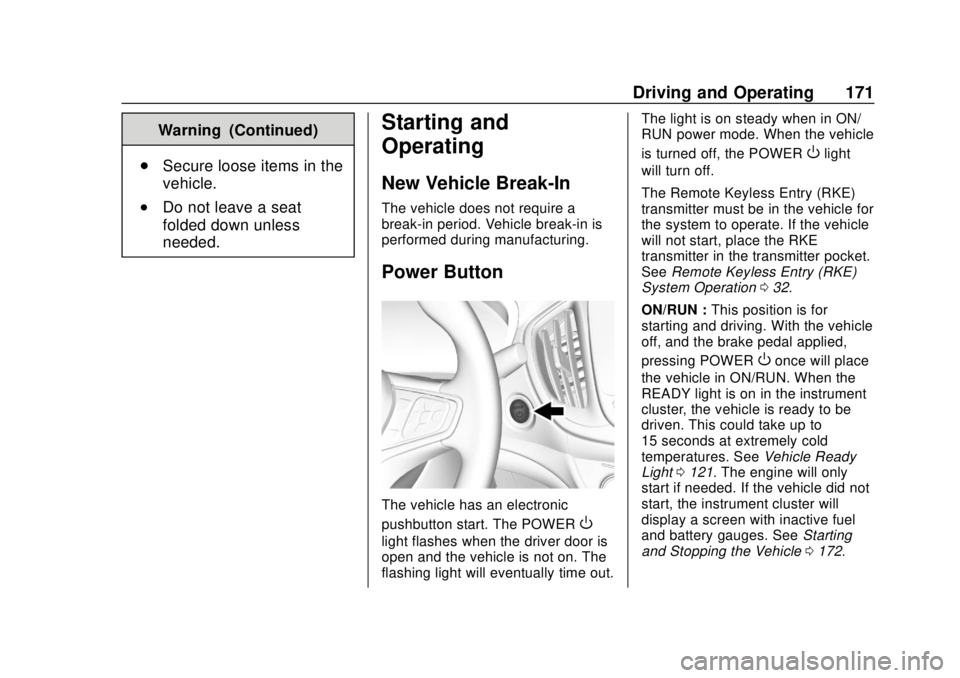
Power Button
The vehicle has an electronic
pushbutton start. The POWER
O
light flashes when the driver door is
open and the vehicle is not on. The
flashing light will eventually time out. The light is on steady when in ON/
RUN power mode. When the vehicle
is turned off, the POWER
Olight
will turn off.
The Remote Keyless Entry (RKE)
transmitter must be in the vehicle for
the system to operate. If the vehicle
will not start, place the RKE
transmitter in the transmitter pocket.
See Remote Keyless Entry (RKE)
System Operation 032.
ON/RUN : This position is for
starting and driving. With the vehicle
off, and the brake pedal applied,
pressing POWER
Oonce will place
the vehicle in ON/RUN. When the
READY light is on in the instrument
cluster, the vehicle is ready to be
driven. This could take up to
15 seconds at extremely cold
temperatures. See Vehicle Ready
Light 0121. The engine will only
start if needed. If the vehicle did not
start, the instrument cluster will
display a screen with inactive fuel
and battery gauges. See Starting
and Stopping the Vehicle 0172.
Page 174 of 379
Chevrolet VOLT Owner Manual (GMNA-Localizing-U.S./Canada/Mexico-
11349113) - 2018 - crc - 10/12/17
Driving and Operating 173
Caution
Do not try to shift to P (Park) if the
vehicle is moving or the electric
drive unit could be damaged.
Shift to P (Park) only when the
vehicle is stopped.
Caution
If you add electrical parts or
accessories, you could change
the way the vehicle operates. Any
resulting damage would not be
covered by the vehicle warranty.
SeeAdd-On Electrical Equipment
0 232.
The Remote Keyless Entry (RKE)
transmitter must be in the vehicle.
Press the brake pedal and press
and release POWER
O. If the RKE transmitter is not in the
vehicle or something is interfering
with the transmitter, a message
displays in the Driver Information
Center (DIC).
If the vehicle will not start due to a
low RKE transmitter battery, the
vehicle can still be driven. See
“Starting the Vehicle with a Low
Transmitter Battery”
inRemote
Keyless Entry (RKE) System
Operation 032.
A Welcome, Ready, and Good-bye
audio message will be heard in the
vehicle and animated on the
instrument cluster when opening the
driver door upon entry, when the
vehicle is ready to be driven, and
when the vehicle is turned off.
The instrument cluster displays an
active fuel and/or battery gauge,
along with an audio startup cue,
when the vehicle is ready to be
driven. This could take up to
15 seconds at extremely cold
temperatures. The engine will only
start if needed. If the vehicle did not
start, the instrument cluster will display a screen with inactive fuel
and battery gauges. See
Starting
and Stopping the Vehicle 0172.
Restarting Procedure
If the vehicle must be restarted
while it is still moving, move the shift
lever to N (Neutral) and press
POWER
Otwice without pressing
the brake pedal. The propulsion
system will not restart in any other
position.
Forced Engine On
Some vehicle conditions that force
the engine to run:
. There are cold ambient
temperatures.
. The hood is open or not
completely latched while the
vehicle is not in N (Neutral).
. The high voltage battery has a
low charge.
. The engine needs to run for
maintenance.
See Maintenance Modes 0180.
Page 228 of 379
Chevrolet VOLT Owner Manual (GMNA-Localizing-U.S./Canada/Mexico-
11349113) - 2018 - crc - 10/12/17
Driving and Operating 227
Changing the charge mode to
Immediate or performing a delayed
charging override will not disable a
utility interruption.
A pop-up will appear in the
infotainment display during the key
cycle following any utility
interruption. See“Charging
Interrupted or Overridden Pop-Up”
under Programmable Charging
0 123.
A message will display on the
instrument cluster indicating that a
utility interruption has occurred. See
Instrument Cluster 0106.
Charging Station
Troubleshooting
If the vehicle does not charge after
being plugged in to a residential
240-volt charging station:
1. Verify that the charge mode is set to Immediate.
2. Verify that the charging station’s circuit breaker has not
been tripped. 3. Plug the portable charge cord
into the wall outlet, verify that
the indicator light on the charge
cord is solid green, and
connect it to the vehicle. See
“Charge Cord Status
Indicators” inCharge Cord
0 220.
4. If the vehicle charges with the portable charge cord, there
may be a problem with the
charging station. Try to charge
the vehicle with a different
240-volt charging station, such
as a public station. If both
attempts charge the vehicle,
contact the charging station
manufacturer.Electrical Requirements
for Battery Charging
This vehicle is capable of being
charged with most standard vehicle
charging equipment complying with
one or more of the following:
.SAE J1772
. SAE J2847-2 .
IEC 61851-1
. IEC 61851-22
. IEC 61851-23
. IEC 61851-24
. IEC 62196-1
. IEC 62196-2
. IEC 62196-3
. ISO 15118
. GB/T 18487.1
. GB/T 20234.1
. GB/T 20234.2
The following are the minimum
requirements for circuits used to
charge this vehicle:
. 120 volts/15 amps
. 240 volts/20 amps
Charging equipment with a rating of
at least 240 volts/20 amps will
provide the fastest charging time
and best charging efficiency to
recharge the high voltage battery.
240 volt/40 amp circuits provide
flexibility for future vehicle charging
needs. Always follow the charging
Page 237 of 379
Chevrolet VOLT Owner Manual (GMNA-Localizing-U.S./Canada/Mexico-
11349113) - 2018 - crc - 10/12/17
236 Vehicle Care
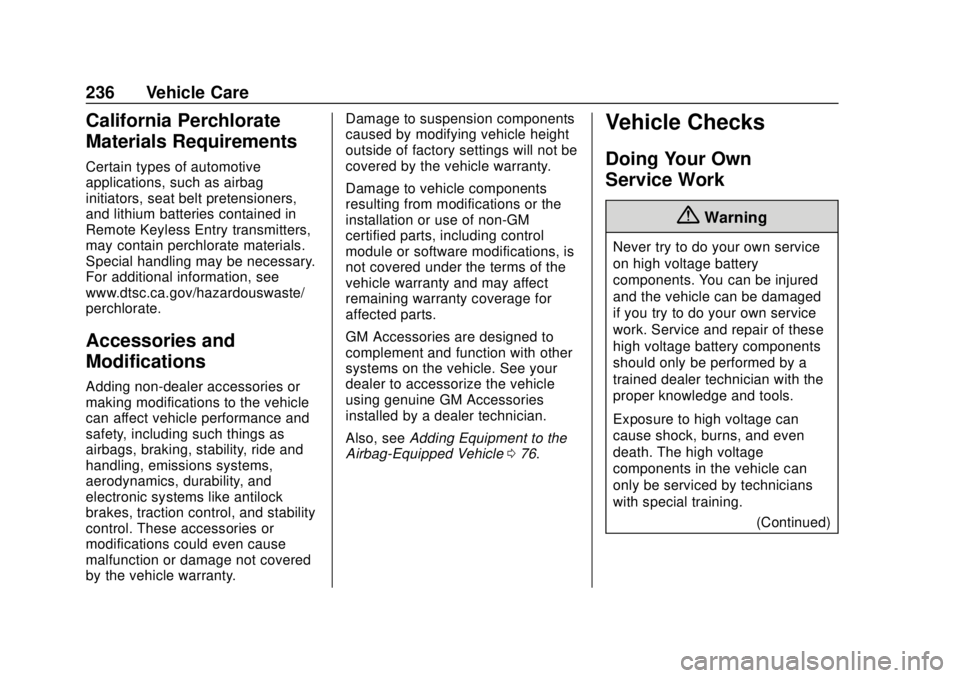
California Perchlorate
Materials Requirements
Certain types of automotive
applications, such as airbag
initiators, seat belt pretensioners,
and lithium batteries contained in
Remote Keyless Entry transmitters,
may contain perchlorate materials.
Special handling may be necessary.
For additional information, see
www.dtsc.ca.gov/hazardouswaste/
perchlorate.
Accessories and
Modifications
Adding non-dealer accessories or
making modifications to the vehicle
can affect vehicle performance and
safety, including such things as
airbags, braking, stability, ride and
handling, emissions systems,
aerodynamics, durability, and
electronic systems like antilock
brakes, traction control, and stability
control. These accessories or
modifications could even cause
malfunction or damage not covered
by the vehicle warranty.Damage to suspension components
caused by modifying vehicle height
outside of factory settings will not be
covered by the vehicle warranty.
Damage to vehicle components
resulting from modifications or the
installation or use of non-GM
certified parts, including control
module or software modifications, is
not covered under the terms of the
vehicle warranty and may affect
remaining warranty coverage for
affected parts.
GM Accessories are designed to
complement and function with other
systems on the vehicle. See your
dealer to accessorize the vehicle
using genuine GM Accessories
installed by a dealer technician.
Also, see
Adding Equipment to the
Airbag-Equipped Vehicle 076.
Vehicle Checks
Doing Your Own
Service Work
{Warning
Never try to do your own service
on high voltage battery
components. You can be injured
and the vehicle can be damaged
if you try to do your own service
work. Service and repair of these
high voltage battery components
should only be performed by a
trained dealer technician with the
proper knowledge and tools.
Exposure to high voltage can
cause shock, burns, and even
death. The high voltage
components in the vehicle can
only be serviced by technicians
with special training.
(Continued)
Page 256 of 379
Chevrolet VOLT Owner Manual (GMNA-Localizing-U.S./Canada/Mexico-
11349113) - 2018 - crc - 10/12/17
Vehicle Care 255
Caution
The vehicle is equipped with an
AGM/VRLA 12-volt battery, which
can be damaged by using the
incorrect type of trickle charger.
An AGM/VRLA-compatible
charger must be used, with the
appropriate setting selected.
Follow the trickle charger
manufacturer instructions.
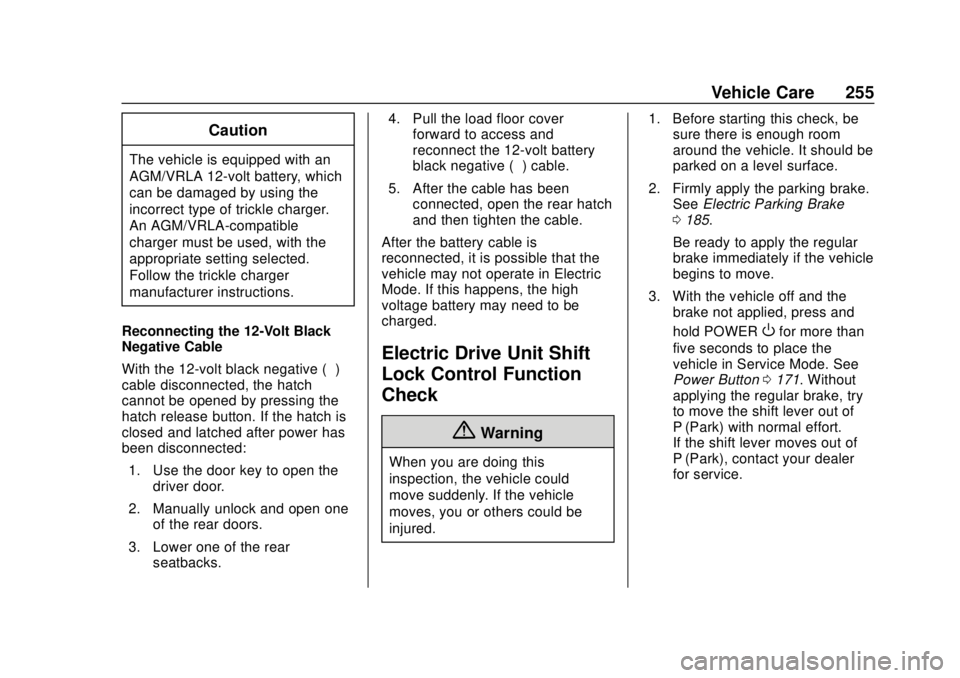
Reconnecting the 12-Volt Black
Negative Cable
With the 12-volt black negative (−)
cable disconnected, the hatch
cannot be opened by pressing the
hatch release button. If the hatch is
closed and latched after power has
been disconnected: 1. Use the door key to open the driver door.
2. Manually unlock and open one of the rear doors.
3. Lower one of the rear seatbacks. 4. Pull the load floor cover
forward to access and
reconnect the 12-volt battery
black negative (−) cable.
5. After the cable has been connected, open the rear hatch
and then tighten the cable.
After the battery cable is
reconnected, it is possible that the
vehicle may not operate in Electric
Mode. If this happens, the high
voltage battery may need to be
charged.
Electric Drive Unit Shift
Lock Control Function
Check
{Warning
When you are doing this
inspection, the vehicle could
move suddenly. If the vehicle
moves, you or others could be
injured. 1. Before starting this check, be
sure there is enough room
around the vehicle. It should be
parked on a level surface.
2. Firmly apply the parking brake. See Electric Parking Brake
0 185.
Be ready to apply the regular
brake immediately if the vehicle
begins to move.
3. With the vehicle off and the brake not applied, press and
hold POWER
Ofor more than
five seconds to place the
vehicle in Service Mode. See
Power Button 0171. Without
applying the regular brake, try
to move the shift lever out of
P (Park) with normal effort.
If the shift lever moves out of
P (Park), contact your dealer
for service.
Page 336 of 379
Chevrolet VOLT Owner Manual (GMNA-Localizing-U.S./Canada/Mexico-
11349113) - 2018 - crc - 10/12/17
Service and Maintenance 335
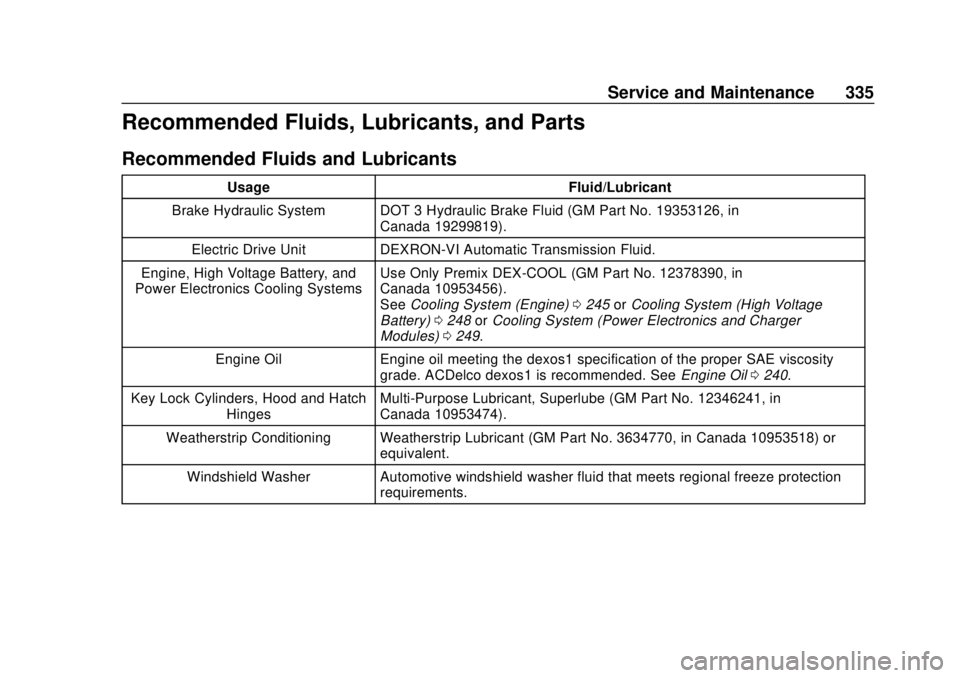
Recommended Fluids, Lubricants, and Parts
Recommended Fluids and Lubricants
UsageFluid/Lubricant
Brake Hydraulic System DOT 3 Hydraulic Brake Fluid (GM Part No. 19353126, in Canada 19299819).
Electric Drive Unit DEXRON-VI Automatic Transmission Fluid.
Engine, High Voltage Battery, and
Power Electronics Cooling Systems Use Only Premix DEX-COOL (GM Part No. 12378390, in
Canada 10953456).
See
Cooling System (Engine) 0245 orCooling System (High Voltage
Battery) 0248 orCooling System (Power Electronics and Charger
Modules) 0249.
Engine Oil Engine oil meeting the dexos1 specification of the proper SAE viscosity
grade. ACDelco dexos1 is recommended. See Engine Oil0240.
Key Lock Cylinders, Hood and Hatch Hinges Multi-Purpose Lubricant, Superlube (GM Part No. 12346241, in
Canada 10953474).
Weatherstrip Conditioning Weatherstrip Lubricant (GM Part No. 3634770, in Canada 10953518) or equivalent.
Windshield Washer Automotive windshield washer fluid that meets regional freeze protection requirements.
Page 357 of 379
Chevrolet VOLT Owner Manual (GMNA-Localizing-U.S./Canada/Mexico-
11349113) - 2018 - crc - 10/12/17
356 OnStar
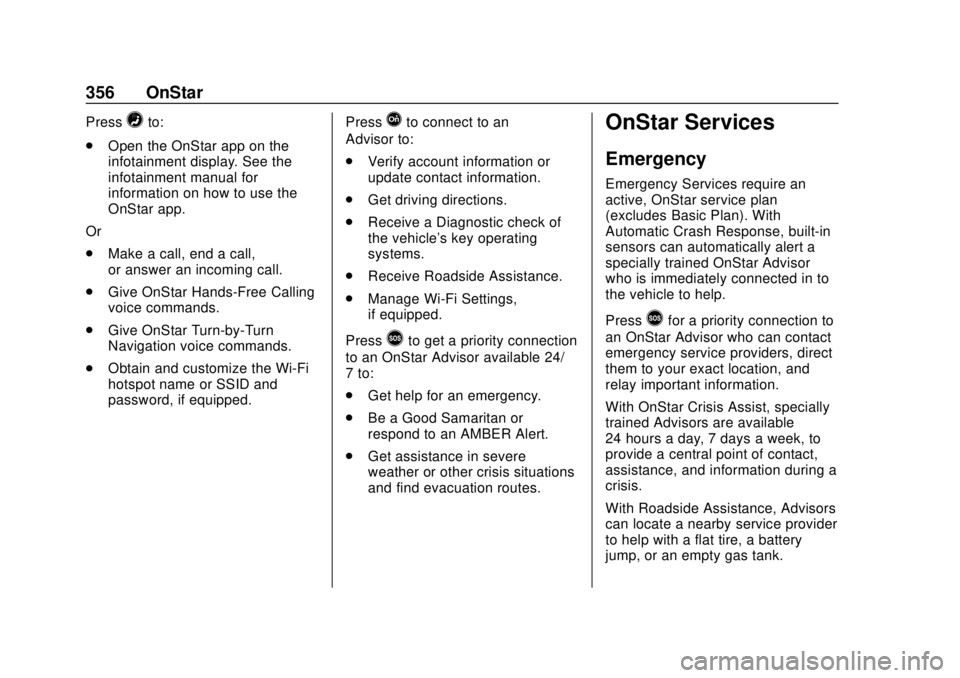
Press=to:
. Open the OnStar app on the
infotainment display. See the
infotainment manual for
information on how to use the
OnStar app.
Or
. Make a call, end a call,
or answer an incoming call.
. Give OnStar Hands-Free Calling
voice commands.
. Give OnStar Turn-by-Turn
Navigation voice commands.
. Obtain and customize the Wi-Fi
hotspot name or SSID and
password, if equipped. PressQto connect to an
Advisor to:
. Verify account information or
update contact information.
. Get driving directions.
. Receive a Diagnostic check of
the vehicle's key operating
systems.
. Receive Roadside Assistance.
. Manage Wi-Fi Settings,
if equipped.
Press
>to get a priority connection
to an OnStar Advisor available 24/
7 to:
. Get help for an emergency.
. Be a Good Samaritan or
respond to an AMBER Alert.
. Get assistance in severe
weather or other crisis situations
and find evacuation routes.
OnStar Services
Emergency
Emergency Services require an
active, OnStar service plan
(excludes Basic Plan). With
Automatic Crash Response, built-in
sensors can automatically alert a
specially trained OnStar Advisor
who is immediately connected in to
the vehicle to help.
Press
>for a priority connection to
an OnStar Advisor who can contact
emergency service providers, direct
them to your exact location, and
relay important information.
With OnStar Crisis Assist, specially
trained Advisors are available
24 hours a day, 7 days a week, to
provide a central point of contact,
assistance, and information during a
crisis.
With Roadside Assistance, Advisors
can locate a nearby service provider
to help with a flat tire, a battery
jump, or an empty gas tank.
Page 361 of 379
Chevrolet VOLT Owner Manual (GMNA-Localizing-U.S./Canada/Mexico-
11349113) - 2018 - crc - 10/12/17
360 OnStar
2. Say“Call.”System responds:
“Call. Please say the name or
number to call.”
3. Say the entire number without pausing, including a “1”and the
area code. System responds:
“OK, calling.”
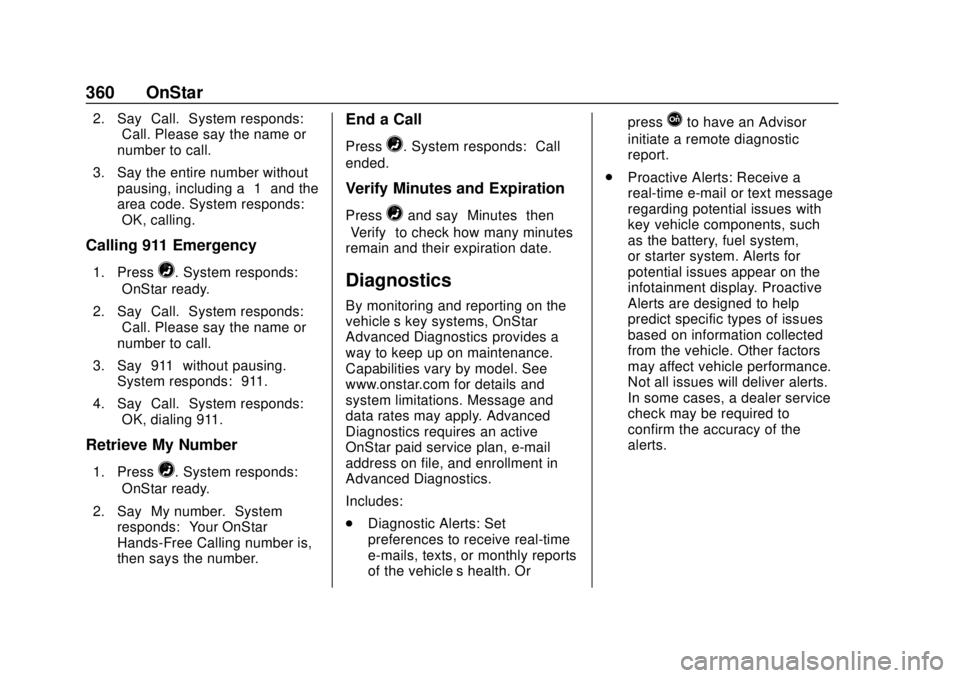
Calling 911 Emergency
1. Press=. System responds:
“OnStar ready.”
2. Say “Call.”System responds:
“Call. Please say the name or
number to call.”
3. Say “911”without pausing.
System responds: “911.”
4. Say “Call.”System responds:
“OK, dialing 911.”
Retrieve My Number
1. Press=. System responds:
“OnStar ready.”
2. Say “My number.” System
responds: “Your OnStar
Hands-Free Calling number is,”
then says the number.
End a Call
Press=. System responds: “Call
ended.”
Verify Minutes and Expiration
Press=and say “Minutes” then
“Verify” to check how many minutes
remain and their expiration date.
Diagnostics
By monitoring and reporting on the
vehicle’s key systems, OnStar
Advanced Diagnostics provides a
way to keep up on maintenance.
Capabilities vary by model. See
www.onstar.com for details and
system limitations. Message and
data rates may apply. Advanced
Diagnostics requires an active
OnStar paid service plan, e-mail
address on file, and enrollment in
Advanced Diagnostics.
Includes:
. Diagnostic Alerts: Set
preferences to receive real-time
e-mails, texts, or monthly reports
of the vehicle’s health. Or press
Qto have an Advisor
initiate a remote diagnostic
report.
. Proactive Alerts: Receive a
real-time e-mail or text message
regarding potential issues with
key vehicle components, such
as the battery, fuel system,
or starter system. Alerts for
potential issues appear on the
infotainment display. Proactive
Alerts are designed to help
predict specific types of issues
based on information collected
from the vehicle. Other factors
may affect vehicle performance.
Not all issues will deliver alerts.
In some cases, a dealer service
check may be required to
confirm the accuracy of the
alerts.
Page 372 of 379

Chevrolet VOLT Owner Manual (GMNA-Localizing-U.S./Canada/Mexico-
11349113) - 2018 - crc - 10/12/17
Index 371
FusesEngine Compartment Fuse
Block . . . . . . . . . . . . . . . . . . . . . . . . 262
Fuses and Circuit Breakers . . . 262
Instrument Panel Fuse Block . . . . . . . . . . . . . . . . . . . . . . . . 266
Rear Compartment Fuse
Block . . . . . . . . . . . . . . . . . . . . . . . . 269
G
Gas Strut(s) . . . . . . . . . . . . . . . . . . . . 257
GaugesBattery . . . . . . . . . . . . . . . . . . . . . . . .110
Driver Efficiency . . . . . . . . . . . . . . . 111
Fuel . . . . . . . . . . . . . . . . . . . . . . . . . . .110
Odometer . . . . . . . . . . . . . . . . . . . . . .110
Power Indicator . . . . . . . . . . . . . . . .112
Speedometer . . . . . . . . . . . . . . . . . .110
Trip Odometer . . . . . . . . . . . . . . . . .110
Warning Lights andIndicators . . . . . . . . . . . . . . . . . . . 106
General Information Service and Maintenance . . . . . 325
Towing . . . . . . . . . . . . . . . . . . . . . . . . 232
Vehicle Care . . . . . . . . . . . . . . . . . . 235
Glove Box . . . . . . . . . . . . . . . . . . . . . . . 96
GM Mobility Reimbursement
Program . . . . . . . . . . . . . . . . . . . . . . . 345
H
Halogen Bulbs . . . . . . . . . . . . . . . . . . 258
Hatch . . . . . . . . . . . . . . . . . . . . . . . . . . . . 44
Hazard Warning Flashers . . . . . . . 148
Head Restraints . . . . . . . . . . . . . . . . . 53
Headlamps . . . . . . . . . . . . . . . . . . . . . 258Aiming . . . . . . . . . . . . . . . . . . . . . . . . 258
Automatic . . . . . . . . . . . . . . . . . . . . . 147
Bulb Replacement . . . . . . . . . . . . 258
Daytime RunningLamps (DRL) . . . . . . . . . . . . . . . . 147
Flash-to-Pass . . . . . . . . . . . . . . . . . 147
High-Beam On Light . . . . . . . . . . 122
High/Low Beam Changer . . . . . 147
Lamps On Reminder . . . . . . . . . 122
Heated Rear Seats . . . . . . . . . . . . . . . . . . . . . 58
Steering Wheel . . . . . . . . . . . . . . . 100
Heated Front Seats . . . . . . . . . . . . . . 56
Heated Mirrors . . . . . . . . . . . . . . . . . . . 48
Heating . . . . . . . . . . . . . . . . . . . . . . . . . 153
High Voltage Battery Gauge . . . . 110
High Voltage Devices and Wiring . . . . . . . . . . . . . . . . . . . . . . . . . 261
High-Beam On Light . . . . . . . . . . . . 122
Hill and Mountain Roads . . . . . . . . 165
Hill Start Assist (HSA) . . . . . . . . . . 187
Hold Mode Light . . . . . . . . . . . . . . . . 118 Hood . . . . . . . . . . . . . . . . . . . . . . . . . . . 237
Horn . . . . . . . . . . . . . . . . . . . . . . . . . . . . 100
How to Wear Seat Belts
Properly . . . . . . . . . . . . . . . . . . . . . . . . 60
HVAC . . . . . . . . . . . . . . . . . . . . . . . . . . . 153
I
Immobilizer . . . . . . . . . . . . . . . . . . . . . . 47
Indicator Vehicle Ahead . . . . . . . . . . . . . . . . .119
Infants and Young Children, Restraints . . . . . . . . . . . . . . . . . . . . . . 79
Information Energy . . . . . . . . . . . . . . . . . . . . . . . 132
Infotainment . . . . . . . . . . . . . . . . . . . . 152
Infotainment System . . . . . . . . . . . . 354
Instrument Cluster . . . . . . . . . . . . . . 106
Interior Rearview Mirrors . . . . . . . . . 49
Introduction . . . . . . . . . . . . . . . . . . . . . . . 2
J
Jump Starting - North America . . . . . . . . . . . . . . . . . . . . . . . 306
K
Keyless EntryRemote (RKE) System . . . . . . . . . 32
Keys . . . . . . . . . . . . . . . . . . . . . . . . . . . . . 30