lane assist CHEVROLET VOLT 2018 User Guide
[x] Cancel search | Manufacturer: CHEVROLET, Model Year: 2018, Model line: VOLT, Model: CHEVROLET VOLT 2018Pages: 379, PDF Size: 5.65 MB
Page 206 of 379
Chevrolet VOLT Owner Manual (GMNA-Localizing-U.S./Canada/Mexico-
11349113) - 2018 - crc - 10/12/17
Driving and Operating 205
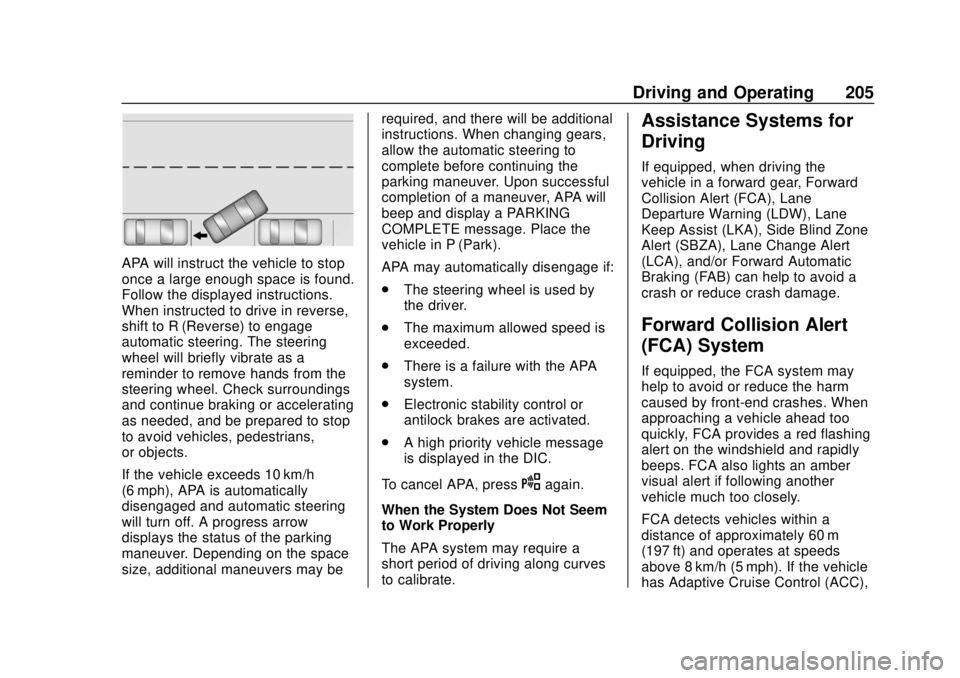
APA will instruct the vehicle to stop
once a large enough space is found.
Follow the displayed instructions.
When instructed to drive in reverse,
shift to R (Reverse) to engage
automatic steering. The steering
wheel will briefly vibrate as a
reminder to remove hands from the
steering wheel. Check surroundings
and continue braking or accelerating
as needed, and be prepared to stop
to avoid vehicles, pedestrians,
or objects.
If the vehicle exceeds 10 km/h
(6 mph), APA is automatically
disengaged and automatic steering
will turn off. A progress arrow
displays the status of the parking
maneuver. Depending on the space
size, additional maneuvers may berequired, and there will be additional
instructions. When changing gears,
allow the automatic steering to
complete before continuing the
parking maneuver. Upon successful
completion of a maneuver, APA will
beep and display a PARKING
COMPLETE message. Place the
vehicle in P (Park).
APA may automatically disengage if:
.
The steering wheel is used by
the driver.
. The maximum allowed speed is
exceeded.
. There is a failure with the APA
system.
. Electronic stability control or
antilock brakes are activated.
. A high priority vehicle message
is displayed in the DIC.
To cancel APA, press
Oagain.
When the System Does Not Seem
to Work Properly
The APA system may require a
short period of driving along curves
to calibrate.
Assistance Systems for
Driving
If equipped, when driving the
vehicle in a forward gear, Forward
Collision Alert (FCA), Lane
Departure Warning (LDW), Lane
Keep Assist (LKA), Side Blind Zone
Alert (SBZA), Lane Change Alert
(LCA), and/or Forward Automatic
Braking (FAB) can help to avoid a
crash or reduce crash damage.
Forward Collision Alert
(FCA) System
If equipped, the FCA system may
help to avoid or reduce the harm
caused by front-end crashes. When
approaching a vehicle ahead too
quickly, FCA provides a red flashing
alert on the windshield and rapidly
beeps. FCA also lights an amber
visual alert if following another
vehicle much too closely.
FCA detects vehicles within a
distance of approximately 60 m
(197 ft) and operates at speeds
above 8 km/h (5 mph). If the vehicle
has Adaptive Cruise Control (ACC),
Page 208 of 379
Chevrolet VOLT Owner Manual (GMNA-Localizing-U.S./Canada/Mexico-
11349113) - 2018 - crc - 10/12/17
Driving and Operating 207
prepare for driver braking to occur
more rapidly which can cause a
brief, mild deceleration. Continue to
apply the brake pedal as needed.
Cruise control may be disengaged
when the Collision Alert occurs.
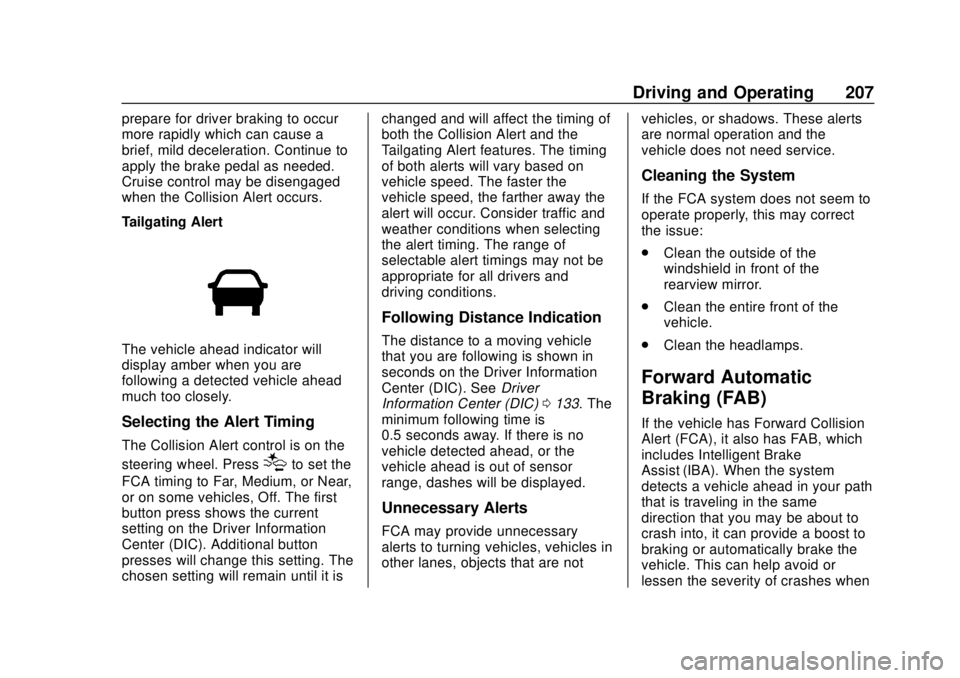
Tailgating Alert
The vehicle ahead indicator will
display amber when you are
following a detected vehicle ahead
much too closely.
Selecting the Alert Timing
The Collision Alert control is on the
steering wheel. Press
[to set the
FCA timing to Far, Medium, or Near,
or on some vehicles, Off. The first
button press shows the current
setting on the Driver Information
Center (DIC). Additional button
presses will change this setting. The
chosen setting will remain until it is changed and will affect the timing of
both the Collision Alert and the
Tailgating Alert features. The timing
of both alerts will vary based on
vehicle speed. The faster the
vehicle speed, the farther away the
alert will occur. Consider traffic and
weather conditions when selecting
the alert timing. The range of
selectable alert timings may not be
appropriate for all drivers and
driving conditions.
Following Distance Indication
The distance to a moving vehicle
that you are following is shown in
seconds on the Driver Information
Center (DIC). See
Driver
Information Center (DIC) 0133. The
minimum following time is
0.5 seconds away. If there is no
vehicle detected ahead, or the
vehicle ahead is out of sensor
range, dashes will be displayed.
Unnecessary Alerts
FCA may provide unnecessary
alerts to turning vehicles, vehicles in
other lanes, objects that are not vehicles, or shadows. These alerts
are normal operation and the
vehicle does not need service.
Cleaning the System
If the FCA system does not seem to
operate properly, this may correct
the issue:
.
Clean the outside of the
windshield in front of the
rearview mirror.
. Clean the entire front of the
vehicle.
. Clean the headlamps.
Forward Automatic
Braking (FAB)
If the vehicle has Forward Collision
Alert (FCA), it also has FAB, which
includes Intelligent Brake
Assist (IBA). When the system
detects a vehicle ahead in your path
that is traveling in the same
direction that you may be about to
crash into, it can provide a boost to
braking or automatically brake the
vehicle. This can help avoid or
lessen the severity of crashes when
Page 210 of 379
Chevrolet VOLT Owner Manual (GMNA-Localizing-U.S./Canada/Mexico-
11349113) - 2018 - crc - 10/12/17
Driving and Operating 209
IBA will automatically disengage
only when the brake pedal is
released.
{Warning
IBA may increase vehicle braking
in situations when it may not be
necessary. You could block the
flow of traffic. If this occurs, take
your foot off the brake pedal and
then apply the brakes as needed.
FAB and IBA can be disabled
through vehicle personalization. See
“Collision/Detection Systems” under
Vehicle Personalization 0137.
Side Blind Zone
Alert (SBZA)
If equipped, the SBZA system is a
lane-changing aid that assists
drivers with avoiding crashes that
occur with moving vehicles in the
side blind zone (or spot) areas.
When the vehicle is in a forward
gear, the left or right side mirror
display will light up if a moving vehicle is detected in that blind
zone. If the turn signal is activated
and a vehicle is also detected on
the same side, the display will flash
as an extra warning not to change
lanes. Since this system is part of
the Lane Change Alert (LCA)
system, read the entire LCA section
before using this feature.
Lane Change Alert (LCA)
If equipped, the LCA system is a
lane-changing aid that assists
drivers with avoiding lane change
crashes that occur with moving
vehicles in the side blind zone (or
spot) areas or with vehicles rapidly
approaching these areas from
behind. The LCA warning display
will light up in the corresponding
outside side mirror and will flash if
the turn signal is on.
{Warning
LCA does not alert the driver to
vehicles outside of the system
detection zones, pedestrians,
bicyclists, or animals. It may not
provide alerts when changing
lanes under all driving conditions.
Failure to use proper care when
changing lanes may result in
injury, death, or vehicle damage.
Before making a lane change,
always check mirrors, glance over
your shoulder, and use the turn
signals.
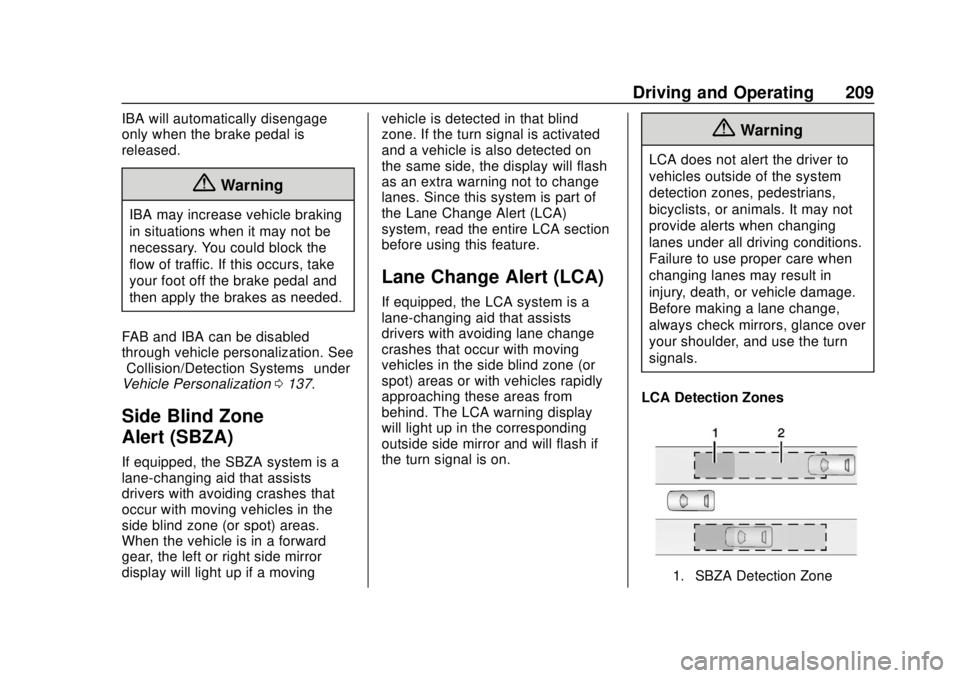
LCA Detection Zones
1. SBZA Detection Zone
Page 212 of 379
Chevrolet VOLT Owner Manual (GMNA-Localizing-U.S./Canada/Mexico-
11349113) - 2018 - crc - 10/12/17
Driving and Operating 211
system may light up due to
guardrails, signs, trees, shrubs, and
other non-moving objects. This is
normal system operation; the
vehicle does not need service.
LCA may not operate when the LCA
sensors in the left or right corners of
the rear bumper are covered with
mud, dirt, snow, ice, or slush, or in
heavy rainstorms. For cleaning
instructions, see "Washing the
Vehicle" underExterior Care0315.
If the DIC still displays the system
unavailable message after cleaning
both sides of the vehicle toward the
rear corners of the vehicle, see your
dealer.
If the LCA displays do not light up
when moving vehicles are in the
side blind zone or rapidly
approaching this zone and the
system is clean, the system may
need service. Take the vehicle to
your dealer.
Radio Frequency Information
See Radio Frequency Statement
0 351.
Lane Departure
Warning (LDW)
If equipped, LDW may help avoid
crashes due to unintentional lane
departures. It may provide a
warning if the vehicle is crossing a
detected lane marking without using
a turn signal in the lane departure
direction. Since this system is part
of the Lane Keep Assist (LKA)
system, read the entire LKA section
before using this feature.
Lane Keep Assist (LKA)
If equipped, LKA may help avoid
crashes due to unintentional lane
departures. It may assist by gently
turning the steering wheel if the
vehicle approaches a detected lane
marking without using a turn signal
in that direction. It may also provide
a Lane Departure Warning (LDW)
system alert as the lane marking is
crossed. The LKA system will not
assist or provide an LDW alert if it
detects that you are actively
steering. Override LKA by turning
the steering wheel. LKA uses a camera to detect lane markings
between 60 km/h (37 mph) and
180 km/h (112 mph).
{Warning
The LKA system does not
continuously steer the vehicle.
It may not keep the vehicle in the
lane or give a Lane Departure
Warning (LDW) alert, even if a
lane marking is detected.
The LKA and LDW systems
may not:
. Provide an alert or enough
steering assist to avoid a
lane departure or crash.
. Detect lane markings under
poor weather or visibility
conditions. This can occur if
the windshield or
headlamps are blocked by
dirt, snow, or ice, if they are
not in proper condition, or if
the sun shines directly into
the camera.
(Continued)
Page 213 of 379
Chevrolet VOLT Owner Manual (GMNA-Localizing-U.S./Canada/Mexico-
11349113) - 2018 - crc - 10/12/17
212 Driving and Operating
Warning (Continued)
.Detect road edges.
. Detect lanes on winding or
hilly roads.
If LKA only detects lane markings
on one side of the road, it will
only assist or provide an LDW
alert when approaching the lane
on the side where it has detected
a lane marking. Even with LKA
and LDW, you must steer the
vehicle. Always keep your
attention on the road and
maintain proper vehicle position
within the lane, or vehicle
damage, injury, or death could
occur. Always keep the
windshield, headlamps, and
camera sensors clean and in
good repair. Do not use LKA in
bad weather conditions.
{Warning
Using LKA on slippery roads
could cause loss of control of the
vehicle and a crash. Turn the
system off.
How the System Works
The LKA camera sensor is on the
windshield ahead of the rearview
mirror.
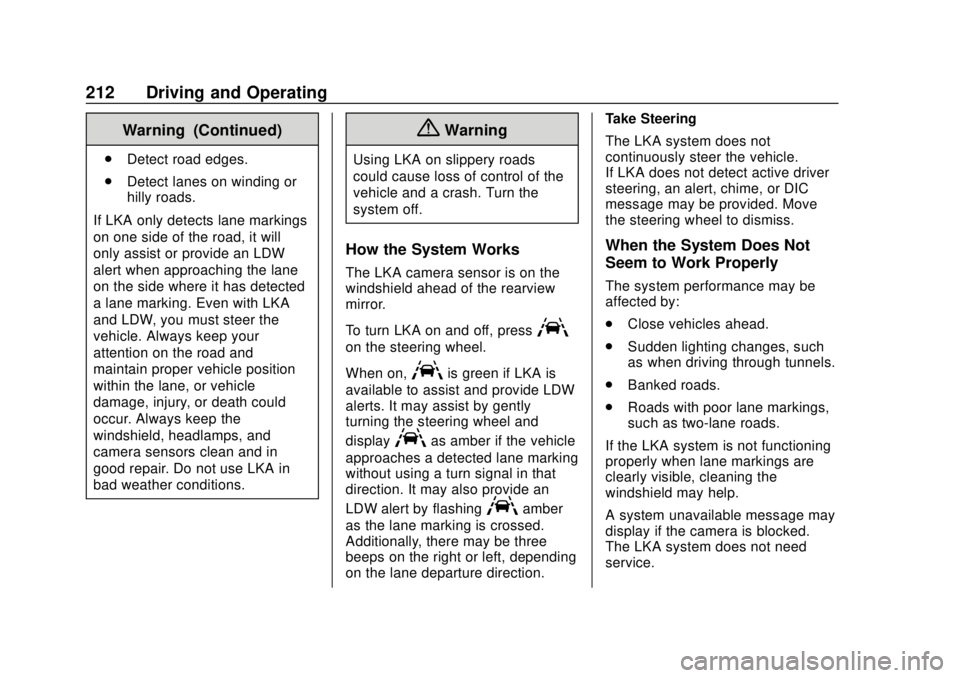
To turn LKA on and off, press
A
on the steering wheel.
When on,
Ais green if LKA is
available to assist and provide LDW
alerts. It may assist by gently
turning the steering wheel and
display
Aas amber if the vehicle
approaches a detected lane marking
without using a turn signal in that
direction. It may also provide an
LDW alert by flashing
Aamber
as the lane marking is crossed.
Additionally, there may be three
beeps on the right or left, depending
on the lane departure direction. Take Steering
The LKA system does not
continuously steer the vehicle.
If LKA does not detect active driver
steering, an alert, chime, or DIC
message may be provided. Move
the steering wheel to dismiss.
When the System Does Not
Seem to Work Properly
The system performance may be
affected by:
.
Close vehicles ahead.
. Sudden lighting changes, such
as when driving through tunnels.
. Banked roads.
. Roads with poor lane markings,
such as two-lane roads.
If the LKA system is not functioning
properly when lane markings are
clearly visible, cleaning the
windshield may help.
A system unavailable message may
display if the camera is blocked.
The LKA system does not need
service.
Page 214 of 379
Chevrolet VOLT Owner Manual (GMNA-Localizing-U.S./Canada/Mexico-
11349113) - 2018 - crc - 10/12/17
Driving and Operating 213
LKA assistance and/or LDW alerts
may occur due to tar marks,
shadows, cracks in the road,
temporary or construction lane
markings, or other road
imperfections. This is normal system
operation; the vehicle does not need
service. Turn LKA off if these
conditions continue.Charging
Plug-In Charging
This section explains the charging
of the vehicle's high voltage battery.
Do not allow the vehicle to remain in
extreme temperatures for long
periods without being driven or
plugged in. Plug the vehicle in when
temperatures are below 0 °C (32 °F)
and above 32 °C (90 °F) to
maximize the life of the high voltage
battery.
When using a 120-volt AC electrical
outlet, it will take approximately
13 hours to charge the vehicle with
the 12 amp AC current setting or
19 hours using the default 8 amp
AC current setting. When using a
240-volt charging station, it will take
approximately 4.5 hours to charge
the vehicle. Charge times will vary
with outside temperature. There are
three ways to program how the
vehicle is charged. See
Programmable Charging0123. The charging system may run fans
and pumps that result in sounds
from the vehicle while it is turned
off. Additional unexpected clicking
sounds may be caused by the
electrical devices used while
charging.
While the charge cord is plugged
into the vehicle, the vehicle cannot
be driven.
Charging
Start Charge
1. Place the vehicle in P (Park). Select the appropriate charge
level using the Charge Limit
Preference screen on the
center stack. See “Charge
Limit Selection” under
Programmable Charging 0123.
Turn the vehicle off.
2. Push the rearward edge of the charge port door in and release
to open the door.
Page 368 of 379

Chevrolet VOLT Owner Manual (GMNA-Localizing-U.S./Canada/Mexico-
11349113) - 2018 - crc - 10/12/17
Index 367
IndexA
Accessories andModifications . . . . . . . . . . . . . . . . . . 236
Accessory Power . . . . . . . . . . . . . . . 174
Adaptive Cruise Control . . . . . . . . 193
Add-On Electrical Equipment . . . 232
Additional Information OnStar . . . . . . . . . . . . . . . . . . . . . . . 361
Additional Maintenance and Care . . . . . . . . . . . . . . . . . . . . . . 332
Air Cleaner/Filter, Engine . . . . . . . 243
Air Conditioning . . . . . . . . . . . . . . . . 153
Air Filter, Passenger Compartment . . . . . . . . . . . . . . . . . 159
Air Vents . . . . . . . . . . . . . . . . . . . . . . . 158
Airbag System Check . . . . . . . . . . . . . . . . . . . . . . . . . . 77
How Does an AirbagRestrain? . . . . . . . . . . . . . . . . . . . . . 69
Passenger Sensing System . . . . 71
What Makes an Airbag Inflate? . . . . . . . . . . . . . . . . . . . . . . . . 69
What Will You See after an Airbag Inflates? . . . . . . . . . . . . . . . 70
When Should an Airbag Inflate? . . . . . . . . . . . . . . . . . . . . . . . . 68
Where Are the Airbags? . . . . . . . . 66 Airbags
Adding Equipment to the
Vehicle . . . . . . . . . . . . . . . . . . . . . . . . 76
Passenger Status Indicator . . . .113
Readiness Light . . . . . . . . . . . . . . .113
Servicing Airbag-Equipped Vehicles . . . . . . . . . . . . . . . . . . . . . . . 76
System Check . . . . . . . . . . . . . . . . . . 65
Alarm Vehicle Security . . . . . . . . . . . . . . . . 46
Alert
Lane Change . . . . . . . . . . . . . . . . . 209
Side Blind Zone (SBZA) . . . . . . 209
All-Season Tires . . . . . . . . . . . . . . . . 272
Antilock Brake System (ABS) . . . 185 Warning Light . . . . . . . . . . . . . . . . . .117
Appearance Care Exterior . . . . . . . . . . . . . . . . . . . . . . . 315
Interior . . . . . . . . . . . . . . . . . . . . . . . . 320
Assistance Program, Roadside . . . . . . . . . . . . . . . . . . . . . . 345
Assistance Systems for Driving . . . . . . . . . . . . . . . . . . . . . . . . 205
Assistance Systems for Parking and Backing . . . . . . . . . . 201
Automatic Climate Control System . . . . . . . 153
Door Locks . . . . . . . . . . . . . . . . . . . . . 43
Page 373 of 379

Chevrolet VOLT Owner Manual (GMNA-Localizing-U.S./Canada/Mexico-
11349113) - 2018 - crc - 10/12/17
372 Index
L
Labeling, Tire Sidewall . . . . . . . . . . 273
LampsDaytime Running (DRL) . . . . . . 147
Dome . . . . . . . . . . . . . . . . . . . . . . . . . 150
Exterior Controls . . . . . . . . . . . . . . 145
License Plate . . . . . . . . . . . . . . . . . 260
Malfunction Indicator(Check Engine) . . . . . . . . . . . . . .114
On Reminder . . . . . . . . . . . . . . . . . 122
Reading . . . . . . . . . . . . . . . . . . . . . . 150
Taillamps . . . . . . . . . . . . . . . . . . . . . 259
Lane Change Alert (LCA) . . . . . . . 209
Lane Departure Warning (LDW) . . . . . . . . . . . . . . . . 211
Lane Keep Assist (LKA) . . . . . . . . 211
Lane Keep Assist Light . . . . . . . . . 118
Lap-Shoulder Belt . . . . . . . . . . . . . . . 61
LATCH System Replacing Parts after aCrash . . . . . . . . . . . . . . . . . . . . . . . . . 90
LATCH, Lower Anchors and Tethers for Children . . . . . . . . . . . . 84
LED Lighting . . . . . . . . . . . . . . . . . . . . 258
Lighting
Entry . . . . . . . . . . . . . . . . . . . . . . . . . 151
Exit . . . . . . . . . . . . . . . . . . . . . . . . . . . 151
Illumination Control . . . . . . . . . . . 149 Lighting (cont'd)
LED . . . . . . . . . . . . . . . . . . . . . . . . . . 258
Lights Airbag Readiness . . . . . . . . . . . . . .113
Antilock Brake System
(ABS) Warning . . . . . . . . . . . . . . .117
Brake System Warning . . . . . . . .116
Charging System . . . . . . . . . . . . . .114
Check Engine (Malfunction Indicator) . . . . . . . . . . . . . . . . . . . . .114
Cruise Control . . . . . . . . . . . . . . . . 122
Door Ajar . . . . . . . . . . . . . . . . . . . . . 122
Electric Parking Brake . . . . . . . . .117
Engine Coolant Temperature Warning . . . . . . . 120
Engine Oil Pressure . . . . . . . . . . 120
Flash-to-Pass . . . . . . . . . . . . . . . . . 147
High-Beam On . . . . . . . . . . . . . . . . 122
High/Low Beam Changer . . . . . 147
Hold Mode . . . . . . . . . . . . . . . . . . . . .118
Lane Keep Assist . . . . . . . . . . . . . .118
Low Fuel Warning . . . . . . . . . . . . 121
Mountain Mode . . . . . . . . . . . . . . . .118
Seat Belt Reminders . . . . . . . . . . .112
Security . . . . . . . . . . . . . . . . . . . . . . 121
Service Electric Parking Brake . . . . . . . . . . . . . . . . . . . . . . . .117
Sport Mode . . . . . . . . . . . . . . . . . . . .118 Lights (cont'd)
StabiliTrak OFF . . . . . . . . . . . . . . . .119
Tire Pressure . . . . . . . . . . . . . . . . . 120
Traction Control System
(TCS)/StabiliTrak . . . . . . . . . . . . .119
Traction Off . . . . . . . . . . . . . . . . . . . .119
Vehicle Ready . . . . . . . . . . . . . . . . 121
Locks Automatic Door . . . . . . . . . . . . . . . . . 43
Delayed Locking . . . . . . . . . . . . . . . . 42
Door . . . . . . . . . . . . . . . . . . . . . . . . . . . . 40
Lockout Protection . . . . . . . . . . . . . . 43
Power Door . . . . . . . . . . . . . . . . . . . . . 42
Safety . . . . . . . . . . . . . . . . . . . . . . . . . . 43
Loss of Control . . . . . . . . . . . . . . . . . 164
Low Fuel Warning Light . . . . . . . . . 121
Low-Profile Tires . . . . . . . . . . . . . . . . 273
Lower Anchors and Tethers for Children (LATCH
System) . . . . . . . . . . . . . . . . . . . . . . . . 84
M
MaintenanceRecords . . . . . . . . . . . . . . . . . . . . . . 337
Maintenance and Care Additional . . . . . . . . . . . . . . . . . . . . . 332
Maintenance Modes . . . . . . . . . . . . 180
Maintenance Schedule . . . . . . . . . 327
Page 376 of 379

Chevrolet VOLT Owner Manual (GMNA-Localizing-U.S./Canada/Mexico-
11349113) - 2018 - crc - 10/12/17
Index 375
Sealant Kit, Tire . . . . . . . . . . . . . . . . 292
Seat Belts . . . . . . . . . . . . . . . . . . . . . . . 59Care . . . . . . . . . . . . . . . . . . . . . . . . . . . . 64
Extender . . . . . . . . . . . . . . . . . . . . . . . . 63
How to Wear Seat BeltsProperly . . . . . . . . . . . . . . . . . . . . . . . 60
Lap-Shoulder Belt . . . . . . . . . . . . . . 61
Reminders . . . . . . . . . . . . . . . . . . . . .112
Replacing after a Crash . . . . . . . . 64
Use During Pregnancy . . . . . . . . . . 63
Seats
Adjustment, Front . . . . . . . . . . . . . . . 54
Head Restraints . . . . . . . . . . . . . . . . 53
Heated Front . . . . . . . . . . . . . . . . . . . 56
Heated, Rear . . . . . . . . . . . . . . . . . . . 58
Rear . . . . . . . . . . . . . . . . . . . . . . . . . . . . 57
Reclining Seatbacks . . . . . . . . . . . . 54
Securing Child Restraints . . . . 90, 92
Security Light . . . . . . . . . . . . . . . . . . . . . . . . . . 121
OnStar . . . . . . . . . . . . . . . . . . . . . . . 357
Vehicle . . . . . . . . . . . . . . . . . . . . . . . . . 46
Vehicle Alarm . . . . . . . . . . . . . . . . . . . 46
Service Accessories and
Modifications . . . . . . . . . . . . . . . . 236
Doing Your Own Work . . . . . . . . 236
Maintenance Records . . . . . . . . 337 Service (cont'd)
Maintenance, General
Information . . . . . . . . . . . . . . . . . . 325
Parts Identification Label . . . . . 338
Publications Ordering
Information . . . . . . . . . . . . . . . . . . 351
Scheduling Appointments . . . . . 347
Service Electric Parking Brake Light . . . . . . . . . . . . . . . . . . . . 117
Services Special Application . . . . . . . . . . . 332
Servicing the Airbag . . . . . . . . . . . . . 76
Shifting Into Park . . . . . . . . . . . . . . . . . . . . . . 174
Out of Park . . . . . . . . . . . . . . . . . . . 175
Side Blind Zone Alert (SBZA) . . . 209
Signals, Turn and Lane-Change . . . . . . . . . . . . . . . . . 149
Spare Tire Compact . . . . . . . . . . . . . . . . . . . . . . 305
Special Application Services . . . . 332
Specifications and Capacities . . . . . . . . . . . . . . . . . . . . . 339
Speedometer . . . . . . . . . . . . . . . . . . . 110
Sport Mode Light . . . . . . . . . . . . . . . 118
StabiliTrak OFF Light . . . . . . . . . . . . . . . . . . . . . .119 Start
Remote . . . . . . . . . . . . . . . . . . . . . . . . . 38
Start Assist, Hill . . . . . . . . . . . . . . . . . 187
Starting and Stopping the Vehicle . . . . . . . . . . . . . . . . . . . . . . . . 172
Status Screens Charging . . . . . . . . . . . . . . . . . . . . . 215
Steering . . . . . . . . . . . . . . . . . . . . . . . . 163 Heated Wheel . . . . . . . . . . . . . . . . 100
Wheel Adjustment . . . . . . . . . . . . 100
Wheel Controls . . . . . . . . . . . . . . . 100
Storage Rear . . . . . . . . . . . . . . . . . . . . . . . . . . . . 96
Storage Areas Cargo Cover . . . . . . . . . . . . . . . . . . . . 97
Center Console . . . . . . . . . . . . . . . . . 97
Glove Box . . . . . . . . . . . . . . . . . . . . . . 96
Storage Compartments . . . . . . . . . . 96
Storing the Tire Sealant and Compressor Kit . . . . . . . . . . . . . . . 299
Struts
Gas . . . . . . . . . . . . . . . . . . . . . . . . . . . 257
Stuck Vehicle . . . . . . . . . . . . . . . . . . . 167
Sun Visors . . . . . . . . . . . . . . . . . . . . . . . 51
Symbols . . . . . . . . . . . . . . . . . . . . . . . . . . 3
System Forward CollisionAlert (FCA) . . . . . . . . . . . . . . . . . . 205
Page 377 of 379

Chevrolet VOLT Owner Manual (GMNA-Localizing-U.S./Canada/Mexico-
11349113) - 2018 - crc - 10/12/17
376 Index
System (cont'd)Infotainment . . . . . . . . . . . . . 152, 354
System Operation Electric Vehicle . . . . . . . . . . . . . . . 176
Systems Driver Assistance . . . . . . . . . . . . . 200
T
Taillamps . . . . . . . . . . . . . . . . . . . . . . . 259
Text Telephone (TTY) Users . . . . 344
Theft-Deterrent Systems . . . . . . . . . 47Immobilizer . . . . . . . . . . . . . . . . . . . . . 47
Time . . . . . . . . . . . . . . . . . . . . . . . . . . . . 102
Tires . . . . . . . . . . . . . . . . . . . . . . . . . . . . 271 All-Season . . . . . . . . . . . . . . . . . . . . 272
Buying New Tires . . . . . . . . . . . . . 286
Chains . . . . . . . . . . . . . . . . . . . . . . . . 291
Changing . . . . . . . . . . . . . . . . . . . . . 299
Compact Spare . . . . . . . . . . . . . . . 305
Designations . . . . . . . . . . . . . . . . . 275
Different Size . . . . . . . . . . . . . . . . . 287
If a Tire Goes Flat . . . . . . . . . . . . 291
Inspection . . . . . . . . . . . . . . . . . . . . 284
Low Profile . . . . . . . . . . . . . . . . . . . 273
Pressure . . . . . . . . . . . . . . . . . . . . . . 279
Pressure Light . . . . . . . . . . . . . . . . 120
Pressure Monitor Operation . . 281
Pressure Monitor System . . . . . 280 Tires (cont'd)
Rotation . . . . . . . . . . . . . . . . . . . . . . 284
Sealant and
Compressor Kit . . . . . . . . . . . . . 292
Sealant and Compressor Kit, Storing . . . . . . . . . . . . . . . . . . 299
Sidewall Labeling . . . . . . . . . . . . . 273
Terminology and Definitions . . 276
Uniform Tire Quality Grading . . . . . . . . . . . . . . . . . . . . . 288
Wheel Alignment and Tire Balance . . . . . . . . . . . . . . . . . . . . . 289
Wheel Replacement . . . . . . . . . . 289
When It Is Time for New Tires . . . . . . . . . . . . . . . . . . . . . . . . 285
Winter . . . . . . . . . . . . . . . . . . . . . . . . 272
Towing General Information . . . . . . . . . . 232
Recreational Vehicle . . . . . . . . . . 313
Vehicle . . . . . . . . . . . . . . . . . . . . . . . .311
Traction Control System (TCS)/StabiliTrak Light . . . . . . . . . . . . . .119
Off Light . . . . . . . . . . . . . . . . . . . . . . .119
Traction Control/Electronic Stability Control . . . . . . . . . . . . . . . 189
Transportation Program, Courtesy . . . . . . . . . . . . . . . . . . . . . . 347 Trip Odometer . . . . . . . . . . . . . . . . . . 110
Turn and Lane-Change
Signals . . . . . . . . . . . . . . . . . . . . . . . . 149
U
Uniform Tire Quality Grading . . . 288
Using This Manual . . . . . . . . . . . . . . . . 2
Utility Interruption ofCharging . . . . . . . . . . . . . . . . . . . . . . 226
V
VehicleAlarm System . . . . . . . . . . . . . . . . . . 46
Canadian Owners . . . . . . . . . . . . . . . 2
Control . . . . . . . . . . . . . . . . . . . . . . . 162
Identification Number (VIN) . . . 338
Load Limits . . . . . . . . . . . . . . . . . . . 167
Messages . . . . . . . . . . . . . . . . . . . . 136
Personalization . . . . . . . . . . . . . . . 137
Security . . . . . . . . . . . . . . . . . . . . . . . . 46
Speed Messages . . . . . . . . . . . . . 137
Starting and Stopping . . . . . . . . . 172
Towing . . . . . . . . . . . . . . . . . . . . . . . . .311
Vehicle Ahead Indicator . . . . . . . . 119
Vehicle Care Storing the Tire Sealantand Compressor Kit . . . . . . . . . 299