key CHEVROLET VOLT 2018 Owner's Guide
[x] Cancel search | Manufacturer: CHEVROLET, Model Year: 2018, Model line: VOLT, Model: CHEVROLET VOLT 2018Pages: 379, PDF Size: 5.65 MB
Page 46 of 379
Chevrolet VOLT Owner Manual (GMNA-Localizing-U.S./Canada/Mexico-
11349113) - 2018 - crc - 10/12/17
Keys, Doors, and Windows 45
Warning (Continued)
.Adjust the climate control
system to a setting that
brings in only outside air
and set the fan speed to the
highest setting. See
Automatic Climate Control
System 0153.
For more information about
carbon monoxide, see Engine
Exhaust 0182.
To open the hatch, the vehicle must
be off or the shift lever must be in
P (Park).
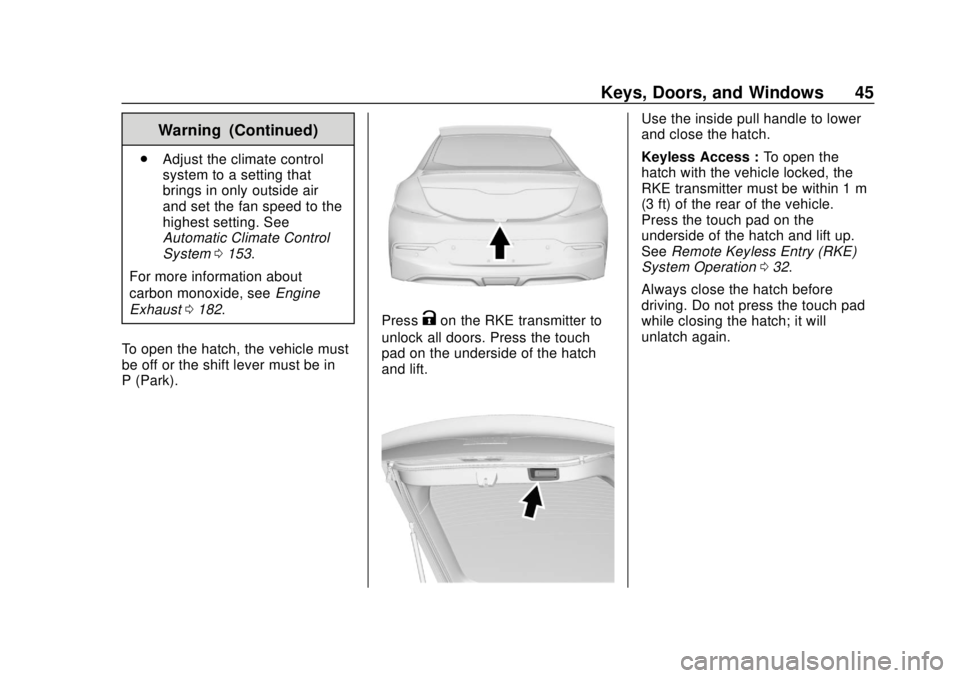
PressKon the RKE transmitter to
unlock all doors. Press the touch
pad on the underside of the hatch
and lift.
Use the inside pull handle to lower
and close the hatch.
Keyless Access : To open the
hatch with the vehicle locked, the
RKE transmitter must be within 1 m
(3 ft) of the rear of the vehicle.
Press the touch pad on the
underside of the hatch and lift up.
See Remote Keyless Entry (RKE)
System Operation 032.
Always close the hatch before
driving. Do not press the touch pad
while closing the hatch; it will
unlatch again.
Page 47 of 379
Chevrolet VOLT Owner Manual (GMNA-Localizing-U.S./Canada/Mexico-
11349113) - 2018 - crc - 10/12/17
46 Keys, Doors, and Windows
Vehicle Security
This vehicle has theft-deterrent
features; however, they do not make
the vehicle impossible to steal.
Vehicle Alarm System
This vehicle has an anti-theft alarm
system.
Arming the Alarm System
1. Turn off the vehicle.
2. Lock the vehicle in one ofthree ways:
.Use the RKE transmitter.
. Use the Keyless Access
system.
. With a door open, press
Q
on the interior door switch.
3. After 30 seconds the alarm system will arm. Pressing
Qon
the RKE transmitter a second
time will bypass the 30-second
delay and immediately arm the
alarm system. The vehicle alarm system will not
arm if the doors are locked with
the key.
If the driver door is opened without
first unlocking with the RKE
transmitter, the horn will chirp and
the lights will flash to indicate
pre-alarm. If the vehicle is not
started, or the door is not unlocked
by pressing
Kon the RKE
transmitter during the 10-second
pre-alarm, the alarm will be
activated.
The alarm will also be activated if
there is an attempt to remove the
charge cord, or if a passenger door,
the hatch, or the hood is opened,
without first disarming the system.
When the alarm is activated, the
turn signals flash and the horn
sounds for about 30 seconds. The
alarm system will then re-arm to
monitor for the next unauthorized
event. The charge cord theft alert feature
may be disabled through the vehicle
personalization. See
“Charge Cord
Theft Alert” underVehicle
Personalization 0137.
Disarming the Alarm System
To disarm the alarm system, or turn
off the alarm if it has been activated,
do one of the following:
.
Press
Kon the RKE transmitter.
. Unlock the vehicle using the
Keyless Access system.
. Start the vehicle.
To avoid setting off the alarm by
accident:
. Lock the vehicle after all
occupants have exited.
. Always unlock a door with the
RKE transmitter or use the
Keyless Access system.
Unlocking the driver door with the
key will not disarm the system or
turn off the alarm.
Page 48 of 379
Chevrolet VOLT Owner Manual (GMNA-Localizing-U.S./Canada/Mexico-
11349113) - 2018 - crc - 10/12/17
Keys, Doors, and Windows 47
How to Detect a Tamper
Condition
IfKis pressed on the transmitter
and the horn chirps and the lights
flash three times, a previous alarm
occurred while the system was
armed.
If the alarm has been activated, a
message will appear on the Driver
Information Center (DIC).
Immobilizer
See Radio Frequency Statement
0 351.
Immobilizer Operation
This vehicle has a passive
theft-deterrent system. The system
does not have to be manually
armed or disarmed.
The vehicle is automatically
immobilized when the vehicle is
turned off.
The system is automatically
disarmed when the vehicle is
started with a valid RKE transmitter in the vehicle. The RKE transmitter
uses electronic coding that matches
an immobilizer control unit in the
vehicle and automatically disarms
the system. Only a correct
transmitter can be used to turn the
vehicle on.
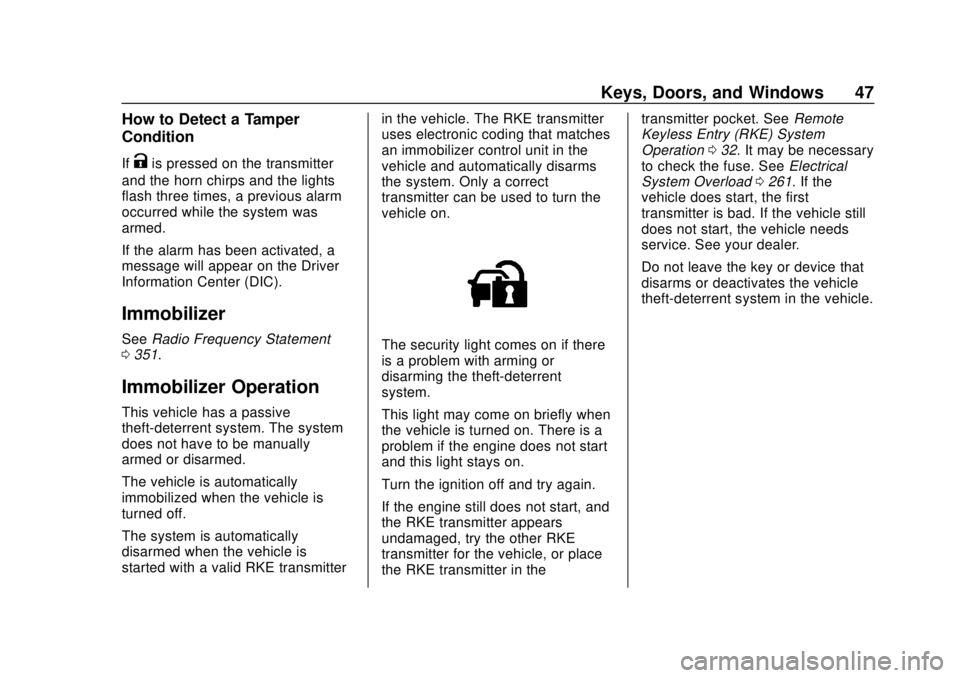
The security light comes on if there
is a problem with arming or
disarming the theft-deterrent
system.
This light may come on briefly when
the vehicle is turned on. There is a
problem if the engine does not start
and this light stays on.
Turn the ignition off and try again.
If the engine still does not start, and
the RKE transmitter appears
undamaged, try the other RKE
transmitter for the vehicle, or place
the RKE transmitter in thetransmitter pocket. See
Remote
Keyless Entry (RKE) System
Operation 032. It may be necessary
to check the fuse. See Electrical
System Overload 0261. If the
vehicle does start, the first
transmitter is bad. If the vehicle still
does not start, the vehicle needs
service. See your dealer.
Do not leave the key or device that
disarms or deactivates the vehicle
theft-deterrent system in the vehicle.
Page 49 of 379
Chevrolet VOLT Owner Manual (GMNA-Localizing-U.S./Canada/Mexico-
11349113) - 2018 - crc - 10/12/17
48 Keys, Doors, and Windows
Exterior Mirrors
Convex Mirrors
{Warning
A convex mirror can make things,
like other vehicles, look farther
away than they really are. If you
cut too sharply into the right lane,
you could hit a vehicle on the
right. Check the inside mirror or
glance over your shoulder before
changing lanes.
The passenger side mirror is convex
shaped. A convex mirror's surface is
curved so more can be seen from
the driver seat.
Power Mirrors
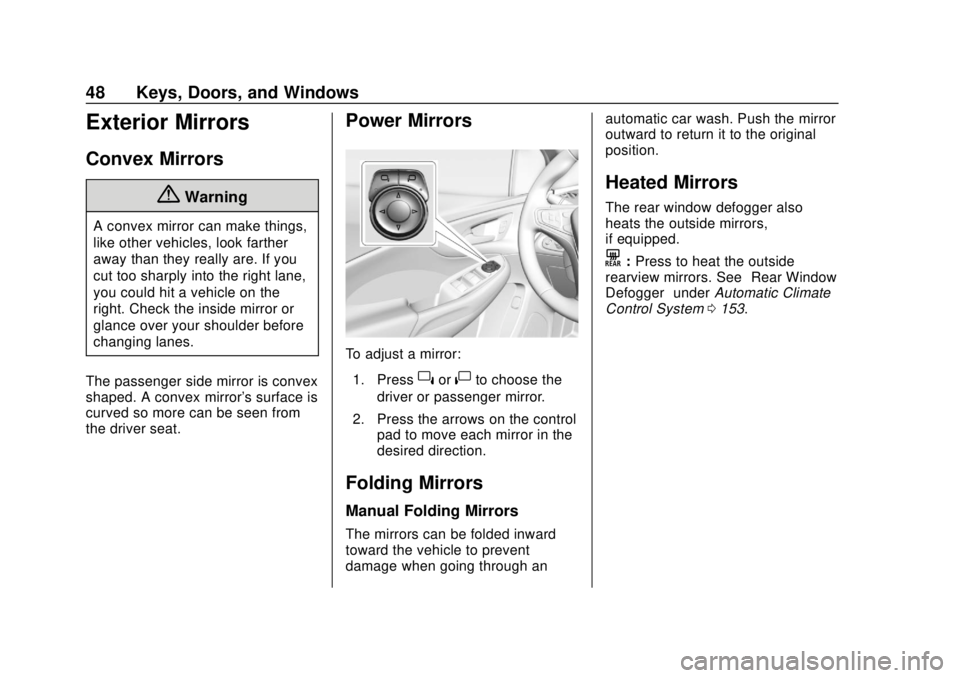
To adjust a mirror: 1. Press
}or|to choose the
driver or passenger mirror.
2. Press the arrows on the control pad to move each mirror in the
desired direction.
Folding Mirrors
Manual Folding Mirrors
The mirrors can be folded inward
toward the vehicle to prevent
damage when going through an automatic car wash. Push the mirror
outward to return it to the original
position.
Heated Mirrors
The rear window defogger also
heats the outside mirrors,
if equipped.
K:
Press to heat the outside
rearview mirrors. See “Rear Window
Defogger” underAutomatic Climate
Control System 0153.
Page 50 of 379
Chevrolet VOLT Owner Manual (GMNA-Localizing-U.S./Canada/Mexico-
11349113) - 2018 - crc - 10/12/17
Keys, Doors, and Windows 49
Interior Mirrors
Interior Rearview Mirrors
Adjust the rearview mirror for a clear
view of the area behind the vehicle.
Do not spray glass cleaner directly
on the mirror. Use a soft towel
dampened with water.
Manual Rearview Mirror
If equipped with a manual rearview
mirror, push the tab forward for
daytime use and pull it for nighttime
use to avoid glare from the
headlamps from behind.
Automatic Dimming
Rearview Mirror
If equipped, automatic dimming
reduces the glare of headlamps
from behind. The dimming feature
comes on when the vehicle is
started.
Windows
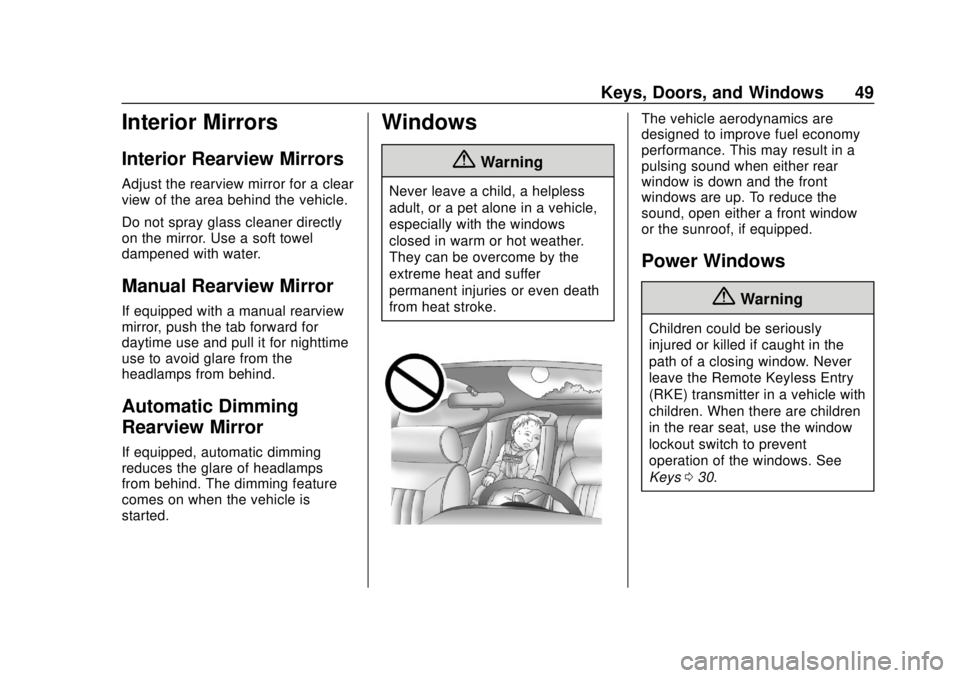
{Warning
Never leave a child, a helpless
adult, or a pet alone in a vehicle,
especially with the windows
closed in warm or hot weather.
They can be overcome by the
extreme heat and suffer
permanent injuries or even death
from heat stroke.
The vehicle aerodynamics are
designed to improve fuel economy
performance. This may result in a
pulsing sound when either rear
window is down and the front
windows are up. To reduce the
sound, open either a front window
or the sunroof, if equipped.
Power Windows
{Warning
Children could be seriously
injured or killed if caught in the
path of a closing window. Never
leave the Remote Keyless Entry
(RKE) transmitter in a vehicle with
children. When there are children
in the rear seat, use the window
lockout switch to prevent
operation of the windows. See
Keys030.
Page 51 of 379
Chevrolet VOLT Owner Manual (GMNA-Localizing-U.S./Canada/Mexico-
11349113) - 2018 - crc - 10/12/17
50 Keys, Doors, and Windows
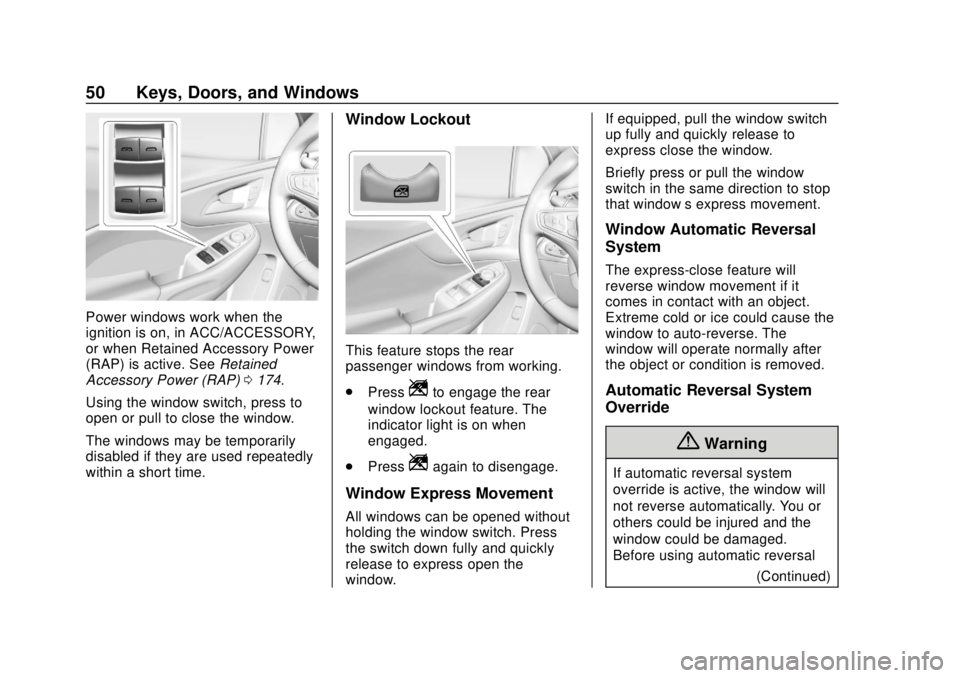
Power windows work when the
ignition is on, in ACC/ACCESSORY,
or when Retained Accessory Power
(RAP) is active. SeeRetained
Accessory Power (RAP) 0174.
Using the window switch, press to
open or pull to close the window.
The windows may be temporarily
disabled if they are used repeatedly
within a short time.
Window Lockout
This feature stops the rear
passenger windows from working.
. Press
Zto engage the rear
window lockout feature. The
indicator light is on when
engaged.
. Press
Zagain to disengage.
Window Express Movement
All windows can be opened without
holding the window switch. Press
the switch down fully and quickly
release to express open the
window. If equipped, pull the window switch
up fully and quickly release to
express close the window.
Briefly press or pull the window
switch in the same direction to stop
that window’s express movement.
Window Automatic Reversal
System
The express-close feature will
reverse window movement if it
comes in contact with an object.
Extreme cold or ice could cause the
window to auto-reverse. The
window will operate normally after
the object or condition is removed.
Automatic Reversal System
Override
{Warning
If automatic reversal system
override is active, the window will
not reverse automatically. You or
others could be injured and the
window could be damaged.
Before using automatic reversal
(Continued)
Page 52 of 379
Chevrolet VOLT Owner Manual (GMNA-Localizing-U.S./Canada/Mexico-
11349113) - 2018 - crc - 10/12/17
Keys, Doors, and Windows 51
Warning (Continued)
system override, make sure that
all people and obstructions are
clear of the window path.
When the engine is on, override the
automatic reversal system by pulling
and holding the window switch if
conditions prevent it from closing.
Programming the Power
Windows
Programming may be necessary if
the vehicle battery has been
disconnected or discharged. If the
window is unable to express-up,
program each express-close
window: 1. Close all doors.
2. Turn the ignition on or to ACC/ ACCESSORY.
3. Partially open the window to be programmed. Then close it and
continue to pull the switch
briefly after the window has
fully closed. 4. Open the window and continue
to press the switch briefly after
the window has fully opened.
Remote Window Operation
If equipped, this feature allows the
windows to be opened remotely.
If enabled in vehicle personalization,
press and hold
Kon the RKE
transmitter. See Vehicle
Personalization 0137.
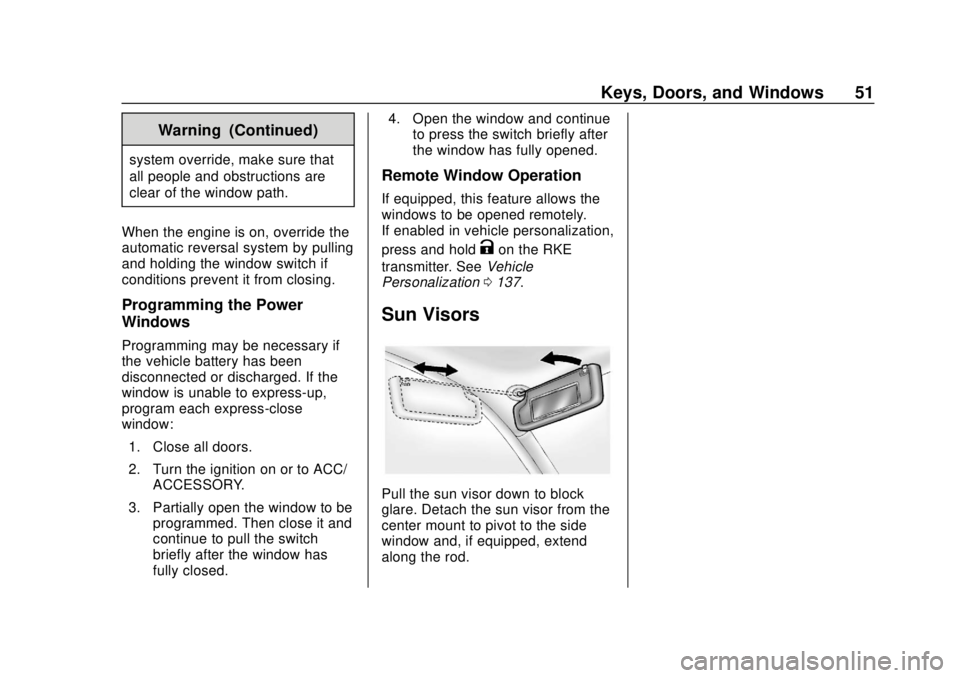
Sun Visors
Pull the sun visor down to block
glare. Detach the sun visor from the
center mount to pivot to the side
window and, if equipped, extend
along the rod.
Page 64 of 379
Chevrolet VOLT Owner Manual (GMNA-Localizing-U.S./Canada/Mexico-
11349113) - 2018 - crc - 10/12/17
Seats and Restraints 63
activation are met. Seat belt
pretensioners can also help tighten
the seat belts in a side crash or a
rollover event.
Pretensioners work only once. If the
pretensioners activate in a crash,
they need to be replaced, and other
new parts for the vehicle's seat belt
system may be required. See
Replacing Seat Belt System Parts
after a Crash064.
Do not sit on the outboard seat belt
while entering or exiting the vehicle
or at any time while sitting in the
seat. Sitting on the seat belt can
damage the webbing and hardware.
Seat Belt Use During
Pregnancy
Seat belts work for everyone,
including pregnant women. Like all
occupants, they are more likely to
be seriously injured if they do not
wear seat belts.
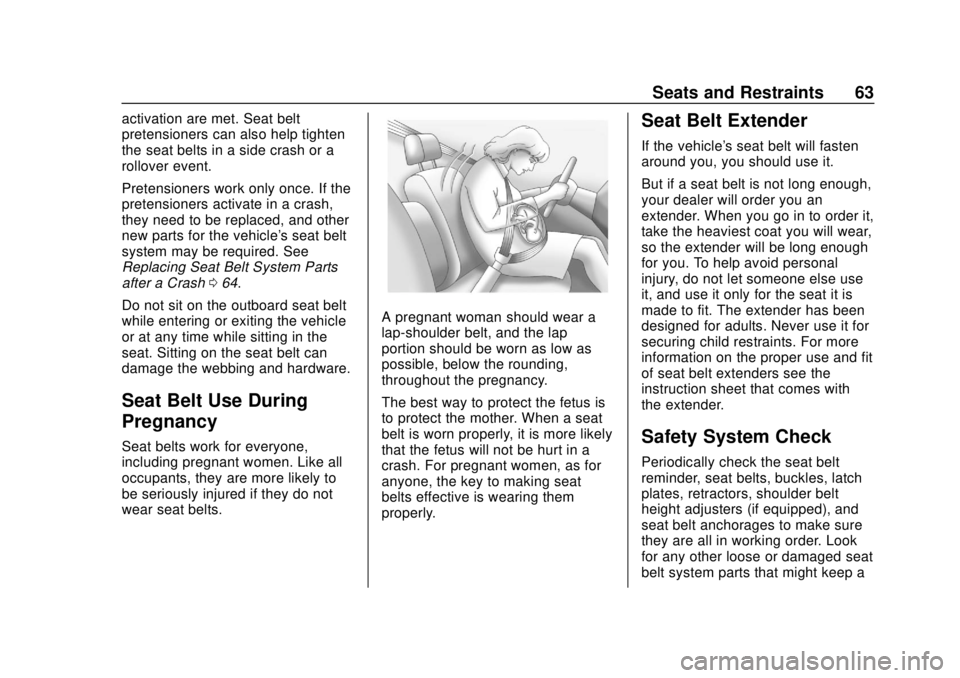
A pregnant woman should wear a
lap-shoulder belt, and the lap
portion should be worn as low as
possible, below the rounding,
throughout the pregnancy.
The best way to protect the fetus is
to protect the mother. When a seat
belt is worn properly, it is more likely
that the fetus will not be hurt in a
crash. For pregnant women, as for
anyone, the key to making seat
belts effective is wearing them
properly.
Seat Belt Extender
If the vehicle's seat belt will fasten
around you, you should use it.
But if a seat belt is not long enough,
your dealer will order you an
extender. When you go in to order it,
take the heaviest coat you will wear,
so the extender will be long enough
for you. To help avoid personal
injury, do not let someone else use
it, and use it only for the seat it is
made to fit. The extender has been
designed for adults. Never use it for
securing child restraints. For more
information on the proper use and fit
of seat belt extenders see the
instruction sheet that comes with
the extender.
Safety System Check
Periodically check the seat belt
reminder, seat belts, buckles, latch
plates, retractors, shoulder belt
height adjusters (if equipped), and
seat belt anchorages to make sure
they are all in working order. Look
for any other loose or damaged seat
belt system parts that might keep a
Page 105 of 379
Chevrolet VOLT Owner Manual (GMNA-Localizing-U.S./Canada/Mexico-
11349113) - 2018 - crc - 10/12/17
104 Instruments and Controls
The operating temperature is−20 °C
(−4 °F) to 60 °C (140 °F) for the
charging system and 0 °C (32 °F) to
35 °C (95 °F) for the phone.
{Warning
Remove all objects from the
charging pocket before charging
your mobile phone. Objects, such
as coins, keys, rings, paper clips,
or cards, between the mobile
phone and the charger will
become very hot. On the rare
occasion that the charging system
does not detect an object, and the
object gets wedged between the
mobile phone and the charger,
remove the mobile phone and
allow the object to cool before
removing it from the charging
pocket, to prevent burns.
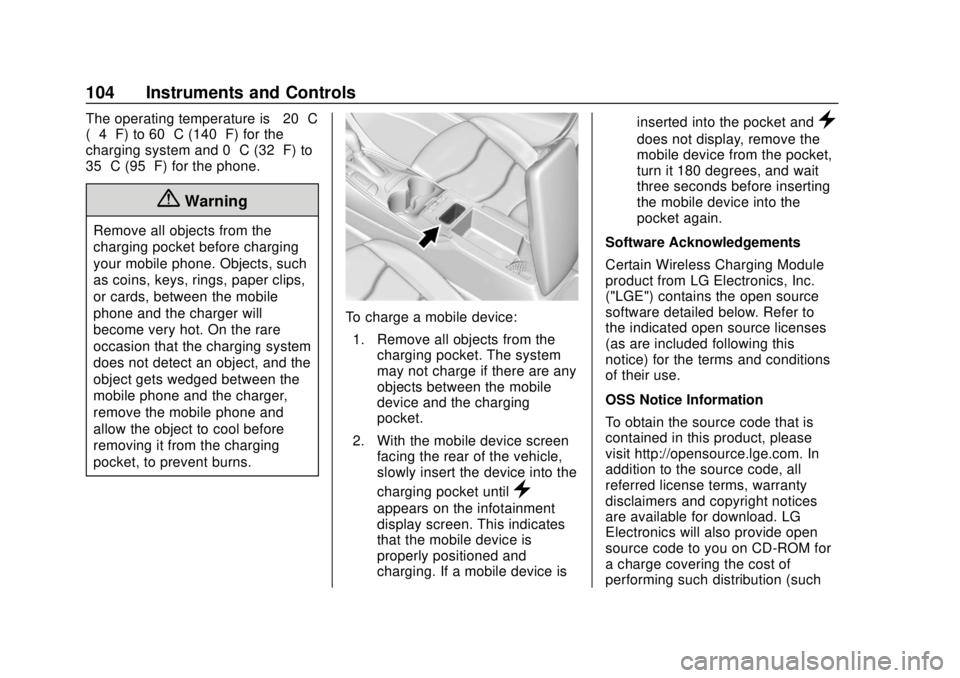
To charge a mobile device:
1. Remove all objects from the charging pocket. The system
may not charge if there are any
objects between the mobile
device and the charging
pocket.
2. With the mobile device screen facing the rear of the vehicle,
slowly insert the device into the
charging pocket until
}
appears on the infotainment
display screen. This indicates
that the mobile device is
properly positioned and
charging. If a mobile device is inserted into the pocket and
}
does not display, remove the
mobile device from the pocket,
turn it 180 degrees, and wait
three seconds before inserting
the mobile device into the
pocket again.
Software Acknowledgements
Certain Wireless Charging Module
product from LG Electronics, Inc.
("LGE") contains the open source
software detailed below. Refer to
the indicated open source licenses
(as are included following this
notice) for the terms and conditions
of their use.
OSS Notice Information
To obtain the source code that is
contained in this product, please
visit http://opensource.lge.com. In
addition to the source code, all
referred license terms, warranty
disclaimers and copyright notices
are available for download. LG
Electronics will also provide open
source code to you on CD-ROM for
a charge covering the cost of
performing such distribution (such
Page 139 of 379

Chevrolet VOLT Owner Manual (GMNA-Localizing-U.S./Canada/Mexico-
11349113) - 2018 - crc - 10/12/17
138 Instruments and Controls
Time and Date
Manually set the time and date. See
Clock0102.
Language
Select Language, then select from
the available language(s).
Teen Driver
See “Teen Driver” under“Settings”
in the infotainment manual.
Valet Mode
This will lock the infotainment
system and steering wheel controls.
It may also limit access to vehicle
storage locations, if equipped.
To enable valet mode:
1. Enter a four-digit code on the keypad.
2. Select Enter to go to the confirmation screen.
3. Re-enter the four-digit code.
Touch Lock or Unlock to lock or
unlock the system. Touch
hto go
back to the previous menu.
Radio
Select and the following may
display:
. Manage Favorites
. Number of Favorites Shown
. Audible Touch Feedback
. Auto Volume
. Maximum Startup Volume
. Audio Cue Volume
Manage Favorites
This allows favorites to be edited.
See “Manage Favorites” in
“Settings” under“Radio” in the
infotainment manual.
Number of Favorites Shown
Select to set the number of favorites
to display.
Select the desired number or select
Auto and the infotainment system
will automatically adjust the number
of favorites shown.
Audible Touch Feedback
This allows Audible Touch
Feedback to be turned on or off. Select Off or On.
Auto Volume
This feature adjusts the volume
based on vehicle speed and
ambient noise.
Select Off, Low, Medium-Low,
Medium, Medium-High, or High.
Maximum Startup Volume
This feature sets the maximum
startup volume. If the vehicle is
started and the volume is greater
than this level, the volume is
adjusted to this level. To set the
maximum startup volume, touch +
or
−to increase or decrease.
Audio Cue Volume
This feature sets the volume of
audio files played at system startup
and shutdown.
Select On, then touch + or −to
increase or decrease the volume.
Vehicle
Select and the following may
display:
. Climate and Air Quality