airbag CHEVROLET VOLT 2018 Owner's Guide
[x] Cancel search | Manufacturer: CHEVROLET, Model Year: 2018, Model line: VOLT, Model: CHEVROLET VOLT 2018Pages: 379, PDF Size: 5.65 MB
Page 173 of 379
Chevrolet VOLT Owner Manual (GMNA-Localizing-U.S./Canada/Mexico-
11349113) - 2018 - crc - 10/12/17
172 Driving and Operating
STOPPING THE VEHICLE/OFF :
To turn the vehicle off, press
POWER
Owith the vehicle in
P (Park). Retained Accessory Power
(RAP) will remain active until the
driver door is opened. See Retained
Accessory Power (RAP) 0174.
When turning off the vehicle, if the
vehicle is not in P (Park), the vehicle
will go to ACC/ACCESSORY and
display the message SHIFT TO
PARK in the Driver Information
Center (DIC).
If the vehicle must be shut off in an
emergency:
1. Brake using a firm and steady pressure. Do not pump the
brakes.
2. Shift the vehicle to N (Neutral). This can be done while the
vehicle is moving. After shifting
to N (Neutral), firmly apply the
brakes and steer the vehicle to
a safe location.
3. Come to a complete stop, shift to P (Park), and turn the vehicle
off by pressing POWER
O. 4. Set the parking brake. See
Electric Parking Brake 0185.
{Warning
Turning off the vehicle while
moving may disable the airbags.
While driving, only shut the
propulsion system off in an
emergency.
If the vehicle cannot be pulled over,
and must be shut off while driving,
press and hold POWER
Ofor
longer than two seconds, or press
twice in five seconds.
Service Mode
Caution
Placing the vehicle in Service
Mode will use the 12-volt battery.
Do not use Service Mode for an
extended period, or the vehicle
may not start. This power mode is available for
service and diagnostics, and to
verify the proper operation of the
malfunction indicator lamp as may
be required for emission inspection
purposes. With the vehicle off, and
the brake pedal not applied,
pressing and holding POWER
Ofor
more than five seconds will place
the vehicle in Service Mode. The
instruments and audio systems will
operate as they do in ON/RUN, but
the vehicle will not be able to be
driven. The propulsion system will
not start in Service Mode. Press the
button again to turn the vehicle off.
Starting and Stopping the
Vehicle
Computers determine when the
engine needs to run. The engine
may start, if required, when the
propulsion system is on.
Starting Procedure
Move the shift lever to P (Park) or
N (Neutral). The propulsion system
will not start in any other position.
Page 237 of 379
Chevrolet VOLT Owner Manual (GMNA-Localizing-U.S./Canada/Mexico-
11349113) - 2018 - crc - 10/12/17
236 Vehicle Care
California Perchlorate
Materials Requirements
Certain types of automotive
applications, such as airbag
initiators, seat belt pretensioners,
and lithium batteries contained in
Remote Keyless Entry transmitters,
may contain perchlorate materials.
Special handling may be necessary.
For additional information, see
www.dtsc.ca.gov/hazardouswaste/
perchlorate.
Accessories and
Modifications
Adding non-dealer accessories or
making modifications to the vehicle
can affect vehicle performance and
safety, including such things as
airbags, braking, stability, ride and
handling, emissions systems,
aerodynamics, durability, and
electronic systems like antilock
brakes, traction control, and stability
control. These accessories or
modifications could even cause
malfunction or damage not covered
by the vehicle warranty.Damage to suspension components
caused by modifying vehicle height
outside of factory settings will not be
covered by the vehicle warranty.
Damage to vehicle components
resulting from modifications or the
installation or use of non-GM
certified parts, including control
module or software modifications, is
not covered under the terms of the
vehicle warranty and may affect
remaining warranty coverage for
affected parts.
GM Accessories are designed to
complement and function with other
systems on the vehicle. See your
dealer to accessorize the vehicle
using genuine GM Accessories
installed by a dealer technician.
Also, see
Adding Equipment to the
Airbag-Equipped Vehicle 076.
Vehicle Checks
Doing Your Own
Service Work
{Warning
Never try to do your own service
on high voltage battery
components. You can be injured
and the vehicle can be damaged
if you try to do your own service
work. Service and repair of these
high voltage battery components
should only be performed by a
trained dealer technician with the
proper knowledge and tools.
Exposure to high voltage can
cause shock, burns, and even
death. The high voltage
components in the vehicle can
only be serviced by technicians
with special training.
(Continued)
Page 238 of 379
Chevrolet VOLT Owner Manual (GMNA-Localizing-U.S./Canada/Mexico-
11349113) - 2018 - crc - 10/12/17
Vehicle Care 237
Warning (Continued)
High voltage components are
identified by labels. Do not
remove, open, take apart,
or modify these components.
High voltage cable or wiring has
orange covering. Do not probe,
tamper with, cut, or modify high
voltage cable or wiring.
{Warning
It can be dangerous to work on
your vehicle if you do not have
the proper knowledge, service
manual, tools, or parts. Always
follow owner’s manual procedures
and consult the service manual
for your vehicle before doing any
service work.
If doing some of your own service
work, use the proper service
manual. It tells you much more
about how to service the vehicle
than this manual can. To order the proper service manual, see
Service
Publications Ordering Information
0 351.
This vehicle has an airbag system.
Before attempting to do your own
service work, see Airbag System
Check 077.
Keep a record with all parts receipts
and list the mileage and the date of
any service work performed. See
Maintenance Records 0337.
Caution
Even small amounts of
contamination can cause damage
to vehicle systems. Do not allow
contaminants to contact the fluids,
reservoir caps, or dipsticks.
Hood
To open the hood:
1. Turn the vehicle off before opening the hood. If the vehicle
is on, the engine will start when the hood is opened.
See
Electric Mode 0176 and
Extended Range Mode 0177.
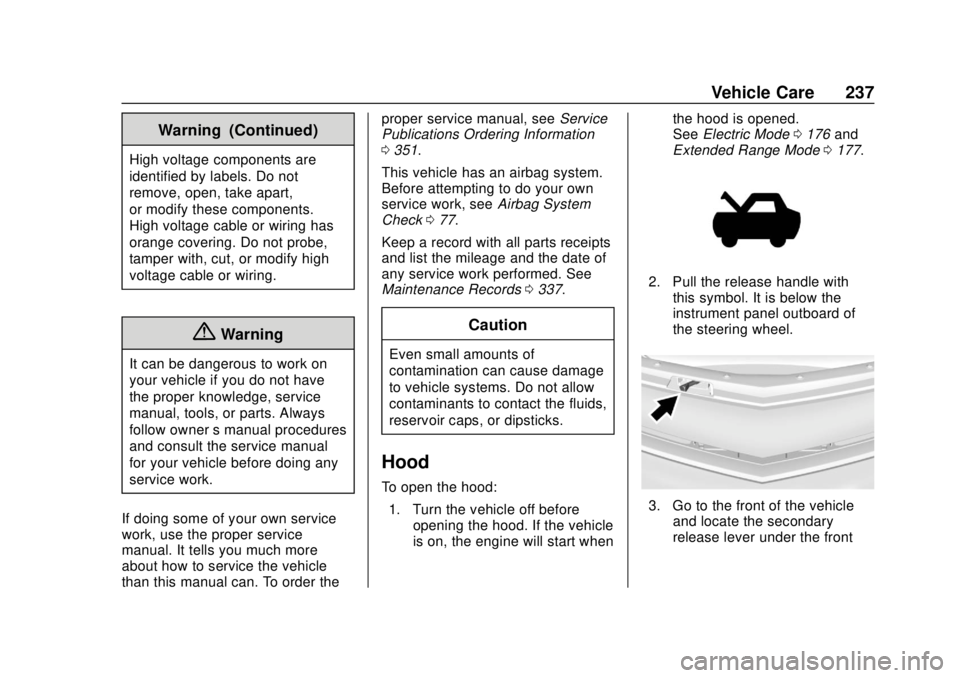
2. Pull the release handle with
this symbol. It is below the
instrument panel outboard of
the steering wheel.
3. Go to the front of the vehicleand locate the secondary
release lever under the front
Page 254 of 379
Chevrolet VOLT Owner Manual (GMNA-Localizing-U.S./Canada/Mexico-
11349113) - 2018 - crc - 10/12/17
Vehicle Care 253
When the brake fluid falls to a low
level, the brake warning light comes
on. SeeBrake System Warning
Light 0116.
Brake fluid absorbs water over time
which degrades the effectiveness of
the brake fluid. Replace brake fluid
at the specified intervals to prevent
increased stopping distance. See
Maintenance Schedule 0327.
What to Add
Use only GM approved DOT 3
brake fluid from a clean, sealed
container. See Recommended
Fluids and Lubricants 0335.
{Warning
The wrong or contaminated brake
fluid could result in damage to the
brake system. This could result in
the loss of braking leading to a
possible injury. Always use the
proper GM approved brake fluid.
Caution
If brake fluid is spilled on the
vehicle's painted surfaces, the
paint finish can be damaged.
Immediately wash off any painted
surface.
Battery - North America
The original equipment battery is
maintenance free. Do not remove
the cap and do not add fluid.
This vehicle has a high voltage
battery and a standard 12-volt
battery. The 12-volt battery is in the
rear hatch under the load floor.
If the vehicle is in a crash, the
sensing system may shut down the
high voltage system. When this
occurs, the high voltage battery is
disconnected and the vehicle will
not start. The SERVICE VEHICLE
SOON message in the Driver
Information Center (DIC) will be
displayed. Before the vehicle can be
operated again, it must be serviced
at your dealer. See
“If a Crash Occurs” under
Collision Damage Repair 0348 and
High Voltage Safety Information
0 20. If an airbag has inflated, see
What Will You See after an Airbag
Inflates? 070.
Only a trained service technician
with the proper knowledge and tools
should inspect, test, or replace the
high voltage battery. See your
dealer if the high voltage battery or
12-volt battery needs service. The
dealer has information on how to
recycle the high voltage battery.
There is also information available
at http://www.recyclemybattery.com.
Keep the vehicle plugged in, even
when fully charged, to keep the high
voltage battery temperature ready
for the next drive and prolong
battery life. This is important when
outside temperatures are extremely
hot or cold.
A vehicle cover, which can reduce
sun loading on the vehicle and
improve high voltage battery life, is
available from your dealer.
Page 269 of 379
Chevrolet VOLT Owner Manual (GMNA-Localizing-U.S./Canada/Mexico-
11349113) - 2018 - crc - 10/12/17
268 Vehicle Care
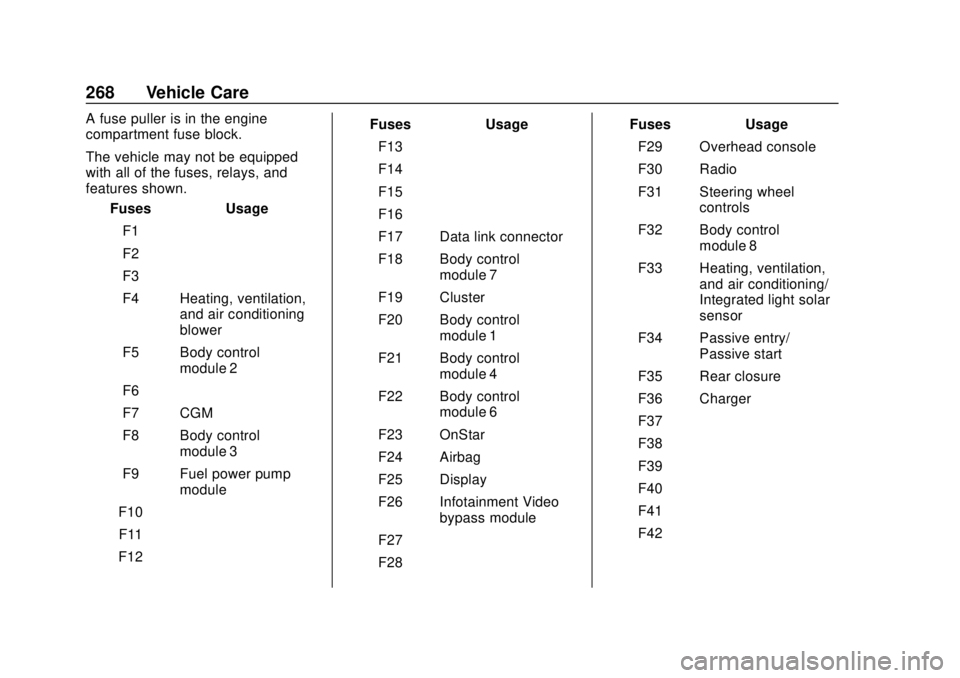
A fuse puller is in the engine
compartment fuse block.
The vehicle may not be equipped
with all of the fuses, relays, and
features shown.Fuses Usage
F1 –
F2 –
F3 –
F4 Heating, ventilation, and air conditioning
blower
F5 Body control module 2
F6 –
F7 CGM
F8 Body control module 3
F9 Fuel power pump module
F10 –
F11 –
F12 – Fuses Usage
F13 –
F14 –
F15 –
F16 –
F17 Data link connector
F18 Body control module 7
F19 Cluster
F20 Body control module 1
F21 Body control module 4
F22 Body control module 6
F23 OnStar
F24 Airbag
F25 Display
F26 Infotainment Video bypass module
F27 –
F28 – Fuses Usage
F29 Overhead console
F30 Radio
F31 Steering wheel controls
F32 Body control module 8
F33 Heating, ventilation, and air conditioning/
Integrated light solar
sensor
F34 Passive entry/ Passive start
F35 Rear closure
F36 Charger
F37 –
F38 –
F39 –
F40 –
F41 –
F42 –
Page 288 of 379
Chevrolet VOLT Owner Manual (GMNA-Localizing-U.S./Canada/Mexico-
11349113) - 2018 - crc - 10/12/17
Vehicle Care 287
Warning (Continued)
Only your dealer or authorized
tire service center should
mount or dismount the tires.
{Warning
Mixing tires of different sizes,
brands, or types may cause
loss of control of the vehicle,
resulting in a crash or other
vehicle damage. Use the
correct size, brand, and type
of tire on all wheels.
{Warning
Using bias-ply tires on the
vehicle may cause the wheel
rim flanges to develop cracks
after many miles of driving.
A tire and/or wheel could fail
(Continued)
Warning (Continued)
suddenly and cause a crash.
Use only radial-ply tires with
the wheels on the vehicle.
If the vehicle tires must be
replaced with a tire that does not
have a TPC Spec number, make
sure they are the same size,
load range, speed rating, and
construction (radial) as the
original tires.
Vehicles that have a tire
pressure monitoring system
could give an inaccurate
low-pressure warning if non-TPC
Spec rated tires are installed.
See Tire Pressure Monitor
System 0280.
The Tire and Loading
Information Label indicates the
original equipment tires on the
vehicle. See Vehicle Load Limits
0 167.Different Size Tires and
Wheels
If wheels or tires are installed that
are a different size than the original
equipment wheels and tires, vehicle
performance, including its braking,
ride and handling characteristics,
stability, and resistance to rollover
may be affected. If the vehicle has
electronic systems such as antilock
brakes, rollover airbags, traction
control, electronic stability control,
or All-Wheel Drive, the performance
of these systems can also be
affected.
{Warning
If different sized wheels are used,
there may not be an acceptable
level of performance and safety if
tires not recommended for those
wheels are selected. This
increases the chance of a crash
and serious injury. Only use GM
specific wheel and tire systems
(Continued)
Page 351 of 379
Chevrolet VOLT Owner Manual (GMNA-Localizing-U.S./Canada/Mexico-
11349113) - 2018 - crc - 10/12/17
350 Customer Information
puts you in danger, or you are
instructed to move it by a police
officer.
Give only the necessary information
to police and other parties involved
in the crash.
For emergency towing see
Roadside Assistance Program
0345.
Gather the following information:
. Driver name, address, and
telephone number
. Driver license number
. Owner name, address, and
telephone number
. Vehicle license plate number
. Vehicle make, model, and
model year
. Vehicle Identification
Number (VIN)
. Insurance company and policy
number
. General description of the
damage to the other vehicle Choose a reputable repair facility
that uses quality replacement parts.
See
“Collision Parts” earlier in this
section.
In a crash, the sensing system may
shut down the high voltage system.
See Battery - North America 0253
for important safety information.
If an airbag has inflated, see What
Will You See after an Airbag
Inflates? 070.
If the vehicle is damaged from a
crash, flood, fire, or other event it
may be necessary to have the
vehicle inspected. SeeBattery -
North America 0253 andHigh
Voltage Safety Information 020 for
important safety information.
Managing the Vehicle Damage
Repair Process
In the event that the vehicle requires
damage repairs, GM recommends
that you take an active role in its
repair. If you have a pre-determined
repair facility of choice, take the
vehicle there, or have it towed there.
Specify to the facility that any
required replacement collision parts be original equipment parts, either
new Genuine GM parts or recycled
original GM parts. Remember,
recycled parts will not be covered by
the GM vehicle warranty.
Insurance pays the bill for the repair,
but you must live with the repair.
Depending on your policy limits,
your insurance company may
initially value the repair using
aftermarket parts. Discuss this with
the repair professional, and insist on
Genuine GM parts. Remember,
if the vehicle is leased, you may be
obligated to have the vehicle
repaired with Genuine GM parts,
even if your insurance coverage
does not pay the full cost.
If another party's insurance
company is paying for the repairs,
you are not obligated to accept a
repair valuation based on that
insurance company's collision policy
repair limits, as you have no
contractual limits with that company.
In such cases, you can have control
of the repair and parts choices as
long as the cost stays within
reasonable limits.
Page 354 of 379
Chevrolet VOLT Owner Manual (GMNA-Localizing-U.S./Canada/Mexico-
11349113) - 2018 - crc - 10/12/17
Customer Information 353
In Canada, call 1-800-263-3777
(English) or 1-800-263-7854
(French), or write:
General Motors of Canada
Company
Customer Care Centre, Mail Code:
CA1-163-005
1908 Colonel Sam Drive
Oshawa, Ontario L1H 8P7
In Mexico, call 01-800-466-0811.
In other Central America and
Caribbean Countries, call
52-722-236-0680.Vehicle Data
Recording and
Privacy
The vehicle has a number of
computers that record information
about the vehicle’s performance and
how it is driven. For example, the
vehicle uses computer modules to
monitor and control engine and
electric drive unit performance, to
monitor the conditions for airbag
deployment and to deploy them in a
crash, and, if equipped, to provide
antilock braking to help the driver
control the vehicle. These modules
may store data to help the dealer
technician service the vehicle.
Some modules may also store data
about how the vehicle is operated,
such as rate of fuel consumption or
average speed. These modules may
retain personal preferences, such as
radio presets, seat positions, and
temperature settings.
Event Data Recorders
This vehicle is equipped with an
event data recorder (EDR). The
main purpose of an EDR is to
record, in certain crash or near
crash-like situations, such as an air
bag deployment or hitting a road
obstacle, data that will assist in
understanding how a vehicle’s
systems performed. The EDR is
designed to record data related to
vehicle dynamics and safety
systems for a short period of time,
typically 30 seconds or less. The
EDR in this vehicle is designed to
record such data as:
.How various systems in your
vehicle were operating;
. Whether or not the driver and
passenger safety belts were
buckled/fastened;
. How far (if at all) the driver was
depressing the accelerator and/
or brake pedal; and,
. How fast the vehicle was
traveling.
Page 368 of 379

Chevrolet VOLT Owner Manual (GMNA-Localizing-U.S./Canada/Mexico-
11349113) - 2018 - crc - 10/12/17
Index 367
IndexA
Accessories andModifications . . . . . . . . . . . . . . . . . . 236
Accessory Power . . . . . . . . . . . . . . . 174
Adaptive Cruise Control . . . . . . . . 193
Add-On Electrical Equipment . . . 232
Additional Information OnStar . . . . . . . . . . . . . . . . . . . . . . . 361
Additional Maintenance and Care . . . . . . . . . . . . . . . . . . . . . . 332
Air Cleaner/Filter, Engine . . . . . . . 243
Air Conditioning . . . . . . . . . . . . . . . . 153
Air Filter, Passenger Compartment . . . . . . . . . . . . . . . . . 159
Air Vents . . . . . . . . . . . . . . . . . . . . . . . 158
Airbag System Check . . . . . . . . . . . . . . . . . . . . . . . . . . 77
How Does an AirbagRestrain? . . . . . . . . . . . . . . . . . . . . . 69
Passenger Sensing System . . . . 71
What Makes an Airbag Inflate? . . . . . . . . . . . . . . . . . . . . . . . . 69
What Will You See after an Airbag Inflates? . . . . . . . . . . . . . . . 70
When Should an Airbag Inflate? . . . . . . . . . . . . . . . . . . . . . . . . 68
Where Are the Airbags? . . . . . . . . 66 Airbags
Adding Equipment to the
Vehicle . . . . . . . . . . . . . . . . . . . . . . . . 76
Passenger Status Indicator . . . .113
Readiness Light . . . . . . . . . . . . . . .113
Servicing Airbag-Equipped Vehicles . . . . . . . . . . . . . . . . . . . . . . . 76
System Check . . . . . . . . . . . . . . . . . . 65
Alarm Vehicle Security . . . . . . . . . . . . . . . . 46
Alert
Lane Change . . . . . . . . . . . . . . . . . 209
Side Blind Zone (SBZA) . . . . . . 209
All-Season Tires . . . . . . . . . . . . . . . . 272
Antilock Brake System (ABS) . . . 185 Warning Light . . . . . . . . . . . . . . . . . .117
Appearance Care Exterior . . . . . . . . . . . . . . . . . . . . . . . 315
Interior . . . . . . . . . . . . . . . . . . . . . . . . 320
Assistance Program, Roadside . . . . . . . . . . . . . . . . . . . . . . 345
Assistance Systems for Driving . . . . . . . . . . . . . . . . . . . . . . . . 205
Assistance Systems for Parking and Backing . . . . . . . . . . 201
Automatic Climate Control System . . . . . . . 153
Door Locks . . . . . . . . . . . . . . . . . . . . . 43
Page 373 of 379

Chevrolet VOLT Owner Manual (GMNA-Localizing-U.S./Canada/Mexico-
11349113) - 2018 - crc - 10/12/17
372 Index
L
Labeling, Tire Sidewall . . . . . . . . . . 273
LampsDaytime Running (DRL) . . . . . . 147
Dome . . . . . . . . . . . . . . . . . . . . . . . . . 150
Exterior Controls . . . . . . . . . . . . . . 145
License Plate . . . . . . . . . . . . . . . . . 260
Malfunction Indicator(Check Engine) . . . . . . . . . . . . . .114
On Reminder . . . . . . . . . . . . . . . . . 122
Reading . . . . . . . . . . . . . . . . . . . . . . 150
Taillamps . . . . . . . . . . . . . . . . . . . . . 259
Lane Change Alert (LCA) . . . . . . . 209
Lane Departure Warning (LDW) . . . . . . . . . . . . . . . . 211
Lane Keep Assist (LKA) . . . . . . . . 211
Lane Keep Assist Light . . . . . . . . . 118
Lap-Shoulder Belt . . . . . . . . . . . . . . . 61
LATCH System Replacing Parts after aCrash . . . . . . . . . . . . . . . . . . . . . . . . . 90
LATCH, Lower Anchors and Tethers for Children . . . . . . . . . . . . 84
LED Lighting . . . . . . . . . . . . . . . . . . . . 258
Lighting
Entry . . . . . . . . . . . . . . . . . . . . . . . . . 151
Exit . . . . . . . . . . . . . . . . . . . . . . . . . . . 151
Illumination Control . . . . . . . . . . . 149 Lighting (cont'd)
LED . . . . . . . . . . . . . . . . . . . . . . . . . . 258
Lights Airbag Readiness . . . . . . . . . . . . . .113
Antilock Brake System
(ABS) Warning . . . . . . . . . . . . . . .117
Brake System Warning . . . . . . . .116
Charging System . . . . . . . . . . . . . .114
Check Engine (Malfunction Indicator) . . . . . . . . . . . . . . . . . . . . .114
Cruise Control . . . . . . . . . . . . . . . . 122
Door Ajar . . . . . . . . . . . . . . . . . . . . . 122
Electric Parking Brake . . . . . . . . .117
Engine Coolant Temperature Warning . . . . . . . 120
Engine Oil Pressure . . . . . . . . . . 120
Flash-to-Pass . . . . . . . . . . . . . . . . . 147
High-Beam On . . . . . . . . . . . . . . . . 122
High/Low Beam Changer . . . . . 147
Hold Mode . . . . . . . . . . . . . . . . . . . . .118
Lane Keep Assist . . . . . . . . . . . . . .118
Low Fuel Warning . . . . . . . . . . . . 121
Mountain Mode . . . . . . . . . . . . . . . .118
Seat Belt Reminders . . . . . . . . . . .112
Security . . . . . . . . . . . . . . . . . . . . . . 121
Service Electric Parking Brake . . . . . . . . . . . . . . . . . . . . . . . .117
Sport Mode . . . . . . . . . . . . . . . . . . . .118 Lights (cont'd)
StabiliTrak OFF . . . . . . . . . . . . . . . .119
Tire Pressure . . . . . . . . . . . . . . . . . 120
Traction Control System
(TCS)/StabiliTrak . . . . . . . . . . . . .119
Traction Off . . . . . . . . . . . . . . . . . . . .119
Vehicle Ready . . . . . . . . . . . . . . . . 121
Locks Automatic Door . . . . . . . . . . . . . . . . . 43
Delayed Locking . . . . . . . . . . . . . . . . 42
Door . . . . . . . . . . . . . . . . . . . . . . . . . . . . 40
Lockout Protection . . . . . . . . . . . . . . 43
Power Door . . . . . . . . . . . . . . . . . . . . . 42
Safety . . . . . . . . . . . . . . . . . . . . . . . . . . 43
Loss of Control . . . . . . . . . . . . . . . . . 164
Low Fuel Warning Light . . . . . . . . . 121
Low-Profile Tires . . . . . . . . . . . . . . . . 273
Lower Anchors and Tethers for Children (LATCH
System) . . . . . . . . . . . . . . . . . . . . . . . . 84
M
MaintenanceRecords . . . . . . . . . . . . . . . . . . . . . . 337
Maintenance and Care Additional . . . . . . . . . . . . . . . . . . . . . 332
Maintenance Modes . . . . . . . . . . . . 180
Maintenance Schedule . . . . . . . . . 327