ECU CHEVROLET VOLT 2018 Service Manual
[x] Cancel search | Manufacturer: CHEVROLET, Model Year: 2018, Model line: VOLT, Model: CHEVROLET VOLT 2018Pages: 379, PDF Size: 5.65 MB
Page 249 of 379
Chevrolet VOLT Owner Manual (GMNA-Localizing-U.S./Canada/Mexico-
11349113) - 2018 - crc - 10/12/17
248 Vehicle Care
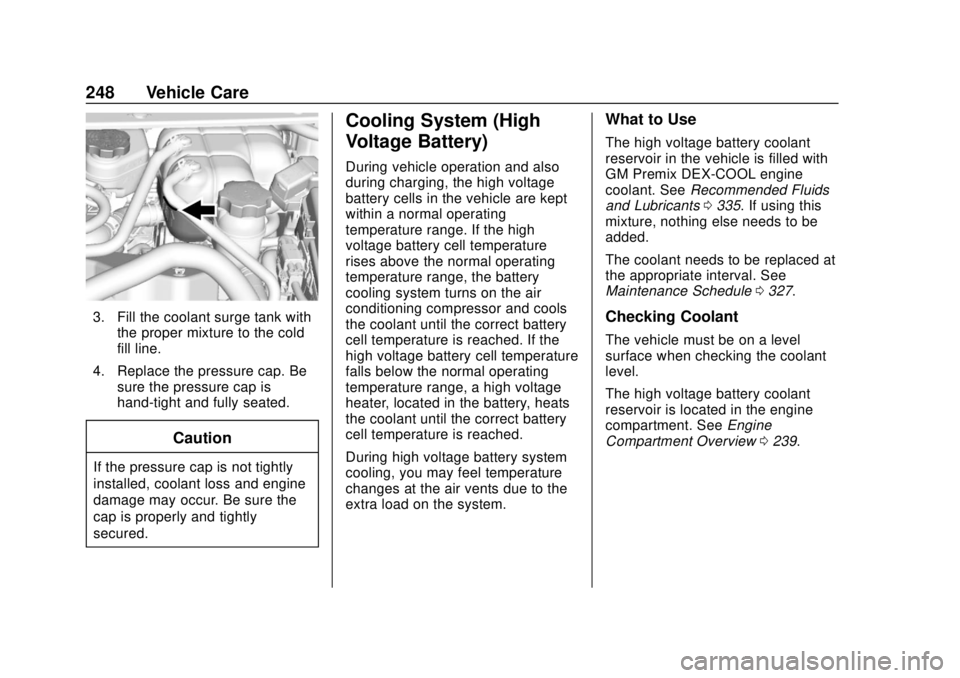
3. Fill the coolant surge tank withthe proper mixture to the cold
fill line.
4. Replace the pressure cap. Be sure the pressure cap is
hand-tight and fully seated.
Caution
If the pressure cap is not tightly
installed, coolant loss and engine
damage may occur. Be sure the
cap is properly and tightly
secured.
Cooling System (High
Voltage Battery)
During vehicle operation and also
during charging, the high voltage
battery cells in the vehicle are kept
within a normal operating
temperature range. If the high
voltage battery cell temperature
rises above the normal operating
temperature range, the battery
cooling system turns on the air
conditioning compressor and cools
the coolant until the correct battery
cell temperature is reached. If the
high voltage battery cell temperature
falls below the normal operating
temperature range, a high voltage
heater, located in the battery, heats
the coolant until the correct battery
cell temperature is reached.
During high voltage battery system
cooling, you may feel temperature
changes at the air vents due to the
extra load on the system.
What to Use
The high voltage battery coolant
reservoir in the vehicle is filled with
GM Premix DEX-COOL engine
coolant. See Recommended Fluids
and Lubricants 0335. If using this
mixture, nothing else needs to be
added.
The coolant needs to be replaced at
the appropriate interval. See
Maintenance Schedule 0327.
Checking Coolant
The vehicle must be on a level
surface when checking the coolant
level.
The high voltage battery coolant
reservoir is located in the engine
compartment. See Engine
Compartment Overview 0239.
Page 260 of 379
Chevrolet VOLT Owner Manual (GMNA-Localizing-U.S./Canada/Mexico-
11349113) - 2018 - crc - 10/12/17
Vehicle Care 259
4. Remove the bulb socket fromthe headlamp assembly by
turning it counterclockwise.
5. Remove the bulb from the socket.
6. Install the new bulb in the socket.
7. Install the bulb socket by turning it clockwise.
8. Install the cover in the back of the headlamp assembly by
turning it clockwise.
9. For the passenger side, reinstall the windshield washer
bottle filler neck by firmly
pushing it straight into the
bottle.Taillamps
Taillamp, Turn Signal, and Reverse
Lamps
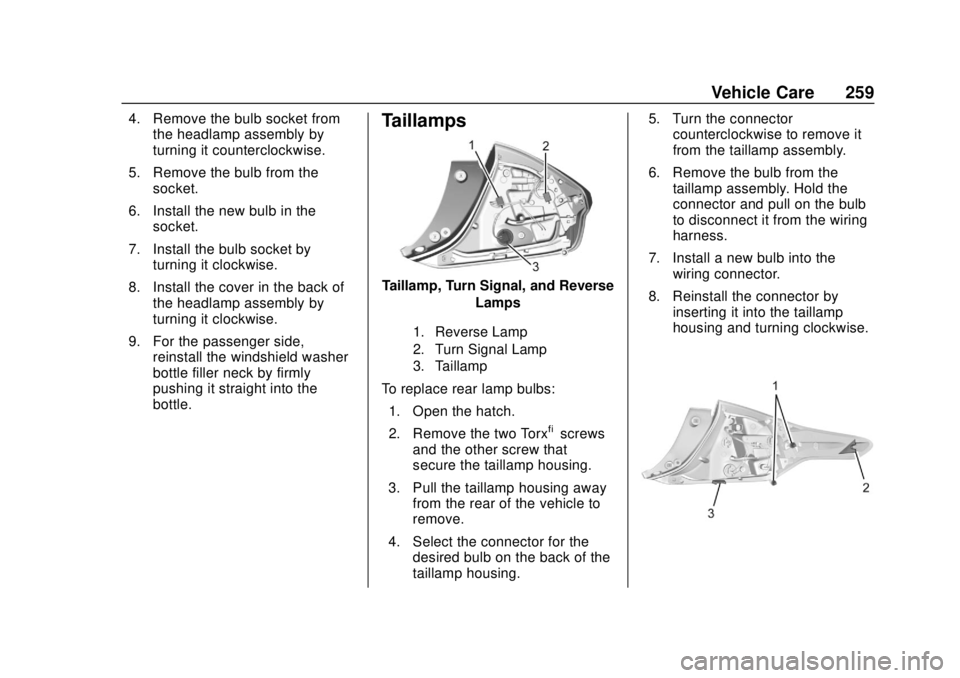
1. Reverse Lamp
2. Turn Signal Lamp
3. Taillamp
To replace rear lamp bulbs:
1. Open the hatch.
2. Remove the two Torx
®screws
and the other screw that
secure the taillamp housing.
3. Pull the taillamp housing away from the rear of the vehicle to
remove.
4. Select the connector for the desired bulb on the back of the
taillamp housing. 5. Turn the connector
counterclockwise to remove it
from the taillamp assembly.
6. Remove the bulb from the taillamp assembly. Hold the
connector and pull on the bulb
to disconnect it from the wiring
harness.
7. Install a new bulb into the wiring connector.
8. Reinstall the connector by inserting it into the taillamp
housing and turning clockwise.
Page 261 of 379
Chevrolet VOLT Owner Manual (GMNA-Localizing-U.S./Canada/Mexico-
11349113) - 2018 - crc - 10/12/17
260 Vehicle Care
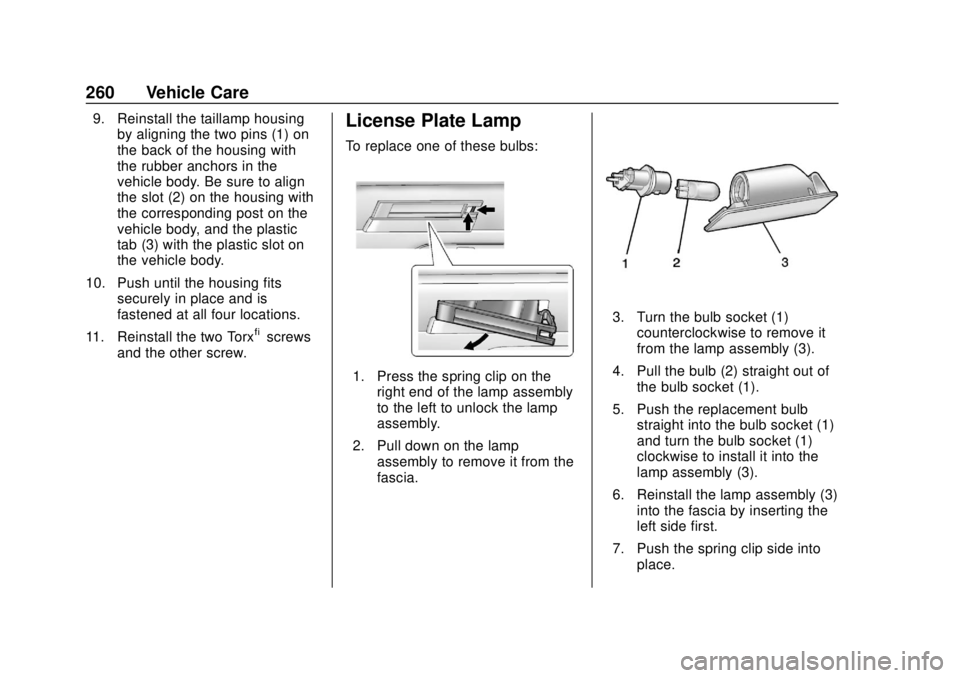
9. Reinstall the taillamp housingby aligning the two pins (1) on
the back of the housing with
the rubber anchors in the
vehicle body. Be sure to align
the slot (2) on the housing with
the corresponding post on the
vehicle body, and the plastic
tab (3) with the plastic slot on
the vehicle body.
10. Push until the housing fits securely in place and is
fastened at all four locations.
11. Reinstall the two Torx
®screws
and the other screw.
License Plate Lamp
To replace one of these bulbs:
1. Press the spring clip on the right end of the lamp assembly
to the left to unlock the lamp
assembly.
2. Pull down on the lamp assembly to remove it from the
fascia.
3. Turn the bulb socket (1)counterclockwise to remove it
from the lamp assembly (3).
4. Pull the bulb (2) straight out of the bulb socket (1).
5. Push the replacement bulb straight into the bulb socket (1)
and turn the bulb socket (1)
clockwise to install it into the
lamp assembly (3).
6. Reinstall the lamp assembly (3) into the fascia by inserting the
left side first.
7. Push the spring clip side into place.
Page 305 of 379
Chevrolet VOLT Owner Manual (GMNA-Localizing-U.S./Canada/Mexico-
11349113) - 2018 - crc - 10/12/17
304 Vehicle Care
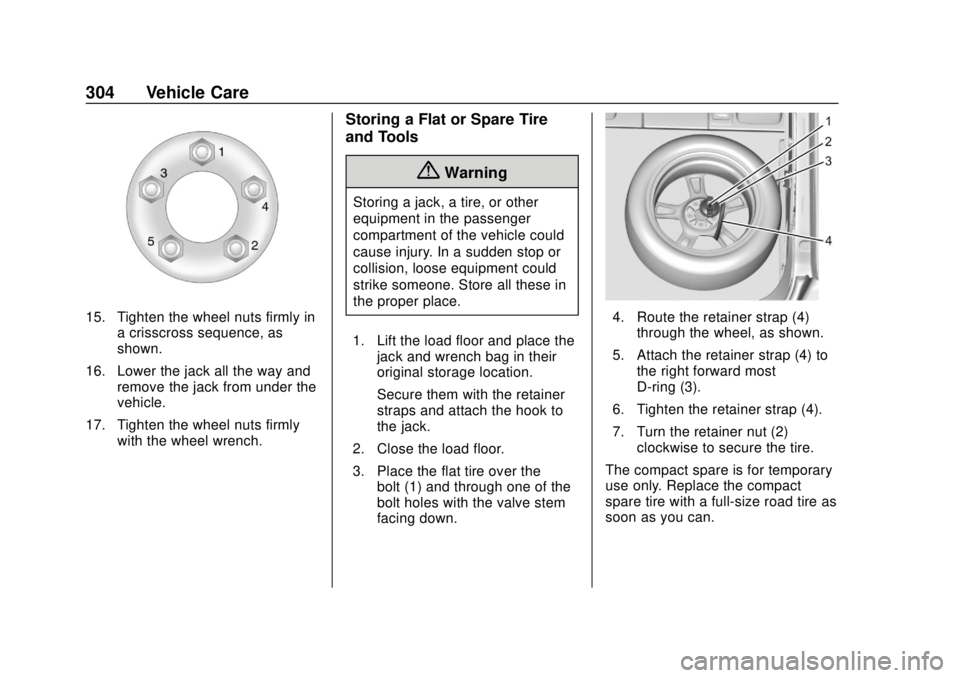
15. Tighten the wheel nuts firmly ina crisscross sequence, as
shown.
16. Lower the jack all the way and remove the jack from under the
vehicle.
17. Tighten the wheel nuts firmly with the wheel wrench.
Storing a Flat or Spare Tire
and Tools
{Warning
Storing a jack, a tire, or other
equipment in the passenger
compartment of the vehicle could
cause injury. In a sudden stop or
collision, loose equipment could
strike someone. Store all these in
the proper place.
1. Lift the load floor and place the jack and wrench bag in their
original storage location.
Secure them with the retainer
straps and attach the hook to
the jack.
2. Close the load floor.
3. Place the flat tire over the bolt (1) and through one of the
bolt holes with the valve stem
facing down.
4. Route the retainer strap (4)through the wheel, as shown.
5. Attach the retainer strap (4) to the right forward most
D-ring (3).
6. Tighten the retainer strap (4).
7. Turn the retainer nut (2) clockwise to secure the tire.
The compact spare is for temporary
use only. Replace the compact
spare tire with a full-size road tire as
soon as you can.
Page 312 of 379
Chevrolet VOLT Owner Manual (GMNA-Localizing-U.S./Canada/Mexico-
11349113) - 2018 - crc - 10/12/17
Vehicle Care 311
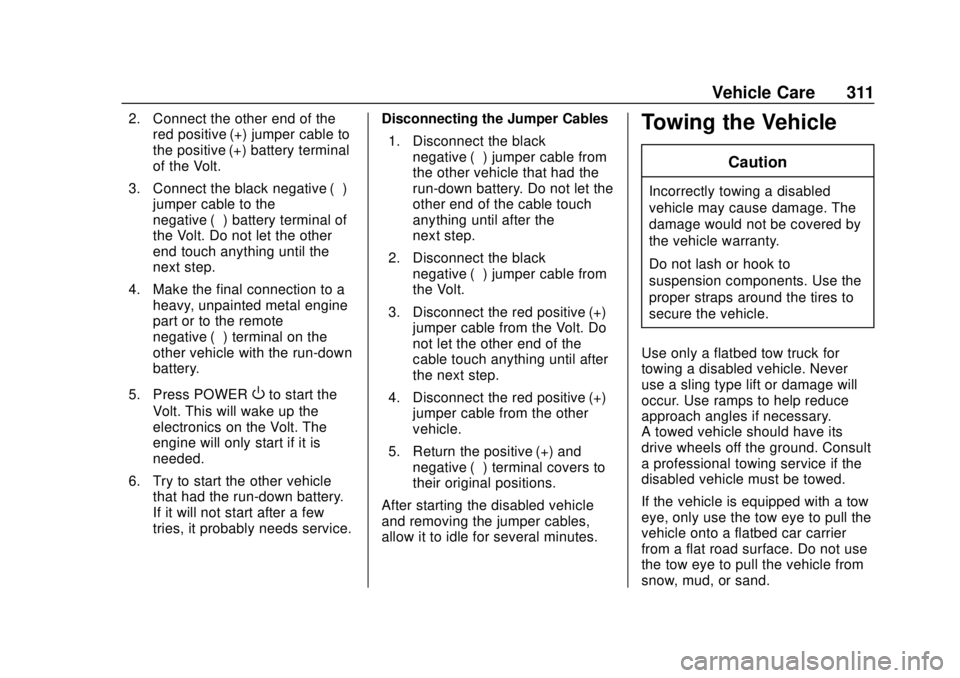
2. Connect the other end of thered positive (+) jumper cable to
the positive (+) battery terminal
of the Volt.
3. Connect the black negative (−) jumper cable to the
negative (−) battery terminal of
the Volt. Do not let the other
end touch anything until the
next step.
4. Make the final connection to a heavy, unpainted metal engine
part or to the remote
negative (−) terminal on the
other vehicle with the run-down
battery.
5. Press POWER
Oto start the
Volt. This will wake up the
electronics on the Volt. The
engine will only start if it is
needed.
6. Try to start the other vehicle that had the run-down battery.
If it will not start after a few
tries, it probably needs service. Disconnecting the Jumper Cables
1. Disconnect the black negative (−) jumper cable from
the other vehicle that had the
run-down battery. Do not let the
other end of the cable touch
anything until after the
next step.
2. Disconnect the black negative (−) jumper cable from
the Volt.
3. Disconnect the red positive (+) jumper cable from the Volt. Do
not let the other end of the
cable touch anything until after
the next step.
4. Disconnect the red positive (+) jumper cable from the other
vehicle.
5. Return the positive (+) and negative (−) terminal covers to
their original positions.
After starting the disabled vehicle
and removing the jumper cables,
allow it to idle for several minutes.
Towing the Vehicle
Caution
Incorrectly towing a disabled
vehicle may cause damage. The
damage would not be covered by
the vehicle warranty.
Do not lash or hook to
suspension components. Use the
proper straps around the tires to
secure the vehicle.
Use only a flatbed tow truck for
towing a disabled vehicle. Never
use a sling type lift or damage will
occur. Use ramps to help reduce
approach angles if necessary.
A towed vehicle should have its
drive wheels off the ground. Consult
a professional towing service if the
disabled vehicle must be towed.
If the vehicle is equipped with a tow
eye, only use the tow eye to pull the
vehicle onto a flatbed car carrier
from a flat road surface. Do not use
the tow eye to pull the vehicle from
snow, mud, or sand.
Page 313 of 379
Chevrolet VOLT Owner Manual (GMNA-Localizing-U.S./Canada/Mexico-
11349113) - 2018 - crc - 10/12/17
312 Vehicle Care
Caution
Improper use of the tow eye can
cause vehicle damage. Use
caution and low speeds to
prevent damage to the vehicle.
Consult your dealer or a
professional towing service if the
disabled vehicle must be towed.
To load a vehicle onto a flatbed
carrier: 1. The vehicle must be on a flat surface.
2. The front tires must be properly inflated. If necessary, move a
rear tire to the front to replace
a flat or damaged tire.
If equipped, use the spare tire
to replace a flat or
damaged tire.
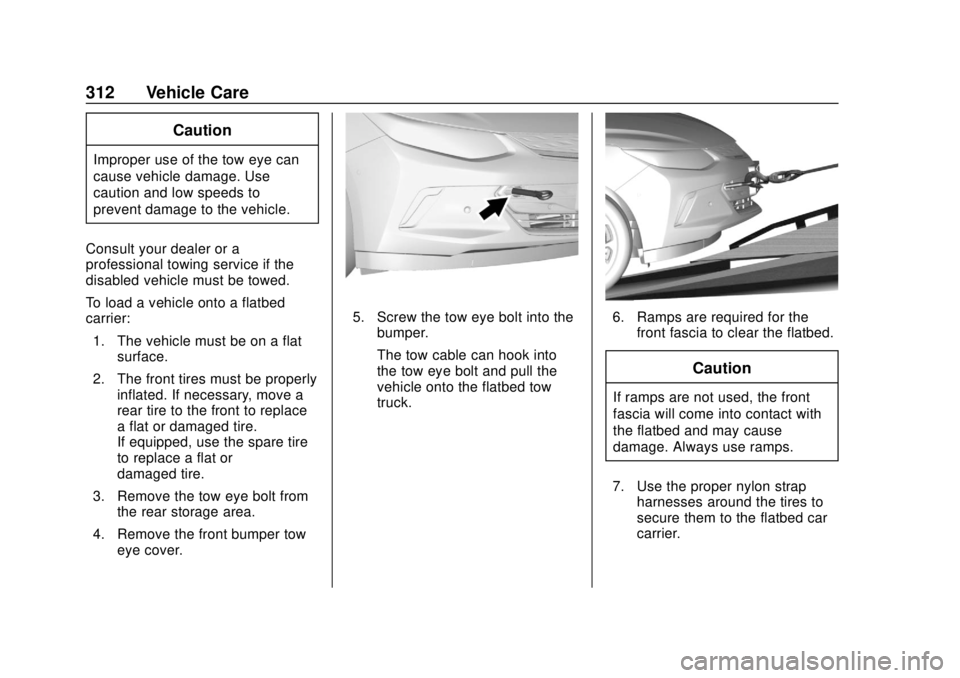
3. Remove the tow eye bolt from the rear storage area.
4. Remove the front bumper tow eye cover.
5. Screw the tow eye bolt into thebumper.
The tow cable can hook into
the tow eye bolt and pull the
vehicle onto the flatbed tow
truck.6. Ramps are required for thefront fascia to clear the flatbed.
Caution
If ramps are not used, the front
fascia will come into contact with
the flatbed and may cause
damage. Always use ramps.
7. Use the proper nylon strap harnesses around the tires to
secure them to the flatbed car
carrier.
Page 315 of 379
Chevrolet VOLT Owner Manual (GMNA-Localizing-U.S./Canada/Mexico-
11349113) - 2018 - crc - 10/12/17
314 Vehicle Care
Dinghy Towing
Caution
If the vehicle is towed with all four
wheels on the ground, the drive
unit could be damaged. Repairs
would not be covered by the
vehicle warranty. Do not tow the
vehicle with all four wheels on the
ground.
The vehicle was not designed to be
towed with all four wheels on the
ground. If the vehicle must be towed, a dolly should be used. See
the information on dolly towing
following.
Dolly Towing from the Front
The vehicle can be towed from the
front using a dolly. To tow the
vehicle using a dolly:
1. Attach the dolly to the tow vehicle following the dolly
manufacturer's instructions.
2. Drive the front wheels onto the dolly.
3. Put the shift lever in P (Park). 4. Set the parking brake and turn
the vehicle off.
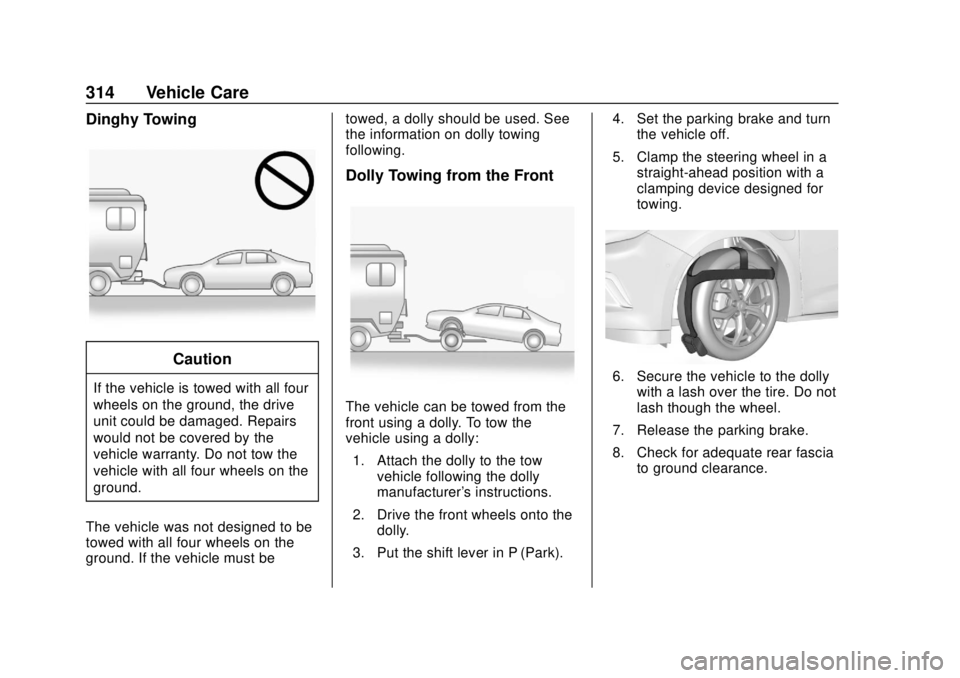
5. Clamp the steering wheel in a straight-ahead position with a
clamping device designed for
towing.
6. Secure the vehicle to the dollywith a lash over the tire. Do not
lash though the wheel.
7. Release the parking brake.
8. Check for adequate rear fascia to ground clearance.
Page 325 of 379
Chevrolet VOLT Owner Manual (GMNA-Localizing-U.S./Canada/Mexico-
11349113) - 2018 - crc - 10/12/17
324 Vehicle Care
.Do not use a floor mat if the
vehicle is not equipped with a
floor mat retainer on the driver
side floor.
. Use the floor mat with the
correct side up. Do not turn
it over.
. Do not place anything on top of
the driver side floor mat.
. Use only a single floor mat on
the driver side.
. Do not place one floor mat on
top of another.
Removing and Replacing the
Floor Mats
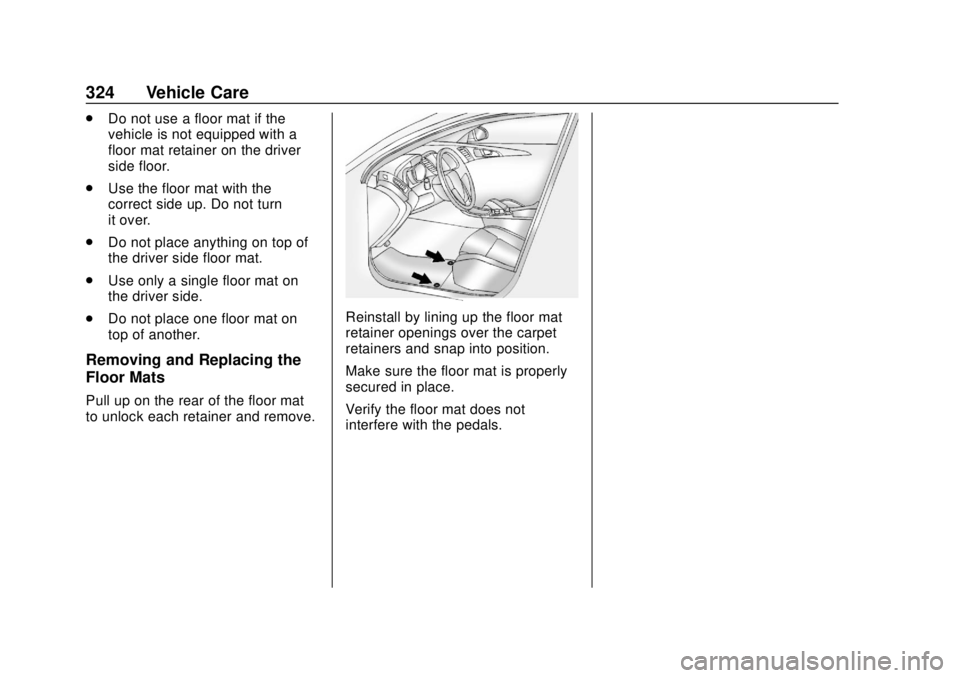
Pull up on the rear of the floor mat
to unlock each retainer and remove.
Reinstall by lining up the floor mat
retainer openings over the carpet
retainers and snap into position.
Make sure the floor mat is properly
secured in place.
Verify the floor mat does not
interfere with the pedals.
Page 347 of 379
Chevrolet VOLT Owner Manual (GMNA-Localizing-U.S./Canada/Mexico-
11349113) - 2018 - crc - 10/12/17
346 Customer Information
General Motors North America and
Chevrolet reserve the right to limit
services or payment to an owner or
driver if they decide the claims are
made too often, or the same type of
claim is made many times.
Services Provided
.Emergency Fuel Delivery:
Delivery of enough fuel for the
vehicle to get to the nearest
service station.
. Lock-Out Service: Service to
unlock the vehicle if you are
locked out. A remote unlock may
be available if you have OnStar.
For security reasons, the driver
must present identification
before this service is given.
. Emergency Tow from a Public
Road or Highway: Tow to the
nearest certified Volt or ELR
dealer for warranty service, or if
the vehicle was in a crash and
cannot be driven. Assistance is
not given when the vehicle is
stuck in the sand, mud, or snow. Emergency towing may be
covered during the Extended
Vehicle (EV) warranty.
. Flat Tire Change: Service to
change a flat tire with the tire
sealant and compressor kit.
If the tire has been separated
from the wheel, has damaged
sidewalls, or has a large
puncture, the tire is too severely
damaged for the tire sealant and
compressor kit to be effective
and the vehicle will have to be
towed. It is the owner's
responsibility for the repair or
replacement of the tire if it is not
covered by the warranty.
. Battery Jump Start: Service to
jump start a dead battery.
. Trip Interruption Benefits and
Assistance: If your trip is
interrupted due to a warranty
event, incidental expenses may
be reimbursed within the
Powertrain warranty period.
Items considered are reasonable
and customary hotel, meals, rental car, or a vehicle being
delivered back to the customer,
up to 500 mi.
Services Not Included in
Roadside Assistance
.
Impound towing caused by
violation of any laws.
. Legal fines.
. Mounting, dismounting,
or changing of snow tires,
chains, or other traction devices.
Service is not provided if a vehicle
is in an area that is not accessible
to the service vehicle or is not a
regularly traveled or maintained
public road, which includes ice and
winter roads. Off-road use is not
covered.
Services Specific to Canadian
Vehicles
. Lock-Out Service: Vehicle
registration is required.
. Trip Interruption Benefits and
Assistance: Must be over
150 km (93 mi) from where the
trip was started to qualify.
Page 356 of 379
Chevrolet VOLT Owner Manual (GMNA-Localizing-U.S./Canada/Mexico-
11349113) - 2018 - crc - 10/12/17
OnStar 355
OnStar
OnStar Overview
OnStar Overview . . . . . . . . . . . . . 355
OnStar Services
Emergency . . . . . . . . . . . . . . . . . . . 356
Security . . . . . . . . . . . . . . . . . . . . . . 357
Navigation . . . . . . . . . . . . . . . . . . . . 357
Connections . . . . . . . . . . . . . . . . . . 358
Diagnostics . . . . . . . . . . . . . . . . . . . 360
OnStar Additional Information
OnStar AdditionalInformation . . . . . . . . . . . . . . . . . . 361
OnStar Overview
=Voice Command Button
QBlue OnStar Button
>Red Emergency Button
This vehicle may be equipped with a
comprehensive, in-vehicle system
that can connect to an OnStar
Advisor for Emergency, Security,
Navigation, Connections, and
Diagnostics Services. OnStar
services may require a paid service
plan and data plan. OnStar requires
the vehicle battery and electrical
system, cellular service, and GPS
satellite signals to be available and
operating. OnStar acts as a link to
existing emergency service
providers. OnStar may collect
information about you and your
vehicle, including location
information. See OnStar User Terms, Privacy Statement, and
Software Terms for more details
including system limitations at
www.onstar.com (U.S.) or
www.onstar.ca (Canada).
The OnStar system status light is
next to the OnStar buttons. If the
status light is:
.
Solid Green: System is ready.
. Flashing Green: On a call.
. Red: Indicates a problem.
. Off: System is active. Press
Q
twice to speak with an OnStar
Advisor.
Press
Qor call 1-888-4ONSTAR
(1-888-466-7827) to speak to an
Advisor.
Functionality of the Voice Command
button may vary by vehicle and
region.