heating CHEVROLET VOLT 2019 User Guide
[x] Cancel search | Manufacturer: CHEVROLET, Model Year: 2019, Model line: VOLT, Model: CHEVROLET VOLT 2019Pages: 373, PDF Size: 5.66 MB
Page 121 of 373
Chevrolet VOLT Owner Manual (GMNA-Localizing-U.S./Canada/Mexico-
12163007) - 2019 - CRC - 11/5/18
120 Instruments and Controls
If the light does not come on, have
the vehicle serviced by your dealer.
If the system is working normally,
the indicator light turns off.
If the light is on and not flashing, the
TCS and potentially the StabiliTrak/
Electronic Stability Control (ESC)
system have been disabled.
If the light is on and flashing, the
TCS and/or the StabiliTrak/ESC
system is actively working.
SeeTraction Control/Electronic
Stability Control 0186.
Engine Coolant
Temperature Warning
Light
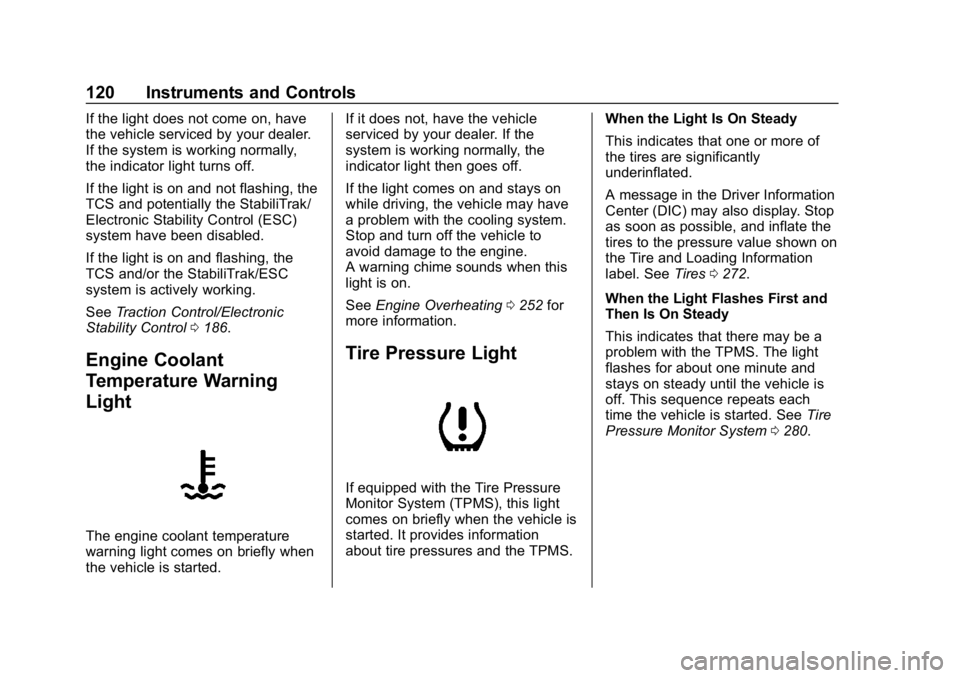
The engine coolant temperature
warning light comes on briefly when
the vehicle is started. If it does not, have the vehicle
serviced by your dealer. If the
system is working normally, the
indicator light then goes off.
If the light comes on and stays on
while driving, the vehicle may have
a problem with the cooling system.
Stop and turn off the vehicle to
avoid damage to the engine.
A warning chime sounds when this
light is on.
See
Engine Overheating 0252 for
more information.
Tire Pressure Light
If equipped with the Tire Pressure
Monitor System (TPMS), this light
comes on briefly when the vehicle is
started. It provides information
about tire pressures and the TPMS. When the Light Is On Steady
This indicates that one or more of
the tires are significantly
underinflated.
A message in the Driver Information
Center (DIC) may also display. Stop
as soon as possible, and inflate the
tires to the pressure value shown on
the Tire and Loading Information
label. See
Tires0272.
When the Light Flashes First and
Then Is On Steady
This indicates that there may be a
problem with the TPMS. The light
flashes for about one minute and
stays on steady until the vehicle is
off. This sequence repeats each
time the vehicle is started. See Tire
Pressure Monitor System 0280.
Page 131 of 373
Chevrolet VOLT Owner Manual (GMNA-Localizing-U.S./Canada/Mexico-
12163007) - 2019 - CRC - 11/5/18
130 Instruments and Controls
2. Touch Add A Rate Period orSubtract A Rate Period.
.Weekdays are Monday
through Friday and use the
same rate schedule.
. Weekends are Saturday
and Sunday and use the
same rate schedule.
Both weekday and weekend
schedules must be set. The rate
schedule only applies for a 24-hour
period, starting at 12:00 am and
ending at 12:00 am. There can be
five rate changes for each day; not
all must be used.
The finish times must be
consecutive. If a finish time does not
follow a start time, this error
message displays: “An invalid entry
was found in the data entered.
Please re-enter data.”
Energy Summary Pop-Up
When this function is turned on, the
Energy Summary Pop-Up will
provide a summary of energy usage
when the vehicle is turned off.
Select On or Off.
Charge Status Feedback
When this function is turned on, the
vehicle will provide audible
feedback of the charge status.
1 beep : Immediate charging
2 beeps : Delayed charging
3 beeps : Charge port door is open
4 beeps : Desired time cannot
be met
Select On or Off.
Charge Cord Theft Alert
When this function is turned on and
the vehicle is off and locked, the
horn will sound if the charge cord is
removed.
Select On or Off.
Charge Power Loss Alert
When this function is turned on and
the vehicle is charging, the horn will
sound if power is lost.
Select On or Off.
Engine Assisted Heating
In Default setting, the engine will run
at cold ambient temperatures to
assist in warming the cabin. When
Deferred is selected the engine will
not run to assist in cabin heating,
until extremely cold ambient
temperatures, or Max Defrost is
selected. See Automatic Climate
Control System 0150.
Engine Assisted Heating
Plugged In
If the vehicle is started remotely, the
engine will turn on to assist in
warming up the cabin.
Select On or Off.
Charging Interrupted or
Overridden Pop-Up
The Charging Interrupted or
Overridden message will appear if
there was an unintended loss of AC
power during the plug in charge
event. For example, there was a
power outage or the charge cord
was unplugged from the wall.
Page 133 of 373
Chevrolet VOLT Owner Manual (GMNA-Localizing-U.S./Canada/Mexico-
12163007) - 2019 - CRC - 11/5/18
132 Instruments and Controls
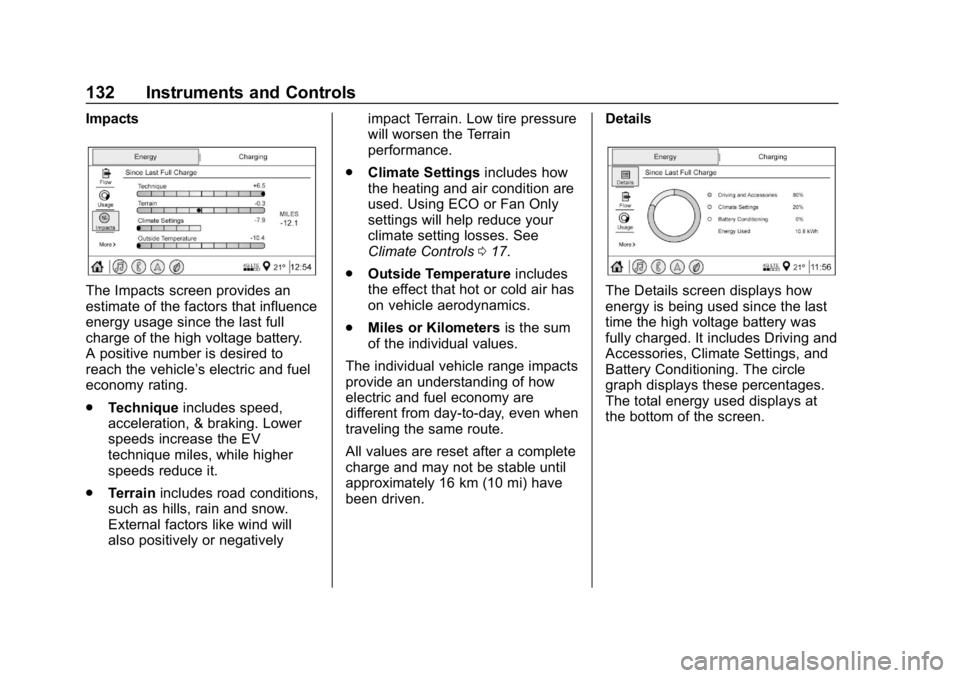
Impacts
The Impacts screen provides an
estimate of the factors that influence
energy usage since the last full
charge of the high voltage battery.
A positive number is desired to
reach the vehicle’s electric and fuel
economy rating.
.Technique includes speed,
acceleration, & braking. Lower
speeds increase the EV
technique miles, while higher
speeds reduce it.
. Terrain includes road conditions,
such as hills, rain and snow.
External factors like wind will
also positively or negatively impact Terrain. Low tire pressure
will worsen the Terrain
performance.
. Climate Settings includes how
the heating and air condition are
used. Using ECO or Fan Only
settings will help reduce your
climate setting losses. See
Climate Controls 017.
. Outside Temperature includes
the effect that hot or cold air has
on vehicle aerodynamics.
. Miles or Kilometers is the sum
of the individual values.
The individual vehicle range impacts
provide an understanding of how
electric and fuel economy are
different from day-to-day, even when
traveling the same route.
All values are reset after a complete
charge and may not be stable until
approximately 16 km (10 mi) have
been driven. DetailsThe Details screen displays how
energy is being used since the last
time the high voltage battery was
fully charged. It includes Driving and
Accessories, Climate Settings, and
Battery Conditioning. The circle
graph displays these percentages.
The total energy used displays at
the bottom of the screen.
Page 138 of 373
Chevrolet VOLT Owner Manual (GMNA-Localizing-U.S./Canada/Mexico-
12163007) - 2019 - CRC - 11/5/18
Instruments and Controls 137
Vehicle
Personalization
The following are all possible
vehicle personalization features.
Depending on the vehicle, some
may not be available.
For System, Apps, and Personal
features and functions, see
“Settings”in the infotainment
manual.
To access the vehicle
personalization menu:
1. Touch the Settings icon on the Home Page of the infotainment
display.
2. Touch Vehicle to display a list of available options.
3. Touch to select the desired feature setting.
4. Touch
9orRto turn a feature
off or on.
5. Touch
zto go to the top level
of the Settings menu. The menu may contain the
following:
Rear Seat Reminder
This allows for a chime and a
message when the rear door has
been opened before or during
operation of the vehicle.
Touch Off or On.
Climate and Air Quality
Touch and the following may
display:
.
Auto Fan Speed
. Auto Heated Seats
. Auto Defog
. Engine Assisted Heating
. Engine Assisted Heating
Plugged In
Auto Fan Speed
This feature will set the auto fan
speed.
Touch Low, Medium, or High. Auto Heated Seats
When the vehicle is on, this feature
will automatically activate the
heated seats at the level required by
the vehicle's interior temperature.
The auto heated seats can be
turned off by using
LorMon the
center stack.
If equipped with Auto Heated
Steering Wheel, this feature will turn
on when the Auto Heated Seats
turn on.
Touch Off or On.
Auto Defog
When turned on and high humidity
is detected, the climate control
system may adjust to outside air
supply and turn on the air
conditioner or the heater. The fan
speed may slightly increase to help
prevent fogging. When high
humidity is no longer detected, the
system will return to its prior
operation.
Touch Off or On.
Page 139 of 373
Chevrolet VOLT Owner Manual (GMNA-Localizing-U.S./Canada/Mexico-
12163007) - 2019 - CRC - 11/5/18
138 Instruments and Controls
Engine Assisted Heating
This feature selects the outside
temperature level at which the
engine may run to assist cabin
heating in Electric Mode. A change
in selection will not take effect until
after the vehicle is first
powered down.
Touch On for temperatures below
approximately 0 °C (32 °F), or touch
Deferred for temperatures below
approximately−25 °C (−13 °F).
In Deferred mode, when Max
Defrost is selected the engine may
run at temperatures below
approximately -10 °C (15 °F) until
the vehicle is powered down. See
Automatic Climate Control System
0 150.
Engine Assisted Heating
Plugged In
During remote start, this feature
turns on or off the ability for the
engine to run to help heat the
vehicle when it is plugged in.
A change in setting will not take
effect until after the vehicle is first
powered down. Touch Off or On.
Collision/Detection Systems
Touch and the following may
display:
.
Forward Collision System
. Rear Camera Park Assist
Symbols
. Rear Cross Traffic Alert
. Adaptive Cruise Go Notifier
. Lane Change Alert
Forward Collision System
This feature will turn on or off the
Forward Collision Alert (FCA) and
Forward Automatic Braking (FAB).
The Off setting disables all FCA and
FAB functions. With the Alert and
Brake setting, both FCA and FAB
are available. The Alert setting
disables FAB. See Forward
Automatic Braking (FAB) 0208.
Touch Off, Alert, or Alert and Brake. Rear Camera Park Assist Symbols
This setting enables the Rear
Camera Park Assist Symbols. See
Assistance Systems for Parking or
Backing
0202.
Touch Off or On.
Rear Cross Traffic Alert
This allows the Rear Cross Traffic
Alert feature to be turned on or off.
See “Rear Cross Traffic Alert” in
Assistance Systems for Parking or
Backing 0202.
Touch Off or On.
Adaptive Cruise Go Notifier
This feature will give a reminder that
Adaptive Cruise Control provides
when it has brought the vehicle to a
complete stop behind another
stopping vehicle, and then that
vehicle drives on.
Touch Off or On.
Lane Change Alert
This allows the Lane Change Alert
feature to be turned on or off. See
Lane Change Alert (LCA) 0210.
Page 151 of 373
Chevrolet VOLT Owner Manual (GMNA-Localizing-U.S./Canada/Mexico-
12163007) - 2019 - CRC - 11/5/18
150 Climate Controls
Climate Controls
Climate Control Systems
Automatic Climate ControlSystem . . . . . . . . . . . . . . . . . . . . . . 150
Air Vents
Air Vents . . . . . . . . . . . . . . . . . . . . . 155
Maintenance
Passenger Compartment AirFilter . . . . . . . . . . . . . . . . . . . . . . . . 155
Service . . . . . . . . . . . . . . . . . . . . . . . 156
Climate Control
Systems
Automatic Climate
Control System
The heating, cooling, and ventilation
for the vehicle can be controlled
with this system.
The vehicle may require the use of
an auxiliary heat source under
certain cold conditions. This
provides additional heating and
defrost capability obtained by
running the engine, even if the high voltage battery is adequately
charged. Under these conditions,
the engine will start and use fuel.
Make sure there is fuel in the tank.
Do not allow the vehicle to remain in
extreme temperatures for long
periods without being driven or
plugged in.
Page 154 of 373
Chevrolet VOLT Owner Manual (GMNA-Localizing-U.S./Canada/Mexico-
12163007) - 2019 - CRC - 11/5/18
Climate Controls 153
Y:Air is directed to the instrument
panel outlets.
[: Air is directed to the floor
outlets.
0MAX : Air is directed to the
windshield and the fan runs at a
higher speed. Fog or frost is cleared
from the windshield more quickly.
When
0MAX is pressed, an
indicator light on the button is
illuminated. When
0MAX is
pressed again, the system returns
to the previous mode setting and
the indicator light turns off.
For best results, clear all snow and
ice from the windshield before
defrosting.
If
0MAX is selected in eco or
MAX mode, the engine may come
on to assist in heating, air
conditioning or electric heat may
turn on and have a noticeable effect
on vehicle electric range and fuel
economy.
@: Press to turn on recirculation.
An indicator light comes on. Air is
recirculated to quickly cool the
inside of the vehicle or to reduce the
entry of outside air and odors.
Pressing this button cancels
automatic recirculation. Press AUTO
to return to automatic operation;
recirculation runs automatically as
needed.
Auto Defog : The system will
monitor high humidity inside the
vehicle. When high humidity is
detected, the climate control system
may adjust to outside air supply and
turn on the air conditioner or the
heater. The fan speed may slightly
increase to help prevent fogging.
When high humidity is no longer
detected, the system will return to
its prior operation. To turn Auto
Defog off or on, see “Climate and
Air Quality” underVehicle
Personalization 0137.
LorM:If equipped, pressLorMto heat the driver or passenger seat.
See Heated Front Seats 057. Auto Heated Seats :
If equipped,
the controls can be accessed while
the vehicle is on by pressing
Lor
Mon the center stack. When the
vehicle is on, this feature will
automatically activate the heated
seats at the level required by the
vehicle's interior temperature. The
active high, medium, low, or off
heated seat level will be indicated
by the manual heated seat button
lights on the center stack.
See Heated Front Seats 057 and
Vehicle Personalization 0137.
Rear Window Defogger
K:Press to turn the rear window
defogger on or off. An indicator light
on the button comes on to show that
the rear window defogger is on.
The defogger only works when the
vehicle is on. The defogger will turn
off if the vehicle is turned off.
If equipped with heated outside
mirrors, they turn on when the rear
window defogger button is on and
help to clear fog or frost from the
surface of the mirror. See Heated
Mirrors 049.
Page 155 of 373
Chevrolet VOLT Owner Manual (GMNA-Localizing-U.S./Canada/Mexico-
12163007) - 2019 - CRC - 11/5/18
154 Climate Controls
Caution
Do not try to clear frost or other
material from the inside of the
front windshield and rear window
with a razor blade or anything
else that is sharp. This may
damage the rear window
defogger grid and affect the
radio's ability to pick up stations
clearly. The repairs would not be
covered by the vehicle warranty.
Remote Start : The climate control
system may be started by using the
Remote Keyless Entry (RKE)
transmitter. The climate control
system will default to an appropriate
heating or cooling mode. See
Remote Start 038.
If equipped, the heated seats will
turn on if it is cold outside. The
heated seat indicator light will not
come on during a remote start.
If equipped, the heated steering
wheel will come on if it is cold outside. The heated steering wheel
indicator light will not come on
during a remote start.
The rear window defogger turns on
if it is cold outside.
Compressor
The vehicle has an electric powered
air conditioning compressor. This
allows for continuous air
conditioning and/or high voltage
battery cooling operation, without
running the engine.
The compressor operating speed is
not tied to the engine speed, so
some noise may be heard from the
compressor, especially when air
conditioning use is high and the
engine has turned off. This is
normal.
Sensors
Solar Sensor
The solar sensor is on top of the
instrument panel, near the
windshield, where it monitors solar
intensity.The climate control system uses the
sensor information to adjust the
temperature, fan speed,
recirculation, and air delivery mode
for best comfort.
Do not cover the sensor; otherwise
the automatic climate control system
may not work properly.
Humidity Sensor
The humidity sensor is near the
base of the inside rearview mirror.
The climate control system uses the
sensor information to adjust the
temperature and recirculation for
best comfort.
Outside Air Temperature Sensor
The outside air temperature sensor
is behind the front grille of the
vehicle. The vehicle uses the sensor
information to display outside air
temperature. The climate control
system uses the information to
adjust the climate system operation.
Page 236 of 373
Chevrolet VOLT Owner Manual (GMNA-Localizing-U.S./Canada/Mexico-
12163007) - 2019 - CRC - 11/5/18
Vehicle Care 235
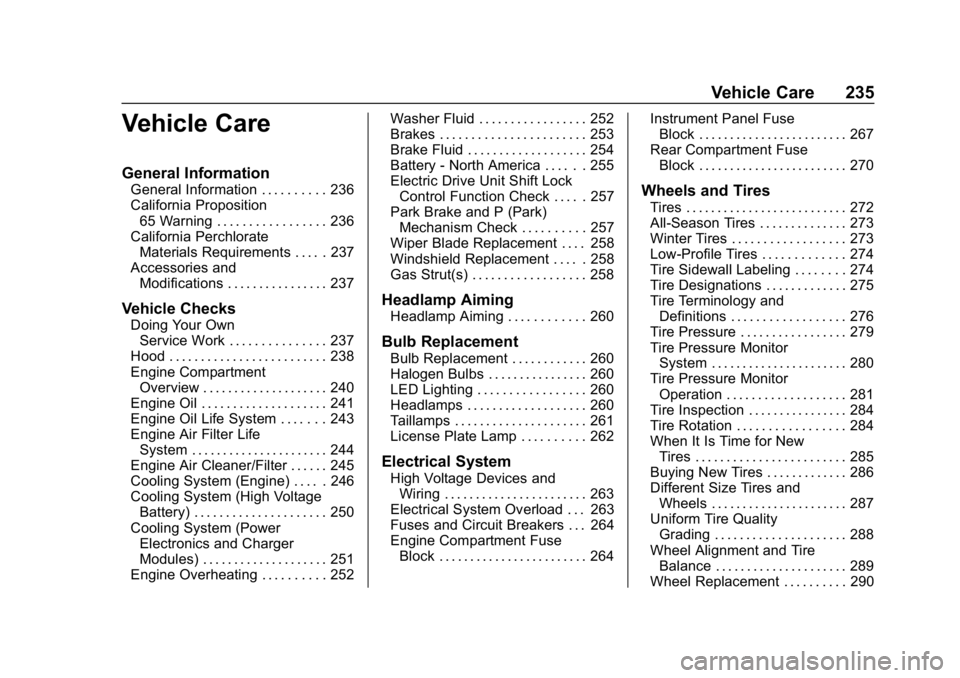
Vehicle Care
General Information
General Information . . . . . . . . . . 236
California Proposition65 Warning . . . . . . . . . . . . . . . . . 236
California Perchlorate Materials Requirements . . . . . 237
Accessories and Modifications . . . . . . . . . . . . . . . . 237
Vehicle Checks
Doing Your OwnService Work . . . . . . . . . . . . . . . 237
Hood . . . . . . . . . . . . . . . . . . . . . . . . . 238
Engine Compartment Overview . . . . . . . . . . . . . . . . . . . . 240
Engine Oil . . . . . . . . . . . . . . . . . . . . 241
Engine Oil Life System . . . . . . . 243
Engine Air Filter Life System . . . . . . . . . . . . . . . . . . . . . . 244
Engine Air Cleaner/Filter . . . . . . 245
Cooling System (Engine) . . . . . 246
Cooling System (High Voltage Battery) . . . . . . . . . . . . . . . . . . . . . 250
Cooling System (Power Electronics and Charger
Modules) . . . . . . . . . . . . . . . . . . . . 251
Engine Overheating . . . . . . . . . . 252 Washer Fluid . . . . . . . . . . . . . . . . . 252
Brakes . . . . . . . . . . . . . . . . . . . . . . . 253
Brake Fluid . . . . . . . . . . . . . . . . . . . 254
Battery - North America . . . . . . 255
Electric Drive Unit Shift Lock
Control Function Check . . . . . 257
Park Brake and P (Park) Mechanism Check . . . . . . . . . . 257
Wiper Blade Replacement . . . . 258
Windshield Replacement . . . . . 258
Gas Strut(s) . . . . . . . . . . . . . . . . . . 258
Headlamp Aiming
Headlamp Aiming . . . . . . . . . . . . 260
Bulb Replacement
Bulb Replacement . . . . . . . . . . . . 260
Halogen Bulbs . . . . . . . . . . . . . . . . 260
LED Lighting . . . . . . . . . . . . . . . . . 260
Headlamps . . . . . . . . . . . . . . . . . . . 260
Taillamps . . . . . . . . . . . . . . . . . . . . . 261
License Plate Lamp . . . . . . . . . . 262
Electrical System
High Voltage Devices and Wiring . . . . . . . . . . . . . . . . . . . . . . . 263
Electrical System Overload . . . 263
Fuses and Circuit Breakers . . . 264
Engine Compartment Fuse Block . . . . . . . . . . . . . . . . . . . . . . . . 264 Instrument Panel Fuse
Block . . . . . . . . . . . . . . . . . . . . . . . . 267
Rear Compartment Fuse Block . . . . . . . . . . . . . . . . . . . . . . . . 270
Wheels and Tires
Tires . . . . . . . . . . . . . . . . . . . . . . . . . . 272
All-Season Tires . . . . . . . . . . . . . . 273
Winter Tires . . . . . . . . . . . . . . . . . . 273
Low-Profile Tires . . . . . . . . . . . . . 274
Tire Sidewall Labeling . . . . . . . . 274
Tire Designations . . . . . . . . . . . . . 275
Tire Terminology andDefinitions . . . . . . . . . . . . . . . . . . 276
Tire Pressure . . . . . . . . . . . . . . . . . 279
Tire Pressure Monitor System . . . . . . . . . . . . . . . . . . . . . . 280
Tire Pressure Monitor Operation . . . . . . . . . . . . . . . . . . . 281
Tire Inspection . . . . . . . . . . . . . . . . 284
Tire Rotation . . . . . . . . . . . . . . . . . 284
When It Is Time for New Tires . . . . . . . . . . . . . . . . . . . . . . . . 285
Buying New Tires . . . . . . . . . . . . . 286
Different Size Tires and Wheels . . . . . . . . . . . . . . . . . . . . . . 287
Uniform Tire Quality Grading . . . . . . . . . . . . . . . . . . . . . 288
Wheel Alignment and Tire Balance . . . . . . . . . . . . . . . . . . . . . 289
Wheel Replacement . . . . . . . . . . 290
Page 248 of 373
Chevrolet VOLT Owner Manual (GMNA-Localizing-U.S./Canada/Mexico-
12163007) - 2019 - CRC - 11/5/18
Vehicle Care 247
{Warning
An underhood electric fan can
start up even when the engine is
not running and can cause injury.
Keep hands, clothing, and tools
away from any underhood
electric fan.
If the coolant inside the coolant
surge tank is boiling, do not do
anything else until it cools down.
The vehicle should be parked on a
level surface.
The coolant level should be up to
the cold fill line. If it is not, there
might be a leak at the radiator
hoses, heater hoses, radiator, water
pump, or somewhere else in the
cooling system.
{Warning
Do not touch heater or radiator
hoses, or other engine parts.
They can be very hot and can (Continued)
Warning (Continued)
burn you. Do not run the engine if
there is a leak; all coolant could
leak out. That could cause an
engine fire and can burn you. Fix
any leak before driving the
vehicle.
If there seems to be no leak, with
the engine on, check to see if the
cooling fans are running. If the
engine is overheating, the fans
should be running. If they are not,
the vehicle needs service. Turn off
the vehicle.
Engine Coolant
The engine cooling system in the
vehicle is filled with GM Premix
DEX-COOL engine coolant. See
Recommended Fluids and
Lubricants 0329. The coolant
requires changing at certain
intervals. See Maintenance
Schedule 0321. The following explains the cooling
system and how to check and add
coolant when it is low. If there is a
problem with engine overheating,
see
Engine Overheating 0252.
What to Use
{Warning
Plain water, or other liquids such
as alcohol, can boil before the
proper coolant mixture will. With
plain water or the wrong mixture,
the engine could get too hot but
there would not be an overheat
warning. The engine could catch
fire and you or others could be
burned.
Use GM Premix DEX-COOL engine
coolant. This mixture:
. Gives freezing protection down
to−37 °C (−34 °F), outside
temperature.
. Gives boiling protection up to
129 °C (265 °F), engine
temperature.